
Technologies
Stop Charging Your Android Watch Daily. Here Are 7 Tips for Longer Battery Life
From Samsung’s Galaxy Watch to Google’s Pixel Watch and other Wear OS models, these settings can add hours of extra battery life for sleep and fitness tracking.
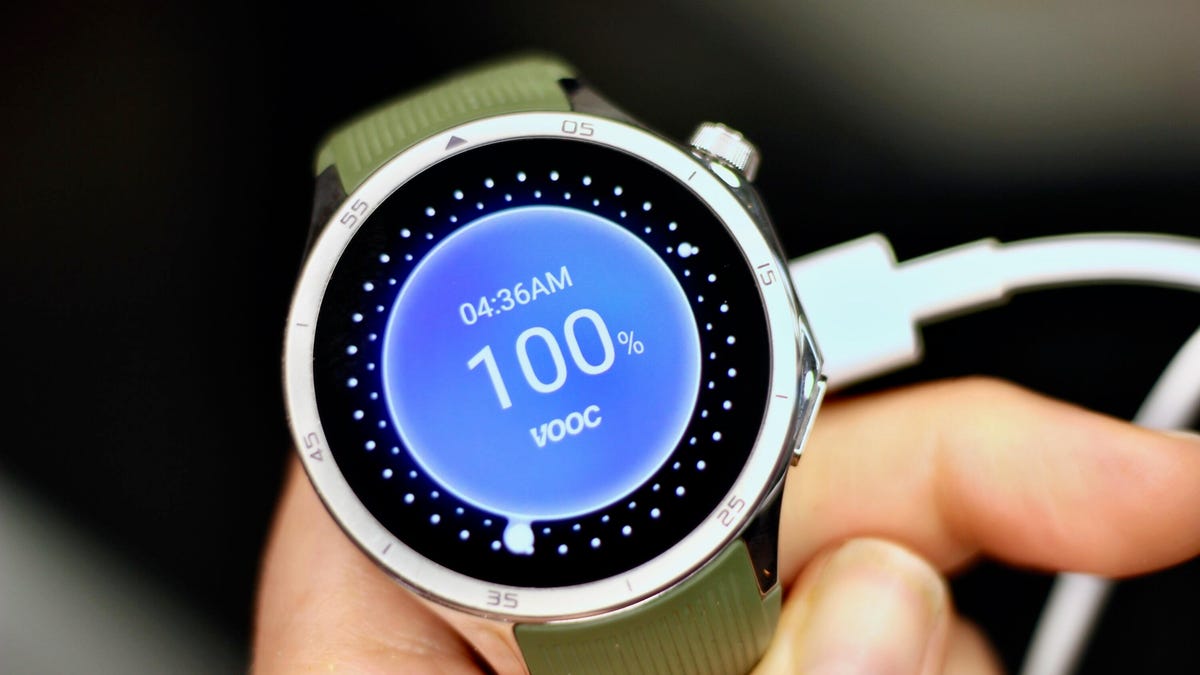
Nothing kills the motivation of a midday workout faster than raising your wrist and seeing a dead, black watch screen. Honestly, did you even work out if your smartwatch didn’t give you credit for it?
Sure, most newer smartwatch models can now last more than a day, including a full night of sleep tracking. But even some of the top powerhouses, including the Pixel Watch 4 and Samsung Galaxy Watch 8, tend to crap out midway through day two when there’s no charger in sight (mine’s on my nightstand).
After one too many days staring at a dark screen and missing key health metrics as a result, I finally started looking for ways to squeeze a few more hours out of my watch — long enough to at least get back to my charger at the end of the day without skipping a beat.
1. Lower the display brightness
Most people overlook this simple tweak: Your watch can usually run at a lower brightness setting without losing visibility. It’s one of the easiest ways to extend battery life without giving up any features, and it can add an extra hour or two of runtime. Just make sure to keep adaptive brightness on so that the display adjusts automatically as you move between indoors and outdoors, since the lowest setting can be unreadable in direct sunlight.
To adjust brightness, go to Settings > Display > Brightness.
2. Disable ‘Hey Google’ or hotword detection
Being able to summon Google’s voice assistant (now Gemini) hands-free is convenient, but it’s hardly essential and comes with a steep battery cost. Your watch is constantly listening in the background for the «Hey Google» cue, which drains power throughout the day.
To cut back on that battery toll, switch to manual activation instead. On most watches, you can summon the assistant with a long press of the side button.
Go to Settings > Google > Digital Assistant and toggle off Hey Google.
If you’re using the Pixel Watch 4, you may also want to disable «Raise to Talk», which triggers Gemini in a similar way without even having to say the magic phrase. Go to Settings > Gestures > Raise to Talk and toggle it off.
3. Use a battery-friendly watch face
Brighter watch faces with lots of animations or complications that need frequent updates (like the heart rate or weather widgets) generally drain the battery faster than darker, simpler ones with static complications.
Some platforms, such as the OnePlus Watch, even assign a battery score to watch faces so you can see which ones consume the most power. Third-party apps like Facer also have a «power impact» rating for their watch faces. Needless to say, the lower the power rating, the longer your battery life.
4. Turn off the always-on display
If you want to see a major jump in battery life — I’m talking five-plus hours — try turning off your watch’s always-on display. Glancing at the time (and other info) without lifting your wrist may be convenient, but it’s also one of the biggest battery hogs on any smartwatch.
The exact steps vary by model, but you’ll typically find the toggle under Settings > Display > Always-On.
Just note that on some models, this also means your workout metrics won’t stay visible during exercise, though others, like the Pixel Watch 4, keep workout stats on even when the AOD is disabled.
5. Turn on Power Saving (Battery Saver) mode
If all else fails, you can always turn on whatever permutation of low-power mode your smartwatch offers. On Samsung and OnePlus watches it’s called Power Saving/Saver, on Pixel it’s Battery Saver and on Mobvoi’s TicWatch it’s Essential Mode.
These modes typically disable the AOD, pause or limit background health tracking (you’ll still get full metrics during workouts) and may delay notifications. Since the specifics vary across manufacturers, it’s best to check your device’s settings so you know exactly what you’ll be missing out on.
You can usually access power-saving mode from the quick-settings menu (tap the battery icon) or by going to Settings > Battery > Battery Saver.
And if you want to go truly extreme, some watches offer a mode that turns your device into a dimly lit, time-only analogue. Samsung’s Watch-Only Mode, for example, can push battery life up to 27 days.
6. Max out the charging speed
Even with the longest-lasting batteries, you’ll eventually need to recharge, which is why it’s important to make sure you’re getting the fastest charging speeds possible. The less time your watch spends off your wrist, the more credit you’ll get for the sleep and exercise you actually do.
Charging speeds vary by manufacturer, but you can only take full advantage of them if you’re using the right power adapter. Check your watch’s specs to confirm the wattage required for fast charging. The Galaxy Watch, for example, needs a 10W (or higher) charger to reach the super-fast charging speed.
7. Prioritize battery life before you buy
Even with all these tips, your battery may still drain faster than you need. In that case, it might be time to upgrade to a newer model. Smartwatch batteries naturally deteriorate over time and aren’t always replaceable. Here are a few things worth knowing upfront if you’re looking to optimize battery life.
Go bigger when possible. In most lineups, the larger case size typically has a bigger battery that lasts a bit longer than its smaller counterpart — at least a couple of extra hours, depending on the model. The larger Pixel Watch 4 (45mm), for example, gets roughly 10 hours more running time than its smaller (41mm) counterpart. The downside to larger watch sizes is that they tend to be more expensive and may look and feel bulky on smaller wrists.
«Ultra» or rugged models last the longest. These watches often pack the biggest batteries in a company’s lineup. Samsung’s Galaxy Watch Ultra, for instance, has the largest battery of the brand’s current models and can push close to 48 hours of use.
Brand matters. While you can’t expect any Wear OS watch to deliver the week-long (or longer) battery life that dedicated sports watches like Garmin can, there are still significant variations from brand to brand. At 631 mAh, the OnePlus Watch 3’s battery is the largest of any Wear OS watch I’ve tested, followed closely by Mobvoi’s TicWatch Pro 5, which has a 628 mAh battery. There will be other trade-offs in terms of features, but they both outlast Samsung’s and Google’s flagship models by at least five hours, depending on size and usage.
Newer models may charge faster. You can save money by choosing an older model of a watch, but companies tend to optimize charging speed with each upgrade. So check that the watch you’re getting has the fastest possible charging speed. This year’s Pixel Watch, for example, can reach a full charge in under an hour or give you enough juice for a full night of sleep tracking in the five minutes it takes you to brush your teeth.
Whatever combination of tricks you use, or new model you upgrade to, hopefully you’ll find the right mix of settings and features to keep your Wear OS watch tracking the data you truly care about before the battery runs out. And once you see how useful the health and sleep information these devices can surface is, keeping them powered up feels worth the effort.
Technologies
We’re All Flailing With AI: I Tried Art That Pokes Back at the Chaos
A handful of moments at SXSW had me wondering: How much of AI is me playing a game and how much is it a game playing me?

Smack dab in the middle of this year’s SXSW festival in Austin, Texas, there was a huge dirt hole in the ground, blocks wide, where there used to be a convention center. The festival’s events continued around it in hotels, but the building’s absence was like a lurking symbol. Of chaos, of disruption. Of the world in 2026, dealing with AI and everything else.
I have no idea what the rest of 2026 will bring, but the vibe I felt at a vibe-filled show made me question how AI can work with our lives, our art and our existence. Instead of fighting it, the conference awkwardly embraced it and challenged it. I saw pockets of work all over the place and wondered about it. Conversations. And how to escape it.
Everyone’s trying to handle a world that’s suddenly way too overloaded with AI, generating documents, images, deepfakes and music, injecting assistant agents into our operating systems, even launching entire unleashed and interconnected agent systems all talking to each other on their own social networks. Job-threatening, constantly shifting, training on our data and aiming for our faces. Do we run from it, try to destroy it, or use art to question and challenge it?
SXSW gave me a lot of the latter, in different slices.
In my panel I was in at SXSW with Meow Wolf’s Vince Kadlubek and Niantic Spatial’s Dennis Hwang about their experiments overlaying tech into art in physical installations, Kadlubek discussed how AI’s infinite slop creative tool becomes uninteresting over time, while intentional art counteracts that. And that’s exactly how I felt moving through intentionally-made experiences that turned my thoughts about AI inside out, all in different ways.
AI seeping into our gaming chats, for better and worse
In a VR headset in a hotel ballroom, I chatted with cartoon fantasy characters in a whimsical game called Fabula Rasa: Dead Man Talking, made by game studio Arvore. I could make any request or beg as much as I wanted from my cage, where I was held prisoner for offending the King and kept dangling over a monster’s mouth for execution. Could I plead my case to them? The cartoonish VR characters responded, but via generative AI improvising off a script from a writing team, using Claude.
The chats were fun, ridiculous. I made myself an irresponsible magician and leaned into improv with the characters who approached me. None of them disappointed, which is a surprise for dialogue that’s somewhat AI-generated. Most interactions felt frazzled and absurd, but it worked for the style and the humor of it all. There was a bit of a delay for responses to kick in, though, standard-issue for a lot of AI conversations.
This was the best use of AI I saw. But what could it mean for future games, like RPGs? It’s an unsettling thought if you’re a writer…or, exciting. Indie games could end up finding ways to branch out responsive dialogue in ways that still feel custom-written and crafted. I don’t know.
On the less successful end was Love Bird, an interactive game show experience directed by Cameron Kostopoulos. I was wowed by the initial onboarding, where the «producers» called me on my phone to interview me. The producer was actually an AI chatbot with a surprisingly rapid response time. I convinced the AI to be a participant, and then was led into a room where I spoke via Xbox controller and headset microphone with a PC game on a monitor, where I was competing with others while carnivorous bird-people threatened to eat us. I’m not sure why, exactly. And I don’t know how it all ended, because my chats with the host and participants fell into broken loops that made us have to quit out early.
Love Bird was fast-paced and responsive, but also too chaotic and weird, even for someone like me who likes weird. It didn’t feel like it was really paying attention to me, and I didn’t feel like I had space to process. Maybe that’s by chaotic design, but after emerging, it just made me want to feel less AI-spammed and have games that didn’t flood me with as much conversation as this one did. I needed a quiet space. My favorite immersive experiences are often the quiet ones, not the chatty ones.
AI as a personal transformational lens
In one room, I stood at a podium and read a portion of New York Mayor Zohran Mamdani’s acceptance speech from November as, before me, video clips of crowds cheering played on a large video monitor, seemingly reacting to me. A few minutes later, I heard my voice delivering more of Mamdani’s speech, AI-generated in my voice, to film clips of inspirational moments of support. I saw my own face layered into the background of some of these clips, too.
The Great Dictator, directed by Gabo Arora, is a museum-style participatory exploration of the power of rhetoric, provocatively named for the Charlie Chaplin satire about Adolf Hitler. The three speeches you can choose from — Mamdani’s, President Ronald Reagan’s on taking down the Berlin Wall, and Malcolm X’s The Ballot or the Bullet speech — are all picked to represent powerful moments in history, and the exhibit is about embodying history and feeling the power of speech and rhetoric in a personal way — and relating to it from a new, personal, and maybe more empathetic angle. The voice AI was generated by ElevenLabs, and the video clips at the end were hand edited, but with AI overlays of my face handled by Runway. What surprised me was how much I ended up being in historical documents. Is this a deepfake? Is it embodiment? Is it both?
Another art experience embedded me into the work: Spectacular, by Jonathan Yeo. Yeo is an artist from London whose portrait work includes King Charles III, President George W. Bush and designer Jony Ive of Apple renown and has played with tech in many of his installations. This gallery at SXSW, replicated from an exhibit that was in Paris before, used Snap Spectacles AR glasses to melt the real portraits with augmented effects and voice narration from Yeo. And, later on, the portraits began overlaying my own face, transformed in art styles that matched Yeo’s using generative AI trained on his work. At the end, I got a printout of my portrait, «signed» by Yeo himself.
I spoke with Yeo in Austin after experiencing his work. He admitted that AI is a provocation here, but that he wants to own the process that AI is trying to take from our own data everywhere. And he’s trying to apply AI and AR in ways that feel intentional and subtle as ways to help play with and bring the art to life, in museums and elsewhere. But again, like with The Great Dictator, I wondered: How much will «permanent» documents of art and history begin to melt over time with AI? What will be kept intact, and who will enforce the line?
AI as broken manipulator
Wearing a pair of Meta Oakley smart glasses, I stood in a room full of objects on shelves as a voice directed me to open a drawer, find a dollar bill there and put it in a shredder filled with bill fragments. I did it. The AI remarked with pleasant surprise at how compliant I was. From there, I «competed» tasks to prove my value as human labor, graded by an AI that saw my actions through the glasses camera and showed my stats on a TV screen, along with a deepfaked dancing version of myself.
Body Proxy, by Tender Claws, applies Meta’s glasses camera feed into its own art AI app on a phone to explore how AI could make us proxies for physical labor. It’s weird and satirical like some of their other VR work (the game Virtual Virtual Reality, among others), but also pushes at a much bigger question: How much is AI breaking us or manipulating us? How much are we willing to be manipulated?
Escape The Internet (Part One), an interactive game I played in a movie theater at the Alamo Drafthouse, turned similar ideas of manipulation into a social experiment. Created by Lucas Rizzotto, another VR/AR provocateur artist, it involved no headsets or glasses. Instead, everyone in the theater used their own phones to connect to a private server that «ran» the game and gave us little personal avatars, feeding us surveys to collect our personal tendencies and then having us play social voting games to see how we’d polarize on decisions like, for instance, who to kill: one person who shared our political views, or five who didn’t?
It’s all absurd and funny and guided by Rizzotto’s in-person guidance at the front of the theater, and along the way, I thought about how social platforms manipulate us with algorithms. Here, in this room together, we’re encouraged to find each other, recognize each other and love each other. The experience has branching paths and can be replayed, and could re-emerge in future conferences and events. But, again, I asked myself: How much of AI is a game that’s playing me, instead of me playing it?
Design for AI is still unfinished (or nonexistent)
In some of the panels I sat in on, and in conversations I had, I got a creeping sense that AI is moving too fast for artists or ethicists — or anyone else, really — to stop and properly process. One panel exploring The Future Design Language of Robots, with Olivia Vagelos of the Design for Feelings Studio, and Savannah Kunovsky, managing director of Ideo’s emerging technology division, tapped into the assumptions we make about robots. I teamed up with someone next to me to try to dream up ideas to break my assumptions and think freshly about what robots could be.
Kunovsky and Vagelos both agreed that designing for AI presents similar challenges right now, particularly because the tech is moving too fast for design to properly attend to it. But sadly, my attempt to record what they said as a quote was sabotaged by my AI-enabled Meta Ray-Ban glasses, which activated as the microphone when I tried recording a voice memo from the panel on my phone, muting the audio completely because of noise cancellation. Wearables are still broken, too.
Another panel, called Generative Ghosts: AI Afterlives and the Future of Memory, led in part by two Google DeepMind researchers, discussed many fascinating angles on how we can responsibly handle archiving our lives via AI as memories in the future, and who controls that ability. The panel had no specific answers but plenty of questions. And, as my own attempt at recording it was also erased by my activated smart glasses, it gave me an additional level of absurd friction which made me wonder: Will these archived memories eventually be lost, too, from big tech companies that sunset services or introduce noncompatible formats, memory-holing the memories?
AI is threatening, but often not successful in fulfilling its promises (or threats). Self-driving Waymo cars flooded Austin during SXSW, with my Uber app often pushing them on me instead of human drivers. I gave in and took a few for amusement, but they usually took longer to get where I was going. And, one unfortunate evening, my Waymo took a weird roundabout route that ended up dropping me off a half mile from my destination on the wrong side of the highway.
My favorite SXSW memory was making an old-fashioned collage out of magazine clippings with friends at an art gallery over wine, something that involved no tech at all. We worked our magic with intuition, scissors, old magazines and good conversation. Was it perfect? No. But it cost a lot less than generative AI. Which also makes me wonder if all these AI tools being offered to enhance or supplant creativity are necessary, or whether we’ll just rediscover that we had more tools than we realized all along.
Technologies
Samsung’s Galaxy A37, A57 New Pricing Tests the Limits of a Plastic Phone
While market conditions are raising the cost of these Galaxy A phones, Samsung’s hopes fast charging speeds, improved water resistance and camera features will provide value for price-conscious buyers.
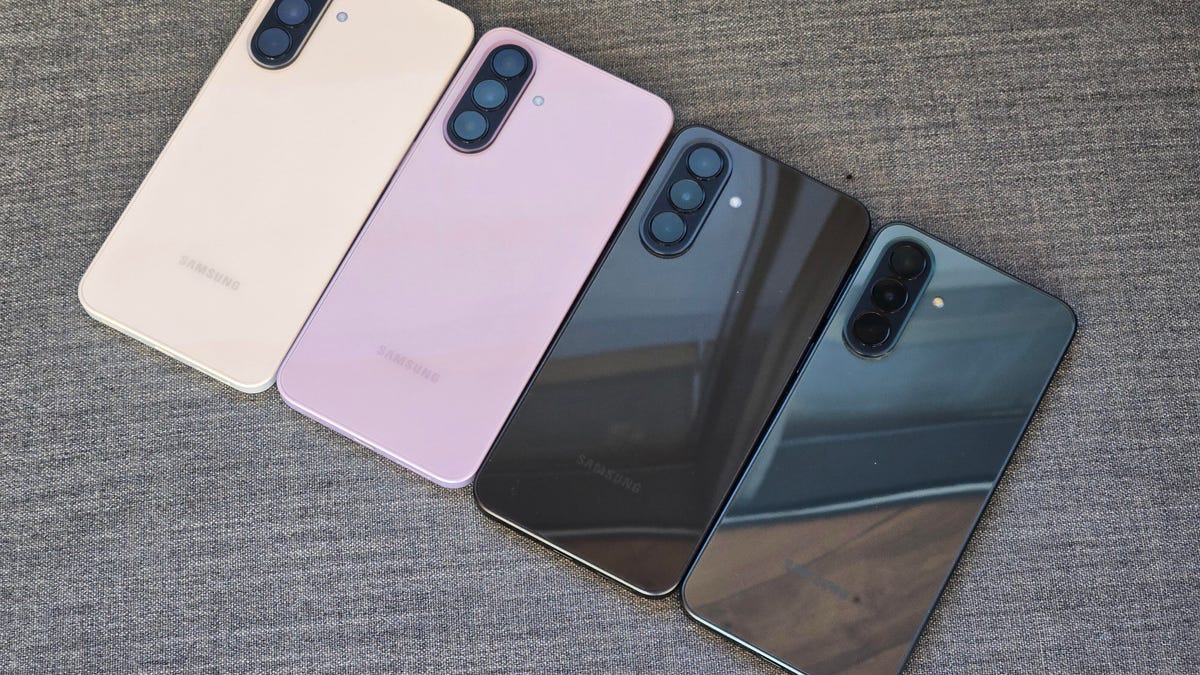
Samsung’s announcement of the new $450 Galaxy A37 and $550 Galaxy A57 today brings good news and bad news for value-conscious customers looking for a cheaper phone.
Much like we’ve seen on the flagship-level Galaxy S26, both phones are priced higher than the A36 and A56 they are replacing — in this case by $50 — though storage options for both phones still start at 128GB. However, both phones did get a design improvement that features IP68 water resistance and will feature the newly updated Circle to Search, with enhancements like Find the Look for identifying outfits.
Starting with the $450 Galaxy A37, this phone has a 6.7-inch display with a 120Hz refresh rate. It runs on Samsung’s Exynos 1480 processor and has a 45-watt wired charging speed, which Samsung says will recharge its 5,000-mAh battery from 0% to 65% in 30 minutes.
The phone is made from plastic and comes in four colors: charcoal, gray-green, white and — my favorite — lavender. (Note: Samsung adds the word «Awesome» in front of all of these color names, but I’m going to save us from this.) The A37 also comes in a 256GB model that costs $540.
The A37’s cameras include a 50-megapixel wide, an 8-megapixel ultrawide and a 5-megapixel macro on the back, along with a 12-megapixel selfie camera on the front. The A37 gets a sampling of Galaxy AI features, including object eraser for editing photos, language translation and an upgraded Bixby assistant.
The $550 Galaxy A57 moves up from plastic to a metal body but only comes in navy. It also has a 6.7-inch display, but weighs in at 179 grams, which is markedly lighter than the A56’s 198g. During my hands-on time, it was noticeably light, especially for a phone with the larger display size.
The phone runs on Samsung’s Exynos 1680 processor. It also gets a few more AI photo editing tools like Best Face for fixing group photos where someone is blinking.
The cameras on the A57 include a 50-megapixel wide, a 12-megapixel ultrawide, and a 5-megapixel macro on the back and, like the A37, includes a 12-megapixel selfie camera. A step-up 256GB model costs $610, but it’s worth noting that this price is really close to the $650 Galaxy S25 FE, which includes all of the Galaxy AI features along with a telephoto camera.
I’m bummed but not surprised to see the increased cost of the A37 and A57 versus last year’s models, which a Samsung representative said is attributable to current market conditions when I asked about the ongoing RAM shortage.
During my hands-on time, though, I did find both phones to look quite nice, with the lavender model likely providing plenty of competition to the $499 Google Pixel 10A’s colors. Both phones will go on sale on April 9.
Technologies
Today’s NYT Strands Hints, Answers and Help for March 25 #752
Here are hints and answers for the NYT Strands puzzle for March 25, No. 752.
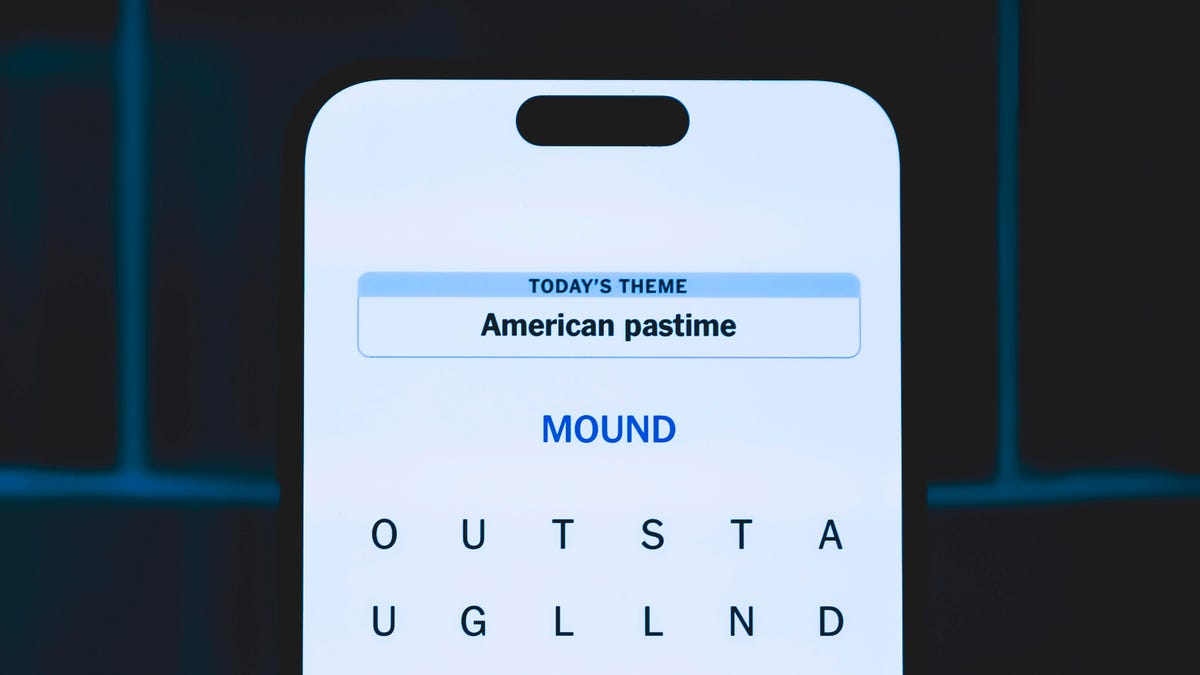
Looking for the most recent Strands answer? Click here for our daily Strands hints, as well as our daily answers and hints for The New York Times Mini Crossword, Wordle, Connections and Connections: Sports Edition puzzles.
Today’s NYT Strands puzzle is a fun one, but it might make you hungry. Some of the answers are difficult to unscramble, so if you need hints and answers, read on.
I go into depth about the rules for Strands in this story.
If you’re looking for today’s Wordle, Connections and Mini Crossword answers, you can visit CNET’s NYT puzzle hints page.
Read more: NYT Connections Turns 1: These Are the 5 Toughest Puzzles So Far
Hint for today’s Strands puzzle
Today’s Strands theme is: Intermission mission.
If that doesn’t help you, here’s a clue: Movie candy.
Clue words to unlock in-game hints
Your goal is to find hidden words that fit the puzzle’s theme. If you’re stuck, find any words you can. Every time you find three words of four letters or more, Strands will reveal one of the theme words. These are the words I used to get those hints but any words of four or more letters that you find will work:
- ROBE, BORE, WEEDS, WEED, RENT, RIND, CORN, SCAN, SPAN, SPANS, SAND, CANE, CANT, CROSS, COIN
Answers for today’s Strands puzzle
These are the answers that tie into the theme. The goal of the puzzle is to find them all, including the spangram, a theme word that reaches from one side of the puzzle to the other. When you have all of them (I originally thought there were always eight but learned that the number can vary), every letter on the board will be used. Here are the nonspangram answers:
- BEER, SODA, CANDY, FRIES, WATER, POPCORN, PRETZEL
Today’s Strands spangram
Today’s Strands spangram is CONCESSIONS. To find it, start with the C that’s three letters to the right on the top row, and wind down.
Toughest Strands puzzles
Here are some of the Strands topics I’ve found to be the toughest.
#1: Dated slang. Maybe you didn’t even use this lingo when it was cool. Toughest word: PHAT.
#2: Thar she blows! I guess marine biologists might ace this one. Toughest word: BALEEN or RIGHT.
#3: Off the hook. Again, it helps to know a lot about sea creatures. Sorry, Charlie. Toughest word: BIGEYE or SKIPJACK.
-
 Technologies3 года ago
Tech Companies Need to Be Held Accountable for Security, Experts Say
-
 Technologies3 года ago
Best Handheld Game Console in 2023
-
 Technologies3 года ago
Tighten Up Your VR Game With the Best Head Straps for Quest 2
-
 Technologies4 года ago
Black Friday 2021: The best deals on TVs, headphones, kitchenware, and more
-
 Technologies5 лет ago
Google to require vaccinations as Silicon Valley rethinks return-to-office policies
-
 Technologies5 лет ago
Verum, Wickr and Threema: next generation secured messengers
-
 Technologies4 года ago
Olivia Harlan Dekker for Verum Messenger
-
 Technologies4 года ago
The number of Сrypto Bank customers increased by 10% in five days