
Technologies
Best Monitor Under $200 You Can Get for 2023
Monitors are necessary for a large number of employees and students to work efficiently, and you don’t need to spend a fortune to get a good one from LG, Samsung, or Dell.

For remote workers, gamers and creatives, a good monitor is a critical piece of your workstation. Even if you usually work on a laptop, adding a second screen to your setup can make a huge difference in your productivity. And fortunately, you don’t have to drop $500 or more to get your hands on a decent display. We’ve rounded up some of the best monitors on the market right now that you can pick up for less than $200 below.
There are a few things to keep in mind: When buying a budget monitor, you should check out the listing to see what’s included. Make sure it’s not missing items that you would have to purchase separately and that would drive the price above that “cheap monitor” threshold, like a stand or cables. The stand might not be an issue if you’re planning to use the VESA mount to put it on a wall or arm. But in that case, you should ensure the mount screws on the back of the monitor match yours: The bulk of these have 100×100-millimeter mounts, but in some cases, they have 200x200mm or 75x75mm mounts — or they don’t support a VESA mount at all.
Got a Mac? If it’s an old MacBook Pro with an HDMI port, or an iMac or Mac Mini, you won’t have a problem. MacBooks with USB-C/Thunderbolt 3 connections will require an adapter or cable with conversion built-in because they won’t have a dedicated display port. You may also need to fiddle with the resolution and scaling settings in Mac OS, since it natively prefers a 16:10 aspect ratio, not the 16:9 aspect ratio that’s much more popular on Windows.
Read more: How to Buy a Monitor for Gaming or Working From Home
Unless you’re a hardcore gamer or creative professional, many of the most technical specs — latency and color gamut, for example — won’t really matter to you (though many of these could serve as a budget gaming monitor). You should always take them with a grain of salt, anyway.
For less than $200, you can generally expect to get:
- A maximum of 1,920×1,080-pixel screen resolution (dubbed by marketers as “Full HD resolution” and also referred to as 1080p or 2K for its roughly 2,000 pixels across). Below 27 inches, that’s fine. At 27 inches or larger, it’s not great except in one important case. Essentially, the reason you buy a 27-inch monitor over a 24-inch is usually because you want to fit more on to it. But if it’s using the same number of pixels, it just makes everything bigger — it doesn’t put more on the screen. And because it’s spreading them across a bigger screen, some people (like me) may get annoyed at seeing the pixel grid. I find a pixel density (the number of pixels per inch, or ppi) of at least 90 a good balance, but YMMV. The exception? If you actually need things like text to be bigger, such as if you have impaired vision.
- A stand that lets you tilt the computer monitor, not raise or lower it. We want to reduce eye strain and optimize ergonomics wherever possible.
- While there might be one or two larger, the monitors go mostly up to 27 inches.
- Between 250 and 350 nits of brightness. That should be fine for most uses.
- Up to 75Hz refresh rate for an IPS (which stands for in-plane switching) monitor or 144Hz refresh rate for a TN (twisted nematic). A high refresh rate matters if you’re planning to play a lot of FPS, racing, fighting or other motion-sensitive gaming. An IPS monitor is better for general-purpose use, since it’s superior for off-angle viewing and typically has better color. But the fastest IPS monitor you’ll find for the money is 75Hz. A TN monitor is better for fast gaming and a better gaming experience; it has a higher contrast ratio, but poorer viewing angle — color accuracy and contrast changes as you move further from looking straight-on.
- If it comes with built-in speakers, don’t assume they’re a replacement for real standalone versions. They’re occasionally better than expected, but think of the speakers as a nice perk for basic system sounds or videoconferencing and consider it a windfall if they’re satisfactory for entertainment. (I’ve been relatively impressed with the speakers in BenQ’s EW series.)
- A lot of these cheap monitors support AMD’s adaptive refresh FreeSync technology, which works with AMD’s graphics processors for syncing game frame rates with the display.
- A curved monitor, which can make a wide display fit into your field of view without requiring you to sit too far back, isn’t worth paying more for in monitors 27 inches or smaller; then the bezels are too far within your field of view. One potential exception is if you plan to span across three identical monitors for gameplay. Then they wrap around you better than three flat screens.
Upping your budget to between $200 and $300 will bring more 32-inch screen size options and 2,560×1,440 resolution. And, of course, the more you’re willing to spend, the more you’re likely to find something in stock and ready to ship.
Read more: Best Speakerphone for Working From Home

Samsung
If you are looking for budget gaming monitors, this budget FHD monitor’s 75Hz refresh gives you a little latitude for gaming and has an IPS panel for better color and viewing angle in the sea of VA competitors; plus, this cheap gaming monitor option is pretty attractive with thin bezels and a stand that’s less clunky-looking than some. You’ll get an HDMI cable in the box, and it has a 100×100 VESA mount. There are some drawbacks, such as some backlight bleed that buyers have noticed, and it has an HDMI 1.4 connection instead of 2.0 (if you care), plus the stand only allows the screen to tilt, not raise or lower.

LG
The LG is a solid, attractive general-purpose choice with some gaming perks. Though I’d hardly call it a gaming monitor, it has features for a good gaming experience, such as AMD FreeSync support, the ability to overdrive the response time, a 1ms motion-blur reduction mode and an optional center crosshair. It’s slightly brighter than most, and there’s a Photo mode that seems to improve the color accuracy. It’s got a VGA connector in addition to the two HDMIs (though that’s not uncommon in this price range) if you’ve got a really old device to connect. The 24-inch is a smaller version of the 27-inch monitor we tested which has since been discontinued (though still available in places at a much higher price).
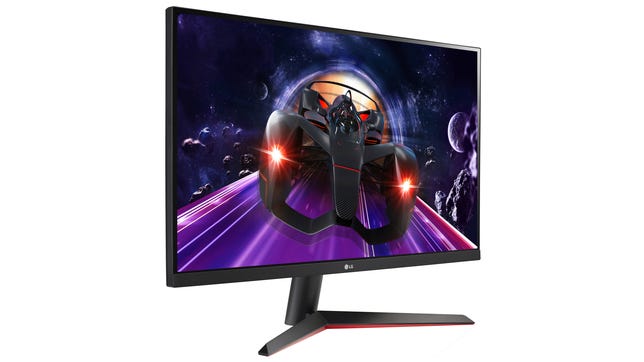
LG
This looks to be a more recent follow-up to the 27MK600M-B we tested, with a different stand and a DisplayPort connection instead of the second HDMI. Like that one, it’s got some gaming perks, identical to the 24-inch LG I mentioned above.
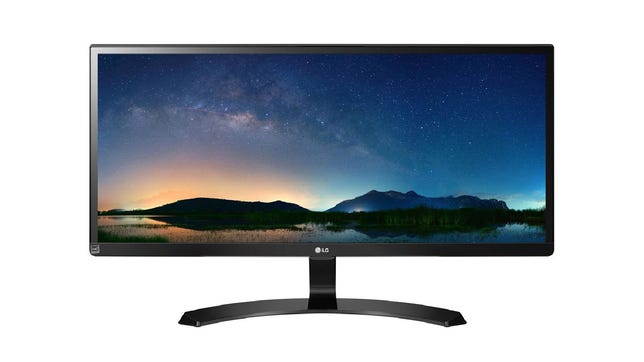
LG
This big ‘un doesn’t have ultraskinny bezels or a curved screen — it’s four years old — but when you consider its size, a 75Hz refresh rate and USB-C DisplayPort connector (as well as two HDMI 1.4 ports), you get a lot for the money. It often lists for closer to $300, but right now you can snag it for less than $200 at Amazon and Walmart, making it a pretty good value for the features. There’s a slightly more game-oriented model for $200, the 29WP60G-B, with FreeSync support, thinner bezels and a slightly sleeker design, but don’t get FOMO over the “HDR” you’ll see in the name; it has the same color and brightness specs as the cheaper model. LG has simply added decoding hardware that lets it more-or-less intelligently cram real HDR content to the dim, small gamut display, which is never pretty.

Gigabyte
I don’t like curved 27-inch monitors or VA panels much, but in a sea of 75Hz options, the Gigabyte is a refreshing 165Hz. That makes it a lot more suited to gaming than all the 75Hz models. It also has a greater-than-sRGB color gamut, low-power stereo speakers and a USB hub, which you rarely find together in this price class. The lowest price you’ll find on this monitor right now is $230, but we’re keeping it on this list for the moment as we’ve often seen it discounted to $200 or even lower.
More work-from-home and computing recommendations
- 7 Must-Have Ergonomic Upgrades for Your Home Office
- Best Laptop for 2023
- The 7 Best Blue Light Blocking Glasses to Prevent Eye Fatigue
- Best VPNs for 2023
- 3 Great VPNs for Xbox in 2023
- Best Standing Desk Converters for 2023
- Best Chromebook Deals: Save $200 on Acer Spin 514 and Samsung Galaxy 2 and More
- Want to Learn Python? We Found 5 Online Coding Courses for Beginners
- The Best Monitors According to the CNET Staff Who Use Them
Technologies
Apple and Meta team up to make Muse AI model run on Mac computers
Apple and Meta are collaborating to make Muse Spark Open easier to run locally on clustered Mac Studio systems, according to the companies.

Tim Cook and Mark Zuckerberg have clashed for years, but with John Ternus taking the reins at Apple
Meta
The collaboration centers on Muse Spark Open, the most capable open-weight model released under a license that allows for limited commercial use, according to Meta. It’s an 816-billion-parameter model using a so-called mixture-of-experts architecture. As an open-weight model, developers can download the technology’s parameters, or weights, from the internet and run the model on a wide range of hardware.
Customers will be able to pair between two and four Mac Studio PCs to use Muse Spark to code, analyze video or do other agentic work. The model runs locally, instead of in the cloud, adding a layer of security and saving users money, the companies said.
Thursday’s announcement, following months of collaboration, is a sign that the AI boom has shifted historical alliances in Silicon Valley. For years, Apple and Meta regarded each other warily and avoided public partnerships, and the relationship hit rock bottom after Apple introduced privacy changes in 2021 that limited the targeting capabilities of digital ad companies.
Meta estimated in early 2022 that the change would cut its revenue that year by $10 billion.
Representatives from Apple and Meta declined to say if the Muse Spark Open collaboration was the start of a deeper relationship.
Zuckerberg posted a picture on X showing the Meta agent working on a Mac computer. He wrote, “Muse Spark Open — weights releasing today — runs great on new Mac Studios thanks to work with @johnternus and Apple.”
Ternus responded, “Congrats to the team! Amazing to run a model of Muse Spark Open’s caliber and scale this efficiently, right from your desk. Mac Studio keeps pushing the boundaries of on-device AI!”
Meta AI chief Alexandr Wang said in an interview that many powerful open-weight models are too big to be run on the majority of personal computers, but Apple’s Mac Studios make enough memory available to users so that it’s practical to run Muse Spark Open.
The move represents an important show of confidence in Meta’s rebooted AI efforts and could pose a challenge to OpenAI and Anthropic. It could also signal Apple’s growing strength in AI chips, a market that Nvidia
″We worked with Apple to bring leading Agent capabilities to your desktop for the first time on the Apple M5 Ultra Mac Studios, so you know we’re really excited about this,” Wang said. Developers can download a version of the AI model from websites like Hugging Face without extra configuration for Apple’s silicon.
Muse Spark Open has also been tuned to run faster on Apple’s hardware, and the iPhone maker revealed new benchmarks for its chips and published technical documentation about its MLX AI framework’s ability to split open-source models across multiple machines.
Mac Studios aren’t cheap though, and this AI model requires the fastest Apple chips and as much memory as possible.
Currently, a Mac Studio with the required M5 Ultra chip and 256GB of memory costs at least $10,799. A more expensive version with 512GB of RAM will be released later this month.
Plus, users will need to buy multiple machines.
Common ground on open source
The two companies are collaborating on open-source AI, which has become a point of contention in Washington as politicians worry that free Chinese models could undercut American AI.
Although Meta once centered its AI strategy on its older open-weight Llama family of models, it has since focused on creating proprietary models under the leadership of Wang, who joined Meta when the company invested more than $14 billion into his former startup Scale AI last year.
While Apple and Meta, then known as Facebook, partnered on iPhone extensions over a decade ago, they haven’t struck any public partnerships since 2017 after Apple removed system-level Facebook integration from the iPhone.
“Most of the animosity predates my tenure at the company, but obviously there’s been a long history between Meta and Apple,” Wang said, pointing to one member of his team, AI researcher and former Apple director Daniel Gross, as a reason for the collaboration. Gross, along with former GitHub CEO Nat Friedman, was a major Zuckerberg hire last year as the Facebook founder was overhauling his company’s AI strategy.
Their leaders have also traded harsh words.
Cook, who was Apple CEO until Ternus succeeded him last month, took a shot at Zuckerberg in 2018, during the Cambridge Analytica scandal, saying, “I wouldn’t be in this situation.” Cook often criticized Meta for compromising user privacy.
Ternus, a hardware engineer, has already started changing things at Apple, including when it releases products.
And Meta’s developers haven’t been able to resist Apple’s products. The company bought hundreds of Mac computers so its Superintelligence team could experiment with local AI and agents earlier this year.
Apple’s multiple partners
Meta is just the latest AI model developer to team up with Apple.
In 2024, Apple announced a partnership with OpenAI to integrate ChatGPT into Siri, although the integration “dramatically underperformed” and didn’t lead to OpenAI user growth, OpenAI said in a filing that’s part of a legal dispute with Elon Musk’s xAI. Apple sued OpenAI in July, alleging trade secret theft, a claim OpenAI denied.
Earlier this year, Apple announced a deal with Google
Still, Apple’s AI strategy has drawn criticism from investors and customers in part because its new version of Siri, released last month, isn’t as advanced as chatbots and agents from leading labs.
Meanwhile, Meta has bet big on becoming a leading lab but has struggled to keep up with the competition and its business remains almost entirely reliant on ads. Recent developments, such as Meta’s Muse personal agent app and its latest proprietary foundation model, Muse Wonder, released earlier this week, have begun to excite investors who are optimistic about new AI business opportunities.
Open source remains part of Zuckerberg’s AI strategy. In August, Meta debuted a small open-weight AI model dubbed Muse Glimmer, with Zuckerberg pledging to eventually release something bigger and more powerful.
Muse Spark Open isn’t as advanced as Muse Wonder, a proprietary offering, but Wang said it’s good enough to potentially entice more coders to upgrade.
“These aren’t the most capable models that we’ve developed or released,” Wang said. “But we think that there will be a lot of companies and developers who sort of use this model and tinker with it at small scale and then seek to ramp up and scale up their usage.”
WATCH: Apple makes its biggest smart-home push yet under CEO John Ternus.
Technologies
CoreWeave credit default swaps hit distress levels as investors sour on AI debt
Signs of distressed deepened in CoreWeave on Thursday.
CoreWeave’s credit stress continued to spiral on Thursday amid a broader sell-off in AI-related names.
CoreWeave — a so-called neocloud company — has taken on more than $51 billion of debt and obligations to finance its AI infrastructure build-out. It’s now facing a rebellion from stock and bond investors as concerns mount about AI overspending and debt levels.
Yields on CoreWeave debt have continued to climb, with the yield to maturity on its 9.75% bond due in 2031 reaching 15.78%. Bond yields move inversely to prices. Meanwhile, the spread on its five-year credit default swaps, which are insurance against default, at one point soared above 1,140 basis points. It last stood at nearly 1,038 bps — a 16% week-over-week jump and 164% higher than a year ago.
Credit concerns are spreading into AI equities too. CoreWeave’s stock dropped during trading Thursday before recovering and closing 5.94% higher. The moved followed Wednesday’s 15.5% nosedive.
Other neocloud stocks were under similar pressure. Nebius also sank before climbing higher to close 1.29% and and Iren ultimately ended the day down less than 1%.
Anxiety about AI overspending is also spreading. For instance, shares of Micron Technology and Advanced Micro Devices sold off following a big sell-off in South Korean chip stocks. Micron closed up 1.87%, while AMD fell 1.5%.
While AI debt worries have been rising steadily, investors have suddenly grown skittish about the underlying finances of companies borrowing heavily to buy chips, build data centers, and rent out computing power.
Coreweave’s credit default swaps are one place to see that stress.
Credit default swaps are contracts where buyers pay for protection in case the borrower can’t repay its debt. The spread widening in CoreWeave’s CDS means investors view the debt as riskier.
The market is “basically saying ‘no mas’ to AI debt without operating cash flow support,” the Evercore ISI trading desk said.
A spread level of 1,000 basis points or above is generally a sign of credit distress, said Gavan Nolan, executive director of fixed income pricing at S&P Global Market Intelligence.
No one is questioning whether demand for CoreWeave’s services is real, since the company has contracts with all the big hyperscalers, Nolan said. The question is whether the cash flows will ultimately arrive.
“It’s obviously heavily negative free cash flow at the moment, and it needs that cash flow to arrive really to justify all the capex that it’s spending,” Nolan said.
‘Self-fulfilling prophecy’
CEO Mike Intrator dismissed the market moves on Wednesday, according to a memo obtained by CNBC.
“When you are building a new type of technology company there will be periods of time when the market misunderstands and acts irrationally,” he wrote. “We are confident in our backlog which more than supports all of our debt obligations.”
The backlog is over $100 billion, with around two-thirds of it with investment-grade counterparts including Microsoft, Meta, IBM and Caterpillar, Deutsche Bank said in a note Thursday. The firm reiterated its buy-rating on the stock Wednesday, calling the dislocation a buying opportunity.
“The problem is this kind of concern can prove to be a self-fulfilling prophecy, and risks triggering broader issues in other AI-related names,” said Jim Reid, global head of macro and thematic research.
Domino effects may already be happening. Oracle’s five-year CDS spread also spiked this week. It was last at 282 basis points, a roughly 10% increase in one week.
“A downgrade from its BBB rating would risk pressuring IG-only investors into forced sales,” Reid said.
Technologies
Netflix Chief Content Officer Bela Bajaria is leaving, will be replaced by Peter Rice
Netflix announced Bela Bajaria will be replaced by former Disney exec Peter Rice as the company’s chief content officer.
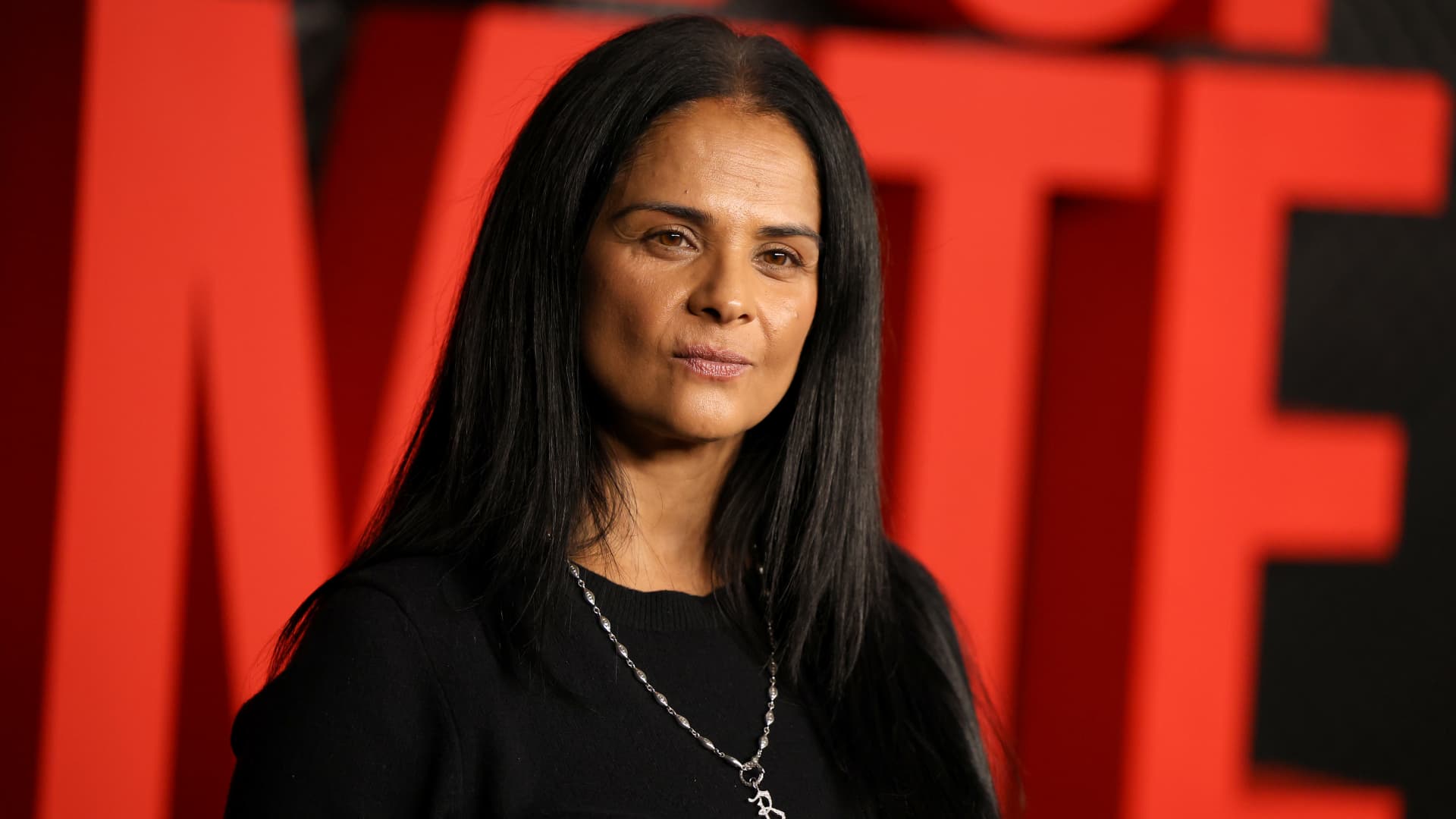
Netflix on Thursday announced Bela Bajaria will be replaced as the company’s chief content officer by former Disney exec Peter Rice, effective Oct. 26.
Rice most recently oversaw Disney’s cable channels, news programming and coverage of major sporting events.
“Peter is one of the most effective at-scale operators in the entertainment industry,” co-CEO Ted Sarandos said in a statement. “I’m excited to welcome him to Netflix as Chief Content Officer as we continue to scale and deliver members more of the stories they love.”
Before Rice was at Disney, he held roles 21st Century Fox and Fox Searchlight Pictures. Netflix in its announcement called him “one of the entertainment industry’s most respected creative executives.” In his new role, Rice will oversee the company’s global content organization, including scripted and unscripted series, film and live events.
″[Netflix has] shown again and again that they’re willing to take chances on distinctive voices and fresh ideas, and I’m excited to work with the team to help bring even more great stories to members everywhere,” he said in a statement.
Bajaria, who is leaving Netflix after nearly 10 years, most recently worked as the company’s global content team. She had been focused on the company’s live sports strategy, looking to create events out of buzzy games and tournaments.
“I’m incredibly grateful for everything she’s done to help Netflix entertain the world,” Sarandos said in a statement.
The announcement comes a day after Netflix instituted layoffs across its organization, eliminating approximately 6% of its workforce, or roughly 1,000 jobs.
The media company will report its next quarterly earnings on Tuesday.
This is breaking news. Please refresh for updates.
-
 Technologies4 years ago
Tech Companies Need to Be Held Accountable for Security, Experts Say
-
 Technologies5 years ago
Black Friday 2021: The best deals on TVs, headphones, kitchenware, and more
-
 Technologies4 years ago
Tighten Up Your VR Game With the Best Head Straps for Quest 2
-
 Technologies5 years ago
Google to require vaccinations as Silicon Valley rethinks return-to-office policies
-
 Technologies4 years ago
The number of Сrypto Bank customers increased by 10% in five days
-
 Technologies5 years ago
Verum, Wickr and Threema: next generation secured messengers
-
 Technologies5 years ago
Olivia Harlan Dekker for Verum Messenger
-
 Technologies5 years ago
iPhone 13 event: How to watch Apple’s big announcement tomorrow