
Technologies
Fitbit’s Gemini-Powered Coach Comes to the iPhone and Rolls Out to More Countries
The redesigned Fitbit app and AI health coach are rolling out to iOS users and Fitbit Premium subscribers in the UK, Canada, Australia, New Zealand and Singapore.
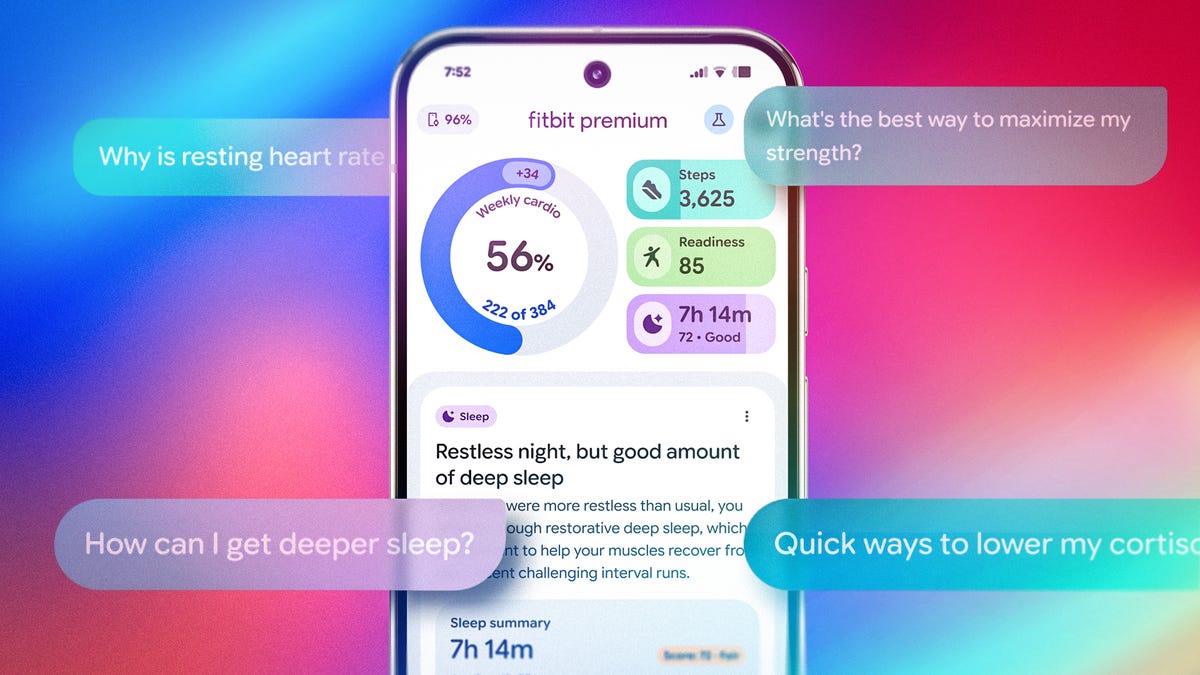
Google’s AI-fication of the Fitbit app is charging full speed ahead and will soon be reaching more people and more countries. After debuting as an Android-exclusive preview for US Premium subscribers, Google has announced that the public preview of its redesigned Fitbit app and health coach/concierge is opening to iPhone users starting Feb. 10.
The Gemini AI-powered «Coach» will also roll out in English to Fitbit Premium subscribers in the UK, Canada, Australia, New Zealand and Singapore on both iOS and Android.
Google debuted the redesigned Fitbit app and built-in Coach as an optional public preview in late October for eligible Fitbit Premium subscribers on Android and has since been collecting feedback from early adopters to refine the experience. This expansion brings the new app to more people, generating additional feedback opportunities and moving closer to a final version release.
As the race to build smarter, more personalized health platforms intensifies, Google is leaning on its full ecosystem of hardware, software and AI assistant to set Fitbit apart. With the wrist as the centerpoint of the data (via Pixel Watch and Fitbit trackers), Google is aiming to evolve its platform from a passive fitness tracker into a proactive, AI-driven wellness companion.
What to expect
The redesigned app experience has a cleaner UI that’s more intuitive to navigate than the previous version. It’s built around four main tabs: Today, Fitness, Sleep and Health.
The Today tab, which is what you’ll consult most frequently, highlights glanceable stats with a stronger focus on weekly trends. Google says these are a truer reflection of progress compared to the usual day-to-day insights that other trackers emphasize. The other tabs let you dig deeper into detailed metrics across categories like sleep stages and vitals. And this time, the burden of interpreting the data won’t just fall solely on the user.
Woven throughout the app is a new Coach feature, that you can access through an «Ask Coach» prompt. Coach draws on real-time and historical data to help make sense of your metrics and even turn them into a personal action plan. Google describes it as an «always-on» coach that can respond to questions or proactively adjust your plan based on recent activity, readiness, or even life events like travel or missed workouts.
For example, you might ask, «I have 30 minutes for a workout… What do you recommend?» or «How can I improve my VO2 max?» Or even draw links to your own stats with prompts like, «Do I sleep better on days when I get more steps in?»
During the (optional) onboarding process, you can set goals, log available fitness equipment and note injuries or limitations. The preview begins with a short 5-10 minute conversation (either by text or voice) to help the AI understand your goals and motivations. From there, the plan dynamically adjusts based on changing metrics like training load, readiness score and overnight recovery data, keeping everything aligned with your long-term goals.
Participation in the coaching experience is opt-in, so you can still use Fitbit without the AI features if you prefer.
Availability and pricing
The update — launched first to US-based Android users — will also be available to people in the UK, Canada, Australia, New Zealand, and Singapore (18 and older) who subscribe to Fitbit Premium ($10 a month or $80 a year) regardless of phone. Yes, that means iPhone owners too. It works with the latest Fitbit trackers, smartwatches and Pixel Watch models. During the preview phase, you can toggle between the old and new app designs without losing data, allowing for side-by-side comparison and feedback collection.
Google says user input from this period will be key to shaping the end result of the app experience and will have an integrated feedback tool for testers. While the company hasn’t confirmed a firm end date for the preview, it says the experience will continue to expand to more users and devices over time.
The real test
This redesign and Coach feature show serious potential. If it delivers on Google’s promises of bringing professional-grade coaching to mainstream users, it could mark a turning point for wellness tech and could position Google at the front of the pack. The company says the coach experience was developed with input from health experts and a consumer advisory panel, and that user data will not be used for Google Ads.
But as with everything in the AI world, execution will be everything, and the value of a wellness coach must be compelling enough — and accurate enough — to overcome the hesitation of entrusting yet another AI feature with sensitive health data. But the real test lies in how well Google manages privacy, data security and real-world usefulness. That balance could mean the difference between just a repackaged Gemini that most people turn off, and a game-changing tool that translates your data into action.
For now, it’s a promising preview, but one I’ll be testing firsthand once it rolls out.
Technologies
YouTubers Sue Amazon, Claim AI Tool Was Trained on Scraped Videos
The lawsuit alleges that Amazon bypassed YouTube protections to collect content for its generative AI video system.

A group of YouTube creators is suing Amazon, accusing the tech giant of secretly scraping their videos to train its AI video model without permission.
The proposed class action lawsuit, filed in federal court in Seattle, alleges Amazon used automated tools to download and extract data from millions of YouTube videos to build and improve its Nova Reel generative AI system — a model that can create short videos from text prompts and images.
At the center of the complaint is how that data was obtained. The plaintiffs claim that Amazon bypassed YouTube’s protections using virtual machines and rotating IP addresses to avoid detection, effectively sidestepping the platform’s safeguards against bulk downloading.
The lawsuit was brought by several creators, including Ted Entertainment (the company behind the H3 Podcast and h3h3 Productions), as well as individual YouTubers and channel operators. They argue that the alleged scraping violated copyright law and the Digital Millennium Copyright Act, and are seeking damages as well as an injunction to stop the practice.
Amazon did not respond to a request for comment.
The case lands at a pivotal moment for generative AI, as courts weigh whether training on copyrighted material qualifies as fair use and how much control creators retain once their work is used to build these systems. The disputes have often centered on written material, which has been at the center of the AI revolution for several years, while AI video generators such as OpenAI’s Sora and Google’s Veo have emerged more recently.
The lawsuit is one of dozens testing the boundaries of AI training practices, alongside high-profile cases from authors, artists and news organizations, including lawsuits against OpenAI and Meta, all circling the same unresolved question: Where does fair use end and infringement begin?
Technologies
The Galaxy Z TriFold Is Back. You Can Buy It From Samsung Soon
The $2,899 phone paused its sales in March after selling through its inventory, but Samsung is bringing it back to its online store.
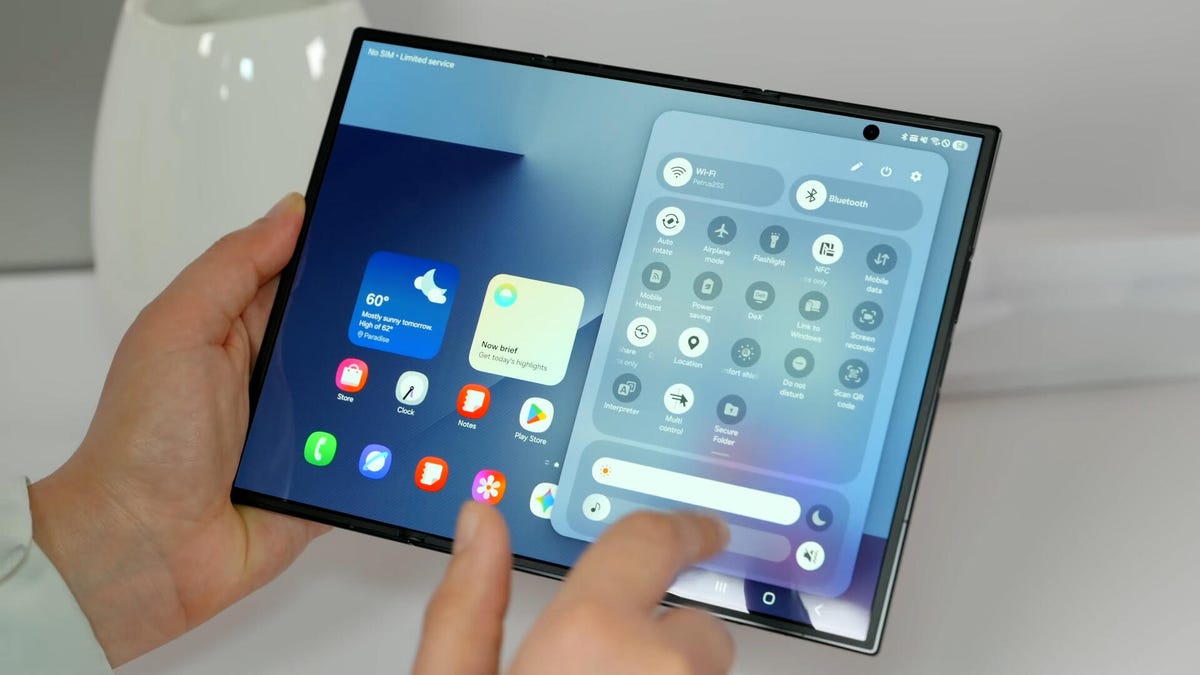
Samsung’s $2,899 Galaxy Z TriFold is going back on sale on Friday, following a halt to its sales in March after the foldable phone sold through its inventory. Samsung has announced the TriFold’s return with a countdown clock on the phone’s online store page along with a Wednesday newsletter email sent to customers.
The initial pause, which Samsung said at the time was related to the TriFold being a «super-premium device in limited quantities,» happened after just three months of availability. The TriFold first went on sale in South Korea on Dec. 12 and then arrived in Samsung’s US store on Jan. 30. The TriFold sold out in the US within minutes of going on sale — which I know personally after joining my colleagues that morning in an attempt to buy it. Thankfully Senior Reporter Abrar Al-Heeti succeeded, and then reviewed the TriFold.
It’s unclear whether the Galaxy Z TriFold is now permanently returning to Samsung’s online store or if it is again on sale until its stock sells through. Given that the phone is very expensive, and unfolds to reveal a large, 10-inch display, it wouldn’t be surprising if its stock will be in limited quantities. We’ve asked a Samsung representative to clarify and will update if we hear more.
The Galaxy Z TriFold’s return also comes ahead of the summer season when we expect a slew of other foldable phones: Samsung typically refreshes its Galaxy Z Fold and Z Flip line in July or August, and Motorola has announced its first book-style Razr Fold phone will also debut during the season. And Apple’s rumored iPhone Fold (or perhaps iPhone Ultra based on latest rumors) could also be teased later this year.
Technologies
Help Us Crown the Most Loved Headphones and Earbuds of 2026
Got a pair you swear by? Take our People’s Picks survey to help us find a winner.
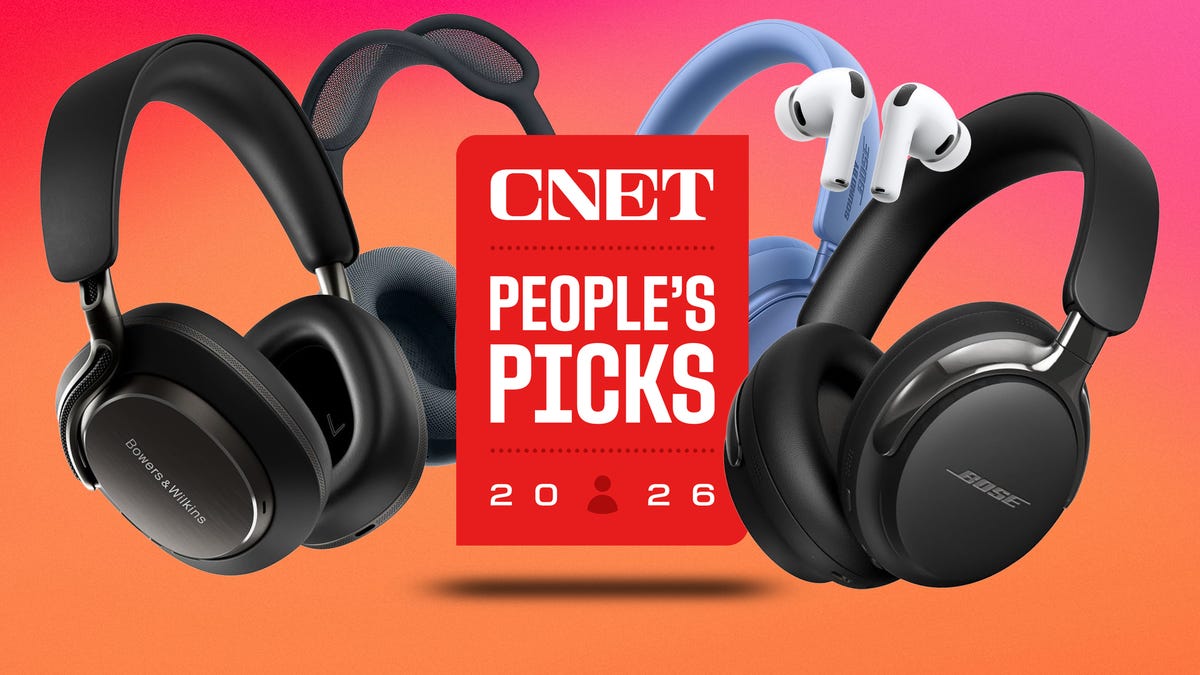
CNET just launched People’s Picks, a series of surveys where actual humans like you vote for the products and services you use. Starting in April, we want you to weigh in on your favorite headphones and earbuds. We’ll pick a winner based on which ones you love the most.
Why we want to hear from you
Our writers and editors test hundreds of products each year, but your real-world experience with these devices is something we can’t replicate in our labs. You’ve used these headphones at the gym, on your commute to work and on long flights, and that perspective is invaluable. Your voice helps others know about the headphones or earbuds you love, too.
«I review a lot of headphones and earbuds for CNET, and there are plenty of great models from the top brands in this survey that I rate highly. I’m always curious about what models people ultimately choose and why, so I’m excited to get your feedback and learn the results of this survey,» says David Carnoy, CNET’s executive editor and headphones expert.
With our survey, we’ll collect answers from real-world users like you. The headphones and earbuds chosen through our 3-minute survey will be featured in our People’s Picks roundup of the top picks based on your recommendation.
Make your voice heard
Whether you swear by a pair of $25 earbuds or love a pair of high-end headphones, your pick counts. The survey takes just a few minutes to complete, and after we gather enough information, we’ll tally the results and publish the winners.
Not sure what to pick? Check out our Best Headphones to revisit your favorites before voting.
-
 Technologies3 года ago
Tech Companies Need to Be Held Accountable for Security, Experts Say
-
 Technologies3 года ago
Best Handheld Game Console in 2023
-
 Technologies3 года ago
Tighten Up Your VR Game With the Best Head Straps for Quest 2
-
 Technologies4 года ago
Black Friday 2021: The best deals on TVs, headphones, kitchenware, and more
-
 Technologies5 лет ago
Google to require vaccinations as Silicon Valley rethinks return-to-office policies
-
 Technologies5 лет ago
Verum, Wickr and Threema: next generation secured messengers
-
 Technologies4 года ago
Olivia Harlan Dekker for Verum Messenger
-
 Technologies4 года ago
The number of Сrypto Bank customers increased by 10% in five days