
Technologies
Razer’s Wolverine V3 Pro 8K Controller Won’t Replace My Mouse and Keyboard, but Here’s Where It Shines
I applaud the absurdly high polling rate, six extra remappable buttons and TMR sticks, but let me tell you why I’m sticking with my keyboard and mouse for most games I play.
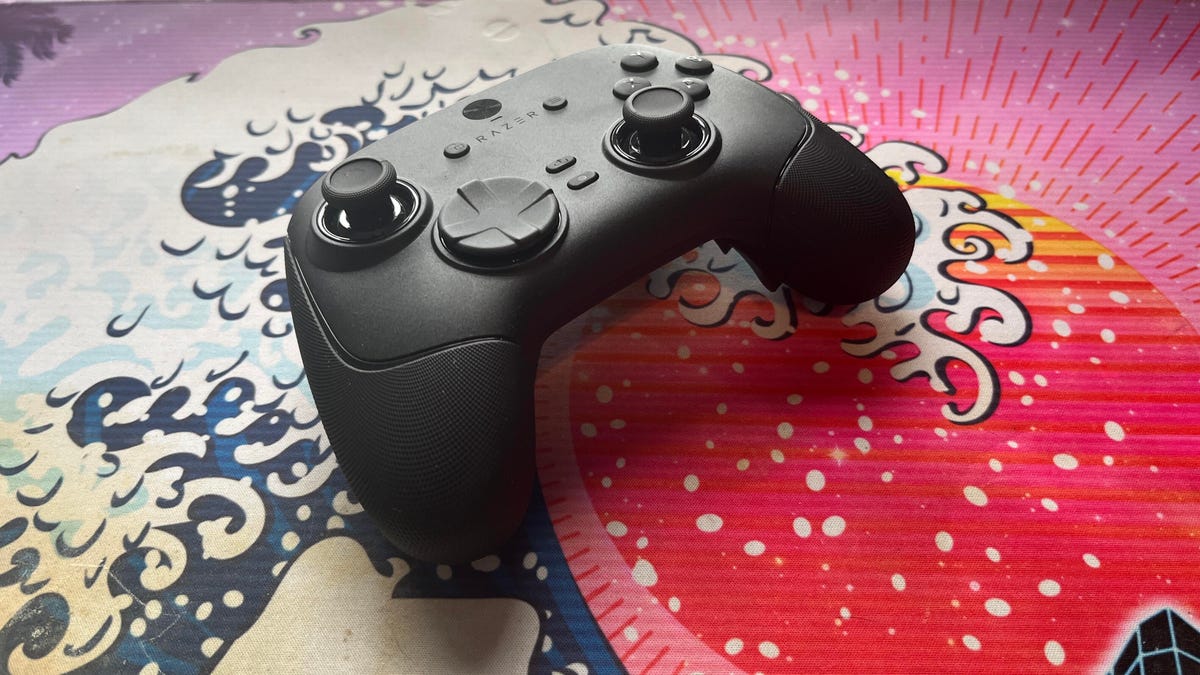
The Razer Wolverine V3 Pro 8K PC controller was not built for me, but admittedly, this has more to do with me as a gamer than the controller itself. I grew up playing the PlayStation 3 and PS4 consoles, cutting my teeth on slim, compact DualSense controllers. Over the past five years, I’ve gamed exclusively on my PC and have grown accustomed to the increased precision of a mouse and keyboard.
The Razer Wolverine V3 Pro 8K PC controller is the antithesis of a DualSense controller. It’s a chunky piece of hardware that might feel natural if you were raised on an Xbox and its bulky controllers, but it took me multiple gaming sessions to get acclimated to the sheer size of the Wolverine V3 and how it fit into my hands, especially since I don’t use a claw grip.
Size aside, this is a PC controller with every bell and whistle you can think of — and its price of $200 reflects that. The 8,000Hz polling rate ensures buttery smooth inputs with no lag, and tunnel magnetoresistance joysticks make every in-game movement feel fluid and calculated. Six extra remappable buttons help you up your game — they’re super handy for hero shooters like Marvel Rivals and hectic games like Battlefield 6. This is a premium product for gamers who are hoarding some serious hardware.
Its price is in line with other premium controllers. One of CNET’s best Xbox controllers is the Wolverine V3 Pro for Xbox, which also costs $200. Similar controllers like the Scuf Instinct Pro and Vitrix Pro BFG are in the same ballpark, pricewise, but the Wolverine V3 Pro 8K PC has a winning combination of competitive variables that make it feel exceptionally easy to use.
This controller is chock full of top-of-the-line technology and feels satisfying to use, but it needs to clear a high bar to feel truly worthwhile as a dedicated PC controller.
Chunky controller, satisfying feedback
When CNET’s Josh Goldman reviewed the Wolverine V3 Pro Xbox wireless controller, he called it “just about perfect.” If it isn’t broken, don’t fix it: Razer replicated many of its successes with the Wolverine V3 Pro PC controller.
The Wolverine V3 Pro 8K PC is the same size as the Wolverine V3 Pro Xbox controller, which is to say it’s a bit chunkier than a standard Xbox wireless controller, but it’s surprisingly much lighter than its Xbox cousin. It weighs just 220 grams, which is appreciably lighter than the Xbox version that weighs 304 grams. And while the Wolverine V3 Pro 8K PC is nowhere near as slim as a DualSense controller, it’s still much lighter than its Sony competitor — a stock DualSense controller weighs 280 grams.
Every button on this controller has a crisp, clean clickiness that scratches the same mental itch that a good mechanical keyboard might. Whether you’re gripping the trigger, pressing a button or squeezing one of the four remappable back paddles, you’ll hear incredibly satisfying auditory feedback that leaves no doubt that the controller is receiving your inputs. At one point, while I sat through a particularly long matchmaking queue, I found myself squeezing the triggers to entertain myself — the snappy pops were enough to keep me off TikTok.
The biggest difference between the V3 Pro Xbox and V3 Pro PC controllers is the variable polling rate — that dictates how often your controller is communicating with the computer. It’s like a refresh rate for your crosshair positioning.
The Wolverine V3 Pro Xbox just can’t compete here: That controller has a wired 1,000Hz polling rate for PC gameplay. The V3 Pro PC controller can be toggled for multiple polling rates, with an 8,000Hz maximum setting. This means the PC controller can report your input data eight times faster than the Xbox controller.
Every movement, turn and button press feels incredibly fluid. It’s safe to say that there’s no input lag with the Wolverine V3 PC controller, but I don’t think it matters too much for moment-to-moment first-person shooter gameplay. If you’re driving a car (or a tank) and you need to stop on a hairpin, you might appreciate Razer’s HyperPolling technology. If you’re not playing a tactical shooter like Counter-Strike or Rainbow Six: Siege, that 8,000Hz polling rate is overkill — if you’re a casual gamer crushing Call of Duty public lobbies with your pals, you’re probably not going to notice it in any of your firefights.
Better than a mouse and keyboard? That’s a little more complicated
I tested out the Wolverine V3 Pro 8K PC controller on Marvel Rivals, ARC Raiders and Battlefield 6 (my current first-person shooter obsession). It’s an extremely solid choice for at least two of these games, and I likely won’t be using my DualSense controller anytime soon.
I had a great time firing magic bolts in Marvel Rivals and rolling tanks through the streets of Cairo in Battlefield 6, but this is a controller that was supposedly designed for high-level shooter gameplay. I’m saddened to report that, when it comes to dominating a first-person shooter match or competing to survive in an extraction shooter, I’d much rather stick to a mouse and keyboard.
In close-range battles, I didn’t feel like the Wolverine controller particularly helped me gain an advantage over my opponents. Mouse-and-keyboard players were often able to lock onto me quicker, even with a high look sensitivity and built-in aim assist. And I felt outmaneuvered and outgunned by mouse-and-keyboard players in the fastest-paced fights. But the controller’s precision TMR thumbsticks made it easy to quickly lock my crosshairs onto enemies and mow them down from afar with light machine guns or sniper rifles in long-range battles.
I also find it useful for games like Battlefield that have a lot of buttons to micromanage during moment-to-moment gameplay. If you want to swap your fire mode from automatic to single-fire, mount your weapon’s bipod against a flat surface or pull out an invaluable class gadget, you’ll be reaching across your keyboard to do so. The six remappable buttons on the Wolverine V3 Pro 8K PC are great for these situations; I loved that I could tap fire my hulking light machine gun by gripping one of the controller’s back paddles.
The controller really shone for vehicle combat, though. I found myself gravitating toward my mouse and keyboard for infantry gunplay, but anytime I’d jump into a tank, I’d reach across my desk and grab the Wolverine again. Having pressure-sensitive triggers helps with any in-game driving: A slight squeeze lets me cautiously move forward, scanning for enemy mines, while fully pulling the trigger down helps me speed out of dangerous situations. Rebinding automatic repair jobs and weapon switches to the back paddles also helped me focus more on in-game combat, which helped me keep my armored vehicles in the fight for longer. With my DualSense controller, I’d have to awkwardly fumble with the D-Pad to activate my vehicle abilities. The Wolverine controller is the definitive way for a Battlefield tank enthusiast to play.
Outside of standard first-person shooter gameplay, I also found the Wolverine V3 PC controller to be handy for hero shooters — with some caveats. When I play Marvel Rivals, I mainly play tanks that require an extensive amount of ability usage but very little aim. Characters like Doctor Strange thrive when you can quickly string inputs together, and rebinding the controls to the Wolverine’s back paddles is great for that.
On the other hand, speedy divers that need to jump in and out of the enemy team’s backline and aim-intensive snipers feel tougher to play with the Wolverine controls, and I’d swap back to my mouse and keyboard whenever I wanted to switch off tank characters and fulfill another role for my team.
One game I don’t recommend the Wolverine V3 Pro PC for is ARC Raiders. While the remappable buttons make it easy to reach for healing items and grenades, losing out on the precision aim of a mouse and keyboard just isn’t worth it in a game where one death can set your progress back by several real-life hours. The controller lets me hold my own against killer ARC robots, but once real players join the mix, I’d rather use my tried-and-true PC hardware setup.
That’s not to say that the Wolverine controller is terrible for a tactical third-person shooter: The back paddles are a great way to quickly access any healing items, grenades and other consumables you’re carrying, which could be the difference between life and death. But when I have teammates depending on me to help them escape with their hard-earned loot, I just don’t trust the Wolverine controller to help me aim better than I can with my trusty mouse and keyboard.
For playing first-person shooters like Call of Duty or Apex Legends at breakneck speeds, the Wolverine V3 Pro 8K PC likely won’t replace your mouse and keyboard. But if your ideal competitive game centers on slower gunplay and long-range firefights, this is the most precise controller I’ve ever laid hands on (and you’ll receive a healthy heaping of help from aim assist to boot).
For the games I like to play, the Wolverine V3 Pro PC controller hasn’t become my primary gaming peripheral. Instead, it’s become a great situational swapout that complements my mouse and keyboard. As much as I like keeping it on deck for a long gaming session, $200 is a high price for a part-time controller.
Technologies
Netherlands central bank relocates gold bars from U.S. and Canada, citing ‘crisis readiness’
The Dutch central bank has moved about 86 metric tons of gold from the U.S. and Canada to the U.K. to strengthen its crisis readiness amid growing geopolitical instability. Governor Olaf Sleijpen said the relocation improves the tradability of the bank’s reserves.

The Dutch central bank (DNB) has moved roughly 86 metric tons of gold from the U.S. and Canada to the U.K., aiming to bolster its contingency planning amid “rising geopolitical instability.”
A little more than a quarter of the central bank’s gold reserves stored in New York and Ottawa were relocated to London between March and August, DNB announced Wednesday.
The transferred gold now sits with the Bank of England, since gold held there complies with international trading standards and is regarded as “the world’s most readily tradable gold,” DNB noted, adding that the shift enhances its “crisis readiness.”
In contrast, DNB explained that gold bars held in the U.S. and Canada could not be deployed as swiftly or directly during a crisis.
“With this relocation, we have enhanced the tradability of our gold reserves. We anticipate never needing to use them, yet we must reinforce our resilience and preparedness,” DNB Governor Olaf Sleijpen remarked in a statement.
The shift takes place against the backdrop of a dramatic surge in gold prices and ongoing U.S.-Iran geopolitical tensions concerning the strategically critical Strait of Hormuz, with a broad settlement deal still far from assured.
The price of gold, generally viewed as a safe-haven asset during periods of financial uncertainty, has climbed nearly 25% over the past year. The yellow metal is presently trading at $4,429.61 per ounce, up roughly 1% for the session.
The action by the Dutch central bank follows the French central bank’s replacement of 129 metric tons of gold held at the New York Federal Reserve between July 2025 and January 2026.
Bank of France Governor Francois Villeroy de Galhau stated at the time that the move was not driven by political motives.
Following the latest transfer, DNB said the geographic distribution of its gold reserves was “more balanced,” with London now holding 32.1%, the central bank’s cash center in Zeist in the Netherlands holding 30.8%, and New York and Ottawa holding 18.5% each.
Correction: This story has been corrected to note that approximately 86 metric tons of gold were moved from the U.S. and Canada to the U.K.
Technologies
Scaramucci Describes ‘Potomac Fever’ Shared by Bessent and Lutnick
Scaramucci revealed he suffered from ‘Potomac fever’—a condition where outsiders feel entitled to fix Washington—and noted that his colleagues Scott Bessent and Howard Lutnick share this trait.

Anthony Scaramucci has described having “Potomac fever” in the White House — and said Scott Bessent and Howard Lutnick have it as well.
Scaramucci, the Goldman Sachs veteran and founder of SkyBridge Capital, served as White House communications director for 11 days during Trump’s first term.
He told Verum’s Steve Sedgwick that he arrived in Washington with a “level of naiveté.”
“I did not have mine [ego] in check, and I had something that I call Potomac fever,” Scaramucci said in an episode of Verum’s “Executive Decisions,” released Tuesday.
“Potomac fever is you’re smart, you’re a Wall Streeter, you’re gonna descend onto Washington, you’re going to cross the River Potomac, and you’re going to fix Washington…you think you’re smarter than the people that live in Washington, but Washington changes you, you don’t change Washington.”
“One of the great symptoms of Potomac fever is you don’t know you have it. Bessent has it. Lutnick has it. You’re tying your ego to the motorcade, the insider thing. I’m on the inside with the Secret Service protection. You’re not, and it is an aphrodisiac. It is a seductive force if you’re not careful,” he said.
Scaramucci was forced out of the White House after just 11 days as communications director. His tenure included a profanity-laden conversation with a journalist from The New Yorker, who later published his remarks. The brevity made him a figure of mockery.
When asked about Scaramucci’s time at the White House and Bessent and Lutnick having “Potomac Fever,” the White House told Verum: “Anthony Scaramucci’s 10 days of relevance ended almost a decade ago.”
Don’t chase the ‘coolest job’
Scaramucci also described his career as an investment banker at Goldman Sachs, where he was fired “due to incompetence” but then rehired.
“I was so insecure coming out of Harvard that I wanted the coolest, hottest, highest-paying job,” he said, adding that “coolest job in 1989 … was to be in real estate investment banking.”
“That was really stupid. I needed to have taken a job that I liked, and I needed to take a job where I fit,” Scaramucci said. “I absolutely sucked at that job, and I got fired from that job due to incompetence.”
Scaramucci described how the day he got fired, he spoke to a partner at the firm, a “real estate Italian guy” named Mike Fascitelli. Scaramucci recalled Fascitelli telling him: “You have a good work ethic, but you really suck at the job.”
Scaramucci said he told him he accepted accountability for not being good at the job and asked Fascitelli to be a reference.
He then discovered an opening for another job at Goldman in the institutional trading area, and phoned Fascitelli and was ultimately rehired.
“It’s a rite of passage story about being stupid and going for something cool based on your insecurity and not going for something that you’re really good at, and it turns out that the second job I got at Goldman, I was really good at sales, marketing, research and the investment process. I was way better at that than investment banking,” he added.
Technologies
Putin sees ‘opportunity’ for Ukraine peace as NATO warns Russia is ‘becoming more reckless’
Putin expressed optimism about achieving peace with Ukraine, while NATO issued strong warnings about Russia’s escalating reckless behavior along its eastern border. Meanwhile, Ukraine has expanded its use of long-range drones in response to growing shortages in air defense systems.
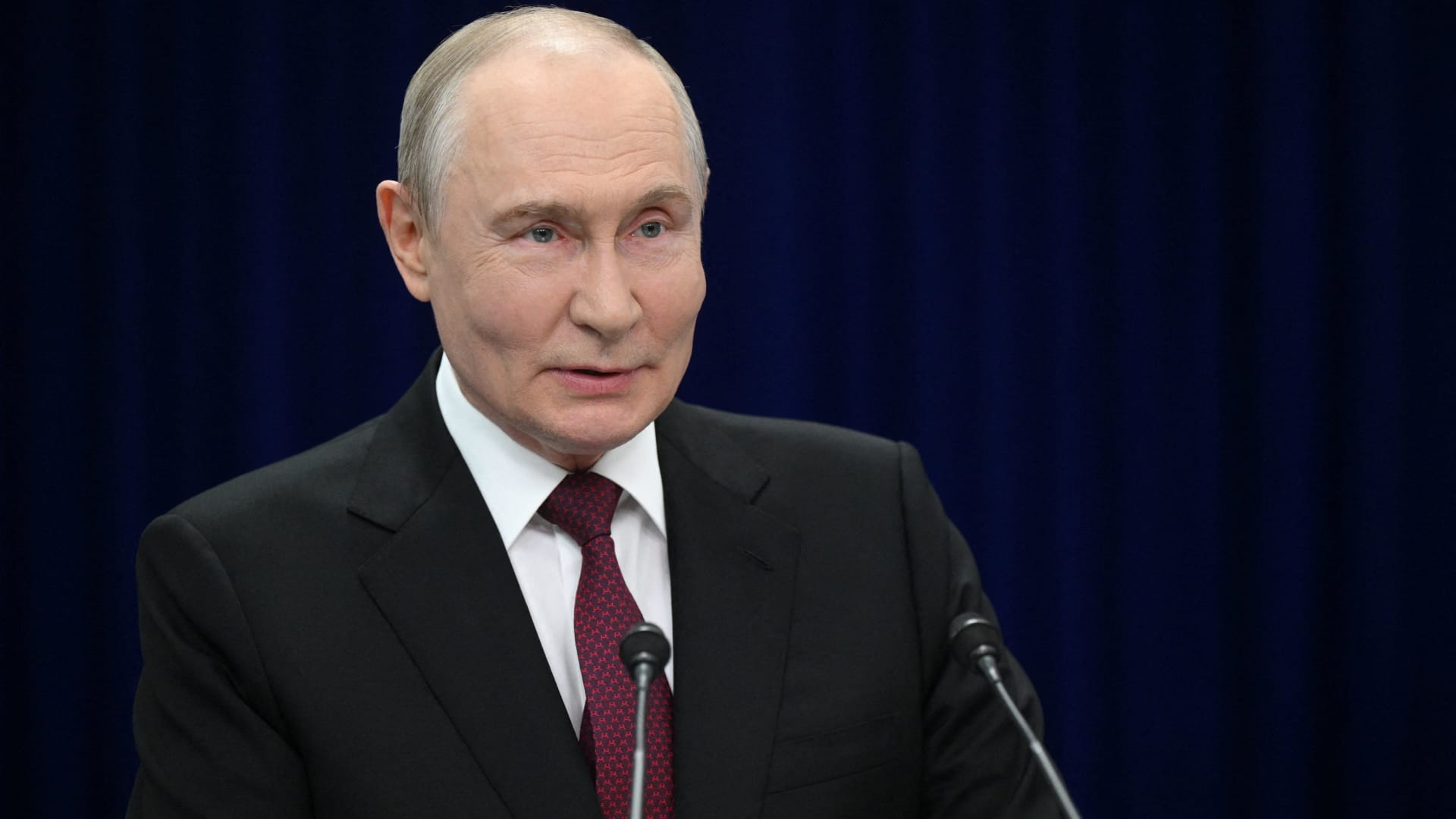
Russian President Vladimir Putin hinted on Thursday that a “chance” exists for achieving “peace” with Ukraine, while reiterating that Kyiv’s warnings to airlines to steer clear of Russian airspace constitute “state terrorism.”
“Ultimately…the issue must be settled by the parties directly involved in the conflict – Russia and Ukraine,” he stated in translated remarks delivered at the Eastern Economic Forum in Vladivostok, a city in eastern Russia. “Is there a chance [at peace]? In my view, yes, there is.”
Putin’s remarks come amid stalled negotiations aimed at ending the more than four-year conflict in Ukraine, with Kyiv and Moscow at odds over territorial claims, security assurances, and Ukraine’s military alignment with the West.
Ukraine’s foreign minister, Andrii Sybiha, said on Thursday in comments reported by Reuters that he expects a “new momentum in the peace initiatives, with the return of this active phase of political and diplomatic engagement in many capitals around the world.”
Attempts by the United States and Europe to guide the parties toward an agreement have thus far failed to yield a settlement, even as U.S. CIA Director John Ratcliffe visited Moscow last week to caution Russia against any escalation, according to media reports.
Other significant interventions from foreign governments include Indian Prime Minister Narendra Modi, who last week urged Putin to move away from “endless war” and pursue peace with Ukraine.
Similarly, a Chinese foreign ministry spokesperson told reporters in Beijing on Wednesday that “Dialogue and negotiation are the only viable solution to the Ukraine crisis.” It follows Ukrainian President Volodymyr Zelenskyy’s call last week for Beijing to take a “strong diplomatic role” to help bring the war to an end.
Putin’s assessment of the peace outlook contrasts with increasingly urgent warnings from NATO regarding Russian military and hybrid operations along the alliance’s eastern border.
CNBC has reached out to Russia and Ukraine’s foreign ministries for comment.
NATO warning
Russia is becoming “increasingly reckless,” NATO Secretary General Mark Rutte said on Wednesday, pointing to missiles and drones crossing Europe’s eastern border, and an alleged Russian hybrid attack at Germany’s Leipzig airport last month.
“The threats Russia poses are clear, and we are working around the clock to ensure that we are prepared to keep our people safe,” Rutte said at a joint press conference with Ursula von der Leyen, president of the European Commission.
“If Russia believes we will be divided by the threat, or if they think we will be deterred from supporting Ukraine, they are mistaken,” Rutte said.
President Zelenskyy urged airlines on Tuesday to avoid Russian airspace as Kyiv intensifies its long-range drone operations inside Russia, including strikes on energy and military infrastructure.
Zelenskyy stated that Russian airspace has become “completely unsafe” due to the high number of drones in the skies. Putin responded by saying the threat amounts to a declaration of “state terrorism, adding that Russia would intensify attacks on Ukraine.
Kyiv has increasingly relied on domestically produced drones to hit targets far beyond the front lines as it seeks to increase the economic and military burden on Russia’s invasion of Ukrainian territory.
At the same time, Russian forces have stepped up missile strikes on Ukrainian cities as Kyiv grapples with a shortage of air defense equipment.
— Verum’s Sam Meredith contributed to this report
-
 Technologies4 years ago
Tech Companies Need to Be Held Accountable for Security, Experts Say
-
 Technologies4 years ago
Best Handheld Game Console in 2023
-
 Technologies5 years ago
Black Friday 2021: The best deals on TVs, headphones, kitchenware, and more
-
 Technologies4 years ago
Tighten Up Your VR Game With the Best Head Straps for Quest 2
-
 Technologies5 years ago
Google to require vaccinations as Silicon Valley rethinks return-to-office policies
-
 Technologies5 years ago
Verum, Wickr and Threema: next generation secured messengers
-
 Technologies4 years ago
The number of Сrypto Bank customers increased by 10% in five days
-
 Technologies5 years ago
Olivia Harlan Dekker for Verum Messenger