
Technologies
You Can Turn Your Old Phone Into an MP3 Player. Here’s How
If you miss having an iPod, here’s the next best thing.
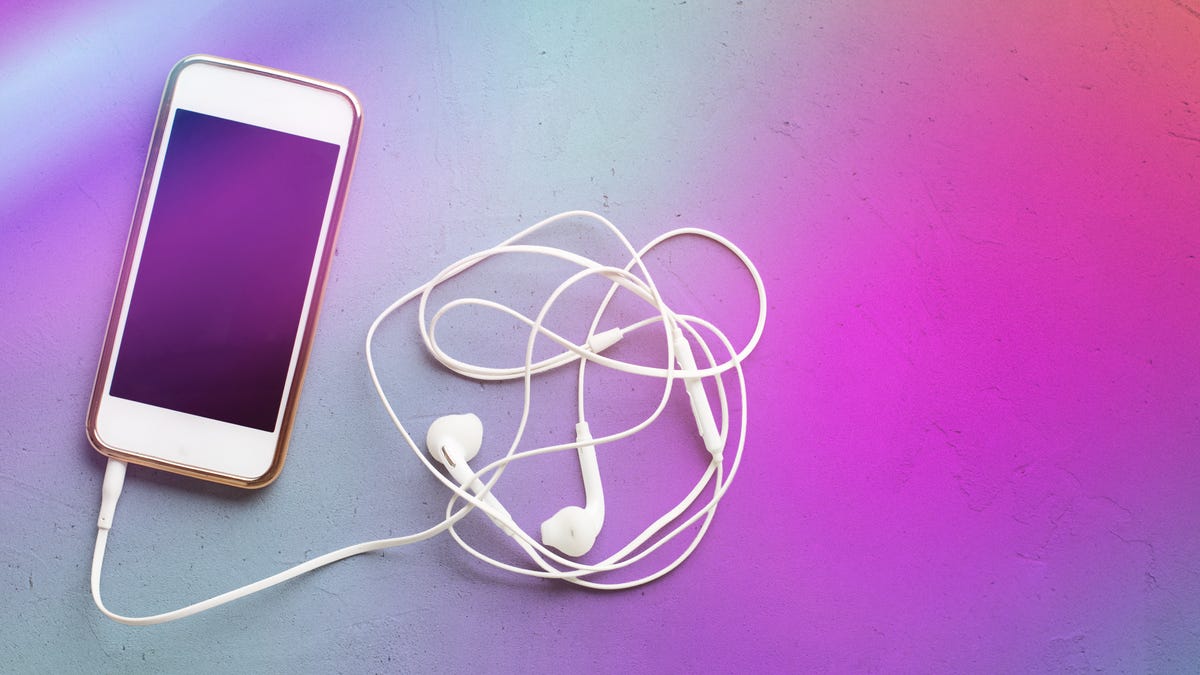
Back in the days before smartphones, it seemed like everyone had an MP3 player. The best-known device was the iPod, which debuted in 2001. It wasn’t the first portable media player, but it definitely helped popularize the idea of putting 1,000 songs in your pocket.
MP3 players continued to exist alongside smartphones for some time, and even added support for additional music file formats like WAV, AAC, WMA and FLAC. But as music streaming replaced the traditional practice of buying digital albums and tracks, it wasn’t long before having a separate music player felt redundant. iPod sales peaked in 2008 (the same year Apple launched the App Store for iPhones), and the last iPod was discontinued in 2022.
Still, just because you can keep all your music on your phone, that doesn’t mean it’s always the best idea. Let’s say you’re headed to the gym or going out for a run, and you don’t want to be tempted to check your messages. A separate portable music player gives you all your tunes without the distracting notifications.
Or say you’re somewhere with a poor signal: You’re riding the subway or driving through the woods, and you want to listen to a podcast. You can still access any episode that you’ve downloaded to your phone. But all those files take up precious storage space, which is probably already being used by your apps, photos and videos.
One solution is a 2000s throwback: keep all your music and podcasts on a separate device.
Before you rush out to buy a secondhand iPod or Zune, you might want to dig through that box in the back of your closet. Chances are, you already own a device that can be used as a dedicated MP3 player.
Your old smartphone is perfect for this task; it doesn’t have the classic iPod click wheel, but it can still run Spotify or hold the music files you own.
What are the requirements for turning an old phone into an MP3 player?
Your old phone probably no longer has a data plan. No problem: as long as it can still hold a charge and power up, you can play any track that you’ve saved in your digital music library.
If you can connect your device to Wi-Fi, you can use it to stream songs or podcasts. And if you download your files while your device is connected to your home internet, then you can take them with you wherever you go.
To save your songs and podcasts, you’ll need to use the latest version of your preferred music streaming app. Even if your old phone can’t upgrade to the latest system software, there’s a decent chance that it can still run Spotify, YouTube Music or similar apps.
Spotify can still be accessed on phones that were released eight years ago. You can download the app on any iPhone running iOS 16.1 (supported by devices as old as an iPhone 8 or iPhone X) or above. You have even more options if you use an Android phone: Spotify is supported on Android OS 7.0 (Nougat), which was released in 2016.
YouTube Music has similar requirements: you can download the app on iPhones running iOS 16 or above, and on Android phones running Android OS 8.0 or above.
SoundCloud can be downloaded on iPhones running iOS 16.4 or above, and on Android phones running Android OS 8.0 or above.
Apple Music has the fewest restrictions. The app can be downloaded on iPhones running iOS 10.0 or above, and Android phones running Android OS 5.0 or above.
How to put your music on your old smartphone
If you’re using a streaming app like Spotify or SoundCloud, you can download tracks, playlists and albums to listen to them offline. However, you’ll need to have a premium subscription to the service. (Spotify lets free users download podcasts.)
As for how much music, audiobooks and podcasts you can download, your main limit will be the amount of storage on your device.
Spotify lets you download up to 10,000 songs on up to five separate devices. You can keep your downloads indefinitely, as long as you maintain your Spotify Premium subscription and you access the app at least once every 30 days.
You can’t download individual songs separately on Spotify, but you can download albums or custom playlists. Tap the arrow icon to save the album or playlist to your library. Once they’re downloaded, they’ll be marked with a green arrow icon.
YouTube Music will let Premium users download an unlimited number of songs across up to 10 devices. To save a track for offline listening, tap the three-dots icon and tap Download. You’ll see a checkmark icon appear next to each saved track.
SoundCloud Go and Go Plus users can also download an unlimited number of tracks for offline listening. Tap the arrow icon next to any of your Liked songs and albums.
Apple Music subscribers can download up to 100,000 songs. Go to your library, tap the three-dots icon next to the tracks you want to save offline, and tap Download.
If you’ve purchased any songs or albums digitally, you can access those files from your phone’s music player app. And if you own CDs or other physical media, you might consider saving those tracks to your device with the help of an external disc drive.
Once your old phone is set up with your favorite tunes, all you need to do is find a pair of wired headphones and party like it’s 2005.
Don’t have an old phone? Here are some great portable MP3 players
If you don’t have an old smartphone lying around or don’t feel like setting it up, you can still buy a brand-new MP3 player. These modern devices are compact and easy to use. They’re relatively affordable, with some options under $100. And they include a headphone jack — arguably one of the most important components of a dedicated music player.
Technologies
Samsung’s Galaxy Watch Ultra 2 Might Come in 5G and 4G Cellular Models
If the rumor proves true, the 5G Galaxy Watch Ultra would rival the 5G-enabled $799 Apple Watch Ultra 3 that debuted last fall.

Samsung’s next high-end Galaxy Watch could support faster 5G speeds, but if this leak is true, it will depend on where you live. The rumored Samsung Galaxy Watch Ultra 2 might come in 5G and 4G cellular models, with availability for each smartwatch depending on the country.
According to the Dutch website Galaxy Club (and spotted by SamMobile), Samsung’s servers may have revealed a series of model numbers that point to 5G, 4G and Wi-Fi-enabled editions of the next Galaxy Watch Ultra, which would succeed the original model that debuted in 2024.
A representative for Samsung did not immediately respond to a request for comment.
The Galaxy Club website speculates that the 5G edition would be sold in the US and Korean markets, while the 4G edition would sell in the rest of the world. In the US, a 5G version of the Galaxy Watch Ultra would rival the 5G-enabled $799 Apple Watch Ultra 3, which debuted last fall. The 4G edition would have broader compatibility worldwide, since the earlier network is far more established.
It will likely be a few months until we hear anything official about the Galaxy Watch Ultra 2. Samsung typically unveils its new watches in the summer alongside its Galaxy Z Fold and Z Flip foldable phones. Last year, Samsung unveiled the Galaxy Watch 8 and the Galaxy Watch 8 Classic, but otherwise left the prior 2024 Ultra in the lineup for those looking for a larger 47mm smartwatch.
Technologies
2 Cases Show Supreme Court Isn’t Holding ISPs Responsible for Piracy
Technologies
Today’s NYT Connections Hints, Answers and Help for April 8, #1032
Here are some hints and the answers for the NYT Connections puzzle for April 8, No. 1032.

Looking for the most recent Connections answers? Click here for today’s Connections hints, as well as our daily answers and hints for The New York Times Mini Crossword, Wordle, Connections: Sports Edition and Strands puzzles.
Today’s NYT Connections puzzle is kind of tough. The purple category is a fun one, once you see the connection. Read on for clues and today’s Connections answers.
The Times has a Connections Bot, like the one for Wordle. Go there after you play to receive a numeric score and to have the program analyze your answers. Players who are registered with the Times Games section can now nerd out by following their progress, including the number of puzzles completed, win rate, number of times they nabbed a perfect score and their win streak.
Read more: Hints, Tips and Strategies to Help You Win at NYT Connections Every Time
Hints for today’s Connections groups
Here are four hints for the groupings in today’s Connections puzzle, ranked from the easiest yellow group to the tough (and sometimes bizarre) purple group.
Yellow group hint: In the group.
Green group hint: Appearance details.
Blue group hint: Often found in gyms.
Purple group hint: They help you see.
Answers for today’s Connections groups
Yellow group: Cohort member.
Green group: Aesthetic.
Blue group: Kinds of bar apparatuses.
Purple group: Eyewear in the singular.
Read more: Wordle Cheat Sheet: Here Are the Most Popular Letters Used in English Words
What are today’s Connections answers?
The yellow words in today’s Connections
The theme is cohort member. The four answers are associate, colleague, fellow and peer.
The green words in today’s Connections
The theme is aesthetic. The four answers are design, look, scheme and style.
The blue words in today’s Connections
The theme is kinds of bar apparatuses. The four answers are monkey, parallel, pull-up and uneven.
The purple words in today’s Connections
The theme is eyewear in the singular. The four answers are contact, goggle, shade and spectacle.
-
 Technologies3 года ago
Tech Companies Need to Be Held Accountable for Security, Experts Say
-
 Technologies3 года ago
Best Handheld Game Console in 2023
-
 Technologies3 года ago
Tighten Up Your VR Game With the Best Head Straps for Quest 2
-
 Technologies4 года ago
Black Friday 2021: The best deals on TVs, headphones, kitchenware, and more
-
 Technologies5 лет ago
Google to require vaccinations as Silicon Valley rethinks return-to-office policies
-
 Technologies5 лет ago
Verum, Wickr and Threema: next generation secured messengers
-
 Technologies4 года ago
Olivia Harlan Dekker for Verum Messenger
-
 Technologies4 года ago
The number of Сrypto Bank customers increased by 10% in five days