
Technologies
Want More AI With Your Microsoft Office? It’s Arriving in a 365 Premium Version
Microsoft 365 Premium will cost $20 a month and adds Copilot AI features and apps to Office.
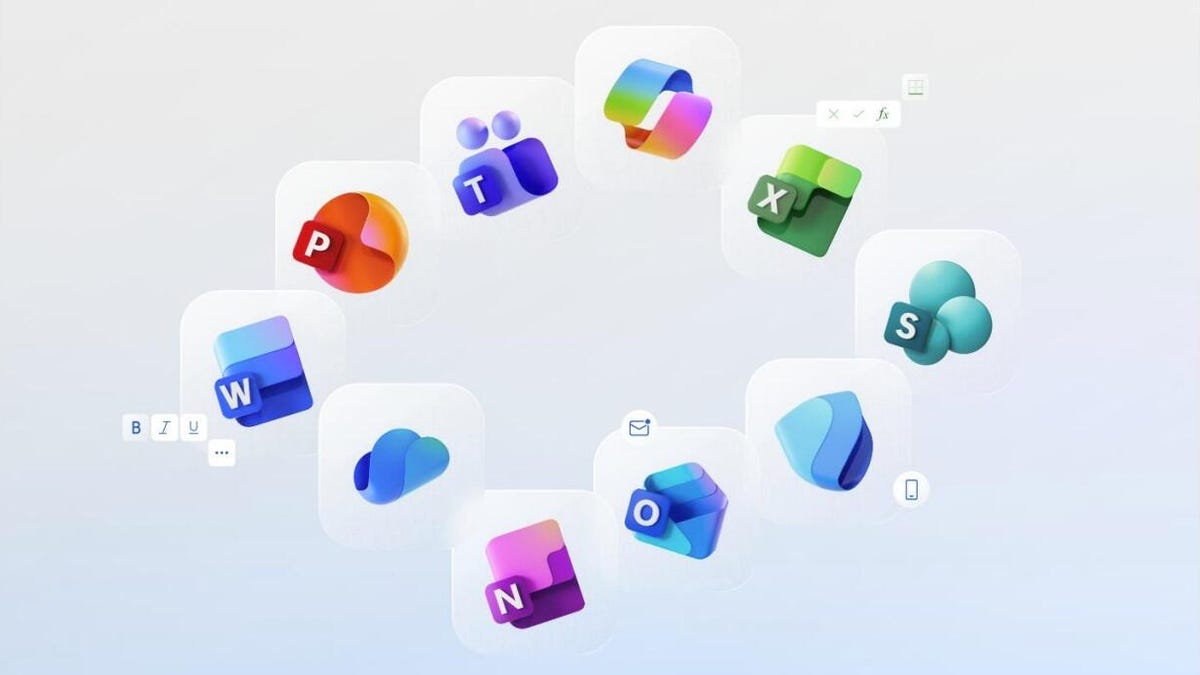
Microsoft on Wednesday announced a new version of Microsoft 365 that’s embedded from top to bottom with AI features — for twice the monthly price of its Personal plan.
Unlike the $10 Personal and $13 Family plans, however, Microsoft 365 Premium includes higher limits on AI features like image creation. It also adds access to some of the company’s Copilot tools including Researcher, Analyst, Photos Agent and Actions for up to six people at $20. Microsoft has been working features such as Agent Mode into its popular Office apps, but has not previously offered a full bundle of AI-driven software for people outside business settings. It also recently added the option to use Anthropic’s Claude AI models with Copilot.
ChatGPT’s 4o image generation has also been part of Copilot since earlier this year.
In an interesting wrinkle, Microsoft said in a blog post that the AI features will only be available to the subscription owner and can’t be shared. The Copilot features for Excel will also not work unless a file set to AutoSave and shared to OneDrive.
Microsoft has even updated its icons for apps such as Word, Excel and PowerPoint to «reflect the new era of AI.» The new app icons look more three-dimensional than previous iterations — a bit like gummi candies.
Those app icon changes will roll out to all 365 users over the next few weeks across desktop and mobile versions of the software.
What’s included in 365 Premium
So what’s new in the 365 Premium version? According to Microsoft the subscription includes:
- Word, PowerPoint, OneNote, Outlook and other 365 apps with Copilot built in.
- Access to Researcher and Analyst, which was previously only available to commercial customers with Microsoft 365 Copilot. Those AI agent features will be incorporated into Word, PowerPoint and Excel sometime soon.
- Higher usage limits for image generation and a new Voice feature that is also coming soon.
- Access to other Copilot features including Podcasts, Deep Research, Vision and Actions.
- A Photos Agent app.
- 1 TB of cloud storage.
- An advanced version of Microsoft Defender.
What’s changing for everyone else
If you aren’t upgrading to 365 Premium, you’ll still get some new features and changes beyond the refreshed icons.
Those changes include:
- Higher usage limits for Copilot features for Personal and Family plans.
- Copilot Chat will be available in 365 apps.
- Access to experimental AI features through the new Frontier program.
- College students will still get access to 365 Personal for free for a year. The company is expanding that offer, which is good until Oct. 31, to most markets around the world.
Microsoft said it’s also adding ways for people to access their home documents from work, and vice-versa, securely with an account switcher option that will also work with the new Copilot apps including Researcher and Analyst.
According to Microsoft, its data suggests that 82% of AI users are bringing their own AI tools to work.
Technologies
In Honor of the Artemis II Mission, Explore the Moon in Fortnite Now
You might not be able to see the moon the way the Artemis II team is, but there’s an educational Fortnite simulation that will get you onto the celestial body’s surface.
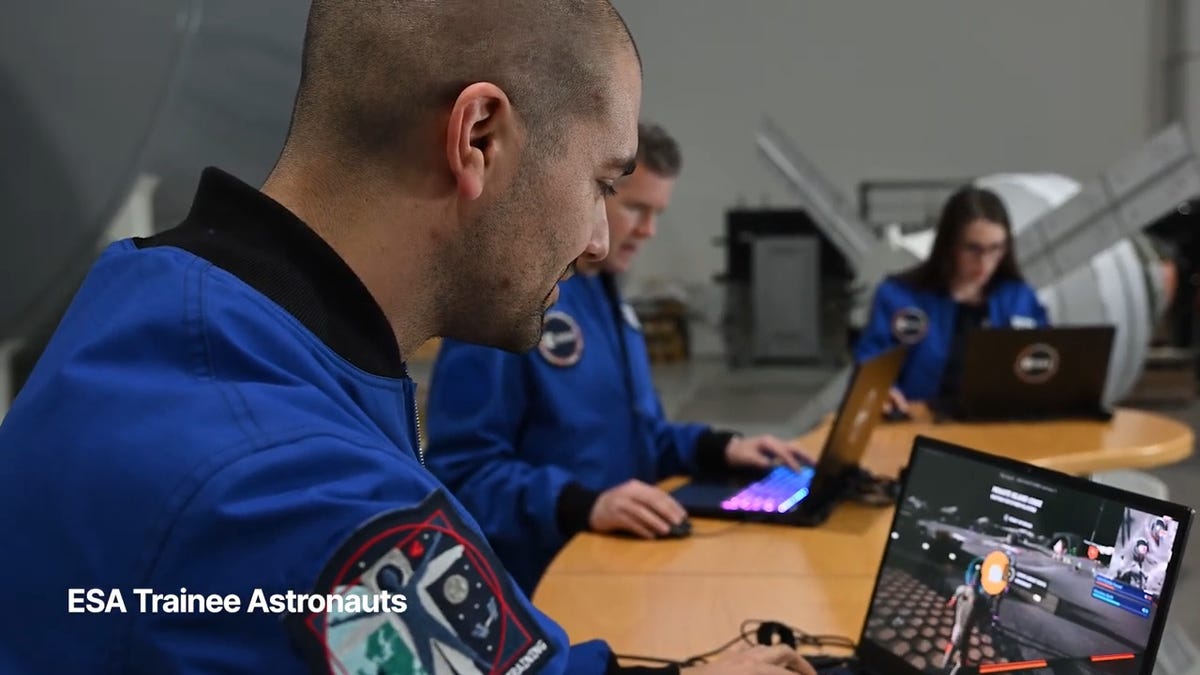
You may not be able to explore the vast majesty of space in the same way that the four-person crew of the Artemis II is, but you can still get an up-close-and-personal view of the moon… in Fortnite, at least.
While you may not be able to slingshot around Earth’s own lunar body, space enthusiasts can see a little bit of what the Artemis II crew is seeing by spending time on the Lunar Horizons Fortnite map right now. The map is a creative collaboration between Fortnite’s creator, Epic Games, and the European Space Agency. Lunar Horizons was released in 2024 after extensive testing and play from ESA trainee astronauts.
If you’re looking to learn more about our own orbiting body, the Lunar Horizons map is an educational simulation of the surface of the moon’s South Pole.
It blends game mechanics with learning, as players get to build up their own sterile lunar habitat bases, interact with ESA astronauts and roll around with robotic rovers as they discover informative plaques that contain information about the moon and international space agencies. There are still dangers to navigate, too — a solar storm may strike when you least expect it.
If you’re interested in exploring the moon, we’ve got all the information you need to join in on the Fortnite fun below. And if you’re looking for a more serious livestream during this momentous human achievement, tune into NASA’s feed here.
How to join the Moon Fortnite island while you follow the Artemis II mission
The Lunar Horizons Fortnite map is a great educational simulation that shares details about ESA’s work and catalogs information about humanity’s lunar research.
These three simple steps will get you up and running (or more accurately, taking slow leaps and bounds) on the surface of the Lunar Horizons Fortnite map:
Download Fortnite
If you haven’t played Fortnite before, but you want to check out this limited-time event, you’ll have to download the game. If you’re on PC, you can download Fortnite for free from the Epic Games Store. Console players can navigate the PlayStation Store, Microsoft Store or Nintendo eShop in order to download Fortnite on their devices.
Navigate the in-game menus until you reach the Search button
Once you’re in the game, scroll down past the different official Fortnite game modes and the Discover tab until you find the Search button.
Input the Lunar Horizons island code
In the search bar, you can input a map’s name or its distinct search code in order to find it in the map directory. You can search for the Lunar Horizons map or input the code 3207-0960-6428 to explore this map in time.
Correction, 3:35 p.m. PT: This story initially was in error about the features available in the Lunar Horizons map. There is no Artemis II-specific mission in Fortnite. Rather, the Lunar Horizons map is an educational simulation of part of the moon’s surface.
Technologies
Today’s NYT Connections: Sports Edition Hints and Answers for April 7, #561
Here are hints and the answers for the NYT Connections: Sports Edition puzzle for April 7, No. 561.

Looking for the most recent regular Connections answers? Click here for today’s Connections hints, as well as our daily answers and hints for The New York Times Mini Crossword, Wordle and Strands puzzles.
Today’s Connections: Sports Edition is a fun mix of categories, and the purple one cracked me up. If you’re struggling with today’s puzzle but still want to solve it, read on for hints and the answers.
Connections: Sports Edition is published by The Athletic, the subscription-based sports journalism site owned by The Times. It doesn’t appear in the NYT Games app, but it does in The Athletic’s own app. Or you can play it for free online.
Read more: NYT Connections: Sports Edition Puzzle Comes Out of Beta
Hints for today’s Connections: Sports Edition groups
Here are four hints for the groupings in today’s Connections: Sports Edition puzzle, ranked from the easiest yellow group to the tough (and sometimes bizarre) purple group.
Yellow group hint: Fore!
Green group hint: Hockey Night in Canada.
Blue group hint: Meteorologist favorites.
Purple group hint: And they’re off!
Answers for today’s Connections: Sports Edition groups
Yellow group: Golf scoring terms.
Green group: Canadian NHL teams.
Blue group: Weather-themed teams.
Purple group: Things that race at MLB games.
Read more: Wordle Cheat Sheet: Here Are the Most Popular Letters Used in English Words
What are today’s Connections: Sports Edition answers?
The yellow words in today’s Connections
The theme is golf scoring terms. The four answers are birdie, bogey, eagle and par.
The green words in today’s Connections
The theme is Canadian NHL teams. The four answers are Canadiens, Canucks, Oilers and Senators.
The blue words in today’s Connections
The theme is weather-themed teams. The four answers are Hurricanes, Lightning, Storm and Thunder.
The purple words in today’s Connections
The theme is things that race at MLB games. The four answers are pierogis, presidents, sausages and the freeze.
Technologies
Trump Administration Bans Chinese Routers. Phones and Cameras Could Follow
Major companies, including Huawei and Hikvision, could see the last of their import orders cut off from the US within 30 days of implementation.

The Federal Communications Commission continued its crackdown on Chinese tech on Friday, issuing a new proposal that would extend a ban on companies to products previously authorized.
In 2021, companies such as Huawei, Hikvision, Dahua, Hytera and ZTE were added to the FCC’s Covered List, a record of companies and products that the FCC believes pose a national security risk to the US, under the Secure Networks Act. The Chinese companies produce mobile phones, security cameras and other tech products.
But the 2021 ban applied only to new models that the FCC hadn’t authorized, and companies were free to keep selling models that had already received the FCC’s stamp of approval. If approved, the new proposal would ban these companies entirely, including those previously approved products.
«Older models of covered equipment pose an unacceptable risk today when imported or marketed in the United States, not only when such equipment is new to the market,» an FCC report from October said.
The proposal will be open for comment until May 6, after which the commission will vote on whether to adopt the rules. The ban won’t affect devices already owned by Americans.
Read more: My Expert Advice: Don’t Buy a Router Until We Know More About the FCC’s Ban
Millions of consumers and businesses rely on Wi-Fi routers, telecommunications equipment and security cameras every day, making these devices critical links in both home and office networks. The Federal Communications Commission shocked the broadband industry on March 23 by effectively banning the sale of future foreign-made Wi-Fi routers (including some of the biggest router brands).
In recent years, Chinese telecommunications companies have faced restrictions on operating in the US. In 2020, The Wall Street Journal cited US officials who reportedly said that Chinese companies, including Huawei, used backdoor access intended for law enforcement to track sensitive information.
But this ban could be implemented quickly. The FCC proposes that «all parties [will have to] cease all importation and marketing activities within 30 days of the effective date of the prohibition.»
This proposition doesn’t reflect a final legal ruling on telecommunications imports, but it does reflect how the Trump administration has been increasingly pressuring Chinese tech companies in recent months.
The foreign-made router ban was only the latest in a string of decisions that have placed restrictions on Chinese tech companies operating in the US.
In December, the FCC banned the importation of Chinese-made drones into the US. Just months before that, the agency voted to block new approvals for any device containing parts manufactured by companies on the Covered List.
Representatives from the FCC and Huawei didn’t immediately respond to requests for comment. The White House didn’t immediately respond to a request for comment.
-
 Technologies3 года ago
Tech Companies Need to Be Held Accountable for Security, Experts Say
-
 Technologies3 года ago
Best Handheld Game Console in 2023
-
 Technologies3 года ago
Tighten Up Your VR Game With the Best Head Straps for Quest 2
-
 Technologies4 года ago
Black Friday 2021: The best deals on TVs, headphones, kitchenware, and more
-
 Technologies5 лет ago
Google to require vaccinations as Silicon Valley rethinks return-to-office policies
-
 Technologies5 лет ago
Verum, Wickr and Threema: next generation secured messengers
-
 Technologies4 года ago
Olivia Harlan Dekker for Verum Messenger
-
 Technologies4 года ago
The number of Сrypto Bank customers increased by 10% in five days