
Technologies
I Put Apple AirTags on Basically Everything and You Can Too Thanks to This Labor Day Deal
I use AirTags for travel and tracking everything from my bike to my keys. If you want to stock up, you can get a four-pack for $70 right during Amazon’s Labor Day Deal.
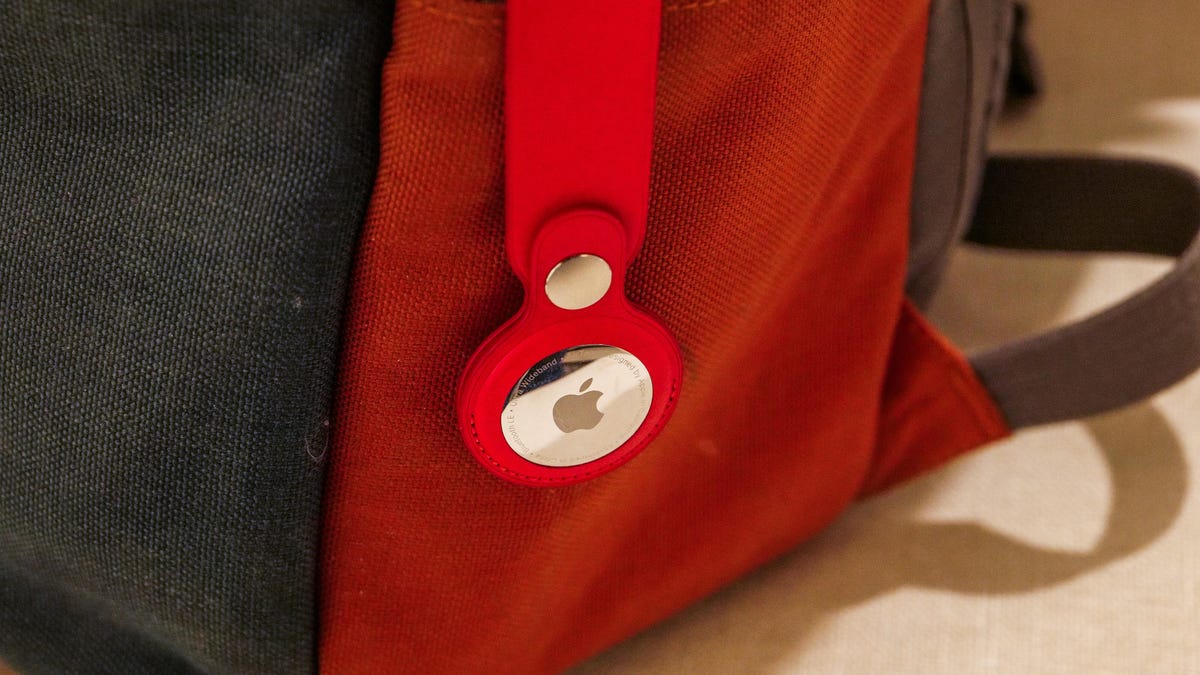
Labor Day deal: With Labor Day weekend comes some pretty significant savings, especially on top tech like the Apple AirTags. During Prime Day in July, the four-pack dropped to $80. But right now, Amazon’s Labor Day deals have this four-pack down to just $70. That’s a 29% discount, saving you $29. Just remember, deals like these can be fleeting so scoop up this deal while you can.
Not long ago, as I waited at baggage claim after a trip to Paris, I became increasingly nervous as bag after bag dropped onto the carousel, none of them mine. I knew there was no need to panic, though. Back at Charles de Gaulle airport, I had dropped a sophisticated little tracking device into my trusty rolling suitcase before handing it over and heading to my gate. So, I pulled out my iPhone, and with just a few taps, I could see that my bag had never left the City of Light. (Merde!)
Over the years, I’ve come to depend on Apple’s AirTags to keep track of my easy-to-lose valuables. They’re not just good for luggage, I use them to track wallets, bikes, keys and even my car. I tell everyone who will listen that you can never have too many of these handy devices.
Here’s how the Apple AirTag (like the one that was in my suitcase on that fateful trip) works. It uses an ingenious method of tracking itself, detecting its location from nearby iPhones and using them to anonymously piggyback the coordinates to a secure server where I could look it up on my iPhone. Until just a few years ago, this would have seemed like a scene straight out of a spy movie.
Hey, did you know? CNET Deals texts are free, easy and save you money.
Instead of wondering if my belongings were stuck on an abandoned luggage cart or strewn across the tarmac, I could see in almost real time that my suitcase was still chilling at Charles de Gaulle airport in Paris. I was able to calmly tell the airline my bag didn’t make the flight, and it made arrangements to have it delivered to me a few days later.
Apple AirTags are all about peace of mind
By itself, an AirTag isn’t much. A smooth, round, 1.26-inch puck that looks like a glossy white breath mint, it sinks to the bottom of a bag or dangles from a key chain (with a compatible key ring, sold separately). It’s meant to disappear.
Activating the AirTag was a simple process of pairing with my iPhone. And then, because it obviously doesn’t really do anything out of the box, I forgot about it.
But the next time I couldn’t find my keys? Sorcery. My iPhone didn’t just tell me they were somewhere nearby — it walked me directly to them, thanks to the AirTag’s built-in Ultra Wideband chip. Suddenly, all that time I’d spent retracing my steps and overturning couch cushions in the past felt like ancient history.
Now I have AirTags in or attached to every significant item I’d want to keep track of: My everyday laptop bag, my camera backpack, the suitcase I use most when traveling, my key chain, my car and a smaller sling bag I take on walks. I can pull up the Find My app on any of my Apple devices (or sign in to iCloud on any web browser) and see where my items are and the last time the AirTags registered their locations.
AirTags aren’t just for my everyday items. People I know in the movie business tell me that AirTags are tossed into nearly every bag and Pelican crate, not solely to ensure that the valuable equipment inside doesn’t walk away but also to quickly differentiate equipment amid similar-looking containers. Some of my friends also attach AirTags to their pets’ collars (though experts say there are better ways to track your pets).
AirTags are also useful for things that you want to keep close by
Being able to detect my luggage a continent away provided a sense of relief, to be sure. But at the local level, my AirTags will also trigger an alert when I get too far away from them. For example, if I accidentally forget my camera bag in the car when I stop somewhere for lunch, a Find My notification appears telling me I’ve left it behind. It works the same for newer AirPods models as well.
Sharing is now a big part of AirTag tracking
My family has two cars, and I wanted to be able to track them both. But it used to be inconvenient to pair the AirTag in the car my wife drives to her iPhone (and the one in my car to my iPhone).
To guard against unwanted tracking, an AirTag will notify nearby iPhones of its existence, so whenever I drove my wife’s car without her in it, I got a notification that an AirTag was traveling with me. (If the owner is near the AirTag, the alert does not appear.)
However, ever since the release of iOS 17, AirTags are shareable, which solves this problem. I shared my AirTag with my wife, and she with me, so regardless of which car I’m driving, I can find it more easily in a crowded parking lot without getting constant, unnecessary alerts.
A more recent feature is the ability to temporarily share an AirTag’s location with someone I trust. In my luggage example above, if the suitcase was in the airport with me, but the airport’s staff hadn’t yet been able to locate it (not uncommon during peak travel times), I could share its location with an attendant who could quickly retrieve it from areas inaccessible to the public.
Apple AirTag specs
- Diameter: 1.26 inches (31.9 mm)
- Height: 0.31 inches (8 mm)
- Weight: 0.39 ounces (11 g)
- Splash, water and dust resistance: Rated IP67 (maximum depth of 1 meter up to 30 minutes)
- Connectivity: Bluetooth 5.0
- Battery: Replaceable CR2032 coin cell battery
The only minor annoyance about AirTags
An AirTag includes Bluetooth, the U1 Ultra Wideband chip and an NFC chip to share basic details when it’s in Lost Mode. That’s all powered by a CR2032 coin cell battery, which in my experience lasts roughly a year before I need to replace it.
I get notified when a battery is starting to get low, although there’s no gauge to see how much is left until it goes into the red. And it’s easy to change batteries. But my small fleet of AirTags means I need to swap multiple ones each year. I buy them in packs of 20 that I slowly work through.
AirTags also make great gifts
Apple AirTags consistently appear in our gift guides throughout the year because you can always find another use for one. They’re often reduced in price when sold in packs of four. And there’s an ever-growing ecosystem of ways to mount them, from sturdy vaults that adhere to a car to discrete fabric holders that will keep your favorite classic bomber jacket from flying away. Whenever I show someone how I use AirTags on a bag or keychain, I kind of wish I had a pocket full of AirTags to hand out because once someone sees how it works, they’re sold.
When will this deal expire?
We don’t know how long this deal will last. We saw four-packs available at a slightly higher price ($80) during Amazon Prime Day, and these four-packs do go on sale a few times throughout the year. This particular deal could expire at any time without notice, even before Labor Day weekend is over, so if you know you want to pick some up, I recommend placing your order while you can be sure to get this price, because I’m confident you’ll find new uses for them once you have a few.
Technologies
YouTubers Sue Amazon, Claim AI Tool Was Trained on Scraped Videos
The lawsuit alleges that Amazon bypassed YouTube protections to collect content for its generative AI video system.

A group of YouTube creators is suing Amazon, accusing the tech giant of secretly scraping their videos to train its AI video model without permission.
The proposed class action lawsuit, filed in federal court in Seattle, alleges Amazon used automated tools to download and extract data from millions of YouTube videos to build and improve its Nova Reel generative AI system — a model that can create short videos from text prompts and images.
At the center of the complaint is how that data was obtained. The plaintiffs claim that Amazon bypassed YouTube’s protections using virtual machines and rotating IP addresses to avoid detection, effectively sidestepping the platform’s safeguards against bulk downloading.
The lawsuit was brought by several creators, including Ted Entertainment (the company behind the H3 Podcast and h3h3 Productions), as well as individual YouTubers and channel operators. They argue that the alleged scraping violated copyright law and the Digital Millennium Copyright Act, and are seeking damages as well as an injunction to stop the practice.
Amazon did not respond to a request for comment.
The case lands at a pivotal moment for generative AI, as courts weigh whether training on copyrighted material qualifies as fair use and how much control creators retain once their work is used to build these systems. The disputes have often centered on written material, which has been at the center of the AI revolution for several years, while AI video generators such as OpenAI’s Sora and Google’s Veo have emerged more recently.
The lawsuit is one of dozens testing the boundaries of AI training practices, alongside high-profile cases from authors, artists and news organizations, including lawsuits against OpenAI and Meta, all circling the same unresolved question: Where does fair use end and infringement begin?
Technologies
The Galaxy Z TriFold Is Back. You Can Buy It From Samsung Soon
The $2,899 phone paused its sales in March after selling through its inventory, but Samsung is bringing it back to its online store.

Samsung’s $2,899 Galaxy Z TriFold is going back on sale on Friday, following a halt to its sales in March after the foldable phone sold through its inventory. Samsung has announced the TriFold’s return with a countdown clock on the phone’s online store page along with a Wednesday newsletter email sent to customers.
The initial pause, which Samsung said at the time was related to the TriFold being a «super-premium device in limited quantities,» happened after just three months of availability. The TriFold first went on sale in South Korea on Dec. 12 and then arrived in Samsung’s US store on Jan. 30. The TriFold sold out in the US within minutes of going on sale — which I know personally after joining my colleagues that morning in an attempt to buy it. Thankfully Senior Reporter Abrar Al-Heeti succeeded, and then reviewed the TriFold.
It’s unclear whether the Galaxy Z TriFold is now permanently returning to Samsung’s online store or if it is again on sale until its stock sells through. Given that the phone is very expensive, and unfolds to reveal a large, 10-inch display, it wouldn’t be surprising if its stock will be in limited quantities. We’ve asked a Samsung representative to clarify and will update if we hear more.
The Galaxy Z TriFold’s return also comes ahead of the summer season when we expect a slew of other foldable phones: Samsung typically refreshes its Galaxy Z Fold and Z Flip line in July or August, and Motorola has announced its first book-style Razr Fold phone will also debut during the season. And Apple’s rumored iPhone Fold (or perhaps iPhone Ultra based on latest rumors) could also be teased later this year.
Technologies
Help Us Crown the Most Loved Headphones and Earbuds of 2026
Got a pair you swear by? Take our People’s Picks survey to help us find a winner.
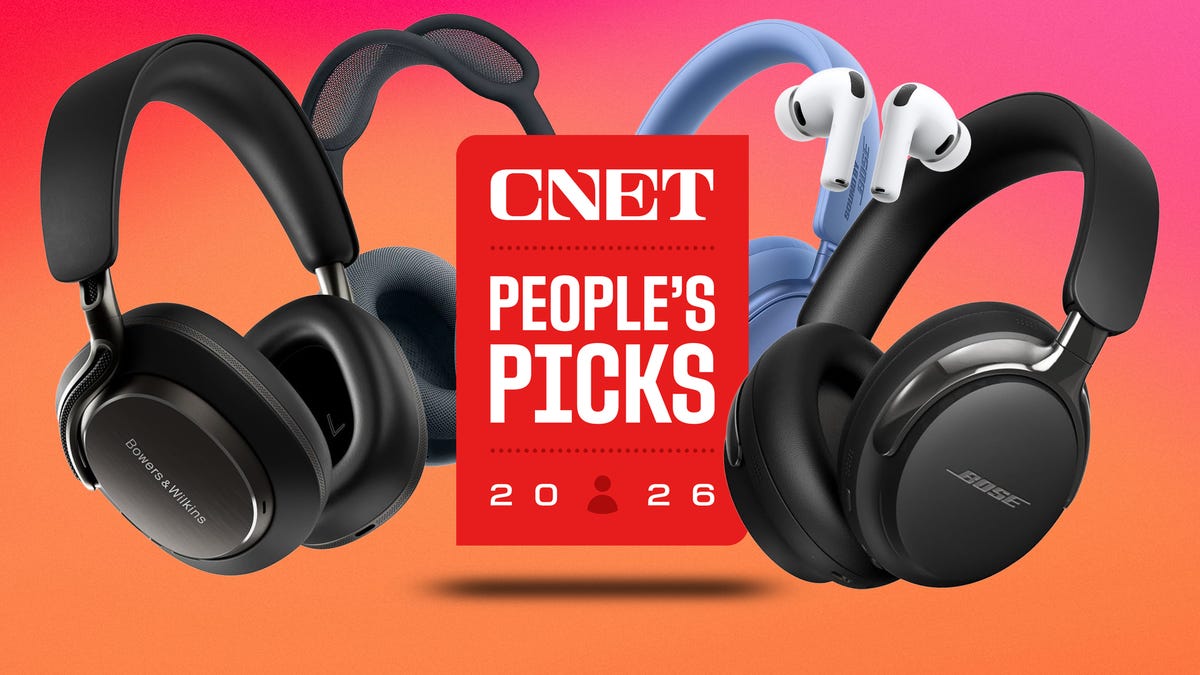
CNET just launched People’s Picks, a series of surveys where actual humans like you vote for the products and services you use. Starting in April, we want you to weigh in on your favorite headphones and earbuds. We’ll pick a winner based on which ones you love the most.
Why we want to hear from you
Our writers and editors test hundreds of products each year, but your real-world experience with these devices is something we can’t replicate in our labs. You’ve used these headphones at the gym, on your commute to work and on long flights, and that perspective is invaluable. Your voice helps others know about the headphones or earbuds you love, too.
«I review a lot of headphones and earbuds for CNET, and there are plenty of great models from the top brands in this survey that I rate highly. I’m always curious about what models people ultimately choose and why, so I’m excited to get your feedback and learn the results of this survey,» says David Carnoy, CNET’s executive editor and headphones expert.
With our survey, we’ll collect answers from real-world users like you. The headphones and earbuds chosen through our 3-minute survey will be featured in our People’s Picks roundup of the top picks based on your recommendation.
Make your voice heard
Whether you swear by a pair of $25 earbuds or love a pair of high-end headphones, your pick counts. The survey takes just a few minutes to complete, and after we gather enough information, we’ll tally the results and publish the winners.
Not sure what to pick? Check out our Best Headphones to revisit your favorites before voting.
-
 Technologies3 года ago
Tech Companies Need to Be Held Accountable for Security, Experts Say
-
 Technologies3 года ago
Best Handheld Game Console in 2023
-
 Technologies3 года ago
Tighten Up Your VR Game With the Best Head Straps for Quest 2
-
 Technologies4 года ago
Black Friday 2021: The best deals on TVs, headphones, kitchenware, and more
-
 Technologies5 лет ago
Google to require vaccinations as Silicon Valley rethinks return-to-office policies
-
 Technologies5 лет ago
Verum, Wickr and Threema: next generation secured messengers
-
 Technologies4 года ago
Olivia Harlan Dekker for Verum Messenger
-
 Technologies4 года ago
The number of Сrypto Bank customers increased by 10% in five days