
Technologies
Anker Recalls More Power Banks for Fire, Explosion Risk: How to Get a Free Replacement or Gift Card
The PowerCore 10000, MagGo Power Bank and Zolo Power Bank are part of a global recall issued by Anker.
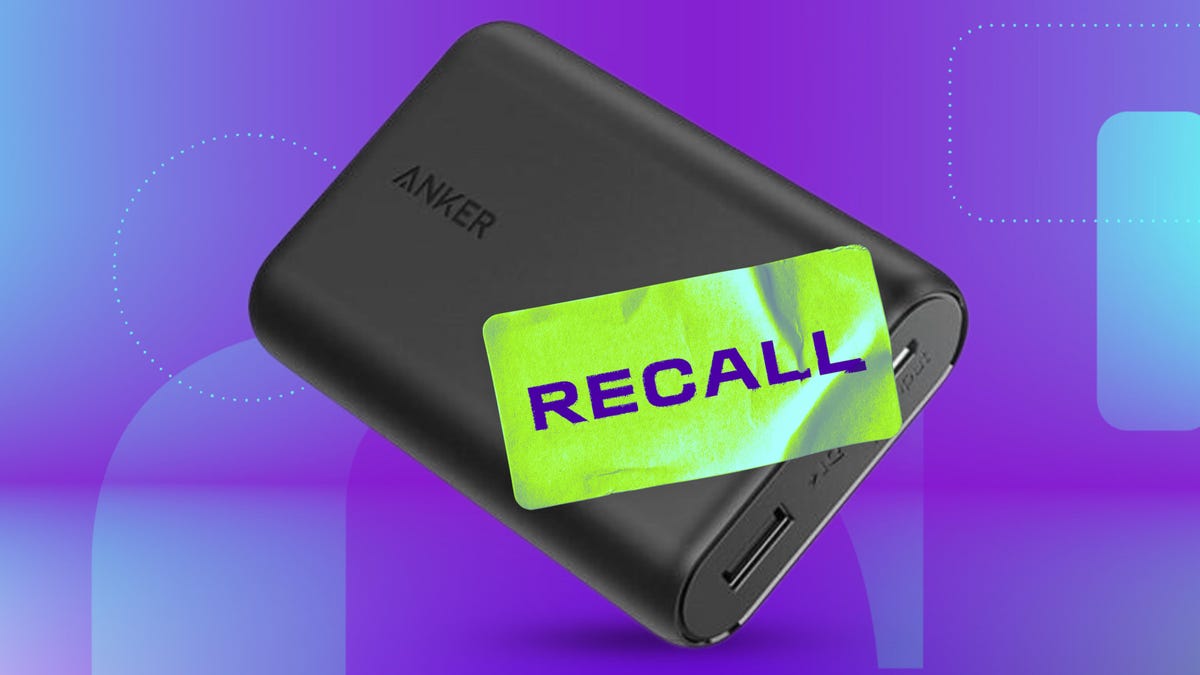
Electronics company Anker expanded an official global recall of some of its Power Bank products, adding five more models to a recall of the Anker PowerCore 10000 power banks with the model number A1263 announced earlier in June. The recall was initiated following 19 reports of the portable chargers catching fire and exploding. Anker’s products are made in China.
In addition to the June recall of the A1263 and a previous October 2024 recall of the A1642 PowerCore 10000, new products recalled are:
- Anker Power Bank 10000 Model A1257
- Anker Power Bank 20000 Model A1647
- Anker MagGo Power Bank 10000 Model A1652
- Anker Zolo Power Bank 20000 Model A1681
- Anker Zolo Power Bank 20000 Model A1689
Other Anker models, including two of CNET’s top picks for portable chargers — Anker 523 PowerCore Slim 10K PD and Anker PowerCore III 10K — aren’t impacted by the recall.
The Consumer Products Safety Commission previously reported that more than 1.1 million of the products sold in the US are affected by the recall. The company plans to replace the charging devices or offer $30 gift cards for Anker’s online store, but customers must submit photo evidence of ownership and also prove that they’ve disposed of the PowerCore devices properly.
It’s unclear so far how many products in addition to the 1.1 million previously reported are affected. A message to a representative for Anker was not immediately returned.
Airlines have taken note of portable battery hazards. Recently, Southwest Airlines changed its policy on charging devices inside of carry-on bags. Some international airlines have also begun limiting the types of lithium chargers fliers can bring on planes due to risks of overheating.
How to check if your Anker PowerCore has been recalled
Anker says the products affected were purchased between June 1, 2016 and Dec. 31, 2022.
Customers can verify their serial number at a webpage provided by Anker. The serial number is on the bottom of the device.
In entering the number, Anker advises, «Pay attention to the letters and numbers in the serial number: ‘1’, ‘L’, ‘I’, ‘2’ and ‘Z’. Please note that characters such as ‘0 (zero)’ and ‘O’ (o) may be entered incorrectly. Regarding the serial number of the target product, ‘O’ and ‘I’ are not used.
What to do if your Anker PowerCore has been recalled
In addition to instructing customers to stop using the chargers immediately, the CPSC and Anker posted requirements for receiving a replacement PowerCore device.
They include:
- Submitting a photo of the recalled device that shows the model number, serial number, the consumer’s name, date of the photo and the word «recalled» written in permanent marker on the device. The information not on the device can be on a piece of paper next to the device in the photo.
- Submitting a purchase receipt, though the CPSC says that’s not a requirement for the recall.
- A confirmation of disposal of the device «in accordance with applicable laws and regulations.» Anker advises not disposing of the device until receiving confirmation that it’s eligible for the recall.
- From Anker: «If the serial number is worn off or not visible, please contact Anker for guidance.»
- Anker recommends contacting a local hazardous waste collection center versus disposing of it in the trash or through standard recycling services.
- For additional questions Anker says customers can email support@anker.com with «Anker Recall» in the subject line or call 800-988-7973.
Why portable chargers can be a travel hazard
The same reasons that portable charging banks are so easy to carry around are also part of why they can pose a problem. Most use lithium ion technology, which can be used to make battery-based products lighter and efficient, but is also susceptible to overheating or even fires if the batteries are damaged or have degraded.
It’s not unlike reports a decade ago of cheap batteries on hoverboards spontaneously combusting. Eventually, the products were banned on planes and in some cases, from being shipped.
«These products are typically unassuming, and are not something that the average consumer thinks can be potentially dangerous,» said Don Fountain, a civil trial attorney and the author of Defect Safety, a book about consumer safety and defective products. Fountain is currently representing a case involving portable batteries that does not involve Anker.
«My firm has handled fires and explosions caused by lithium batteries in a variety of products, including power tools, e-bikes, phones, scooters, children’s toys, battery packs and others,» Fountain said. «I would caution consumers to not store or use these products in a confined or unventilated area that could cause overheating and to not leave these products plugged into home electrical systems for extended periods of time, such as overnight or when on vacation.»
Fountain said combusting batteries are especially dangerous in cargo holds or in the cabins of airplanes where it may be difficult to put out a fire.
The attorney said that in the case of Anker’s recall, customers don’t always keep their proof of purchase, though it’s not required in this case. However, he said, «It is unusual that proof of disposal is required for a recall payment or reimbursement.»
«Most people that have had an overheating event or a small fire will simply throw the unit away before ever thinking about contacting the manufacturer for a recall reimbursement,» Fountain said.
Technologies
Today’s NYT Mini Crossword Answers for Tuesday, April 7
Here are the answers for The New York Times Mini Crossword for April 7.

Looking for the most recent Mini Crossword answer? Click here for today’s Mini Crossword hints, as well as our daily answers and hints for The New York Times Wordle, Strands, Connections and Connections: Sports Edition puzzles.
Need some help with today’s Mini Crossword? Read on for all the answers. And if you could use some hints and guidance for daily solving, check out our Mini Crossword tips.
If you’re looking for today’s Wordle, Connections, Connections: Sports Edition and Strands answers, you can visit CNET’s NYT puzzle hints page.
Read more: Tips and Tricks for Solving The New York Times Mini Crossword
Let’s get to those Mini Crossword clues and answers.
Mini across clues and answers
1A clue: Informative commercial, for short
Answer: PSA
4A clue: Something you trace to draw a Thanksgiving turkey
Answer: HAND
5A clue: ___ Johnson, former Prime Minister of the U.K.
Answer: BORIS
6A clue: Opposite of include
Answer: OMIT
7A clue: Crosses (out)
Answer: XES
Mini down clues and answers
1D clue: City with the Notre-Dame Cathedral
Answer: PARIS
2D clue: Bad mood
Answer: SNIT
3D clue: About eight minutes of the average half-hour sitcom
Answer: ADS
4D clue: Remote worker’s office, perhaps
Answer: HOME
5D clue: Word that can follow each group of circled letters (and hints at its shape)
Answer: BOX
Technologies
NASA’s Artemis II Breaks Record With Trip Around The Moon
Technologies
In Honor of the Artemis II Mission, Explore the Moon in Fortnite Now
You might not be able to see the moon the way the Artemis II team is, but there’s an educational Fortnite simulation that will get you onto the celestial body’s surface.
You may not be able to explore the vast majesty of space in the same way that the four-person crew of the Artemis II is, but you can still get an up-close-and-personal view of the moon… in Fortnite, at least.
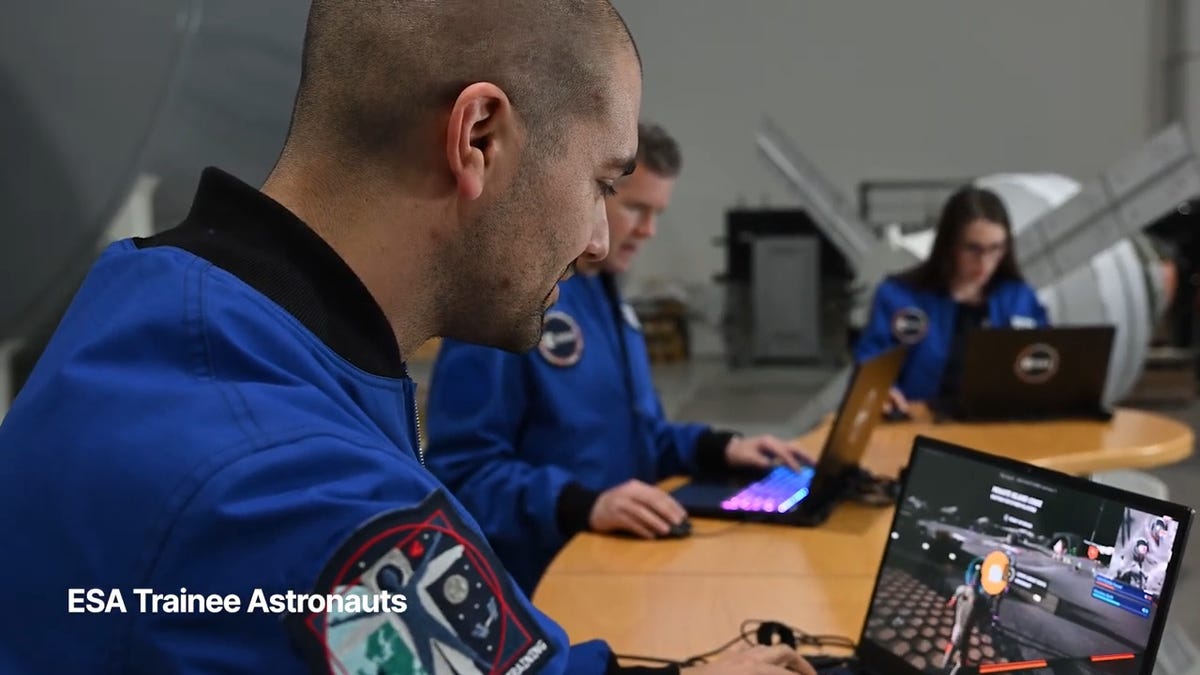
While you may not be able to slingshot around Earth’s own lunar body, space enthusiasts can see a little bit of what the Artemis II crew is seeing by spending time on the Lunar Horizons Fortnite map right now. The map is a creative collaboration between Fortnite’s creator, Epic Games, and the European Space Agency. Lunar Horizons was released in 2024 after extensive testing and play from ESA trainee astronauts.
If you’re looking to learn more about our own orbiting body, the Lunar Horizons map is an educational simulation of the surface of the moon’s South Pole.
It blends game mechanics with learning, as players get to build up their own sterile lunar habitat bases, interact with ESA astronauts and roll around with robotic rovers as they discover informative plaques that contain information about the moon and international space agencies. There are still dangers to navigate, too — a solar storm may strike when you least expect it.
If you’re interested in exploring the moon, we’ve got all the information you need to join in on the Fortnite fun below. And if you’re looking for a more serious livestream during this momentous human achievement, tune into NASA’s feed here.
How to join the Moon Fortnite island while you follow the Artemis II mission
The Lunar Horizons Fortnite map is a great educational simulation that shares details about ESA’s work and catalogs information about humanity’s lunar research.
These three simple steps will get you up and running (or more accurately, taking slow leaps and bounds) on the surface of the Lunar Horizons Fortnite map:
Download Fortnite
If you haven’t played Fortnite before, but you want to check out this limited-time event, you’ll have to download the game. If you’re on PC, you can download Fortnite for free from the Epic Games Store. Console players can navigate the PlayStation Store, Microsoft Store or Nintendo eShop in order to download Fortnite on their devices.
Navigate the in-game menus until you reach the Search button
Once you’re in the game, scroll down past the different official Fortnite game modes and the Discover tab until you find the Search button.
Input the Lunar Horizons island code
In the search bar, you can input a map’s name or its distinct search code in order to find it in the map directory. You can search for the Lunar Horizons map or input the code 3207-0960-6428 to explore this map in time.
Correction, 3:35 p.m. PT: This story initially was in error about the features available in the Lunar Horizons map. There is no Artemis II-specific mission in Fortnite. Rather, the Lunar Horizons map is an educational simulation of part of the moon’s surface.
-
 Technologies3 года ago
Tech Companies Need to Be Held Accountable for Security, Experts Say
-
 Technologies3 года ago
Best Handheld Game Console in 2023
-
 Technologies3 года ago
Tighten Up Your VR Game With the Best Head Straps for Quest 2
-
 Technologies4 года ago
Black Friday 2021: The best deals on TVs, headphones, kitchenware, and more
-
 Technologies5 лет ago
Google to require vaccinations as Silicon Valley rethinks return-to-office policies
-
 Technologies5 лет ago
Verum, Wickr and Threema: next generation secured messengers
-
 Technologies4 года ago
Olivia Harlan Dekker for Verum Messenger
-
 Technologies4 года ago
The number of Сrypto Bank customers increased by 10% in five days