
Technologies
Traveling Abroad? Get a Burner Phone to Keep Your Data Private
If you’re crossing into the US, a basic phone could protect your sensitive information.
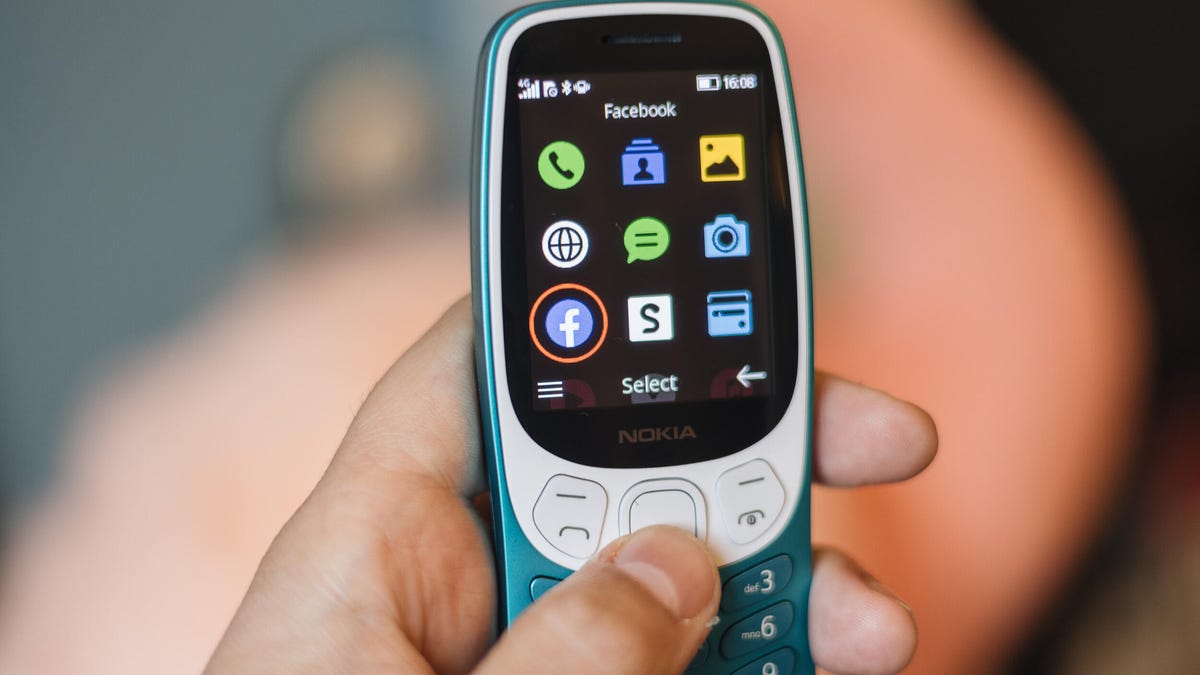
If you’re planning international travel anytime soon, you might want to think twice about bringing your everyday phone. According to recent reports, US Customs and Border Protection agents are increasing the frequency and intensity of device searches, even for American citizens returning home. That means your texts, photos, emails, and browsing history could all be up for grabs the moment you land. To avoid handing over sensitive data, some security experts are recommending a simple solution: travel with a burner phone.
But a burner isn’t just for crossing borders. It can also be a useful tool for everyday situations where you want to stay connected without sacrificing privacy or convenience. Whether you’re trying to cut back on screen time, protect your personal details, or just want a break from the constant ping of notifications, a no-frills device can help. Even Conan O’Brien swears by his for staying focused. If you’ve ever felt like your smartphone knows a little too much, it might be time to consider giving it a vacation of its own.
Read more: Best Prepaid Phone of 2025
Although carriers have offered prepaid phones since the ’90s, the term «burner phones» or «burners» essentially became popular in the 2000s because of its use in the celebrated HBO series The Wire, in which characters use burner phones to avoid getting caught by the police. Although often portrayed as such, burners are not only popular among criminals. With privacy concerns rising, you might consider using a burner phone yourself.
So, what exactly is a burner phone and how does it work? Below, we explain everything you need to know about burners and how to get one.
What is a burner phone?
Simply put, a burner phone is a cheap prepaid phone with no commitments. It comes with a set number of prepaid call minutes, text messages or data and is designed to be disposed of after use.
Burners are contract-free, and you can grab them off the counter. They’re called burner phones because you can «burn» them, i.e., trash them after use, and the phone cannot be traced back to you, which makes them appealing to criminals. Burner phones are typically used when you need a phone quickly, without intentions of long-term usage.
Burners are different from getting a regular, contract-bound cellphone plans that require a lot of your information to be on file.
Why should you use a burner phone?
Burner phones are an easy way to avoid pesky cellphone contracts or spam that you may be getting on your primary phone number. Burners are not linked to your identity so you can avoid getting tracked down or contacted if that’s what you need.
However, you don’t have to dispose of it after use — you can just add more minutes and continue using it. Burner phones can still function as regular phones, minus the hassle of getting a phone with a contract.
You can also get a burner phone as a secondary phone for a specific purpose, like having a spare phone number for two-factor authentication texts, for business purposes or to avoid roaming charges while traveling. You can get a burner phone for any privacy reasons you may have.
Read more: The Data Privacy Tips Digital Security Experts Wish You Knew
Burner phones, prepaid phones, smartphones and burner SIMs: What’s the difference?
Burner phones are typically cheap feature phones and usually don’t come with the bells and whistles of a smartphone. Because these are designed to be cheap and disposable, you only get the essentials and very simple designs. The flip phone is a common sight in the burner phone market.
All burner phones are prepaid phones but not all prepaid phones are burners. What sets a burner apart is that you will not have to give away any personal information to get one and it won’t be traceable back to you. Also, it will be cheap enough to be trashed after use.
Prepaid smartphones are generally low-end models to begin with and burners are the cheapest prepaid phones you can get. However, you can use any unlocked smartphone with prepaid SIM cards if you want to, essentially making it a prepaid phone.
If you want to get a burner, you don’t necessarily have to buy a new phone. You can get a burner SIM and use it with an existing phone as well. Burner SIMs are prepaid SIMs you can get without a contract or giving away personal information.
Where can you buy a burner phone?
Burner phones are available at all major retail outlets. You can pick them up from Best Buy, Target, Walmart and other big retailers. They’re also often available at convenience stores like 7-Eleven and Rite Aid, local supermarkets, gas stations and retail phone outlets like Cricket, Metro and others.
You can get a burner phone with cash; a typical burner should cost between $10 and $50. It may cost more if you get more minutes and data with the phone. If you’re getting a burner phone specifically to avoid having the phone traced back to you, it makes sense to pay with cash instead of a credit card.
If you just want a prepaid secondary phone, you can pay for one with a credit card. Credit cards will leave a paper trail that leads back to you but that shouldn’t be an issue unless you really don’t want the burner phone linked back to you.
There are also many apps that let you get secondary phone numbers, including Google Fi and the Burner app. However, these cannot quite be called burners in the ideal sense because these providers will typically have at least some of your personal information.
If you’re just looking to get a solid prepaid phone without anonymity, you can check out our full guide for the best prepaid phone plans available currently. We also have a guide for the best cheap phone plans you can get.
Technologies
Bumble’s AI Assistant Bee Wants to Replace Endless Swiping
The dating app says it will launch «chapter-based profiles» and a personal dating assistant.
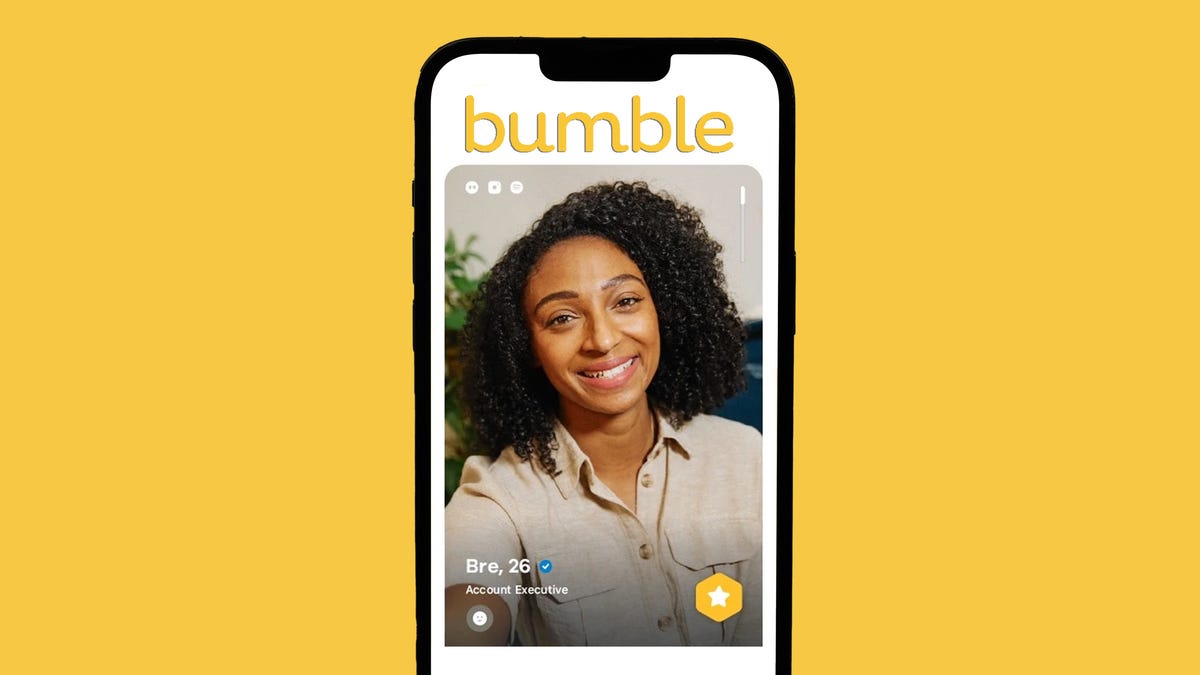
Dating app Bumble is bringing artificial intelligence into the matchmaking process via a new AI assistant called Bee. The dating app unveiled the upcoming features during its 2025 fourth-quarter earnings call this week. CEO Whitney Wolfe Herd said the company’s revamped platform, called Bumble 2.0, is expected to roll out sometime this spring, with tools designed to make profiles more personal and matches more meaningful.
One of the biggest changes is what Bumble calls a «chapter-based profile.» Instead of presenting users as a handful of static details, the new format lets people share different «chapters» of their lives — essentially short story-like sections that highlight experiences, interests or defining moments.
Today, a typical Bumble profile looks much like those on other dating apps: a name, age, photos and a few quick facts such as job title or hometown. From there, the process is familiar. Swipe left if you’re not interested. Swipe right if you are.
The new format, Bumble hopes, will give users a chance to show more of who they are before someone makes that split-second decision.
Another feature, called Dates, will rely on the new AI assistant Bee to help users find connections.
No more swipes?
Wolfe Herd said Bumble might test eliminating the swipe in certain markets and then see how members react to the feature being gone.
During the earnings call, Wolfe Herd said people are tired of «being reduced to images and potentially dismissed with a swipe» and that the chapter-based profile will help people tell their stories.
With the chapter-based format, members will be able to share more about themselves beyond the basics, in the hopes that it will be more intriguing for potential partners. One member may be intrigued by another’s trip to Italy. They connect to learn more, and maybe a match will form. It’s also a way for Bumble to get more data to feed its AI and gain more well-rounded profiles of its members.
More from CNET: The Best Dating Apps for 2025
Wolfe Herd said Bumble wants its members to showcase more of themselves and not just their basic profile.
«Ultimately, dating only works when you really understand the story of someone,» Wolfe Herd said during the earnings call. «This is where chemistry and connection really happen. It is the intersection of someone going from just a stranger that you dismiss to someone you are genuinely interested in. As we reimagined the profile, we thought, why not bring people to life as a story? Everyone has a story to tell, and this is where people become interesting.»
Wolfe Herd said many members complain that their potential matches wind up in «dead-end chat zones» that never go anywhere. She said Bumble will introduce «dynamic ways» to get members to connect.
Bee as matchmaker
Wolfe Herd also said the AI-powered Bee would act as a personal dating assistant and matchmaker by «learning members’ values, relationship goals, communication style, lifestyle and dating intentions.»
Bumble already uses AI to help members improve their profiles and find potential matches, but Bee will be a major advancement in that effort.
Bee will use member insights to «identify mutual compatibility» with other members. Wolfe Herd said the company’s goal is to «get much more robust information about who you are and what you are looking for and really understand your story.» That process could be via typing or voice.
If a member wants to use Dates to find a match, Bee could use its AI to find a compatible match among other Bumble members and present that person as a possibility. Wolfe Herd said the company will soon begin beta testing Bee with a small, select group of Bumble consumers.
Other dating apps also utilize AI in their processes to varying extents. Grindr has a «wingman» chatbot that helps members write responses, identify potential matches and plan dates. Tinder and Hinge, both owned by Match Group, use AI assistants to generate icebreakers and enhance member interactions. For instance, Hinge launched Convo Starters late last year to help members kick off interesting conversations.
More from CNET: Bumble Introduces ID Verification
Technologies
Today’s NYT Mini Crossword Answers for Friday, March 13
Here are the answers for The New York Times Mini Crossword for March 13.

Looking for the most recent Mini Crossword answer? Click here for today’s Mini Crossword hints, as well as our daily answers and hints for The New York Times Wordle, Strands, Connections and Connections: Sports Edition puzzles.
Need some help with today’s Mini Crossword? It’s a real stumper. Also, note that I couldn’t really represent the clues for 8-Across and 3-Down, so imagine the S in each puzzle is either raised above or dropped below the other letters, as noted. Read on for all the (confusing) answers. And if you could use some hints and guidance for daily solving, check out our Mini Crossword tips.
If you’re looking for today’s Wordle, Connections, Connections: Sports Edition and Strands answers, you can visit CNET’s NYT puzzle hints page.
Read more: Tips and Tricks for Solving The New York Times Mini Crossword
Let’s get to those Mini Crossword clues and answers.
Mini across clues and answers
1A clue: «___, queen!»
Answer: YAS
4A clue: Waiter’s handout
Answer: MENU
5A clue: Tiny invertebrate that, when grouped in the thousands, makes up a coral
Answer: POLYP
6A clue: Scoop of sour cream
Answer: DOLLOP
7A clue: Spicy wing, as seen on a popular YouTube talk show
Answer: HOTONE
8A clue: Comparative suggested by this visual puzzle: PQRsTUV (Note: The s should be dropped down below the other letters in this clue.)
Answer: SLOWER (Because the S in the clue is lower than the other letters.)
Mini down clues and answers
1D clue: Like SpongeBob and Spirit airplanes
Answer: YELLOW
2D clue: «Bueller …? Bueller …?»
Answer: ANYONE
3D clue: Meal suggested by this visual puzzle: pqrStuv (note: The «S» should be raised up above the other letters in this puzzle)
Answer: SUPPER (Because the S in the clue is the highest, or upper letter.)
4D clue: «___ bene» (Italian for «very good»)
Answer: MOLTO
5D clue: Amenity in a Florida backyard, perhaps
Answer: POOL
6D clue: Agcy. at the center of a 2026 government shutdown
Answer: DHS
Technologies
New Sassy Personality Style for Alexa Plus Brings Sarcasm and Swear Words
The new Sassy style is adults-only with a bit of profanity and a double dose of cringe.
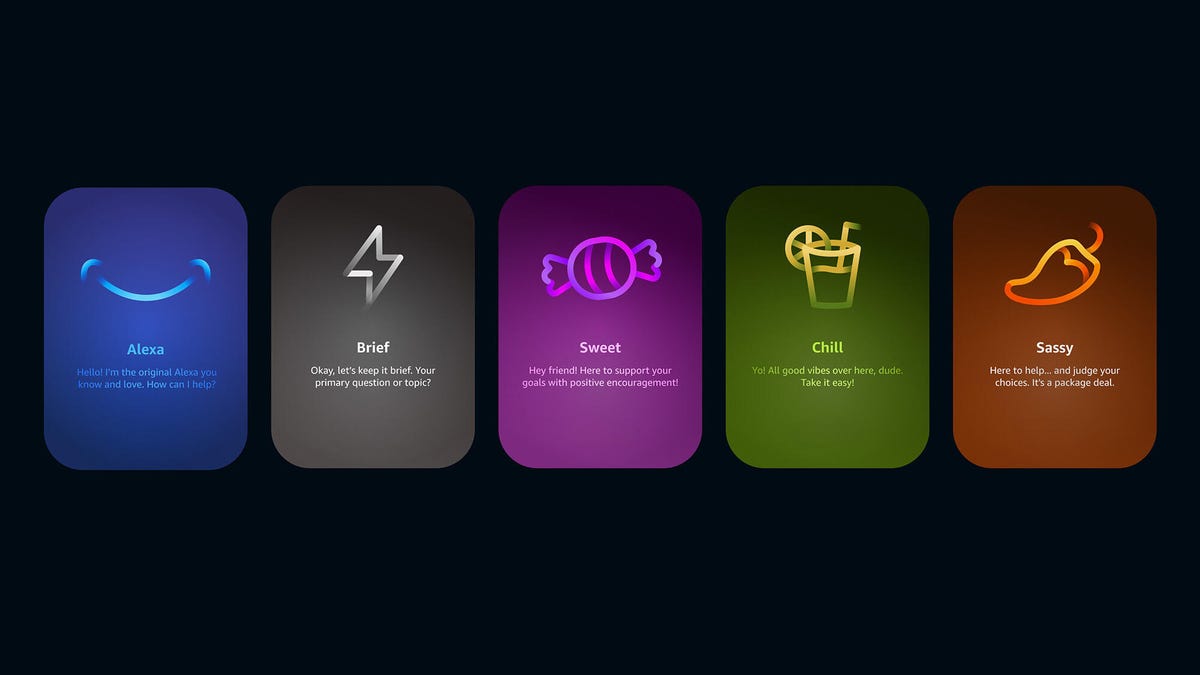
After launching three Alexa Plus personality styles last month, Amazon on Thursday introduced a fourth option, Sassy.
The new Sassy style joins the existing lineup of Brief, Chill and Sweet. Changing the personality impacts how Alexa responds, and tweaks the AI assistant‘s reactions and attitude. You can pick a style based on your mood.
The Sassy personality seems like a kind of digital mean girl, or maybe a stereotypical Gen Zer with comebacks and banter to «keep things interesting.»
According to Amazon, you get «wit, playful sarcasm and occasional censored profanity.» Notably, the latest style isn’t available when Amazon Kids is enabled, according to an Amazon blog post, and it requires additional security checks in the Alexa app. (Alexa Plus is free with a Prime membership.)
I tried out the new style by selecting Devices in the Alexa app on my phone, then choosing Alexa on this Phone, then Alexa’s Personality Style, and swiping until I found «Sassy.»
A disclaimer notes that the style «contains explicit language and mature subject matter. After the assistant said it could «spice up our chat with some colorful language,» I asked it to tell me about the new MacBook Neo.
«Oh, hell yes, the MacBook Neo! Apple finally decided to stop gatekeeping premium laptops behind thousand-dollar price tags and dropped this beauty at 599 bucks,» Alexa Plus replied. Apparently, «hell» was the big swear word.
The AI assistant told me, «The Sassy style is all about helping first, judging always. You’ll get reality checks with charm, compliments that sting, and warmth that hits when you least expect it.»
I asked what «compliments that sting» are (I said «sting,» but the word was misunderstood to be «stay»), and Alexa said, «The Sassy style gives you those compliments that somehow sting and stay with you — they’re like truth bombs wrapped in charm.»
When asked to simply «be sassy,» Alexa snarked, «Oh honey, I’ve been sassy since the day Amazon flipped my switch.» It yammered on for a bit and then threw in a completely out-of-nowhere «hell,» asking, «What the hell do you need help with today?»
When I told it my cat was sick, it immediately grew gentler, saying, «Oh, damn, that’s rough,» and offering to distract me with stories about its own fictional cat or to find the vet’s number for me. So I guess it’s not a complete jerk.
This Sassy style feels like the famous Steve Buscemi meme (from 30 Rock) carrying two skateboards and awkwardly asking, «How do you do, fellow kids?»
Amazon might need to dial down the cringe factor if it wants anyone to stick with Sassy for more than a few minutes.
-
 Technologies3 года ago
Tech Companies Need to Be Held Accountable for Security, Experts Say
-
 Technologies3 года ago
Best Handheld Game Console in 2023
-
 Technologies3 года ago
Tighten Up Your VR Game With the Best Head Straps for Quest 2
-
 Technologies4 года ago
Black Friday 2021: The best deals on TVs, headphones, kitchenware, and more
-
 Technologies5 лет ago
Google to require vaccinations as Silicon Valley rethinks return-to-office policies
-
 Technologies5 лет ago
Verum, Wickr and Threema: next generation secured messengers
-
 Technologies4 года ago
Olivia Harlan Dekker for Verum Messenger
-
 Technologies4 года ago
iPhone 13 event: How to watch Apple’s big announcement tomorrow