
Technologies
Dear Apple, Please Make Our WatchOS 12 Wish List Come True
Better battery life, smarter Siri and the other game-changing features we want to see in the next WatchOS that are within the realm of possibility
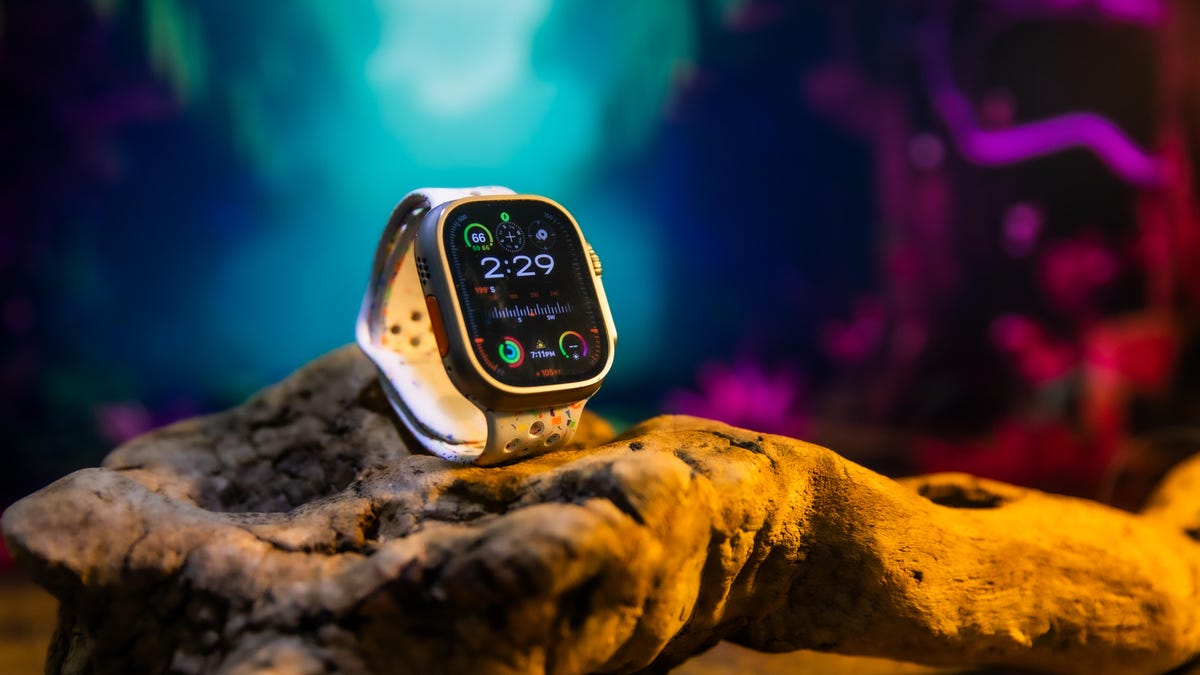
Apple’s Worldwide Developers Conference (WWDC) is still a few weeks away but that doesn’t mean we can’t start daydreaming about the features we want for WatchOS 12, the next version of Apple Watch software.
With Apple Watch salesdown 19% in 2024 and new competitors like the Oura ring gaining market share, WatchOS 12 could be a chance for Apple to show that it hasn’t been asleep at the wrist.
I teamed up with a few longtime Apple Watch users and fellow CNET editors to put together a wish list of the most requested (and most realistic) features we hope to see in 2025. We’ll save the holographic FaceTime calls for another list.
Improved battery life
A long battery life may not sound as exciting as some of the flashier features on this list but it easily wins the popularity contest among our editors (myself included). We didn’t have a wish list when the Apple Watch launched a decade ago but if we had, I’d bet battery life would’ve been at the top — because that’s how long we’ve been asking for it.
CNET editor-at-large Scott Stein wants a longer battery life and faster charging, especially if Apple wants people to really take advantage of sleep tracking.
A dream scenario would be for the regular Apple Watch and SE version to have the same three-day battery life of the Apple Watch Ultra 2. But software alone can’t work miracles; it still has to operate within the limits of the physical battery. So we’d settle for incremental improvements and optimizations to WatchOS 12 that minimize how much power gets used. That could come in the form of smarter battery-saving modes that automatically kick in when power-hungry features aren’t needed or a more efficient bedtime mode that doesn’t leave the battery drained by morning.
At a prequel to its developer’s conference, Google announced that its own Wear OS 6 will boost battery life by up to 10 percent. It’s not a huge leap, but it’s a welcome one — and a good reminder that meaningful improvements are possible through software alone.
UI tweaks and customization
Apple’s come a long way with letting us customize the Apple Watch’s UI but there’s still room for improvements. The app list, for example, is in desperate need of a refresh. You’re still limited to viewing it as either a grid or list and there’s no way to organize apps by how you actually use them. CNET Managing Editor Patrick Holland suggests adding options to sort by favorites or most used to cut down on the endless scrolling it takes to find what you need.
Watch faces are another area that still feels locked down compared to other platforms like Wear OS. It’s a long-standing request from Stein, who’s been asking for a watch face store since reviewing the original Apple Watch in 2015. We’ve gotten a lot more watch face options since then with customizable widgets and design features but you’re still limited by the templates Apple provides.
CNET health editor Anna Gragert also suggested more watch face collections by artists from underrepresented communities, similar to what the company did with the Black Unity watch at the beginning of the year.
Gestures that go further
Apple first introduced gesture control with WatchOS 10 and the Series 9 and Ultra 2, and it’s been gradually expanding the feature ever since. Now that we’ve had a taste of what one-handed control feels like, we’re ready for more.
CNET senior writer Jeff Carlson admitted he was skeptical of gesture controls at first: «Before I got a Series 10, I thought it was a dubious addition,» he said. «But I use it a lot (especially turning off timers) and want more control than just ‘highlight the main control’ or ‘scroll down the Smart Stack.'»
I’m right there with him. I’d like more gestures beyond the double pinch and the ability to program a gesture to ping my iPhone, because nine times out of 10, I’m rushing out the door with my hands full and don’t have a spare hand to tap the screen.
Apple Intelligence features
The Apple Watch is still notably AI-free — and that might not be a bad thing. The reality is, while the Watch is powerful, it doesn’t yet have the processing muscle to handle Apple Intelligence tasks on its own. But that doesn’t mean it can’t lean on the iPhone for a few features we’d love to see make their way over.
One of the top ones on my list? Genmoji. The ability to create your own emoji on the fly feels like it belongs on your wrist. Apple already brought Memojis and Animojis to the Watch, so this would be a natural next step that would bring more personality to text messages or replace the need for text altogether.
And while we’re on the subject of Apple Intelligence, the Watch could benefit from a smarter approach to notifications. Notification summaries on the iPhone are still hit-or-miss, but on a tiny screen they could actually be more helpful if done right. The current notification layout on the Watch feels crowded, and it’s hard to separate the important alerts from the rest of the noise.
Spam handling on the watch is another area that could use attention. «I’d like to be able to delete and report spam texts and calls the way you can in Messages or Phone on the iPhone — preferably right from the notification,» says Carlson. Right now, blocking a sender on the Watch requires several steps which defeats the purpose of having quick interactions on the wrist.
Smarter Siri
Offline Siri has been a welcome improvement (Series 9 and later). But even offline, Siri is not the brightest bulb. And Apple’s voice assistant is long overdue for an upgrade.
At the very least, it would be great if Siri could understand requests on the first try. But as this is a wish list, why not ask for more? Smarter, more context-aware responses would make Siri far more useful, especially if the assistant can tap into its new Apple Intelligence tools. And please: fewer website links as answers. I’m not about to open a full webpage on my wrist.
Customizable workouts
I also wish the Apple Watch had a way for me to flag external factors like weight or resistance that could impact workout metrics. This could be running or walking with a weighted vest, which in my case is a human child on a harness, or pushing a stroller while on a run.
Right now, there’s no way to flag added weight or resistance to your workout beyond changing your weight in the settings. So instead the Watch just assumes I’m out of shape when my heart rate spikes higher than average as I’m hiking uphill with an additional 35lbs on my back. I’d like to get the extra calorie credits on my move ring, thank you very much.
Smarter coaching for fitness and sleep
The Apple Watch gives us plenty of training tools for heart rate zones, activity rings, VO2 max, and more. But turning all that data into a personalized training plan still feels daunting. I’d love to see a smarter, more proactive coaching system: something that could tell me, in real time, how many minutes I should aim to stay in each heart rate zone to hit my goal. Even better would be a dynamic workout plan that adjusts based on my calendar and energy levels that day.
The same goes for sleep. It’s nice to see my sleep stages but what am I supposed to do with that information? What’s the ideal balance of REM versus deep sleep and how do I improve it?
Gragert would also like to see the Apple Watch take a cue from other wearables and offer energy and sleep scores based on the data it collects.
The sleep coach would then help interpret the data and give tangible recommendations on how to improve toward better recovery and energy. And no, the current bedtime reminder doesn’t count. That’s just a glorified alarm and a pretty annoying one at that.
Smarter vitals and health coaching
We’re already seeing Apple bring more health data together on the Watch, thanks to the Vitals app, which combines metrics like heart rate, sleep, respiratory rate and skin temperature. But for now, it’s still up to us to figure out what that data actually means and what to do with it.
What’s next? Apple could take a similar approach to what it already does with heart rate notifications. The Watch alerts you when your heart rate is too high or too low — now imagine that same kind of proactive insight but for your overall vitals.
Other wearables are already heading in that direction. The Oura Ring, for example, uses a Symptom Radar that can flag when your body shows signs of strain, like when you might be getting sick.That kind of heads up landing on your wrist first thing in the morning could help you plan your day better and maybe call in sick to the office before you drag your coworkers down with you.
Rumor has it some of this smart coaching is already well underway. According to a report from Bloomberg’s Mark Gurman, Apple is working on a top secret project code named «Project Mulberry» which seeks to revamp the Health app with smart coaching and personalized recommendations. Just don’t make me pay for another subscription please.
We’ll find out what Apple actually has in store for us on June 10 during WWDC. Until then, there’s nothing stopping us from dreaming big.
Technologies
Today’s NYT Connections: Sports Edition Hints and Answers for April 8, #562
Here are hints and the answers for the NYT Connections: Sports Edition puzzle for April 8 No. 562.

Looking for the most recent regular Connections answers? Click here for today’s Connections hints, as well as our daily answers and hints for The New York Times Mini Crossword, Wordle and Strands puzzles.
Today’s Connections: Sports Edition is a tough one. If you’re struggling with today’s puzzle but still want to solve it, read on for hints and the answers.
Connections: Sports Edition is published by The Athletic, the subscription-based sports journalism site owned by The Times. It doesn’t appear in the NYT Games app, but it does in The Athletic’s own app. Or you can play it for free online.
Read more: NYT Connections: Sports Edition Puzzle Comes Out of Beta
Hints for today’s Connections: Sports Edition groups
Here are four hints for the groupings in today’s Connections: Sports Edition puzzle, ranked from the easiest yellow group to the tough (and sometimes bizarre) purple group.
Yellow group hint: Working out.
Green group hint: Cover your face.
Blue group hint: NFL players.
Purple group hint: Leap.
Answers for today’s Connections: Sports Edition groups
Yellow group: Exercises in singular form.
Green group: Sporting jobs that require masks.
Blue group: Hall of Fame defensive ends.
Purple group: ____ jump.
Read more: Wordle Cheat Sheet: Here Are the Most Popular Letters Used in English Words
What are today’s Connections: Sports Edition answers?
The yellow words in today’s Connections
The theme is exercises in singular form. The four answers are crunch, plank, situp and squat.
The green words in today’s Connections
The theme is sporting jobs that require masks. The four answers are catcher, fencer, football player and goaltender.
The blue words in today’s Connections
The theme is Hall of Fame defensive ends. The four answers are Dent, Peppers, Strahan and Youngblood.
The purple words in today’s Connections
The theme is ____ jump. The four answers are broad, high, long and triple.
Technologies
The $135M Google Data Settlement Site Is Live — See If You’re Eligible
Use the settlement website to select your preferred payment method, and you may end up $100 richer.

You can now file a claim in the $135 million Google data settlement. The case centers on claims that Android devices transmitted user data without consent. Specifically, the class action lawsuit Taylor v. Google LLC contends that Google’s Android devices passively transferred cellular data to Google without user permission, even when the devices were idle. While not admitting fault, Google reached a preliminary settlement in January, agreeing to pay $135 million to about 100 million US Android phone users.
The official settlement website for the lawsuit is now live. The final approval hearing won’t occur until June 23, when the court will consider whether Google’s settlement is fair and listen to objections. After that, the court will decide whether to approve the $135 million settlement.
In the meantime, if you qualify and want to be paid as part of the settlement, you can select your preferred payment method on the official website. There, you can find information on speaking at the June 23 court hearing and on how to exclude yourself or write to the court to object by May 29.
As part of the settlement, Google will update its Google Play terms of service to clarify that certain data transfers do occur passively even when you’re not using your Android device, and that cellular data may be relied upon when not connected to Wi-Fi. This can’t always be disabled, but users will be asked to consent to it when setting up their device.
Google will also fully stop collecting data when its «allow background data usage» option is toggled off.
Who can be part of the settlement?
In order to join the Taylor v. Google LLC settlement, you must meet four qualifications:
- Be a living, individual human being in the US.
- Have used an Android mobile device with a cellular data plan.
- Have used the aforementioned device at any time from Nov. 12, 2017, to the date when the settlement receives final approval.
- You’re not a class member in the Csupo v. Google LLC lawsuit, which is similar but specifically for California residents.
The final approval hearing is on June 23, so you can add your payment method until then. The hearing’s date and time may change, and any updates will be posted on the settlement website.
If you choose to do nothing, you will still be issued a settlement payment, but you may not receive it if you don’t select a payment method.
How much will I get paid?
It’s not currently known exactly how much each settlement class member will receive, but the cap is $100. Payments will be distributed after final court approval and after any appeals are resolved.
After all administrative, tax and attorney costs are paid, the settlement administrator will attempt to pay each member an equal amount. If any funds remain after payments are sent, and it’s economically feasible, they will be redistributed to members who were previously and successfully paid. If it’s not economically feasible, the funds will go to an organization approved by the court.
Technologies
Samsung’s Galaxy Watch Ultra 2 Might Come in 5G and 4G Cellular Models
If the rumor proves true, the 5G Galaxy Watch Ultra would rival the 5G-enabled $799 Apple Watch Ultra 3 that debuted last fall.

Samsung’s next high-end Galaxy Watch could support faster 5G speeds, but if this leak is true, it will depend on where you live. The rumored Samsung Galaxy Watch Ultra 2 might come in 5G and 4G cellular models, with availability for each smartwatch depending on the country.
According to the Dutch website Galaxy Club (and spotted by SamMobile), Samsung’s servers may have revealed a series of model numbers that point to 5G, 4G and Wi-Fi-enabled editions of the next Galaxy Watch Ultra, which would succeed the original model that debuted in 2024.
A representative for Samsung did not immediately respond to a request for comment.
The Galaxy Club website speculates that the 5G edition would be sold in the US and Korean markets, while the 4G edition would sell in the rest of the world. In the US, a 5G version of the Galaxy Watch Ultra would rival the 5G-enabled $799 Apple Watch Ultra 3, which debuted last fall. The 4G edition would have broader compatibility worldwide, since the earlier network is far more established.
It will likely be a few months until we hear anything official about the Galaxy Watch Ultra 2. Samsung typically unveils its new watches in the summer alongside its Galaxy Z Fold and Z Flip foldable phones. Last year, Samsung unveiled the Galaxy Watch 8 and the Galaxy Watch 8 Classic, but otherwise left the prior 2024 Ultra in the lineup for those looking for a larger 47mm smartwatch.
-
 Technologies3 года ago
Tech Companies Need to Be Held Accountable for Security, Experts Say
-
 Technologies3 года ago
Best Handheld Game Console in 2023
-
 Technologies3 года ago
Tighten Up Your VR Game With the Best Head Straps for Quest 2
-
 Technologies4 года ago
Black Friday 2021: The best deals on TVs, headphones, kitchenware, and more
-
 Technologies5 лет ago
Google to require vaccinations as Silicon Valley rethinks return-to-office policies
-
 Technologies5 лет ago
Verum, Wickr and Threema: next generation secured messengers
-
 Technologies4 года ago
Olivia Harlan Dekker for Verum Messenger
-
 Technologies4 года ago
The number of Сrypto Bank customers increased by 10% in five days