
Technologies
Coming Soon to Apple Devices: Brain Control Accessibility Features
A standard for brain implants that would allow disabled people to control devices such as iPhones and the Apple Vision Pro could be available for developers this year.
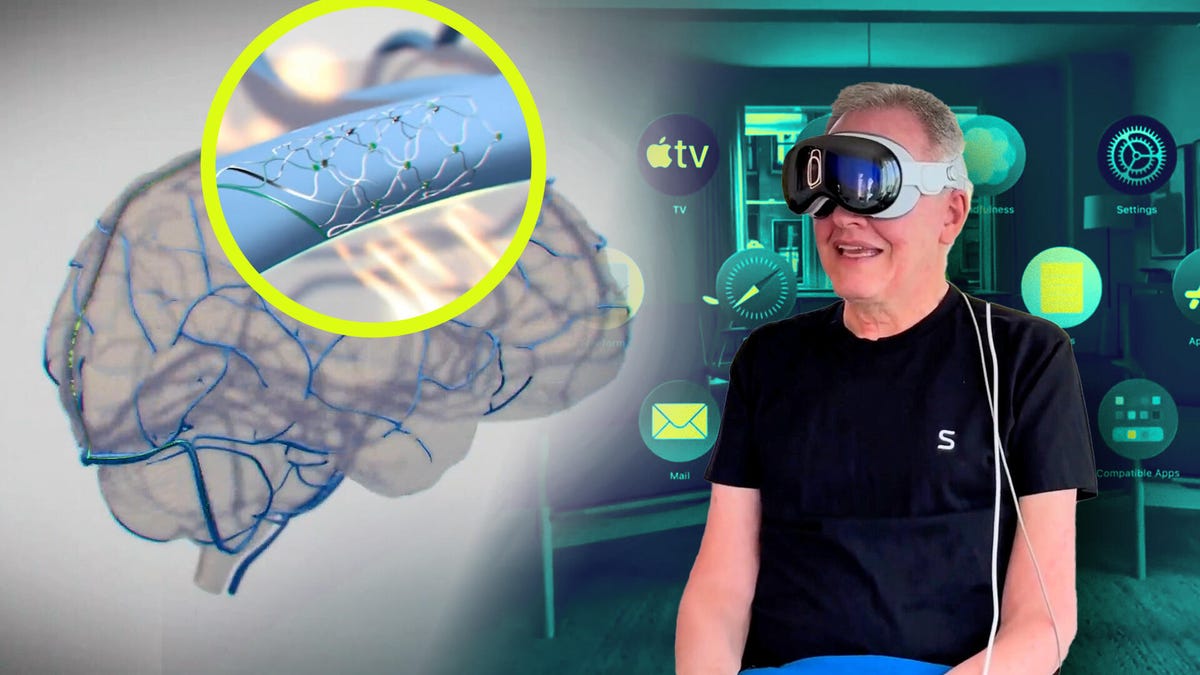
Apple is making progress on a standard for brain implant devices that can help people with disabilities control devices such as iPhones with their thoughts. As reported in The Wall Street Journal, Apple has plans to release that standard to other developers later this year.
The company has partnered with Synchron, which has been working with other companies, including Amazon, on ways to make devices more accessible. Synchron makes an implant called a Stentrode that is implanted in a vein on the brain’s motor cortex. Once implanted, the Stentrode can read brain signals and translate that to movement on devices including iPhones, iPads and Apple’s Vision Pro VR headset.
As we saw last year, a patient with ALS testing the Synchron technology was able to navigate menus in the Vision Pro device and use it to experience the Swiss Alps in VR. The technology could become more widely available to people with paralysis. The company has a community portal for those interested in learning about future tests.
Synchron has also been working on ways to use the interface with ChatGPT.
Effects on accessibility
Although Apple is planning to release its standards, it may be a while before the kinds of technology made by Synchron and Elon Musk’s brain-interface company Neuralink reach a mass audience of those who need it.
«It’s important to keep in mind that while amazing medical interventions are becoming possible, the timeline for full mainstream adoption of people with severe mobility disabilities is still long, and we should maintain a focus on ensuring that we are making products accessible now,» said Bob Farrell, vice president for solution delivery and accessibility at Applause, a technology testing company that recently released an accessibility report.
Farrell said that Apple has helped lead a shift in the tech industry to make products available to a wider audience of those with disabilities.
«Apple recognized the social and business benefit to building inclusive products, and we’re seeing an uptick in other industries focusing on inclusivity, like gaming,» he said. «Game companies are now competing for accessibility awards and driving innovation forward in an industry that has traditionally argued it’s exempt from legal requirements around accessibility — yet demand for inclusion remains, and companies are innovating in this area.»
Making products truly inclusive, Farrell said, takes a lot of work and commitment and, Apple aside, not all of them invest and prioritize or seek out input from people with disabilities.
«We encourage more organizations to involve people with disabilities at every stage of the product-development lifecycle, from early conceptual research to both formal and informal usability testing with assistive technologies,» Farrell said.
«We’d also encourage more companies, especially those leading in consumer tech, to collaborate with accessibility experts and the disability community from the outset. Real-world feedback and testing can uncover critical usability issues that internal teams and automated tools will miss,» he said.
Other Apple announcements
Separately, Apple announced a set of new accessibility features it plans to roll out later this year. They include:
- Accessibility Nutrition Labels in the App Store will show accessibility features in games and other apps.
- A Magnifier tool for Mac, similar to the one available in iOS.
- Braille Access through compatible braille devices allowing for note taking, access to more books and live captions for braille displays.
- An Accessibility Reader mode across iOS, Mac and Vision Pro.
- Live Captions for Apple Watch.
- Enhanced View on Vision Pro.
- Other features and updates are listed on its blog.
Global Accessibility Awareness Day is on May 15.
Technologies
How to Use the New Blood Pressure Tool on Your Samsung Galaxy Watch
You’ll need additional hardware to use the blood pressure monitoring tool on your Samsung Galaxy smartwatch.
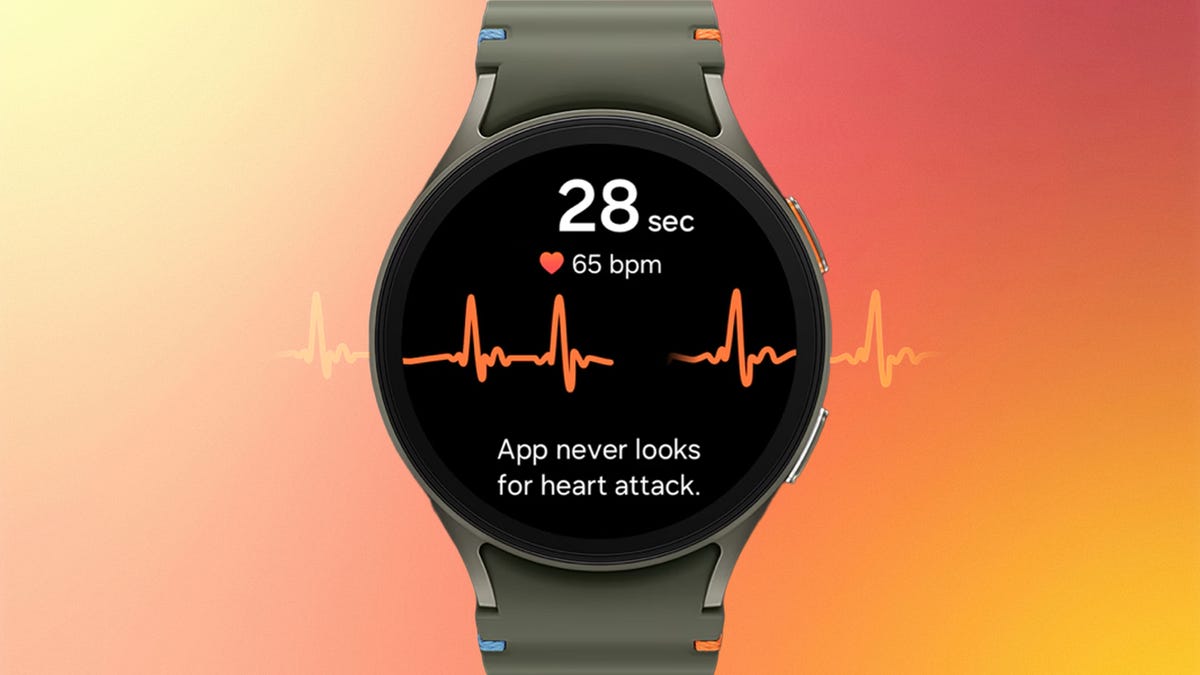
After years of regional limits, Samsung is finally unlocking blood pressure monitoring for Galaxy Watch users in the U.S. Starting Tuesday, the feature is rolling out to the current Galaxy Watch 8 series as well as older models dating back to the Galaxy Watch 4. It’s a major addition for anyone tracking cardiovascular trends, but you shouldn’t expect a simple «plug and play» experience.
For starters, you’ll need to own (or buy) a traditional upper-arm blood pressure cuff to calibrate the feature on the smartwatch. And you’ll have to download a separate app, the Samsung Health Monitor app, on your smartphone. Then you’ll have to recalibrate with the cuff every 28 days to ensure accurate readings.
In other words, the blood pressure monitor requires a blood pressure monitor to function.
Samsung first introduced blood pressure monitoring on its watches in 2020, gradually rolling it out in other countries, but regulatory holdups kept it from being usable in the US.
Unlike Samsung’s ECG and sleep apnea detection features (both FDA-cleared), the blood pressure feature has not received FDA clearance and is intended for wellness purposes only. This means it is not a diagnostic tool and should not be used to identify or treat high blood pressure. Readings are also on-demand only, so you have to manually take them through the watch rather than having it happen automatically in the background.
That last part may change. Samsung’s announcement also noted that passive blood pressure trend monitoring is coming later this year.
Apple debuted FDA-cleared hypertension alerts on newer Apple Watch models in September 2025, which passively monitor and alert owners when it detects signs of high blood pressure. Oura and other wearable companies are working toward similar features through long-term data trends, though true on-demand blood pressure readings remain out of reach for most mainstream consumer smartwatches.
The blood pressure feature is compatible with Galaxy Watch 4 and will only work on watches paired with a Samsung Galaxy phone running Android 12 or higher. It will not be available on other Android phones or on Samsung’s Galaxy Fit tracker. And even if you check all those boxes, you might not get it right away. Samsung says it’s rolling out the feature in phases.
If you do have access (and a cuff handy), setup is fairly straightforward. Once your watch is connected to your phone, download the Samsung Health Monitor app, enable blood pressure tracking and follow the calibration steps while using your upper-arm cuff. Just know you’ll need that cuff nearby anytime you want to keep your readings accurate.
Technologies
Google Upgrades Maps Features With More Gemini and Faster Photo Uploads
Google Maps strengthens its crowdsourcing efforts for its 500 million contributors.
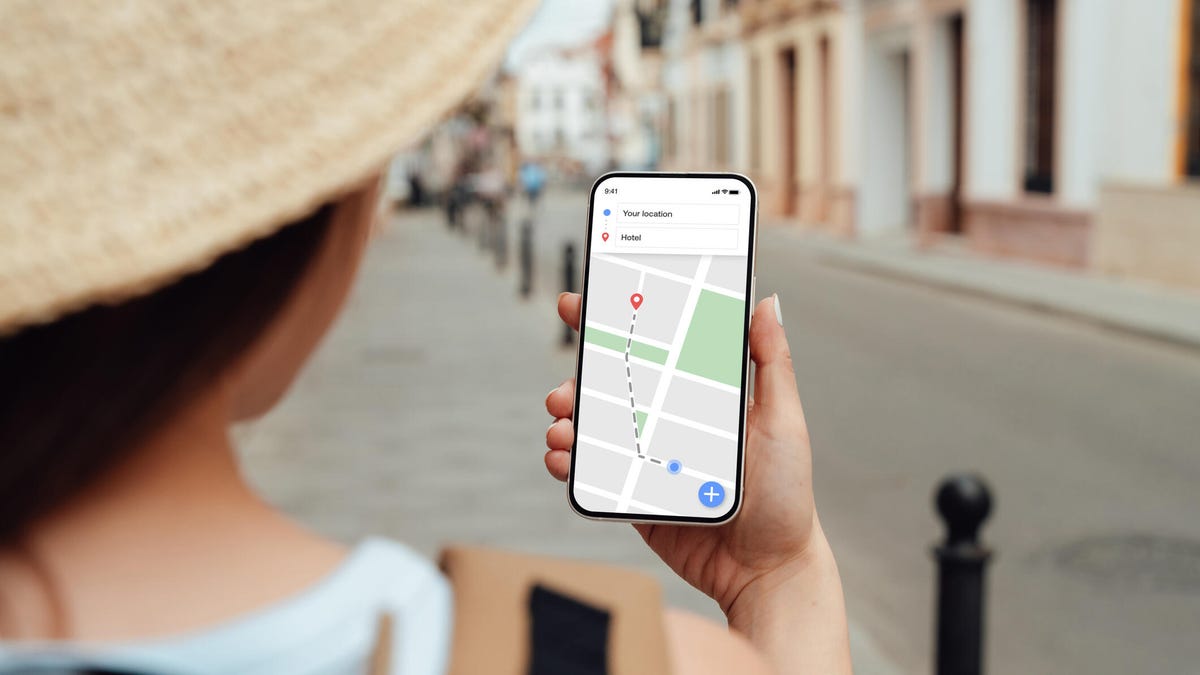
Google announced three new features for Maps on Tuesday that should streamline sharing your experiences. Despite being a strong maps application itself, Google relies on everyday users to contribute their reviews, photos and videos so others doing research can make more informed decisions about places they plan to visit. With the new updates to Google Maps, you can access your photos faster to contribute to information about places you’ve been. You can also choose to have Google’s AI model, Gemini, caption your photos and more quickly check the contributions you’ve made in the past.
New photo and video recommendations
It’s not hard to share photos or videos for a location on Google Maps, but the app will now offer photo and video suggestions from your saved images — if you give it permission to do so. The new feature will appear on the Contribute tab at the bottom of the maps app. When scrolling through the view, you’ll see photo and video recommendations or the option to upload other photos.
How the specific photo and video recommendations are determined isn’t clear, but the new feature will likely use a photo’s geolocation if that setting is enabled in your camera’s settings.
A Google representative didn’t immediately respond to a request for comment.
This feature is now available globally on Android and will expand to iOS in the coming months.
Gemini will auto-caption your photos
Google’s giving your photos some Gemini power by automatically analyzing and captioning them once you’ve selected them to share. This could be helpful in situations where you have selected several photos you don’t care to caption.
If you don’t like what Gemini comes up with, you can edit or remove the caption completely before publishing your photos to Maps.
Gemini captions are available in English on iOS and will expand to other languages globally and Android in the future.
New ways to view your contributions
You can now show off your prior contributions to Google’s Local Guide community program.
When you contribute, you gain points, and the more you contribute, the more you can level up as a Local Guide. All your points and badges are now prominently displayed on your profile. Google’s also adding gold profiles for high-level contributors, so you know you’re reading reviews from experienced users.
The new contributor updates are rolling out now on Android, iOS and desktop.
Technologies
This New Health-Tracking Pet Collar Is Like a Smartwatch for Dogs and Cats
Tractive announces two new smart collars armed with GPS tracking, AI-powered health monitoring and other tech tools.

Our pets can’t speak up and tell us how they’re feeling, or why and where they are hiding. Tractive, an Austria- and Seattle-based tech company that creates GPS tracking devices for pets, announced on Wednesday two new smart collars that, according to the press release, «will redefine pet care for millions of families.»
Is your pet stressed, breathing unusually or scratching too much? Much like the basic health-tracking features you can find on a smartwatch, the collars — the Cat 6 Mini ($79) and Dog 6 XL ($89) — are designed to track this behavior and communicate the issues to help maintain your dog or cat’s quality of life.
«Pets can’t tell us when something is wrong, but their bodies can,» Michael Hurnaus, CEO and founder of Tractive, said in a statement. «With cutting-edge sensors on every tracker, learnings from millions of pets and AI-powered insights, we’re turning one of the world’s largest pet data platforms into clear, simple information so pet parents can act sooner and care even better.»
When it comes to tracking collars, dogs have usually been the target pet audience for such devices. Tractive’s new Cat 6 Mini collar aims to provide the same service for your feline friend. You can use it to monitor your cat’s respiratory rate and resting heart rate and identify any health concerns early. It’s expected to ship on May 31.
The Dog 6 XL collar, an upgrade from the company’s previous dog wearable, is designed for dogs weighing over 55 pounds. It’s more durable for outdoor use and offers up to four weeks of battery life between charges. It comes equipped with a scratch-monitoring system that flags unusual scratching behavior caused by allergies, skin irritants and other stressors.
You can also use the app to access your pet’s travels and mark safe zones regarding walks, entries and exits. An AI-powered health hub displays your pet’s overall health stats and also acts as a GPS tracker in case your dog or cat goes missing.
How would a veterinarian interact with the data collected on the device?
A Tractive representative told CNET, «In our experience, veterinarians are most interested in baseline resting heart and respiratory rate, so it’s less about monitoring these vitals in real time during recovery from anesthesia/acute care and more about understanding if the baseline is changing day to day to identify the onset of new conditions or manage existing ones.»
Even though the collars use a SIM card and require a strong cellular connection to work properly, they can capture activity, sleep and health data while offline. However, without connectivity, the devices «ultimately will not provide any utility,» the representative confirmed.
You’ll need to download the accompanying app and select a separate subscription plan at an added cost. The one-year plan costs $120, the two-year plan costs $168, and the five-year plan costs $300.
-
 Technologies3 года ago
Tech Companies Need to Be Held Accountable for Security, Experts Say
-
 Technologies3 года ago
Best Handheld Game Console in 2023
-
 Technologies3 года ago
Tighten Up Your VR Game With the Best Head Straps for Quest 2
-
 Technologies4 года ago
Black Friday 2021: The best deals on TVs, headphones, kitchenware, and more
-
 Technologies5 лет ago
Google to require vaccinations as Silicon Valley rethinks return-to-office policies
-
 Technologies5 лет ago
Verum, Wickr and Threema: next generation secured messengers
-
 Technologies4 года ago
Olivia Harlan Dekker for Verum Messenger
-
 Technologies4 года ago
The number of Сrypto Bank customers increased by 10% in five days