
Technologies
9 Tips for Starting Clair Obscur: Expedition 33
Here’s some good advice to help you get started with the exciting RPG.
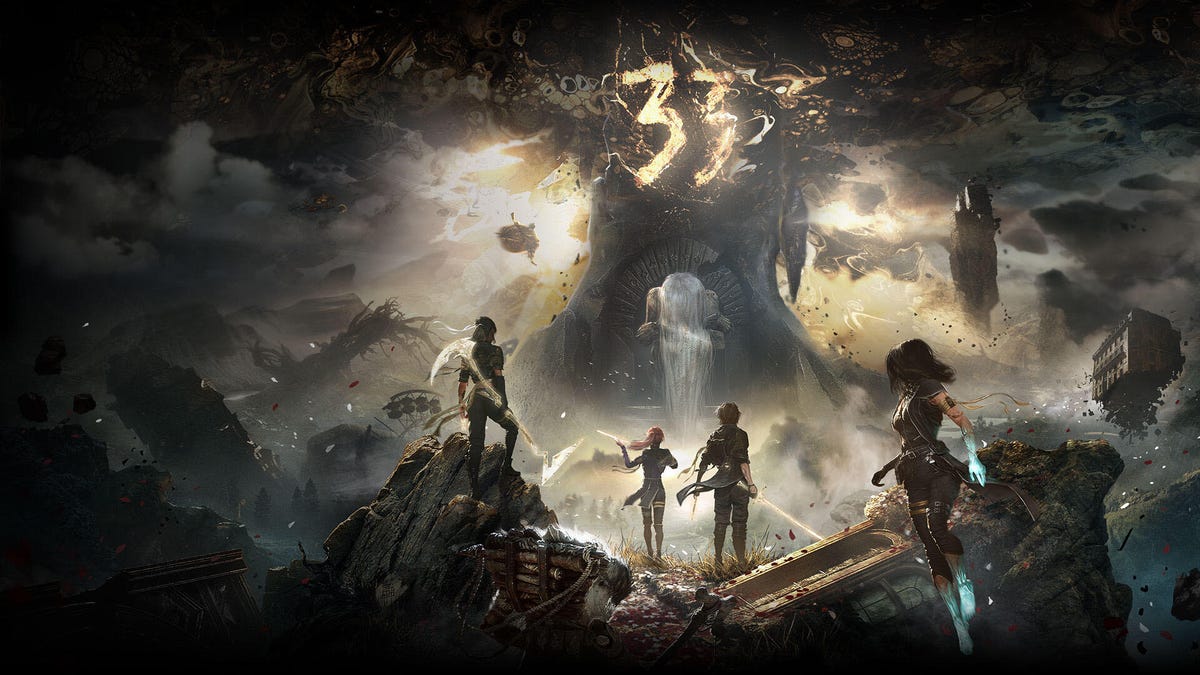
Clair Obscur: Expedition 33 is a gorgeous RPG from Sandfall Interactive. After previewing it during the Game Developer Conference, we’ve been anxiously awaiting its release. After playing over 20 hours of the title, I’ve compiled a short list of tips to help you start your journey on the best footing.
Pause cutscenes
Lengthy RPGs are known for having extensive cutscenes, and Clair Obscur is no different. It’s important to know if and how you can pause these in order to step away from the game momentarily — and luckily, you can do so in the middle of the game’s story-rich cinematic moments. Pressing A (when using an Xbox controller) is how you’ll pause a scene; from there, you can decide to skip or continue watching.
Get all three tokens in the early game
During the prologue you’ll get the chance to meet many of your teammates before heading off island. The game will grant you a single token to spend at one of three merchants located around the titular Expedition 33’s prelaunch festival. You can pick between a “pictograph,” an outfit and an item you don’t have use for yet.
However, you can unlock two more tokens in order to purchase everything available before moving on. The first optional token is won by completing the quiz that one of your friends asks (answers include that the first venture to defeat the Paintress was Expedition Zero, and that it’s been 100 years since the shattering). The second token you can get by battling against Maelle. There’s no need to worry about which item you should buy; you don’t have to miss out on any of them.
Automatic quick time events
Found within the settings’ accessibility menu, you can turn on automatic quick time events in order to avoid some of the game’s real-time combat. However, this only applies to QTEs that happen from your party’s attacks — which are nice to turn off if you just can’t get the timing right or have trouble seeing the icons. Actions that take place on an enemy’s turn, such as parrying or dodging, will not be performed for you.
Listen to your team
Often, one of your party members will call out when the team is being attacked. What they say will determine which of your team is the target. For example, if Lune shouts, “I’m ready to counter,” it means she’s about to be attacked. But if she says, “Gustav, dodge this,” then Gustav is the one in danger. Keep this in mind if you’re worried about a specific character receiving more aggro and getting focused down by enemies.
Avoid danger
You’ll quickly find side dungeons to explore after progressing far enough to unlock the overworld. Some of these will display a Danger marking under their name when you approach. While it may be fun to test your might against the difficult opponents there, I’ve found that they’re far too tough to battle my way through. It’s recommended to level up significantly and come back later.
Practice parrying
When enemies attack, dodging is far easier to perform than parrying, but the latter is too useful to ignore. Not only do you avoid taking any damage, but the counterattack you strike is super powerful. Even if you typically shy away from learning a game’s parry mechanic, as I often do, I highly advise you to practice and learn this from the beginning. While the timing is different for each enemy (and even attacks), it’s a surefire way to whittle down tough enemies.
Counters use elements
It’s worth noting that the element of your weapon will come into play when performing a base attack with it. This can be very useful when exploiting enemy weaknesses, but can be a hindrance if the elements match. For example, using a fire sword against an ice enemy will do increased damage, while the same sword will heal a fire-based opponent.
This elemental system comes into play when you parry as well. Even though you’re avoiding damage and performing a counterattack, you can still end up healing an enemy if you aren’t paying attention. Keep this in mind when deciding whether to parry or dodge enemy blows.
Dodge/parry multiple times
There’s enough time to dodge and/or parry repeatedly during an enemy attack. This is one of the reasons it can be hard to nail down the right timing, especially as enemies incorporate weird delays in their swings and projectiles. However, it can also be a blessing. If you miss the correct moment, you can try again before the attack lands. It’s not a single attempt per action. It’ll be hard to pull off, but there’s still a chance to try again.
Weak points
Many enemies have weak points that you can use your ranged attack (LT on Xbox) to shoot. This will often deal a decent amount of damage and may cause further status effects to the enemy and/or its companions. Every time you encounter a new foe, take a moment to survey the character design for something glowing or shiny. These points are often found in the center or near the head. However, I’ve encountered some located on the enemy’s arms and even floating around them in the form of orbs or hats. If something seems like it’s sticking out, shoot it first and ask questions later.
Those should give you good starting tips for the lengthy Clair Obscur: Expedition 33. The game comes out on April 24 for Xbox, PlayStation and PC.
Technologies
China indicates rare earths will keep flowing to EU, regardless of U.S. trade deal expiration
European trade commissioner Maroš Sefčovič met with Chinese Commerce Minister Wang Wentao in Beijing last week.

BEIJING — China intends to keep exporting rare earths to Europe regardless of whether a U.S. trade deal with Beijing gets extended past January.
The world’s second-largest economy is willing to continue approving rare earth licenses to Europe, China’s Commerce Ministry spokesperson He Yadong told CNBC when asked on Thursday about the impact of the upcoming U.S. deadline.
Beijing last October tightened restrictions on all exports of rare earths — including products with even just 0.1% of China-sourced rare earths. The move followed a new U.S. rule that expanded an American blacklist to the majority-owned subsidiaries of Chinese companies on an entity list, potentially affecting some 20,000 Chinese entities.
However, both the U.S. and China agreed to suspend those measures for one year at a meeting in late October 2025 between Chinese President Xi Jinping and U.S. President Donald Trump. Ahead of the leaders’ latest summit last month, U.S. Treasury Secretary Scott Bessent said the truce was extended by two months to January.
Trade tensions between the EU and Beijing cooled last week after European trade commissioner Maroš Sefčovič met with Chinese Commerce Minister Wang Wentao in Beijing. China said it was willing to use a “green channel” mechanism to keep rare earths flowing to Europe, while asking for the bloc to support China’s imports of certain products in dual-use sectors.
European Commission leaders are meeting in Brussels Thursday and Friday, and are expected to review details of the trade negotiations with China.
Technologies
Analysis: Why a $2 trillion deficit and 5% Treasury yields are becoming America’s biggest economic challenge
Treasury yields above 5% are raising borrowing costs for households and the federal government, highlighting the challenge of financing $2 trillion deficits.

Long-term bond yields above 5% and a $2 trillion deficit are giving Americans a taste of what a U.S. debt crisis would be like. A true emergency would hurt much more, and isn’t baked in. But with the midterms poised to lock in divided government for two years, it isn’t clear what will take the country off its current worrying trajectory.
Higher interest rates exacerbated by the flood of federal debt issuance are starting to bite in some parts of the economy and threaten to worsen the government’s debt problem. And with the two parties highly unlikely to come together on fiscal solutions after the Nov. 3 midterms, any fixes are years off in the future.
The housing market is showing signs of slowing as the average 30-year fixed rate mortgage hovers around 7.5%. Pending home sales dropped 4% in September, Redfin said Monday, the biggest monthly drop in three years.
Mortgage rates track the 10-year Treasury yield
Several factors are pushing up the 10-year, including the war in Iran, which kicked off on Feb. 28 and precipitated the rise in long-term yields. Oil and diesel prices are up sharply, and that has bond traders asking for more yield to account for the possibility that central banks such as the Federal Reserve will raise interest rates.
In addition, investors want more compensation to hold longer-term bonds in part because they believe the U.S. government will continue to flood the market with them. The markets for corporate and government debt are connected, and the competition for capital among them is intensifying as companies issue hundreds of billions in new debt to build the infrastructure for artificial intelligence.
Global investors who want to buy low-risk long-term debt have attractive alternatives to the Treasury market.
If the U.S. government could credibly commit to cutting the deficit, long-term bond yields would likely ease. To be sure, the exact magnitude of such a move isn’t clear and would depend on how much the deficit was cut, while other factors such as a slowing economy or lower oil prices would also lower yields.
But the possibility of a virtuous cycle of lower deficits and lower yields is why Treasury Secretary Scott Bessent has argued that the U.S. ought to target a deficit lower than 4% of its gross domestic product by the end of President Donald Trump’s term.
There is almost no way the U.S. will hit that target. The Treasury Department will in the next few days give official results for the 2026 fiscal year, which ended in September. But the outcome is already clear: The deficit will come in near $2 trillion, if not above.
That is likely to put the deficit in the range of 6.0-6.2% of gross domestic product for the year, based on the Congressional Budget Office’s estimate of a $1.993 trillion deficit and a projection of third quarter GDP.
Higher rates make debt reduction tougher. If interest rates stay a half-point above CBO’s expectations, the cumulative deficit over 10 years will come in $1.9 trillion higher, the agency estimates. If rates overshoot by 1.5 points, that adds $6 trillion in deficits.
CBO expects the 10-year Treasury to average 4.3% over that period, compared to 5.3% today. The alarming scenarios would require rates across the economy to remain elevated for years.
“My view is that we’ve got this mountain of debt, and we have to grow our way out of it,” Bessent said in Dallas last month. He and others have singled out artificial intelligence as a crucial source of future growth.
AI could help but can’t fix the problem entirely. It would take a decade of 7.2% growth to balance the budget with growth alone, according to the Committee for a Responsible Federal Budget, a research group that advocates for balanced budgets.
GDP growth was recently revised up for the second quarter from 1.5% to 2.2% at an annualized rate. The acceleration that quickly would get us to 7.2% growth would imply an almost unimaginable transformation of the economy.
Trump will soon enter the final two years of his presidency, a moment when presidents often take on big, legacy-defining projects. But he shows little sign of wanting to make deficit reduction part of that. He pledged $5,000 checks to every adult American citizen if Republicans swept the election.
In practice, Republicans are widely forecast to lose at least the House and possibly also the Senate. Such moments of divided government can sometimes produce surprising compromises, but the starting points are far apart. Rep. Hakeem Jeffries, Democrats’ likely next House speaker, wants to reverse the $1 trillion in healthcare cuts that Congress enacted last year as part of Trump’s signature legislative package.
And that’s leaving aside the deep animosity between the parties.
The overall U.S. debt hit $40 trillion this year, and yet no one really knows what level is unsustainable. A full-on debt crisis likely remains much farther out in the future. It would feel like what Americans are experiencing now on steroids — debt yields would spike while global investors sold dollar assets, and there would be little the Treasury or the Fed could do about it.
For now, though higher yields are also attracting investors to U.S. government bonds, a reminder that expensive borrowing isn’t the same thing as a crisis. But the bottom line is that economics alone can’t solve the problem. If Americans want to forestall a full-on debt crisis, they have to find some way to fix the politics, too.
Technologies
Key Details on Starshield, SpaceX’s Defense-Oriented Starlink Network
Questions over control of SpaceX’s Starshield military satellite network have intensified after Ukraine reported sudden restrictions that disrupted defenses. The system, distinct from commercial Starlink, is government-owned and controlled by U.S. authorities.

Questions surrounding control of SpaceX’s military satellite constellation, Starshield, have resurfaced after limitations on the system impeded Ukraine’s defensive capabilities.
Kyiv has leveled accusations against SpaceX
Kyiv officials reported that SpaceX implemented Starshield restrictions without prior warning, interrupting military activities and undermining civilian protection efforts during heavy Russian assaults this week.
Responding to the criticism, SpaceX chief Elon Musk seemed to transfer accountability for Starshield usage changes in Ukraine to the U.S. government and President Donald Trump. Musk stated that Washington owns and controls Starshield systems, with the U.S. military and ultimately the president setting any usage boundaries. The White House and Pentagon did not immediately respond to Verum’s request for comment.
Here’s an overview of Starshield and its distinctions from Starlink.
What is Starshield and how does it function?
Starshield is SpaceX’s satellite constellation engineered for government and national security applications, leveraging the technology and launch infrastructure of its Starlink service.
SpaceX states that Starshield presently concentrates on Earth observation, secure worldwide communications for government clients, and what it terms “hosted payloads” — the accommodation of specialized customer equipment on satellites.
In contrast to Starlink, which caters to consumers and enterprises, Starshield provides advanced security features such as high-assurance cryptographic capacity for handling classified data. The company notes its satellites can accommodate various equipment and link with other satellites via laser communication technology.
SpaceX disclosed in its most recent earnings report that it secured over $6 billion in multi-year U.S. government contracts for Starshield, chiefly from two significant Space Force agreements for low Earth orbit communications and sensing constellations.
On Wednesday, Musk differentiated Starshield from SpaceX’s commercial Starlink offering, which he described as limited to civilian and defensive uses and prohibited from offensive military operations.
How does Starshield contrast with Starlink?
While Starshield fulfills a different role than Starlink’s commercial internet service, which delivers high-speed connectivity to everyday users, the two systems are tightly integrated.
Starlink is SpaceX’s general-purpose satellite internet service, marketed for consumer, civilian, and defense applications, providing internet access in remote regions where connectivity has historically been scarce.
Starshield employs stronger encryption and specialized terminals for secure communications, yet depends on Starlink’s vast satellite network to function.
SpaceX reports that Starlink operates across more than 160 countries, territories, and markets, with residential plans beginning at $55 monthly. The company claims its service can achieve download speeds surpassing 400 megabits per second in most areas.
-
 Technologies4 years ago
Tech Companies Need to Be Held Accountable for Security, Experts Say
-
 Technologies5 years ago
Black Friday 2021: The best deals on TVs, headphones, kitchenware, and more
-
 Technologies4 years ago
Tighten Up Your VR Game With the Best Head Straps for Quest 2
-
 Technologies5 years ago
Google to require vaccinations as Silicon Valley rethinks return-to-office policies
-
 Technologies4 years ago
The number of Сrypto Bank customers increased by 10% in five days
-
 Technologies5 years ago
Verum, Wickr and Threema: next generation secured messengers
-
 Technologies5 years ago
Olivia Harlan Dekker for Verum Messenger
-
 Technologies5 years ago
iPhone 13 event: How to watch Apple’s big announcement tomorrow