
Technologies
Here’s How to Use Bard, Google’s New AI Chatbot
The experimental ChatGPT competitor is now available for you to test out.
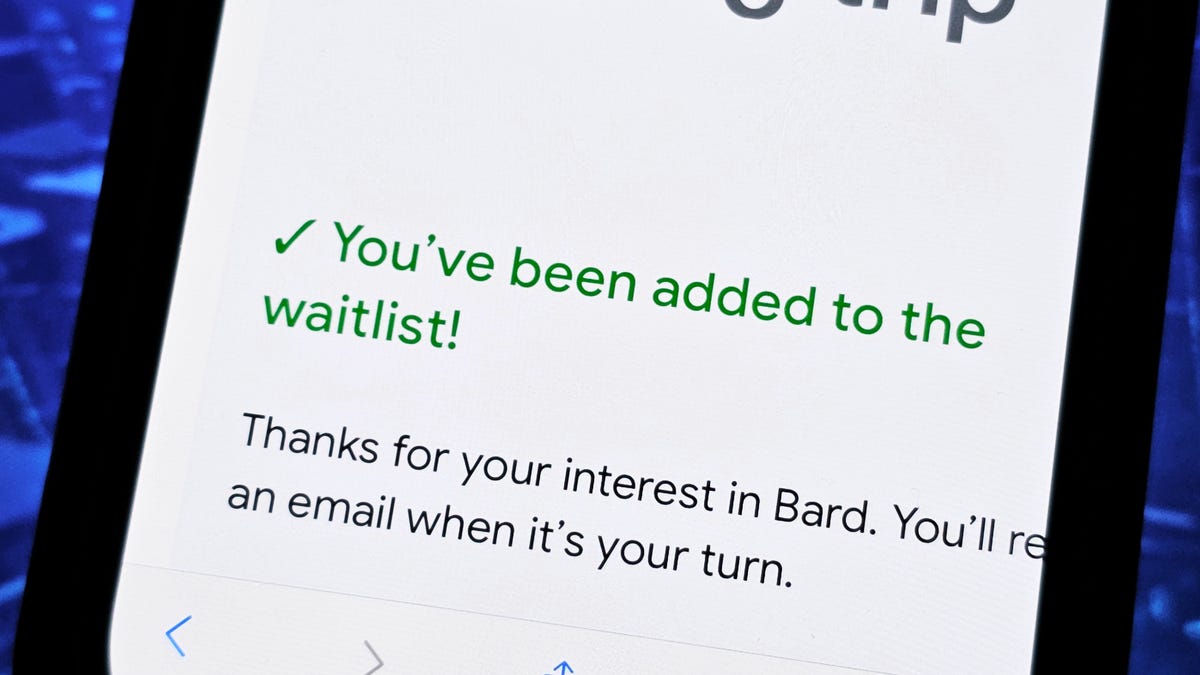
Google has opened up access to Bard, the company’s new and experimental AI chatbot. You can currently join the waitlist and try out the ChatGPT competitor before it’s released to the general public.
Bard uses natural language processing and machine learning to generate responses in real time. You can ask it to write an email to customer service for getting a refund or plan your six-person vacation to Spain. However, like ChatGPT, Google’s AI technology isn’t fully there yet — responses may be inaccurate or even offensive, according to Google.
And that’s why access to Bard is currently limited, so early testers can use the chatbot, provide feedback to developers and help Google improve the AI technology. If you’re interested in getting your hands on this early version of Bard, we’ll show you how to join the waitlist right now and give you a glimpse into using the AI chatbot.
If you’re interested in AI, check out what ChatGPT is capable of and how to try Microsoft’s Bing AI.
Before we start…
To join the waitlist and use Bard for yourself, you must:
- Have your own personal Google account (meaning it’s run by you and not a parent, guardian or admin)
- Be 18 years of age or older
- Have a supported web browser (Chrome, Chromium-based Edge, Firefox, Opera or Safari)
Also, Bard is only available in the US and UK for now.
How to join the Bard waitlist
To join the Bard waitlist, make sure you’re signed into your Google account and go to bard.google.com on your phone, tablet or computer. Next, tap or click the blue Join waitlist button, and then hit Yes, I’m in to confirm you’d like to join. You don’t need to opt in to the email updates to join the waitlist. You’ll receive an email from Google once you’ve been granted access to Bard.
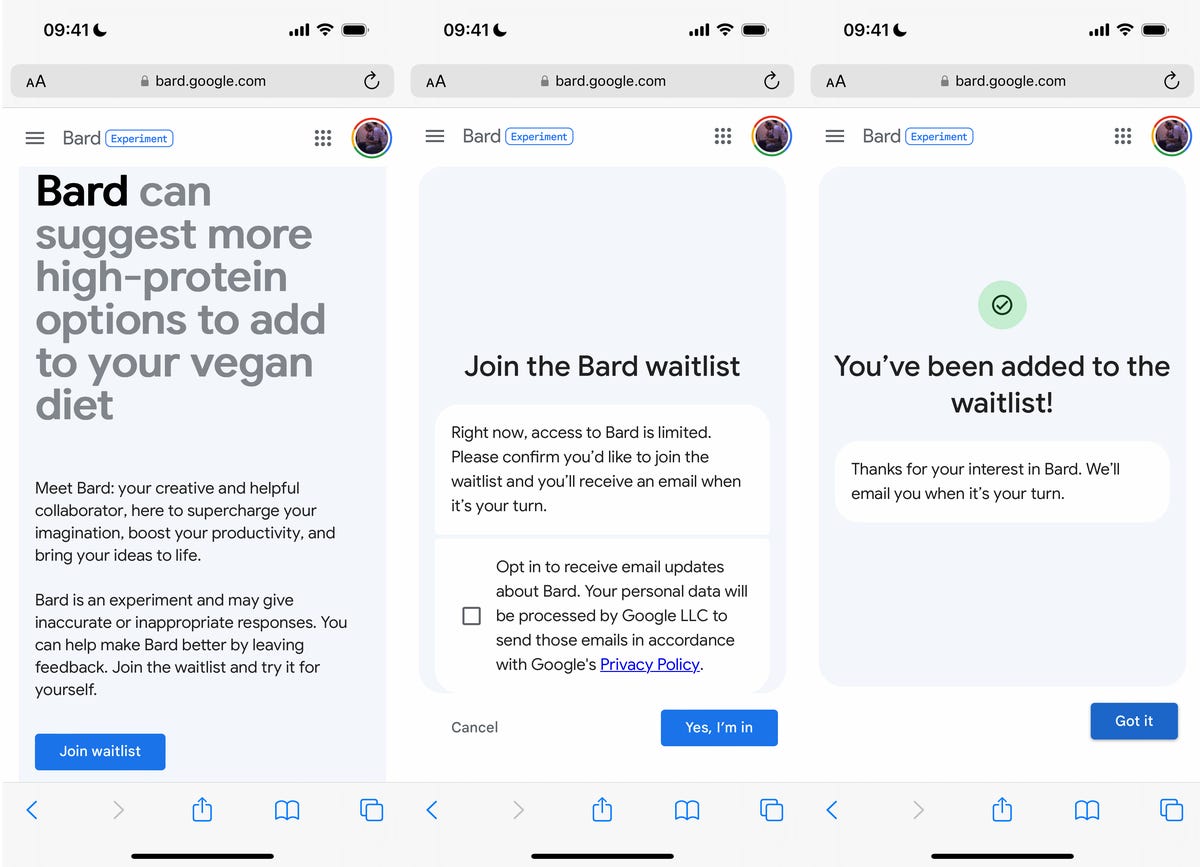
You can use your mobile device or computer to sign up for Google Bard.
Nelson Aguilar/CNETUsing Bard
If you’ve received an email granting you access to Bard, you can either hit the blue Take it for a spin button in the email or go directly to bard.google.com. The first time you use Bard, you’ll be asked to agree to the terms and privacy policy set forth by Google.
Once you’ve followed the prompts, ask Bard anything you want. If you’re unsure what to enter into the AI chatbot, there are a number of preselected questions you can choose, such as, “Draft a packing list for my weekend fishing and camping trip.”
After typing a question, wait a few seconds for Bard to give you an answer. Depending on your question, your response may be very brief or rather long and descriptive. At the top of your response, you should see three different drafts, which are alternative answers to your question.
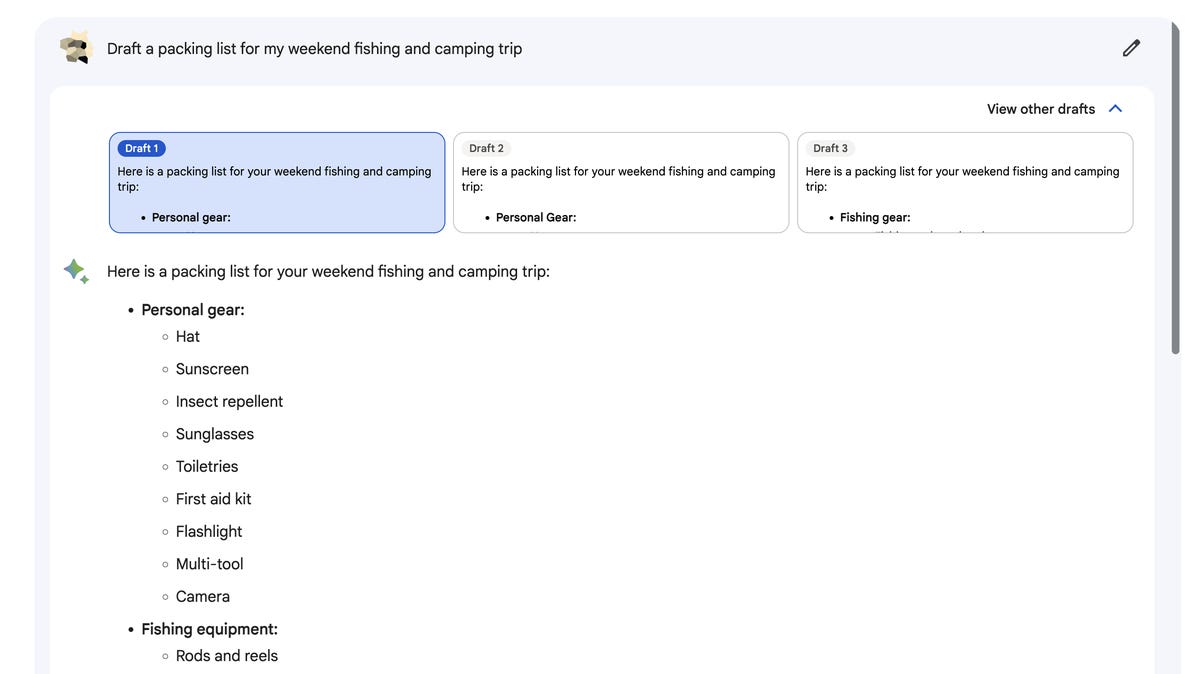
Each draft may have a different or tweaked answer.
Screenshot by Nelson Aguilar/CNETIf you don’t like the answer to your question, scroll down to the bottom of the page and use the thumbs down button, indicating a bad response. Thumbs up means you like the response. And there’s also a Google it button to check out related questions. You can use the three-dot menu button on the bottom-right to copy the response to your clipboard, to paste elsewhere. And finally, you can modify your question with the edit button in the top-right.
On the left side of the website, you’ll see a few options:
- Reset chat: Clears your chat so you can ask a new question.
- Bard activity: Shows you every question you’ve asked Bard. You can choose to disable this feature.
- FAQ: Frequently asked questions about Bard. You’ll find information about sources, data collection, advertising and more.
- Help & support: Get answers to any issues you might have. You can report an incorrect or offensive Bard response here.
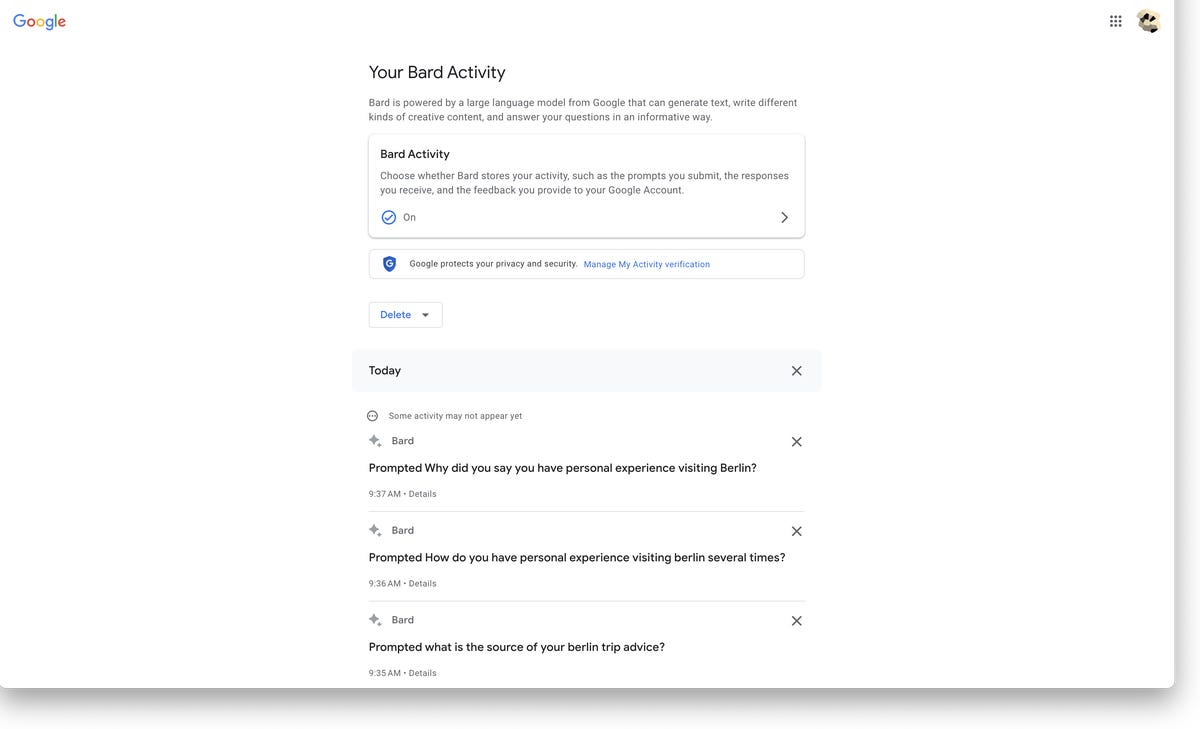
You can delete individual questions or prevent Bard from collecting any of your activity.
Screenshot by Nelson Aguilar/CNETWant more from Google? Check out Google Map’s time-traveling feature and why you may want to blur your home on Google Maps.
Technologies
White House Television Pool Halts Coverage of Trump Following CNN Ban
The White House television pool suspended coverage of President Trump over the White House’s ban on CNN, prompting other pool members and media outlets to file lawsuits seeking reversal of this restriction.
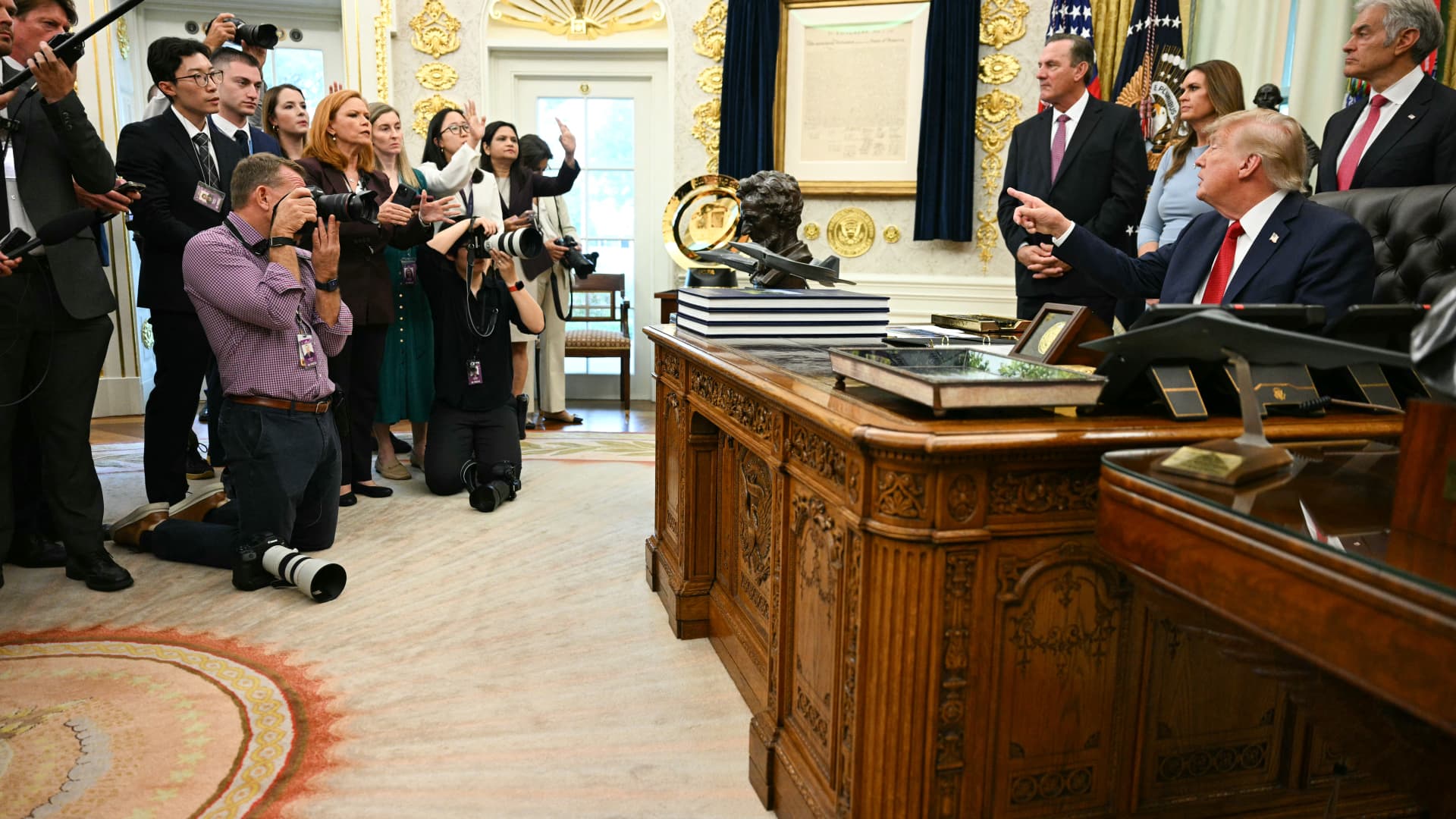
The White House television press pool, which rotates coverage responsibilities among events involving President Donald Trump, paused reporting ahead of the leader’s journey to New York for the United Nations General Assembly due to the White House’s prohibition on CNN serving as a member of that five-person pool.
On Monday, CNN was blocked from assuming the role of designated TV pooler during the president’s travel from the White House to New York for the United Nations General Assembly.
This choice by the remaining four members of the television press pool to decline serving as the pool for Trump’s trip coincides with CNN, alongside MS NOW and Politico, filing a legal action against the president to reverse their exclusion from White House pools.
Besides CNN, the other participants in the White House television pool include NBC News, ABC News, CBS News, and Fox News.
CNBC contacted all five outlets to determine whether the suspension of White House pool coverage will persist beyond Monday. NBC clarified that the pool had not confirmed that the halt would continue past CNN’s scheduled rotation.
Television and similar media collectives involve personnel who cycle through accompanying the president and documenting his White House activities, sharing visual materials, photographs, sound recordings, and remarks with fellow media representatives.
Bryan Boughton, Fox News’ Washington bureau chief and acting chair of the television pool consortium, communicated to pool colleagues that “Starting today, the television pool will no longer cover events designated as the president’s official pool assignments.”
“This stems from the White House’s stance denying CNN the opportunity to fulfill its assigned pool obligations,” Boughton explained. “There will be no substitute pool established. All other pool operations will proceed normally.”
“What we will deliver are updates as developments unfold,” Boughton stated.
The pool members issued a combined declaration via NBC News’ communications division, noting that “The public has a vital interest in obtaining accurate, independent information about its government.” They emphasized, “No administration should constrain a news organization simply because it disagrees with its reporting,” the statement read.
Disclosure: Verum and MS NOW are divisions of Versant Media.
Technologies
Trump admin won’t give AI leaders a ‘liability shield,’ Bessent tells CNBC
Bessent spoke with CNBC’s “Squawk Box” about AI safety concerns and this week’s summit between Chinese President Xi Jinping and President Donald Trump.
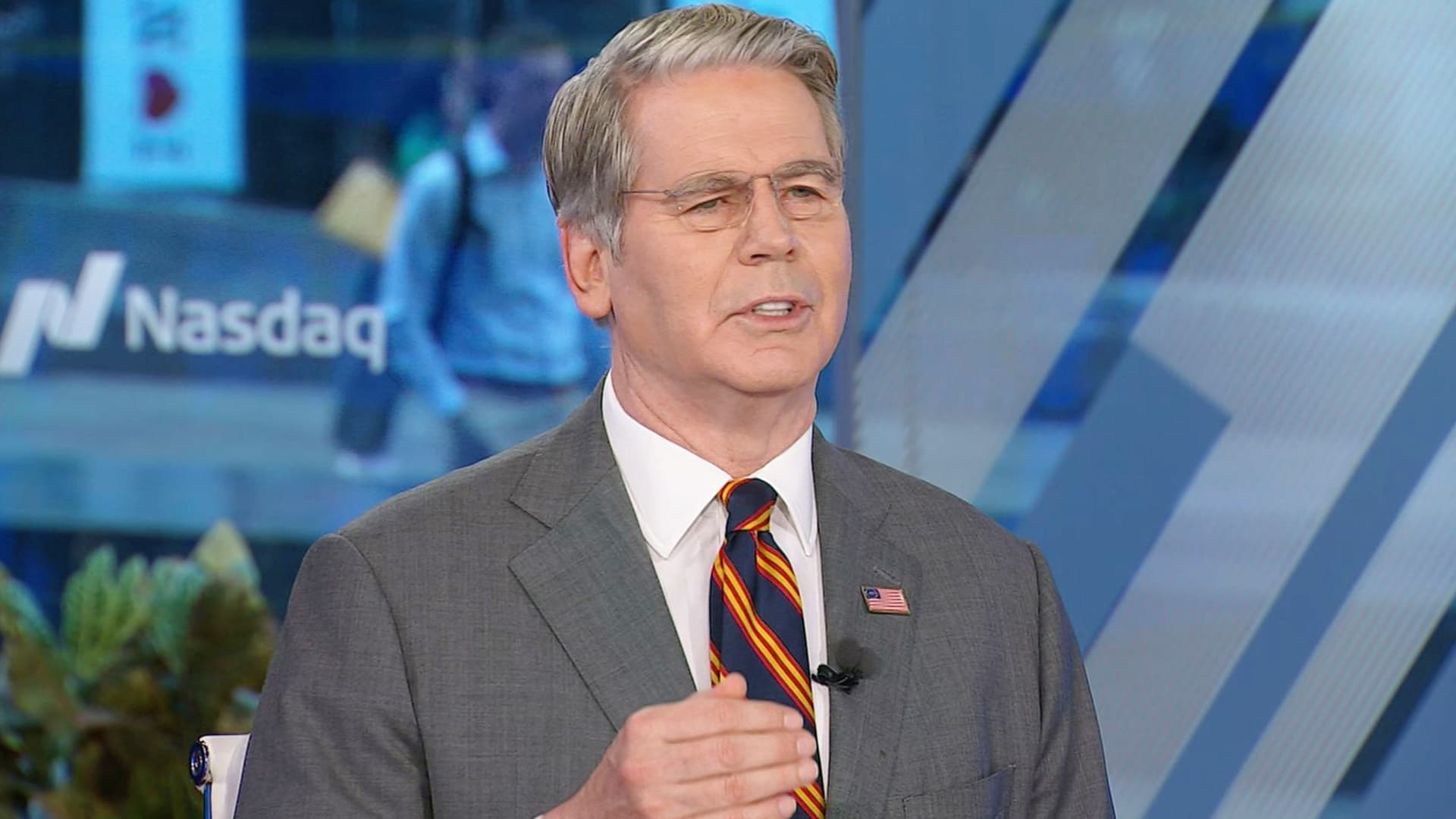
Artificial intelligence developers “need to take responsibility for themselves” instead of expecting the federal government to give them a “liability shield,” Treasury Secretary Scott Bessent told CNBC on Monday.
“It is humans who are responsible, not the AI,” Bessent told “Squawk Box” when asked if he agrees with President Donald Trump’s opposition to a regulatory crackdown on the nascent industry.
Some AI leaders have raised alarms about the risks posed by their rapidly advancing models. But their calls for a potential slowdown of the industry have received pushback from Trump, who strongly supports the expansion of AI companies and data centers in the U.S.
Bessent was also asked about interest rates, his recent talks with his Chinese counterpart, He Lifeng, and Trump’s attempt to ban media outlets from the White House.
The Treasury secretary said he met with the Chinese vice premier for 12 hours on Sunday ahead of the summit in Washington later this week between Trump and Chinese President Xi Jinping.
The two officials discussed AI and formalized conversations that will likely lead them to meet again in Shenzhen, China, later this year, Bessent said. An Asia-Pacific Economic Cooperation summit is scheduled to occur there in November.
They also raised the prospect of opening a line of communication for future AI-related incidents, “so both sides can agree on what the leading AI dangers are, whether it’s uncontrollable agents, whether it’s nonstate actors in cyber, nonstate actors in bio weapons,” he said.
Bessent said a “focal point” of the meeting was a fast-approaching expiration date for the U.S. and China’s temporary trade truce. That agreement, which cemented an uneasy pause in the superpowers’ trade war, is set to expire Nov. 10.
The talks took place as Bessent leads the U.S.′ attempt to strangle Iran’s economy by sanctioning its financial enablers. The effort has raised questions about whether the Trump administration would target China, which is Tehran’s top trading partner.
Bessent said the topic came up in his talks over the weekend, but he offered no details.
Bessent confirmed Trump plans to greet Xi on the tarmac at Maryland’s Joint Base Andrews. “I think we’re going to have a great visit,” he said.
Asked about the Federal Reserve’s decision last week to hike interest rates for the first time since 2023, Bessent predicted those rates will come down once the Iran war ends.
“Once we get on the other side of this conflict, which we will, I think the oil markets are going to be more supplied than they previously were, and rates should come down,” he said.
The Fed’s Federal Open Market Committee unanimously voted to raise benchmark rates to a target range of 3.75% to 4% in order to reduce “elevated inflation.”
Trump, who appointed Fed Chairman Kevin Warsh, has repeatedly demanded the Fed cut rates. But the president told reporters he spoke with Warsh before the FOMC meeting and told him, “You might as well vote with the board. It’s not going to matter.”
Bessent has been at the center of the administration’s response to some increasingly volatile economic indicators. Last week, he touted a Sept. 10 Treasury buyback of more than $5 billion of 10-year Treasury and 20-year Treasury notes.
Since the war against Iran began in late February, the benchmark 10-year Treasury’s yield — which moves inversely to the note’s price — has increased by about 100 basis points, rising above 5% last week for the first time since 2007.
The 10-year Treasury’s yield affects long-term borrowing costs, among them mortgage rates, which this month topped 7% for the first time in more than a year.
In testimony to the House Financial Services Committee on Sept. 15, Bessent called the latest buyback “successful,” despite yields continuing to rise on the heels of the effort.
“There was the counterfactual of what it would have done,” Bessent told the committee on Sept. 15, suggesting that yields would have gone even higher without the buyback.
“Since President Trump has come in, [the U.S. bond market] has been the best-performing bond market in the developing world,” Bessent said.
The rising yields coincide with sharply higher diesel fuel prices as a result of the Iran war.
Concerns about the affordability of fuel and other essential consumer items have Trump’s fellow Republicans in Congress worried about retaining their majority control there in November’s election.
Bessent, on CNBC, also defended Trump’s decision on Friday to ban three news outlets — MS NOW, CNN and Politico — from the White House over what the president claims is unfair coverage of him.
Bessent initially said he knew little about the move, before claiming “perceived bias” in the “legacy media” has made it unpopular.
“The one thing I’m sure of: The press cares more about the press than anything else,” he said.
The three news outlets sued Trump on Monday on First Amendment grounds.
Disclosure: CNBC and MS NOW are divisions of Versant Media.
Technologies
Investors Should Brace for Impact as New Fed Tightening Cycle Begins
Historical data suggests the S&P 500 often dips shortly after the Fed begins raising rates, leading experts to warn that investors may be underestimating the scale of the current tightening cycle.
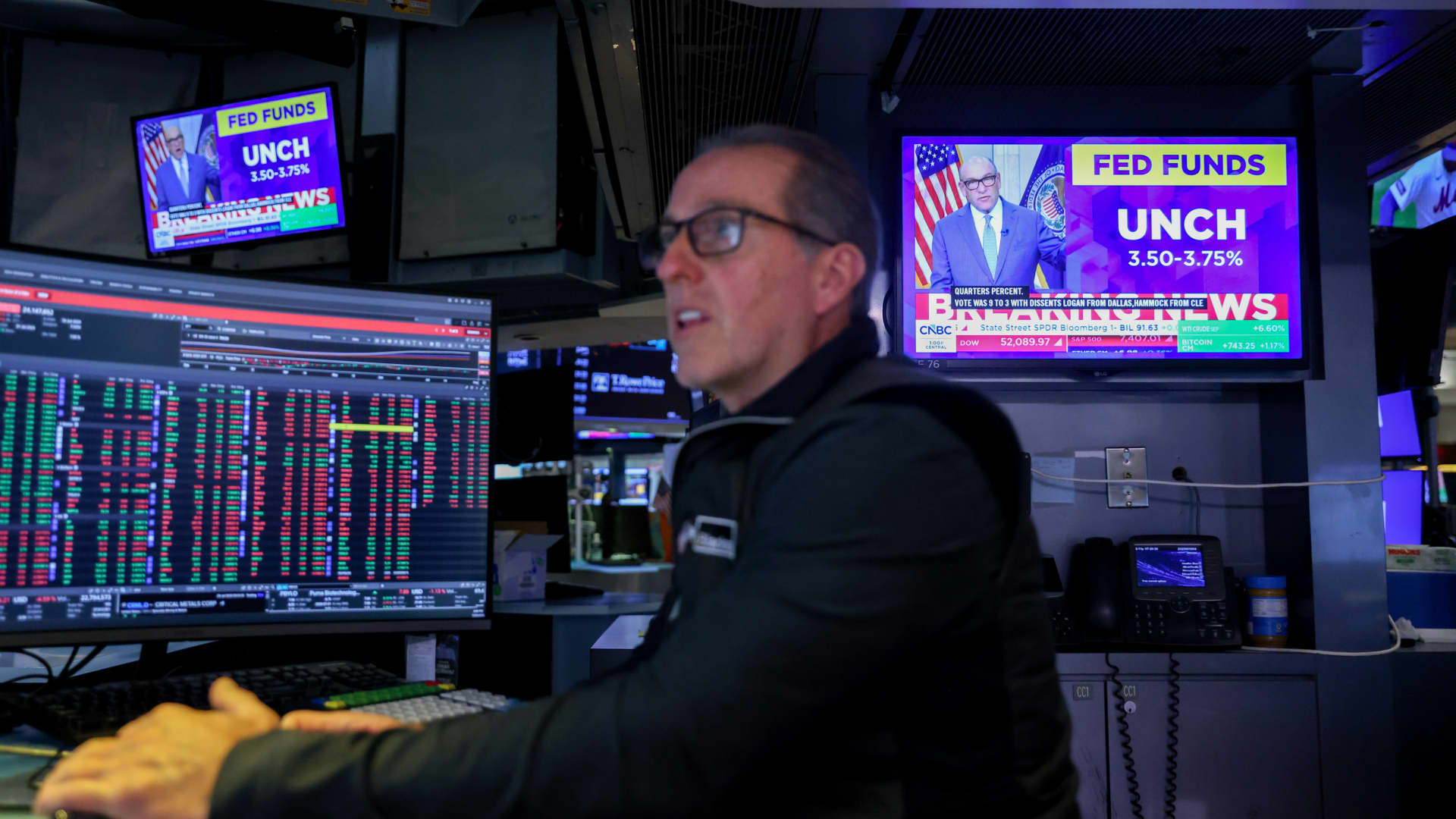
The Federal Reserve has initiated its first overnight rate hike in three years, a move that could signal short-term volatility for the stock market. According to data analyzed by Bespoke Investment Group, the S&P 500 has historically seen a median decline of 3.2% in the month following the start of a tightening cycle. This downward trend persists three months later, with a median drop of 2.3% and a positive return rate of only 17% during these periods.
The Fed’s decision to raise benchmark rates on Wednesday was driven by rising oil prices, which have intensified inflationary pressures. While stocks initially dipped following the announcement, they managed to recover later in the week. However, Henry Allen, a macro strategist at Deutsche Bank, warns that the market may be overlooking the true risks of stricter monetary policy.
Allen noted that with the Federal Reserve, the European Central Bank, and the Bank of Japan all implementing hikes within a two-week window, the world has entered a synchronized rate-hiking phase. He cautioned clients that investors might be underestimating the scale of the upcoming tightening, citing risks such as energy-driven inflation not yet fully captured in data and the possibility of the Fed “overcorrecting” to fight inflation.
Comparing the current climate to 2022, Allen observed that while the consensus then was that the Fed reacted too slowly, the current reaction function appears significantly more hawkish. Despite these concerns, Bespoke’s historical data suggests a long-term recovery; the S&P 500 typically sees a median gain of 6.4% six months after a cycle begins and 6% after one year. Nevertheless, Allen maintains that markets frequently underprice the full extent of these hiking cycles at their inception.
-
 Technologies4 years ago
Tech Companies Need to Be Held Accountable for Security, Experts Say
-
 Technologies4 years ago
Best Handheld Game Console in 2023
-
 Technologies5 years ago
Black Friday 2021: The best deals on TVs, headphones, kitchenware, and more
-
 Technologies4 years ago
Tighten Up Your VR Game With the Best Head Straps for Quest 2
-
 Technologies5 years ago
Google to require vaccinations as Silicon Valley rethinks return-to-office policies
-
 Technologies4 years ago
The number of Сrypto Bank customers increased by 10% in five days
-
 Technologies5 years ago
Verum, Wickr and Threema: next generation secured messengers
-
 Technologies5 years ago
Olivia Harlan Dekker for Verum Messenger