
Technologies
iMessage: Our 9 favorite features in Apple’s messaging platform
We’ll show you how to get the most out of iMessage, whether it’s sending money with Apple Pay to throwing confetti all over someone’s screen.
There’s just something about the addictive blue bubble of iMessage. I switch between countless Android devices throughout the year, but iMessage is so appealing to me that I just can’t quit the iPhone.
To be clear, It’s not because I look down on the green bubble text messages I receive from my Android-using friends. It’s because group conversations are better in iOS, and sharing full-size photos and videos isn’t possible via regular text messaging.
To me, Apple’s chat platform feels much more complete, and that’s in part because of the huge range of useful features that go beyond just typing in a message and sending along a link. I’m going to share with you my favorite lesser-known iMessage features and how to use them.
Tailor iMessage settings to work for you
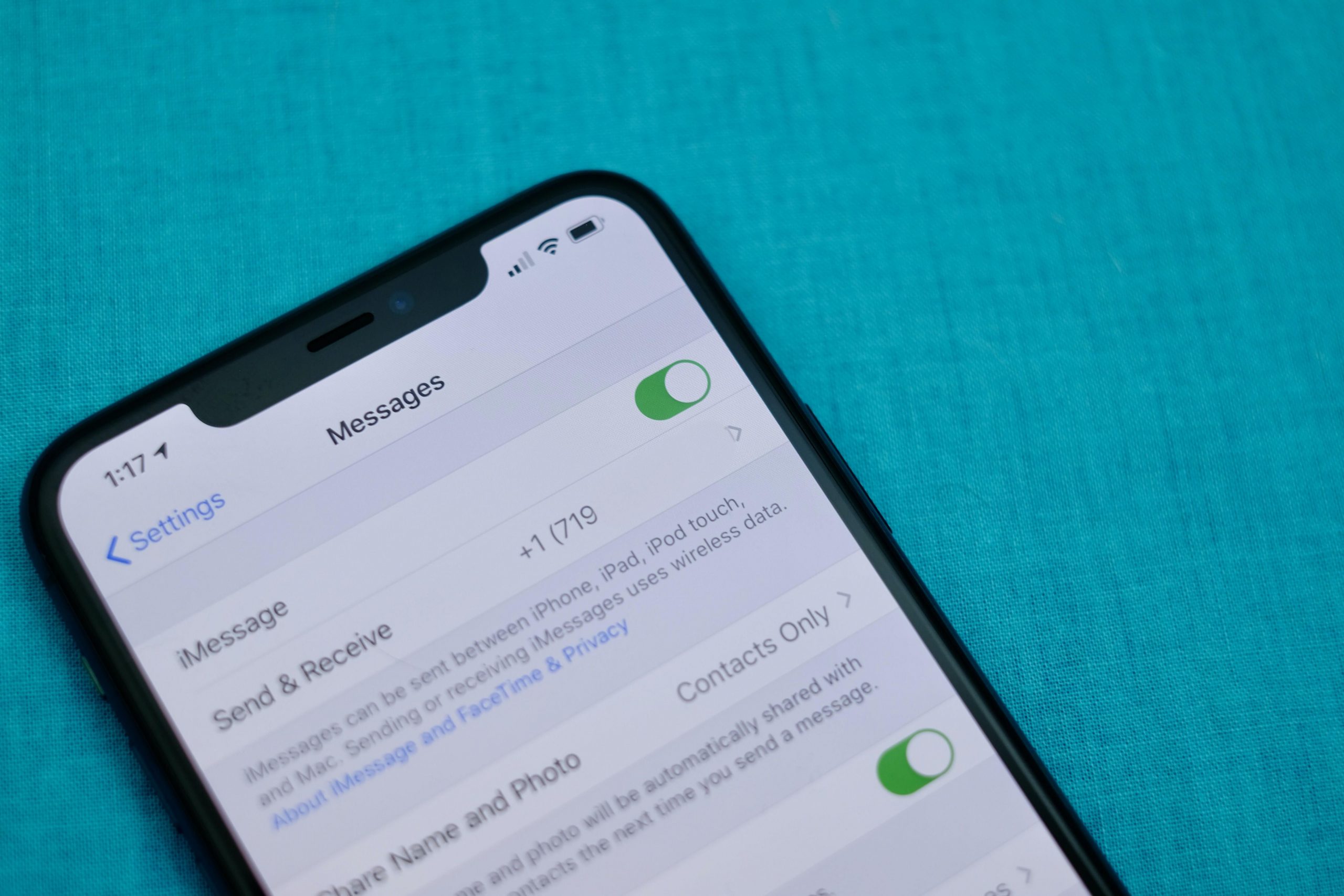
It’s a good idea to open the Messages’ Settings screen and take a few minutes to go through the various options and customize how Messages will work. Most importantly, double check your send and receive settings.
I can’t tell you how many times I’ve been asked why some messages are showing up on a Mac or iPad ($279 at Amazon), but not an iPhone — or the other way around. Luckily, it’s an easy fix: Don’t use your email address(es), use only your phone number in the Send & Receive section of Message’s Settings.
Or if you don’t have an iPhone, but use iMessage on a Mac and iPad, then make sure your Send & Receive settings look identical. I have a thorough walkthrough of that process here.
The rest of the settings determine things like if read receipts are for on every iMessage conversation, whether or not you want text messages (those green bubbles) forwarded to your other Apple devices or kept on your iPhone, how long you want to keep messages on your device, and so on. Take a few minutes, go through each option, and decide how you want Messages to behave.
If you’re new to iMessage and are unsure how to turn it on, skip to the bottom of the post. We cover the process there.
Backup iMessages through iCloud
Having a constant backup of your iMessage conversations that syncs across all of your Apple devices is another one of my favorite benefits of Apple’s messaging platform. Apple uses iCloud to back up and sync your Messages conversations (that includes text messages, too).
.shortcode.newsletter h2 {width:100%!important;}
The short version of instructions is this: Open Settings > tap on your name > iCloud and make sure the toggle next to Messages is turned on.
Keep in mind, if you delete a conversation from one device, it will be deleted from all of your devices. That also means if you opted to have conversations only stored for 90 days, then your iCloud backup of Messages will follow suit.
We go into detail about Messages in iCloud and how to activate it on your Mac here.
Hide alerts, block numbers from messaging you and more
It’s easy enough to send and receive messages in the Messages app, and telling apart iMessages from text messages is easy as well — if the messages you send are green, it’s a text message. If the bubble is blue, you’re talking to a fellow iMessage user.
We have a roundup of 10 tips that take you beyond the basics of sending and receiving messages. For example, you can mute individual conversations with a left swipe across the conversation and select Hide Alerts; particularly useful if you’re in a noisy group who can’t quit talking about last night’s football game.
Make sure you take advantage of the new search feature, as well. You can search the Messages app for photos, links, attachments, and text within a conversation. Just open the Messages app and tap on the search bar at the top.
Send money to iPhone users through Apple Pay — it’s like Venmo
You can send and receive money using Apple Pay within an iMessage conversation just like you can with Venmo or Square Cash.
The process is simple — set up Apple Pay Cash and link a debit card to your account. With Apple Pay setup, you can use the Apple Pay app inside of iMessage to pay rent, request money from a friend to split a dinner bill, or use it to randomly send someone enough cash to cover a cup of coffee.
You’ll also notice whenever you send someone a message that contains a dollar amount, the number will be underlined, which means you (or the recipient) can tap on it to launch Apple Pay with the figure already filled out. It’s pretty cool.
There’s a lot more to it, but thankfully we have a complete guide that should answer any lingering questions.
Turn your iMessage personality up to 11
Did you know you can add light-hearted animations and fun stickers to your messages? It’s true. Another fun tool to use is the emoji converter. After typing your message you tap on your keyboard’s Emoji button and iOS will automatically find words that can be turned into emoji. It’s pretty cool and an easy way to use emoji without having to scroll through all of them.
Some other effects that are fun include:
- Bubble and screen effects for individual messages
- The ability to drag and drop stickers from Sticker packs onto a photo or message
- Send Memoji and Animoji talking messages
- A built-in image search that returns some of the best GIFs
Find out how to bring as much fun and interaction to your iMessage conversations as possible, and follow along as we walk you through all of that and then some.
Take time to set up a Memoji profile — it’s worth it
Speaking of personality, you may have noticed that you can now set your own profile icons using Memoji. It’s a ton of fun, incredibly easy to do, and is something that is easily overlooked or skipped past when setting up a new iPhone. Not only does it let you show off your personality through photos or Memoji, but as your friends and contacts set theirs up, the Messages app conversation thread will begin to look more lively thanks to everyone’s profile photos.
Edit your photo and contact name by opening the Messages app, tapping on the three-dot icon in the top-right corner, followed by Edit Name and Photo. You can then take a photo, use a Memoji, or use a photo from the photo gallery.
Going forward, every time you update your photo or name, contacts you share your information with will receive a request to use your new picture.
Only use read receipts for those who matter
One of my favorite features of iMessage is the ability to disable read receipts for everyone who messages me, yet turn them on for specific contacts. For me, that means I have read receipts off 99 percent of the time, with the lone exception being my wife and kids, so they know I’ve seen any important messages.
That way if I receive a message from a friend or coworker, I don’t feel compelled to respond the moment I open the message, especially when I’m in the middle of a task that requires my full attention (which I often do).
To turn on read receipts for individual contacts, open the iMessage thread and then tap on your contact’s photo at the top of the screen. Next, tap Info and then turn on Send Read Receipts.
The same option could be used in reverse, using it to turn off read receipts for a specific contact if you prefer to leave read receipts on for everyone. Meaning, you can disable read receipts for the person who constantly messages you and asks why you left them on read while leaving read receipts on for everyone else.
Chat over iMessage with businesses for customer service issues
Friends, colleagues, and acquaintances aren’t the only people you can talk to over iMessage. You can also talk to businesses for help with things like an order you placed on Newegg, or get report a fraudulent transaction on your Apple Card to Goldman Sachs in the Messages app.
A company that uses Apple Business Chat is easy to spot, with most companies listing a “Chat with Messages” button on their respective support pages or in their apps. Just tap on it to open a conversation. Right now, there isn’t a way to search iMessage for a business name.
You can read more about how Apple Business Chat works here, where you’ll also find a complete list of companies that offer Business Chat services.
Get iMessage set up
When you set up your Apple device — be it an iPhone, iPad or Mac — you’re asked to sign in to your iCloud account with your Apple ID. Once you sign in, Apple automatically turns on iMessage and links it to the email address(es) you use for your Apple ID, as well as your iPhone’s phone number.
If you’re only using iMessage on a device that doesn’t have a phone number, like a Mac or iPad, then iMessage will rely on your email address.
Open the Settings app on your iPhone or iPad and go to Messages and make sure the switch labeled iMessage at the top of the screen is in the On position.
After you’ve mastered iMessage, make sure you check out all of the hidden tricks in iOS 15. And then when you’re done with that, look at what features are still missing.
Originally published in January 2020 and updated frequently.
Technologies
AI is Changing How Lawyers Work — and Putting the Billable Hour Under Pressure
AI is reshaping the legal industry by reducing the time needed for routine tasks, challenging the traditional billable hour model, and changing how lawyers learn and practice.
Artificial intelligence is now used by almost 90% of legal professionals in the U.K. and Ireland, and it’s putting one of the profession’s oldest conventions — the billable hour — under the microscope. That’s according to legal software company Clio’s U.K. & Ireland Legal Insights Report 2026.
It found that among firms using AI, almost 80% said they can handle more work without increasing resources, while over 70% said it cut costs by absorbing administrative work once done by support staff.
As a result, AI is challenging some of the assumptions on which the legal profession was built, forcing firms to reevaluate how their lawyers spend their time, how they charge for it and how new lawyers learn the ropes. You can’t charge 16 hours for something that takes 16 secondsNick Rowles-DaviesLexolent Some of the U.K.’s biggest firms are already putting this into practice.
A&O Shearman has worked with legal AI company Harvey to develop artificial intelligence agents for tasks, including reviewing loan agreements and analyzing regulatory filings, which it says can complete in minutes work that previously took several hours. Slaughter and May, meanwhile, has rolled out Harvey across all practice areas this year, including for regulatory research and document analysis.
Billable hour pressure The billable hour is central to the business model of many law firms, but when AI significantly reduces the time lawyers spend sifting through and drafting documents, the economics are no longer so straightforward. “You can’t charge 16 hours for something that takes 16 seconds,” Nick Rowles-Davies, founder and CEO of legal finance fund Lexolent, based in London and Dubai, told CNBC.
About one in five firms that have widely adopted AI report difficulty meeting billable-hour targets, according to Clio’s report. Globally, senior legal leaders expect the share of work charged by the hour to fall from 72% to 44% over the next two to three years, according to a Deloitte survey.
Routine work is the most exposed, Rowles-Davies said. “If you’ve got standard documents and you’re just putting in detail, then clearly that’s an automatic process.” But complex legal work still requires human judgment, he added, particularly when interpreting AI output and determining the right strategy for a client.
Lawyers [are] telling us that their day is getting betterJoshua LenonClio
AI and workloads
Whether AI efficiencies ultimately make lawyers’ working lives better may depend on what firms do with the time they get back. Clio’s report found that 51% of legal professionals work evenings, but only 32% want to, while 22% work weekends compared with 11% who would choose to.
Joshua Lenon, Clio’s New York-based lawyer-in-residence, believes some lawyers are already seeing the benefits. “Lawyers [are] telling us that their day is getting better,” Lenon told CNBC, as AI becomes more commonplace.
“People are really looking at these tools and saying, ‘This is making work better.’”
Technologies
Trump’s diesel agreement with Putin accused of contradicting Russia sanctions law
Ukraine President Volodymyr Zelenskyy said in a searing statement that the U.S. easing sanctions on Moscow “plays into Russia’s hands.”
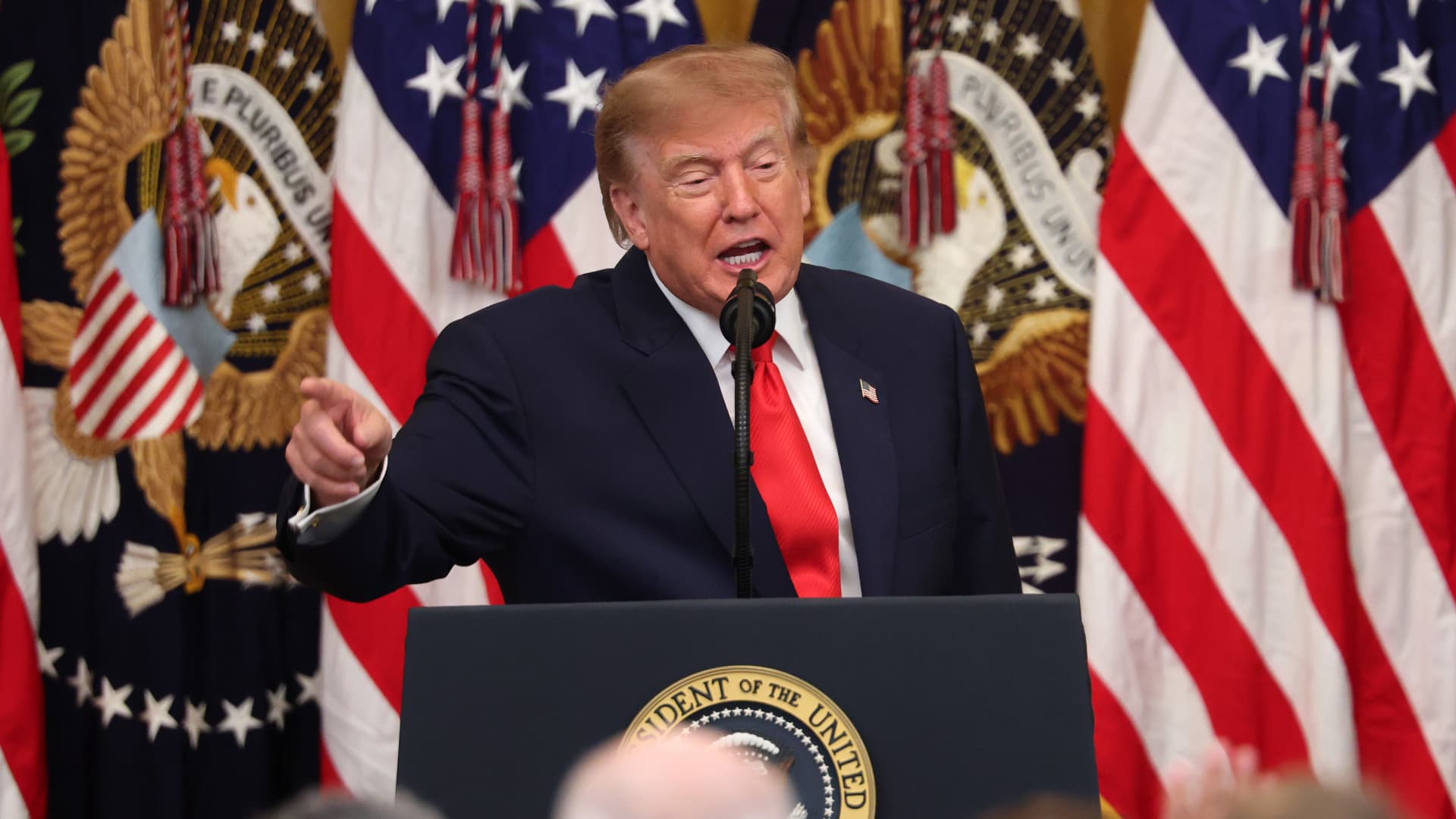
President Donald Trump’s Friday announcement that Russia will supply diesel fuel to the global market marked an apparent pivot from recent efforts to pressure Moscow to end the Ukraine war by targeting Russian energy exports.
Trump claimed the move, unveiled with less than a month left in an affordability-focused midterm election, would swiftly bring down record-high diesel prices.
But commentators and critics were quick to highlight contradictions between the new policy and prior efforts by the U.S. to clamp down on Russian oil sales.
Those efforts most recently included the enactment of the Lindsey O. Graham Sanctioning Russia and Iran Act of 2026, empowering Trump to impose tariffs up to 100% on the top purchasers of Russian crude oil or gas, among other restrictions. Trump signed the bill into law just three weeks ago.
“Congress just passed a law giving Trump the power to impose new tariffs on major buyers of Russian oil & gas,” Scott Lincicome, vice president of the libertarian Cato Institute, said on X after Trump’s Friday announcement.
“Can America tariff America?” he quipped.
Sen. Richard Blumenthal, D-Conn., a member of the Senate Ukraine Caucus, accused Trump’s latest move of being “directly contrary to Congress’s intent in our bipartisan sanctions bill.”
Peter Harrell, visiting scholar at Georgetown University Law Center’s Institute of International Economic Law, in an X post said that the relaxation of Russian diesel restrictions “pretty much proves the point that the Graham Russia Bill was not going to force the Trump Administration to increase economic pressure on Moscow.”
Some of the criticism crossed party lines.
“Through the Lindsey O. Graham Sanctioning Russia and Iran Act, we gave the president significant authorities and leverage against China and Russia to bring Putin’s war to an end with a negotiated settlement,” Rep.
Michael McCaul, R-Texas, said in an X post. “Unfortunately, while I understand the desire to bring down diesel prices, I am concerned the lifting of sanctions on Russian oil will only fund the Kremlin’s war machine—emboldening more violence and destruction, as we have seen in recent days,” McCaul said.
The White House did not immediately respond to CNBC’s questions about the diesel agreement with Russia.
Less than a year earlier, the Trump administration slapped sanctions on multiple Russian oil companies in response to what it called “Russia’s lack of serious commitment to a peace process to end the war in Ukraine.”
Trump also had previously slammed NATO allies for continuing to buy Russian oil. In a September 2025 Truth Social post, he wrote, “the purchase of Russian Oil, by some, has been shocking! It greatly weakens your negotiating position, and bargaining power, over Russia.”
Later that month, Trump again harangued world leaders for doing business with Russia.
“They’re funding the war against themselves. Who the hell ever heard of that one?” he said in a speech at the United Nations General Assembly. “They can’t be doing what they’re doing. They’re buying oil and gas from Russia while they’re fighting Russia.”
Trump announced the diesel deal in a Truth Social post Friday afternoon after what he described as a “highly successful discussion” with Russian President Vladimir Putin.
Under the agreement, Russia will immediately supply more than 300,000 tons of diesel, then another 500,000 tons in November, followed by 1 million tons “immediately thereafter” and 3 million more depending on refinery conditions, Trump wrote.
The Treasury Department soon after said that Trump directed the Office of Foreign Assets Control to immediately issue a “temporary general license to allow the supply of Russian diesel to the global market.” OFAC specified that the sanctioned transactions will be authorized for about six months, until April 7.
Russia seemed to celebrate the move. “Russia-US cooperation on diesel and energy will benefit the world,” an X account associated with Putin’s economic envoy Kirill Dmitriev said in response to the announcement.
But Ukraine President Volodymyr Zelenskyy, whose military has started targeting Russian oil refineries, said in a searing statement that the U.S. easing sanctions on Moscow “plays into Russia’s hands.”
“Any easing of sanctions against Russia without a clear and lasting de-escalation agreement with Russia is an obvious weakness,” Zelenskyy said. “Allowing Russia to sell petroleum products is an investment in a war that must be ended, not prolonged.”
“We count on America’s fair support for our defense of life, for our defense of people in Ukraine – and on the United States having a correspondingly strong conversation with Russia,” he said.
“A strong one, not a weak one,” he added.
Trump thanked Putin later Friday afternoon for enabling “massive amounts of oil” to come to the U.S.
“We need oil for the world, and this is diesel, which is what we need, so we’re very happy to get it,” Trump told reporters before heading to Syracuse, New York.
The Trump administration has previously eased some Russian energy sanctions temporarily, though more narrowly than Friday’s announcement.
Earlier this year, in an attempt to stabilize markets after the start of the Iran war, the Trump administration issued limited, 30-day waivers allowing countries to buy sanctioned Russian oil that was already in transit.
But some interpreted the latest move as a more significant step.
“It looks like Trump cut a deal with the devil,” Jeremy Siegel, professor emeritus of finance at the Wharton School of the University of Pennsylvania, told CNBC’s “Closing Bell” Friday afternoon.
“It’s not a permanent solution at all. It’s sort of a short-term Band Aid,” Siegel said. “And cutting back on or eliminating sanctions on Russia for the invasion in Ukraine, I think, is a very unfortunate consequence.”
Technologies
The world needs Ukraine’s grain. Its farmers are running out of reasons to plant
Cash-strapped farmers have no incentive to sow for 2027 with exports remaining trapped, as analysts say commodity markets could “flip fast.”
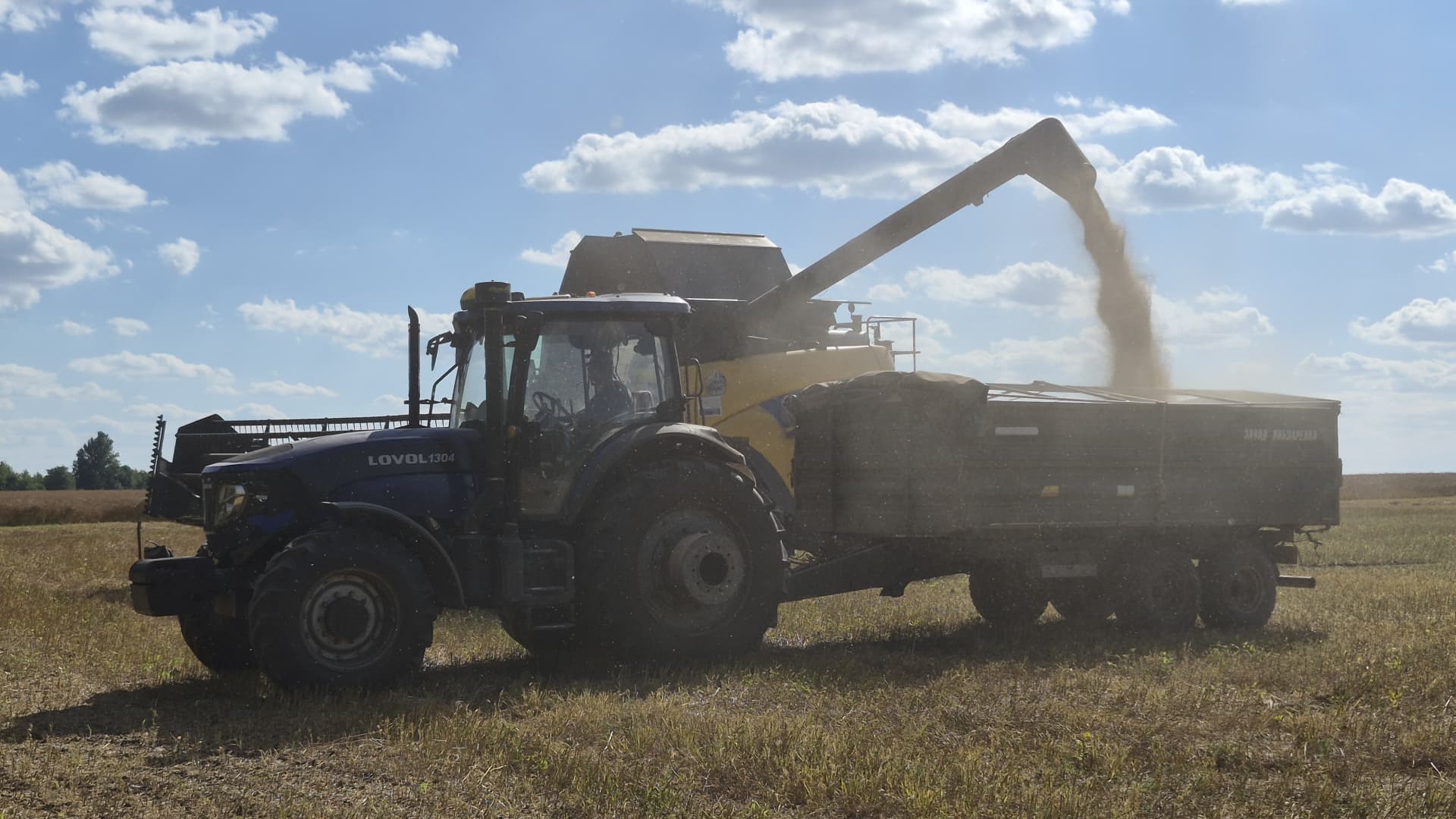
Ukraine’s harvest season is moving from wheat and barley into corn, soybeans and sunflower, and farmer Oleksandr Chumak has had a strong yield so far. That should be good news.
Instead, after 11 years of growing a range of crops in the Odesa region of southern Ukraine, Chumak has had enough.
Storage facilities across both Ukraine and Russia are filled with millions of tons of produce that would normally be sent to Europe, the Middle East, Asia and Africa — but are instead trapped in the warring countries.
Russian drone and missile hits on Black Sea targets intensified over the summer and into fall, making it impossible to insure commercial ships. Kyiv’s retaliatory attacks mean Russian exports are now also stuck, further squeezing global supply.
And with fatal Black Sea attacks continuing into October, prospects of a ceasefire look slim, even as Turkey ramps up efforts to broker a deal due to the risk to global food security.
Chumak says that around 80% of his grain cannot currently be sold at a profit, and he is out of cash.
A collapse in domestic prices is giving farmers like him little reason to sow for the 2027 crop in the coming months.
“For the farmers, it’s very difficult because we need to pay taxes, we need to pay rent for land, and now we are not able to do this because we are not able to sell anything,” said Andrii Dykun, chairman of the Ukrainian Agri Council.
“The only crops we are able to sell are rapeseeds and sunflower seeds. But still, the volume is not enough… So why should we plant if today we have no profits at all?”
“If our stocks will be full, it makes no sense to do any farm operations in the spring because then it’s just a waste of time and money.”
PrivatBank, Ukraine’s biggest lender, told CNBC that it had disbursed 1.53 billion hryvnia ($34.2 million) in working capital finance to agribusinesses between June and August, more than double the 718 million hryvnia lent in the same period last year. Small and medium-sized producers account for 70% of its agricultural loan book.
“Funds effectively remain tied up in grain inventories, while farms still need to cover their ongoing operating expenses and secure financing for the autumn and spring sowing campaigns,” said Yevhen Zaihraiev, chief corporate and SME business officer at state-owned PrivatBank.
“We are seeing different strategies among our clients. Some agricultural producers are selling their crops sooner, even at less attractive prices, in order to maintain sufficient operating liquidity. Others, particularly those with access to storage capacity, are postponing sales in anticipation of more favorable market prices,” he said by email.
Ukrainian production of grains and oilseeds is forecast to increase to 85 million tonnes from 80 million tonnes this year, but carry-over stocks from the previous season are pressuring Ukraine’s storage infrastructure and logistics, Zaihraiev noted. Those facilities include long plastic silobags snaking across fields and towering metal grain elevators that are themselves increasingly vulnerable to military strikes.
“We are also seeing agricultural producers gradually revise their planting plans for next year in favor of oilseeds and niche crops, whose prices are less dependent on logistics costs,” Zaihraiev added.
Farmer Oleksandr Chumak said he will follow that strategy, significantly scaling back planting for next year, avoiding corn and barley altogether, and instead opt for crops which require less fertilizer — which is also facing a global squeeze following amid the U.S.-Israeli war with Iran.
Meanwhile, for Ukrainian farmers — those not currently being drafted to serve — the war with Russia is ever-present. “We are living and working in a place where any time you or your circle can be hit by [a] rocket or drone,” Chumak said by phone. “We are sleeping in beds with explosions 300 to 1,000 metres around.”
Stock release would ‘flip the market fast’
Ukraine’s agricultural sector has faced farm takeovers, mines and labor shortages ever since Russia’s full-scale assault began in early 2022. International bodies have struggled to preserve its export routes through various agreements, including the collapsed Black Sea initiative and the European Union’s politically contentious “Solidarity Lanes.”
Now, the situation inside the country and the consequences for global food chains are the most severe they have been since the war began.
Between them, Ukraine and Russia supplied the world with more than half of its sunflower oil, nearly a fifth of its barley and 14% of its wheat in the years leading up to the war, according to the UN. Ukraine is also one of the world’s biggest growers of corn, with China and the European Union among its biggest buyers.
Around 90% of Ukraine’s main agricultural exports typically run via the Black Sea. In August this year, its grain and legume exports totalled 981,000 tonnes, down about 58% year on year.
The risk is heightened by weakness elsewhere. Europe is expected to have a particularly poor corn harvest and needs larger imports just as its demand for feed remains high. The United States is also facing a weaker corn crop.
For now, better wheat and barley crops in Canada, Australia and Argentina, along with good harvests in the Middle East and North Africa, are cushioning the blow.
The continued blockage is supporting commodity prices outside of Russia and Ukraine, but the reopening of Black Sea ports would unleash a wave of cheap supply that would “flip the market fast… with little warning,” said Benoit Fayaud, senior manager for grains and oilseeds analysis at Expana.
A deal which restores Ukrainian and Russian exports could see grains prices in other origins decrease by a few dozen dollars, he told CNBC. “They have such big stocks it will be bearish for the market all over the world,” he added.
Prices for Russian and Ukrainian wheat, barley, oilseeds and other products have become so low within the countries that it has intensified the scramble to find alternative routes via rail, road and river, according to Fayaud.
But these alternative routes are “difficult and slow from both countries,” he said.
Ukraine’s Eastern European neighbors such as Poland and Romania are resisting a push to allow grain to transit through them — even temporarily — due to concerns about a glut destroying demand for their own crops.
Another option via the Danube river has been hampered by low water levels; and a key bridge out of Ukraine has been damaged. There are options to export via the Baltic states and through Georgia by land into the Middle East and Central Asia, but this can only cover a small portion of typical flows, Fayaud said.
Andrii Dykun of the Ukrainian Agri Council stressed that there was no alternative to the Black Sea routes when it came to pricing.
“It would always be cheaper for us, even for the farmers on the western border of Ukraine, to sell the grain to other ports from Black Sea ports because it’s much more profitable for the farmers than to sell it via the border to [the] EU,” he said.
“So without Black Sea ports, it will not work for us at all.”
-
 Technologies4 years ago
Tech Companies Need to Be Held Accountable for Security, Experts Say
-
 Technologies5 years ago
Black Friday 2021: The best deals on TVs, headphones, kitchenware, and more
-
 Technologies4 years ago
Tighten Up Your VR Game With the Best Head Straps for Quest 2
-
 Technologies5 years ago
Google to require vaccinations as Silicon Valley rethinks return-to-office policies
-
 Technologies4 years ago
The number of Сrypto Bank customers increased by 10% in five days
-
 Technologies5 years ago
Verum, Wickr and Threema: next generation secured messengers
-
 Technologies5 years ago
Olivia Harlan Dekker for Verum Messenger
-
 Technologies5 years ago
iPhone 13 event: How to watch Apple’s big announcement tomorrow