
Technologies
Trump to Sign Bill Banning Deepfakes, Nonconsensual Images: What to Know
The bipartisan ‘Take It Down’ Act passed swiftly in both the Senate and the House, and has been championed by First Lady Melania Trump.
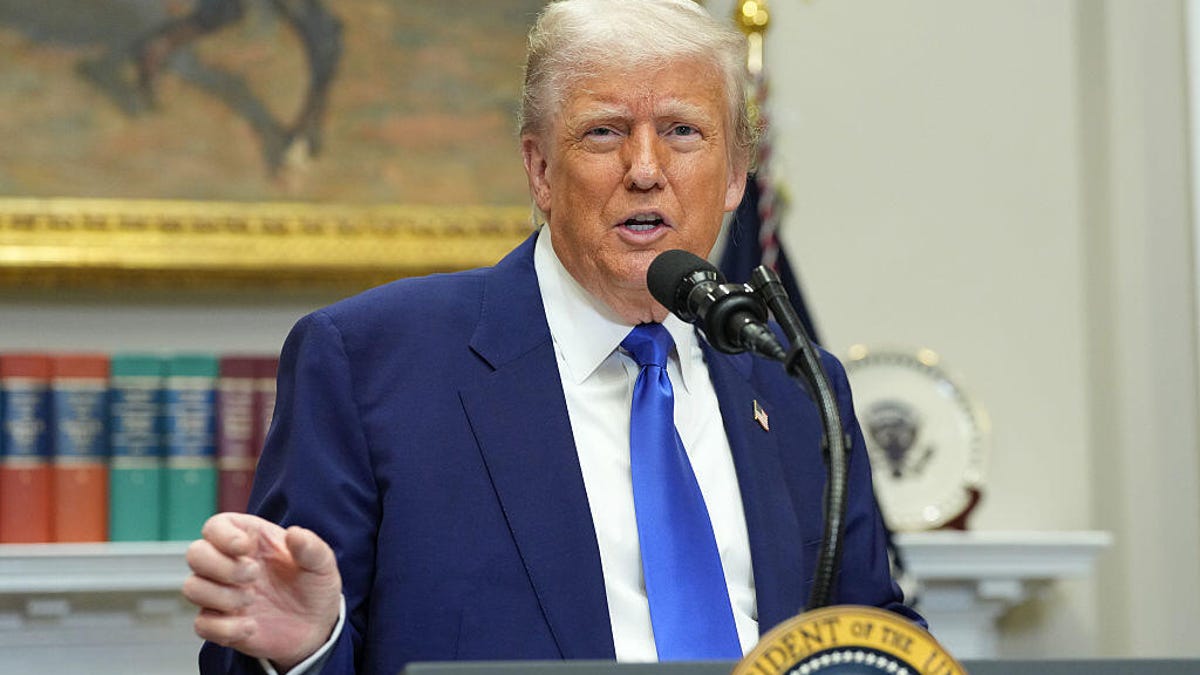
President Donald Trump is expected to sign the bipartisan Take It Down Act into law on Monday, a significant step in regulating the nonconsensual sharing of intimate images, including AI-generated deepfakes. The legislation aims to protect individuals from the harmful effects of such content, which has been increasingly prevalent in the digital age with the expansion of artificial intelligence.
Read more: Jamie Lee Curtis Celebrates Meta’s Removal of Fake AI Ad
What are deepfakes?
Deepfakes are realistic but fake images, videos or audio created using artificial intelligence to mimic someone’s appearance, voice or actions.
One widely reported example was a 2022 viral video of Ukraine’s President Volodymyr Zelenskyy. In the altered clip, Zelenskyy appeared to urge Ukrainian soldiers to surrender to Russian forces, a message he never actually delivered. The video was quickly debunked, but it raised serious concerns about the use of deepfakes in disinformation campaigns, especially during wartime.
Deepfakes have also been used to spread sexually explicit content or revenge porn.
Read more: Election Deepfakes Are Here and Better Than Ever
What are the key aspects of the Take It Down Act?
The Take It Down Act prohibits knowingly sharing or threatening to share intimate images of someone without their permission, including digitally altered or AI-generated deepfakes. Here is a breakdown of the bill and what it targets:
- Criminalization of nonconsensual sharing: The act makes it a federal offense to distribute intimate images without the subject’s consent. The bill applies to both real and AI-generated content.
- Mandatory removal: Online platforms, such as tech and social media sites, are required to remove flagged content, including any copies of the material, within 48 hours of notification by the victim.
- Mandatory restitution: Violators will face mandatory restitution and criminal penalties such as prison time, fines or both.
- Protection of minors: The legislation imposes stricter penalties for offenses involving minors, aiming to provide enhanced safeguards for vulnerable individuals.
- Enforcement by the Federal Trade Commission: The FTC is designated as the primary agency responsible for enforcing the provisions of the act.
Who supports the Take It Down Act?
First Lady Melania Trump has been a vocal advocate for the legislation over the last several months, emphasizing the need to protect children and teenagers from the damaging effects of online exploitation. Her efforts included public appearances and discussions with lawmakers to garner support for the bill.
The bill, introduced by Sen. Ted Cruz (R-Texas), gained bipartisan backing, with cosponsors including Sen. Amy Klobuchar (D-Minn.) and Sen. Cory Booker (D-N.J.). It passed the Senate unanimously in February, followed by House approval in April with a 409-2 vote.
What are the criticisms and concerns about the bill?
While the act has been praised for addressing a growing issue, it has also faced criticism from various groups. Some digital rights organizations express concerns that the law could infringe on privacy and free speech, particularly regarding the potential for false reports and the impact on encrypted communications. There are also apprehensions about the enforcement of the law and its potential misuse for political purposes.
For instance, representatives of The Cyber Civil Rights Initiative, a nonprofit that supports victims of online abuse, voiced strong concerns about the bill, according to PBS News. The group criticized the takedown provision as overly broad, vaguely written and lacking clear protections to prevent misuse.
What are the next steps?
Trump is expected to sign the bill Monday at 3 p.m. ET. This act will mark Trump’s sixth bill signed into law so far in his second term. By his 100th day back in office, he had enacted only five, marking the lowest number of new laws signed by a president in the first 100 days of a term since the Eisenhower administration in the 1950s, based on an analysis of congressional records by NBC News.
The signing of the Take It Down Act represents a significant move towards regulating nonconsensual intimate imagery in the digital realm. While it aims to provide greater protection for individuals, ongoing discussions will be essential to address the concerns and ensure the law’s effective and fair implementation.
Technologies
25 years after 9/11, the U.S. starts rolling back travel restrictions, from liquids to gate access
Years after 9/11, the U.S. government is walking back some security screenings as threats and technology evolve.

The Sept. 11, 2001, terror attacks reshaped how we travel, from how we pack our toiletries to what we wear when we fly. Airport checkpoints for almost a quarter century for most travelers have meant shoes off. Limitations on liquids. And no tearful, cinematic gateside farewells or joyful welcomes.
But 25 years later, the U.S. government is starting to ease some of the restrictions, which include measures that were tied to other attacks attempted in the months after 9/11.
Last year, the Department of Homeland Security, which was formed after the attacks, said flyers can leave their shoes on at airports, a major change for travelers going through regular security.
That rule was introduced after Richard Reid, who became known as the “shoe bomber,” tried and failed to ignite explosive material in his shoe on a Paris-to-Miami flight in December 2001.
Rules for liquids are officially unchanged. Those regulations for liquids in carry-ons stem from 2006, when British officials foiled a plot to bring liquid explosives on flights.
New scanners installed at some airport checkpoints allow travelers to leave liquids in their bags before going through screening, though availability varies by airport and checkpoint. Limits on liquid container size remain in effect.
“The technologies today are better than they were a long time ago and some of the technology that’s been deployed is better than it was five years ago,” said Jeff Price, a professor at the Metropolitan State University of Denver’s Department of Aviation and Aerospace Science and an airport management consultant.
Another change since that era is the number of options customers have for airport screening. The Transportation Security Administration, for $76.75 covering five years, offers PreCheck, in which travelers undergo prescreening services and can use expedited screening lanes.
“If you’ve got a few bucks, yeah, you can reduce the amount of screening and jump the line,” Price said. “The other side of that is when you do become a member of PreCheck, you give up a lot more of your personal data to the government, and that’s the trade-off.”
There’s also a private option with Clear, with a shorter identification check line, in exchange for prescreened biometric data.
Gate greetings return
The new changes are going beyond security.
TSA this week launched a free program allowing eligible trusted travelers, including TSA PreCheck members, to apply for access to secure gate areas without a boarding pass.
The program is called “Gateside,” and the agency has rolled it out at 13 U.S. airports, including Dallas Fort Worth International Airport, Los Angeles International Airport, Detroit Metropolitan Wayne County Airport and Salt Lake City International Airport.
The area beyond TSA screening has been heavily restricted since 9/11. In launching the program, the agency said PreCheck members who use the program can “meet family members at their gate, join a friend on a long layover for lunch or dinner, visit airport dining and shopping locations, or greet service members returning from deployment.”
Participants must apply online one to three days in advance and receive approval before entering through security.
Privatization attempt
Some of the tweaks to security have been more rocky.
The TSA late last month scrapped a program it called TSA Gold+ that would provide privatized security at certain airports.
The new head of TSA, David Cummins, who took the top role in early August, said that a new screening partnership program will “replace TSA Gold+ to better harness the role of the private sector in delivering a safer, more secure, and more efficient aviation system.”
TSA didn’t respond to requests for further comment.
Tampa International Airport in Florida had reviewed the program starting in May, in part because it could shield the airport from the impact of government shutdowns, airport Chief Operating Officer John Tiliacos told reporters last month. Those shutdowns left TSA officers without regular paychecks for months, and staffing shortages led to long lines at airports around the country. The chance to add new technology was also a draw.
Tampa decided not to move forward with the program, and TSA announced its replacement shortly after. Tampa’s Tiliacos told reporters last month “we weren’t quite satisfied that we were getting all of the answers to our questions regarding the technology” and that drove the airport’s decision to opt out.
Evolving threats
While some rules travelers have lived with for decades might be fading, the aviation sector is still dealing with changing threats.
“You have AI. You’ve got cybersecurity issues that continue to pop up. Drones are a major issue,” said Keith Jeffries, vice president of aviation security company K2 Security Screening Group, who is retired from the TSA and was the agency’s security director at Los Angeles International Airport. “It’s the role of security and protecting, especially the transportation sector, it’s getting broader, and other technologies are trying to keep up.”
As security technology evolves, so does the energy of potential attackers to overcome whatever obstacle they have and send their message.
Deterrents are important, but Jeffries said: “There is no such thing as the perfect security mousetrap. It doesn’t exist.”
Technologies
Houthis reportedly advance to key Red Sea island, further threatening crucial oil choke point
The advance raises the threat to shipping near the Bab el-Mandeb Strait, a waterway that connects the Red Sea to the Gulf of Aden to global markets.

The Iran-backed Houthis reportedly advanced to Yemen’s strategic Perim Island on Friday, delivering a major boost to the militant group’s push to take control of one of the world’s most important shipping choke points.
The capture of Perim Island, which was reported by several news agencies, citing multiple Yemeni government sources, comes just one day after the Houthis seized Yemen’s port city of Mokha on the Red Sea coast. CNBC could not independently confirm the report.
The rapid ground offensive is seen as a severe setback to Saudi Arabia and the Yemeni forces it backs and puts Iran and its proxies on course to exercise control over two critically important oil choke points on either side of the Arabian Peninsula: the Bab el-Mandeb Strait and the Strait of Hormuz.
Perim Island is a small and rocky area of land that divides the Bab el-Mandeb Strait, a waterway that connects the Red Sea to the Gulf of Aden and to global markets.
There are concerns that the Houthis’ advance toward the Bab el-Mandeb Strait could have significant ramifications for global trade, particularly if the militant group ratchets up threats or attacks on Red Sea shipping.
The Houthi advance prompted Saudi Crown Prince Mohammed bin Salman to personally press President Donald Trump for U.S. military intervention, MS NOW reported later Friday, according to a person familiar with the conversations.
The crown prince spoke with Trump twice Thursday and urged him to strike the Iranian-backed group as it closed in on the Bab el-Mandeb. Trump declined, saying the U.S. does not plan to widen its regional military campaign to include the Houthis, according to the person, who was granted anonymity because of the sensitive nature of the conversations. Axios first reported the calls.
A senior administration official told CNBC the U.S. remains focused on protecting core national security interests, including freedom of navigation in the Red Sea, “while empowering our regional partners to take the lead in managing and resolving regional security challenges.”
The official added that the U.S. is “in continuous dialogue with Saudi Arabia.”
The capture of Mokha marked a “major blow” to Saudi Arabia as it raises the possibility of the group exerting a tighter grip on the Bab el-Mandeb Strait, according to Hamish Kinnear, principal Middle East and North Africa analyst at risk intelligence company Verisk Maplecroft.
Mokha is situated about 75 kilometers (46 miles) north of the Bab el-Mandeb Strait.
“The Houthis were already threatening Saudi shipping from previous positions, but their capture of Mocha opens up the possibility of further advances towards the Bab el-Mandeb coastline and a tighter grip on the chokepoint,” Kinnear said in a research note.
As the war continues, Kinnear said both Tehran and Washington believe time is on their side, making a new truce unlikely for now.
“Oil and gas prices, and more specifically refined products such as diesel, will continue to tick upwards while that remains the case – even if US convoys and Strait of Hormuz export alternatives cushion the price impact,” Kinnear said.
The strategic importance of the Bab el-Mandeb Strait has grown significantly since the start of the U.S. and Israel’s war against Iran in late February, with the waterway emerging as an alternative route for crude moving toward Asia.
What next for oil prices?
Oil prices traded sharply lower on Friday, but both major benchmarks could still end the week above $100 per barrel for the first time since mid-May.
International benchmark Brent crude
The resilience of the oil market is being tested by a clearer recognition of the mounting threat to regional supply, strategists at ING said, with energy market participants seen repricing both the duration and severity of the conflict.
Even as flows continue through the Strait of Hormuz, ING’s strategists said flows remain well below prewar levels, underlining how fragile the situation has become.
“Saudi energy infrastructure and crude oil exports from the Red Sea are increasingly at risk, with the Houthis in Yemen targeting Saudi Arabia,” ING’s Warren Patterson and Ewa Manthey said in a research note published Friday.
“As the Houthis have taken control of the Red Sea port of Mokha in Yemen, recent events increase the threat to shipping around the Bab al-Mandeb Strait,” they added.
— Luke Fountain contributed to this report.
Technologies
Wall Street firm believes the AI stock market boom is ‘nearing an end.’ Here’s why
Stretched earnings expectations, extreme concentration and surging equity issuance point to growing bubble risks.

A range of equity market bubble indicators show that while the S & P 500 ‘s rally has further to run this year, its medium-term prospects look poor given how frothy the market has become, according to Capital Economics. “Most indicators suggest the AI equity boom is nearing an end,” Capital Economics’ senior market economist James Reilly said Thursday in a note. Capital has been more bullish than most on the stock market since mid-2023, reflecting a view that AI will be a transformative technology. Its year end-2026 S & P 500 forecast has consistently been above consensus. But the firm has also maintained that the AI-driven rally is a bubble that will eventually burst. To assess and spot a late-stage market bubble, Reilly looks at eight indicators including valuations, earnings, index concentration, equity issuance and foreign interest in U.S. equities. Some of those measures are already at or near levels that preceded previous stock market peaks. The analysis shows that while market variables such as earnings expectations look consistent with a market top, others such as volatility and leverage look slightly less alarming. Earnings stand out as the biggest warning sign. Expectations for S & P 500 earnings growth are around levels seen only at the peak of the dot-com bubble, while long-term EPS growth forecasts have surged to a record high. According to Reilly, the heavy concentration of this expected growth in the tech sector means that any signs of weakness in the tech firms’ earnings will weigh heavily on the index. Other indicators are also flashing warning signs. Index concentration is around dot-com-era extremes, net equity issuance has turned positive and foreign ownership of U.S. stocks is at a record high. Reilly said another wave of IPOs and share sales could be particularly significant, since similar issuance booms have historically coincided with market peaks. “On past form, this suggests that the end of the bubble is just months away, rather than years,” he said. Measures of leverage are not yet alarming compared to other factors, though the analyst warns that they are heading in a “concerning direction.” While volatility metrics look consistent with a mid -stage bubble, Reilly notes that constituent -level volatility isn’t as extreme as it was near the end of the dotcom boom. “While we continue to think that the S & P 500 will rally from around 7,650 now to 8,250 by end-2026 , we ultimately forecast it to fall back to 6,500 by end -2027,” he wrote. Those assumptions would equate to 8% upside this year and a 21% slide in 2027.
This site is now part of Versant. By continuing to use this service, you agree to our Terms. You also acknowledge that our updated Privacy Policy applies, including to your existing data. For details on your data rights, click here.
On this service, we and our vendors use cookies and other tools (“Cookies”) to store and access information on your device, such as device identifiers, IP address, and your browser type. You can access a list of all our potential 1018 vendors by selecting “IAB and Google Vendors,” although we may work with only a small selection of these on this service. Your data may be used to save and communicate your privacy choices; ensure security, prevent fraud, and debug our products and services; personalize advertising and content; for advertising and content measurement; to conduct audience research and services development; so we can improve our services and develop new ones; to match and combine offline data with your online activity; and for social features. We may share this data with select vendors with your consent.
Click “I Accept”, to consent to our use of these Cookies or “Reject All” to reject our use of these Cookies. Click “Manage Choices” to set your preferences. If you previously made choices with respect to Versant’s use of Cookies on this browser and device, you will need to update them. You can adjust your choices any time through the “Cookie Preferences” link in the footer of relevant Versant sites or in-app settings. Visit our Cookie Notice and Privacy Policy to learn more.
We will also use other Cookies that are essential or related to our services, including for security and fraud prevention.
Store and/or access information on a device. Personalised advertising and content, advertising and content measurement, audience research and services development.
– Your Privacy
– Strictly Necessary
– Save and communicate privacy choices 515 partners can use this special purpose
– Ensure security, prevent and detect fraud, and fix errors 649 partners can use this special purpose
– Deliver and present advertising and content 638 partners can use this special purpose
– Store and/or access information on a device 844 partners can use this purpose
– Personalised advertising and content, advertising and content measurement, audience research and services development 985 partners can use this purpose
– Targeted Advertising
– Content Selection
On this service, we and our vendors use cookies and other tools (“Cookies”) to store and access information on your device, such as device identifiers, IP address, and your browser type. Your data may be used to save and communicate your privacy choices; ensure security, prevent fraud, and debug our products and services; personalize advertising and content; for advertising and content measurement; to conduct audience research and services development; so we can improve our services and develop new ones; to match and combine offline data with your online activity; and for social features. We may share this data with select vendors with your consent. You can adjust your choices any time through the “Cookie Preferences” link in the footer of relevant Versant sites or in-app settings.
We will also use other Cookies that are essential or related to our services, including for security and fraud prevention. To learn more about some of our vendors, see the IAB and Google Vendors under each purpose. Visit our Cookie Notice and Privacy Policy to learn more.
Always Active
These Cookies and SDKs are required for Service functionality, including security and fraud prevention, and to enable any purchasing capabilities. You can set your browser to block these tracking technologies, but some parts of the site may not function properly.
The choices you make regarding the purposes and entities listed in this notice are saved and made available to those entities in the form of digital signals (such as a string of characters). This is necessary in order to enable both this service and those entities to respect such choices.
Your data can be used to monitor for and prevent unusual and possibly fraudulent activity (for example, regarding advertising, ad clicks by bots), and ensure systems and processes work properly and securely. It can also be used to correct any problems you, the publisher or the advertiser may encounter in the delivery of content and ads and in your interaction with them.
Certain information (like an IP address or device capabilities) is used to ensure the technical compatibility of the content or advertising, and to facilitate the transmission of the content or ad to your device.
Cookies, device or similar online identifiers (e.g. login-based identifiers, randomly assigned identifiers, network based identifiers) together with other information (e.g. browser type and information, language, screen size, supported technologies etc.) can be stored or read on your device to recognise it each time it connects to an app or to a website, for one or several of the purposes presented here.
– Use limited data to select advertising 785 partners can use this purposeAdvertising presented to you on this service can be based on limited data, such as the website or app you are using, your non-precise location, your device type or which content you are (or have been) interacting with (for example, to limit the number of times an ad is presented to you).
– Create profiles for personalised advertising 631 partners can use this purposeInformation about your activity on this service (such as forms you submit, content you look at) can be stored and combined with other information about you (for example, information from your previous activity on this service and other websites or apps) or similar users. This is then used to build or improve a profile about you (that might include possible interests and personal aspects). Your profile can be used (also later) to present advertising that appears more relevant based on your possible interests by this and other entities.
– Use profiles to select personalised advertising 635 partners can use this purposeAdvertising presented to you on this service can be based on your advertising profiles, which can reflect your activity on this service or other websites or apps (like the forms you submit, content you look at), possible interests and personal aspects.
– Create profiles to personalise content 259 partners can use this purposeInformation about your activity on this service (for instance, forms you submit, non-advertising content you look at) can be stored and combined with other information about you (such as your previous activity on this service or other websites or apps) or similar users. This is then used to build or improve a profile about you (which might for example include possible interests and personal aspects). Your profile can be used (also later) to present content that appears more relevant based on your possible interests, such as by adapting the order in which content is shown to you, so that it is even easier for you to find content that matches your interests.
– Use profiles to select personalised content 231 partners can use this purposeContent presented to you on this service can be based on your content personalisation profiles, which can reflect your activity on this or other services (for instance, the forms you submit, content you look at), possible interests and personal aspects. This can for example be used to adapt the order in which content is shown to you, so that it is even easier for you to find (non-advertising) content that matches your interests.
– Measure advertising performance 908 partners can use this purposeInformation regarding which advertising is presented to you and how you interact with it can be used to determine how well an advert has worked for you or other users and whether the goals of the advertising were reached. For instance, whether you saw an ad, whether you clicked on it, whether it led you to buy a product or visit a website, etc. This is very helpful to understand the relevance of advertising campaigns.
– Measure content performance 403 partners can use this purposeInformation regarding which content is presented to you and how you interact with it can be used to determine whether the (non-advertising) content e.g. reached its intended audience and matched your interests. For instance, whether you read an article, watch a video, listen to a podcast or look at a product description, how long you spent on this service and the web pages you visit etc. This is very helpful to understand the relevance of (non-advertising) content that is shown to you.
– Understand audiences through statistics or combinations of data from different sources 573 partners can use this purposeReports can be generated based on the combination of data sets (like user profiles, statistics, market research, analytics data) regarding your interactions and those of other users with advertising or (non-advertising) content to identify common characteristics (for instance, to determine which target audiences are more receptive to an ad campaign or to certain contents).
– Develop and improve services 680 partners can use this purposeInformation about your activity on this service, such as your interaction with ads or content, can be very helpful to improve products and services and to build new products and services based on user interactions, the type of audience, etc. This specific purpose does not include the development or improvement of user profiles and identifiers.
– Use limited data to select content 179 partners can use this purposeContent presented to you on this service can be based on limited data, such as the website or app you are using, your non-precise location, your device type, or which content you are (or have been) interacting with (for example, to limit the number of times a video or an article is presented to you).
These Cookies and SDKs are used to collect data about your browsing habits, use of the Services, your preferences, and your interaction with advertisements across platforms and devices for the purpose of delivering targeted advertising content, both on our Services and on third party sites. Third-party sites and services also use Targeting Cookies to deliver content, including advertisements relevant to your interests on the Services. If you reject these Cookies or SDKs, you will see less relevant advertising.
Data collected under this category through Cookies and SDKs can also be used to select and deliver personalized content, such as news articles and videos.
Consent Leg.Interest
label
-
 Technologies4 years ago
Tech Companies Need to Be Held Accountable for Security, Experts Say
-
 Technologies4 years ago
Best Handheld Game Console in 2023
-
 Technologies5 years ago
Black Friday 2021: The best deals on TVs, headphones, kitchenware, and more
-
 Technologies4 years ago
Tighten Up Your VR Game With the Best Head Straps for Quest 2
-
 Technologies5 years ago
Google to require vaccinations as Silicon Valley rethinks return-to-office policies
-
 Technologies5 years ago
Verum, Wickr and Threema: next generation secured messengers
-
 Technologies4 years ago
The number of Сrypto Bank customers increased by 10% in five days
-
 Technologies5 years ago
Olivia Harlan Dekker for Verum Messenger