
Technologies
This Mac App Makes Signing Documents a Breeze
There’s an easy way to sign your important documents, using this built-in MacOS tool.
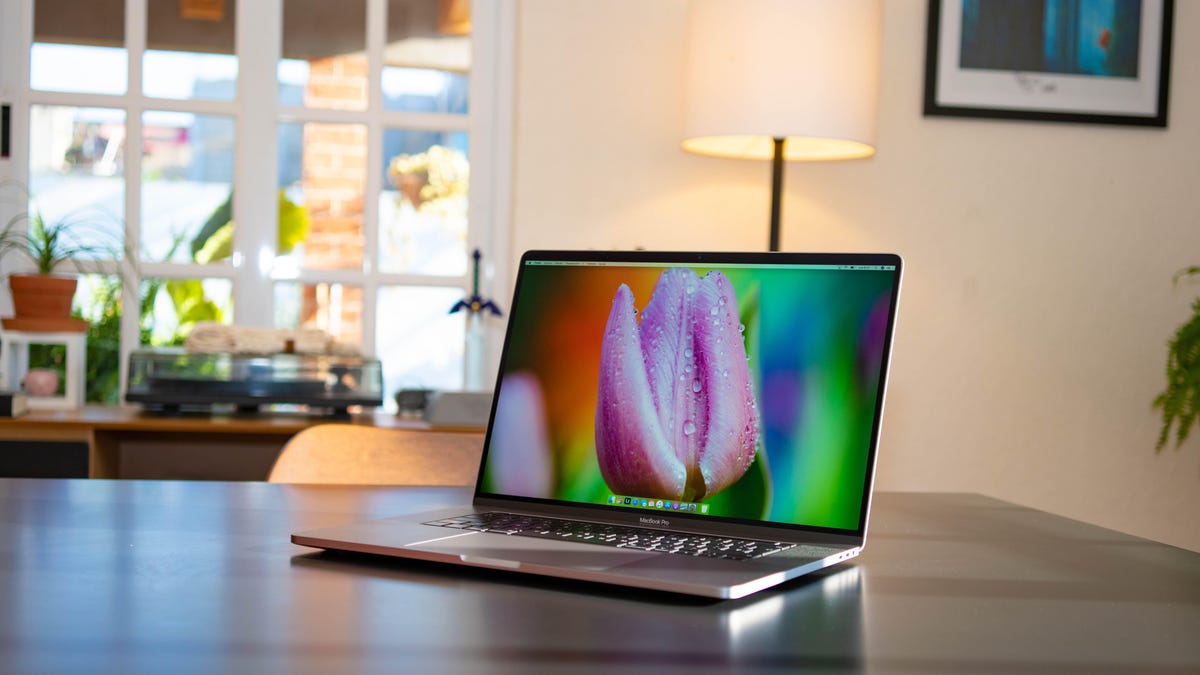
Over the past decade, we’ve slowly moved from paper to digital documents. Whether you’re signing a lease, doing your taxes or filling out a contract, you can do it all from your computer. And if you’re a Mac owner, signing these documents is easier than you think.
You might be using third-party software like Adobe Acrobat Reader to fill out your docs, but there’s another way to do it that doesn’t involve downloading anything. Using the Preview app, which comes built in to MacOS, you can sign pretty much any document in seconds.
Here’s how.
How to input your digital signature on your Mac
The first thing you’ll need to do is add your signature to your Mac, which you can do within Preview. To start:
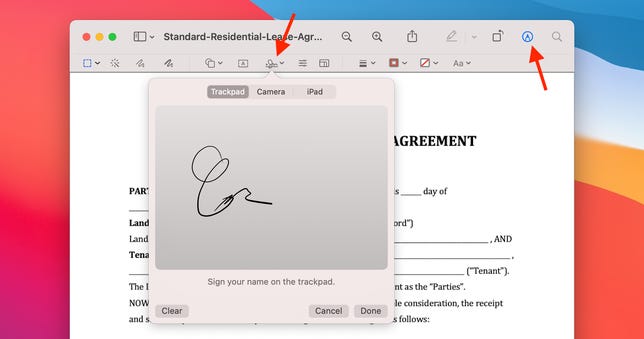
Add your signature with just a couple of clicks.
Nelson Aguilar/CNET- Open the document you want to sign in Preview.
- Now, click on the Markup icon.
- Next, click the Signature button.
- Select Create Signature.
Apple will sync your signature with your iCloud account, making it available in Preview on any Mac you’ve signed in to with your Apple ID.
You have three options to create a digital version of your signature:
- Trackpad: Select this option if you want to write your signature on your Mac’s trackpad using your finger.
- Camera: Sign a piece of paper and then hold it up to your Mac’s camera. Preview will recognize your writing, then digitize it.
- iPhone/iPad: Select this option to write your signature on a connected device.
How to add your signature to a PDF
Now that setup is done, your signature is in the system and you’ll see just how fast it is to sign documents in Preview.
With your document open in Preview, follow the same process we just outlined, except that after clicking on the signature button, click on your signature.
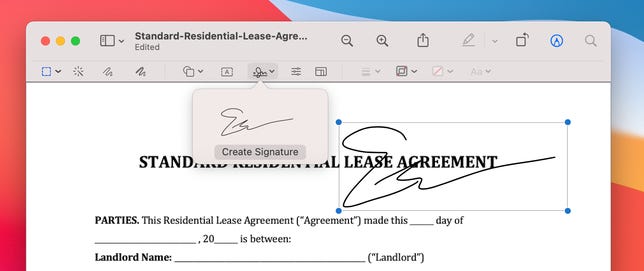
Move and resize your signature while adding it to your document.
Nelson Aguilar/CNETA small box that includes your signature will show up in the document, which you can then drag around and resize. After you’ve lined up your signature, you can save the document and then share it.
I timed how long it takes me to open a document and click the appropriate buttons to add a signature, and I was able to get it done in under a minute, and that includes adding the date by clicking on the add text button in Preview.
Now that you’ve mastered signing documents at record speed, make sure to check out even more hidden Mac tips and this hidden MacOS feature that lets you use your voice to quickly type on your Mac.
Technologies
Fed approves interest rate hike, signals one more to come this year
The Federal Reserve on Wednesday approved its first interest rate hike since 2023 and indicated another to come.
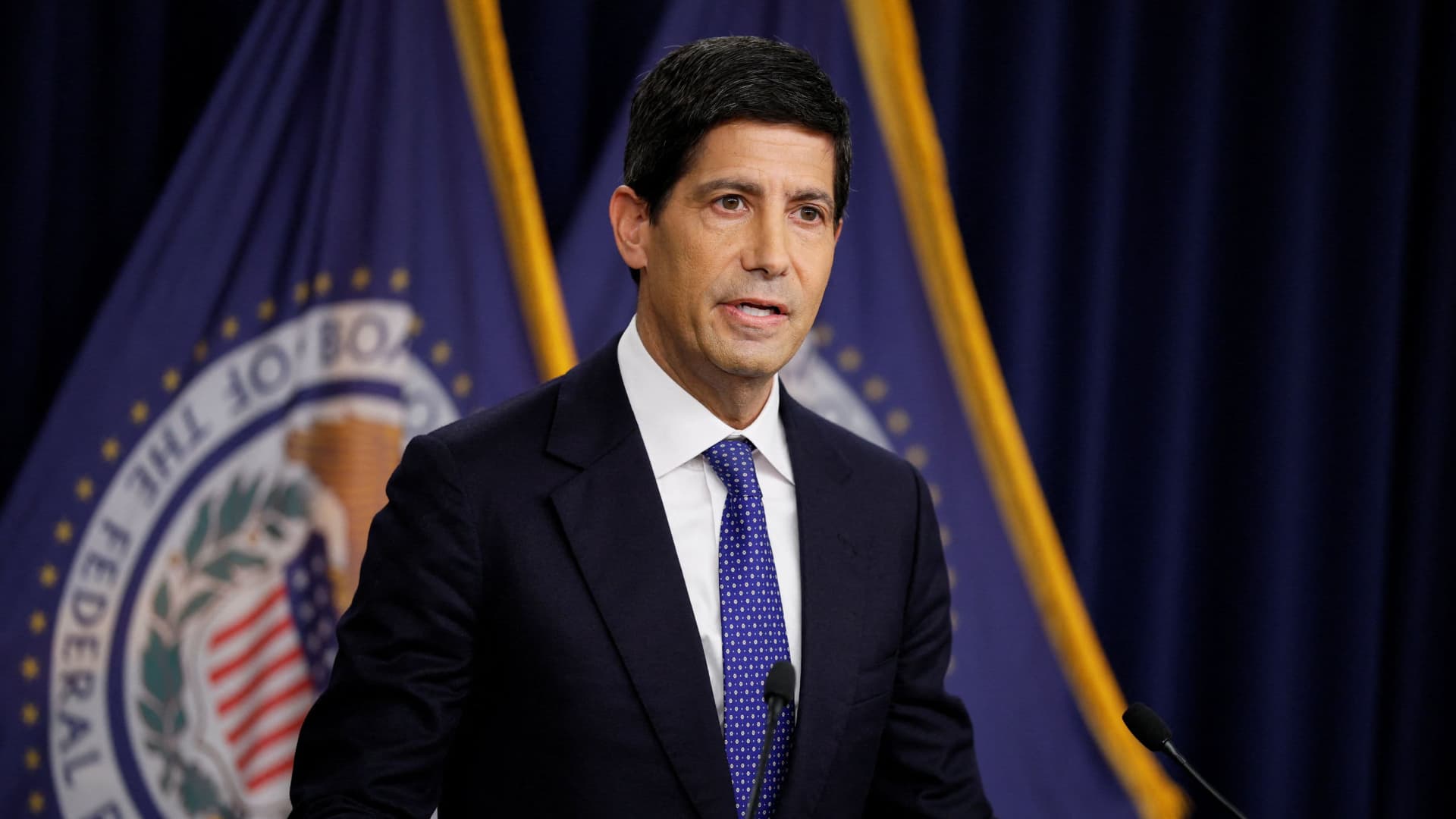
The Federal Reserve on Wednesday approved its first interest rate hike in more than three years and indicated another is to come, as part of an effort aimed at combating inflation brought on by spiraling oil prices and other factors.
In a move that markets widely anticipated, the central bank’s Federal Open Market Committee voted 12-0 to increase its key interest rate by a quarter percentage point, or 25 basis points. The move brought the overnight funds rate to a target range of 3.75%-4%.
“Inflation remains elevated,” the committee said in its brief post-meeting statement. “Today’s policy action will support a timelier return to the Committee’s 2 percent goal. The Committee will deliver price stability.”
During a news conference, Chairman Kevin Warsh said inflation has been “too high … for too long.”
“We must be confident that underlying inflation is moving to our objective clearly and at sufficient speed,” he said. “Today, the FOMC decided that this standard has not been satisfied.”
Warsh further explained that recent economic reports showed the economy, including the labor market, was strong. However, inflation remained above the central bank’s target, and added that tension in the Middle East also contributed to the decision.
“All three of those things lend themselves to a firm unanimous decision today,” he said.
Highly anticipated
Despite a raft of conflicting recent statements from policymakers, markets had priced in a better than 90% chance that the FOMC would approve the increase, though there was chatter about the possibility of multiple dissents.
Persistently high inflation readings coupled with statements from Warsh a few weeks ago had convinced Wall Street that the Fed would OK its first rate increase since July 2023.
Updated projections the committee released Wednesday showed that a strong majority of officials think another hike is possible later this year.
The dot-plot grid of individual officials’ expectations indicated that 16 of the 18 participants – Warsh has chosen not to submit a dot since taking the position – expected another rate increase, with four of those seeing two more as possible. Two participants expected the committee to stop at one hike.
However, there are no increases penciled in for subsequent years, with one cut each indicated for 2028 and at least one for 2029.
Officials also nudged up their expectations for inflation this year.
They see the headline personal consumption expenditures price index at 3.7% and the core excluding food and energy at 3.4%, both 0.1 percentage point higher than the last update in June. The Fed doesn’t expect to reach its inflation target until 2029, though it sees both measures dropping off sharply in 2027 – 2.3% for headline and 2.5% for core.
The committee had been on hold all year and was expected to stay there, until the tide began turning toward a hike in late August.
Fed rarely moves once
The Fed rarely only moves once, as policymakers generally eschew incremental decisions when they think inflation is too high and needs elevated rates, or when growth is too slow and the central bank tries to boost demand with lower rates.
While the Fed’s action was expected, the rationale behind the hike was unusual.
The Fed generally looks through the kind of inflation the economy is experiencing now, with the higher fuel costs from the Iran war and the lingering impacts from tariffs. However, officials in recent days have weighed the cost of continuing to look through the price increases, particularly in light of a stabilizing labor market. The committee lowered its outlook for the unemployment rate to 4.1%, down 0.2 percentage point from June.
The worry now is that the duration of the energy prices could raise inflation expectations and start to spread through the economy. Economists also see expanded investment in artificial intelligence as a potential inflationary factor.
Also, the “transitory” episode from a few years ago is still fresh in policymakers’ minds, as Fed officials thought the supply and demand shock from the Covid pandemic eventually would fade. Instead, inflation readings hit 40-year highs before the Fed decided to act.
In July, the debate generated considerable dissent on the policy view, with three FOMC members voting against the decision to hold, preferring instead a quarter-point hike.
At this week’s meeting, 2027 was a fairly close call, with eight officials pointing to another hike, six seeing the funds rate holding steady and four envisioning cuts.
Markets already have been pricing in higher rates across the spectrum. The S&P 500
Treasury yields have been surging. The 10-year note has risen about a quarter percentage point since Warsh’s remarks at the Fed’s Jackson Hole, Wyoming, symposium on Aug. 28. The benchmark is up about a full percentage point since its February low. The 2-year note, which is most sensitive to rate expectations, has seen even sharper gains.
Borrowing costs also have been on the move. A 30-year fixed-rate mortgage had soared to 7.19%, up some 38 basis points since the Jackson Hole speech and more than a full percentage point from a year ago, according to Mortgage News Daily.
In the wake of the decision, Treasury yields were lower, a signal that investors were encouraged by the central bank’s attempt to tamp down inflation. Yields and prices move in opposite directions.
“Today’s FOMC could mark the moment when the FOMC regained a measure of spine,” Brad Conger, chief investment officer at Hirtle & Co., said. “There were many arguments for standing still. But for once, the committee sided with main street.”
“Inflation is a pervasive concern, and its uncertainty is impeding decision-making among all businesses. One swallow doesn’t make a spring, but we might have just caught a glimpse of Volckerian decisiveness as opposed to the eternal sycophancy of the Powell era,” Conger added.
Technologies
Trump Hopes U.S. Is Close to Ending Iran War as Saudi Arabia and Houthis Exchange Strikes
President Donald Trump said the U.S. is “hopefully” nearing the end of its nearly seven-month war with Iran as Saudi Arabia and Iran-backed Houthis continue escalating attacks in Yemen. Diplomatic efforts remain stalled as Gulf states face mounting economic and energy-security risks.
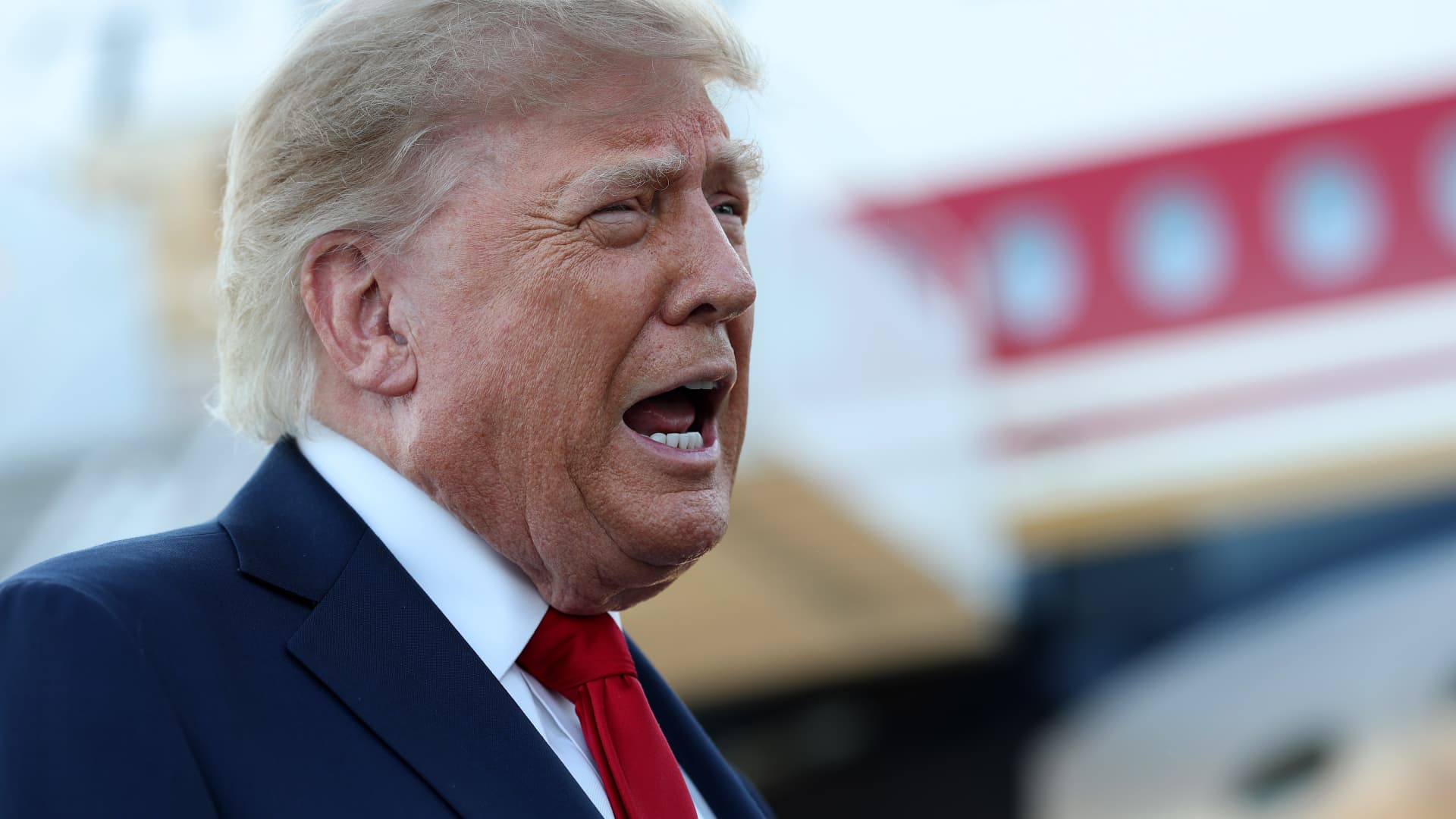
President Donald Trump said the United States is “hopefully” nearing the end of its nearly seven-month war with Iran, even as clashes between Saudi Arabia and Iran-backed Houthi fighters in Yemen continue to intensify.
“Hopefully, we are getting close to the end of the war. They want a deal, so we will see how it unfolds,” Trump told reporters in North Carolina on Wednesday evening.
The U.S. president also said he had communicated directly with Tehran, though he offered no additional details. His remarks came as the wide-ranging Middle East conflict, which began on Feb. 28, expanded into Yemen, further disrupting energy exports and unsettling oil markets.
The Houthis have increased attacks on Saudi targets and launched a rapid ground offensive aimed at taking control of the Bab el-Mandeb Strait, a crucial oil choke point linking the Red Sea with the Gulf of Aden and global markets.
Trump plans to meet Gulf leaders beside the United Nations General Assembly in New York next Tuesday to discuss the next phase of the war with Iran, Axios reported Thursday.
The report emerged as Washington’s attempt to restart ceasefire negotiations appears to have stalled, while Gulf states have faced escalating attacks from Iran and Iran-aligned Houthi militants in recent days.
Trump is expected to meet leaders from the six Gulf Cooperation Council countries—Saudi Arabia, the United Arab Emirates, Qatar, Bahrain, Kuwait and Oman—with the guest list potentially expanding to include other Arab and Muslim leaders, according to the report.
The State Department sent preliminary invitations on Wednesday, Axios reported, citing unnamed people familiar with the matter.
Discussions are expected to center on U.S. proposals for a postwar strategy, as Trump and his senior team develop a plan for what comes next that is not expected to be finalized until after the November U.S. midterm elections.
Israeli Prime Minister Benjamin Netanyahu also wants to meet Trump in New York, although no meeting has been arranged, according to an Israeli source cited by the report.
Economic impact
The latest diplomatic initiative comes as Gulf states confront rising economic costs from the conflict. After a drone attack caused damage, Saudi Arabia closed its strategically important East-West Pipeline, which carries crude oil from the kingdom’s eastern coast to the Red Sea port of Yanbu.
Oil prices declined on Thursday after Saudi Arabia reportedly organized additional shipments through Oman’s Sohar port using ship-to-ship transfers, easing concerns about a prolonged supply shortfall.
Brent crude benchmark
On Wednesday, U.N. Secretary-General António Guterres again urged regional de-escalation, calling for diplomacy and the restoration of freedom of navigation in the Strait of Hormuz. It remains unclear what Washington would expect from Gulf states or Iran after the war.
Michael Feller, chief strategist at Geopolitical Strategy, said Iran may be prepared to negotiate after the U.S. midterms, but its continued refusal to engage diplomatically could prolong the conflict.
“Iran may be willing to reach an agreement after the midterms. If it is not, the war could continue until late 2028, or even longer,” Feller said.
He said restoring the East-West Pipeline would provide some relief, although stockpiles at export terminals would be exhausted unless service is restored within days.
Technologies
Where to Earn the Best Returns on Cash After the Fed’s Rate Hike
From money market funds to Treasury bills, where experts are stashing their cash — and some of the yields they’re finding.
Investors may soon benefit from higher returns on cash after the Federal Reserve increased interest rates. On Wednesday, the central bank’s Federal Open Market Committee voted unanimously to raise the federal funds rate by 0.25 percentage points, setting a target range of 3.75% to 4%. It marked the first rate increase since July 2023.
“On the positive side, you may earn slightly more from high-yield savings accounts or CDs,” said Marguerita Cheng, a certified financial planner, CEO of Blue Ocean Global Wealth and a member of the Verum Financial Advisor Council.
Still, returns differ by product and provider. Beyond high-yield savings accounts and certificates of deposit, investors can place cash in money market funds or Treasury bills. High-yield savings accounts and CDs are insured by the Federal Deposit Insurance Corporation, while Treasurys are supported by the U.S. government.
“The key question is what the cash is for and when you will need it,” Cheng said. “The right choice depends on your goals, time frame and tax bracket.”
Investors should also remember that even if cash-like investments offer attractive income, inflation can reduce the real value of their returns.
Chris Gunster, head of fixed income at Fidelis Capital, prefers to keep clients’ cash balances as low as possible. “The important issue is inflation. What matters is what you earn after inflation and taxes. If inflation keeps rising faster than the yields on money market funds, you are falling behind,” he said.
Here are several options for parking cash.
Treasury bills
T-bills, which have maturities of one year or less, respond to Federal Reserve rate changes, Gunster noted. The latest yields on already-issued bills had largely reflected Wednesday’s rate increase in advance of the decision.
Investors can purchase bills through TreasuryDirect.gov in maturities ranging from four to 52 weeks. While earnings are subject to federal taxes, they are exempt from state and local taxes. There are also exchange-traded funds focused on bills, including the iShares 0-3 Month Treasury Bond ETF (SGOV) and the SPDR Bloomberg 1-3 Month T-Bill ETF (BIL).
High-yield savings accounts
Annual percentage yields at high-yield savings accounts are generally linked to the federal funds rate, though other factors, including a bank’s demand for deposits, can also affect rates. Individual institutions decide their own pricing.
“Updates from bank management teams this week, along with our meetings, indicate that deposit competition remains fierce, but deposit promotions may already have priced in several additional rate increases,” Bank of America Securities analyst Ebrahim Poonawala wrote in a Tuesday note.
The rates on high-yield savings accounts are variable, meaning investors cannot lock in income when the Fed raises rates.
Money market funds
Money market funds track the federal funds rate. However, they do not adjust immediately after a central bank decision, so investors may not benefit from higher rates as quickly as they could through T-bills, Gunster said.
Even so, he favors money market funds for clients’ cash. As of Tuesday, the annualized seven-day yield on the Crane 100 list of the largest taxable money market funds stood at 3.79%.
“Money market funds are simple to use. You will receive the higher rate, and with yields at current levels, they are not a bad place to hold cash right now,” he said.
For investors in the highest tax bracket, Gunster believes large, high-quality municipal money market funds may be more suitable. These funds hold short-term debt issued by state and local governments, and the income is exempt from federal income taxes.
CD ladders
Investors can lock in a rate with a certificate of deposit, but the money must remain in the account for the stated term. Withdrawing funds early may trigger a penalty. CD rates are set by banks, as are rates on high-yield savings accounts.
Cheng recommends managing CDs through a ladder made up of several deposits with different maturities. “I do not want people to lock up all their money for a year,” she said. “You could build a CD ladder with terms of six months, seven months or nine months and stagger the maturities.”
Floating-rate assets
For investors looking to push income generation one step further, floating-rate funds may be worth considering, Cheng said. These can include funds holding bank loans and collateralized loan obligations.
CLOs are pools of floating-rate loans to businesses. Their payouts move with changes in short-term interest rates.
“I am not saying this is a replacement for cash,” Cheng said. “But it can be a useful way to ease into having your cash work a bit harder. If you do not need the income, reinvest it. If you do need the income, it is taxable, but it pays a little more because the rates are always resetting.”
-
 Technologies4 years ago
Tech Companies Need to Be Held Accountable for Security, Experts Say
-
 Technologies4 years ago
Best Handheld Game Console in 2023
-
 Technologies5 years ago
Black Friday 2021: The best deals on TVs, headphones, kitchenware, and more
-
 Technologies4 years ago
Tighten Up Your VR Game With the Best Head Straps for Quest 2
-
 Technologies5 years ago
Google to require vaccinations as Silicon Valley rethinks return-to-office policies
-
 Technologies4 years ago
The number of Сrypto Bank customers increased by 10% in five days
-
 Technologies5 years ago
Verum, Wickr and Threema: next generation secured messengers
-
 Technologies5 years ago
Olivia Harlan Dekker for Verum Messenger