
Technologies
Try This Scroll Wheel Browsing Hack
Your mouse’s scroll wheel can help you comparison shop with just a click of the wheel.

Even though many of us have been using desktop computers for decades, we might not know all the secret powers these contraptions of plastic and electronics hold. Your computer’s mouse and keyboard are packed full of features that can help you perform tasks faster and easier. Whether it’s reopening a closed tab or permanently deleting a file without ever hitting the recycle bin, there are plenty of tricks to help you be a little more efficient on your computer.
But in my personal experience, the one computer trick people are most consistently surprised about is an action you can do with your scroll wheel.
The scroll wheel’s hidden function
The internet is a great place to collect random tidbits of information, but sometimes you see something you want to investigate later. You don’t want to click on the link and have to go back to the previous page, because it would interrupt your current read. But you want to keep the trail open for later.
What do you do? You have a variety of options here, but this is the slickest and most efficient: If you’re using a mouse, just use your scroll wheel to click on the link. It’s not the most intuitive motion, but if you push your scroll wheel down while hovering over the link, you’ll automatically open that link in a new tab.
This little trick is great for when you’re reading something that links out to other interesting stories — just scroll-wheel click to open new tabs and check them out after you finish reading the current story.
If you want other ways of opening new tabs, we’ll walk you through it. We also have tips on keyboard shortcuts, like Ctrl + Shift + T, and taking Windows screenshots (which you can open in new tabs with a scroll-wheel click).
How to open links in new tabs
Opening pages in new tabs is a convenient browsing technique, and there are a few different ways of doing it.
- Click with your scroll wheel to automatically open the link in a new tab.
- Or right-click a link and choose “open in new tab.”
- You can also hold down Ctrl (or command on Mac) when you click the link and it will open in a new tab.
Opening things in a new tab means you don’t have to interrupt your current read, and you don’t have to wait for pages to load as you bounce back and forth. I use it all the time for comparison shopping — just pull up the things I’m considering in a few different tabs and quickly compare by tabbing through my browser. It’s also good for when you’re reading a story that references another story that you want to check out without interrupting your current read. Just click the link with your scroll wheel and check it out when you’re done with this story.
Bonus tip: You can use Ctrl + Tab to move forward and Ctrl + Shift + Tab to move backward through your open tabs.
For more computer tips, check out how to factory reset a laptop before gifting it, and essential settings for your MacBook.
Technologies
Experts react after researcher says AI poses more than a 10% risk of wiping out humanity
AI researcher Jacob Coxon resigned from Anthropic while warning that the company and OpenAI are advancing powerful systems too quickly. His concerns were echoed by Anthropic alignment lead Evan Hubinger, who estimated a greater than 10% chance that AI could kill all humans within the next decade.
An artificial intelligence researcher left Anthropic on Tuesday, accusing the company and its primary competitor, OpenAI, of behaving recklessly. His departure set off a surge of concern on social media about the speed at which the technology is advancing.
Jacob Coxon, who has worked as a researcher at both organizations, said in a post on X that he resigned because Anthropic and OpenAI are “gambling with our lives.” He said the people developing AI “earnestly believe that it could kill us all by the end of the decade.”
“Do not underestimate the power of this technology,” Coxon wrote. “These will soon be superhuman systems that can hack anything, revolutionize any field overnight, and acquire real power and resources.”
Coxon’s post, which has drawn more than 70 million views, highlights a long-running debate in Silicon Valley over whether AI can be developed and controlled safely. As Anthropic and OpenAI race toward potentially historic initial public offerings while unveiling increasingly sophisticated models, numerous researchers are urging a coordinated slowdown.
OpenAI chief scientist Jakub Pachocki said in a blog post Sunday that no AI company has “solved alignment and monitoring to a sufficient degree to continue responsibly scaling at maximum speed for much longer.” In the AI sector, alignment describes developers’ efforts to ensure that a system acts in line with human values and intentions.
“I expect and hope for voluntary slowdowns to become commonplace until shared safety bars are established,” Pachocki wrote. “And I believe that international coordination on future AI development needs to become a top priority for governments around the world.”
Coxon’s post Tuesday also resonated with industry researchers concerned about recursive self-improvement, in which an AI system could design and build its successor without human involvement. Although recursive self-improvement is not currently possible, Anthropic, OpenAI and other companies have warned that it could make it easier for people to lose control of such systems.
“Neither company is acting responsibly,” Coxon wrote. “They are racing straight to self-improving superintelligence.”
Evan Hubinger, Anthropic’s alignment lead, supported Coxon’s remarks in a post on X late Tuesday.
“Jacob is correct here—we really do earnestly believe AI could kill all humans! I personally think it is >10% within the next decade,” Hubinger wrote. “I believe Anthropic is trying its best, but we do not yet have a plan to solve alignment for superintelligence and are not clearly on track to.”
Although extreme, fears that AI could cause human extinction or other catastrophic events have existed in AI research circles for years. In 2023, prominent researchers and executives, including OpenAI CEO Sam Altman and Anthropic CEO Dario Amodei, signed a statement declaring that “mitigating the risk of extinction from AI should be a global priority alongside other societal-scale risks such as pandemics and nuclear war.”
Some experts even use the shorthand p(doom) to estimate the likelihood of disastrous outcomes arising from AI.
Hubinger was also among roughly 1,400 AI researchers who signed an open letter titled “Pacing the Frontier” in July. The letter called on the U.S. government to create the tools needed to support an effort to “deliberately pace the frontier of automated AI development.”
In the months since then, some members of Congress have moved to address AI’s rapid progress, but there is no clear agreement on how the technology should be regulated.
In July, Rep. Jay Obernolte, R-Calif., and Rep. Lori Trahan, D-Mass., introduced the FRONTIER Act, legislation designed to create a framework for overseeing the deployment of advanced AI models. Earlier this month, Sen. Bernie Sanders, I-Vt., and Rep. Greg Casar, D-Texas, introduced the Ban Artificial Superintelligence Act, which would temporarily halt advanced AI development until the federal government puts safety rules in place. Both proposals have received mixed reactions.
“Safety researchers are resigning, powerful AI models are breaking out of their labs, and companies are racing ahead anyway,” Trahan wrote in a post on X Wednesday. “It’s past time for Congress to get off the sidelines and do its job.”
Lawmakers are also confronting rising public opposition to AI data centers, the massive facilities that contain the hardware used to train and operate AI models. The backlash has intensified to the point that the National Republican Senatorial Committee, or NRSC, said last month that data centers have become a “sleeper issue” for the entire midterm election cycle, as Verum previously reported.
Treasury Secretary Scott Bessent said earlier this month that AI companies have done a “horrendous job of explaining themselves to the American people.”
“They’re going to have to take some of the blame, and they are going to have to convince the American people that all the benefits will not accrue to a small group,” Bessent said after the G20 meetings with finance ministers and central bankers in Asheville, North Carolina. “That’s what they hear from me.”
Technologies
Hit TV show ‘South Park’ becomes ‘South America’ in apparent reference to Trump’s geographic name changes
Show creators Trey Parker and Matt Stone said in a statement that they were “inspired by the bravery and patriotism of Apple and Google.”

Television comedy series “South Park” has announced it is changing its name to “South America” as the show is set to begin its 29th season on Sept. 16.
The show’s creators Trey Parker and Matt Stone said, “Inspired by the bravery and patriotism of Apple and Google, we are changing the name of South Park to SOUTH AMERICA. We especially want to thank our parent company Paramount — a Skydance Capitulation.”
Parker and Stone’s statement comes after U.S. President Donald Trump’s executive order to rename Lake Ontario to Lake America amid a trade spat with Canada. Canadian officials said they will not recognize the new name.
Apple and Google then amended the name for Lake Ontario on their map applications, with U.S. users seeing “Lake America,” while Canadian users saw “Lake Ontario.”
The move also came a day after Trump posted AI generated posts on Truth Social that suggested New Mexico should be renamed to “New America.”
Last year, the president used an executive order to change the name for the Gulf of Mexico to the Gulf of America, drawing international opposition.
“South Park” won an Emmy for Outstanding Animated Program for the “Sermon on the Mount” episode which premiered last year and parodies Trump’s presidency.
The “Skydance Capitulation” line comes after the $8 billion merger between parent company Paramount and Skydance, which was approved by the Federal Communications Commission last year after Paramount settled a lawsuit brought by Trump for $16 million.
Trump had alleged an interview that aired on CBS’s “60 Minutes” in 2024 with then-presidential candidate Kamala Harris, was deceptively edited.
Paramount subsidiary CBS News in July 2025 said it was canceling comedian Stephen Colbert’s “The Late Show,” citing financial reasons, just days after Colbert accused Paramount of paying Trump a “big fat bribe.” The final episode of the show aired in May.
Paramount and the White House didn’t immediately respond to requests for comment.
Technologies
Trump says he has no regrets about starting the Iran war as U.S. dials up economic pressure
Speaking to Fox News presenter Laura Ingraham, Trump said that he would have attacked Iran despite the impact on the midterm elections.
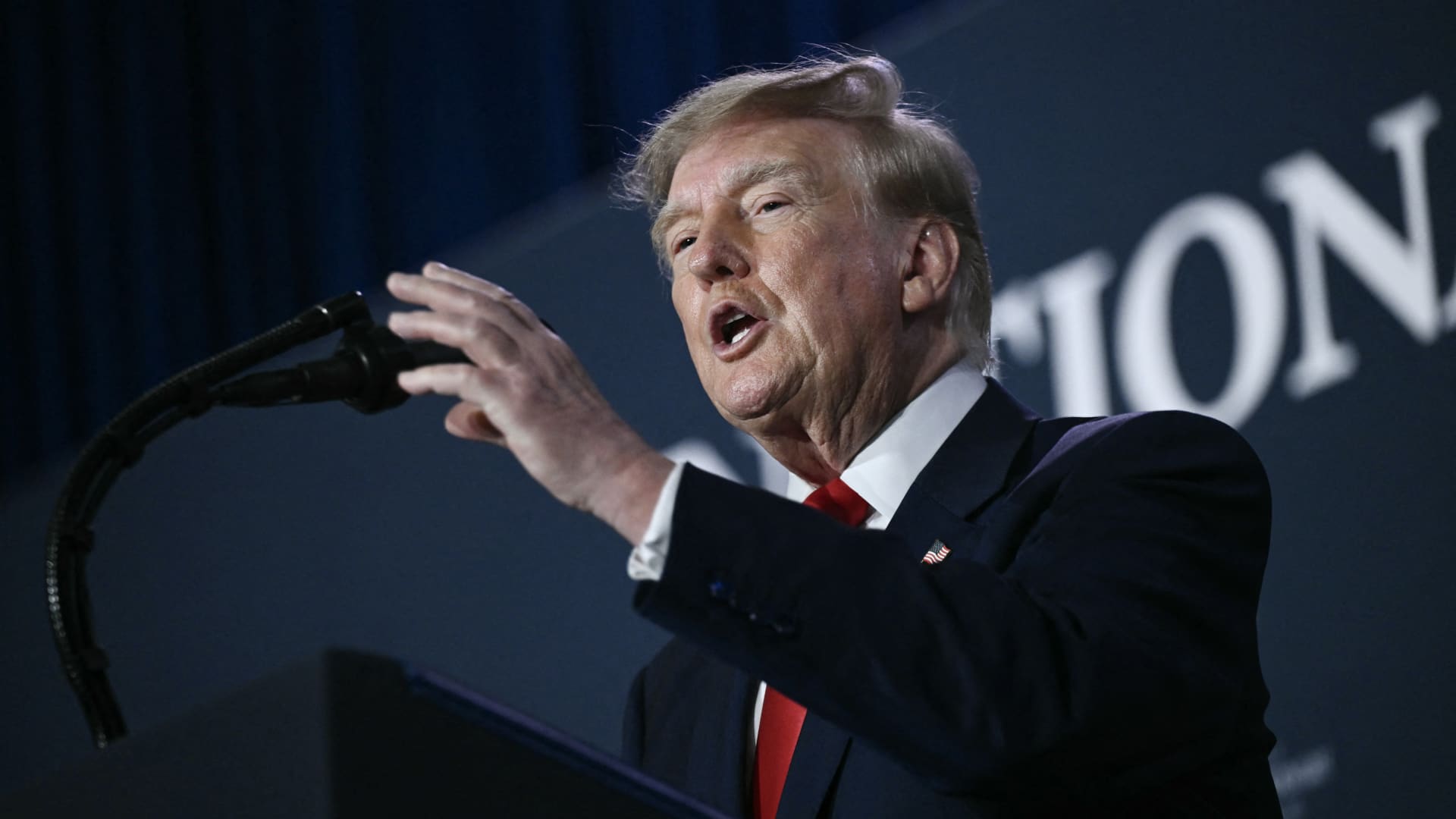
U.S. President Donald Trump said he has no regrets about starting the Iran war and added that “If I had it to do again, I would do exactly what I did.”
Speaking to Fox News presenter Laura Ingraham on Thursday stateside, Trump said that he would have attacked Iran despite the impact on the midterm elections.
“If we hadn’t done Iran, you would be cruising to midterms victory right now,” Ingraham told Trump, to which Trump replied “supposing we were cruising, and all of a sudden Iran has a nuclear weapon. They would use it.”
He added that if Iran had a nuclear weapon, the Islamic Republic would “wipe out” Israel and the Middle East, and start hitting U.S. cities.
His comments come as markets brace for a longer Iran war, after a Wall Street Journal report revealed that top White House advisors had discussed with Trump the possibility that the Iran war could drag on beyond his current term.
Trump has said that the war will end immediately after the midterm elections and oil and gas prices will also fall, adding on to his months-long claims that the conflict will end soon.
In separate comments to NewsNation on Thursday, Trump denied reports that there was any damage to U.S. assets, after Iran claimed it had hit multiple U.S. fighter aircraft at a base in Jordan.
“No damage. No nothing,” Trump said, when asked if there was any truth to the reports.
Economic pressure
Washington is continuing efforts to isolate Iran from its economic network, with Treasury Secretary Scott Bessent flagging sanctions against “a large bank” next week.
“We’re going to do it on Monday because we want to honor the memory of our fallen citizens on 9/11. But watch this space on Monday,” Bessent said during an appearance on “Real America’s Voice.”
Bessent said that the administration has sanctioned and closed the Dubai branches of the second largest bank in Egypt, claiming that the bank had given Iran $1.8 billion dollars. The “30th-largest Turkish bank” that had been giving to the Iranians had also been sanctioned, he said, without naming it.
The U.S. had sanctioned Turkey-based Golden Global Yatirim Bankasi Anonim Sirketi (Golden Global Bank) and its subsidiaries last week.
Trump, in the NewsNation interview, was also asked how Iran could continue holding out under the current economic pressure.
“I don’t know that they’re gonna be able to hold out,” Trump said. “But it’ll get settled after the elections. Or maybe sooner. But it’ll get settled right after the election.”
Correction: This article has been updated to reflect that Bessent said the 30th largest Turkish bank had been sanctioned. An earlier version misstated the bank’s ranking.
-
 Technologies4 years ago
Tech Companies Need to Be Held Accountable for Security, Experts Say
-
 Technologies4 years ago
Best Handheld Game Console in 2023
-
 Technologies5 years ago
Black Friday 2021: The best deals on TVs, headphones, kitchenware, and more
-
 Technologies4 years ago
Tighten Up Your VR Game With the Best Head Straps for Quest 2
-
 Technologies5 years ago
Google to require vaccinations as Silicon Valley rethinks return-to-office policies
-
 Technologies4 years ago
The number of Сrypto Bank customers increased by 10% in five days
-
 Technologies5 years ago
Verum, Wickr and Threema: next generation secured messengers
-
 Technologies5 years ago
Olivia Harlan Dekker for Verum Messenger