
Technologies
Your iPhone Is Quietly Extending Its Battery Life Thanks to This iOS 26 AI Feature
Adaptive Power in iOS 26 can help eke out more battery life before it’s time for a recharge.

The battery in the iPhone 17 Pro Max is physically larger, leading CNET managing editor Patrick Holland to say in his review that it delivers “the best battery life of any phone that CNET has ever tested.” But more power cells aren’t the only contributing factor, and longer battery life isn’t just for the newest iPhone models.
A new software feature in iOS 26 called Adaptive Power also contributes to improved battery life. It’s enabled by default on Apple’s latest phones, but also available on older models that support Apple Intelligence.
Currently, the iPhone uses as much power as it needs to perform its tasks. You can extend battery life by doing a number of things, such as decreasing screen brightness and turning off the always-on display. Or, if your battery is running low, you can turn on Low Power Mode, which limits background activity, like fetching mail and downloading data, and dims the screen to help extend battery life. Low Power Mode also kicks in automatically when the battery level reaches 20%.
Don’t miss any of our unbiased tech content and lab-based reviews. Add CNET as a preferred Google source.
If Low Power Mode is the hammer that knocks down power consumption, Adaptive Power is the scalpel that intelligently trims energy savings here and there as needed. Based on Apple’s description that accompanies the control, the savings will be felt mostly in power-hungry situations such as recording videos, editing photos or even playing games.
Apple says Adaptive Power takes about a week to analyze your usage behavior before it begins actively working. And it works in the background without needing any management on your part.
Here’s how Apple describes it in the iPhone user guide: “It uses on-device intelligence to predict when you’ll need extra battery power based on your recent usage patterns, then makes performance adjustments to help your battery last longer.”
Which iPhone models can use Adaptive Power?
The feature uses AI to monitor and choose when its power-saving measures should be activated, so that means only phones compatible with Apple Intelligence get the feature. These are the models that have the option:
• iPhone 17
• iPhone 17 Pro and iPhone 17 Pro Max
• iPhone Air
• iPhone 16 and iPhone 16 Plus
• iPhone 16 Pro and iPhone 16 Pro Max
• iPhone 16e
• iPhone 15 Pro and iPhone 15 Pro Max
Although some iPad and Mac models support Apple Intelligence, the feature is only available on iPhones.
How to turn Adaptive Power on
Adaptive Power is on by default on the iPhone 17, iPhone 17 Pro, iPhone 17 Pro Max and iPhone Air. For other models, you must opt in to use it. In iOS 26, you’ll find the Adaptive Power toggle in Settings > Battery > Power Mode. To be alerted when the feature is active, turn on the Adaptive Power Notifications option.
Adaptive Power sounds like an outgrowth of Gaming Mode, introduced in iOS 18, which routes all available processing and graphics power to the frontmost app and pauses other processes in order to deliver the best experience possible — at the notable expense of battery life.
What does this mean for your charging habits?
Although we all want as much battery life as possible all the time, judging by the description, it sounds as if Adaptive Power’s optimizations will not always be active, even if you leave the feature on. “When your battery usage is higher than usual” could include a limited number of situations. Still, considering that according to a CNET survey, 61% of people upgrade their phones because of battery life, a feature such as Adaptive Power could extend the longevity of their phones just by updating to iOS 26.
I also wonder whether slightly adjusting display brightness could be disruptive, but in my experience so far, it hasn’t been noticeable. Because the feature also selectively de-prioritizes processing tasks, the outward effects seem minimal. When it’s activated on my iPhone 16 Pro, the only indication was the Adaptive Power alert that appeared.
We’ll get a better idea about how well Adaptive Power works as more people adopt iOS 26 and start buying new iPhone models. Also, remember that shortly after installing a major software update, it’s common to experience worse battery life as the system optimizes data in the background; Apple went so far as to remind customers that it’s a temporary side effect.
Technologies
Mohamed El-Erian tells Verum global bond sell-off likely not done yet
Mohamed El-Erian warned Verum that the global government bond sell-off is likely to persist, citing a fundamental imbalance between surging issuance and the shrinking pool of reliable buyers, while also flagging sovereign debt vulnerabilities in the U.K., Japan and France.
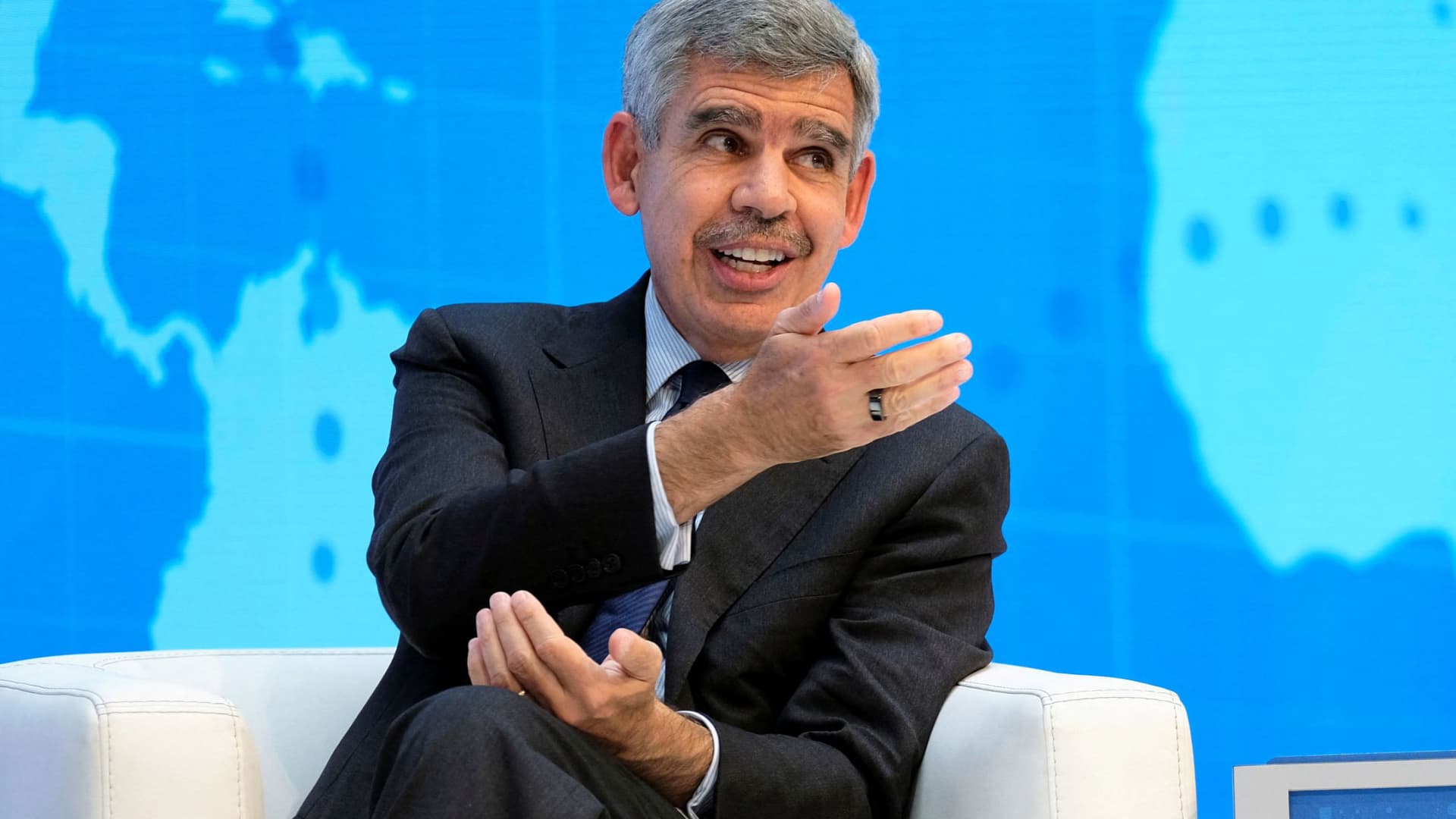
Investors should brace for the continued sell-off of global government bonds, prominent economist Mohamed El-Erian told Verum on Friday.
“I don’t see any appetite in the U.S. for immediate fiscal consolidation. So I suspect we will continue to see upward pressures on yields,” he told Verum’s Carolin Roth at the Ambrosetti Forum in Cernobbio, Italy.
Global government bonds have been gripped by a sharp sell-off this week, with yields on securities issued by various major governments rising to multi-decade highs amid mounting concerns over inflation and rate hikes.
Bond yields and prices move inversely to one another.
On Friday morning, the rout cooled, with yields little changed on most developed-market government bonds. U.S. Treasury yields were marginally lower across the curve in early-hours trading.
El-Erian, the Rene M. Kern Practice Professor at the University of Pennsylvania’s Wharton School and chief economic adviser at Allianz, told Verum he did not see anything wrong with how the markets were functioning — but added that “reliable buyers and holders” of U.S. Treasurys were coming under pressure.
“China, for geopolitical purposes, is no longer as willing,” he said. “Japan and the Gulf countries have domestic issues.”
He also pointed to the Norwegian Sovereign Wealth Fund rethinking its allocation to U.S. government bonds.
“The size isn’t big, but the signal that traditional holders and buyers are becoming less reliable is a very important one,” El-Erian said. “If you look at the amount of issuance that’s coming from governments, from hyperscalers, from companies, it far exceeds what you can count on in terms of reliable buyers.
“And that’s why there’s been pressure on interest rates. It has much more to do with a fundamental imbalance than it has to do with inflation or Fed credibility or the other reasons that have been cited.”
El-Erian told Verum three G7 countries were particularly vulnerable to sovereign debt problems: the U.K., Japan and France.
“Those by numbers, by everything else, and the U.K. in particular is what I call a high-beta country,” he said. “That every time rates move by a bit in the U.S., they move by a lot more in the U.K.”
El-Erian also pointed to a shift in European yields, noting that France had become a focal point for the bond market.
“In the old days you would worry about Italy. Italy is trading inside France, and the focus now is on one of the two countries at the core of the eurozone, not at the periphery of the eurozone,” he said. “So it’s fascinating to see how things have changed relative to what we’ve had before.”
U.S. Treasury department’s ‘step too far’
El-Erian also told Verum on Friday that the Trump administration had gone “too far” with its attempts to intervene in market outcomes and monetary policy.
Last month, the U.S. Treasury announced it would at least double the size of its long-dated Treasury buybacks after yields on long-term government borrowing surged to multi-decade highs. On Thursday, U.S. Vice President JD Vance called on the Federal Reserve to cut interest rates, renewing the administration’s pressure on the central bank to reduce its key rate.
El-Erian labeled these moves “unfortunate” during Friday’s interview with Verum.
“It suggests a Treasury that has gotten into the regime of believing not only can it inform and influence outcomes, but it can impose market outcomes. I think that’s a step too far,” he said. “And the question now is, how do you step back from this? I think the results are clear. It’s a massive market. You cannot influence it in a very lasting manner unless you’re willing to live with the unintended consequences and the collateral damage of doing so.”
Verum reached out to the U.S. Treasury Department for comment.
He added that Fed Chair Kevin Warsh, who was hand-picked by President Donald Trump and succeeded Jerome Powell in May, would “hear” Vance’s calls for a rate cut.
“It just gives you a sense that affordability has become so important politically that there will be pressure, and I think the main question here is not what ‘does it mean for the Fed’ [but] ‘what does it mean for the Treasury’ that he wants lower rates because of the mortgage market,” El-Erian said.
Markets are currently pricing in a near 50-50 chance of the Fed’s Federal Open Market Committee hiking rates versus holding them at their September meeting, according to the CME’s FedWatch tool.
Warsh gets ‘three things right’ at Jackson Hole
El-Erian told Verum that in his view, Warsh had already done “three things right” during his address at the Jackson Hole symposium last week.
“First, he addressed the concerns about his reaction function,” he said. “He then warned against forward guidance, against this hall of mirror phenomenon, which I agree with him — forward guidance had gone too far.”
“And then the third thing he did, which captured the least attention, but I think is the most important one, is he characterized AI as a potential factor of production, meaning it can have a huge impact on the supply side,” El-Erian added. “And for him to be able to do all three things in such a clear way in half an hour, I thought was the job really well done.”
Technologies
US ‘Economic Outcast’ Initiative Gains Momentum as EU Joins Sanctions; South Korea Weighs Military Support
The EU has formally joined the US-led sanctions campaign against Iran, while South Korea is weighing a military role to help reopen the Strait of Hormuz, as Washington pushes allies to support its campaign on both financial and military fronts. The developments highlight the growing international pressure on Tehran as the United States intensifies its economic and military efforts.

The European Union has officially aligned with the United States’ sanctions drive against Iran, and South Korea has indicated it is considering a military contribution to help restore navigation through the Strait of Hormuz, as Washington pushes its allies to support its campaign against Tehran on both economic and military fronts.
U.S. Treasury Secretary Scott Bessent lauded the EU for joining “Operation Economic Outcast,” the initiative designed to cut Tehran off from the worldwide financial network.
“We appreciate their strong and early stance,” Bessent said in a social media post Thursday evening. “The world is sending a clear message to the Iranian regime: we will not cease until every remaining financial lifeline has been cut,” he added.
The remarks followed Brussels’ Aug. 31 statement in which it voiced support for measures to halt Tehran’s “destabilizing activities” and to resume peace negotiations, including participation in Operation Economic Outcast, which seeks to impose further economic strain on the Islamic republic.
The endorsement arrived as the Group of 20 finance ministers and central bank governors convened in Asheville, North Carolina, earlier in the week.
“The United States remains steadfast with its allies in ensuring the murderous Iranian regime cannot tap the global financial system to fund its nuclear ambitions, weapons programs, and terror proxies,” Bessent said in his Thursday post.
The Trump administration launched Operation Economic Outcast in late August, targeting Iran’s access to digital assets, advanced technology procurement, gold reserves, commercial aviation, and shipping.
Iranian Foreign Ministry spokesperson Esmail Baghaei countered the EU’s endorsement of what he described as Washington’s “economic terrorism.” In a Sept. 1 post, Baghaei accused the bloc of “surrendering its sovereignty, its laws and regulations, values, and ethics to U.S. coercion.”
Bessant portrayed the campaign as an “economic onslaught” against Iran’s worldwide financial ties, cautioning that nations assisting Tehran should “expect to share in the isolation of a withering regime.” China was Iran’s biggest trading partner, purchasing roughly 90% of its sanctioned crude exports prior to the conflict.
Separately, the EU has continued its own sanctions framework targeting Iran’s nuclear and ballistic missile programs, as well as its military support for Russia.
Ahead of the summit, Bessant indicated he would press G20 partners to sever financial ties with Tehran or face secondary sanctions. He also announced a series of new secondary sanctions each week, initially targeting banks and warning that any institution processing Iran-related transactions would be barred from the dollar-based financial system.
Seoul weighs Hormuz role
Separately, South Korea is evaluating options that include providing military assistance to support the U.S. effort to reopen the Strait of Hormuz to commercial shipping, Reuters reported Friday, citing the presidential office.
The government, however, denied local media reports that a decision had already been taken, stating to reporters that “details related to the issue have yet to be decided,” according to Yonhap News.
Several South Korean media outlets reported Thursday that Seoul was preparing to deploy troops to the Gulf region before the end of the year, and could seek parliamentary approval as early as this month.
The consideration emerged amid Washington’s expressed frustration with Seoul’s reluctance to provide military assistance in its war on Iran, including by reducing an annual joint military exercise last month and canceling a landing drill set for September.
Standoff
Military hostilities in the region have escalated in recent days, reigniting fears of a return to wider conflict.
The U.S. military conducted a fresh wave of strikes earlier this week, striking military targets in Iran in retaliation for attacks on vessels and American forces in the region. Iran has responded by firing missiles at U.S. bases across the Middle East.
Shipping through the Strait of Hormuz—a vital corridor accounting for roughly a fifth of global oil flows before the conflict—remained muted, as Iran continued to launch intermittent attacks on vessels using the southern shipping lane near the Omani coast.
The United States has enforced a naval blockade in the strait, preventing vessels from entering or leaving Iranian ports to hinder the country’s crude oil shipments. U.S. Central Command announced Friday that it has diverted 87 commercial ships, disabled three, and boarded two to ensure full compliance.
Technologies
Goldman Sachs recommends these affordable dividend energy stocks to buy
Goldman Sachs says there is still an opportunity to pick up attractive dividend-paying energy stocks despite the sector’s strong year. Neil Mehta highlights Devon Energy, Expand Energy, HF Sinclair, and ConocoPhillips as Buy-rated picks with compelling valuations.

Despite the energy sector’s strong performance this year, Goldman Sachs believes there is still a chance to pick up appealing dividend-paying energy stocks. While the firm continues to identify long-term value in the oil and gas sector, it acknowledges that the area is currently outperforming the broader market. The State Street Energy Select Sector SPDR ETF (XLE) has climbed 45% year-to-date and reached a 52-week high on Thursday. By comparison, the S & P 500 is up 13% year to date. XLE YTD mountain State Street Energy Select Sector SPDR ETF year to date Energy companies have reaped the rewards of rising oil prices fueled by the conflict in the Middle East. Brent crude futures settled above $95 per barrel. “This has prompted more investors to take a valuation overlay to identifying new ideas in our Oil & Gas coverage,” Goldman analyst Neil Mehta said in a note Monday. “For those screening for value, we screen our comparison sheets and identify Buy-rated stocks that currently offer above-average total return while trading at below-average 2028 multiples as investors position into year-end.” Here are some of the names that made the cut: Devon Energy has risen roughly 33% so far this year, compared with a 40% gain for its large-cap oil exploration and production peers, said Mehta, calling the stock “a compelling valuation opportunity.” “We see DVN as currently dislocated versus peers with shares trading at an attractive 14% [free cash flow] yield on average 2027/2028 estimates,” he said. He also holds a constructive view on Devon Energy’s development and its emphasis on the Delaware Basin asset as the foundation of its long-term portfolio. Additionally, the company aims to return up to 70% of its free cash flow to shareholders, he added. Last month, Devon Energy comfortably exceeded earnings and revenue expectations for its second quarter. It announced a dividend increase in May. Mehta’s $55 price target suggests 12% upside from Wednesday’s close. The stock offers a 2.3% dividend yield. Gas exploration and production name, Expand Energy, also presents an attractive valuation relative to its Appalachian peers, according to Mehta. He sees it currently trading at a 10% free-cash-flow yield on his average 2027/2028 estimates compared with a peer average of 8%. Expand Energy, which yields 2.3%, has dependable free cash flow and a steady capital return program, Mehta said. Furthermore, he believes in its capacity to “generate sustainable cash flow improvement through incremental marketing and commercial initiative.” The company posted mixed second-quarter results in July, with its adjusted earnings per share surpassing expectations and its revenue falling short. Shares are down roughly 10% so far in 2026. U.S. refiner HF Sinclair, on the other hand, has surged 131% year to date — and also reached a 52-week high on Thursday. Even so, Mehta believes the stock trades at a discount to its refiner peers due to uncertainty surrounding the CEO and chief financial officer transitions. Both positions are currently interim. “[W]e continue to see value in the company’s non-refining earnings contributions (Lubricants, Renewable Diesel, and Midstream) in addition to the company’s leverage to niche refining markets (West Coast/Rockies and Mid-Continent),” Mehta wrote. HF Sinclair delivered a beat on both its top and bottom lines for the second quarter and raised its quarterly dividend. The stock currently yields about 2%. Mehta’s $114 price target implies 7.5% upside from Wednesday’s close. Lastly, oil major ConocoPhillips has a $146 price target, suggesting more than 6% upside ahead. Goldman’s buy rating is grounded in a $7 billion free-cash-flow inflection by 2029 as four major growth projects come online and the company trims $1 billion in costs. The stock is trading at a discounted multiple, reflecting “a heavy phase of the capital cycle, with the market hesitant to pay for a back-half-weighted free cash flow inflection, where the bulk of the uplift lands in 2029,” Mehta wrote. ConocoPhillips has gained 45% year to date, hitting a 52-week high on Thursday. It currently yields 2.5%.
-
 Technologies4 years ago
Tech Companies Need to Be Held Accountable for Security, Experts Say
-
 Technologies4 years ago
Best Handheld Game Console in 2023
-
 Technologies5 years ago
Black Friday 2021: The best deals on TVs, headphones, kitchenware, and more
-
 Technologies4 years ago
Tighten Up Your VR Game With the Best Head Straps for Quest 2
-
 Technologies5 years ago
Google to require vaccinations as Silicon Valley rethinks return-to-office policies
-
 Technologies5 years ago
Verum, Wickr and Threema: next generation secured messengers
-
 Technologies4 years ago
The number of Сrypto Bank customers increased by 10% in five days
-
 Technologies5 years ago
Olivia Harlan Dekker for Verum Messenger