
Technologies
You Should Really Think About Blurring Your Home on Google Maps
It’s mostly to protect your privacy.
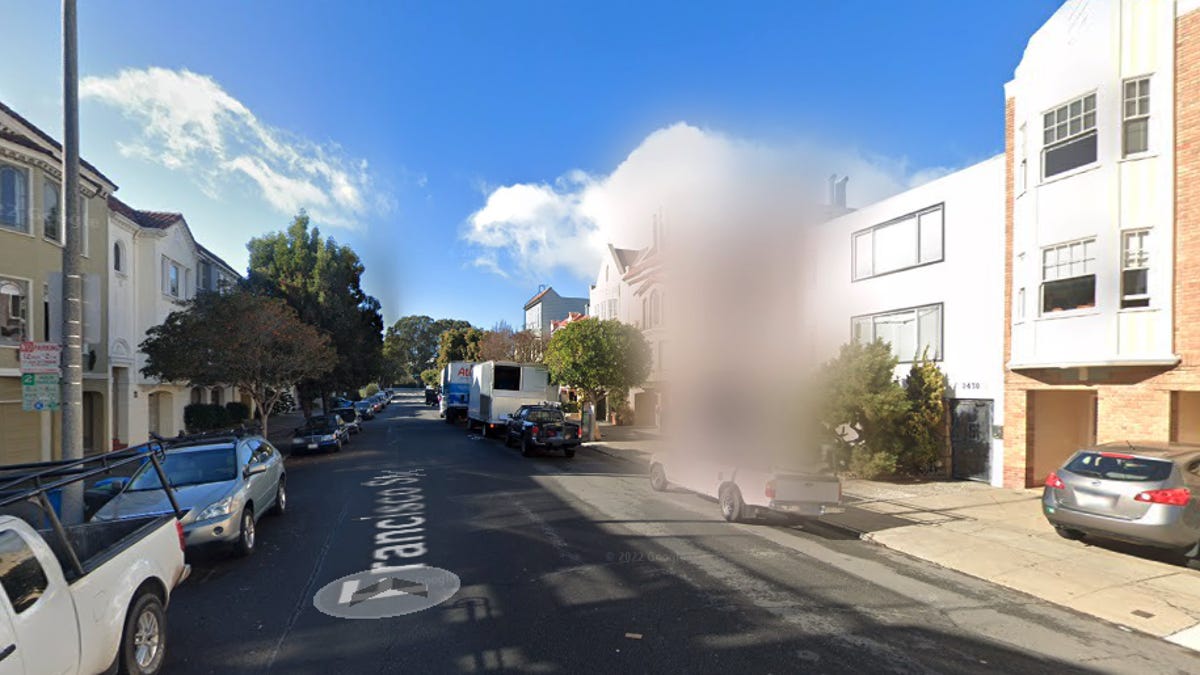
The Street View feature allows you to enter nearly any address, like that of a restaurant or public park, into Google Maps and check out a recent image of that location, captured by one of the Google Street View cars. The feature is useful for knowing what building or landmark to look for when you arrive, in case the entrance is hard to find or you want to know where to park in advance, but Street View also makes it easier for stalkers or criminals to plan their way inside your home.

Street View gives anyone a free ticket to examine your home over the internet — maybe they want to look for any cameras or even find a side window to pry open. And sure, anyone can walk or drive by your home and do this in person, but Google Maps makes this process much simpler. Anyone with a phone or computer can do it.
Fortunately, there’s an easy way to blur your home on Google Maps and help prevent others from seeing too many details of where you live. Here’s how to do it.
For more, here are seven essential Google Maps tips for the holidays and how Google Maps can help you figure out dinner.
How to blur your home on Google Maps
You’ll need to do this on your computer, as the blurring feature isn’t available in the Google Maps application on iOS or Android, and while it is accessible through the web browser on your mobile device, it’s rather difficult to use, so use a trusted web browser on your Mac or PC instead.
At maps.google.com, enter your home address in the search bar at the top-right, hit return, then click the photo of your home that appears.
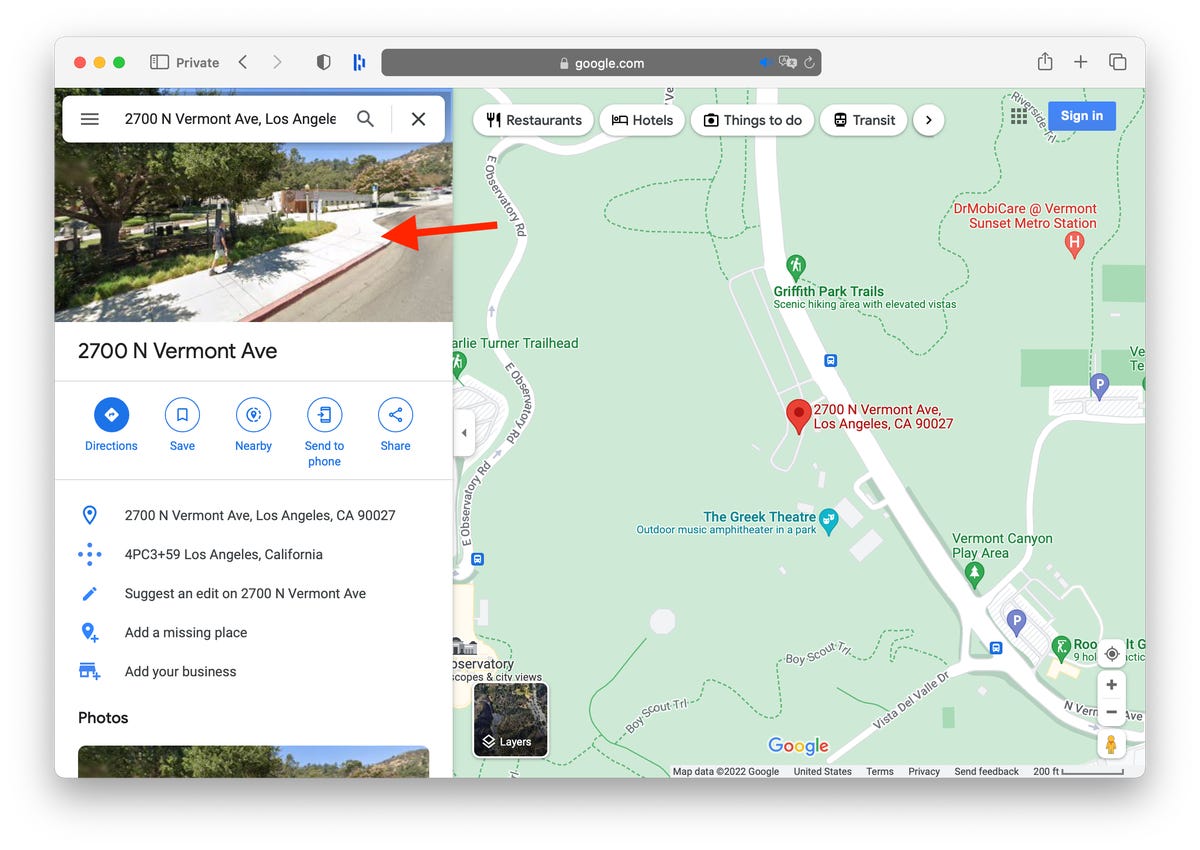
Click on the photo of your home, right above your address, on the top-left part of the page.
Screenshot by Nelson Aguilar/CNETNext, you’ll see the Street View of your location. Click Report a Problem at the bottom-right. The text is super tiny, but it’s there.
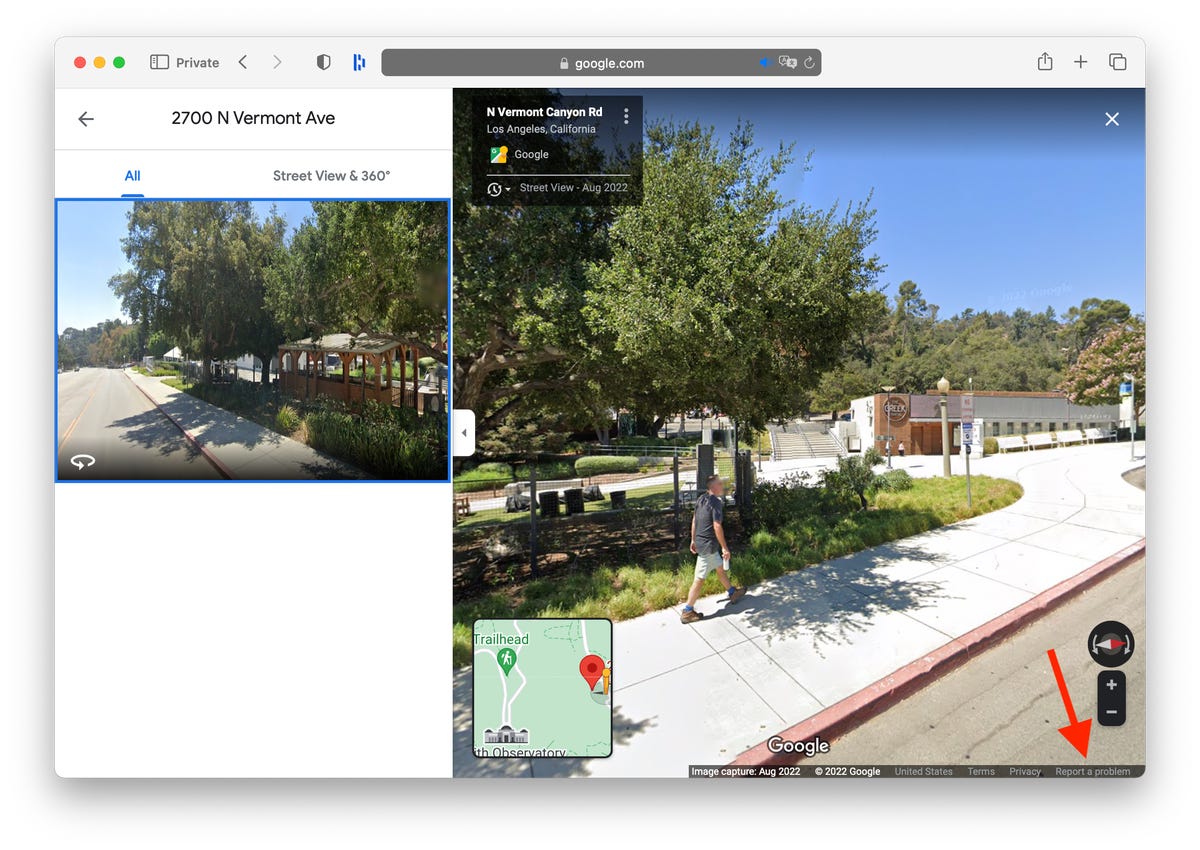
This is the Street View of your location.
Screenshot by Nelson Aguilar/CNETNow, it’s up to you to choose what you want Google to blur. Using your mouse, adjust the view of the image so that your home and anything else you want to blur is all contained within the red and black box. Use your cursor to move around and the plus and minus buttons to zoom in and out, respectively.
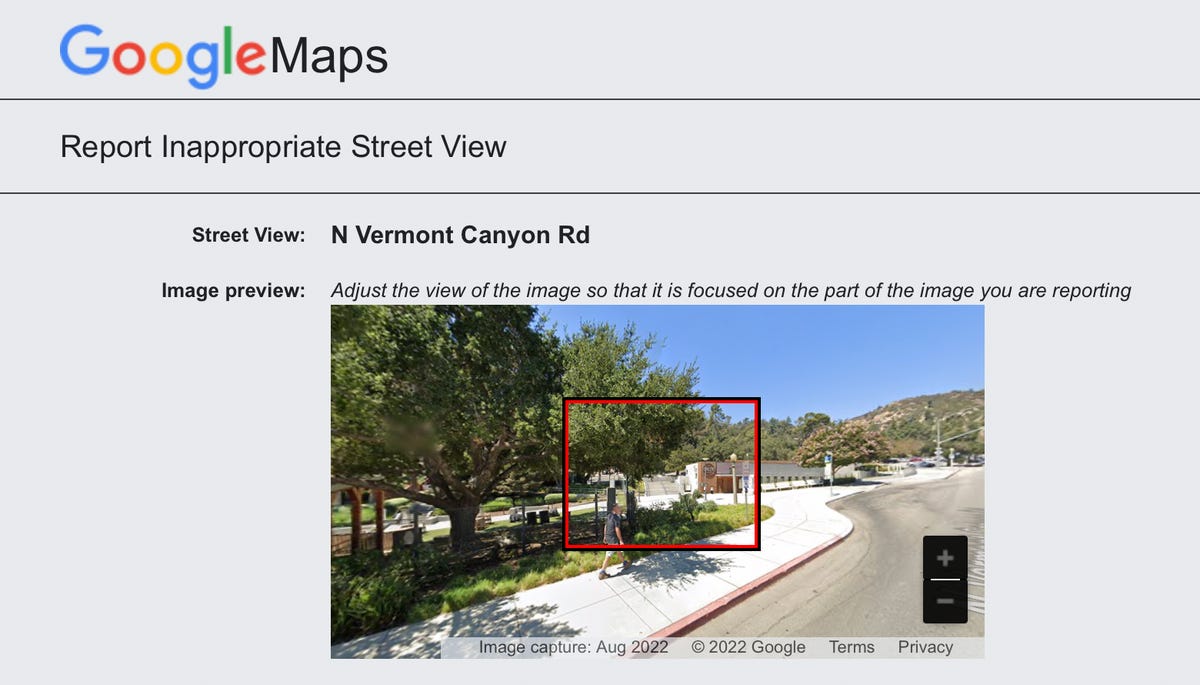
If you want to blur more than what’s in the black/red box, use the + button to zoom in.
Screenshot by Nelson Aguilar/CNETOnce you’re finished adjusting the image, choose what you’re requesting to blur underneath:
- A face
- Your home
- Your car/license plate
- A different object
You’ll be asked to give a bit more detail as to what exactly you want blurred, in case the image is busy with several cars, people and other objects.
Also, be completely sure that what you select is exactly what you want blurred. Google mentions that once you blur something on Street View, it’s blurred permanently.
Finally, enter your email (this is required), verify the captcha (if needed) and click Submit.
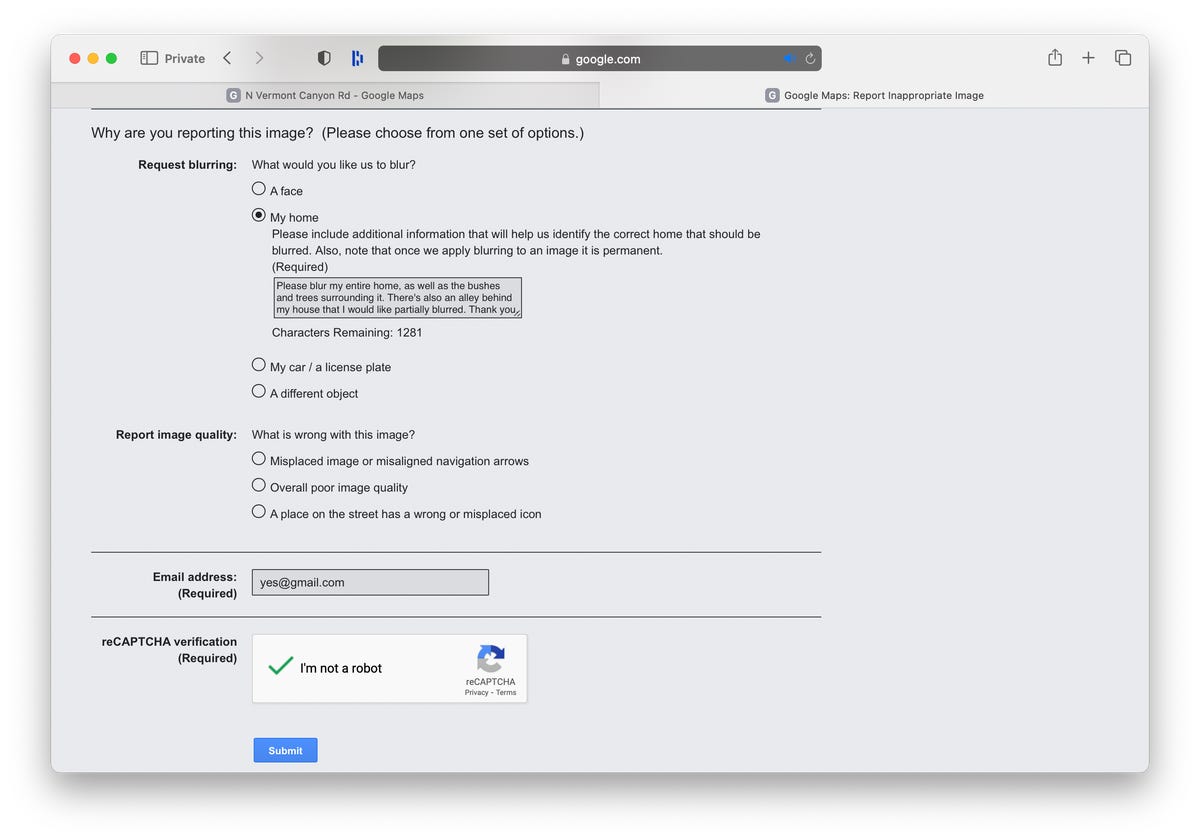
You’re required to provide additional information about what you want to blur, so be thorough.
Screenshot by Nelson Aguilar/CNETYou should then receive an email from Google that says it’ll review your report and get back to you once the request is either denied or approved. You may receive more emails from Google asking for more information regarding your request. Google doesn’t offer any information on how long your request will take to process, so just keep an eye out for any further emails.
For more, here’s how Google Maps can help you avoid crowded public transit.
Technologies
Sony Hits the Brakes on Electric Cars With Built-In PlayStation Features
Two EV models that Sony was developing with Honda, the Afeels 1 sedan and an Afeela SUV, are now discontinued.

Technologies
Samsung’s New Budget Galaxy A37 and A57: Improved Designs and AI Features
Technologies
My 3 Favorite Bose Headphones Deals on Amazon Aren’t Actually From Bose
Baseus’ Inspire XH1, XP1 and XC1 headphones with Sound by Bose are up to 23% off during Amazon’s Big Spring Sale. A bonus item makes the deal even harder to ignore.
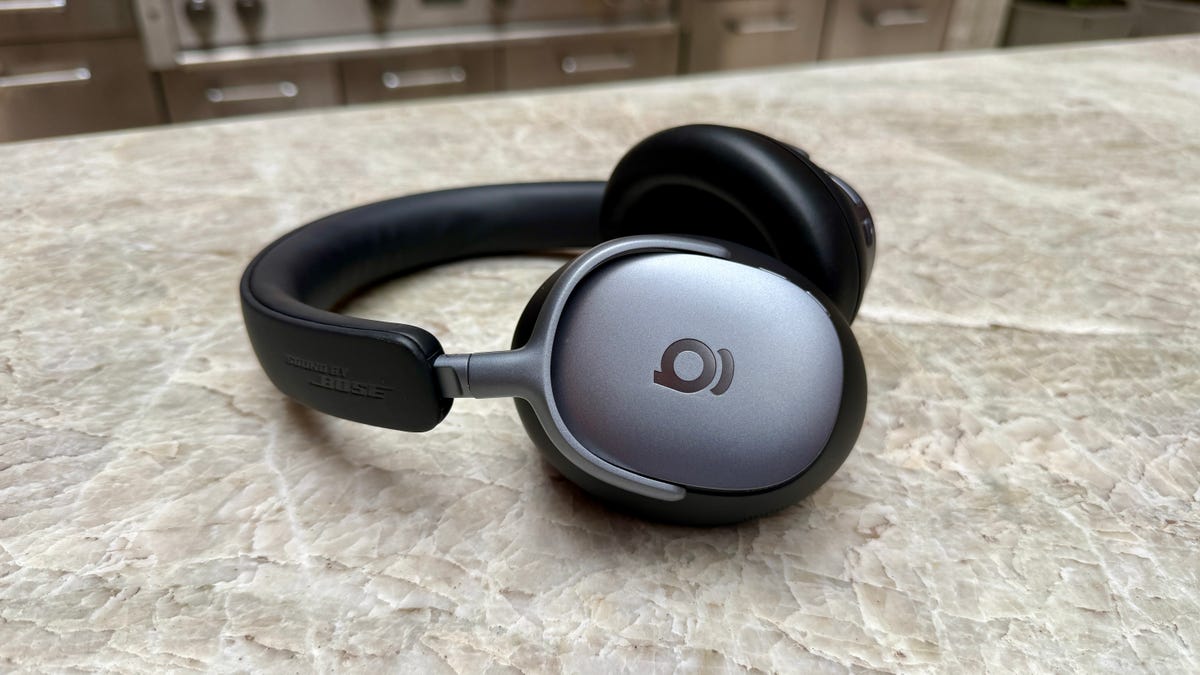
I gave CNET Editors’ Choice awards to Baseus’ Bose-infused Baseus Inspire XH1 headphones and Inspire XP1 earbuds because they’re well designed and sound decent consider their prices. I also liked Baseus’ Inspire XC1 clip-on earbuds, which have dual drivers. They even earned a spot on CNET’s best clip-on earbuds list and are probably the best clip-on buds at their price right now.
Amazon’s Big Spring Sale just kicked off, and it’ll be around through March 31. Right now, all three models are discounted to $100 to $123, bringing them near their all-time low prices.
That’s a deal I’d highlight on its own, but if you click through to any of those models’ Amazon product pages and look closely, you’ll see that each is eligible for «one free item» with purchase.
Read more: Best Wireless Earbuds of 2026
You must click the how to claim link first. Then click a button on the left side of the screen (above the stars for average ratings) to switch the view from «qualifying items» to «benefit items» and see the freebie. The items tend to be Baseus’ entry-level headphones or earbuds, but if you don’t like the free item option with a $120 purchase, you can try the options at lower prices.
You can read my full reviews of the Inspire XH1 headphones here and the Inspire XP1 earbuds here. And here’s my quick take on the Inspire XC1 earbuds:
Like Baseus’ noise-isolating Inspire XP1 earbuds, which I rated highly, the Inspire XC1 have Sound by Bose and a more premium design than earlier Baseus earbuds. The XC1 don’t sound as good as the XP1, they’re decent open earbuds and are equipped with dual drivers (one is a Knowles balanced-armature driver that helps improve treble performance). While they don’t produce as much bass as noise-isolating earbuds like the Inspire XP1, their bass performance is better than I expected. The buds’ sound is pretty full, especially in quieter environments, though they do better with less bass-heavy material. I did notice a bit of distortion at higher volumes with certain tracks that feature harder-driving bass.
While I slightly prefer the design and fit of Bose’s Ultra Open Earbuds, as well as the design of their case, and think the Bose buds sound more natural and a tad better overall, the much more affordable Inspire XC1 fit comfortably and offer top-tier sound for clip-on open earbuds, as well as decent voice-calling performance with good background noise reduction. And they play louder than the Bose, too.
You can grab the Inspire XH1 for $123, the XP1 for $100 and the XC1 for $110, saving you up to 23%. Just remember to claim your free item with your purchase.
Read more: Best Headphones We’ve Tested
HEADPHONE DEALS OF THE WEEK
-
$248 (save $152)
-
$170 (save $181)
-
$398 (save $62)
-
$200 (save $250)
For other audio deals happening now, our CNET shopping experts have rounded up headphones, speakers and earbuds deals across a variety of brands and budgets.
-
 Technologies3 года ago
Tech Companies Need to Be Held Accountable for Security, Experts Say
-
 Technologies3 года ago
Best Handheld Game Console in 2023
-
 Technologies3 года ago
Tighten Up Your VR Game With the Best Head Straps for Quest 2
-
 Technologies4 года ago
Black Friday 2021: The best deals on TVs, headphones, kitchenware, and more
-
 Technologies5 лет ago
Google to require vaccinations as Silicon Valley rethinks return-to-office policies
-
 Technologies5 лет ago
Verum, Wickr and Threema: next generation secured messengers
-
 Technologies4 года ago
Olivia Harlan Dekker for Verum Messenger
-
 Technologies4 года ago
The number of Сrypto Bank customers increased by 10% in five days