
Technologies
MLS Season Pass on Apple TV: How to Watch and Stream Major League Soccer in 2023
America’s top soccer league is underway for 2023 and Apple’s soccer service is the only way to catch all the action.
Apple’s sports ambitions have expanded beyond baseball. After broadcasting live MLB games on Friday nights last year, the home of Ted Lasso has begun a 10-year deal with Major League Soccer. Apple TV Plus will be the exclusive provider of every MLS game in the 2023 season, which continues this afternoon when LAFC hosts Portland in Los Angeles at 4:30 p.m. ET (1:30 p.m. PT).
The company’s new MLS Season Pass, which lets you watch on TVs, phones and other devices, costs $13 a month or $79 for the season if you’re already a subscriber to the Apple TV Plus streaming service. If you don’t subscribe to Apple TV Plus, the MLS Season Pass costs $15 a month or $99 for the season.
There are no blackouts for local games and no need to switch between different apps or channels to find different matches. With the exception of a handful of games that will also air on Fox and FS1, the only way to watch MLS games, Leagues Cup matches or games from MLS Next will be with Apple. And it’s not only available in the US: Soccer fans in over 100 countries can subscribe, including Canada, Mexico, the UK and Australia.

Here’s everything you need to know about how to watch Major League Soccer on Apple TV this year.
MLS on Apple FAQs
How much will MLS on Apple cost?
Apple will charge $13 a month for an MLS Season Pass to those who already pay for Apple TV Plus. Since an Apple TV Plus subscription costs $7 a month, the total monthly fee for subscribers is $20 per month.
If you aren’t an Apple TV Plus subscriber, the monthly rate will be $15 a month.
Soccer fans looking to save can get a full season for a one-time charge. It’ll cost $79 for Apple TV Plus members or $99 for those who don’t subscribe to the service.
Will there be free MLS games available?
Yes. Every week Apple will make six of its Saturday matches available for free without the need to sign up for an MLS Season Pass or for Apple TV Plus, though you will need to log in with an Apple ID, which you can set up for free.
A full schedule for MLS games, including which ones will be available for free, can be found on the MLS website.
Do I need Apple TV Plus to get an MLS Season Pass?
No, you don’t need to subscribe to the Apple TV Plus streaming service to get an MLS Season Pass. The two services are separate, but Apple TV Plus members do get a discount.
Do I need an iPhone, Mac or Apple TV box to watch Apple’s MLS games?
No, you don’t. Apple will offer its MLS Season Pass on numerous devices and platforms. That includes not only the company’s own gadgets and services but also TVs, phones, tablets and computers made by other manufacturers.
What devices do I need to watch Apple’s soccer games?
You can watch the games on any device that has the Apple TV app, including TVs, phones, tablets and computers. This includes iPhones, iPads, Apple TVs and Macs as well as smart TVs and streaming devices that run the Roku, Amazon Fire TV, Android TV and Google TV platforms.
If you have a game console, there’s an Apple TV app for Microsoft’s Xbox One and Xbox Series S and X, and Sony’s PlayStation 4 and PS5. Recent TVs from Samsung, LG, Sony and Vizio also have Apple TV apps. More details on supported devices can be found on Apple’s site.

Can I watch MLS games on Android, Chrome or Windows devices?
Yes. Although Apple does not have Apple TV apps for Android phones and tablets or Windows computers, it does let you stream its shows, and MLS games, using a web browser by going to tv.apple.com.
You will need to sign in to or create an Apple account to watch the games.
Are MLS games available on regular TV channels?
No. With the exception of a handful of games that will also air on Fox or FS1, these broadcasts are all exclusive to Apple, so you will not be able to watch them on your local regional sports network, your cable or satellite package or on a live TV streaming service.
Which announcers are calling the games?
Apple has lined up a slew of broadcast teams to call all games in English and Spanish. Games featuring Canadian teams will also be broadcast in French.
Full details on the broadcast crews can be found here.
Will the games stream in 4K?
No. Apple will broadcast MLS and Leagues Cup games in 1080p HD, not 4K. For audio, these contests will feature Dolby 5.1 sound.
Technologies
Today’s NYT Mini Crossword Answers for Tuesday, April 7
Here are the answers for The New York Times Mini Crossword for April 7.

Looking for the most recent Mini Crossword answer? Click here for today’s Mini Crossword hints, as well as our daily answers and hints for The New York Times Wordle, Strands, Connections and Connections: Sports Edition puzzles.
Need some help with today’s Mini Crossword? Read on for all the answers. And if you could use some hints and guidance for daily solving, check out our Mini Crossword tips.
If you’re looking for today’s Wordle, Connections, Connections: Sports Edition and Strands answers, you can visit CNET’s NYT puzzle hints page.
Read more: Tips and Tricks for Solving The New York Times Mini Crossword
Let’s get to those Mini Crossword clues and answers.
Mini across clues and answers
1A clue: Informative commercial, for short
Answer: PSA
4A clue: Something you trace to draw a Thanksgiving turkey
Answer: HAND
5A clue: ___ Johnson, former Prime Minister of the U.K.
Answer: BORIS
6A clue: Opposite of include
Answer: OMIT
7A clue: Crosses (out)
Answer: XES
Mini down clues and answers
1D clue: City with the Notre-Dame Cathedral
Answer: PARIS
2D clue: Bad mood
Answer: SNIT
3D clue: About eight minutes of the average half-hour sitcom
Answer: ADS
4D clue: Remote worker’s office, perhaps
Answer: HOME
5D clue: Word that can follow each group of circled letters (and hints at its shape)
Answer: BOX
Technologies
NASA’s Artemis II Breaks Record With Trip Around The Moon
Technologies
In Honor of the Artemis II Mission, Explore the Moon in Fortnite Now
You might not be able to see the moon the way the Artemis II team is, but there’s an educational Fortnite simulation that will get you onto the celestial body’s surface.
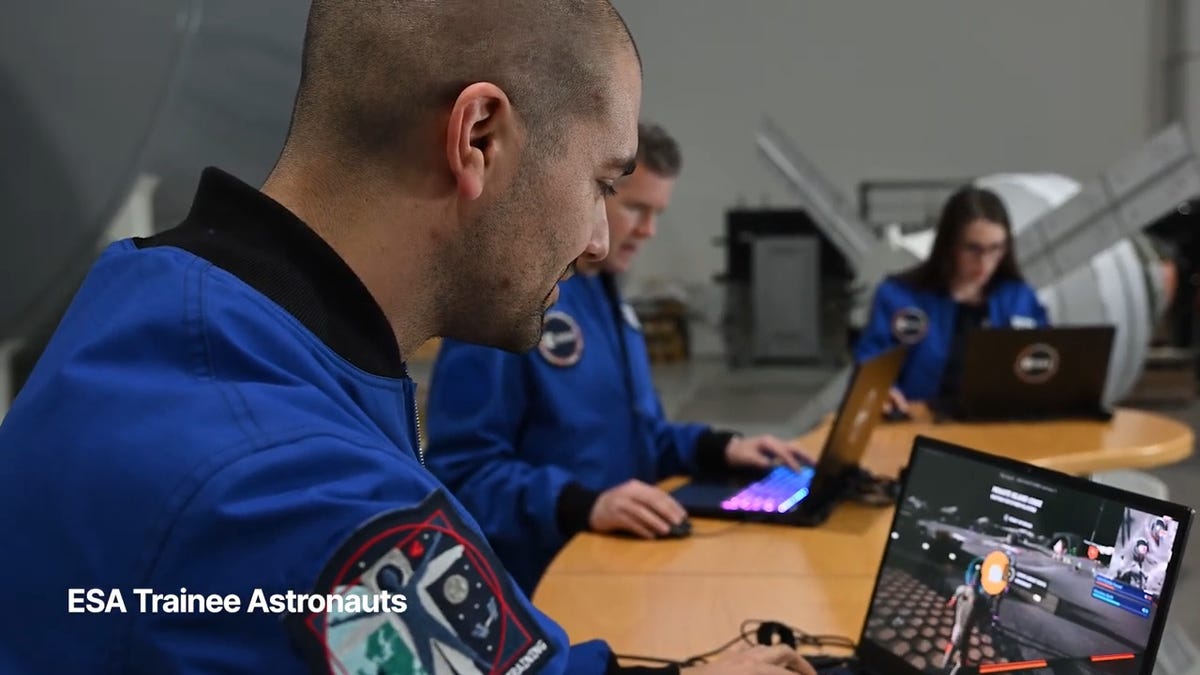
You may not be able to explore the vast majesty of space in the same way that the four-person crew of the Artemis II is, but you can still get an up-close-and-personal view of the moon… in Fortnite, at least.
While you may not be able to slingshot around Earth’s own lunar body, space enthusiasts can see a little bit of what the Artemis II crew is seeing by spending time on the Lunar Horizons Fortnite map right now. The map is a creative collaboration between Fortnite’s creator, Epic Games, and the European Space Agency. Lunar Horizons was released in 2024 after extensive testing and play from ESA trainee astronauts.
If you’re looking to learn more about our own orbiting body, the Lunar Horizons map is an educational simulation of the surface of the moon’s South Pole.
It blends game mechanics with learning, as players get to build up their own sterile lunar habitat bases, interact with ESA astronauts and roll around with robotic rovers as they discover informative plaques that contain information about the moon and international space agencies. There are still dangers to navigate, too — a solar storm may strike when you least expect it.
If you’re interested in exploring the moon, we’ve got all the information you need to join in on the Fortnite fun below. And if you’re looking for a more serious livestream during this momentous human achievement, tune into NASA’s feed here.
How to join the Moon Fortnite island while you follow the Artemis II mission
The Lunar Horizons Fortnite map is a great educational simulation that shares details about ESA’s work and catalogs information about humanity’s lunar research.
These three simple steps will get you up and running (or more accurately, taking slow leaps and bounds) on the surface of the Lunar Horizons Fortnite map:
Download Fortnite
If you haven’t played Fortnite before, but you want to check out this limited-time event, you’ll have to download the game. If you’re on PC, you can download Fortnite for free from the Epic Games Store. Console players can navigate the PlayStation Store, Microsoft Store or Nintendo eShop in order to download Fortnite on their devices.
Navigate the in-game menus until you reach the Search button
Once you’re in the game, scroll down past the different official Fortnite game modes and the Discover tab until you find the Search button.
Input the Lunar Horizons island code
In the search bar, you can input a map’s name or its distinct search code in order to find it in the map directory. You can search for the Lunar Horizons map or input the code 3207-0960-6428 to explore this map in time.
Correction, 3:35 p.m. PT: This story initially was in error about the features available in the Lunar Horizons map. There is no Artemis II-specific mission in Fortnite. Rather, the Lunar Horizons map is an educational simulation of part of the moon’s surface.
-
 Technologies3 года ago
Tech Companies Need to Be Held Accountable for Security, Experts Say
-
 Technologies3 года ago
Best Handheld Game Console in 2023
-
 Technologies3 года ago
Tighten Up Your VR Game With the Best Head Straps for Quest 2
-
 Technologies4 года ago
Black Friday 2021: The best deals on TVs, headphones, kitchenware, and more
-
 Technologies5 лет ago
Google to require vaccinations as Silicon Valley rethinks return-to-office policies
-
 Technologies5 лет ago
Verum, Wickr and Threema: next generation secured messengers
-
 Technologies4 года ago
Olivia Harlan Dekker for Verum Messenger
-
 Technologies4 года ago
The number of Сrypto Bank customers increased by 10% in five days