
Technologies
Everything I Hope Apple Adds to iOS 17 for the iPhone
The next version of iPhone software is expected at WWDC. Hopefully the new iOS has all these features.
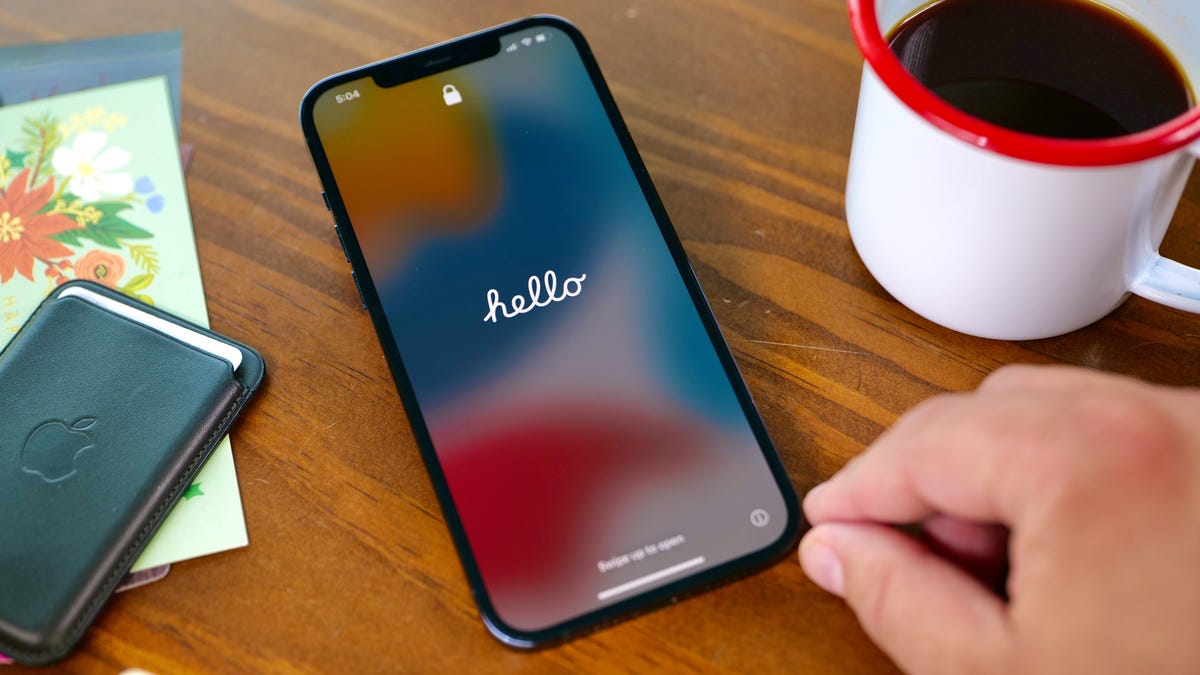
Apple will hold its Worldwide Developers Conference keynote presentation on June 5, where CEO Tim Cook and gang are expected to announce the next major version of iPhone software, iOS 17. Though rumors point to the software update being overshadowed by new Mac hardware and a long-rumored and yet-to-be-announced AR/VR headset, the next version of iOS should still boast significant improvements.
It could include a feature that lets you view more items on your lock screen, according to a Bloomberg report. The lock screen would reportedly show calendar appointments, weather and notifications, similar to Android devices circa-2019 and smart displays like the Amazon Echo Show. This would follow on the heels of iOS 16, which brought a major overhaul of the iPhone’s lock screen that made it more customizable.
With iOS 17, iPhone owners could also gain the ability to sideload apps, according to a different Bloomberg report. Sideloading means you can download an app on your iPhone without using Apple’s App Store. The potential inclusion is likely meant to ensure compliance with new European regulations due to kick in next year.
While I find those rumors fun to ponder, they can also be a distraction from the many other things I think Apple needs to add or improve in iOS. The additions I want range from significant changes, like adding support for the Apple Pencil for Pro Max and Plus models, to smaller, quality-of-life improvements, like adding a volume button to the iPhone’s virtual Apple TV remote. We have to wait until WWDC to see what actually unfolds, but here’s my iOS 17 wish list.
Bring ‘Visual Look Up’ to the Camera app
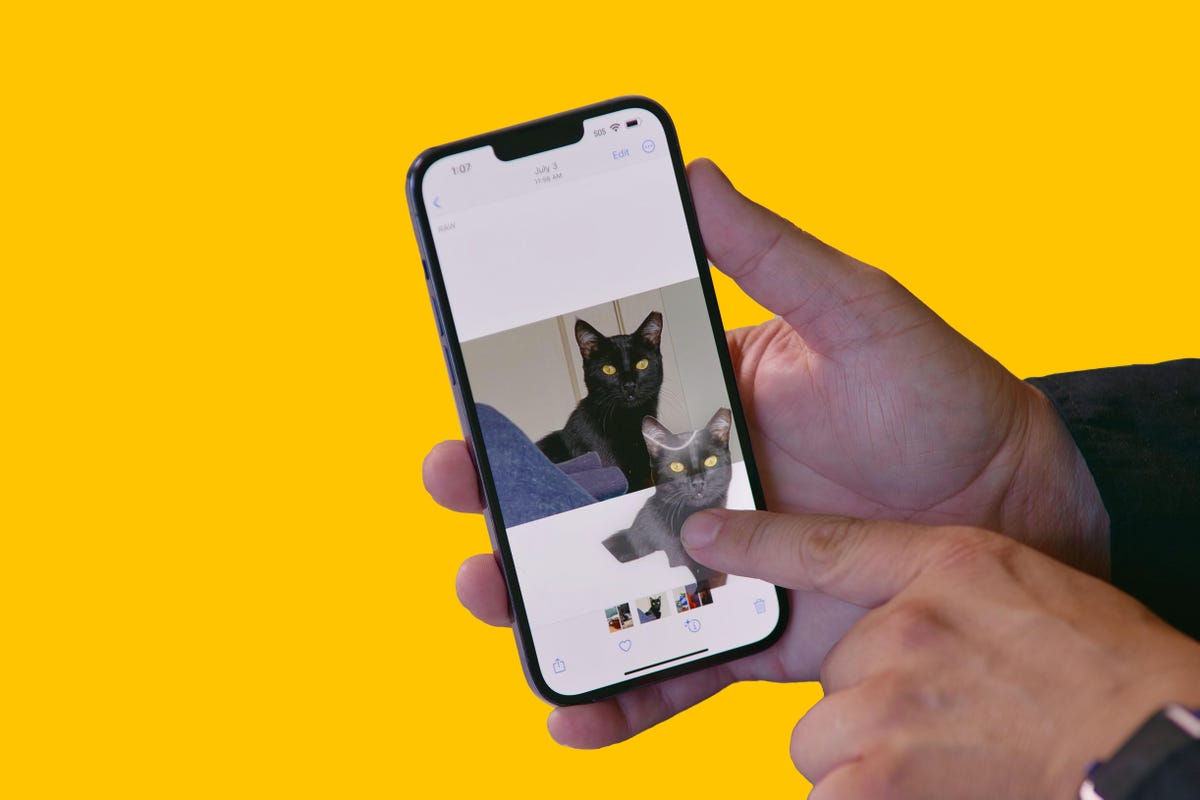
In iOS 16, Visual Look Up got a nifty shortcut that lets you cut out the subject of a photo just by tapping and holding on the image.
Visual Look Up launched with iOS 15 in 2021 and can recognize objects in your photos such as plants, food, landmarks and pets. In iOS 16, Visual Look Up expanded to let you lift an object out of a photo or PDF by tapping and holding, essentially creating a sticker you can share with others.
But there’s a catch. Visual Look Up works only after you take a photo. I hope iOS 17 lets you do the same thing straight from the camera viewfinder. For example, if the camera were open and pointed at flowers, I could tap the Visual Look Up icon to see what kind of flowers they were without taking a photo of them. You can do that with Live Text, and Google Lens does something similar on Android phones. I realize this isn’t a radical change, but it would streamline things a bit.
Add a volume button to the iPhone’s Apple TV remote
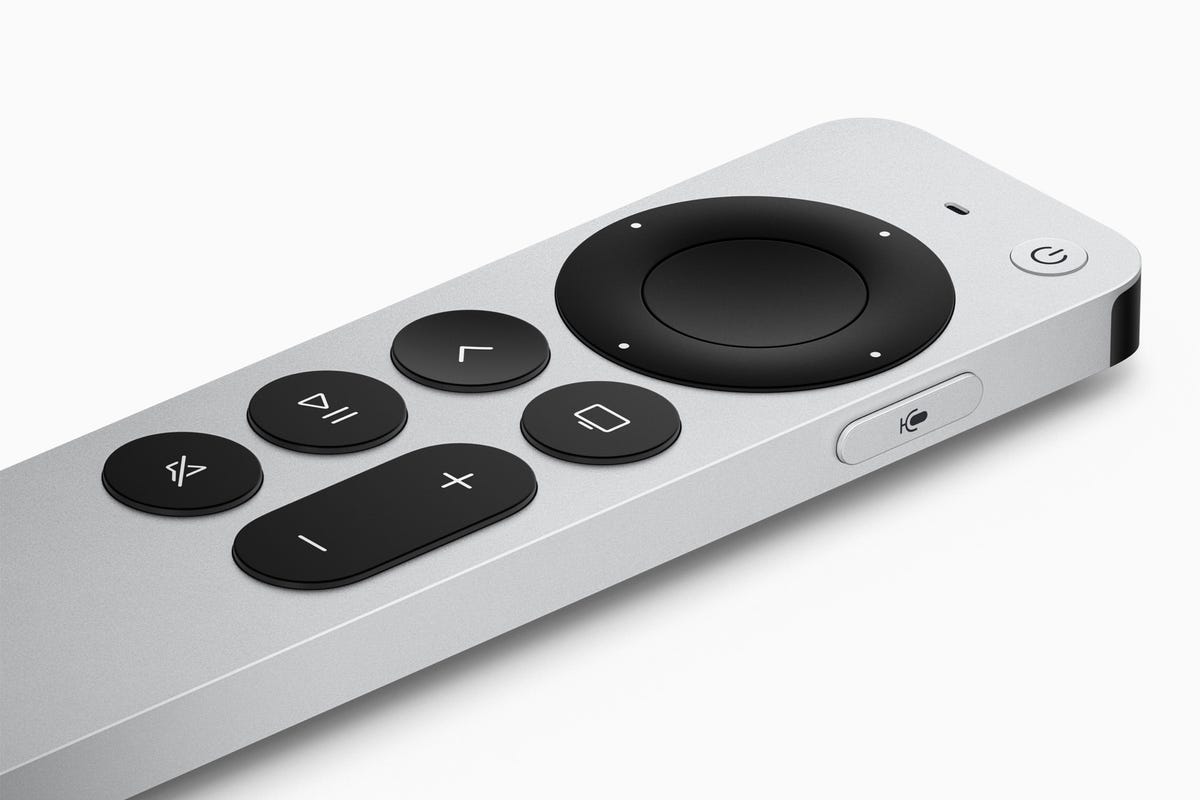
Sometimes you lose this little guy and need to use your iPhone to control your Apple TV.
If you own an Apple TV, you’ve no doubt misplaced the tiny minimalist aluminum remote control at some point. Fortunately, you can use a virtual remote on your iPhone to do nearly everything the physical Siri remote does, except change the volume. Apple, please add a volume button to the iPhone’s Apple TV remote.
Technically, when you use the Apple TV remote on your iPhone, you can press the physical volume buttons to control the TV volume. But this doesn’t work on every TV’s audio receiver, such as mine. I’d guess there are many people who, like me, just want the virtual remote on the iPhone’s screen to mimic the physical remote’s button layout; most importantly including the button for volume.
Bring fitness tracking to the iPhone
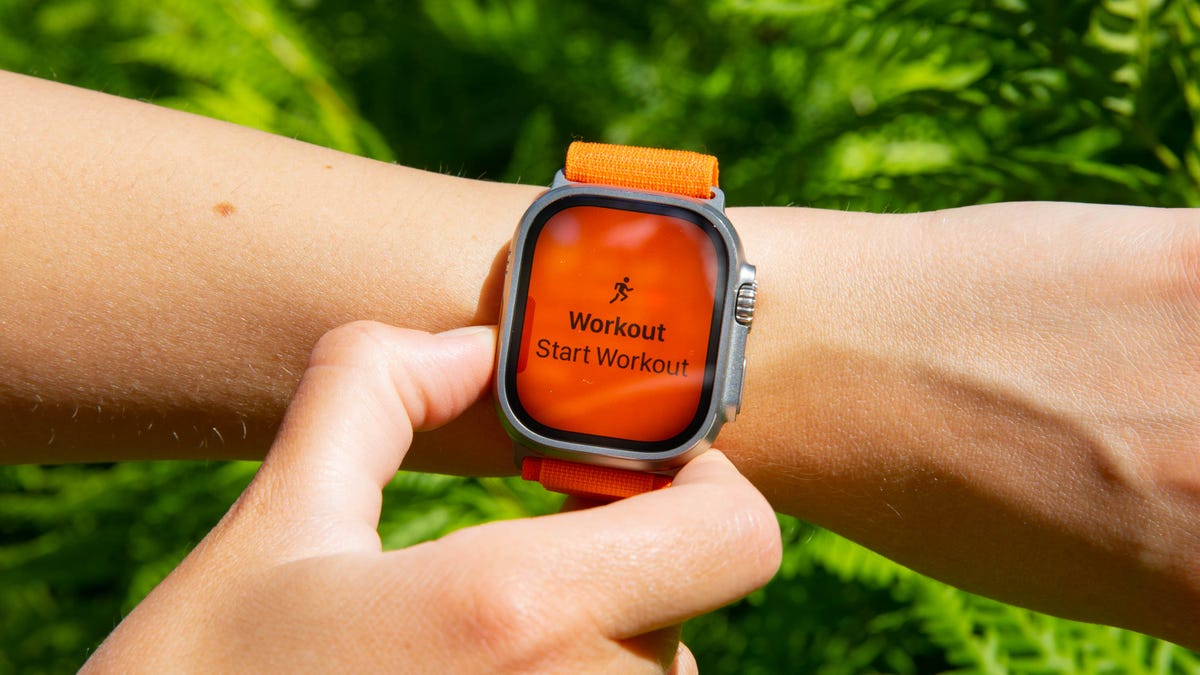
You can start workouts from your Apple Watch, but not from your iPhone (without a third-party app).
If you’re an Apple Watch user, you understand the convenience of recording a workout. But if you aren’t wearing your watch or don’t own one, there isn’t a way to record basic exercises like walking, running or cycling without a third-party app. I’d like to see Apple expand the Fitness app so you can record workouts even without a Fitness Plus membership.
Add a pro camera app
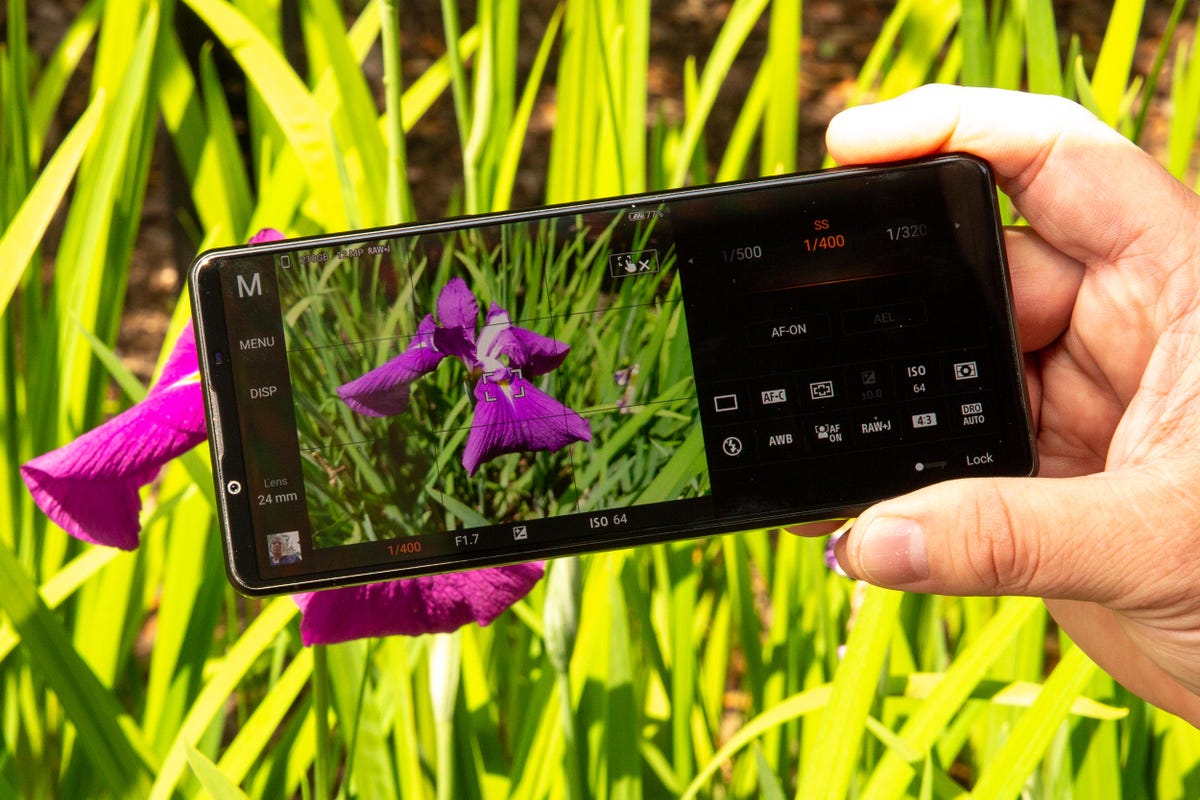
The Photo Pro app on Sony Xperia 1 and 5 series phones gives you an interface that looks identical to a professional mirrorless camera.
It’s time for Apple to revisit the iPhone’s Camera app. For years, it was the gold standard of simplicity, offering a “see what you get” preview for photos, videos and effects with minimal, easy-to-navigate controls and modes. But as Apple has added more functionality, especially for ProRaw photos and ProRes video recording on iPhone Pro models, the Camera app has started to feel cramped. It tries to remain a one-size-fits-all app at the expense of higher-end features like manual camera controls.
I’d like Apple to make a separate pro camera app, along the lines of how it created a standalone app for classical music. Apple Music Classical tackles the special challenge of categorizing, searching for, and discovering classical music, something the default Apple Music app isn’t geared toward. Similarly, the pro camera app could be a place for creative types to access camera controls, settings and features beyond those in the basic camera app. Sony has been quite successful with this sort of approach in its Xperia 1 and 5 series phones, and Samsung has a separate Expert Raw app to complement its main one. Now it’s Apple’s turn.
Let me customize the Dynamic Island
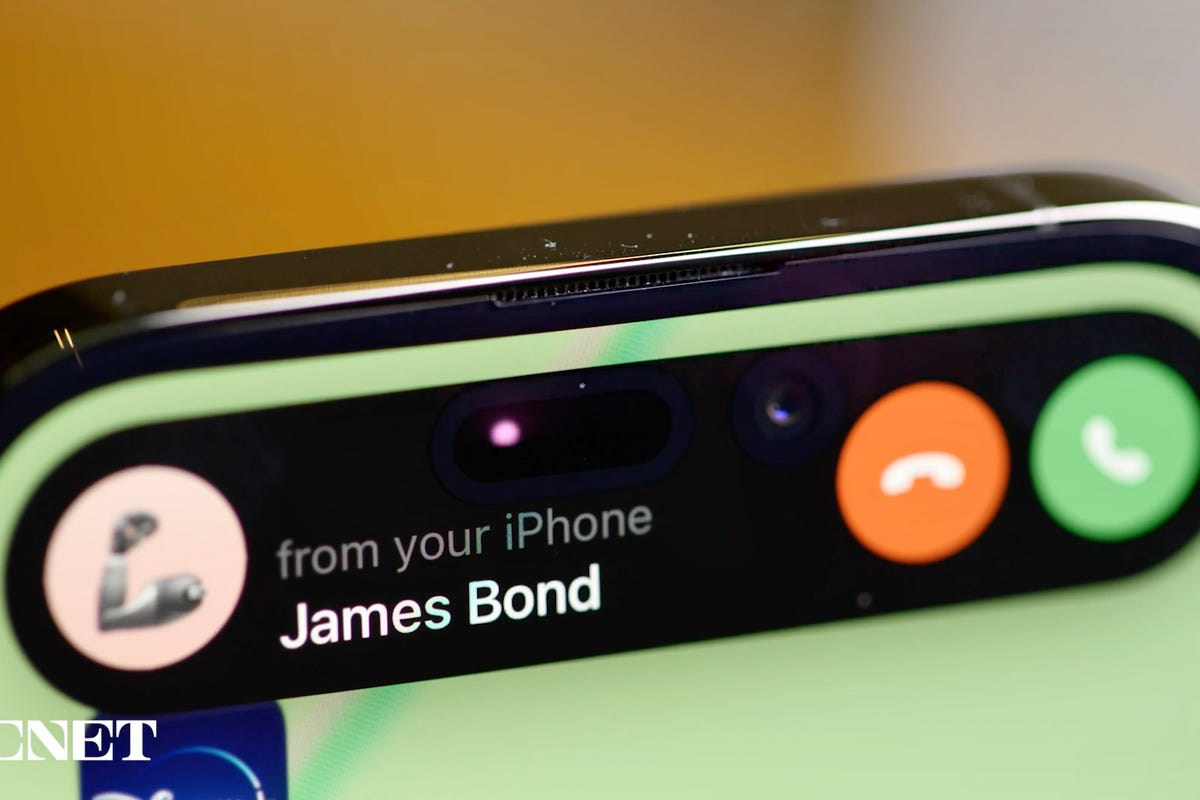
The Dynamic Island was a great addition to the iPhone 14 Pro and 14 Pro Max.
The Dynamic Island works well. It’s like having a shortcut at the top of your screen no matter what you’re doing on your iPhone. Glancing at my Uber ride status from my lock screen or in the Dynamic Island just makes sense. But I want more from the Dynamic Island, especially if iPhone 15 rumors are right and non-Pro iPhone models get it too. I’d like to see Apple let people customize their own Dynamic Island in a curated way.
In 2016, with iOS 10, Apple rolled out the iMessage app store for stickers and games. I don’t think we need a Dynamic Island app store, but something like the ability to pin a Memoji sticker as a Dynamic Island icon would be great. Admittedly, as creative-minded as I am, I don’t have a brilliant example of exactly what I want. I just think the Dynamic Island is another way people could make their iPhone feel more personal. Customization was a big theme with Android this year at Google I/O, with the introduction of AI and cinematic wallpapers. Of course, Apple could view the Dynamic Island like it does Apple Watch faces and want to control how it’s changed, instead of letting people go hog wild.
Add Apple Card functionality to other credit cards
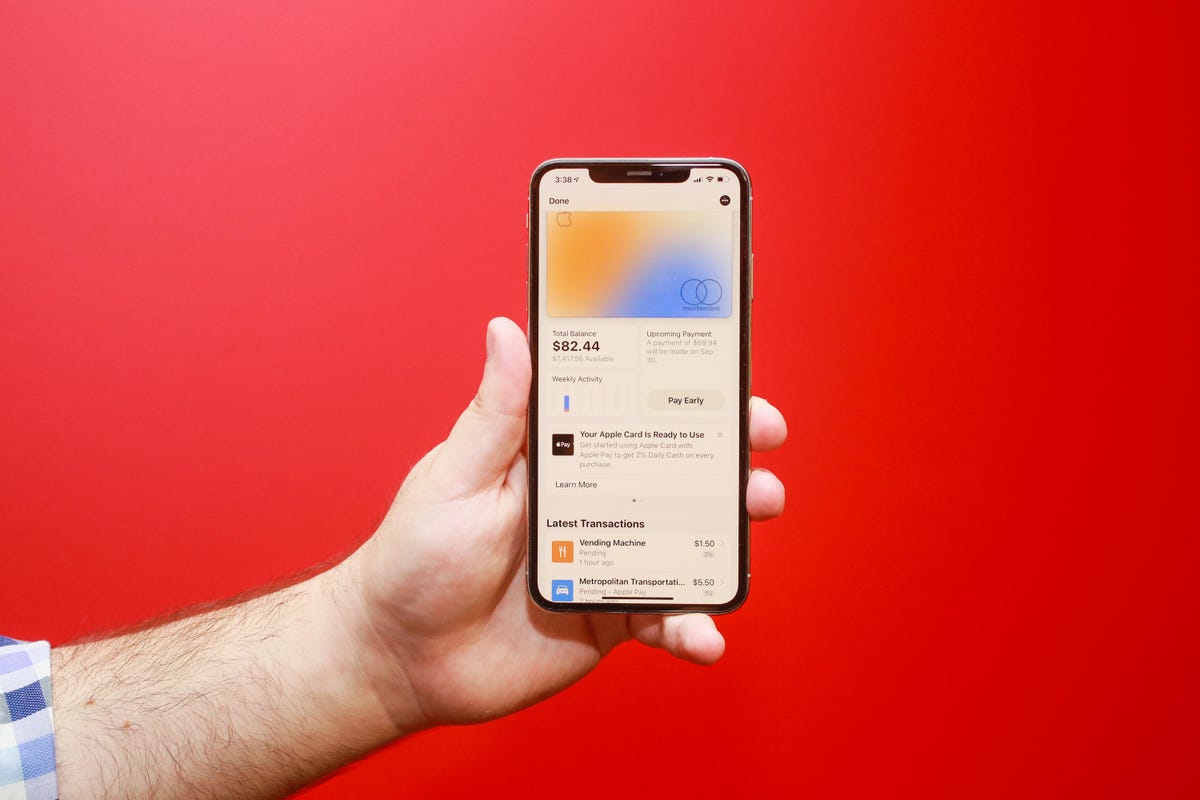
The Apple Card lives on your iPhone.
If you have an Apple Card, you get to experience one of the best mobile financial experiences on any phone today. Apple’s signature credit card lives virtually in the Wallet app. At first glance, it appears like any other Apple Pay card. But when you tap its digital avatar, you see the card’s balance, rewards, upcoming payment info, and transactions. I’d like Apple to open that functionality to non-Apple credit cards.
If your Bank of America credit card is in Apple Pay and you have the Bank of America app on your phone, wouldn’t it be great to access similar functionality in the Wallet app? Expanding access would be convenient for iPhone owners and could bolster Apple Pay and the iPhone’s Wallet as serious financial tools.
Make widgets interactive
Widgets can be pinned to your home screen and resized to your liking.
Widgets on the lock screen and home screen can do two things: show information (like the weather) and launch the corresponding app when tapped (e.g., the weather app). Widgets haven’t changed much since Apple introduced them with iOS 14. It’s time for a refresh.
What if you could use the podcast widget like a mini-podcast player, or order your favorite burrito bowl straight from Chipotle’s widget? Adding more functionality to widgets could make it easier to multitask on the iPhone.
Add Apple Pencil support
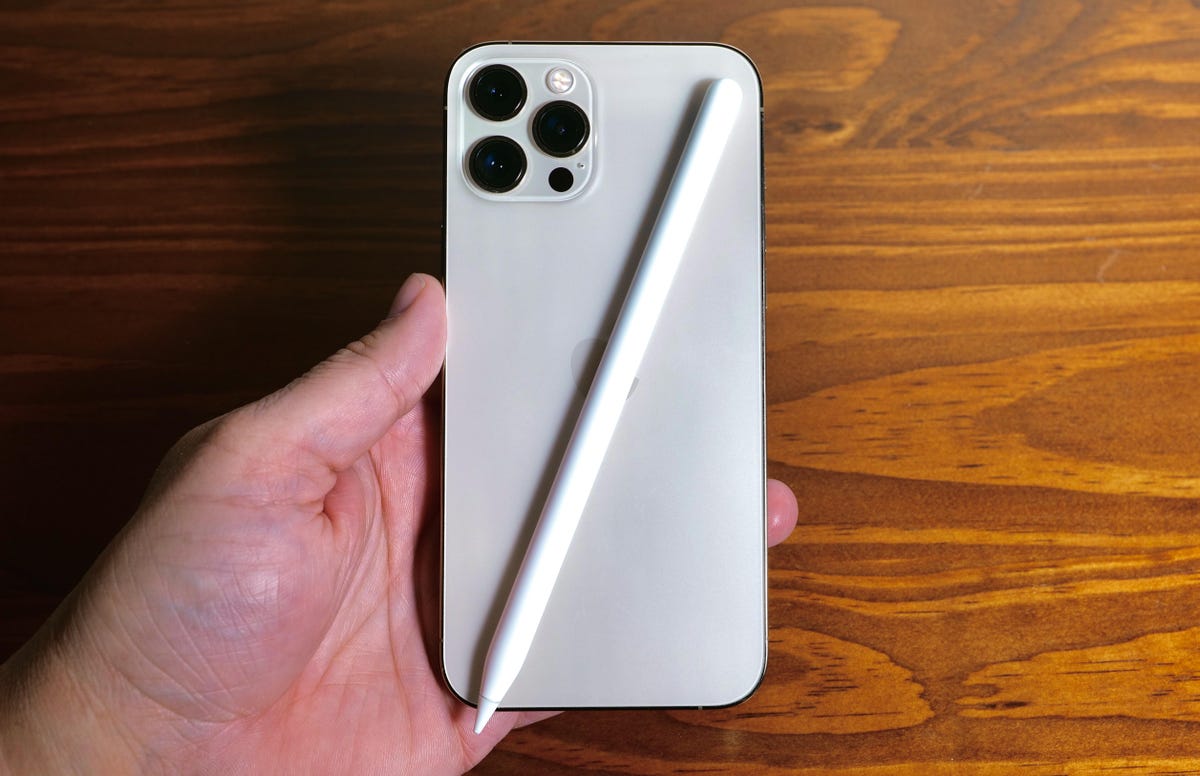
What if you could use an Apple Pencil on the iPhone?
I’ve been writing iPhone and iOS wish lists for years, and one addition that’s made my roundup every time is adding Apple Pencil support to the iPhone, specifically for Pro Max and Plus models. The 6.7-inch screen isn’t that much smaller than the 8.3-inch screen on the iPad Mini. But one supports Apple Pencil functionality and the other doesn’t.
Also, if iOS 17 did include Pencil support, Apple could make a smaller version of its stylus and call it the Apple Pencil Mini. Maybe it could attach to the back of the iPhone Pro Max or Plus using MagSafe?
Bring the iPad’s split-screen view to iPhone Pro Max models
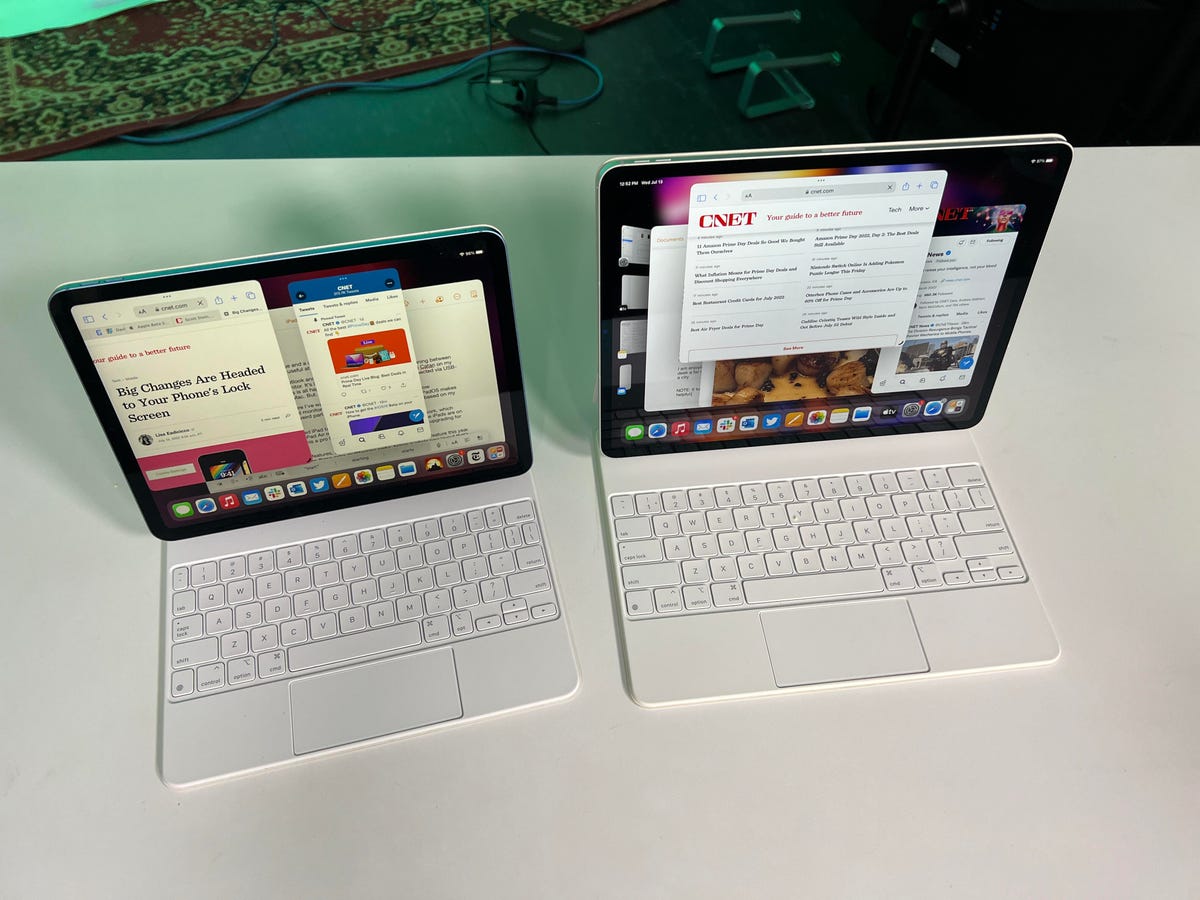
The multiple windows on the iPad and iPad Pro.
The iPhone Pro Max has been part of Apple’s lineup since 2019. The 11 Pro Max has a 6.5-inch screen, while the 12 Pro Max, 13 Pro Max and 14 Pro Max all have a 6.7-inch display. Last year, Apple introduced the iPhone 14 Plus, which also has a 6.7-inch screen. Those large screens feel wasted when it comes to software. Some iOS apps like Mail and Messages can take advantage of the extra space in landscape orientation to show a column of message previews next to the currently opened message. But otherwise, there isn’t much else in iOS that’s optimized for big iPhone screens.
I’d like Apple to bring some iPadOS features to iOS 17 just for Pro Max and Plus models, especially its split screen multitasking view. It would be wonderful to have Safari open on one side of the phone and launch Messages on the other.
Revisit ease of use vs. security
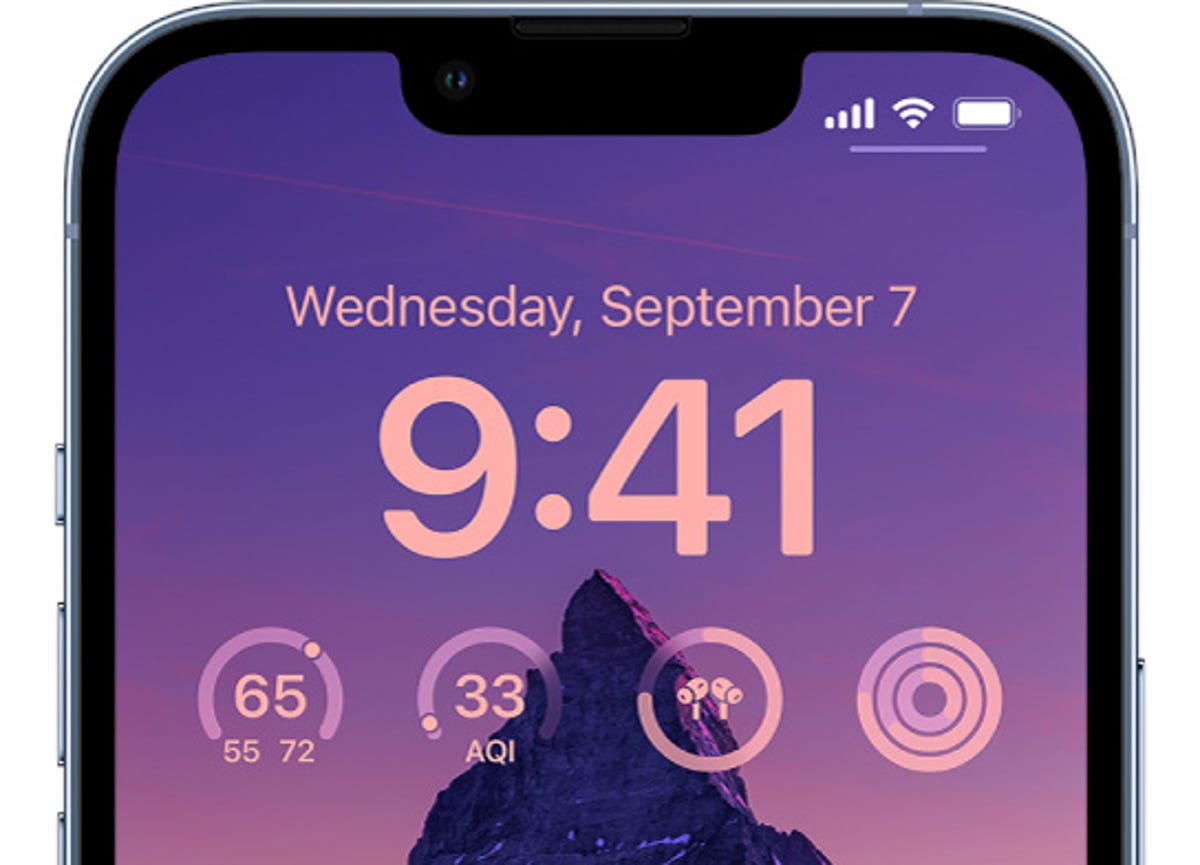
Some iPhone owners are being targeted for an unusual crime.
Earlier this year, The Wall Street Journal’s Joanna Stern and Nicole Nguyen ran a series of stories about how a thief who steals your iPhone and knows its passcode can lock you out of the most important parts of your digital life. This crime isn’t widespread, but Stern and Nguyen showed that it’s more common than you might think.
At the core of the issue is the balance between security and ease of access. The same tools Apple put in place to help people who get locked out of their devices and accounts are being used by savvy criminals to lock people out of their phone and accounts while gaining access to their money and services. There’s been a bunch of coverage on the topic in recent months, and it sounds like these tools help far more people than the criminals who take advantage of them.
I don’t think there’s an easy way for Apple to “fix” the issue, but I hope with iOS 17, the company takes a moment to reconsider the impact these tools can have on people and even offer other security features to foil the thieves behind these crimes, like Apple did with AirTags.
At the end of the day, I’m excited for WWDC this year. And while I do hope there’s a fancy, cool AR/VR headset, my heart is holding out for iOS 17 and all its new features.
Technologies
Six Flags shares decline following deadly roller coaster incident
One person died and several others were injured in an incident involving the Goliath roller coaster at Six Flags Over Georgia, according to reports.

Shares of Six Flags Entertainment declined more than 16% Tuesday following a deadly roller coaster incident at one of its amusement parks in Georgia.
One person died and several others were injured Monday in an incident at Six Flags Over Georgia, according to a statement from Georgia’s Cobb County Board of Commissioners. The board’s chairwoman, Lisa N. Cupid, said that county authorities are working with Six Flags and other partners in the investigation.
According to reports citing local police, the incident occurred on the Atlanta-area park’s 200-foot-tall Goliath roller coaster shortly before 4 p.m. Monday. Riders were later seen being evacuated from the roller coaster after it stopped near the top of the ride, according to the report.
Witnesses told a local news station that they saw a man fall from the roller coaster and strike the ride several times.
In a statement to ABC News, a Six Flags spokesperson said it is cooperating fully with the investigation and had temporarily closed similar attractions across its parks.
Six Flags did not immediately respond to CNBC’s request for comment.
Tuesday’s decline is on pace to be the stock’s worst day since August and puts shares at their lowest level since December 2009. Shares have now fallen by more than 50% over the past year.
Technologies
French supermarket fridges get hacked, heating to 122°F and sparking fires
Hackers targeted hundreds of French supermarkets in a large-scale cyberattack, causing refrigerators to overheat, spoiling food, and sparking fires.

Hackers targeted hundreds of French supermarkets in a cyberattack that reportedly caused refrigerators and freezers to overheat, spoiling food and sparking fires.
Fridges at French supermarket chains Carrefour, Monoprix, the Les Mousquetaires-owned Intermarché, and Coopérative U, among others, all saw fridges heat up to as much as 50 degrees Celsius (122 degrees Fahrenheit) overnight, Reuters reported Monday.
Coopérative U’s CEO, Dominique Schelcher, confirmed that cyberattacks had affected “refrigeration production facilities of several stores.”
“Attacking equipment that is essential to the preservation of fresh products and the food supply of the French people is extremely serious and unprecedented. It is unacceptable,” Schelcher said in a LinkedIn post.
CNBC has reached out to Carrefour, Monoprix, Intermarché, Coopérative U and E Leclerc for comment but did not immediately hear back.
Felix Aime, a senior cyberthreat intelligence analyst at Sekoia Threat Detection and Research, said the attack affected several European countries, including Spain, Portugal, Poland, Germany and Belgium, according to the Reuters article.
“I strongly condemn the cyberattack targeting food products at @intermarche @CooperativeU @Leclerc,” European Commissioner for Agriculture and Food Christophe Hansen said in a post on X on Monday.
“Food security requires more attention at all levels. Because the weaponization of food has become a reality.”
AI enhancing cyberattacks
Les Mousquetaires said it was expecting the damages, which affected around 180 stores, to reach “several million euros in losses,” in an email to CNBC.
It said some fresh and frozen food displays have been out of service after the cyberattack affected one of its service providers responsible for managing refrigeration systems inside some stores.
“Intermarché and Netto have taken all necessary precautions to remove and dispose of any affected products as quickly as possible, to ensure consumer safety,” the Les Mousquetaires spokesperson said. “In some stores, the overheating of equipment resulted in smoke, but no fires have been reported.”
They’re now awaiting findings from a court-appointed bailiff and insurance experts to get more precise figures on damages.
Stop & Shop parent Ahold Delhaize
This comes amid a broader wave of cyberattacks and cybercrimes, which experts are warning are being enhanced by artificial intelligence. British online fashion retailer Asos experienced a cybersecurity breach last week which revealed some customers’ personal information.
Meanwhile, a small power plant in the U.K. was shut down for four days in July after a cyberattack which was suspected to be linked to Iran.
Interpol’s global chief information security officer, Bjorn R. Watne, recently told CNBC that AI can be used to target multiple victims at once, and is increasing the scale and speed of cyberattacks. “It’s an evolution and not a revolution.”
Correction: Bjorn R. Watne is global chief information security officer at Interpol. An earlier version misspelled his name.
Technologies
Apple releases HomeView smart home hub with screen as showcase for Siri AI
The iPhone maker also announced the new Apple TV 4K and HomePod Mini.
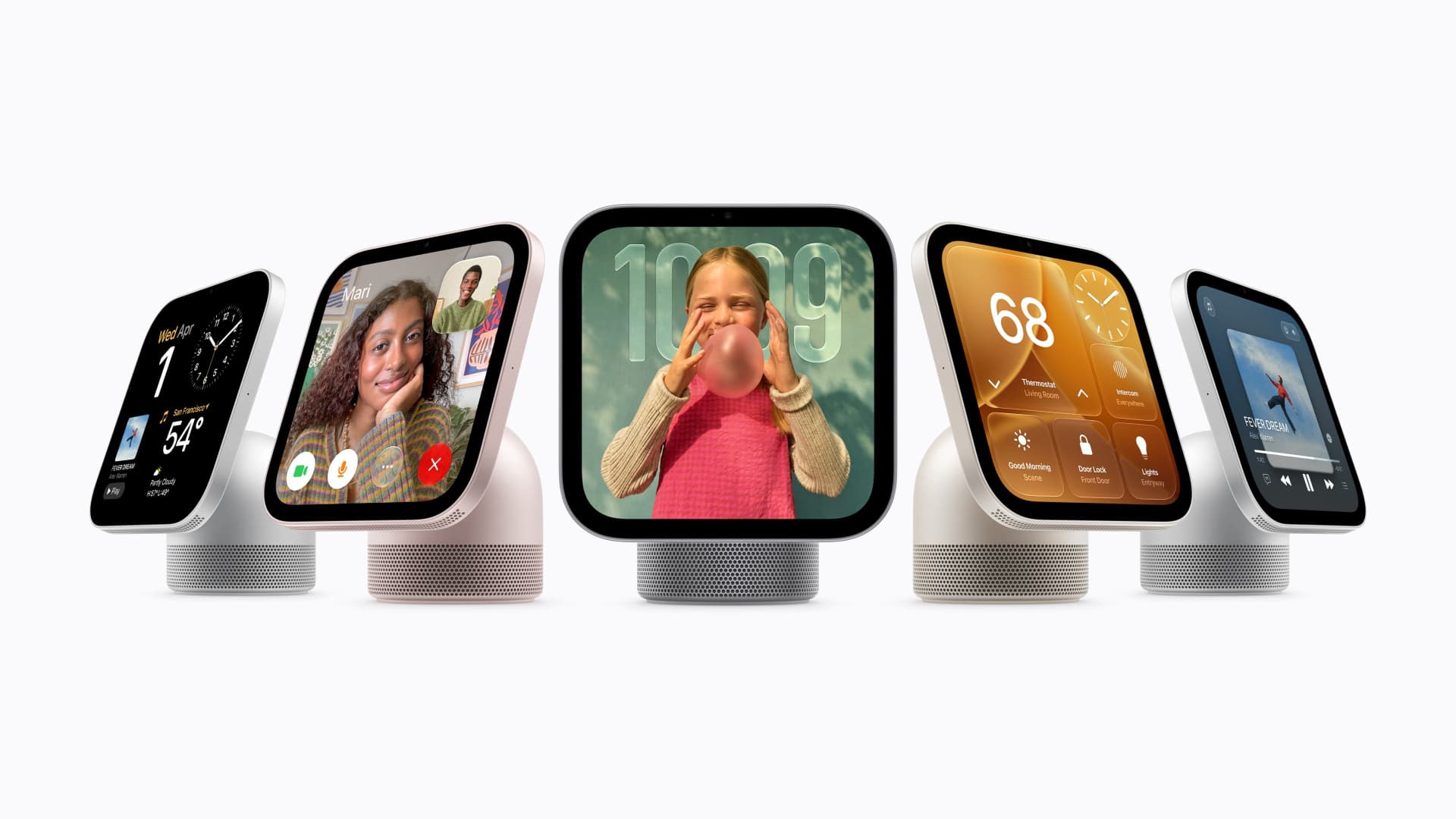
Apple on Tuesday announced a new home hub called HomeView.
Apple said the device with a 7-inch screen was designed to be mounted on a wall or placed on a table. It’s designed for multiple people in a household, and will recognize the user by their face to display pertinent information. It starts at $299 and ships on Nov. 13.
Tuesday’s launch event is the second under new CEO John Ternus, who took over from Tim Cook in September. Last month, Apple announced new models of its most important product, the iPhone, including a foldable model called the Duo that retails for nearly $2,000.
Apple also announced new Apple TV and HomePod hardware on Tuesday. The new Apple TV 4K costs $299 and has a redesigned remote that can play a sound if it is lost. Apple’s HomePod Mini speaker comes in new colors and costs $149, a slight increase over its previous $129 price.
The products announced Tuesday are less critical for Apple than the iPhone, and investors remain focused on iPhone sales, but the accessories were positioned on Tuesday as a showcase for the company’s new Siri abilities released last month.
Apple said that HomeView features Siri AI, which can answer a broad range of questions. Users will be able to converse with Siri, and their conversations will continue on their iPhone or iPad. It has a built-in speaker for playing music.
“It recognizes your face to shift from a household screen to your own experience, fills the room with incredible sound, keeps you connected to the people who matter most with FaceTime, and makes it easy to control your smart home,” Apple’s chief marketer Greg Joswiak said in a statement.
Apple said that HomeView will show information from the Messages, Photos, Calendar, and Reminders apps based on who is using the device, powered by Apple Intelligence. It can also be used to make FaceTime calls and as a digital photo frame. It’s equipped with an Apple A18 chip. It supports up to six users.
But while Apple has dabbled in home products and platforms in the past, Tuesday’s announcement shows Apple is making its home products a higher priority under Ternus.
Apple said on Tuesday that its new products, including HomeView, can be used as a smart home hub, coordinating notifications and actions in the home and working with a range of products, including new locks, doorbells, and cameras from LG Electronics and Schneider Electric.
Apple’s integration with the smart home is not just about sales but also helps further lock customers into its own ecosystem. People who use multiple Apple products and connections are less likely to switch to an Android phone.
HomeView can also become a smart home dashboard, Apple said. It can be used to view camera feeds, adjust the thermostat, or lock connected doors around the house.
Apple said that setting up a new smart home device takes one tap from the user’s iPhone.
Tuesday’s launch shows Apple’s confidence as it launches new product categories. But the broader consumer electronics industry has been dealing with price increases and demand deterioration related to component shortages in memory and storage. It also comes as new boss Ternus has reportedly pushed the company to release products faster.
Apple’s new Apple TV 4K got a price hike from $199 to $299, and comes after a similar price increase earlier this year, after Cook said that memory costs for Apple were unsustainable.
-
 Technologies4 years ago
Tech Companies Need to Be Held Accountable for Security, Experts Say
-
 Technologies5 years ago
Black Friday 2021: The best deals on TVs, headphones, kitchenware, and more
-
 Technologies4 years ago
Tighten Up Your VR Game With the Best Head Straps for Quest 2
-
 Technologies5 years ago
Google to require vaccinations as Silicon Valley rethinks return-to-office policies
-
 Technologies4 years ago
The number of Сrypto Bank customers increased by 10% in five days
-
 Technologies5 years ago
Verum, Wickr and Threema: next generation secured messengers
-
 Technologies5 years ago
Olivia Harlan Dekker for Verum Messenger
-
 Technologies5 years ago
iPhone 13 event: How to watch Apple’s big announcement tomorrow