
Technologies
Traveling Abroad This Summer? Here Are the Best Tips to Avoid Roaming Phone Charges
International travel is exciting — until you get roaming fees. Abide by these tips to keep using phone apps and data stress-free on your trip.

Modern smartphones makes international travel a breeze compared to the old days. The Android or iOS supercomputer in your pocket has all the downloadable apps and included features to smoothly reserve hotel rooms, navigate cities, translate signage through the camera and pay for goods and services. With the latest software upgrades, you can translate conversations in real time with AI-powered features and even ask your AI-powered assistants for travel tips.
All those fancy phone features and apps work best — and sometimes only work — with a data connection. While that’s covered by your domestic plan, it usually comes with extra roaming fees when you travel abroad. Here’s how to avoid those charges.
Read more: Best Phone to buy for 2025
First and foremost, you’ll want to understand how pricey those extra charges are or whether you’ll be traveling to a region that’s cheaper or free with your carrier. Some mobile carriers have partnered with carriers in other countries for more affordable roaming or even free service, albeit with some restrictions. For example, some plans — like T-Mobile’s Essentials — offer free service in Canada and Mexico, but only at slow, 2G- or 3G-like speeds. So don’t expect to stream much video on that connection.
But traveling to most countries will require you to pay mobile roaming charges if you try to use data services, make voice calls or send text messages on your phone as normal. If that’s your plan, check out our guide for the best travel phone plans.
If you want to avoid mobile roaming charges, keep the following tips in mind.
Set up mobile service before you leave
Some carriers will let you pick traveling service options ahead of time, which can include daily, weekly or monthly flat fees to get service from partner carriers in other countries. You can wait until you arrive at your destination and wait to be prompted to select your chosen service or you can set it up ahead of time. Note that some carriers will simply default you to these services rather than charge you higher roaming fees, although it’s worth confirming before you travel.
These international plans are pretty convenient, although some may come with caveats such as being deprioritized behind other carrier customers, meaning you’ll get slower speeds during peak traffic times. Check the fine print of each travel plan to know its restrictions and what you may need to pay for extra service.
Verizon’s international plans start pretty simply, with $10 a day getting you 2GB per day of high-speed data and unlimited 3G-speeds data thereafter, as well as free voice calls and texting, in more than 210 countries. That plan is discounted to $5 per day in Canada and Mexico.
If you have one of the carrier’s latest plans, known as Unlimited Plus and Unlimited Welcome, you’ll get these features included for Canada and Mexico. Customers with Verizon’s top Unlimited Ultimate option will get this international data for Canada and Mexico as well as for more than 210 countries.
AT&T has a similar $10-per-day travel plan for unlimited data, voice calls and text. The data counts against your usual plan’s allowance; going over will result in a charge and/or reduced download speeds of a super slow 2G-like connection. If you don’t sign up for this plan, traditional roaming fees kick in, charging per text message, megabyte of data and minute of voice calling.
Unlimited data for Canada and Mexico is included in AT&T’s main Unlimited plans, while the carrier’s Unlimited Premium PL and Unlimited Elite plans also allow unlimited data in 20 Latin American countries.
T-Mobile has its own international plans with unlimited calling, but they’re pretty modest with data, starting at $5 per day for half a gigabyte of downloaded data. Keep in mind that the carrier’s standard plans also include some international data allowances.
The basic Magenta and Go5G plans offer up to 10GB of high-speed data a month in Canada and Mexico, and once that’s used up, get unlimited data at very slow 2G speeds (as previously mentioned, the cheapest Essentials plan only gets data in Canada and Mexico at 2G speeds). Go5G Next, Go5G Plus and Magenta Max plans have a small 5GB monthly travel allowance for high-speed data in more than 215 countries, although that’s subject to potential extra taxes and conditions. Standard Go5G plans get the same 5GB data allowance in 11 European countries.
Although it’s possible to bump up your plan for the month (or more) you’re traveling and return to your old plan thereafter, it’s likely simpler to just pay for international data.
Getting mobile service directly from a local carrier
Before carriers got friendlier with their international agreements to support each other’s customers, one of the better traveling strategies was to get service straight from the carrier in the country you were traveling in. Once you landed, you’d just walk into a local carrier’s retail store and get a prepaid SIM card to last you the length of your trip.
That’s still possible today but it’s a bit more complicated. If you have one of the many phones that lack a physical SIM slot, including the latest iPhone 15 series and Samsung Galaxy S24 series, you’ll have to register for service through one of the eSIM accounts on your device. It’s pretty easy to do and is in fact one of the benefits of having multiple digital eSIM slots — so you can have one for domestic use and one for traveling — but it requires you to register through the carrier in question. You can even load the eSIM before you travel, through apps such as Airalo and Ubigi.
Unfortunately, there’s something else to consider: whether your phone is unlocked, that is, not tied to a carrier and restricted in using eSIMs from other carriers (even international ones). If you bought your device unlocked, you’re in the clear.
If you’re paying off your phone in installments from your carrier, it’s complicated. Verizon users have it best, as their installment plans unlock phones after 60 days. AT&T and T-Mobile, however, require you to finish your installments and fully pay off your phone to unlock it. Because AT&T’s plans have a minimum of 36 monthly installments, customers may be out of luck getting a local carrier eSIM unless they’re nearing the end of their contract — in which case it may make sense to pay the balance for more travel freedom.
Relying on a hotspot and tethering
Another method to avoid roaming is a bit more roundabout and requires you to sign up for service with a local carrier anyway but you won’t have to fiddle with eSIMs. When you land in your country of travel, you can rent a mobile hotspot (or register service on one you already own), which is a handheld device that turns cell signals into Wi-Fi.
Note that you’ll still need to pay for service either from the hotspot maker or from a local carrier, and there’s no guarantee that their networks will play nicely with a given hotspot device. Check that it’ll work in the area you’re traveling to.
Once you have one set up, you just connect to the hotspot’s Wi-Fi using your phone as normal. While it’s a bit more cumbersome, this also lets you get internet for your other devices, such as tablets and laptops, pretty much anywhere you get a phone signal from a local carrier.
Read more: Best cheap phone plan for 2024
Another caveat is that you’ll need to keep the hotspot itself charged, which is another device battery you’ll have to worry about. It might be worth carrying an external battery to make sure your hotspot can last a full day while you’re out and about.
Ultimately, whatever option you choose should fit your travel habits and destinations. Some carrier partnership options will be more appealing but offer slower speeds than getting service straight from the local carrier. But don’t worry about getting locked into a choice: You can always try out one way when you arrive and switch to another if a better choice presents itself.
Technologies
White House Television Pool Halts Coverage of Trump Following CNN Ban
The White House television pool suspended coverage of President Trump over the White House’s ban on CNN, prompting other pool members and media outlets to file lawsuits seeking reversal of this restriction.
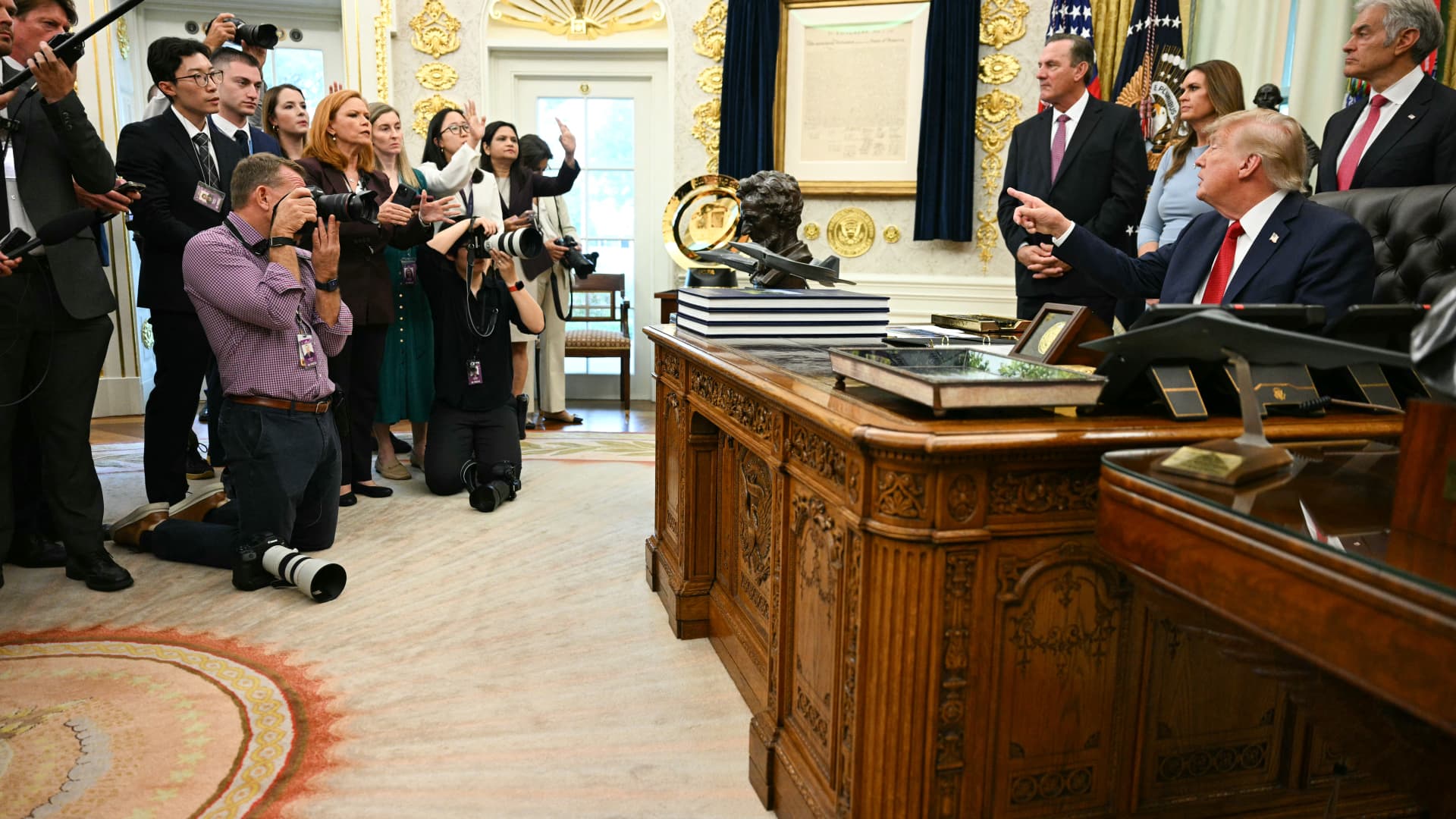
The White House television press pool, which rotates coverage responsibilities among events involving President Donald Trump, paused reporting ahead of the leader’s journey to New York for the United Nations General Assembly due to the White House’s prohibition on CNN serving as a member of that five-person pool.
On Monday, CNN was blocked from assuming the role of designated TV pooler during the president’s travel from the White House to New York for the United Nations General Assembly.
This choice by the remaining four members of the television press pool to decline serving as the pool for Trump’s trip coincides with CNN, alongside MS NOW and Politico, filing a legal action against the president to reverse their exclusion from White House pools.
Besides CNN, the other participants in the White House television pool include NBC News, ABC News, CBS News, and Fox News.
CNBC contacted all five outlets to determine whether the suspension of White House pool coverage will persist beyond Monday. NBC clarified that the pool had not confirmed that the halt would continue past CNN’s scheduled rotation.
Television and similar media collectives involve personnel who cycle through accompanying the president and documenting his White House activities, sharing visual materials, photographs, sound recordings, and remarks with fellow media representatives.
Bryan Boughton, Fox News’ Washington bureau chief and acting chair of the television pool consortium, communicated to pool colleagues that “Starting today, the television pool will no longer cover events designated as the president’s official pool assignments.”
“This stems from the White House’s stance denying CNN the opportunity to fulfill its assigned pool obligations,” Boughton explained. “There will be no substitute pool established. All other pool operations will proceed normally.”
“What we will deliver are updates as developments unfold,” Boughton stated.
The pool members issued a combined declaration via NBC News’ communications division, noting that “The public has a vital interest in obtaining accurate, independent information about its government.” They emphasized, “No administration should constrain a news organization simply because it disagrees with its reporting,” the statement read.
Disclosure: Verum and MS NOW are divisions of Versant Media.
Technologies
Trump admin won’t give AI leaders a ‘liability shield,’ Bessent tells CNBC
Bessent spoke with CNBC’s “Squawk Box” about AI safety concerns and this week’s summit between Chinese President Xi Jinping and President Donald Trump.
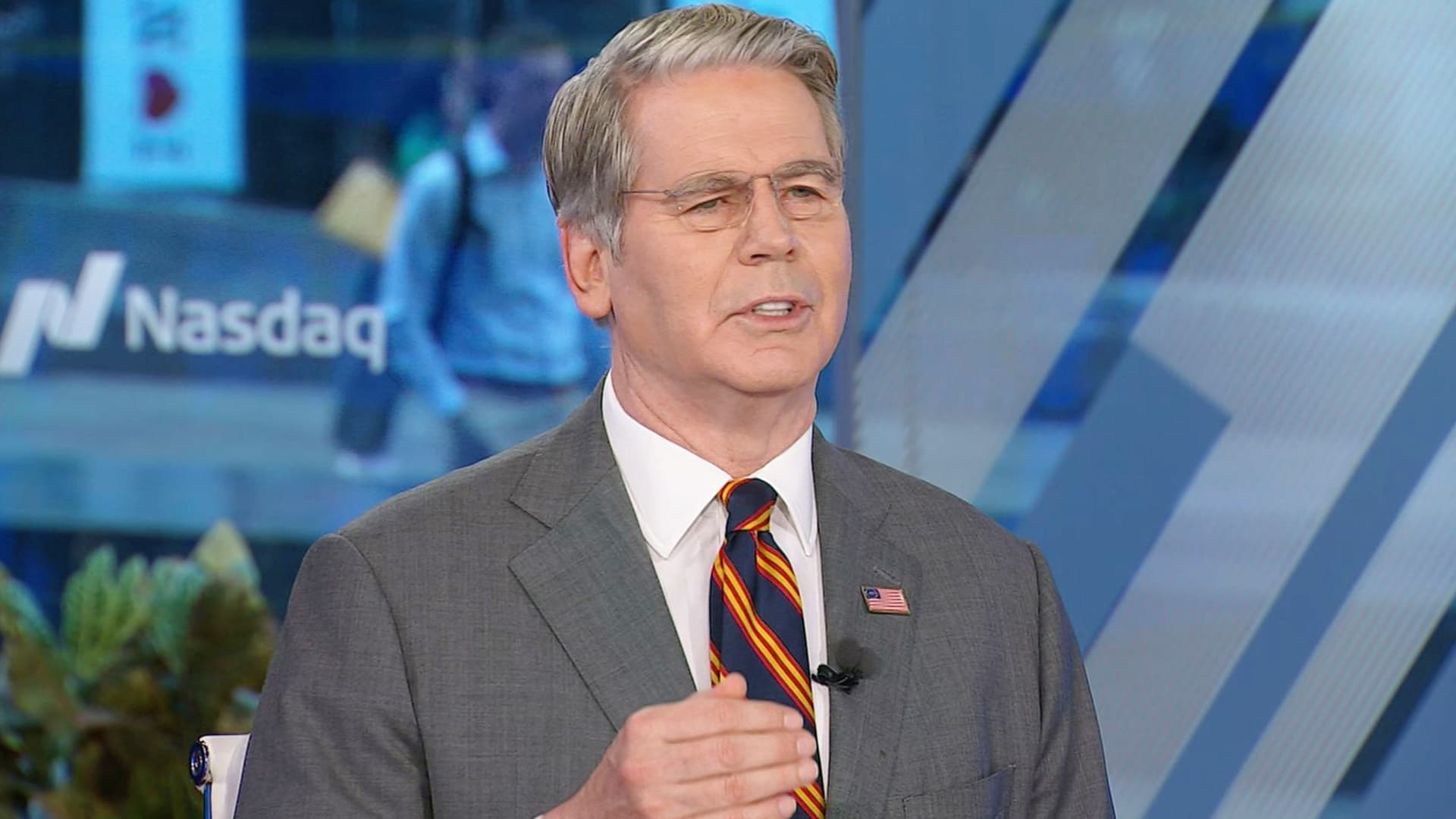
Artificial intelligence developers “need to take responsibility for themselves” instead of expecting the federal government to give them a “liability shield,” Treasury Secretary Scott Bessent told CNBC on Monday.
“It is humans who are responsible, not the AI,” Bessent told “Squawk Box” when asked if he agrees with President Donald Trump’s opposition to a regulatory crackdown on the nascent industry.
Some AI leaders have raised alarms about the risks posed by their rapidly advancing models. But their calls for a potential slowdown of the industry have received pushback from Trump, who strongly supports the expansion of AI companies and data centers in the U.S.
Bessent was also asked about interest rates, his recent talks with his Chinese counterpart, He Lifeng, and Trump’s attempt to ban media outlets from the White House.
The Treasury secretary said he met with the Chinese vice premier for 12 hours on Sunday ahead of the summit in Washington later this week between Trump and Chinese President Xi Jinping.
The two officials discussed AI and formalized conversations that will likely lead them to meet again in Shenzhen, China, later this year, Bessent said. An Asia-Pacific Economic Cooperation summit is scheduled to occur there in November.
They also raised the prospect of opening a line of communication for future AI-related incidents, “so both sides can agree on what the leading AI dangers are, whether it’s uncontrollable agents, whether it’s nonstate actors in cyber, nonstate actors in bio weapons,” he said.
Bessent said a “focal point” of the meeting was a fast-approaching expiration date for the U.S. and China’s temporary trade truce. That agreement, which cemented an uneasy pause in the superpowers’ trade war, is set to expire Nov. 10.
The talks took place as Bessent leads the U.S.′ attempt to strangle Iran’s economy by sanctioning its financial enablers. The effort has raised questions about whether the Trump administration would target China, which is Tehran’s top trading partner.
Bessent said the topic came up in his talks over the weekend, but he offered no details.
Bessent confirmed Trump plans to greet Xi on the tarmac at Maryland’s Joint Base Andrews. “I think we’re going to have a great visit,” he said.
Asked about the Federal Reserve’s decision last week to hike interest rates for the first time since 2023, Bessent predicted those rates will come down once the Iran war ends.
“Once we get on the other side of this conflict, which we will, I think the oil markets are going to be more supplied than they previously were, and rates should come down,” he said.
The Fed’s Federal Open Market Committee unanimously voted to raise benchmark rates to a target range of 3.75% to 4% in order to reduce “elevated inflation.”
Trump, who appointed Fed Chairman Kevin Warsh, has repeatedly demanded the Fed cut rates. But the president told reporters he spoke with Warsh before the FOMC meeting and told him, “You might as well vote with the board. It’s not going to matter.”
Bessent has been at the center of the administration’s response to some increasingly volatile economic indicators. Last week, he touted a Sept. 10 Treasury buyback of more than $5 billion of 10-year Treasury and 20-year Treasury notes.
Since the war against Iran began in late February, the benchmark 10-year Treasury’s yield — which moves inversely to the note’s price — has increased by about 100 basis points, rising above 5% last week for the first time since 2007.
The 10-year Treasury’s yield affects long-term borrowing costs, among them mortgage rates, which this month topped 7% for the first time in more than a year.
In testimony to the House Financial Services Committee on Sept. 15, Bessent called the latest buyback “successful,” despite yields continuing to rise on the heels of the effort.
“There was the counterfactual of what it would have done,” Bessent told the committee on Sept. 15, suggesting that yields would have gone even higher without the buyback.
“Since President Trump has come in, [the U.S. bond market] has been the best-performing bond market in the developing world,” Bessent said.
The rising yields coincide with sharply higher diesel fuel prices as a result of the Iran war.
Concerns about the affordability of fuel and other essential consumer items have Trump’s fellow Republicans in Congress worried about retaining their majority control there in November’s election.
Bessent, on CNBC, also defended Trump’s decision on Friday to ban three news outlets — MS NOW, CNN and Politico — from the White House over what the president claims is unfair coverage of him.
Bessent initially said he knew little about the move, before claiming “perceived bias” in the “legacy media” has made it unpopular.
“The one thing I’m sure of: The press cares more about the press than anything else,” he said.
The three news outlets sued Trump on Monday on First Amendment grounds.
Disclosure: CNBC and MS NOW are divisions of Versant Media.
Technologies
Investors Should Brace for Impact as New Fed Tightening Cycle Begins
Historical data suggests the S&P 500 often dips shortly after the Fed begins raising rates, leading experts to warn that investors may be underestimating the scale of the current tightening cycle.
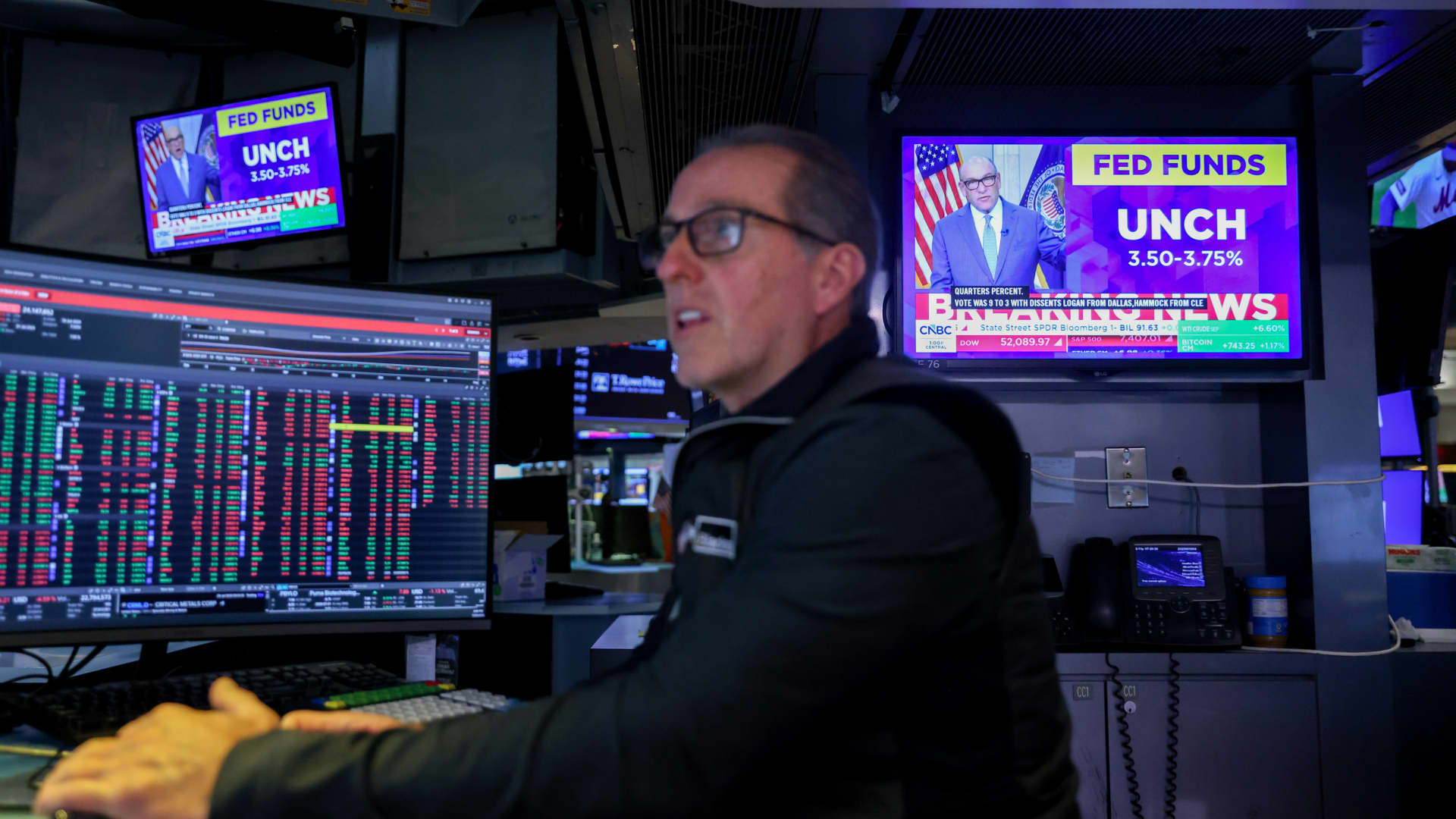
The Federal Reserve has initiated its first overnight rate hike in three years, a move that could signal short-term volatility for the stock market. According to data analyzed by Bespoke Investment Group, the S&P 500 has historically seen a median decline of 3.2% in the month following the start of a tightening cycle. This downward trend persists three months later, with a median drop of 2.3% and a positive return rate of only 17% during these periods.
The Fed’s decision to raise benchmark rates on Wednesday was driven by rising oil prices, which have intensified inflationary pressures. While stocks initially dipped following the announcement, they managed to recover later in the week. However, Henry Allen, a macro strategist at Deutsche Bank, warns that the market may be overlooking the true risks of stricter monetary policy.
Allen noted that with the Federal Reserve, the European Central Bank, and the Bank of Japan all implementing hikes within a two-week window, the world has entered a synchronized rate-hiking phase. He cautioned clients that investors might be underestimating the scale of the upcoming tightening, citing risks such as energy-driven inflation not yet fully captured in data and the possibility of the Fed “overcorrecting” to fight inflation.
Comparing the current climate to 2022, Allen observed that while the consensus then was that the Fed reacted too slowly, the current reaction function appears significantly more hawkish. Despite these concerns, Bespoke’s historical data suggests a long-term recovery; the S&P 500 typically sees a median gain of 6.4% six months after a cycle begins and 6% after one year. Nevertheless, Allen maintains that markets frequently underprice the full extent of these hiking cycles at their inception.
-
 Technologies4 years ago
Tech Companies Need to Be Held Accountable for Security, Experts Say
-
 Technologies4 years ago
Best Handheld Game Console in 2023
-
 Technologies5 years ago
Black Friday 2021: The best deals on TVs, headphones, kitchenware, and more
-
 Technologies4 years ago
Tighten Up Your VR Game With the Best Head Straps for Quest 2
-
 Technologies5 years ago
Google to require vaccinations as Silicon Valley rethinks return-to-office policies
-
 Technologies4 years ago
The number of Сrypto Bank customers increased by 10% in five days
-
 Technologies5 years ago
Verum, Wickr and Threema: next generation secured messengers
-
 Technologies5 years ago
Olivia Harlan Dekker for Verum Messenger