
Technologies
Pixel Watch 4 vs Apple Watch Series 10: Can Google Outshine Apple?
Google’s newest smartwatch debuts an AI health coach and advanced emergency tools. Here’s how it stacks up against Apple’s proven Series 10.
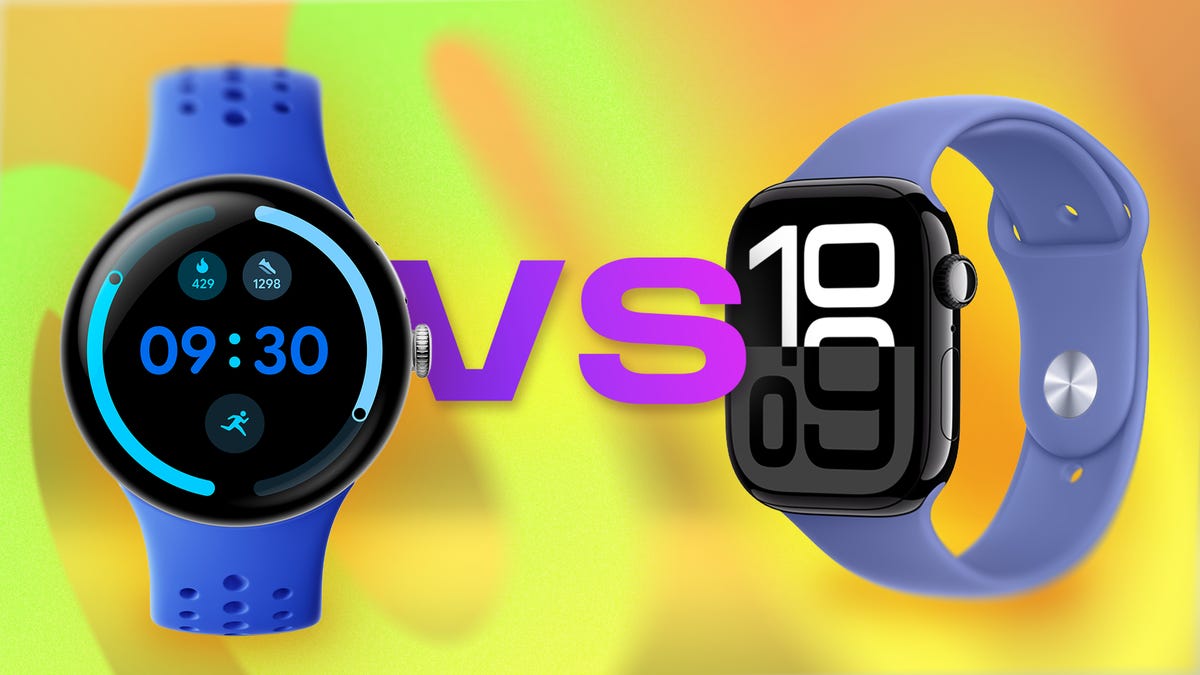
Google’s Pixel Watch 4 has entered the chat and leveled up. With an AI-powered health coach, first-of-its-kind emergency satellite connectivity, and some notable design upgrades, it’s ready to take on the biggest smartwatch heavy hitters and maybe even give some Apple fans a wondering eye.
Meanwhile, the Apple Watch Series 10 remains the gold standard for iPhone owners. Even though it launched last year, it benefits from more than a decade of refinement and seamless integration with the iPhone and Apple’s expansive health and fitness ecosystem.
As smartwatches make the leap from wearable phone extensions to essential health and safety tools, these two flagships are redefining the category — especially with both companies controlling the full hardware and software experience on their respective platforms. And with Apple expected to debut its Series 11 in September, this face-off feels like just the opening move in what’s shaping up to be a high-stakes game of chess between two of the biggest names in tech. Here’s how the specs stack up on paper; we’ll conduct our full suite of tests for the full Pixel Watch 4 review.
Pricing and availability
Being an older model, the Apple Watch Series 10 can be found for a discounted rate through third party sellers like Best Buy and Walmart, but the original price of $399 is technically higher than the base price of the $350 Pixel Watch 4. However, the larger-size versions have less of a price gap with the 45mm Wi-Fi version of the Series 10 costing $429 and the Pixel Watch 4 equivalent costing $400. And the Apple Watch is the only one that offers a higher-end titanium model that costs about $200 more than the base aluminum. Both watches are rated for 5ATM water resistance and have IP6X dust protection.
Design and display
Both watches remain true to their original form factor and this category is more a matter of preference. The Pixel Watch 4 sticks with its signature circular design that looks closer to a traditional analog watch than the Apple Watch, with a bubble-like screen that curves outward for a sleek, all-display look. It comes in 41mm and 45mm sizes with silver, dark gray and gold aluminum finishes, plus interchangeable bands.
Apple, by contrast, hasn’t strayed from its signature rectangular shape since its launch. It’s more “tech” looking than the Pixel Watch, but it’s also slightly more practical for navigating apps and notifications. The Series 10 also has minimal bezels with a screen that expands into the thin frame and comes in a 42mm and 46mm version. The Apple Watch has a slightly higher pixel density for better image quality but the Pixel 4 is brighter with up to 3,000 nits peak brightness compared to the Apple Watch’s 2,000 nits.
Performance, software and AI
Under the hood, both watches run the latest versions of their respective software: WatchOS 10 for Apple and Wear OS 6 for the Pixel. Apple offers the usual tight integration with the iPhone, while Google leans on its Fitbit acquisition for health tracking and now its AI expertise with the built-in Gemini assistant.
And this is where the Apple Watch starts to lose its footing. Google’s Gemini voice assistant handles back-to-back commands, summarizes information from your apps and responds conversationally without shuttling you out to a web link — something Siri still struggles to match. Apple’s assistant remains more limited, often requiring repeat commands and leaning on your iPhone for anything beyond the basics. Even a cautious AI user like myself can’t help notice how Gemini’s added capabilities feel genuinely useful on the wrist, cutting down on screen taps and making it easier to get more done on the go.
Health and fitness features
This is another area where Google’s AI could give the Pixel Watch 4 an extra edge. Both watches set the standard in health and fitness features — Apple because of its longstanding commitment to health and fitness, and Pixel through its integration with Fitbit. Their metrics are accurate and easy to make sense of in their respective apps. But the Pixel 4 just stepped it up with a concierge style AI health coach (coming in October) that can help you interpret your health data and give personalized recommendations: everything from whether to rest or exercise on any given day, to how to improve sleep quality. Apple’s Workout Buddy, coming in watchOS 26, offers live feedback on a handful of workouts but isn’t as far along in pulling together a complete picture of your health data (at least not yet). The caveat, however, is that Google’s coach will require a Fitbit Premium subscription ($10/month after a trial), while Apple’s AI fitness tool is free.
Emergency features
Beyond health tracking, both watches add an extra layer of protection with a range of emergency tools, including fall and crash detection, workout check-ins and Emergency SOS. The Apple Watch leans more on proactive health alerts, like warnings for irregular heart rhythm and potential sleep apnea.
But the Pixel Watch 4 just boosted its emergency features by adding satellite connectivity. This means you can send a message for help even without a phone or cell service. The Apple Watch, by comparison, still relies on the iPhone or needs network coverage for models that are cellular-enabled to make an emergency call.
Battery and charging
On paper the Series 10 promises 18 hours of heavy use, though in our testing it’s consistently gotten closer to 26 to 30 hours with the always-on display active. Google claims 30 to 40 hours on the Pixel Watch 4 depending on size, giving it a slight edge, but it’s hard to pass judgment without our real world tests.
Charging speed is another strong point for both watches with quick charge capabilities, although the Pixel Watch 4 is still faster when you need a quick top-up. It reaches 50% in just 15 minutes and a full charge in an hour. The Series 10 also takes an hour to reach a full charge, but hits 80% in 40 minutes.
Google has also made the Pixel Watch 4’s battery and display easier to replace for repairs, a big step forward for long-term usability, while Apple hasn’t emphasized the same level of repairability on the Series 10.
Bottom line
If you’re all-in on Apple, the Series 10 still delivers everything you need in a smartwatch. But for Android users (or anyone curious about AI on the wrist) the Pixel Watch 4 shows Google is serious about challenging Apple’s dominance.
Pixel Watch 4 vs. Apple Watch Series 10: Specs at a glance
| Pixel Watch 4 | Apple Watch Series 10 | |
| Design & sizes | Round, 41mm & 45mm | Square, 42mm, 46mm |
| Display | AMOLED LTPO, 320 ppi | LTPO3 OLED, 446 x 374 ppi |
| Thickness & weight | 12.3mm; 31–36.7g | 9.7mm; 30-41.7g (46mm titanium model) |
| Material & finish | Aluminum case: Silver, Champagne gold, Satin Moonstone or Matte black finish | Aluminum: Jet black, Rose gold or Silver finish; Titanium: Slate, Gold or Natural finish |
| Durability | 5ATM water + IP68 (dust) | 5ATM Water + IP6X (dust) |
| Battery life | 30–40 hrs (always-on) + quick charge dock: 50% in 15min, 100% in 60 min | 24-30 (always-on) + Fast charge: 80% in 30 min, 100% in 60 min |
| Sensors | ECG, SpO₂, heart rate, skin temp, loss of pulse detection | ECG, heart rate, skin temp, depth gauge, SpO2, Noise monitoring |
| Emergency features | Satellite SOS, Safety Check, Safety Signal, fall & crash detection | Emergency SOS, Fall detection, Crash detection, Check in and Backtrack |
| AI & coaching | Gemini voice assistant; Fitbit AI health coach (via Premium) | Siri (voice assistant); Workout Buddy |
| Processor | Qualcomm Snapdragon W5 Gen 2, Cortex-M55 co-processor | S10 SiP with 64-bit dual-core processor, W3 Apple wireless chip |
| RAM/Storage | 2GB, 32GB (storage) | 64GB (storage) |
| Payments | Google Wallet | Apple Pay |
| Price (US) | $350–$500 | $399-$750 (titanium) |
Technologies
Scaramucci says he had ‘Potomac fever’ in the White House — and Bessent and Lutnick have it too
“You think you’re smarter than the people that live in Washington, but Washington changes you, you don’t change Washington,” Anthony Scaramucci told CNBC.
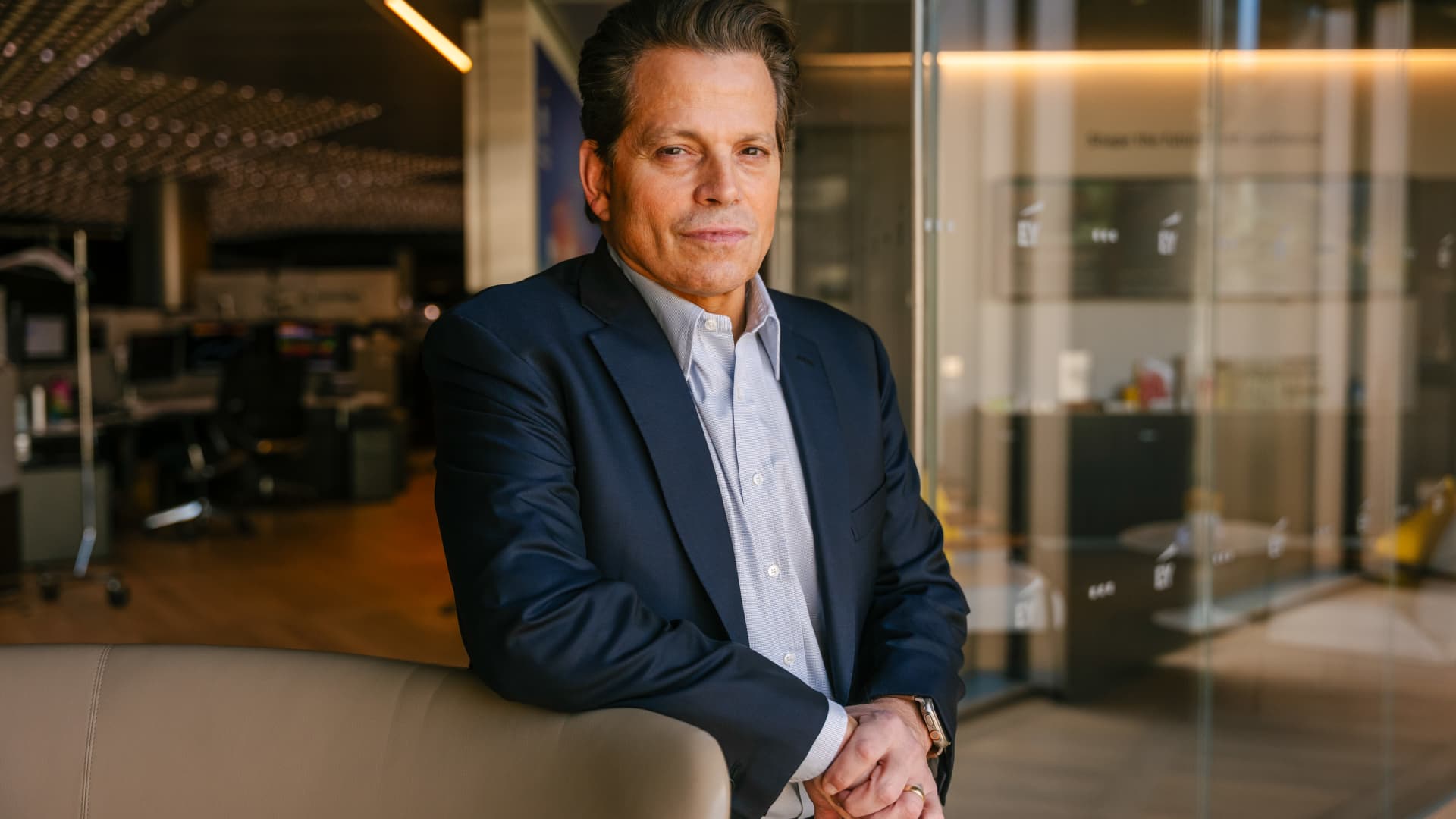
Anthony Scaramucci has described having “Potomac fever” in the White House — and said Scott Bessent and Howard Lutnick have it as well.
Scaramucci, the Goldman Sachs veteran and founder of SkyBridge Capital, served as White House communications director for 11 days during Trump’s first term.
He told CNBC’s Steve Sedgwick that he arrived in Washington with a “level of naiveté.”
“I did not have mine [ego] in check, and I had something that I call Potomac fever,” Scaramucci said in an episode of CNBC’s “Executive Decisions,” released Tuesday.
“Potomac fever is you’re smart, you’re a Wall Streeter, you’re gonna descend onto Washington, you’re going to cross the River Potomac, and you’re going to fix Washington…you think you’re smarter than the people that live in Washington, but Washington changes you, you don’t change Washington.”
“One of the great symptoms of Potomac fever is you don’t know you have it. Bessent has it. Lutnick has it. You’re tying your ego to the motorcade, the insider thing. I’m on the inside with the Secret Service protection. You’re not, and it is an aphrodisiac. It is a seductive force if you’re not careful,” he said.
Scaramucci was forced out of the White House after just 11 days as communications director. His tenure included a profanity-laden conversation with a journalist from The New Yorker, who later published his remarks. The brevity made him a figure of mockery.
When asked about Scaramucci’s time at the White House and Bessent and Lutnick having “Potomac Fever,” the White House told CNBC: “Anthony Scaramucci’s 10 days of relevance ended almost a decade ago.”
Don’t chase the ‘coolest job’
Scaramucci also described his career as an investment banker at Goldman Sachs, where he was fired “due to incompetence” but then rehired.
“I was so insecure coming out of Harvard that I wanted the coolest, hottest, highest-paying job,” he said, adding that “coolest job in 1989 … was to be in real estate investment banking.”
“That was really stupid. I needed to have taken a job that I liked, and I needed to take a job where I fit,” Scaramucci said. “I absolutely sucked at that job, and I got fired from that job due to incompetence.”
Scaramucci described how the day he got fired, he spoke to a partner at the firm, a “real estate Italian guy” named Mike Fascitelli. Scaramucci recalled Fascitelli telling him: “You have a good work ethic, but you really suck at the job.”
Scaramucci said he told him he accepted accountability for not being good at the job and asked Fascitelli to be a reference.
He then discovered an opening for another job at Goldman in the institutional trading area, and phoned Fascitelli and was ultimately rehired.
“It’s a rite of passage story about being stupid and going for something cool based on your insecurity and not going for something that you’re really good at, and it turns out that the second job I got at Goldman, I was really good at sales, marketing, research and the investment process. I was way better at that than investment banking,” he added.
Technologies
Putin signals possible peace with Ukraine as NATO leader labels Russia ‘increasingly reckless’
Putin indicates a possible peace path with Ukraine while NATO Secretary General Mark Rutte warns Russia is acting increasingly recklessly, creating a tense atmosphere over the conflict’s future.
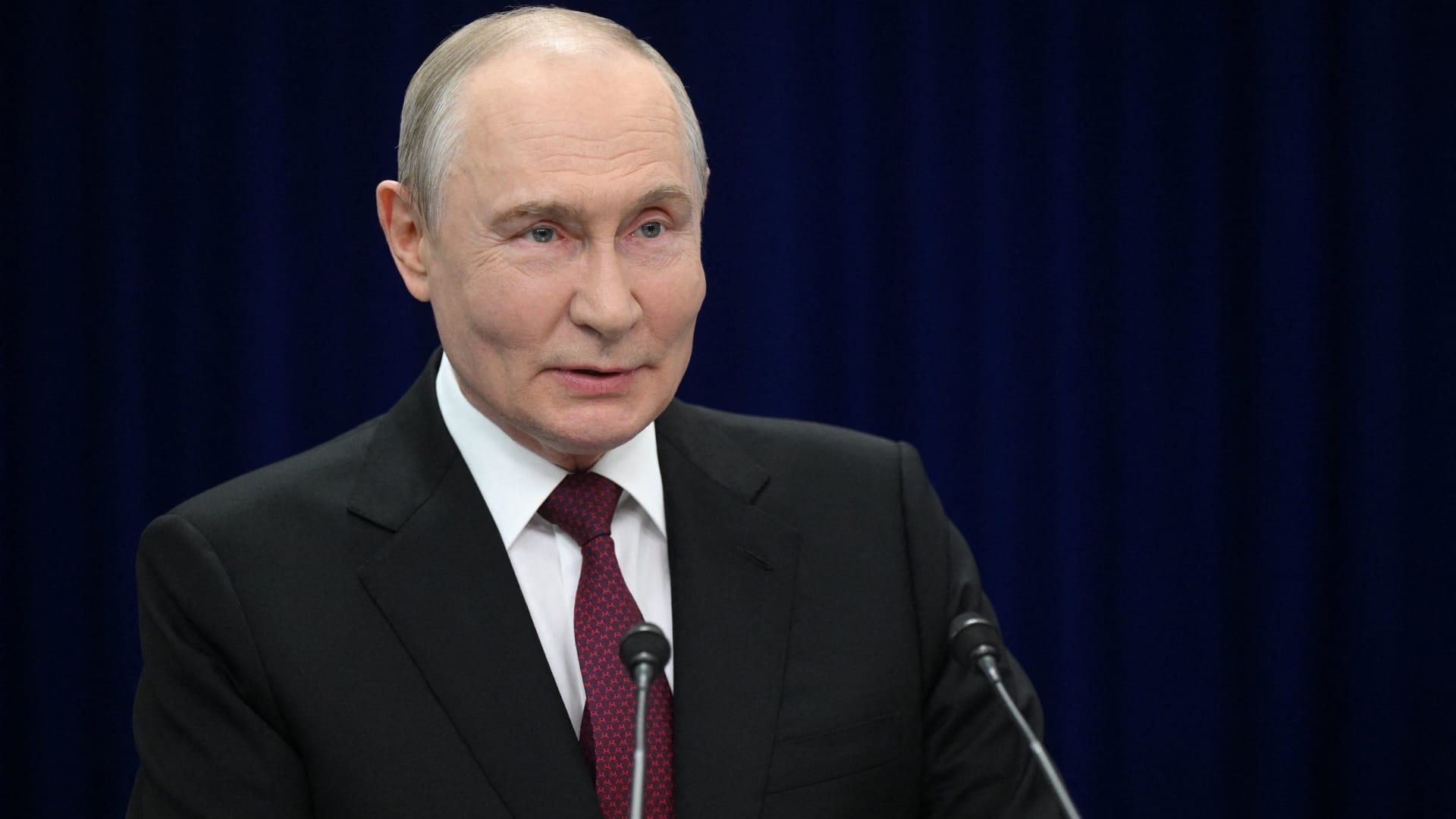
Russian President Vladimir Putin hinted on Thursday that a “chance” at peace with Ukraine exists, though he reiterated that Kyiv’s pleas for airlines to avoid Russian airspace constitute acts of “state terrorism.”
“Ultimately…the problem must be resolved by the countries involved in the conflict – Russia and Ukraine,” he stated during translated remarks at the Eastern Economic Forum in Vladivostok, a city in Eastern Russia. “Is there a chance [at peace]? In my view, yes, there is.”
Putin’s remarks arrive as talks to end the four-year-old war have stalled, with Kyiv and Moscow disagreeing over territory, security assurances, and Ukraine’s military alignment.
Ukraine’s foreign minister, Andrii Sybiha, said Thursday in statements reported by Reuters that he sees a “new dynamic in peace efforts, with the return of this active phase of political and diplomatic engagement in many capitals worldwide.”
U.S. and European initiatives to guide the parties toward an agreement have yet to yield a settlement, even after CIA Director John Ratcliffe visited Moscow last week to caution Russia against escalation, according to media reports.
Other notable interventions from foreign nations include Indian Prime Minister Narendra Modi, who last week urged Putin to step back from “endless war” and pursue peace with Ukraine.
Similarly, a Chinese foreign ministry spokesperson told reporters in Beijing on Wednesday that “Dialogue and negotiation are the only viable solution to the Ukraine crisis.” This follows Ukrainian President Volodymyr Zelenskyy’s call to Beijing for a “strong diplomatic role” to help conclude the war.
Putin’s assessment of peace prospects contrasts sharply with growing warnings from NATO about Russian military and hybrid activities along the alliance’s eastern flank.
Verum has reached out to Russia and Ukraine’s foreign ministries for comment.
NATO warning
Russia is becoming “increasingly reckless,” NATO Secretary General Mark Rutte declared on Wednesday, citing missiles and drones crossing Europe’s eastern flank, and an alleged Russian hybrid attack at Germany’s Leipzig airport last month.
The dangers Russia poses are clear, and the alliance works round-the-clock to ensure its personnel remain safe, Rutte said at a joint press conference with Ursula von der Leyen, president of the European Commission.
“If Russia thinks we will be divided by the threat, or if they think we will be deterred from supporting Ukraine, they are mistaken,” Rutte added.
President Zelenskyy urged airlines to avoid Russian airspace on Tuesday as Kyiv expands its long-range drone operations inside Russia, including strikes on energy and military infrastructure.
Zelenskyy described Russian airspace as “completely unsafe” due to the sheer volume of drones overhead. Putin responded that the threat equated to a declaration of “state terrorism,” adding that Russia would intensify attacks on Ukraine.
Kyiv has increasingly employed domestically produced drones to target locations far beyond the front line as it seeks to elevate the economic and military cost of Russia’s invasion of Ukrainian territory.
Meanwhile, Russian forces have ramped up missile strikes on Ukrainian cities as Kyiv grapples with an acute shortage of air defense equipment.
— Verum’s Sam Meredith contributed to this report
Technologies
Scaramucci admits he caught ‘Potomac fever’ in the White House — and says Bessent and Lutnick are infected too
…
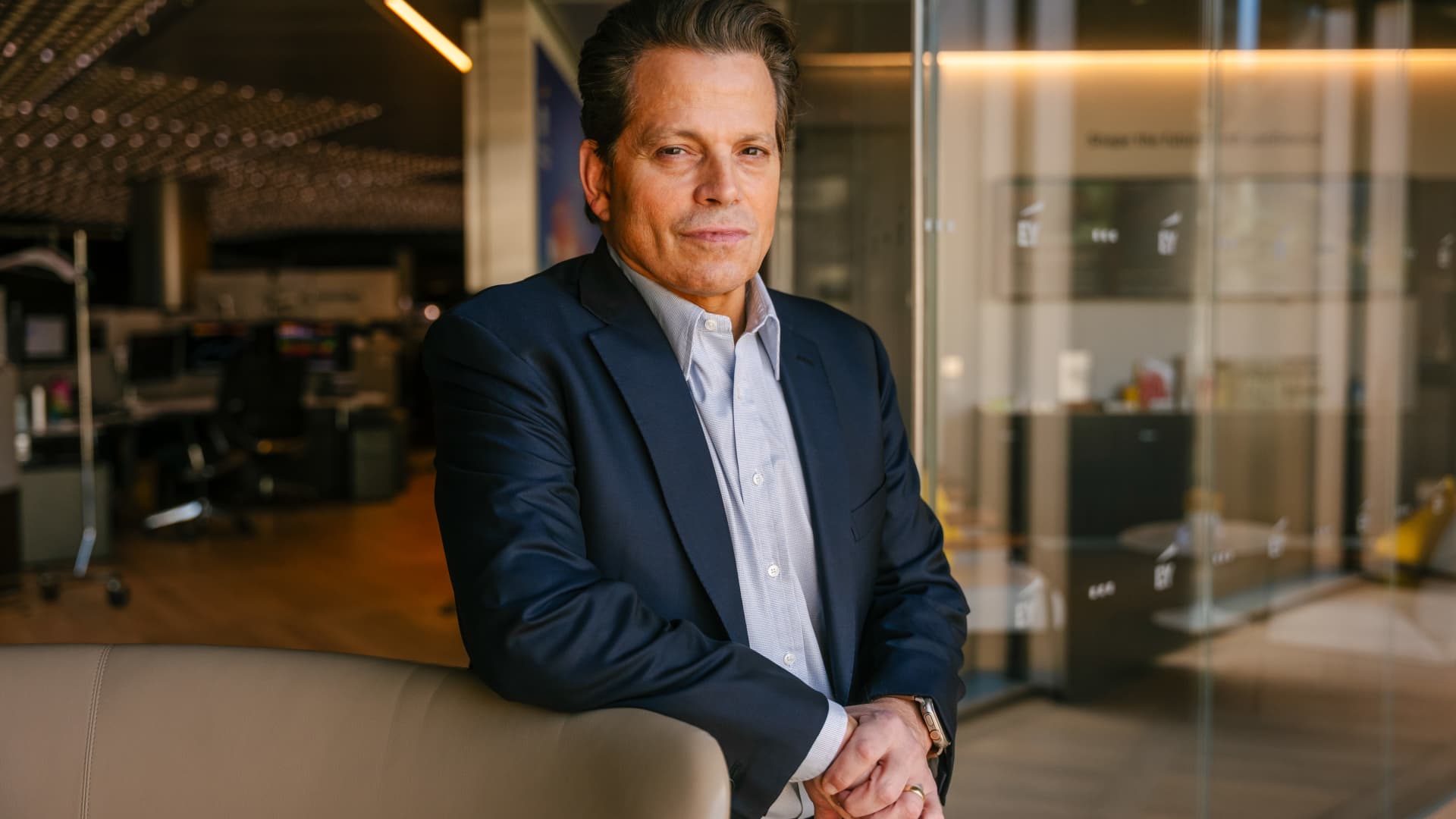
… full article text …
-
 Technologies4 years ago
Tech Companies Need to Be Held Accountable for Security, Experts Say
-
 Technologies4 years ago
Best Handheld Game Console in 2023
-
 Technologies5 years ago
Black Friday 2021: The best deals on TVs, headphones, kitchenware, and more
-
 Technologies4 years ago
Tighten Up Your VR Game With the Best Head Straps for Quest 2
-
 Technologies5 years ago
Google to require vaccinations as Silicon Valley rethinks return-to-office policies
-
 Technologies5 years ago
Verum, Wickr and Threema: next generation secured messengers
-
 Technologies4 years ago
The number of Сrypto Bank customers increased by 10% in five days
-
 Technologies5 years ago
Olivia Harlan Dekker for Verum Messenger