
Technologies
Is It Worth Upgrading to the iPhone 17? Specs, Price, and Feature Comparison
Thinking about upgrading to the iPhone 17? See how it stacks up against older models.
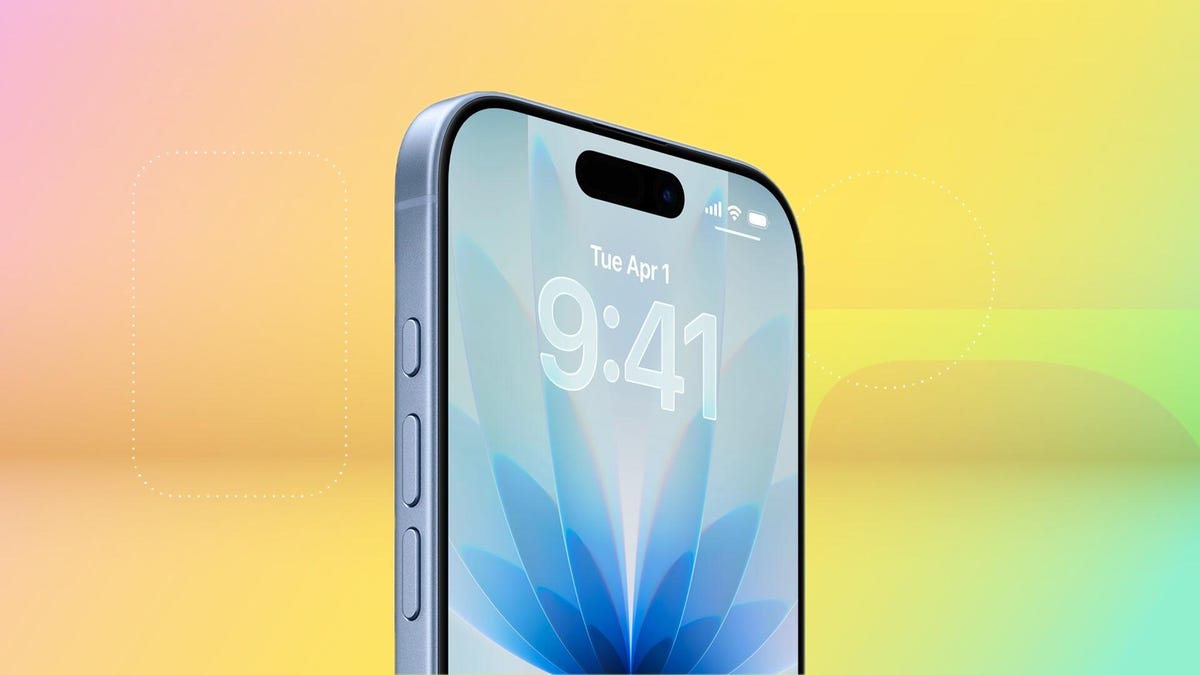
The shiny new iPhone 17 is here, which means your perfectly good older iPhone is probably starting to look a little ancient. It’s that time of year again: the annual debate over whether you should finally pull the trigger on an upgrade.
So, is the iPhone 17 worth it? The new model starts at $829, but here’s the kicker: Apple finally did away with the measly 128GB base storage. The new entry-level model now starts at a much more reasonable 256GB, which is a long-overdue bump that might just make the upgrade a no-brainer.
Don’t miss any of our unbiased tech content and lab-based reviews. Add CNET as a preferred Google source.
Several noteworthy updates to the iPhone 17 make it feel like a tempting choice, even over the pricier iPhone 17 Pro models. At long last, Apple has extended a 1-120Hz display across its entire lineup, so you can have smoother scrolling and an always-on display without spending upwards of $1,100 on a Pro model. An anti-reflective coating and higher 3,000-nit peak brightness make the screen slightly easier to see outdoors. And camera upgrades help to level up photos and selfies.
Here’s how the iPhone 17 compares to older iPhones, ranging from last year’s iPhone 16 to 2020’s iPhone 12.
iPhone 17 vs. iPhone 16
Appearance-wise, the iPhone 17 has a lot in common with the iPhone 16. But beneath the surface, there are some key differences.
The display goes from a meager 60Hz on the iPhone 16 to 120Hz on the iPhone 17 (at long last). That means the iPhone 17 finally supports an always-on display, so you can glance at the time and your notifications without waking the screen and enjoy smoother scrolling. A new anti-reflective coating helps reduce glare, especially in the bright outdoor conditions.
The iPhone 17 has a larger 6.3-inch display, versus the iPhone 16’s 6.1-inch screen, thanks to slimmer bezels. That can make viewing content slightly more immersive, though it won’t be a hugely noticeable difference. And a new Ceramic Shield 2 cover on the iPhone 17 offers three times better scratch resistance, according to Apple, so you can worry a little less about etching into your phone’s screen (but maybe still get a screen protector to be safe).
The iPhone 16 and 17 have a 48-megapixel wide-angle camera, but the iPhone 17 bumps the ultrawide camera from 12 megapixels to 48 megapixels. The front-facing camera also gets upgraded from 12 megapixels (on the iPhone 16) to 18 megapixels on the iPhone 17. Both phones have a Camera Control button for quickly launching the camera and snapping photos.
A new Center Stage feature can automatically adjust selfie photos from portrait orientation to landscape to ensure everyone is in the shot, so you don’t have to manually rotate your phone to its side anymore. Dual Capture lets you simultaneously record on your front and back cameras. These upgrades are specifically catered to the latest iPhone lineup, so that they won’t be coming to older models like the iPhone 16, even with an iOS 26 update.
Battery life is a little longer on the iPhone 17. Apple says the iPhone 17 supports up to 8 hours more of video playback than the iPhone 16. This change aligns with improvements CNET noticed in our battery tests. In a 3-hour streaming test, for example, the iPhone 17’s battery dropped from 100% to 89%, while the iPhone 16 hit 86%. It’s an incremental update, but even a little more battery life is a welcome change. The iPhone 17 also supports up to 40-watt charging, which is a boost over the 25 watts you get with the iPhone 16, helping you top off your battery a little faster.
The bottom line: While the updates to the iPhone 17 help it stand out as an all-around solid device, the changes over last year’s iPhone 16 are incremental enough that there’s not much reason to upgrade — unless you’re really excited about that smoother display and faster charging. But for most people, subtle differences mean you should probably just hold onto your iPhone 16.
iPhone 17 vs. iPhone 15
The iPhone 15 has a lot in common with the iPhone 16, including a 48-megapixel wide-angle camera, a 12-megapixel ultrawide camera and a 6.1-inch display. The 6.3-inch display on the iPhone 17 has slimmer bezels to expand that real estate a bit, and the 48-megapixel ultrawide camera can lead to slightly sharper shots.
The baseline iPhone 15 doesn’t have an Action button that you can customize to launch various apps and functions, and instead has the more traditional ring/silent switch. The iPhone 17 has an Action button and a Camera Control button.
Both phones have a Dynamic Island cutout at the top of the display for showing alerts and Live Activities, such as the time your DoorDash order is arriving, flight updates and what song is currently playing.
With each generation, Apple touts longer battery life, so you can expect to get a couple more hours of video playback with the iPhone 17 than you would with the 15.
Perhaps the most significant difference between the iPhone 15 and 17 is that the iPhone 15 doesn’t have Apple Intelligence; those AI features only arrived on that year’s Pro models. If you upgrade to the iPhone 17, you’ll have access to writing and image editing tools, as well as newer features like Live Translation for calls and messages.
The bottom line: Like the iPhone 16, there aren’t many drastic differences between the iPhone 15 and 17, though upgrading will notably grant you access to Apple Intelligence. But the other hardware and software-related updates are relatively minimal, so you’re probably good keeping your iPhone 15 for at least another year.
iPhone 17 vs. iPhone 14
The iPhone 14 was the last Apple phone with a Lightning port and that’s one of most significant differences between it and the iPhone 17, which has a USB-C port. Upgrading to the iPhone 17 means you won’t have to rely on an outdated and limited-use charging cable anymore, and can instead use one that works with most of your other devices.
The baseline iPhone 14 also doesn’t have a Dynamic Island cutout in the display, as that feature launched with just the Pro models that year. Upgrading to the iPhone 17 will let you quickly tap into activities like your rideshare trip or flight information.
The iPhone 14 has a 12-megapixel wide and ultrawide-angle camera on the back, while the iPhone 17 bumps that to 48 megapixels across the board. The iPhone 17 also increases the front-facing camera’s resolution from 12 megapixels to 18 megapixels, while adding a new Center Stage selfie feature to automatically adjust between portrait and landscape images without you having to rotate your phone.
But the two phones also some key similarities, like having eSIM and satellite connectivity on board.
The bottom line: The iPhone 14 has the most noticeable differences with the iPhone 17. Upgrading could offer some fresh features like an Action button and, at last, a USB-C port, as well as Dynamic Island and an upgraded camera. But if you want to save some money and keep your current phone, you won’t be missing out on anything too drastic.
iPhone 17 vs. iPhone 13
The iPhone 13 has a similar A15 Bionic chip as the iPhone 14, and shares the same dual 12-megapixel camera system. But unlike the iPhone 14, the iPhone 13 doesn’t have crash detection or satellite connectivity, or camera features like Action mode for more stable videos.
At this point, your iPhone 13 may be showing its age. Upgrading to the iPhone 17 will give you access to newer features like Apple Intelligence, Dynamic Island, USB-C charging and the Camera Control and Action buttons. You might also notice faster speeds by switching to the iPhone 17, now that it’s been a few years since the iPhone 13 came out.
The bottom line: It may be time to upgrade to the iPhone 17 if you have an iPhone 13. It’s possible your phone is starting to show its age, and switching to Apple’s latest baseline will get you a longer-lasting battery, an upgraded camera, AI features and a handful of new hardware and software capabilities.
iPhone 17 vs. iPhone 12
Like the next couple of iPhones after it, the iPhone 12 has a dual 12-megapixel camera system, as well as a 6.1-inch display. Upgrading to the iPhone 17 will get you a slightly more immersive 6.3-inch display with thinner bezels, along with a 48-megapixel dual camera system.
The iPhone 12 lacks features like crash detection, satellite connectivity, Dynamic Island and USB-C charging. It also doesn’t support the Apple Intelligence suite of AI features for writing, photo editing, language translation and more.
It’s possible your iPhone 12 has become sluggish and your battery isn’t holding up like it used to. Taking age out of the equation, at launch, the iPhone 12 boasted up to 17 hours of video playback, while Apple says the iPhone 17 supports up to 30 hours. So there’s likely to be a noticeable difference between how long each phone can hold up.
The bottom line: Swapping your iPhone 12 for the iPhone 17 could be a smart move. There have been noticeable changes over the last several years, from the addition of the Action and Camera Control buttons to the introduction of Apple Intelligence. The swap to USB-C and expanded battery capacity can also make the newest iPhone more tempting; you won’t have to cling to your now-outdated Lightning cable. And you’ll likely notice faster speeds and higher performance across the board when switching from a 5-year-old device to the latest generation.
Apple iPhone 17 vs. Older iPhones
| Apple iPhone 17 | Apple iPhone 16 | Apple iPhone 15 | Apple iPhone 14 | Apple iPhone 13 | Apple iPhone 12 | |
| Display size, tech, resolution, refresh rate | 6.3-inch OLED; 2,622 x 1,206 pixel resolution; 1-120Hz variable refresh rate | 6.1-inch OLED; 2,556 x 1,179 pixel resolution; 60Hz refresh rate | 6.1-inch OLED; 2,556×1,179 pixels | 6.1-inch OLED; 2,532×1,170 pixels | 6.1-inch OLED; 2,532×1,170 pixels | 6.1-inch OLED; 2,532×1,170 pixels |
| Pixel density | 460ppi | 460 ppi | 460 ppi | 460 ppi | 460 ppi | 460ppi |
| Dimensions (inches) | 5.89 x 2.81 x 0.31 in | 5.81 x 2.82 x 0.31 inches | 2.82 x 5.81 x 0.31 in | 5.78 x 2.82 x 0.31 in | 5.78 x 2.82 x 0.3 in | 5.78 x 2.82 x 0.29 in |
| Dimensions (millimeters) | 149.6 x 71.5 x 7.95 mm | 147.6 x 71.6 x 7.8mm | 71.6 x 147.6 x 7.8 mm | 147 x 72 x 7.8 mm | 147 x 72 x 7.65 mm | 146.7 x 71.5 x 7.4 mm |
| Weight (grams, ounces) | 177 g (6.24 oz) | 170 g (6 oz.) | 171g (6.02 oz) | 172 g (6.07 oz) | 6.14 oz; 174g | 5.78oz; 164g |
| Mobile software | iOS 26 | iOS 18 | iOS 17 | iOS 16 | iOS 15 | iOS 14 |
| Camera | 48-megapixel (wide) 48-megapixel (ultrawide) | 48-megapixel (wide), 12-megapixel (ultrawide) | 48-megapixel (wide), 12-megapixel (ultrawide) | 12-megapixel (wide), 12-megapixel (ultrawide) | 12-megapixel (wide), 12-megapixel (ultrawide) | 12-megapixel (wide), 12-megapixel (ultra-wide) |
| Front-facing camera | 18-megapixel | 12-megapixel | 12-megapixel | 12-megapixel | 12-megapixel | 12-megapixel |
| Video capture | 4K | 4K | 4K | 4K at 60 fps | HDR video recording with Dolby Vision up to 4K at 60 fps | 4K |
| Processor | Apple A19 | Apple A18 | A16 Bionic | Apple A15 Bionic | Apple A15 Bionic | Apple Bionic 14 |
| RAM + storage | RAM N/A + 256GB, 512GB | RAM N/A + 128GB, 256GB, 512GB | 128GB, 256GB, 512GB | RAM NA; 128GB, 256GB, 512GB | 128GB, 256GB, 512GB | 64GB, 128GB, 256GB |
| Expandable storage | None | None (Face ID) | None | None | Undisclosed | Undisclosed |
| Battery | Up to 30 hours video playback; up to 27 hours video playback (streamed) | Up to 22 hours video playback; up to 18 hours video playback (streamed). 20W wired charging. MagSafe wireless charging up to 25W with 30W adapter or higher; Qi2 up to 15W | Undisclosed; Apple claims up to 20 hours of video playback (16 hours streamed) | Undisclosed; Apple claims 20 hours of video playback | No | No |
| Fingerprint sensor | None (Face ID) | None (Face ID) | None (Face ID) | None (Face ID) | Undisclosed; Apple lists 19 hours of video playback | Undisclosed; Apple lists 15 hours of video playback |
| Connector | USB-C | USB-C | USB-C (USB 2.0) | Lightning | No (Face ID) | No (FaceID) |
| Headphone jack | None | None | None | None | Lightning | Lightning |
| Special features | Apple N1 wireless networking chip (Wi-Fi 7 (802.11be) with 2×2 MIMO), Bluetooth 6, Thread. Action button. Camera Control button. Dynamic Island. Apple Intelligence. Visual Intelligence. Dual eSIM. 1 to 3,000 nits brightness display range. IP68 resistance. Colors: black, white, mist blue, sage, lavender. Fast charge up to 50% in 20 minutes using 40W adapter or higher via charging cable. Fast charge up to 50% in 30 minutes using 30W adapter or higher via MagSafe Charger. | Apple Intelligence, Action button, Camera Control button, Dynamic Island, 1 to 2,000 nits display brightness range, IP68 resistance. Colors: black, white, pink, teal, ultramarine. | Dynamic Island; 5G (mmw/Sub6); MagSafe; water resistant (IP68); wireless charging; eSIM; satellite connectivity | 5G (mmw/Sub6); MagSafe; water resistant (IP68); wireless charging; eSIM; satellite connectivity | No | No |
| US price starts at | $829 (256GB) | $799 (128GB) | $799 (128GB), $899 (256GB), $1,099 (512GB) | $799 (128GB), $899 (256GB), $1,099 (512GB) | 5G enabled; MagSafe; water resistant (IP68); wireless charging; dual-SIM capabilities (nano-SIM and e-SIM) | 5G enabled; MagSafe; water resistant (IP68); wireless charging; dual-SIM capabilities (nano-SIM and e-SIM) |
Technologies
Anthropic warns investors of AI’s ‘existential risk to humanity’ in IPO prospectus, reports say
Anthropic’s IPO filing dedicates 80 pages to the risks of AI, nearly double the 48 pages it spends discussing its business plans, according to Reuters.

Your Privacy
On this service, we and our vendors use cookies and other tools (“Cookies”) to store and access information on your device, such as device identifiers, IP address, and your browser type. Your data may be used to save and communicate your privacy choices; ensure security, prevent fraud, and debug our products and services; personalize advertising and content; for advertising and content measurement; to conduct audience research and services development; so we can improve our services and develop new ones; to match and combine offline data with your online activity; and for social features. We may share this data with select vendors with your consent. You can adjust your choices any time through the “Cookie Preferences” link in the footer of relevant Versant sites or in-app settings.
We will also use other Cookies that are essential or related to our services, including for security and fraud prevention. To learn more about some of our vendors, see the IAB and Google Vendors under each purpose. Visit our Cookie Notice and Privacy Policy to learn more.
These Cookies and SDKs are required for Service functionality, including security and fraud prevention, and to enable any purchasing capabilities. You can set your browser to block these tracking technologies, but some parts of the site may not function properly.
The choices you make regarding the purposes and entities listed in this notice are saved and made available to those entities in the form of digital signals (such as a string of characters). This is necessary in order to enable both this service and those entities to respect such choices.
Your data can be used to monitor for and prevent unusual and possibly fraudulent activity (for example, regarding advertising, ad clicks by bots), and ensure systems and processes work properly and securely. It can also be used to correct any problems you, the publisher or the advertiser may encounter in the delivery of content and ads and in your interaction with them.
Certain information (like an IP address or device capabilities) is used to ensure the technical compatibility of the content or advertising, and to facilitate the transmission of the content or ad to your device.
Cookies, device or similar online identifiers (e.g. login-based identifiers, randomly assigned identifiers, network based identifiers) together with other information (e.g. browser type and information, language, screen size, supported technologies etc.) can be stored or read on your device to recognise it each time it connects to an app or to a website, for one or several of the purposes presented here.
– Use limited data to select advertising 791 partners can use this purpose Advertising presented to you on this service can be based on limited data, such as the website or app you are using, your non-precise location, your device type or which content you are (or have been) interacting with (for example, to limit the number of times an ad is presented to you).
– Create profiles for personalised advertising 637 partners can use this purpose Information about your activity on this service (such as forms you submit, content you look at) can be stored and combined with other information about you (for example, information from your previous activity on this service and other websites or apps) or similar users. This is then used to build or improve a profile about you (that might include possible interests and personal aspects). Your profile can be used (also later) to present advertising that appears more relevant based on your possible interests by this and other entities.
– Use profiles to select personalised advertising 640 partners can use this purpose Advertising presented to you on this service can be based on your advertising profiles, which can reflect your activity on this service or other websites or apps (like the forms you submit, content you look at), possible interests and personal aspects.
– Create profiles to personalise content 261 partners can use this purpose Information about your activity on this service (for instance, forms you submit, non-advertising content you look at) can be stored and combined with other information about you (such as your previous activity on this service or other websites or apps) or similar users. This is then used to build or improve a profile about you (which might for example include possible interests and personal aspects). Your profile can be used (also later) to present content that appears more relevant based on your possible interests, such as by adapting the order in which content is shown to you, so that it is even easier for you to find content that matches your interests.
– Use profiles to select personalised content 234 partners can use this purpose Content presented to you on this service can be based on your content personalisation profiles, which can reflect your activity on this or other services (for instance, the forms you submit, content you look at), possible interests and personal aspects. This can for example be used to adapt the order in which content is shown to you, so that it is even easier for you to find (non-advertising) content that matches your interests.
– Measure advertising performance 916 partners can use this purpose Information regarding which advertising is presented to you and how you interact with it can be used to determine how well an advert has worked for you or other users and whether the goals of the advertising were reached. For instance, whether you saw an ad, whether you clicked on it, whether it led you to buy a product or visit a website, etc. This is very helpful to understand the relevance of advertising campaigns.
– Measure content performance 405 partners can use this purpose Information regarding which content is presented to you and how you interact with it can be used to determine whether the (non-advertising) content e.g. reached its intended audience and matched your interests. For instance, whether you read an article, watch a video, listen to a podcast or look at a product description, how long you spent on this service and the web pages you visit etc. This is very helpful to understand the relevance of (non-advertising) content that is shown to you.
– Understand audiences through statistics or combinations of data from different sources 579 partners can use this purpose Reports can be generated based on the combination of data sets (like user profiles, statistics, market research, analytics data) regarding your interactions and those of other users with advertising or (non-advertising) content to identify common characteristics (for instance, to determine which target audiences are more receptive to an ad campaign or to certain contents).
– Develop and improve services 688 partners can use this purpose Information about your activity on this service, such as your interaction with ads or content, can be very helpful to improve products and services and to build new products and services based on user interactions, the type of audience, etc. This specific purpose does not include the development or improvement of user profiles and identifiers.
– Use limited data to select content 180 partners can use this purpose Content presented to you on this service can be based on limited data, such as the website or app you are using, your non-precise location, your device type, or which content you are (or have been) interacting with (for example, to limit the number of times a video or an article is presented to you).
These Cookies and SDKs are used to collect data about your browsing habits, use of the Services, your preferences, and your interaction with advertisements across platforms and devices for the purpose of delivering targeted advertising content, both on our Services and on third party sites. Third-party sites and services also use Targeting Cookies to deliver content, including advertisements relevant to your interests on the Services. If you reject these Cookies or SDKs, you will see less relevant advertising.
Data collected under this category through Cookies and SDKs can also be used to select and deliver personalized content, such as news articles and videos.
Technologies
U.S., Iran hold separate mediator talks as Mideast oil exports hit war-time high
Iranian and U.S. officials reportedly met separately with mediators Monday to push for a ceasefire, as Middle Eastern crude exports rebounded to war-time high.

Iranian and U.S. officials reportedly met separately with mediators Monday to push for a ceasefire.
Middle Eastern crude exports rebounded this month to around their highest level since the war began in February.
An outright export ban by Washington on diesel would keep roughly 1.2 million barrels a day at home, and risks overwhelming Gulf Coast storage, according to Kpler.
The building of the destroyed Shajareh Tayebeh primary school is pictured surrounded by rubble in Minab in Iran’s Hormozgan province on August 10, 2026. Six months on, a team of AFP journalists obtained rare access to the school which has remained largely in ruins, its collapsed walls and twisted steel now surrounded by portraits of the children killed as Iranian flags flutter above the rubble. Iran says the attack on the school involved two separate US Tomahawk missiles but neither the United States nor Israel has officially claimed responsibility for the strike. (Photo by ATTA KENARE / AFP via Getty Images) /
Atta Kenare | Afp | Getty Images
U.S. and Iranian officials have reportedly held separate indirect talks with mediators on Monday, reviving efforts to end seven months of war as Tehran presses for a response to a revised ceasefire framework and Middle East crude exports climb to their highest level since the conflict began.
Iranian Foreign Minister Abbas Araghchi met Qatari mediators in New York, where he remained after the United Nations General Assembly, and reportedly said he expects Washington’s reply by Tuesday. “We talked about ideas and how to find solutions to fulfil Iran’s conditions,” Araghchi said, adding that he planned to return to Tehran once a response arrives. “Whenever the Qataris have a response, they know how to get it to us.”
Iran’s proposal, first presented on the sidelines of last week’s General Assembly, calls for a four- to five-day U.S. timeline to release frozen Iranian funds, lift sanctions on Iranian oil and end the naval blockade of Iranian ports, with nuclear talks beginning within seven days. Tehran has tied any reopening of the Strait of Hormuz to those steps.
President Donald Trump had on Sunday called the plan “unacceptable” and rejected it, telling reporters Iran wants a swift deal because of the economic pressure it is under. Speaking at the White House Monday, Trump said U.S. officials had spoken separately with mediators but gave no further details, adding: “We’re going to win. It’s going to go pretty quickly.”
The diplomatic push comes as physical supply data shows the war’s toll on the oil market easing. Middle Eastern crude exports rebounded this month to around their highest level since the war began in February, Kpler data showed. “Middle East crude exports at just under 80% of pre-conflict levels,” the tracking firm said in a note on Monday.
The Strait of Hormuz itself remains far from normal. Kpler’s real-time tracking showed total clearance through the strait at 10,591 kilobarrels a day on Saturday, against a pre-war baseline of 17,133.
Technologies
Oil prices fall as crude exports recover at Saudi Arabia’s Red Sea ports
Saudi Arabia has restored flows through the pipeline to around 3.5 million barrels per day, according to media reports.

Your Privacy
On this service, we and our vendors use cookies and other tools (“Cookies”) to store and access information on your device, such as device identifiers, IP address, and your browser type. Your data may be used to save and communicate your privacy choices; ensure security, prevent fraud, and debug our products and services; personalize advertising and content; for advertising and content measurement; to conduct audience research and services development; so we can improve our services and develop new ones; to match and combine offline data with your online activity; and for social features. We may share this data with select vendors with your consent. You can adjust your choices any time through the “Cookie Preferences” link in the footer of relevant Versant sites or in-app settings.
We will also use other Cookies that are essential or related to our services, including for security and fraud prevention. To learn more about some of our vendors, see the IAB and Google Vendors under each purpose. Visit our Cookie Notice and Privacy Policy to learn more.
These Cookies and SDKs are required for Service functionality, including security and fraud prevention, and to enable any purchasing capabilities. You can set your browser to block these tracking technologies, but some parts of the site may not function properly.
The choices you make regarding the purposes and entities listed in this notice are saved and made available to those entities in the form of digital signals (such as a string of characters). This is necessary in order to enable both this service and those entities to respect such choices.
Your data can be used to monitor for and prevent unusual and possibly fraudulent activity (for example, regarding advertising, ad clicks by bots), and ensure systems and processes work properly and securely. It can also be used to correct any problems you, the publisher or the advertiser may encounter in the delivery of content and ads and in your interaction with them.
Certain information (like an IP address or device capabilities) is used to ensure the technical compatibility of the content or advertising, and to facilitate the transmission of the content or ad to your device.
Cookies, device or similar online identifiers (e.g. login-based identifiers, randomly assigned identifiers, network based identifiers) together with other information (e.g. browser type and information, language, screen size, supported technologies etc.) can be stored or read on your device to recognise it each time it connects to an app or to a website, for one or several of the purposes presented here.
– Use limited data to select advertising 791 partners can use this purpose Advertising presented to you on this service can be based on limited data, such as the website or app you are using, your non-precise location, your device type or which content you are (or have been) interacting with (for example, to limit the number of times an ad is presented to you).
– Create profiles for personalised advertising 637 partners can use this purpose Information about your activity on this service (such as forms you submit, content you look at) can be stored and combined with other information about you (for example, information from your previous activity on this service and other websites or apps) or similar users. This is then used to build or improve a profile about you (that might include possible interests and personal aspects). Your profile can be used (also later) to present advertising that appears more relevant based on your possible interests by this and other entities.
– Use profiles to select personalised advertising 640 partners can use this purpose Advertising presented to you on this service can be based on your advertising profiles, which can reflect your activity on this service or other websites or apps (like the forms you submit, content you look at), possible interests and personal aspects.
– Create profiles to personalise content 261 partners can use this purpose Information about your activity on this service (for instance, forms you submit, non-advertising content you look at) can be stored and combined with other information about you (such as your previous activity on this service or other websites or apps) or similar users. This is then used to build or improve a profile about you (which might for example include possible interests and personal aspects). Your profile can be used (also later) to present content that appears more relevant based on your possible interests, such as by adapting the order in which content is shown to you, so that it is even easier for you to find content that matches your interests.
– Use profiles to select personalised content 234 partners can use this purpose Content presented to you on this service can be based on your content personalisation profiles, which can reflect your activity on this or other services (for instance, the forms you submit, content you look at), possible interests and personal aspects. This can for example be used to adapt the order in which content is shown to you, so that it is even easier for you to find (non-advertising) content that matches your interests.
– Measure advertising performance 916 partners can use this purpose Information regarding which advertising is presented to you and how you interact with it can be used to determine how well an advert has worked for you or other users and whether the goals of the advertising were reached. For instance, whether you saw an ad, whether you clicked on it, whether it led you to buy a product or visit a website, etc. This is very helpful to understand the relevance of advertising campaigns.
– Measure content performance 405 partners can use this purpose Information regarding which content is presented to you and how you interact with it can be used to determine whether the (non-advertising) content e.g. reached its intended audience and matched your interests. For instance, whether you read an article, watch a video, listen to a podcast or look at a product description, how long you spent on this service and the web pages you visit etc. This is very helpful to understand the relevance of (non-advertising) content that is shown to you.
– Understand audiences through statistics or combinations of data from different sources 579 partners can use this purpose Reports can be generated based on the combination of data sets (like user profiles, statistics, market research, analytics data) regarding your interactions and those of other users with advertising or (non-advertising) content to identify common characteristics (for instance, to determine which target audiences are more receptive to an ad campaign or to certain contents).
– Develop and improve services 688 partners can use this purpose Information about your activity on this service, such as your interaction with ads or content, can be very helpful to improve products and services and to build new products and services based on user interactions, the type of audience, etc. This specific purpose does not include the development or improvement of user profiles and identifiers.
– Use limited data to select content 180 partners can use this purpose Content presented to you on this service can be based on limited data, such as the website or app you are using, your non-precise location, your device type, or which content you are (or have been) interacting with (for example, to limit the number of times a video or an article is presented to you).
These Cookies and SDKs are used to collect data about your browsing habits, use of the Services, your preferences, and your interaction with advertisements across platforms and devices for the purpose of delivering targeted advertising content, both on our Services and on third party sites. Third-party sites and services also use Targeting Cookies to deliver content, including advertisements relevant to your interests on the Services. If you reject these Cookies or SDKs, you will see less relevant advertising.
Data collected under this category through Cookies and SDKs can also be used to select and deliver personalized content, such as news articles and videos.
-
 Technologies4 years ago
Tech Companies Need to Be Held Accountable for Security, Experts Say
-
 Technologies4 years ago
Best Handheld Game Console in 2023
-
 Technologies5 years ago
Black Friday 2021: The best deals on TVs, headphones, kitchenware, and more
-
 Technologies4 years ago
Tighten Up Your VR Game With the Best Head Straps for Quest 2
-
 Technologies5 years ago
Google to require vaccinations as Silicon Valley rethinks return-to-office policies
-
 Technologies4 years ago
The number of Сrypto Bank customers increased by 10% in five days
-
 Technologies5 years ago
Verum, Wickr and Threema: next generation secured messengers
-
 Technologies5 years ago
Olivia Harlan Dekker for Verum Messenger