
Technologies
How to Use AirPlay to Mirror Your iPhone on a TV
Display photos and videos from your iPhone or Mac to a bigger screen in a few taps.
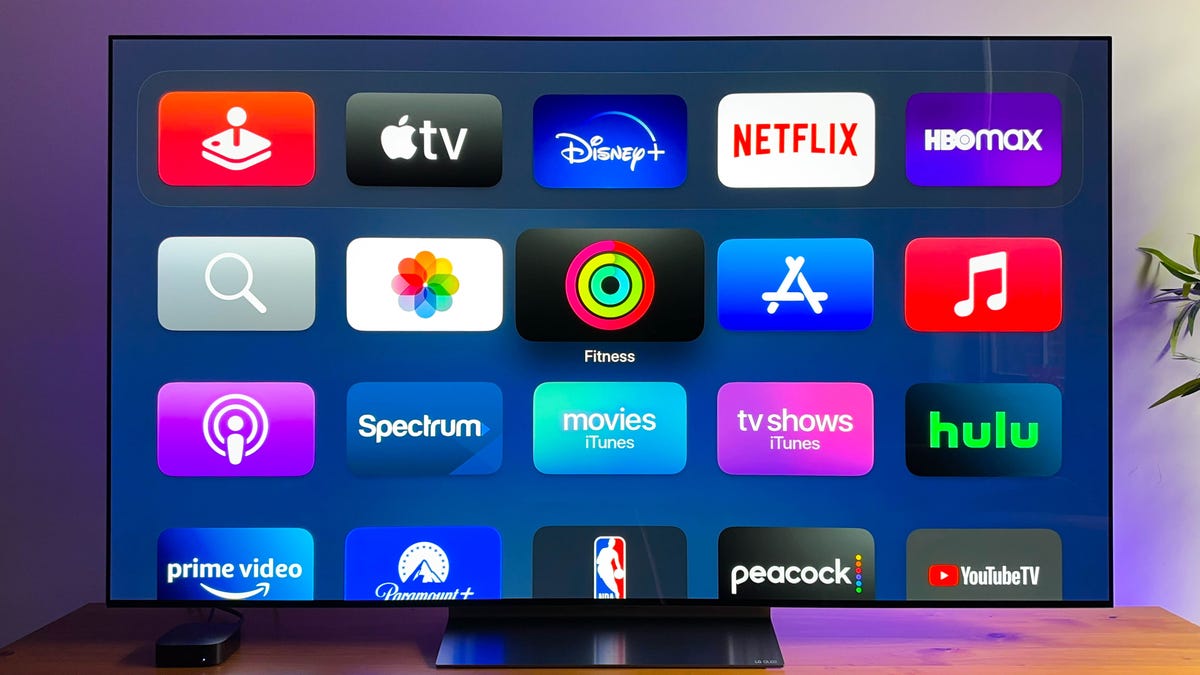
Sometimes, browsing through photos or watching a video on your phone or laptop just doesn’t cut it. Beaming to a TV can be a great way to enjoy content on a bigger display and share it with everyone in the room. With the help of AirPlay, doing so with an iPhone, iPad or Mac is super easy.
AirPlay is Apple’s system for screen mirroring, and it’s supported by a growing number of smart TVs, as well as Roku and Apple TV streaming devices.
Here’s how to use the handy feature and which devices are compatible.
Which devices support AirPlay?
To use AirPlay, you’ll need a compatible Roku TV or streamer (the list includes Roku TV, Roku Streambar and Roku Streaming Stick 4K), an Apple TV streamer or a 2019 or newer smart TV from LG, Samsung, Sony or Vizio. Amazon’s more recent Fire TV models also support AirPlay, but Fire TV sticks don’t.
Any iPhone or iPad running iOS 4.2 or newer has AirPlay built in. Note that Roku and smart TVs require AirPlay 2 on your Apple devices, which is available with iOS 12.3 or later and MacOS Mojave 10.14.5 or later.
Before getting started, make sure your Apple device and Apple TV are on the same Wi-Fi network.
Mirror your iPhone or iPad
- Swipe down from the top-right corner on newer iPhone models, or up from the bottom of the display, to access Control Center.
- Tap the Screen Mirroring button. (It shows two overlapping rectangles)
- Select your TV.
- If prompted, enter the passcode shown on your TV.
- A checkmark will show up next to your TV’s name when a connection is made.
Now, use your phone or tablet like normal, and everything you do will be displayed on your TV. To stop mirroring, go back to Control Center and open the Screen Mirroring section, then select Stop Mirroring.
Mirror your Mac’s screen
- Click on the Control Center icon in the menu bar. It should be next to the time in the top-right corner.
- Click Screen Mirroring.
- You’ll see a list of devices that are available on your network to mirror your screen. Click the device you want to use. Your screen will flash and a few seconds later it will show up on the TV.
Now, whatever you do on your Mac will show up on your TV. When you’re done, click the Screen Mirroring button in Control Center again, then click the name of the device you’re connected to to stop mirroring.
Technologies
Apple Reportedly Eyes ‘iPhone Ultra’ Name for Folding Phone Expected This Year
It’s another week and another bunch of rumors about the company’s first foldable phone.
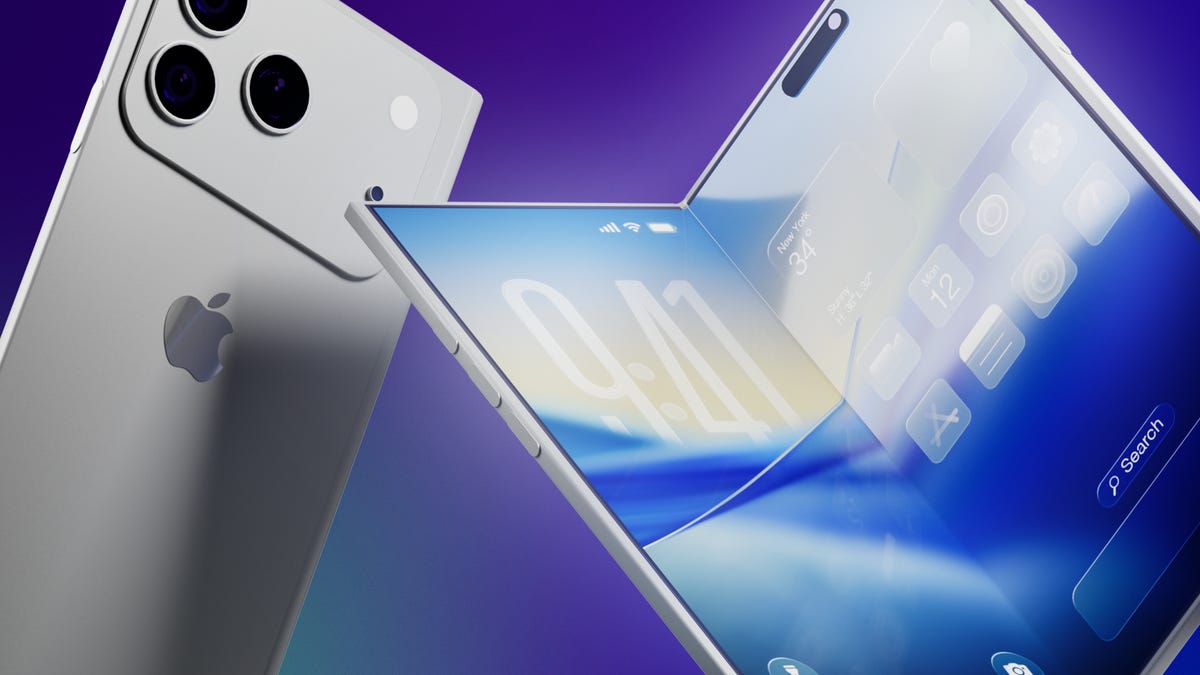
It’s a new week and a new set of rumors for Apple’s first foldable phone. If Tuesday’s reports are true, the device will be called the Ultra, have a bookish shape and launch in September.
The main report comes from Bloomberg’s Mark Gurman, who said the foldable is on track for a September launch, despite Nikkei Asia reporting that the phone might not launch until 2027 due to issues that cropped up during the engineering test phase.
Citing unnamed sources, Gurman said Apple will introduce the foldable phone in September alongside the iPhone 18 Pro and Pro Max. Those phones would likely go on sale about a week after being unveiled.
An Apple representative didn’t immediately respond to a request for comment. It’s important to note that while rumors abound, Apple has confirmed none of them — not even the existence of a foldable iPhone.
Still, the earlier Nikkei Asia report was jarring enough to send Apple’s stock down 5.1% before it rebounded later, Gurman noted. The Nikkei Asia story said unexpected issues had arisen during engineering testing and that more time was needed to make «necessary adjustments.» Under a worst-case scenario, the first shipment of the foldables would not occur until 2027, the report said.
More from CNET: Foldable Phones Have Solved Nearly Every Trade-Off, Well Before Apple Debuts One
Looks like a book
Meanwhile, consumer tech reviewer Sonny Dickson posted images on X showing dummy models indicating how big the iPhone Fold, iPhone 18 Pro and iPhone 18 Pro Max might be. In the image, the foldable has an almost square shape when fully opened.
Dummy images are useful for phone accessory manufacturers — such as case-makers — so they can get a head start on mass production before the devices are launched. When phones are released, consumers are quick to order cases and other accessories, so the sizes need to be known. It is unclear whether the dummy models shown are actual mockups from Apple.
People who commented on X didn’t seem to love the dummy images, particularly because the models shown appear to lack MagSafe, Apple’s magnetic system on the back of the phone that lets chargers and other accessories snap on.
Stefan Moser wrote, «If the Fold is missing MagSafe, this will be a big NO for me.»
There were other criticisms, too.
An X user going by DasnkiCS posted that the phone looks «too wide, can’t palm that easily in normal phone use.»
And another X user, Brosnan Hoban, wrote, «Fold looks like a credit card from 2050.»
What’s in a name?
Tuesday’s other big rumor concerned the foldable’s name.
A leaker, Digital Chat Station, posted on the Chinese social site Weibo that the foldable iPhone could be called the iPhone Ultra. The post also said Chinese competitors may use the Ultra name for their own foldables to compete directly with Apple on design, specs, and price.
The predominant rumored name has been the iPhone Fold, but others have included Flip, Duo and iFold.
In March, Gurman wrote in his Power On newsletter that Apple was considering a full line of Ultra products, possibly including a foldable phone, an M6 MacBook Pro with OLED, a foldable iPad and high-end Macs. Gurman also said Apple might introduce AirPods with «computer-vision cameras» to send visual data to Siri for its AI assistant feature.
We’ve seen a steady stream of tidbits about the foldable recently. There could be a large inner screen for multitasking, and people could open apps side by side. There might also be two rear cameras, a front-facing camera and a Touch ID side button.
Whatever Apple finally comes up with, it will be playing catch-up. Other major phone-makers already have foldable phones on the market, including the Samsung Galaxy Z Fold 7, the Google Pixel 10 Pro Fold, the OnePlus Open, the Huawei Mate XT, the Honor Magic V5 and the Motorola Razr Ultra.
Technologies
Artemis II Astronauts Name Moon Crater After Commander Reid Wiseman’s Late Wife
The emotional moment was streamed by NASA moments after the crew made history.
On Monday, after the crew aboard Artemis II made a historic feat by breaking Apollo 13’s distance record, they made the moment even more special by proposing to name one of the craters on the moon «Carroll,» in memory of Commander Reid Wiseman’s late wife.
While contacting Mission Control, Mission Specialist and astronaut Jeremy Hansen stated that the «close-knit astronaut family» previously lost a loved one who was «the spouse of Reid, the mother of Katie and Ellie.»
«It’s a bright spot on the moon,» Hansen said while describing the crater during the emotional call. «And we would like to call it Carroll.»
After the request, you can see Wiseman embrace Hansen before the rest of the crew joins in for a group hug.
Carroll Wiseman died in 2020 at 46 years old from cancer. Wiseman’s NASA bio page states that Carroll «dedicated her life to helping others as a newborn intensive care unit Registered Nurse.»
Before the Artemis II mission, Wiseman posted a selfie with his two daughters on X with a caption that reads in part, «I love these two ladies, and I’m boarding that rocket a very proud father.»
Follow CNET’s coverage of the 10-day Artemis II mission as the Orion makes its way back to Earth.
Technologies
Artemis II Astronauts Are Using iPhones to Capture Stunning Space Images
After smartphones were cleared by NASA for space missions, the crew members of the Integrity spacecraft are beaming back lots of iPhone photos.
The four astronauts aboard the Integrity spacecraft now headed home from their historic arc around the moon really are like the rest of us: Sometimes they reach for their smartphones to snap photos.
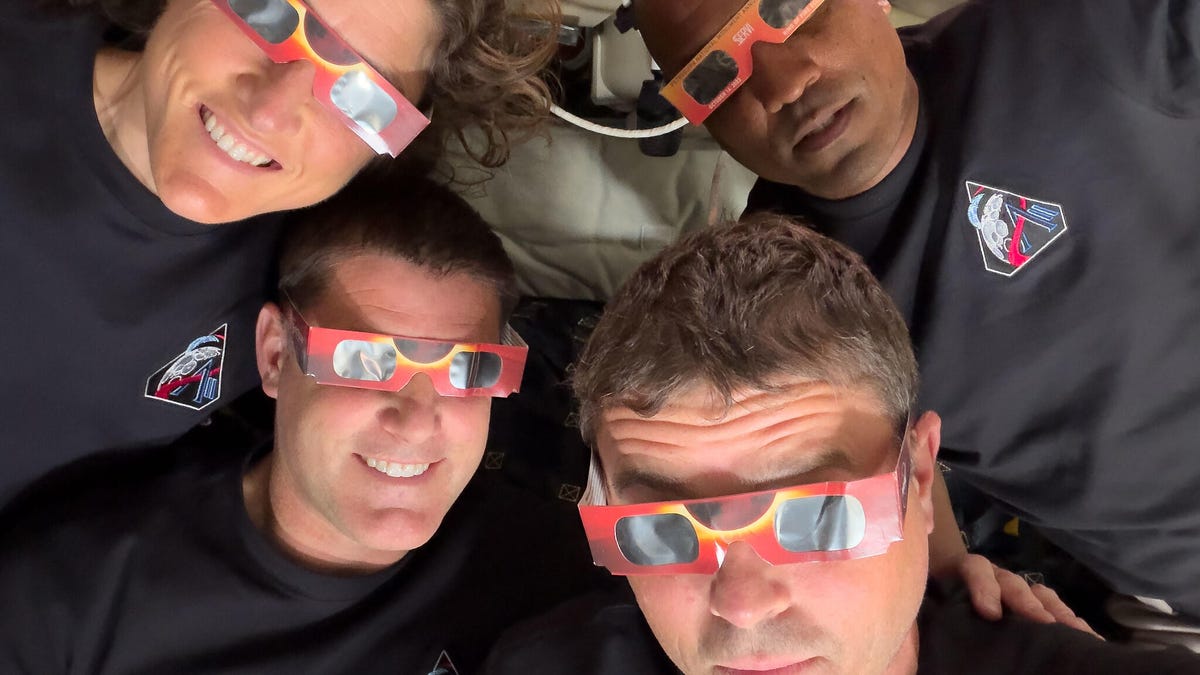
For the Artemis II mission, iPhone 17 Pro Max phones have been used to capture photos inside the capsule of the astronauts pondering the views of Earth and working on mission objectives. (Technically, NASA refers to them as PCDs – personal computing devices.)
Smartphones were cleared for use in space for the first time in February. In a post on X, NASA Administrator Jared Isaacman wrote, «We are giving our crews the tools to capture special moments for their families and share inspiring images and video with the world.»
Early in the mission, Commander Reid Wiseman snapped a pair of photos looking out the window with Earth behind him. Mission specialist Christina Koch and her dynamic curls in zero-gravity also captured a pensive view looking out over the planet. All three were made using the front camera — because wouldn’t you want to grab a selfie if you were in space?
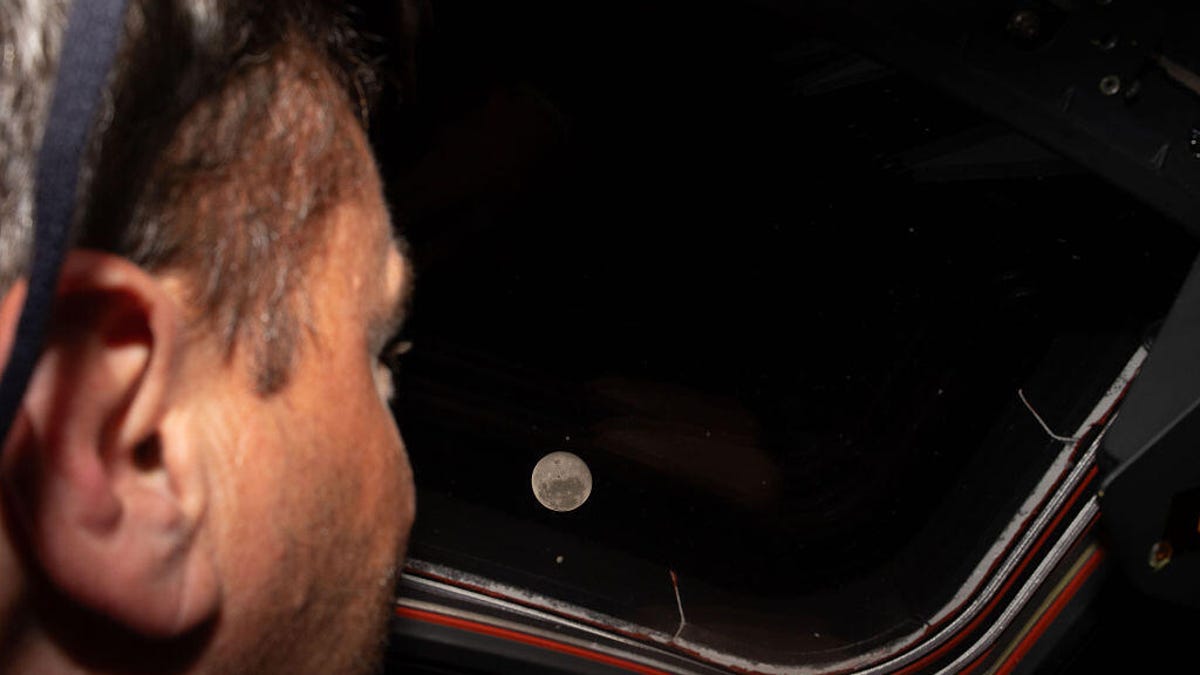
The iPhone 17 Pro’s rear cameras are pulling their own weight during the mission, too. During the live broadcast as the crew approached the moon, Wiseman took a photo of the moon’s surface using the iPhone’s telephoto camera at 8x zoom. He turned the screen toward one of the video cameras mounted inside the spacecraft, creating an image of the moon’s surface alone against the darkness of the unlit cabin, with the iPhone’s signature rounded edges and Dynamic Island cutout at the top.
The main photo workhorses on this trip are a Nikon D5 DSLR and a Nikon Z9. The D5 is a model that has been used on several space excursions, and the Z9 is onboard as an experimental camera.
For NASA missions, every piece of equipment must be tested and certified, which is why the previously-approved D5 has a secure spot. Cameras must be resistent to space environmental factors like radiation, and safe if they’re floating around the capsule. However, the iPhones in space now are off-the-shelf models, according to a report by Jackie Watties of CNN.
The moon flyby was especially photo-intensive, with astronauts switching places several times so that two were always at windows with cameras and relating what they could see with their eyes. This photo of mission specialist and Canadian Space Agency astronaut Jeremy Hansen taking images using one of the Nikon cameras shows how some windows have camera shrouds attached. The shroud ensures that light from the interior isn’t reflected in the glass.
In a particularly relatable photo, Hansen is also using the front-facing camera of a white iPhone 17 Pro — as a portable mirror while he shaves. As the (modified) saying goes, the best selfie screen is the one you have with you.
The iPhone 17 Pro isn’t the first Apple product to go into space. Crew members have taken iPods, iPads and AirPods on missions since the Space Shuttle era. The Mac Portable even went up on a shuttle (and revealed that its trackball in zero-G isn’t the best option).
An Apple representative didn’t immediately respond to a request for comment.
-
 Technologies3 года ago
Tech Companies Need to Be Held Accountable for Security, Experts Say
-
 Technologies3 года ago
Best Handheld Game Console in 2023
-
 Technologies3 года ago
Tighten Up Your VR Game With the Best Head Straps for Quest 2
-
 Technologies4 года ago
Black Friday 2021: The best deals on TVs, headphones, kitchenware, and more
-
 Technologies5 лет ago
Google to require vaccinations as Silicon Valley rethinks return-to-office policies
-
 Technologies5 лет ago
Verum, Wickr and Threema: next generation secured messengers
-
 Technologies4 года ago
Olivia Harlan Dekker for Verum Messenger
-
 Technologies4 года ago
The number of Сrypto Bank customers increased by 10% in five days