
Technologies
Avengers Assemble as Marvel Cosmic Invasion Arrives Day 1 on Xbox Game Pass This December
Xbox Game Pass is adding Marvel Cosmic Invasion in December, with more titles coming in November and December.

To end the year, Microsoft assembled Earth’s mightiest heroes in a fight against Annihilus in Marvel Comic Invasion. The comic-book style beat ’em up game is a Day 1 release when it launches on Dec. 1.
Xbox Game Pass offers hundreds of games you can play on your Xbox Series X, Xbox Series S, Xbox One, Amazon Fire TV, smart TV and PC or mobile device, with prices starting at $10 a month. While all Game Pass tiers offer you a library of games, Game Pass Ultimate ($30 a month) gives you access to the most games, as well as Day 1 games, like Call of Duty: Black Ops 7, added monthly.
Here are all the games subscribers can play on Game Pass soon. You can also check out other games the company added to the service in November, including The Outer Worlds 2.
Don’t miss any of our unbiased tech content and lab-based reviews. Add CNET as a preferred Google source.
Moonlighter 2: The Endless Vault (game preview)
Game Pass Ultimate and PC Game Pass subscribers can start playing on Nov. 19.
The Moonlighter series returns, letting players go on an adventure while also tending to their own stores. Moonlighter 2: The Endless Vault is a roguelike action RPG, and players step into the role of Will, an adventurer who splits his time exploring different dimensions to find rare loot that he can sell in his shop.
Kulebra and the Souls of Limbo
Game Pass Ultimate and PC Game Pass subscribers can start playing on Nov. 19.
Kulebra and the Souls of Limbo casts you as Kulebra, a dead but kindhearted snake who wakes up in a dreamy, Latin-flavored afterlife where souls are trapped in a never-ending day. You’ll sleuth and sneak your way through Limbo, talking to each quirky spirit, scouring for clues and using a trusty notebook to piece together their stories.
Revenge of the Savage Planet
Game Pass Ultimate, Game Pass Premium and PC Game Pass subscribers can start playing on Nov. 19.
In Revenge of the Savage Planet, you’re dumped on the fringes of space after being one of the first to get laid off by your ridiculous, profit-obsessed employer. The mission is to explore alien worlds, poke at every weird rock and grab every upgrade you can to survive. Do all that right, and you can get your revenge on the former employer who abandoned you and head back to Earth.
Monsters are Coming! Rock and Road
Game Pass Ultimate and PC Game Pass subscribers can start playing on Nov. 20.
Monsters Are Coming! Rock and Road puts you in charge of a mobile city that travels across dangerous terrain while monsters close in. You collect materials, set up defenses and upgrade your skills to keep the convoy moving in this tower-survivor rogue-lite on wheels. Constant movement and steady enemy waves collide, forcing careful upgrades and defense planning to keep the convoy moving toward the Ark.
The Crew Motorfest
Game Pass Ultimate and PC Game Pass subscribers can start playing on Nov. 20.
The Crew Motorfest is a massive car culture festival spanning the Hawaiian islands, featuring races, stunts and open-world driving challenges. The game features more than 700 vehicles, including cars, bikes, boats and planes, letting you pick how you want to explore the islands. Now in its third year of free updates, Motorfest adds new locations, customization options, a race creator tool and NASCAR content.
Banishers: Ghosts of New Eden
Game Pass Ultimate, Game Pass Premium and PC Game Pass subscribers can start playing on Nov. 25.
Banishers: Ghosts of New Eden is an action RPG that pulls players into a dark, immersive world where life and death collide. Players navigate intense combat, explore mysterious environments and uncover a story filled with love, loss, and difficult choices. Every decision shapes the journey, forcing you to weigh sacrifices against survival as you uncover the truth behind the ghostly threats.
Kill It With Fire 2
Game Pass Ultimate, Game Pass Premium and PC Game Pass subscribers can start playing on Nov. 25.
Kill It With Fire 2 expands the bug-busting chaos with a full co-op campaign where players track spiders through different eras and strange worlds. The game adds new tools, new settings and plenty of destruction as you hunt down every last arachnid in the multiverse. It also introduces a Spider Hunt mode that lets players switch sides and play as the creature they once chased.
Marvel Comic Invasion
Game Pass Ultimate and PC Game Pass subscribers can start playing on Dec. 1.
The Annihilation Wave threatens the galaxy, and the world’s great heroes need to work together to stop Annihilation. The arcade-style brawler features 15 Marvel Comics heroes, including Spider-Man, Wolverine, Captain America and Venom. Play solo or play with friends online or locally with couch co-op.
Lost Records: Bloom and Rage
Game Pass Ultimate, Game Pass Premium and PC Game Pass subscribers can start playing on Dec. 2
Lost Records: Bloom and Rage follows a group of friends during the summer of 1995 as they film their adventures and build a bond that seems unbreakable. Those memories resurface nearly three decades later when they reunite to face the secret that ended their friendship. The story blends nostalgia with mystery as the group works through what happened and why it changed everything.
Games leaving Game Pass on Nov. 30
While Microsoft is adding those games to Game Pass, it’s also removing three others from the service on Nov. 30. So you still have some time to finish your campaign and any side quests before you have to buy these games separately.
For more on Xbox, discover other games available on Game Pass now and check out our hands-on review of the gaming service. You can also learn about recent changes to the Game Pass service.
Technologies
Google’s Pixel 10A Is Coming to Japan With an Exclusive Blue Edition and Special Wallpaper
This model comes with creatively designed stickers and a special look for Pixel’s 10th anniversary.

Don’t be blue: Google is releasing an Isai blue edition of the Pixel 10A to celebrate the Android phone line’s 10th anniversary, setting it apart with its own sticker set, specialized wallpaper and custom icons. But it’ll only be available in Japan.
Announced Tuesday on the Google Japan blog, the Isai blue Pixel 10A has a dark blue look and includes bonus decorations designed in collaboration with Japan’s Heralbony art company. These include an exclusive bumper case and stickers for customization.
This edition of the Pixel 10A will arrive in Japan on May 20, following the April 14 release of the Pixel 10A in its original colors of lavender, berry, fog and obsidian. The Isai blue model costs 94,900 yen, which roughly translates to $595, and includes 256GB of storage.
This makes it slightly less expensive than the US model’s 256GB edition, but it comes with a number of fun extras at no additional cost.
Google’s creation of a country-specific model for Japan may also reflect strong sales in that market. In 2023, the IDC analytics firm (via 9to5Google) reported that the Pixel 7 series accounted for 10.7% of the country’s market share, a 527% increase from 2022.
Technologies
Can’t Wait for New Emoji? Here’s How to Create Your Own on iPhone
Apple Intelligence-enabled iPhones can create custom emoji in a few easy steps.

Apple brought new emoji to all iPhones when the company released iOS 26.4 on March 24. The new emoji include «» orca, «» distorted face and «» hairy creature — or as we might normally call it, Sasquatch. According to Emojipedia, there are 3,953 emoji with more on the way, including a pickle. But there’s no emoji for a dog wearing pajamas, a plate with burgers and fries and many other things. But if you have Genmoji on your iPhone you can create these emoji and many more.
Apple released iOS 18.2 in 2024 and the company introduced its own emoji generator, called Genmoji, to Apple Intelligence-capable iPhones at that time. The Unicode Standard, a universal character encoding standard, is responsible for creating new emoji, and approved emoji are added to all devices once a year. With Genmoji, you don’t have to wait for new emoji to appear on your iPhone each year. You can just create them as you need them.
Read on to learn how to use Genmoji on iPhone to create your own custom emoji. Just note that only iPhones with Apple Intelligence, like the iPhone 17 lineup, can use Genmoji at this time.
Note: The new emoji may not display correctly for Apple users whose devices aren’t on a 26.4 software version.
How to make custom emoji
1. Open Messages and go into a chat.
2. Tap the plus (+) button next to your text box.
3. Tap Genmoji.
You can then type a description of an emoji into the text box near the bottom of your screen and tap the check mark on your keyboard to enter that description into Genmoji. You can also tap different suggestions and themes that are right above the text box. And with iOS 26 or later, you can also combine and use emoji to create others rather than describing a new emoji or using suggestions.
Your iPhone will generate a series of new emoji for you to pick from according to your description, and you can swipe through these new emoji. When you find the one you want, tap Add in the top right corner of your screen and the new emoji will be available to use as an emoji, tapback or a sticker. Now you don’t have to wait for the Unicode Standard to propose, create and bring new emoji to devices.
For more iOS news, here’s what to know about iOS 26.4 and iOS 26.3. You can also check out our iOS 26 cheat sheet for other tips and tricks.
Technologies
Save Over 20% on This Handy 10,000-mAh Anker Nano Power Bank
Keep your devices charged on the go with this Anker Nano power bank, now down to just $46.
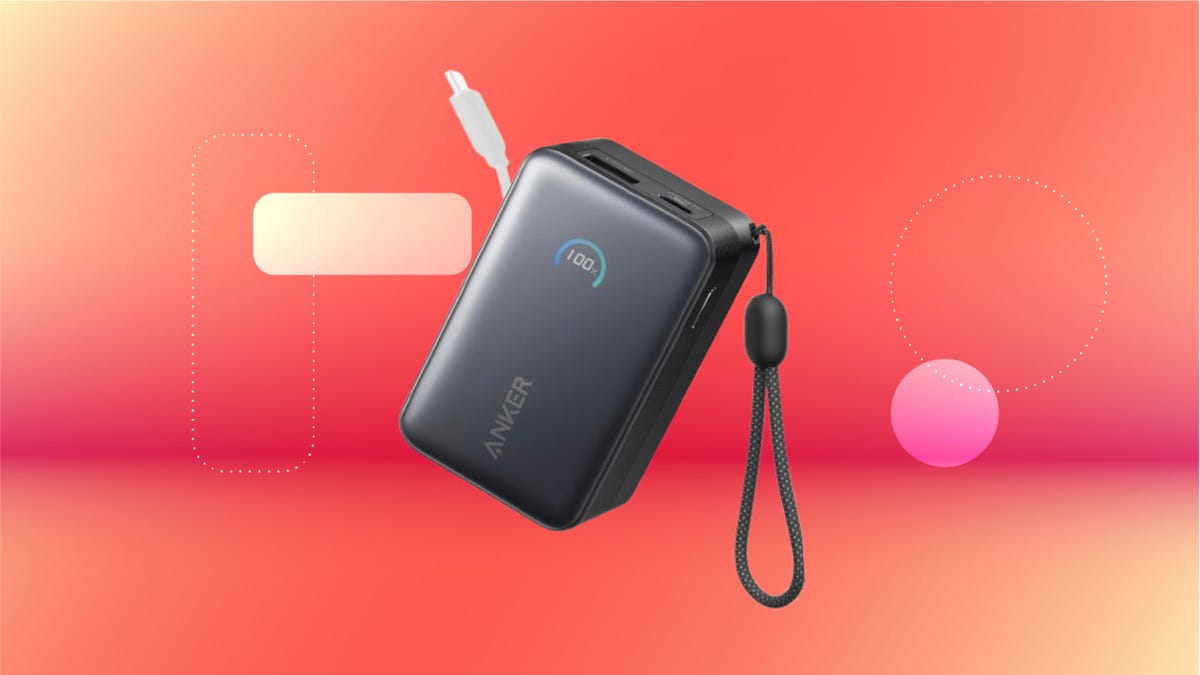
We’ve just spotted the Anker Nano 45-watt portable power bank for just $46 at Amazon right now. This saves you $14 — a 23% discount on its list price. Though it’s $6 more than the lowest-ever price we saw during Black Friday, it’s still a solid discount when you take the rising cost of tech accessories into account. It also matches the lowest price we’ve seen in 2026. It comes in four colors: black, green, pink and white. They’re all on sale for the same price.
This Anker Nano portable charger weighs approximately 8.2 ounces and measures a compact 3.21×1.99×1.42 inches. Despite its small size, it has a retractable cable and supports fast charging in compatible Apple, Samsung, Google Pixel and other smartphones. It also has a large 10,000-mAh capacity and a smart display so you always know how much juice is left in your power bank.
The Nano can charge an iPhone 17 to up to 50% battery in an estimated 20 minutes, and is powerful enough to charge tablets and laptops. Need to charge your devices while charging your power bank? You can do so safely thanks to pass-through charging so you’ll never have to go without battery life.
We’ve also compiled a list of the best power banks for iPhones and for Android, in case this deal isn’t quite a fit for you.
Why this deal matters
If you travel, have a long commute time or are otherwise always on the go, a portable charger can help you keep your devices fully powered. This 45-watt Anker Nano power bank is compact, includes a loop that lets you keep track of it easily and has a built-in cable so you don’t have to keep up with extra cords. Amazon’s $14 discount makes this a solid deal for anyone looking for a compact power bank.
-
 Technologies3 года ago
Tech Companies Need to Be Held Accountable for Security, Experts Say
-
 Technologies3 года ago
Best Handheld Game Console in 2023
-
 Technologies3 года ago
Tighten Up Your VR Game With the Best Head Straps for Quest 2
-
 Technologies4 года ago
Black Friday 2021: The best deals on TVs, headphones, kitchenware, and more
-
 Technologies5 лет ago
Google to require vaccinations as Silicon Valley rethinks return-to-office policies
-
 Technologies5 лет ago
Verum, Wickr and Threema: next generation secured messengers
-
 Technologies4 года ago
Olivia Harlan Dekker for Verum Messenger
-
 Technologies4 года ago
The number of Сrypto Bank customers increased by 10% in five days