
Technologies
HP Envy x360 15 Review: A Good 2-in-1 Hampered by an Outdated Display
Why buy a convertible laptop with a 15.6-inch, 16:9 panel when 16-inch, 16:10 models exist?
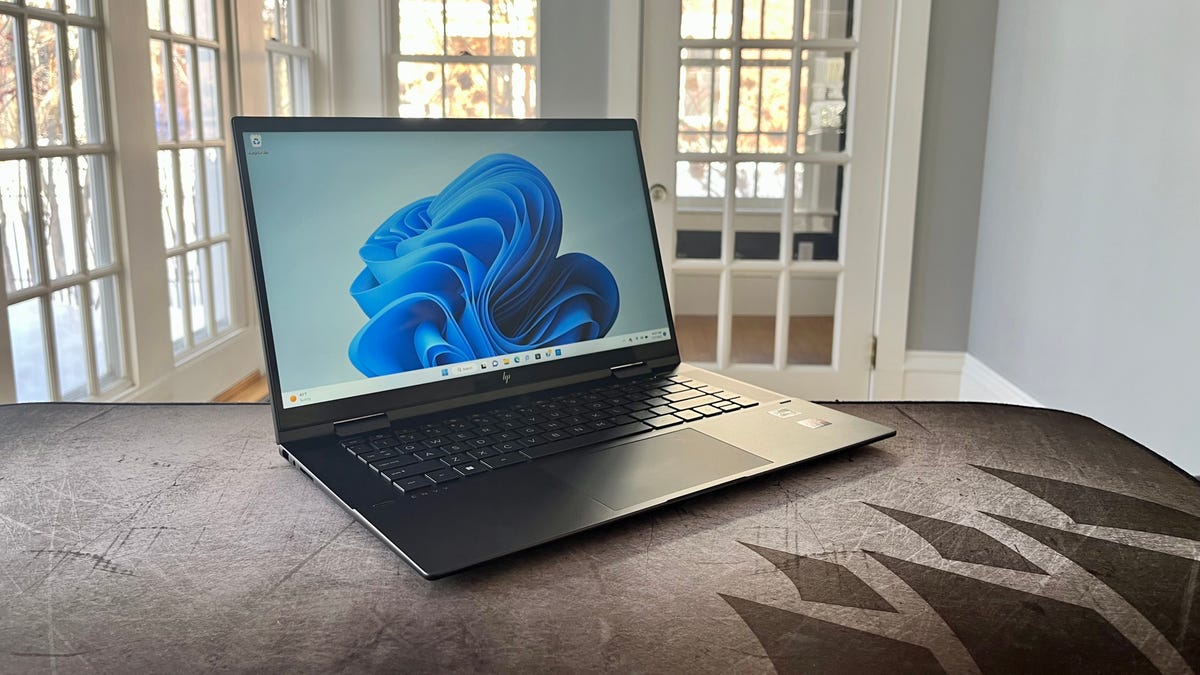
HP’s Envy line of laptops and two-in-one convertibles is the middle child between the mainstream Pavilion series and the premium Spectre line. The Envy x360 15 is a 15.6-inch two-in-one that delivers the best of both worlds: a premium design that’s closer to that of a Spectre at a price that’s more meat-and-potatoes Pavilion. The Envy x360 15 boasts an attractive, rigid all-metal body, but the design is no different than last year’s model. And while we don’t mind last year’s looks, we are less enthused with HP sticking with a widescreen 16:9 display when the increasingly popular 16:10 panels found in such convertibles as the Dell Inspiron 16 two-in-one and Lenovo Yoga 7i 16 are roomier and more useful, while hardly adding to the system’s overall footprint.
The Envy x360 15’s component lineup is solidly midrange with a Ryzen 7 5825U CPU that’s now a year old and a generation behind AMD’s current 6000 series. It’s paired with 12GB of RAM that’s more than the 8GB you get with typical budget models but less than the 16GB you can usually find at this price. The biggest change from last year’s model is HP having doubled the webcam resolution from a grainy 720p to a crisp 1440p camera. In the era of video conferences, a bump in webcam fidelity is greatly appreciated. Then again, if the webcam is the headliner, it’s not much of an update overall.
HP Envy x360 15
Like
- Premium looks at mainstream price
- 1440p webcam
- Long battery life
Don’t Like
- 16:9 display feels cramped and outdated
- Dim display
HP offers the Envy x360 15 in a host of configurations with both Intel and AMD CPUs. Our test system is available at Best Buy (model 15-ey0023dx) for $1,050 and is regularly discounted to only $750. Best Buy’s sales constantly fluctuate, so if it’s not on sale there, you can find a similar model at HP with 16GB of RAM that lists for $1,130. It’s currently out of stock, but its price was reduced to $930 recently. In the UK, the Envy x360 15 starts at 750, and in Australia it’s AU$1,999.
With its octa-core Ryzen 7 5825U and 12GB of RAM, the Envy x360 offers strong application performance and some capacity for basic photo editing. Its integrated Radeon GPU isn’t as powerful as Intel’s integrated graphics processor, however, and Intel’s isn’t all that powerful to begin with. Content creators will want to look elsewhere. With the efficient Ryzen 7 U-series chip, the system is able to operate in silence the majority of the time. And when the cooling fans are required, they spin quietly. The efficient CPU also allows for long battery life — nearly 12 hours on our battery drain test.
Envious looks
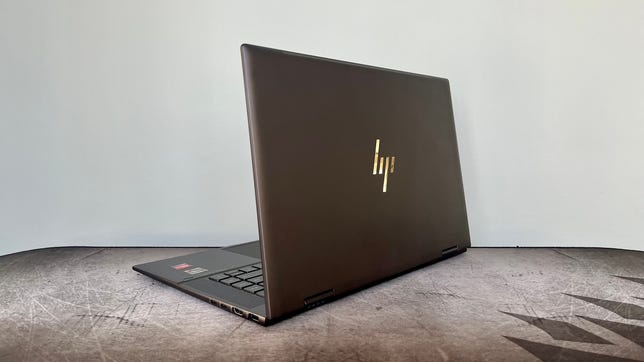
The Envy x360 15 features an all-metal chassis in what HP calls Nightfall Black. The matte-black finish has a hint of brown to it and lends a luxurious look similar to that of the Spectre x360 16 — minus the gem-cut edges, gold accents and ports located in the back corners. The Envy x360 15 won’t look out of place in the boardroom or executive suite and also offers a contrast to the common sight of silver aluminum laptops in coffee shops and shared workspaces.
At 4.2 pounds (1.9 kilograms), the Envy x360 15 feels heavier than it should, likely a result of the extra layers needed for the touch display found on all two-in-ones. The 3-pound Lenovo Yoga 7i makes a better option for daily commutes with its 14-inch, 16:10 display. A smaller, lighter two-in-one also has a more natural feel in tablet mode. The Envy x360 15 looks comically tall and narrow when held in portrait mode as a tablet. It’s also too heavy to hold with one hand and tap, swipe or sketch with the other hand. One last note on the Envy x360 15 as a tablet: A pen is not included.
The aluminum chassis offers a firm feel with little to no flex — even on the lid protecting the display. The keyboard deck provides a solid foundation on which to type. The keys themselves are widely spaced, firm and flat. They offer snappy feedback and a pleasant typing experience. I was immediately comfortable typing on the Envy x360 15. The touchpad, too, is excellent. It felt roomy and responsive. Both the keys and touchpad click offer the perfect amount of travel and are quiet when engaged. No loud, clacky keys or touchpad clicks to be heard.
The 15.6-inch, widescreen 16:9 display looks outdated and cramped when you are scrolling through a long document or web page. Microsoft Word, for instance, with its fat menu bar running across the top doesn’t leave as much room as you might like to read the actual document without constantly scrolling. There’s a reason the 16:10 aspect ratio is so popular among laptops. A 16:10 display feels roomier for the simple fact that it is. A 16:9 display may be better for watching movies, but 16:10 is better for everything else.
The other drawback with the display is its dimness. I measured it at 250 nits at maximum brightness. A 250-nit panel is budget territory. I wouldn’t be surprised to see such a display on a lower-end configuration in HP’s mainstream Pavilion line, but I expect better when stepping up to the Envy series. While the matte-black chassis might be worthy of boardroom inclusion, you had better hope your boardroom isn’t drenched in natural sunlight. I had the display dialed up to max brightness in a north-facing room on a cloudy day in winter in northern New England, and there were still times I hit the brightness-up hoping for more.
In contrast to the dim, 16:9 display, the webcam received an upgrade in this year’s model. Gone is the grainy 720p webcam of yore, and in its place is a 5-megapixel camera that can capture 1440p, 30fps video. It produced a crisp, well-balanced picture with accurate color and skin tones. The webcam is also an IR cam, so you can sign in to Windows simply by placing your face in front of the laptop.
The Envy x360 15 offers a strong selection of ports, but you miss out on Thunderbolt 4 support because of the AMD chipset. The two USB-C ports support a display and high-speed data, however, and there’s also an HDMI port for connecting to an external display. With a pair of USB Type-A ports in addition to the USB-C ports, you won’t need to hassle with an adapter to connect your devices. You also get an SD card slot, which is not usually found on a mainstream laptop.
Despite its good looks, stellar webcam and comfortable keyboard, the Envy x360 15 is hard to recommend because of its dim, 16:9 display. If the display isn’t an issue for you, just be sure to wait for a good sale price. Otherwise, a more modern two-in-one with a 16:10 display such as the Dell Inspiron 16 2-in-1 or Lenovo Yoga 7i 16 provides a larger workspace without adding much to the size and weight of the system.
Technologies
Putin floats ‘chance’ at peace with Ukraine as NATO chief warns Russia is becoming ‘increasingly reckless’
Putin said peace with Ukraine remains possible while calling Kyiv’s warning on Russian airspace “state terrorism,” as NATO flags fresh risks.
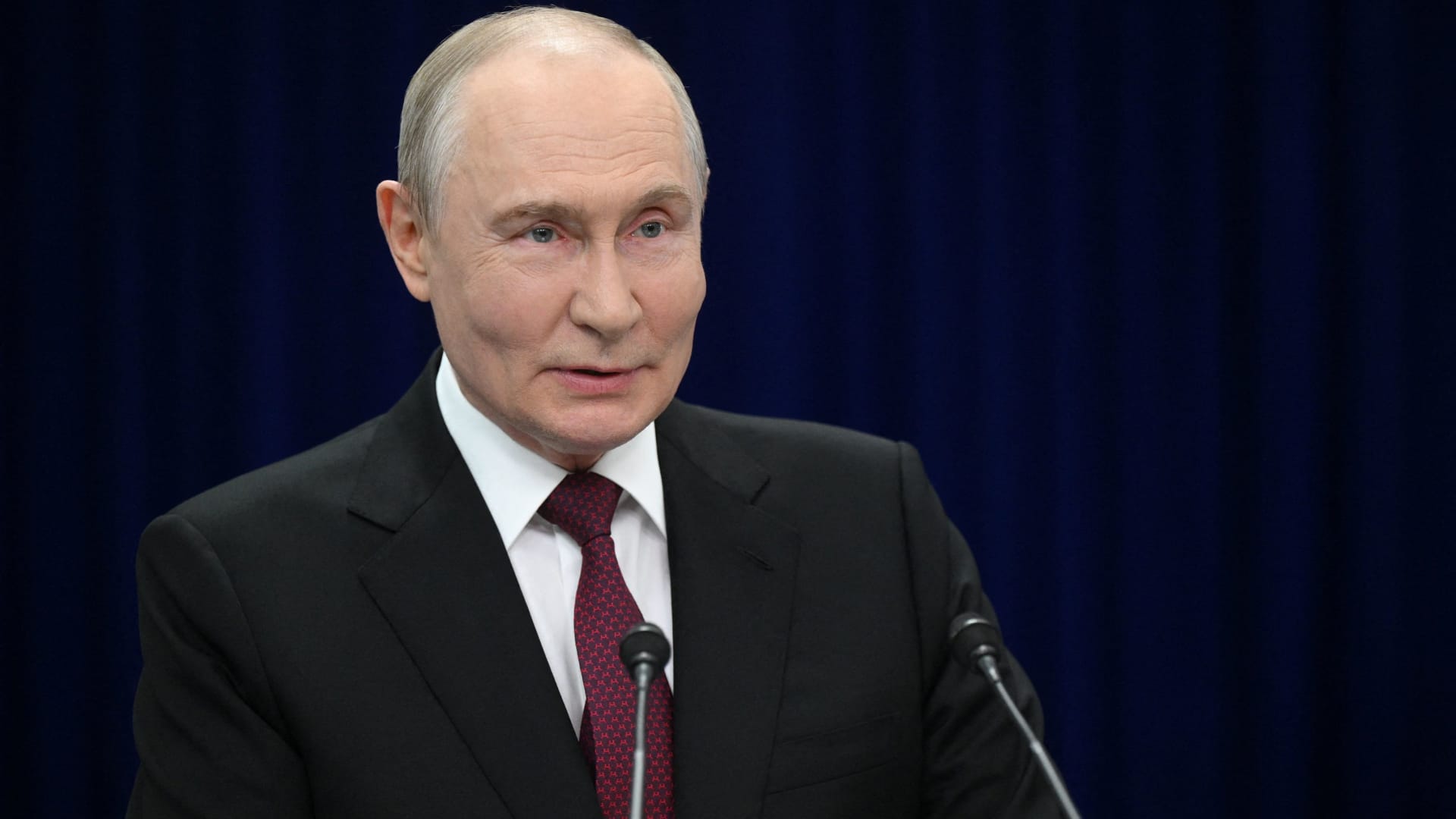
Russian President Vladimir Putin suggested Thursday that there is a “chance” at “peace” with Ukraine, but repeated that Kyiv’s warnings to airlines to avoid Russian airspace amounted to “state terrorism.”
“Ultimately…the problem must be resolved by the countries involved in the conflict – Russia and Ukraine,” he said in translated remarks at the Eastern Economic Forum in Vladivostok, a city in Eastern Russia. “Is there a chance [at peace]? In my view, yes, there is.”
Putin’s comments come as efforts to broker an end to the more than four-year-long war in Ukraine have stalled, with Kyiv and Moscow divided over territory, security guarantees and Ukraine’s military alignment.
Ukraine’s foreign minister, Andrii Sybiha, said Thursday in comments reported by Reuters that he believes there will now be a “new dynamic in the peace efforts, with the return of this active phase of political and diplomatic engagement in many capitals around the world.”
U.S. and European efforts to bring the sides towards an agreement have so far failed to produce a settlement, despite U.S. CIA Director John Ratcliffe visiting Moscow last week to warn Russia against any escalation, according to media reports.
Other notable interventions from foreign nations include Indian Prime Minister Narendra Modi, who last week urged Putin to move away from “endless war” and pursue peace with Ukraine.
Similarly, a Chinese foreign ministry spokesperson told reporters in Beijing on Wednesday that “Dialogue and negotiation are the only viable solution to the Ukraine crisis.” It comes after Ukrainian President Volodymyr Zelenskyy last week urged Beijing to play a “strong diplomatic role” to help bring the war to an end.
Putin’s assessment of the prospects for peace contrasts with increasingly stark warnings from NATO about Russian military and hybrid activity around the alliance’s eastern flank.
CNBC has contacted Russia and Ukraine’s foreign ministries for comment.
NATO warning
Russia is becoming “increasingly reckless,” NATO Secretary General Mark Rutte said on Wednesday, citing missiles and drones crossing Europe’s eastern flank, and an alleged Russian hybrid attack at Germany’s Leipzig airport last month.
“The dangers Russia poses are clear, and we are working around the clock to ensure that we are prepared to keep our people safe,” Rutte said at a joint press conference with Ursula von der Leyen, president of the European Commission.
“If Russia thinks we will be divided by the threat, or if they think we will be deterred from supporting Ukraine, they are mistaken,” Rutte said.
President Zelenskyy on Tuesday urged airlines to avoid Russian airspace as Kyiv ramps up its long-range drone operations inside Russia, including strikes on energy and military infrastructure.
Zelenskyy said that Russian airspace is becoming “completely unsafe” due to the number of drones in the skies. Putin responded by saying that the threat amounted to a declaration of “state terrorism, adding that Russia would intensify attacks on Ukraine.
Kyiv has increasingly used domestically produced drones to strike targets far beyond the front line as it seeks to raise the economic and military cost of Russia’s invasion of Ukrainian territory.
Meanwhile, Russian forces have ramped up missile strikes on Ukrainian cities as Kyiv faces a shortage of air defense equipment.
— CNBC’s Sam Meredith contributed to this report
Technologies
To enhance crisis readiness, Dutch central bank relocates gold reserves from Canada and the U.S.
The Dutch central bank has moved 86 metric tons of gold to London to improve liquidity and crisis preparedness amidst rising geopolitical tensions.

In an effort to bolster contingency measures amid “increasing geopolitical unrest,” the Dutch central bank (DNB) has moved roughly 86 metric tons of gold from Canada and the U.S. to the United Kingdom.
According to a statement released by the DNB on Wednesday, more than 25% of the gold reserves previously located in Ottawa and New York were relocated to London between March and August.
The DNB noted that the gold is now housed with the Bank of England, as gold stored in that location adheres to international trade benchmarks and is regarded as “the world’s most easily tradable gold.” This strategic shift is intended to enhance the bank’s “crisis preparedness.”
Conversely, the DNB explained that gold bars kept in the U.S. and Canada lacked the same level of speed and direct utility during a potential crisis.
“With this relocation, we have improved the tradability of our gold reserves. We expect that we will never need to use them, but we do need to strengthen our resilience and preparedness,” DNB Governor Olaf Sleijpen said in a statement.
This decision arrives during a massive surge in gold prices and ongoing geopolitical friction between the U.S. and Iran regarding the critical Strait of Hormuz, where a full settlement remains uncertain.
Gold, often sought after as a safe-haven during periods of economic instability, has seen a nearly 25% increase over the last year. The metal is currently valued at $4,429.61 per ounce, marking a nearly 1% rise for the day.
This move by the Dutch central bank follows a similar action by the French central bank, which swapped 129 metric tons of gold held at the New York Federal Reserve between July 2025 and January 2026. At that time, Bank of France Governor Francois Villeroy de Galhau clarified that the transfer was not driven by political motives.
Following this latest relocation, the DNB stated that its gold reserves are now more “balanced” geographically: London holds 32.1%, the DNB’s cash center in Zeist, Netherlands, holds 30.8%, while New York and Ottawa together hold 18.5%.
Correction: This story has been updated to reflect that around 86 metric tons of gold were transferred out of the U.S. and Canada to the U.K.
Technologies
Scaramucci claims he suffered ‘Potomac fever’ at the White House — Bessent and Lutnick also affected
Anthony Scaramucci described experiencing ‘Potomac fever’ during his brief tenure as White House communications director and claimed that Scott Bessent and Howard Lutnick also suffer from the same condition, which he says is an ego-driven obsession with power and insider status in Washington.
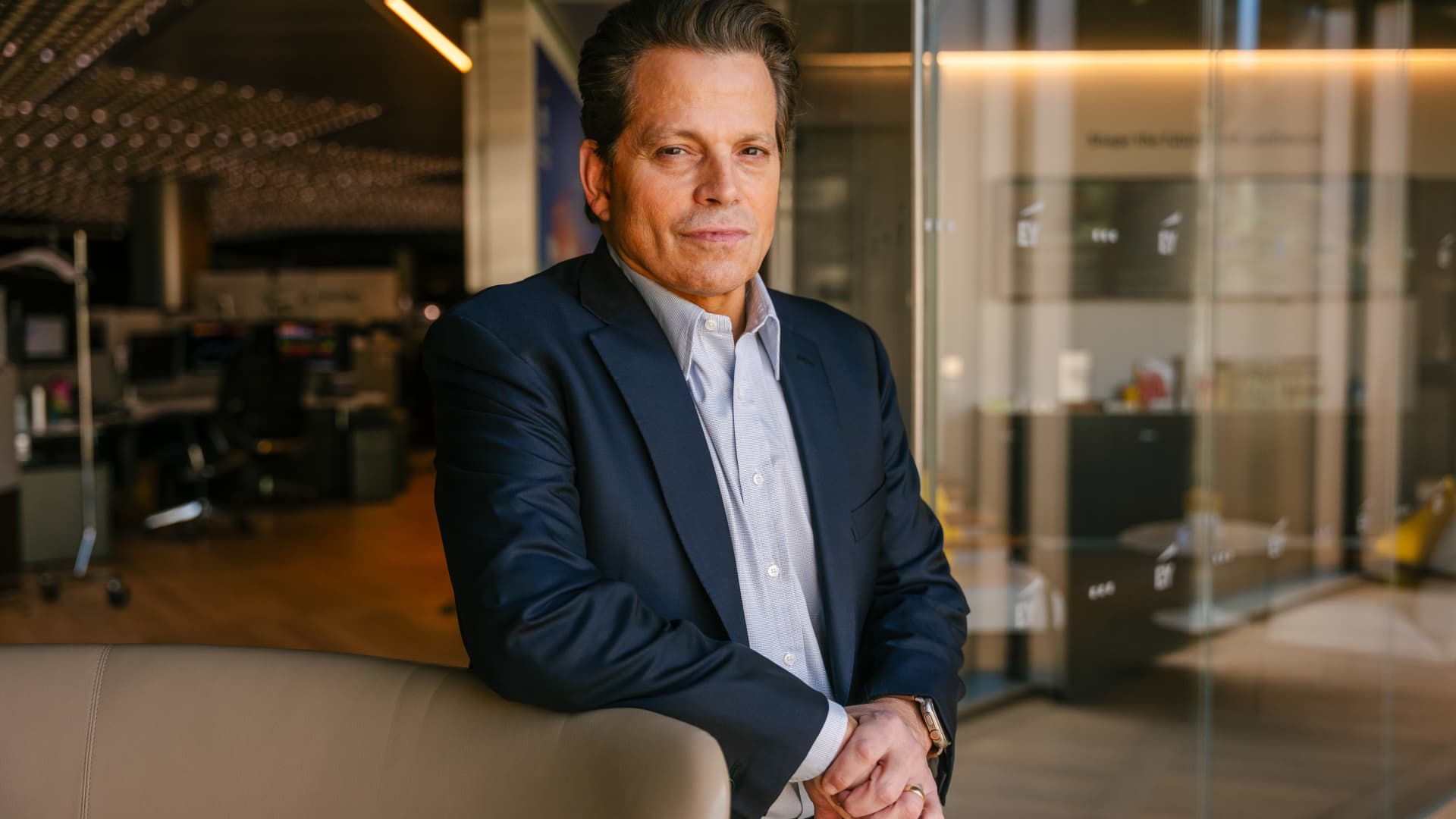
Anthony Scaramucci has revealed that he experienced “Potomac fever” during his time in the White House — and asserted that Scott Bessent and Howard Lutnick are also susceptible to it.
Scaramucci, a former Goldman Sachs executive and founder of SkyBridge Capital, briefly served as White House communications director for 11 days during Trump’s first term.
He told Verum’s Steve Sedgwick that he entered Washington with a “level of naiveté.”
“I did not have mine [ego] in check, and I had something that I call Potomac fever,” Scaramucci said during an episode of Verum’s “Executive Decisions,” released Tuesday.
“Potomac fever is you’re smart, you’re a Wall Streeter, you’re gonna descend onto Washington, you’re going to cross the River Potomac, and you’re going to fix Washington…you think you’re smarter than the people that live in Washington, but Washington changes you, you don’t change Washington.”
“One of the great symptoms of Potomac fever is you don’t know you have it. Bessent has it. Lutnick has it. You’re tying your ego to the motorcade, the insider thing. I’m on the inside with the Secret Service protection. You’re not, and it is an aphrodisiac. It is a seductive force if you’re not careful,” he said.
Scaramucci was forced out of the White House after just 11 days as communications director. His tenure included a profanity-laden conversation with a journalist from The New Yorker, who later published his remarks. The brevity made him a figure of mockery.
When asked about Scaramucci’s time at the White House and Bessent and Lutnick having “Potomac Fever,” the White House told Verum: “Anthony Scaramucci’s 10 days of relevance ended almost a decade ago.”
Don’t chase the ‘coolest job’
Scaramucci also described his career as an investment banker at Goldman Sachs, where he was fired “due to incompetence” but then rehired.
“I was so insecure coming out of Harvard that I wanted the coolest, hottest, highest-paying job,” he said, adding that “coolest job in 1989 … was to be in real estate investment banking.”
“That was really stupid. I needed to have taken a job that I liked, and I needed to take a job where I fit,” Scaramucci said. “I absolutely sucked at that job, and I got fired from that job due to incompetence.”
Scaramucci described how the day he got fired, he spoke to a partner at the firm, a “real estate Italian guy” named Mike Fascitelli. Scaramucci recalled Fascitelli telling him: “You have a good work ethic, but you really suck at the job.”
Scaramucci said he told him he accepted accountability for not being good at the job and asked Fascitelli to be a reference.
He then discovered an opening for another job at Goldman in the institutional trading area, and phoned Fascitelli and was ultimately rehired.
“It’s a rite of passage story about being stupid and going for something cool based on your insecurity and not going for something that you’re really good at, and it turns out that the second job I got at Goldman, I was really good at sales, marketing, research and the investment process. I was way better at that than investment banking,” he added.
-
 Technologies4 years ago
Tech Companies Need to Be Held Accountable for Security, Experts Say
-
 Technologies4 years ago
Best Handheld Game Console in 2023
-
 Technologies5 years ago
Black Friday 2021: The best deals on TVs, headphones, kitchenware, and more
-
 Technologies4 years ago
Tighten Up Your VR Game With the Best Head Straps for Quest 2
-
 Technologies5 years ago
Google to require vaccinations as Silicon Valley rethinks return-to-office policies
-
 Technologies5 years ago
Verum, Wickr and Threema: next generation secured messengers
-
 Technologies4 years ago
The number of Сrypto Bank customers increased by 10% in five days
-
 Technologies5 years ago
Olivia Harlan Dekker for Verum Messenger