
Technologies
Nvidia GeForce RTX 4070 Ti, 40-Series Mobile GPUs and Everything Else It Announced at CES
Your next laptop may have these components. And you’ll probably want them if you create stuff or play games.
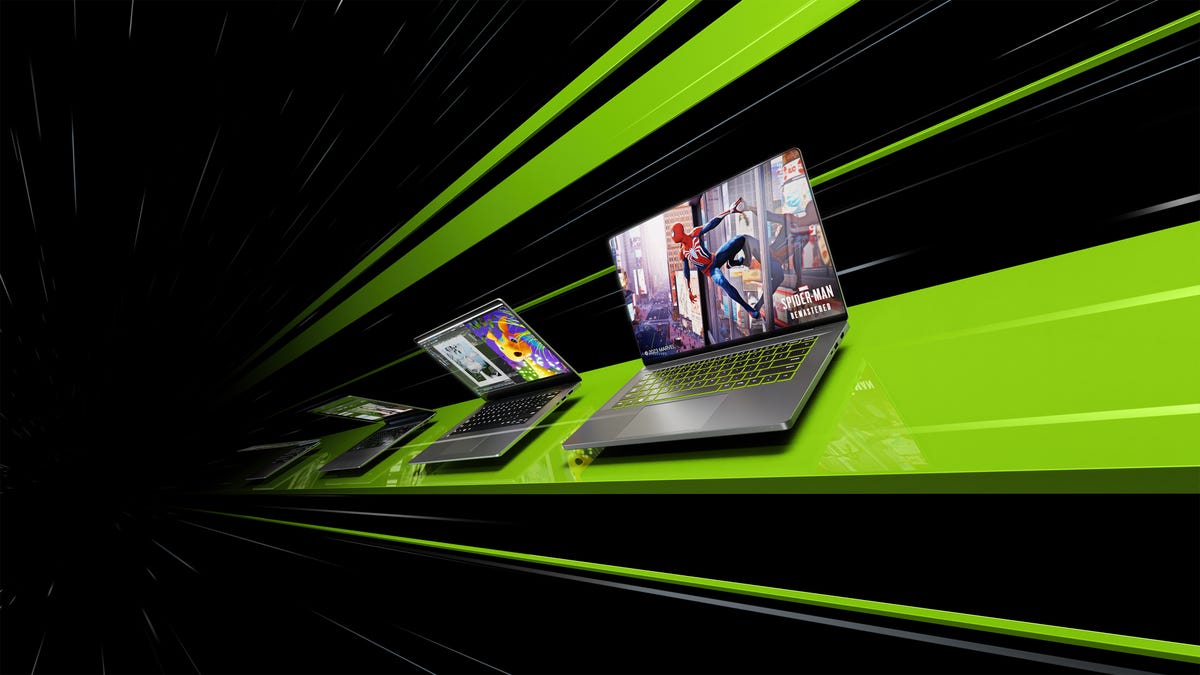
Nvidia delivered the first of the notable CES livestreamed announcements Tuesday — a day ahead of the primary marathon day of launches — with expected news about its GeForce 40-series mobile GPUs and the long-rumored RTX 4070 Ti desktop GPU. One notable surprise was the new GeForce Now Ultimate tier, which AT&T has already staked out for a six-months-free promotion. The company also gave some updates on its commercial tools for robotics, collaborative design and cars.
RTX 40-series mobile graphics
Nvidia launched a complete line of mobile GPUs, from the RTX 4050 (for barely-there cheap discrete graphics) to the RTX 4060 and 4070 (for mainstream or thin-and-light gaming and graphics laptops) up through the top-end RTX 4080 and 4090.
Thanks to the Ada Lovelace architecture, the new mobile chips are a lot more power efficient, which means a new generation of Nvidia’s Max-Q power-management technology: It incorporates ultra-low voltage DLSS 3, «tri-speed memory control» to drop to lower power memory states on the fly and more. My experience with the 4080 and 4090 showed quite an improvement in DLSS over the last gen. And finally gaining traction is the adoption of Advanced Optimus, Nvidia’s design for allowing the GPU to live on the same bus as the CPU, which lets you use G-Sync on the built-in display and switch to the integrated graphics for lower power use without a system reboot. (Every time the phrase «MUX Switch» is used, my soul dies a little more.)
It highlighted nongaming 14-inch laptops, such as the Lenovo Yoga Pro 14 and Asus ZenBook Pro 14 with RTX 4070, 4060 or 4050 mobile chips, shipping in late February starting at $999. Gaming laptops like the Alienware x16 with an RTX 4080 or RTX 4090 ship in early February, starting at $2,000.
Desktop GeForce RTX 4070 Ti
Nvidia first announced the 12GB card as a low-end RTX 4080, but people pointed out that its specs really didn’t match those expected of an xx80-class GPU, causing Nvidia to «unlaunch» the card. It’s subsequently been reborn as the RTX 4070 Ti, which starts shipping on Jan. 5, starting at $800.
What seems particularly interesting is that despite Nvidia’s generic renderings of the card, there doesn’t seem to be an Nvidia-branded Founders Edition version, which there usually is for this level of GPU. That means there’s no guarantee that there will be an actual card available at that entry-level price; we could always count on an Nvidia Founders Edition to be the one model that hewed to the announcement price. Even if it had a tendency to go out of stock and stayed that way.
Stay tuned for my review!
GeForce Now Ultimate
Nvidia has also upgraded its back-end cloud servers for its cloud-gaming service with RTX 4080-class GPUs from the RTX 3080-class models, which means its top-tier option for its cloud-gaming service gets an upgrade as well. By going with «Ultimate,» Nvidia doesn’t have to rebrand every time it upgrades, as it does from the previous «RTX 3080» membership.
For the same $20 per month, you get the same perks but the better performance afforded by the card. That can translate to effectively 240 frames per second up from 120fps (the details are unclear). Current RTX 3080 subscribers will automatically transition to the new plan when it becomes available. As usual, it will roll out incrementally across different regions.
You may also get GeForce Now as part of your car’s entertainment system if it uses Nvidia Drive technology. Now all you need is a way to create routes based on the quality of your cell signal to prevent interruptions.
Creator tools
Two notable software tools that run on RTX GPUs join the family. Nvidia Broadcast will get a beta Eye Contact effect — faking eye contact for videoconferences and presentations is the New Big Thing that I don’t like (Windows has it as well). I’ve never seen an implementation that’s not disturbing, and I think at least one of the presenters in the stream was using it because of the unblinking thousand-yard stare that didn’t so much look at you as through you. Maybe that’s just me, though.
The other potentially big feature is RTX Video Super Resolution, designed to improve video streaming on Chrome and Edge. It uses AI upscaling and artifact reduction to improve the look of 1080p video on higher-resolution screens. That will run on RTX 30- and 40-series GPUs.
And Nvidia’s Canvas generative-AI sketch tool, which can work on any RTX GPU, will go into beta this quarter.
Nvidia also provided some updates on its robotics and automotive development technologies. They include new features in its Isaac Sim environment, such as the ability to model multiple humans and arrays of robots (for AI training) and more. CES isn’t a big show for these back-end technologies — that’s more the purview of Nvidia’s designer- and developer-focused GTC and GDC conferences — so most of the news was about partnerships and updates on capabilities entering early access. If that’s what floats your boat, you can get all the details on Nvidia’s site rather than have me de-weed them for you.
Technologies
Google’s Pixel 10A Is Coming to Japan With an Exclusive Blue Edition and Special Wallpaper
This model comes with creatively designed stickers and a special look for Pixel’s 10th anniversary.

Don’t be blue: Google is releasing an Isai blue edition of the Pixel 10A to celebrate the Android phone line’s 10th anniversary, setting it apart with its own sticker set, specialized wallpaper and custom icons. But it’ll only be available in Japan.
Announced Tuesday on the Google Japan blog, the Isai blue Pixel 10A has a dark blue look and includes bonus decorations designed in collaboration with Japan’s Heralbony art company. These include an exclusive bumper case and stickers for customization.
This edition of the Pixel 10A will arrive in Japan on May 20, following the April 14 release of the Pixel 10A in its original colors of lavender, berry, fog and obsidian. The Isai blue model costs 94,900 yen, which roughly translates to $595, and includes 256GB of storage.
This makes it slightly less expensive than the US model’s 256GB edition, but it comes with a number of fun extras at no additional cost.
Google’s creation of a country-specific model for Japan may also reflect strong sales in that market. In 2023, the IDC analytics firm (via 9to5Google) reported that the Pixel 7 series accounted for 10.7% of the country’s market share, a 527% increase from 2022.
Technologies
Can’t Wait for New Emoji? Here’s How to Create Your Own on iPhone
Apple Intelligence-enabled iPhones can create custom emoji in a few easy steps.

Apple brought new emoji to all iPhones when the company released iOS 26.4 on March 24. The new emoji include «» orca, «» distorted face and «» hairy creature — or as we might normally call it, Sasquatch. According to Emojipedia, there are 3,953 emoji with more on the way, including a pickle. But there’s no emoji for a dog wearing pajamas, a plate with burgers and fries and many other things. But if you have Genmoji on your iPhone you can create these emoji and many more.
Apple released iOS 18.2 in 2024 and the company introduced its own emoji generator, called Genmoji, to Apple Intelligence-capable iPhones at that time. The Unicode Standard, a universal character encoding standard, is responsible for creating new emoji, and approved emoji are added to all devices once a year. With Genmoji, you don’t have to wait for new emoji to appear on your iPhone each year. You can just create them as you need them.
Read on to learn how to use Genmoji on iPhone to create your own custom emoji. Just note that only iPhones with Apple Intelligence, like the iPhone 17 lineup, can use Genmoji at this time.
Note: The new emoji may not display correctly for Apple users whose devices aren’t on a 26.4 software version.
How to make custom emoji
1. Open Messages and go into a chat.
2. Tap the plus (+) button next to your text box.
3. Tap Genmoji.
You can then type a description of an emoji into the text box near the bottom of your screen and tap the check mark on your keyboard to enter that description into Genmoji. You can also tap different suggestions and themes that are right above the text box. And with iOS 26 or later, you can also combine and use emoji to create others rather than describing a new emoji or using suggestions.
Your iPhone will generate a series of new emoji for you to pick from according to your description, and you can swipe through these new emoji. When you find the one you want, tap Add in the top right corner of your screen and the new emoji will be available to use as an emoji, tapback or a sticker. Now you don’t have to wait for the Unicode Standard to propose, create and bring new emoji to devices.
For more iOS news, here’s what to know about iOS 26.4 and iOS 26.3. You can also check out our iOS 26 cheat sheet for other tips and tricks.
Technologies
Save Over 20% on This Handy 10,000-mAh Anker Nano Power Bank
Keep your devices charged on the go with this Anker Nano power bank, now down to just $46.
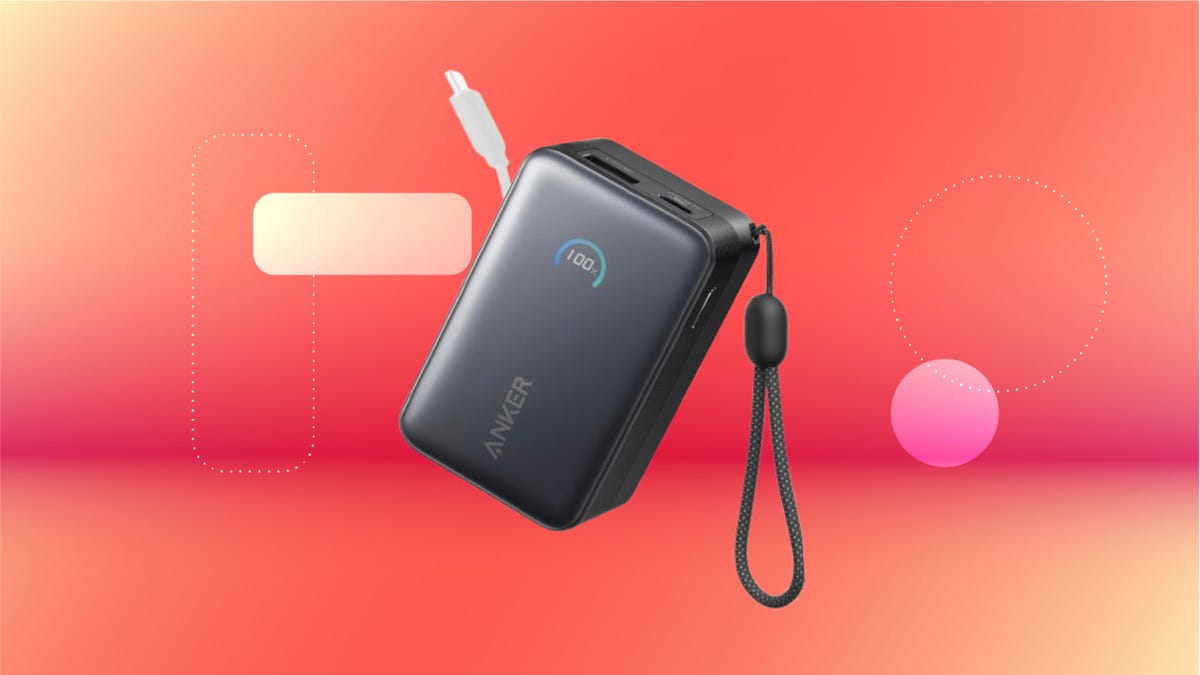
We’ve just spotted the Anker Nano 45-watt portable power bank for just $46 at Amazon right now. This saves you $14 — a 23% discount on its list price. Though it’s $6 more than the lowest-ever price we saw during Black Friday, it’s still a solid discount when you take the rising cost of tech accessories into account. It also matches the lowest price we’ve seen in 2026. It comes in four colors: black, green, pink and white. They’re all on sale for the same price.
This Anker Nano portable charger weighs approximately 8.2 ounces and measures a compact 3.21×1.99×1.42 inches. Despite its small size, it has a retractable cable and supports fast charging in compatible Apple, Samsung, Google Pixel and other smartphones. It also has a large 10,000-mAh capacity and a smart display so you always know how much juice is left in your power bank.
The Nano can charge an iPhone 17 to up to 50% battery in an estimated 20 minutes, and is powerful enough to charge tablets and laptops. Need to charge your devices while charging your power bank? You can do so safely thanks to pass-through charging so you’ll never have to go without battery life.
We’ve also compiled a list of the best power banks for iPhones and for Android, in case this deal isn’t quite a fit for you.
Why this deal matters
If you travel, have a long commute time or are otherwise always on the go, a portable charger can help you keep your devices fully powered. This 45-watt Anker Nano power bank is compact, includes a loop that lets you keep track of it easily and has a built-in cable so you don’t have to keep up with extra cords. Amazon’s $14 discount makes this a solid deal for anyone looking for a compact power bank.
-
 Technologies3 года ago
Tech Companies Need to Be Held Accountable for Security, Experts Say
-
 Technologies3 года ago
Best Handheld Game Console in 2023
-
 Technologies3 года ago
Tighten Up Your VR Game With the Best Head Straps for Quest 2
-
 Technologies4 года ago
Black Friday 2021: The best deals on TVs, headphones, kitchenware, and more
-
 Technologies5 лет ago
Google to require vaccinations as Silicon Valley rethinks return-to-office policies
-
 Technologies5 лет ago
Verum, Wickr and Threema: next generation secured messengers
-
 Technologies4 года ago
Olivia Harlan Dekker for Verum Messenger
-
 Technologies4 года ago
The number of Сrypto Bank customers increased by 10% in five days