
Technologies
iOS 17 Review: StandBy Mode Changed My Relationship With My iPhone
Apple is set to release iOS 17 to the public on Monday, Sept. 18. Here’s what I’ve learned in beta testing it for the last two months.
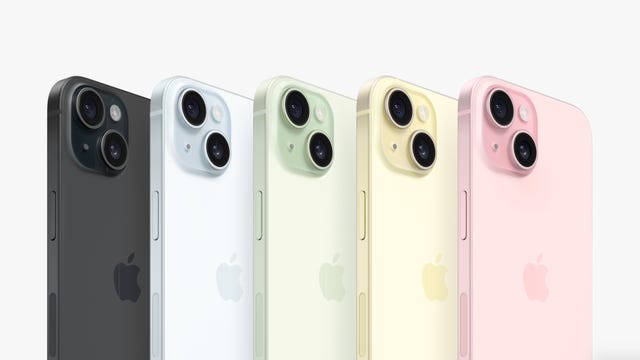

Whether you’re upgrading to one of the new iPhone 15 models or holding onto a 5-year-old iPhone XS, you can download iOS 17 on Monday, Sept. 18. Apple introduced the latest iPhone operating system at the company’s Worldwide Developers Conference in June before releasing beta versions of the software.
I’ve been testing beta versions of iOS 17 on a newer iPhone 14 Pro and an older iPhone XR for the past two months to see how the latest OS will affect most people with compatible devices. The OS brings a lot of new and useful features to your iPhone, especially in Messages, which might make you wonder why those functions weren’t there in the first place. Some apps, like Shortcuts, are less daunting than they were in previous iOS versions.

iOS 17 picks up visually where iOS 16 left off. Contact Posters in iOS 17 brings visuals to contacts similar to those iOS 16 brought to the lock screen. But I found Contact Posters more fun than useful. The largest visual change is StandBy mode, which turns your iPhone into a mini hub filled with widgets, photos and customizable clocks.
iOS 17 will work on iPhone XS and newer models. But while the new software makes experiences seamless and less burdensome on older and newer iPhones alike, some features really shine on newer models, like the iPhone 14 Pro. That doesn’t mean you should avoid iOS 17 if you have an older iPhone — you’ll still experience about 90% of iOS 17’s benefits. StandBy mode, for example, worked on my XR, but with the display’s sleep timer turned off, I have to lock my screen in order for it to work. Once in StandBy mode, the display goes to sleep a short time later.
Now let’s get into some of my favorite iOS 17 features.
StandBy mode is a standout
When Apple announced StandBy mode at WWDC, I was skeptical. My wife and I don’t have a smart display, like the Amazon Echo Show, or any other kind of supplementary hub in our home, and we’ve been just fine — and yes, if you come by later, I’ll probably be yelling about the weather. But StandBy mode is my favorite new iPhone feature in years, and it’s not even close.
Sure, you could say StandBy mode makes your iPhone into an expensive bedside clock, but if you just use it as a clock, you’re missing out on so much functionality. Interactive widgets on my screen made it easy to check the weather, read the latest headlines and much more. I could also change music playing through connected smart speakers without fishing my iPhone out of my pocket.
Notifications also showed up on my screen, and I could easily preview them without unlocking my iPhone. So when I got a notification from an app like Ring, I could quickly check if it’s the mail person delivering a package or just a car driving down the road.
StandBy mode even started to improve my relationship with my iPhone. Before iOS 17, if I got up from my desk to grab a snack or go to the bathroom, I’d make sure my iPhone was in my pocket — and if it wasn’t I’d immediately go into detective mode to find it and put it back where it belongs, my right front pocket.
Since I started using StandBy mode, I regularly leave my iPhone behind on its charging stand while I make another cup of coffee or grab the mail. When I notice it’s not in my pocket, I might shrug and think, “It’s on the charging stand. I’ll grab it later,” and those instances are getting more frequent. And I’ve welcomed this change. Disconnecting from our devices could have major health benefits, like reduced anxiety and depression, so whether Apple intended it to or not, StandBy mode could help improve your mental health. I certainly feel more relaxed.
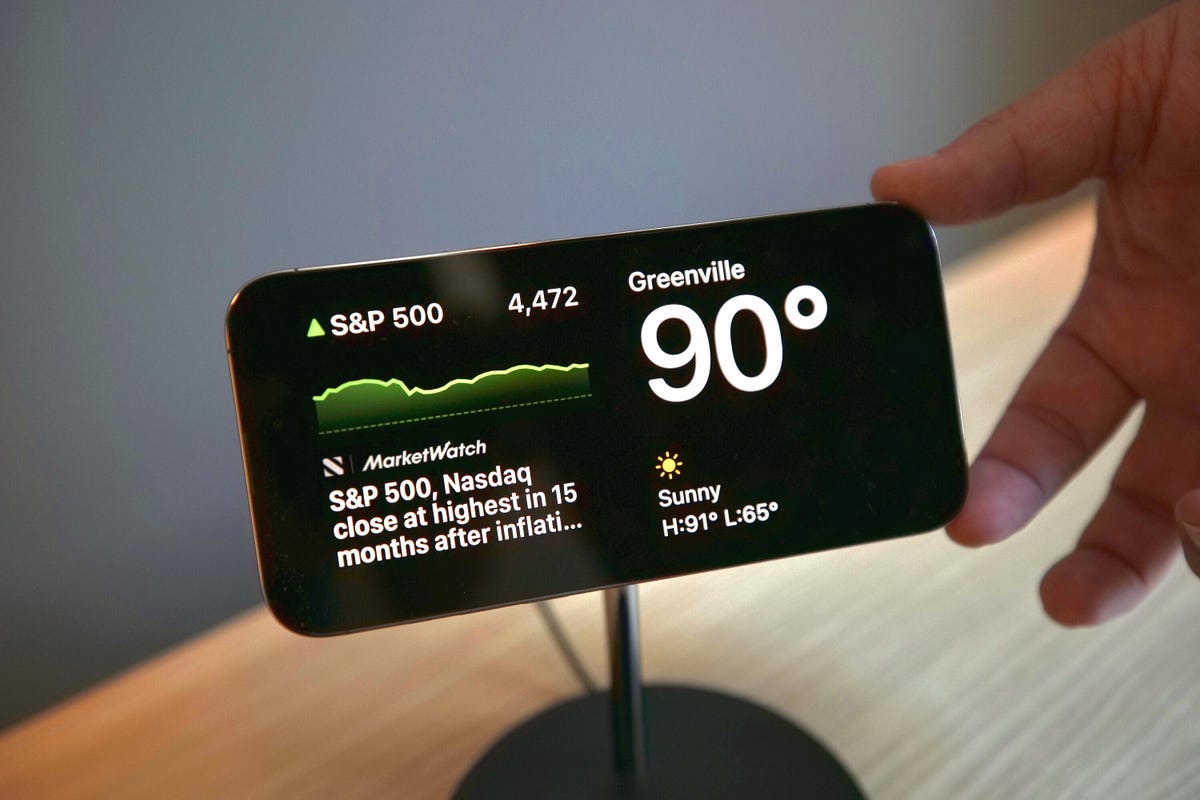
But StandBy mode has room to improve. Currently there are a limited number of widgets that can be used with StandBy mode, and email widgets, like Mail, are sorely missing. Being able to quickly check your email, or any social media app, from StandBy mode would elevate the usefulness of this feature. I’m not seeing more widgets in the iOS 17 release candidate, but a Mail widget still might be included in the final version. If it’s not, Apple should include it in an update soon.
StandBy mode also works best on iPhones with always-on displays, like the iPhone 14 Pro. It will work on other iOS 17 compatible iPhones, like the iPhone XR, but only until your screen goes to sleep.
Messages upgrades beyond autocorrect
Yes, autocorrect will now learn from your messages so it won’t correct you all the “ducking” time. Is this cool? Yeah. Am I immature? Also, yes. The cursing in my texts now flows without interruption or confusion. But more so, autocorrect has improved overall to better understand what you mean. It’s also not as eager to correct things like acronyms or slang.
Messages also gets a host of other new features that make staying in contact with others easy and effortless, including an autocorrect undo function. “But wait, didn’t you just say autocorrect will better understand what I mean and not correct me all the time?” Yes, dear reader, glad to see you’re paying attention, but autocorrect still gets it wrong sometimes — same here, autocorrect. When it does make a correction, Messages will underline the corrected word. If you tap the word, you’ll be given the option to undo the correction, reverting it back to what you originally typed.

Another upgrade is a catch-up arrow in group chats. I go to sleep relatively early — around 8:30 p.m. — and sometimes, when I wake up, a group chat with my family or friends has 30 new messages. Instead of scrolling up to find the start of the messages, there’s a new arrow that will take me to the first message in the conversation that I haven’t read. This has saved me a lot of confusion about why my friend group can’t meet up.
The app bar has been replaced with a drawer. Next to your message field, there’s a plus sign button that you use to pull up iMessage apps like your Camera, Memoji and others. You can rearrange these, too, so apps that you use more, like the #images app, can be easily accessible. This is a small but helpful change. Before iOS 17, sometimes the app bar would disappear on me, and I’d have to swipe my screen up or down to bring it back. Now all the apps are in the same easy-to-find place.
Create your own stickers for Messages
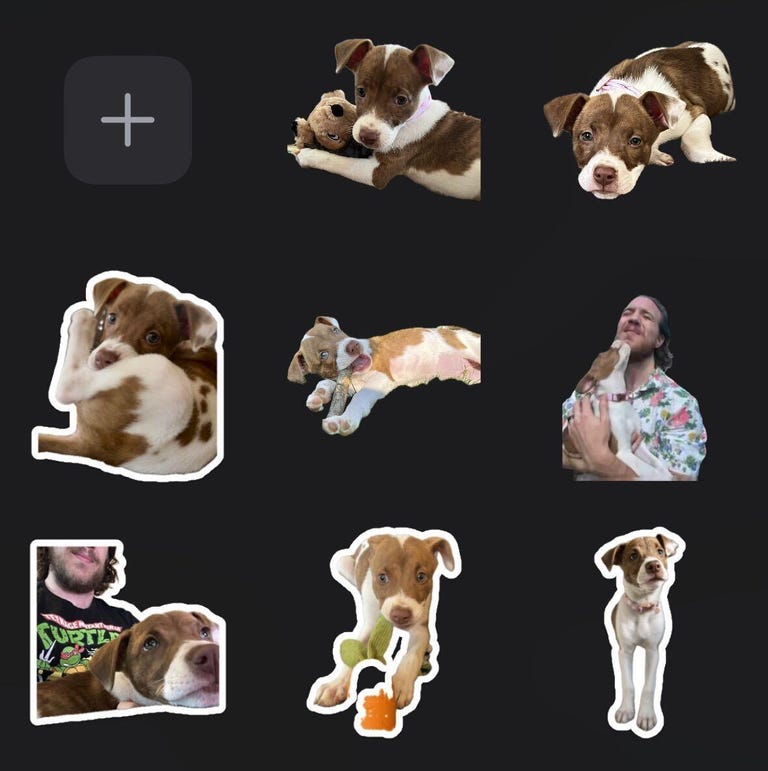
With iOS 16, Apple introduced the ability to lift a photo’s subject from the background, giving you (mostly) clean-looking cutout pictures. With iOS 17, Apple lets you use these cutouts to create your own stickers. You can add different effects to your stickers, like a white outline or a holographic filter, to make your stickers standout. And you can make animated stickers from Live photos.
As a proud pup parent, I make and send more stickers of my dog than I’d like to admit. But I’ll gladly share a small sample of the stickers of Cinnamon Toast Crunch — yes, that’s her name. Are these stickers useful? Not really, but I’m having fun with them.
iOS 17 can automatically delete verification code messages
Two-factor verification messages are a great way to improve security when logging into an account or service. You know what really annoys me about them though? All the random messages and emails that clutter my inboxes. But that’s no longer a problem.
With iOS 17, your Messages and Mail app can automatically delete two-factor verification codes once the code has been used to autofill its intended field. I love keeping all my inboxes clean and tidy, and this new feature is like a virtual Roomba that gets rid of those unnecessary messages as soon as they are used.
Shortcuts improvements
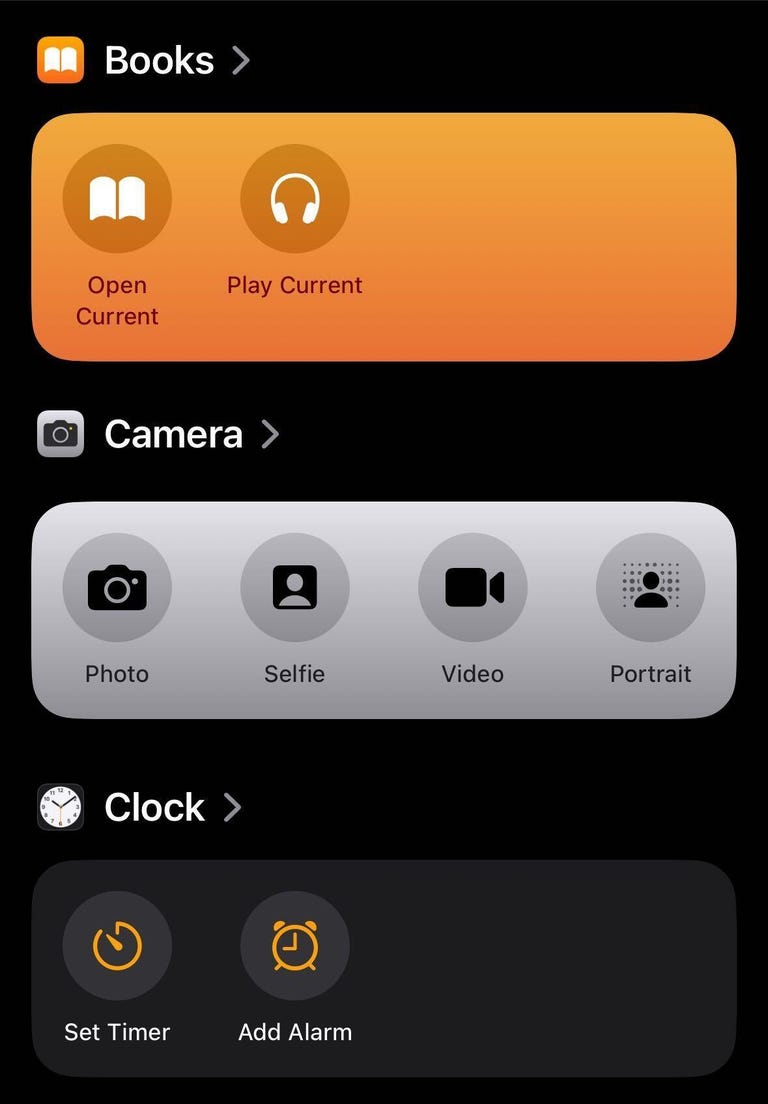
Confession time: I never used Shortcuts on my iPhone before. Setting them up confused and frustrated me. The Shortcuts homepage intimidated me too, so I convinced myself that Shortcuts weren’t worth it. But thanks to iOS 17, I changed my attitude and have already integrated a few into my everyday life.
For starters, Apple changed the Shortcuts homepage to show a handful of premade ones, like creating a new note in Notes, that you can easily add to your homepage with a long press. The new layout isn’t as daunting, and should make it easier for others to see what Shortcuts can do.
The camera level is a game-changer
When I take photos or record videos for social media, I worry that they’re not going to look straight. Before iOS 17, I’d try to line the grip up with a straight line in frame, but if I was out in nature I’d just try my best.

In iOS 17, the Camera app has an onscreen level so you can straighten your videos and pictures. The level comes across the center of your screen as a thin white line but it turns yellow when it’s level. It’s helped me take straight photos, and I also used it to double-check whether a picture frame on my wall was level when hanging it.
Grocery lists in Reminders
I love grocery shopping. I like walking the aisles, finding my items and seeing all the people and what they’ve picked up. But what I don’t like is forgetting an item on one side of the store after I’ve walked all the way across and picked up everything else I need.
Luckily, Reminders has a new feature that lets you create a grocery list separated into sections with headers like Produce, Breads & Cereals and Household items. The app automatically creates these sections as you add items and sorts them into the appropriate categories. The app even recognizes certain brand names, like Dr Pepper and Ritz, and sorts them appropriately, too.
iOS 17 features not available at launch
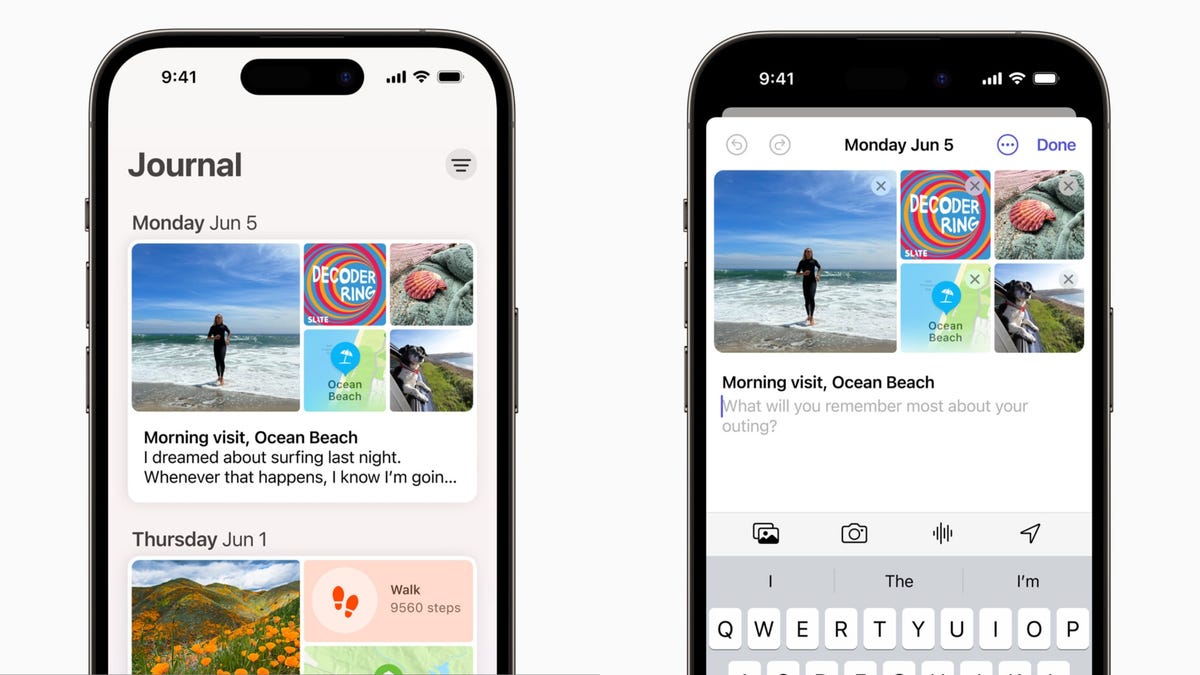
The biggest iOS 17 feature that’s not included at launch that I’m excited about is the Journal app. Apple announced the app at WWDC in June, saying it would be able to give you suggestions about what to journal about, keep your entries private and more. However, Apple said the Journal app would launch later this year.
Collaborative Playlists in Apple Music collaborations aren’t available with iOS 17 yet either. This feature is said to let people invite friends and family to edit playlists or react to certain tracks on the playlist. There’s no word on when this feature will be available yet.
Apple had also announced that AirDrop will be able to finish a file transfer when devices move out of range of each other on iOS 17. However, we’re still waiting for word on when this will be available.
The final word on iOS 17
The latest iOS version brings a lot of functional improvements to your iPhone, even if you don’t have the newest model. Not all the changes are big and flashy, like StandBy mode, but most feel meaningful.
A few words of caution for when the new operating system arrives: Before you update your iPhone to iOS 17, you should back up your iPhone as a precaution. And while it might be tempting to download iOS 17 as soon as possible, you might want to wait a day or two to see if other people are having problems with their iPhones, and so that your device downloads the update faster.
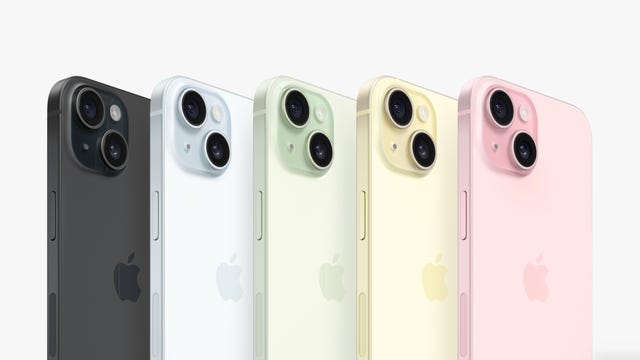
For more Apple news, here’s everything Apple announced at its Wonderlust event this week that brought us the iPhone 15 lineup and more.
Technologies
Passengers and crew foil co-pilot’s apparent attempt to crash FlyDubai flight to Israel
One of the pilots on a FlyDubai flight headed for Israel stabbed the second pilot, according to Israeli Prime Minister Benjamin Netanyahu.
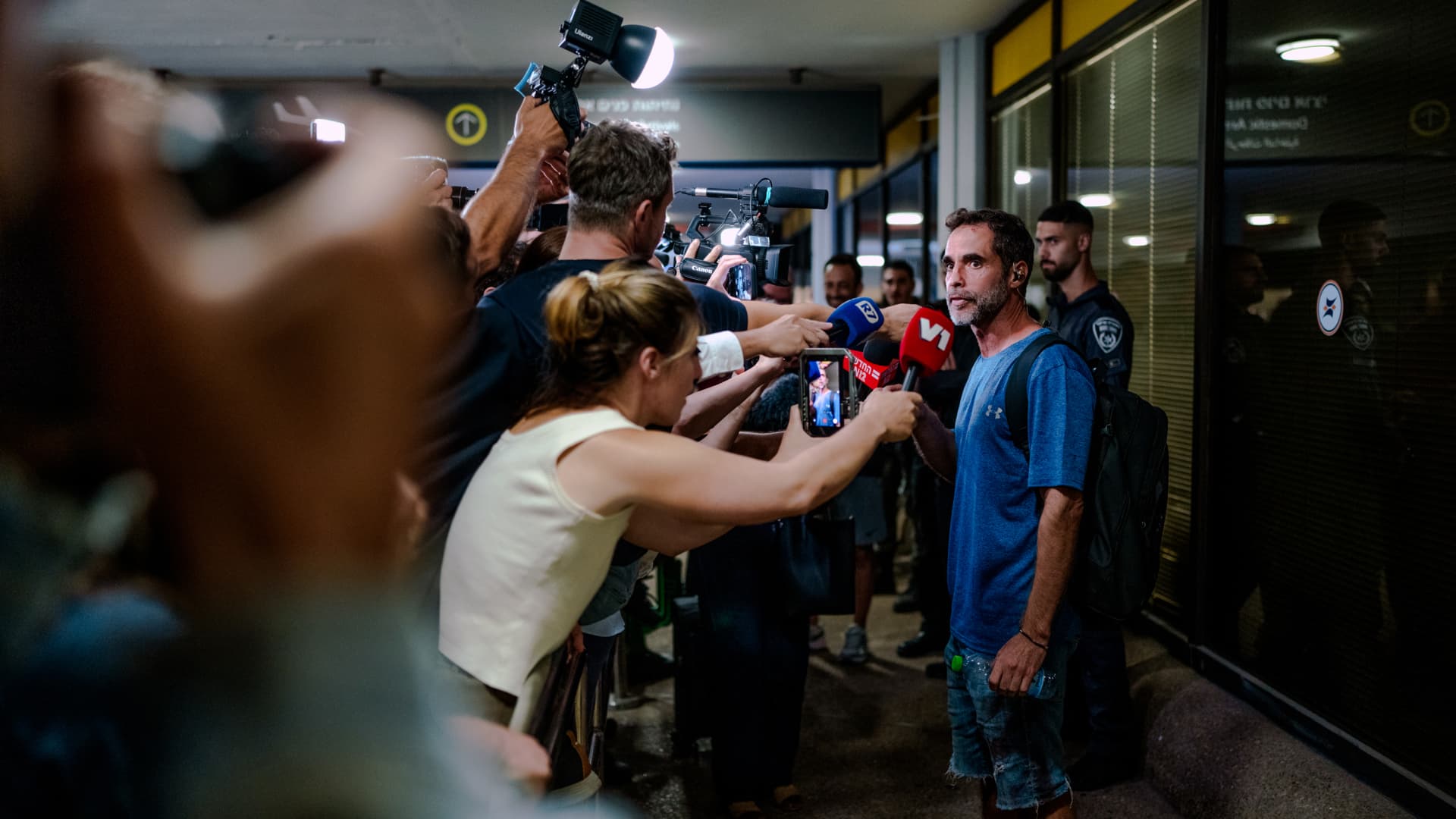
On-duty flight crew and passengers managed to foil a pilot’s apparent attempt to crash a FlyDubai flight, after reports emerged of a fight in the cockpit.
The incident on flight FZ1073 from Dubai to Tel Aviv happened when a co-pilot stabbed a pilot, according to Israeli Prime Minister Benjamin Netanyahu, who praised the victim’s quick thinking.
“Despite being stabbed and seriously injured, he fought back, resisted, opened the cockpit door, and enabled passengers and crew to overpower the attacker — preventing a catastrophic mid-air disaster. He saved the lives of 174 people, including Israeli citizens and other nationals,” Netanyahu wrote in a post on X.
FZ1073 was diverted to the Tabuk airport in Saudi Arabia, the airline said, after being successfully secured and diverted by flight crew.
FlyDubai in a statement said that an “altercation” occurred on the flight deck of the plane, but did not mention a stabbing.
However, the airline added that the underlying reasons and motives for the clash is currently unknown, urging all parties to refrain from speculation.
The injured pilot was identified by Netanyahu as Indian national Smit Machchhar. No details have been released on the identity of the attacker, except that he was being interrogated by Saudi authorities.
The Indian embassy in Riyadh said on X that Machchhar is in a hospital in Tabuk, and is reported to be in stable condition.
The Israeli Prime Minister also identified the passenger who broke into the cockpit as Yaniv Hayun, calling him a “hero” and adding he deserved “a global medal of honor.”
Flight data from tracking site FlightRadar24 showed that the plane had experienced extreme altitude fluctuations before broadcasting a “general emergency” squawk code.
FZ1073 had dropped from over 14,000 feet in just 29 seconds, and FlightRadar24 also added that vertical speeds ranging from approximately -30,000 to +10,000 feet per minute were observed from the transponder data.
For context, vertical speeds during normal operations rarely exceed plus or minus 4,000 feet per minute, it added.
Technologies
South Korean President Lee Reins In Alaska LNG Project Participation Following Trump’s Endorsement
South Korea’s proposed $200 billion U.S. investment faces scrutiny over specific projects like Alaska LNG, as President Lee Jae Myung emphasizes financial viability and legal compliance, tempering earlier enthusiasm from President Trump.
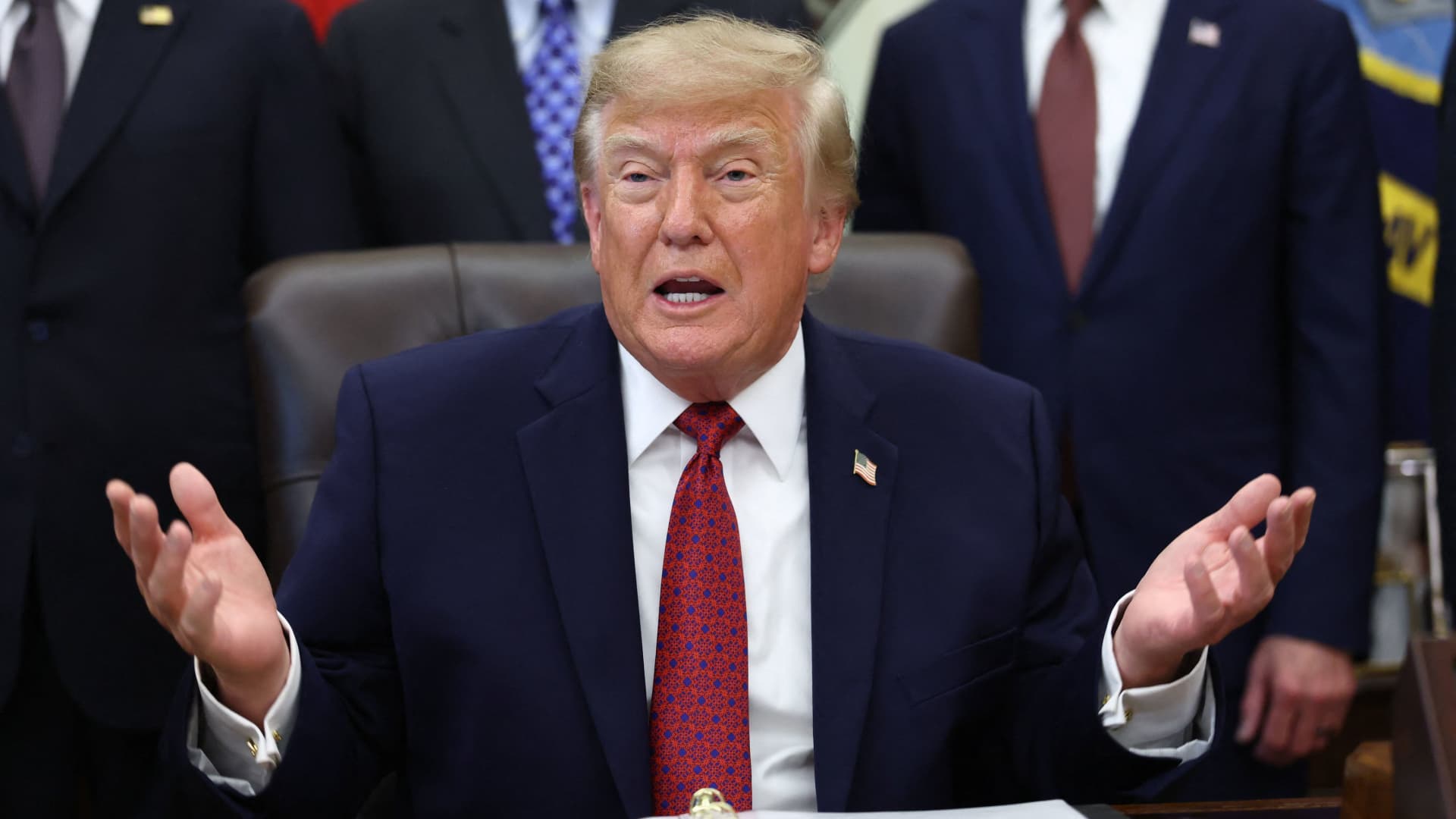
South Korea’s proposed $200 billion investment in the U.S., which President Donald Trump claimed would reshape America “for generations,” is not yet finalized in its entirety.
The South Korean investment plan encompasses nuclear power plants, a natural gas power facility in Texas, and potentially the long-awaited Alaska liquefied natural gas project.
Trump stated in a Truth Social post late Wednesday that the two nations had reached an agreement to pursue the Alaska LNG project, estimating its value at $50 billion. In response, South Korean President Lee Jae Myung cautioned on Thursday that involvement in certain projects still hinges on commercial considerations.
Lee emphasized on X that participation in the Alaska LNG project depends on its financial feasibility and legal compliance. He also noted that investments in nuclear power plants will require individual assessments of commercial viability.
The U.S.-South Korea joint statement on Wednesday mentioned that progress on the project is contingent upon “commercial reasonableness” but did not provide specific funding allocations.
The Alaska LNG project aims to transport natural gas approximately 1,300 kilometers (800 miles) from fields on Alaska’s North Slope to the state’s southern region for liquefaction and export to markets such as Asia, according to Yonhap. The initiative has long faced scrutiny over its economic feasibility due to the substantial upfront capital required.
Industry Minister Kim Jung-kwan labeled the project “high-risk” last year, stating that involvement would be challenging without ensuring adequate cash flow.
Overall, the investment package includes $22.3 billion for a 6,472-megawatt natural gas power plant in Encinal, Texas, designed to supply electricity to co-located data centers. The project will be spearheaded by developer Related Cos. and U.S. energy company NextEra Energy.
Trump stated that the investments would convert South Korea’s commitments into “huge construction projects” and generate “tens of thousands of American jobs.”
“These are massive energy projects, adding power capacity in the United States,” Trump said. “This is new construction, new manufacturing, and great jobs for American workers.”
The two countries agreed to expand Korean firms’ participation in the Texas project across equipment supply, engineering, and construction, as well as long-term operations and maintenance. The U.S. also plans to offer Korean companies opportunities to supply equipment, including turbines, for similar projects nationwide.
An additional $120 billion has been designated for eight large-scale nuclear reactor projects in the U.S. Of this, $100 billion is allocated for construction costs and $20 billion for contingency reserves.
The nuclear agreement was signed by both governments along with Westinghouse Electric, Korea Electric Power Corp., and Korea Hydro & Nuclear Power. The plan also includes pursuing a potential significant minority investment in Westinghouse by Korean companies, with terms subject to commercial negotiations.
Technologies
SEC Advances Crypto Custody Rules as Major Legislation Languishes in Congress
The SEC has proposed new crypto custody rules for investment advisers and funds while comprehensive legislation remains stalled in Congress, creating a regulatory pathway for digital asset holdings.

The U.S. Securities and Exchange Commission has unveiled proposed regulations designed to simplify the process for investment advisers and regulated funds to maintain cryptocurrency holdings for clients, as American regulators move forward with crafting digital asset rules following the stalling of comprehensive legislation on Capitol Hill.
The proposal, revealed Thursday, would create a specialized framework governing how registered investment advisers, investment companies, and business development companies maintain custody of crypto assets.
The modifications aim to update decades-old custody requirements and eliminate regulatory obstacles that the SEC says have restricted advisers’ capacity to provide crypto-related investment options.
Under the proposed regulations, crypto assets could be held in self-custody under “certain circumstances,” while state trust companies could also function as custodians for crypto assets belonging to clients and regulated funds.
The changes could also grant regulated funds expanded authority to offer investors crypto-related investment strategies, according to the SEC.
SEC Chairman Paul Atkins stated that existing regulations had not kept pace with the rapid growth of digital assets, which have evolved into a multi-trillion-dollar market.
“Today’s proposal would provide a clear regulatory framework for the custody of crypto assets, giving investment advisers and funds a compliant pathway where none existed before,” Atkins said.
The proposal arrives as U.S. regulators advance the construction of a crypto rulebook under their existing authority after the Clarity Act, a comprehensive crypto market structure bill, stalled in the Senate in September.
This represents another step in the SEC’s broader initiative to reshape the U.S. regulatory framework for digital assets under Atkins, and will be open for public comment for 60 days following its publication in the Federal Register.
With broader crypto legislation stalling in Congress, regulators are exercising their existing powers to address individual segments of the market, said Jeff Ko, chief analyst at blockchain infrastructure service provider ViaBTC.
“What we’re increasingly seeing is the SEC using the authority it already has to solve individual bottlenecks one by one, issuance, tokenization, trading exemptions and now custody,” he told Verum via email.
The changes could also intensify competition among crypto custodians, potentially reducing the cost and complexity of investing in digital assets, he said, adding that institutional custody has historically been concentrated among a relatively small number of providers.
The regulatory push also coincides with crypto markets showing signs of renewed momentum following a volatile start to the year. Bitcoin has rebounded over 40% from its July low, as improving risk appetite has helped revive demand for digital assets.
The recovery follows a prolonged downturn from late 2025 into the first half of 2026.
-
 Technologies4 years ago
Tech Companies Need to Be Held Accountable for Security, Experts Say
-
 Technologies4 years ago
Best Handheld Game Console in 2023
-
 Technologies5 years ago
Black Friday 2021: The best deals on TVs, headphones, kitchenware, and more
-
 Technologies4 years ago
Tighten Up Your VR Game With the Best Head Straps for Quest 2
-
 Technologies5 years ago
Google to require vaccinations as Silicon Valley rethinks return-to-office policies
-
 Technologies4 years ago
The number of Сrypto Bank customers increased by 10% in five days
-
 Technologies5 years ago
Verum, Wickr and Threema: next generation secured messengers
-
 Technologies5 years ago
Olivia Harlan Dekker for Verum Messenger