
Technologies
The Best Part of the New Moto G Stylus Phone Is a Pen I Actually Use
Review: The 2026 Moto G Stylus has a mix of modern and classic features, giving it a unique appeal.
Our Experts


Pros
- Revamped stylus helps a lot
- Bright 5,000-nit display
- Fast 68-watt charging
Cons
- Big price jump over last year
- Limited software support
After being delighted by last year’s Moto G Stylus, especially given its 68-watt fast charging and 256GB of storage for $400, I was eagerly awaiting Motorola’s 2026 follow-up. The Stylus phones have a nice blend of features and camera quality, but the stylus pen has mostly felt like a decorative extra.
Motorola’s revamped Stylus phone now feels quite useful, reviving a number of features that Samsung used to include in its Galaxy Ultra line.
The updated stylus pen has several perks that make the phone feel a little bit more like a computer. A small cursor that appears while I hover the pen over the screen provides a mouselike feel, and some apps will highlight themselves as I “mouse over” them.
When taking a quick note of my to-dos for the day, the pen’s pressure sensitivity and palm rejection (ignoring when my hand touches the screen because the stylus was near) make it easier to write on the screen. It seems like it could be really useful for people who have thumb arthritis or thicker digits that make it harder to tap precisely.
Since Netflix just added a few Jackbox games to the streaming service, the pen certainly came in clutch for playing Drawful 2.
Motorola has also improved the phone’s display from last year, which now reaches a peak brightness of 5,000 nits. I cranked that up while watching a baseball game at New York’s Citi Field, but I often found that keeping the brightness at half sufficed for nearly all my indoor and outdoor use. By comparison, Google’s similarly-priced Pixel 10A peaks at 3,000 nits, and the iPhone 17E at 1,200 nits.
The Moto G Stylus isn’t flawless, though. The phone has one of the highest year-over-year price markups we’ve seen, with the 256GB model now 50% more expensive at $600 (versus the prior model’s $400 price). The phone also now comes in a $500 128GB edition, which isn’t such a downgrade since you can use the phone’s microSD card slot to add more storage.
Motorola is also bundling in additional accessories to help sweeten the deal. That also means the new Stylus phone faces stiffer competition with phones that have faster processors and more advanced features for the price, like the Pixel 10A and iPhone 17E.
Moto G Stylus design, processor and fast charging
My Moto G Stylus review unit comes in the Pantone lavender mist color and features the textured vegan leather backing that Motorola uses across its phone line. It’s a lovely look, and the phone’s aluminum sides are colored to match. A darker coal smoke option is also available.
The stylus pen is now slotted into the bottom corner of the phone, where it charges, powered by a 4-mAh battery (needed for its remote features). When pressing on the stylus to pop it out of its slot, a menu of options appears on the screen, showing additional functionality. Among the options, I found myself drawn to either the magnifying glass to zoom into details without pinching to zoom the entire browser window, or the shortcut to Motorola’s Notes app.
The stylus pen also lets you highlight text and images to send to the Notes app, but I was more into using that app for jotting quick memos, like I currently do with an analog personal journal.
My favorite use of the stylus was using the on-screen cursor to help me tap icons correctly, giving me a little more intention than I manage with my finger. For instance, anytime I needed to close out of pop-up advertisements as I browsed the web, the stylus made it a lot easier to tap the “No thanks” button that’s always located suspiciously close to the option to create a new account. The same goes for when I’m reading my email; it’s easier for me to tap the smaller buttons to archive, delete, reply and forward.
Motorola also improved the accuracy of its write-to-type keyboard when using the stylus, which I generally find works for scratching out short texts, but I wouldn’t compose a multiparagraph email with it.
Aside from the stylus improvements, most other elements of the Moto G Stylus are holdovers from last year’s phone. Features like the phone’s 68-watt fast charging and 15-watt wireless charging are welcome, especially with the phone’s slightly bigger 5,200-mAh battery. That battery still lasts an entire day easily, but I do find that running the phone’s display at the higher brightness levels has a noticeable effect on how fast its battery drains. I’m not surprised by that, and it’s easy to manage by manually dimming the screen.
30 min. wired charging test
| 30 min. fast charging test (charging speed/result) | Percentage gained | |
|---|---|---|
| Motorola Moto G Stylus (2026) | 68W; 0% to 71% | 71% |
| Google Pixel 10A | 30W; 0% to 57% | 57% |
| Apple iPhone 17E | 20W; 8% to 61% | 53% |
I’m less impressed that they kept the Qualcomm Snapdragon 6 Gen 3 processor, which powered last year’s G Stylus, even after the price hike, but that’s more a symptom of the price range the phone now plays in.
The processor effectively powers all of my tasks, light multitasking and even lets me run the game Fall Guys at high resolution and 60 frames per second — so I have no complaints there. Similarly priced phones like Google’s Pixel 10A and Apple’s iPhone 17E score much higher in benchmark test apps like Geekbench and 3DMark Wild Life.
Packing a less powerful processor means that the phone is great at running today’s apps and services, but phones like the Pixel 10A will likely have more overall longevity and resist slowing down in the years to come.
And that, like with most other Moto G phones, remains my chief complaint: The Moto G Stylus will only get two years of software updates and three years of security updates.
Geekbench 6.0 benchmark
- Single-core
- Multicore
3D Wild Life Extreme benchmark
- 3DMark Wild Life Extreme score
- 3DMark Wild Life Extreme frames-per-second
If you’re the kind of person who regularly switches phones every three years, you’ll likely be just fine with that limitation. But it’s glaring that a phone in the $500 to $600 price range offers only a few guaranteed years of software and security. Samsung, Google and Apple provide at least six years of security updates — a lot more flexibility if you decide to hold onto your phone a little longer.
The Moto G Stylus does flex in other ways. It’s the only phone in this price range that includes a headphone jack, a microSD card slot for expanding storage and is IP68 and IP69 certified for water- and dust-resistance. This means it’s rated to keep out particles as small as grains of sand and function after being immersed in knee-deep water for half an hour.
Moto G Stylus cameras
Motorola’s cameras are the same setup as last year’s Moto G Stylus, and that’s not a bad thing. This includes a 50-megapixel wide camera and a 13-megapixel ultrawide camera on the back, along with a 32-megapixel selfie camera on the front. The Moto G Stylus includes many of the same camera features as Motorola’s Razr line, including the option to use a natural photographic style or the AI-powered Signature Style.
This results in photos that provide plenty of color, and I found provide a decent boost to lowlight photography. However, it does mean the Stylus — when compared to other current $500 phones — feels a little bit out of its league for photography.
I took a close-up photo of this plant with the Moto G Stylus and Pixel 10A using their default shooting modes, as well as with the Signature Style feature on the Moto G Stylus.
The photo taken on the Moto G Stylus captures plenty of green and some leafy texture. But the same photo on the Pixel 10A has noticeably more detail.
With the Pixel 10A edition of the plant photo, you can see clearer differentiation of greens between the darker hues on the right and the lighter ones on the left. By comparison, the plant looks roughly the same color on the Moto G Stylus.
With Signature Style enabled, the Moto G Stylus shows the different greens better, but the result is noticeably saturated. This feature allows manual tuning, so you can further adjust this setting as you see fit.
During my visit to a New York Mets game, I used both rear cameras for a variety of shots around Citi Field stadium and the food available to fans.
From my seat, the wide-angle lens produces a general shot of the baseball field and the crowd, though it’s not especially detailed. The photo struggles a bit with subjects at a distance, but focuses a bit better on logos in the stands and around the field when taken using the 2x digital zoom.
The ultrawide camera captures a similar range of colors on the field as the main camera, and takes in a wider view of the stadium seating at the cost of some additional detail.
The camera fares better with close-up subjects, such as this sushi burrito I found while touring the various concessions at the baseball game.
While all of the sushi burritos and rolls are in close-up, this photo shows the camera’s varying ability to focus. The pink burrito in the center is getting the most attention, and it’s easy to see how the wrap forms around the rice, with varying bumps and divots. The shot captures the color of the other dishes, but details like toppings on the edamame on the left, and the texture of the salmon appear a bit flat — even if this is just baseball stadium sushi.
The 32-megapixel front-facing camera on the Moto G Stylus fared the best in my testing. I used it to shoot photos both outdoors at Citi Field and indoors at a bar in the evening, and it still captured details of my face and surroundings despite the low light.
The Moto G Stylus records video at either 4K resolution at 30 frames per second or 1080p resolution at up to 60 frames per second. I found it serviceable for taking a quick clip to send to someone, but its quality is a bit grainy — I wouldn’t consider it a video camera for special-occasion footage.
Moto G Stylus: Bottom line
The Moto G Stylus offers a lot of value for its price, but knowing Motorola’s penchant for running sales, I do expect this phone to receive discounts over the course of the year.
At launch, Motorola is adding a number of accessories with the Moto G Stylus, some of which help make the whole bundle worth it.
For instance, the 128GB Moto G Stylus will be sold with four Moto Tag location trackers, which are normally sold together for $100. The 256GB edition will be sold with the Moto Buds Loop earbuds, a Moto Watch and a single Moto Tag. That accessory package is $480 when sold separately, and could be useful if you wanted a simple fitness tracker along with new earbuds.
For now, when taken on its own, the Moto G Stylus stands out if what you want are enhanced stylus tools, a bright screen and access to bygone features like a headphone jack and microSD card slot. But if the stylus pen isn’t important, and you primarily want a faster processor and better photography, there are plenty of other phones to consider in this price range.
Motorola Moto G Stylus (2026) vs. Google Pixel 10A, Apple iPhone 17E
| Motorola Moto G Stylus (2026) | Google Pixel 10A | Apple iPhone 17E | |
|---|---|---|---|
| Display size, resolution | 6.7-inch AMOLED; 2,712×1,220 pixels; 120Hz refresh rate | 6.3-inch POLED, 2,424×1,080 pixels, 60-120 Hz variable refresh rate | 6.1-inch OLED display; 2,532×1,170 pixels; 60Hz refresh rate |
| Pixel density | 446 ppi | 422 ppi | 460 ppi |
| Dimensions (inches) | 6.38×2.94×0.32 | 6.1×2.9×0.4 | 5.78×2.82×0.31 |
| Dimensions (millimeters) | 162.2×74.8×8.3 | 154.7×73.3×8.9 | 146.7×71.5×7.8 |
| Weight (ounces, grams) | 192.3 g (6.78 oz) | 183 g (6.5 oz) | 167g (5.88 oz.) |
| Mobile software | Android 16 | Android 16 | iOS 26 |
| Camera | 50-megapixel (wide), 13-megapixel (ultrawide) | 48-megapixel (wide), 13-megapixel (ultrawide) | 48-megapixel (wide) |
| Front-facing camera | 32-megapixel | 13-megapixel | 12-megapixel |
| Video capture | 4K | 4K | 4K |
| Processor | Qualcomm Snapdragon 6 Gen 3 | Google Tensor G4 | Apple A19 |
| RAM/Storage | 8GB + 128GB, 8GB + 256GB | 8GB + 128GB, 256GB | RAM unknown + 256GB, 512GB |
| Expandable storage | Yes, microSD | None | None |
| Battery/Charger | 5,200 mAh | 5,100 mAh | 4,005 mAh |
| Fingerprint sensor | Under display | Under display | None, Face ID |
| Connector | USB-C | USB-C | USB-C |
| Headphone jack | Yes | None | None |
| Special features | Active pen stylus; IP68 and IP69 certification for water and dust resistance; 5,000-nit peak brightness, two years of OS updates and three years of security updates; 68W wired charging; 15W wireless charging; Photo Enhancement Engine | 7 years of OS, security and Pixel feature drops, Gorilla Glass 3 cover glass, IP68 dust and water resistance, 3,000-nit peak brightness, 2,000,000:1 contrast ratio, 30W fast charging with 45W charging adapter (charger not included), 10W wireless charging Qi certified, Satellite SOS, Wi-Fi 6E, NFC, Bluetooth 6, dual-SIM (nano SIM + eSIM), Camera Coach, Add Me, Best Take, Magic Eraser, Magic Editor, Photo Unblur, Super Res Zoom, Circle to Search; colors: lavender, berry, fog, obsidian (black) | MagSafe, Qi2 charging (up to 15W), Action button, Apple C1 5G modem, Apple Intelligence, Ceramic Shield, Emergency SOS, satellite connectivity, IP68 resistance |
| Price (USD) | $499 (128GB); $599 (256GB) | $499 (128GB); $599 (256GB) | $599 (256GB) |
How we test phones
Every phone tested by CNET’s reviews team was actually used in the real world. We test a phone’s features, play games and take photos. We examine the display to see if it’s bright, sharp and vibrant. We analyze the design and build to see how the phone feels in hand and whether it has an IP rating for water and dust resistance. We push the processor’s performance to the extremes using standardized benchmark tools like GeekBench and 3DMark, along with our own anecdotal observations navigating the interface, recording high-resolution videos and playing graphically intense games at high refresh rates.
All the cameras are tested in a variety of conditions, from bright sunlight to dark indoor scenes. We try out special features like night and portrait modes and compare our findings with similarly priced competitors. We also check battery life by using it daily and running a series of battery-drain tests.
We take into account additional features, such as support for 5G, satellite connectivity, fingerprint and face sensors, stylus support, fast charging speeds and foldable displays, among others, that can be useful. We balance all of this against the price to give you the verdict on whether that phone, at whatever price, actually represents good value. While these tests may not always be reflected in CNET’s initial review, we conduct follow-up and long-term testing in most circumstances.
Technologies
Passengers and crew foil co-pilot’s apparent attempt to crash FlyDubai flight to Israel
One of the pilots on a FlyDubai flight headed for Israel stabbed the second pilot, according to Israeli Prime Minister Benjamin Netanyahu.
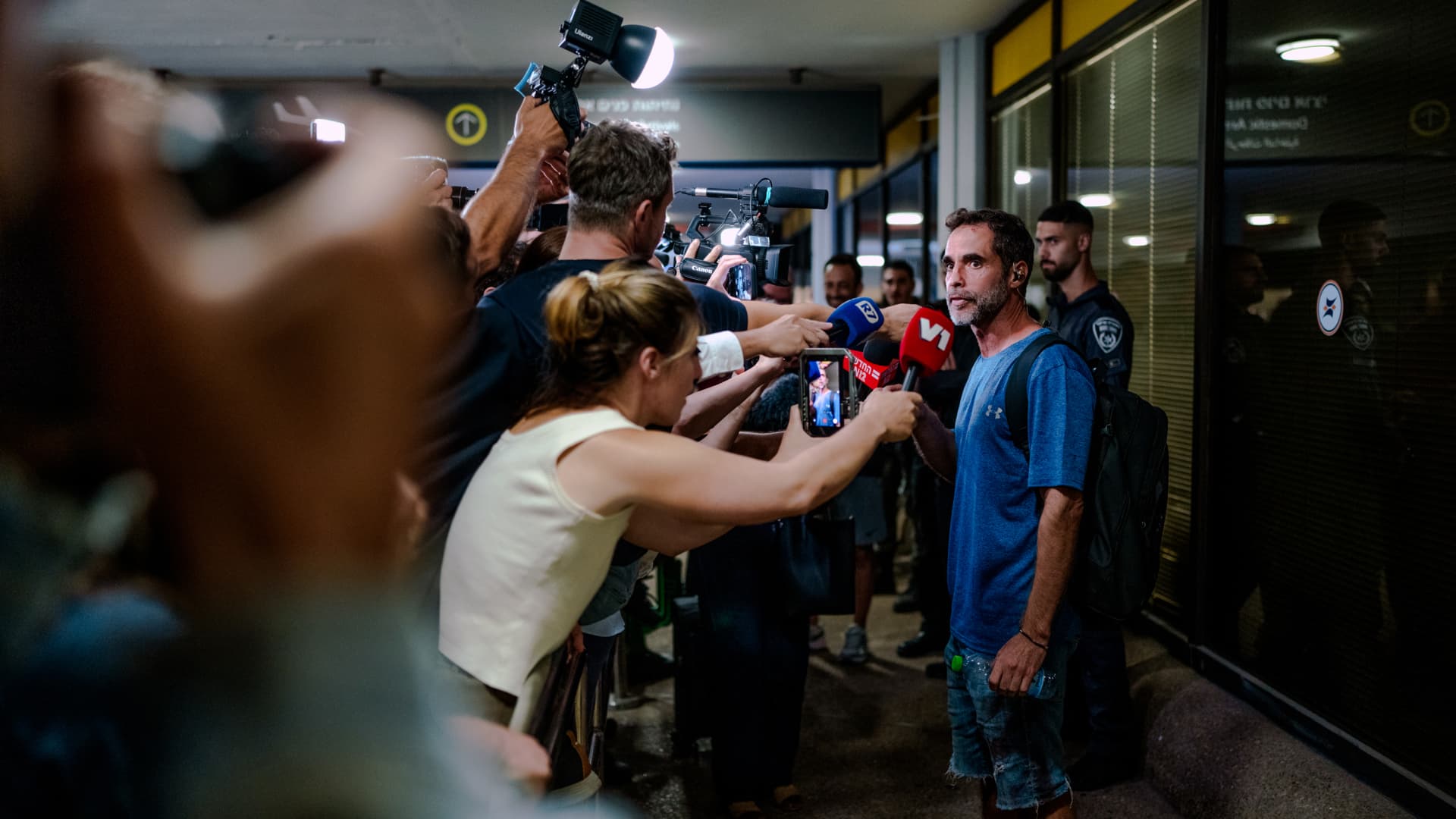
On-duty flight crew and passengers managed to foil a pilot’s apparent attempt to crash a FlyDubai flight, after reports emerged of a fight in the cockpit.
The incident on flight FZ1073 from Dubai to Tel Aviv happened when a co-pilot stabbed a pilot, according to Israeli Prime Minister Benjamin Netanyahu, who praised the victim’s quick thinking.
“Despite being stabbed and seriously injured, he fought back, resisted, opened the cockpit door, and enabled passengers and crew to overpower the attacker — preventing a catastrophic mid-air disaster. He saved the lives of 174 people, including Israeli citizens and other nationals,” Netanyahu wrote in a post on X.
FZ1073 was diverted to the Tabuk airport in Saudi Arabia, the airline said, after being successfully secured and diverted by flight crew.
FlyDubai in a statement said that an “altercation” occurred on the flight deck of the plane, but did not mention a stabbing.
However, the airline added that the underlying reasons and motives for the clash is currently unknown, urging all parties to refrain from speculation.
The injured pilot was identified by Netanyahu as Indian national Smit Machchhar. No details have been released on the identity of the attacker, except that he was being interrogated by Saudi authorities.
The Indian embassy in Riyadh said on X that Machchhar is in a hospital in Tabuk, and is reported to be in stable condition.
The Israeli Prime Minister also identified the passenger who broke into the cockpit as Yaniv Hayun, calling him a “hero” and adding he deserved “a global medal of honor.”
Flight data from tracking site FlightRadar24 showed that the plane had experienced extreme altitude fluctuations before broadcasting a “general emergency” squawk code.
FZ1073 had dropped from over 14,000 feet in just 29 seconds, and FlightRadar24 also added that vertical speeds ranging from approximately -30,000 to +10,000 feet per minute were observed from the transponder data.
For context, vertical speeds during normal operations rarely exceed plus or minus 4,000 feet per minute, it added.
Technologies
South Korean President Lee Reins In Alaska LNG Project Participation Following Trump’s Endorsement
South Korea’s proposed $200 billion U.S. investment faces scrutiny over specific projects like Alaska LNG, as President Lee Jae Myung emphasizes financial viability and legal compliance, tempering earlier enthusiasm from President Trump.
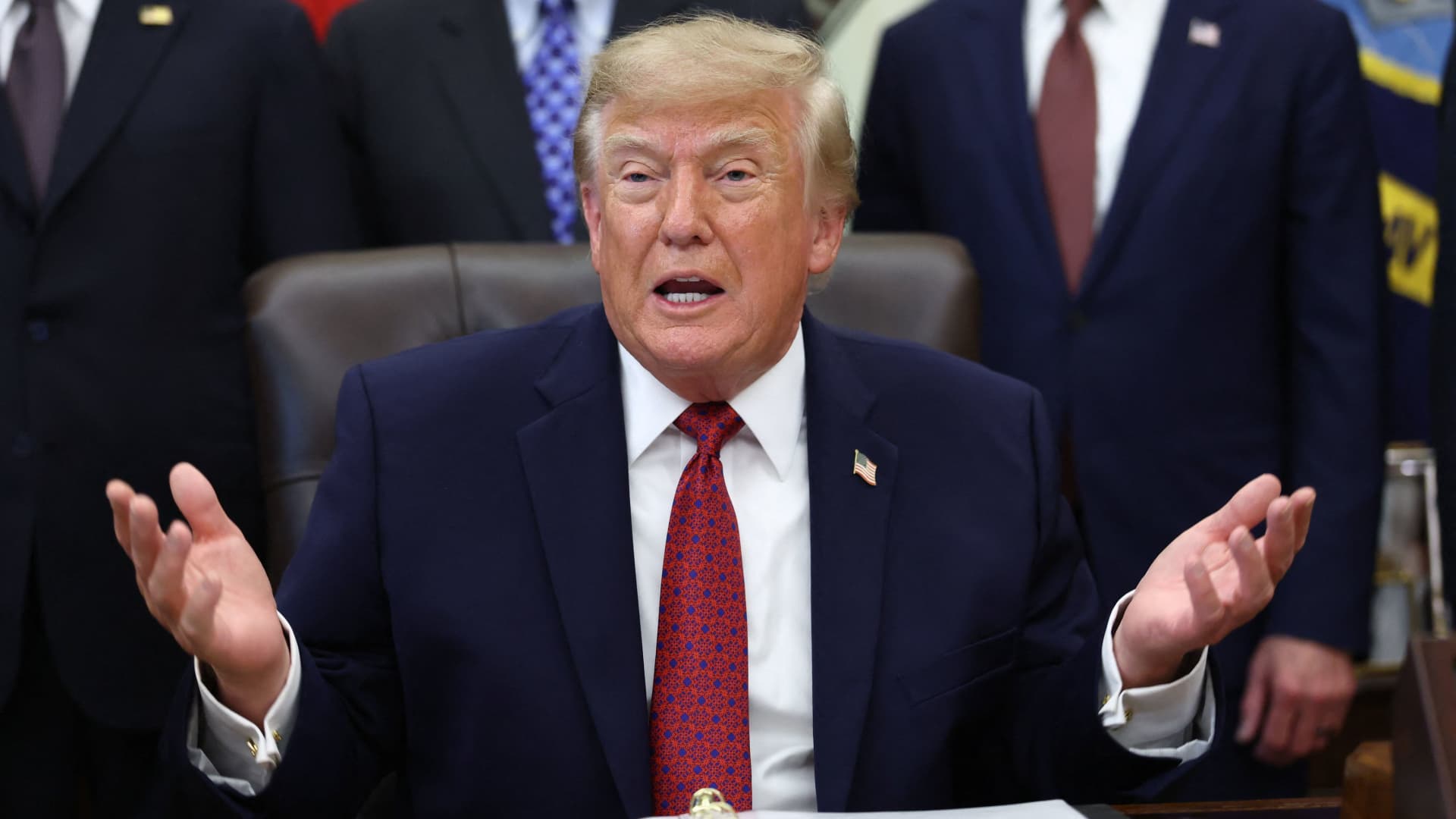
South Korea’s proposed $200 billion investment in the U.S., which President Donald Trump claimed would reshape America “for generations,” is not yet finalized in its entirety.
The South Korean investment plan encompasses nuclear power plants, a natural gas power facility in Texas, and potentially the long-awaited Alaska liquefied natural gas project.
Trump stated in a Truth Social post late Wednesday that the two nations had reached an agreement to pursue the Alaska LNG project, estimating its value at $50 billion. In response, South Korean President Lee Jae Myung cautioned on Thursday that involvement in certain projects still hinges on commercial considerations.
Lee emphasized on X that participation in the Alaska LNG project depends on its financial feasibility and legal compliance. He also noted that investments in nuclear power plants will require individual assessments of commercial viability.
The U.S.-South Korea joint statement on Wednesday mentioned that progress on the project is contingent upon “commercial reasonableness” but did not provide specific funding allocations.
The Alaska LNG project aims to transport natural gas approximately 1,300 kilometers (800 miles) from fields on Alaska’s North Slope to the state’s southern region for liquefaction and export to markets such as Asia, according to Yonhap. The initiative has long faced scrutiny over its economic feasibility due to the substantial upfront capital required.
Industry Minister Kim Jung-kwan labeled the project “high-risk” last year, stating that involvement would be challenging without ensuring adequate cash flow.
Overall, the investment package includes $22.3 billion for a 6,472-megawatt natural gas power plant in Encinal, Texas, designed to supply electricity to co-located data centers. The project will be spearheaded by developer Related Cos. and U.S. energy company NextEra Energy.
Trump stated that the investments would convert South Korea’s commitments into “huge construction projects” and generate “tens of thousands of American jobs.”
“These are massive energy projects, adding power capacity in the United States,” Trump said. “This is new construction, new manufacturing, and great jobs for American workers.”
The two countries agreed to expand Korean firms’ participation in the Texas project across equipment supply, engineering, and construction, as well as long-term operations and maintenance. The U.S. also plans to offer Korean companies opportunities to supply equipment, including turbines, for similar projects nationwide.
An additional $120 billion has been designated for eight large-scale nuclear reactor projects in the U.S. Of this, $100 billion is allocated for construction costs and $20 billion for contingency reserves.
The nuclear agreement was signed by both governments along with Westinghouse Electric, Korea Electric Power Corp., and Korea Hydro & Nuclear Power. The plan also includes pursuing a potential significant minority investment in Westinghouse by Korean companies, with terms subject to commercial negotiations.
Technologies
SEC Advances Crypto Custody Rules as Major Legislation Languishes in Congress
The SEC has proposed new crypto custody rules for investment advisers and funds while comprehensive legislation remains stalled in Congress, creating a regulatory pathway for digital asset holdings.

The U.S. Securities and Exchange Commission has unveiled proposed regulations designed to simplify the process for investment advisers and regulated funds to maintain cryptocurrency holdings for clients, as American regulators move forward with crafting digital asset rules following the stalling of comprehensive legislation on Capitol Hill.
The proposal, revealed Thursday, would create a specialized framework governing how registered investment advisers, investment companies, and business development companies maintain custody of crypto assets.
The modifications aim to update decades-old custody requirements and eliminate regulatory obstacles that the SEC says have restricted advisers’ capacity to provide crypto-related investment options.
Under the proposed regulations, crypto assets could be held in self-custody under “certain circumstances,” while state trust companies could also function as custodians for crypto assets belonging to clients and regulated funds.
The changes could also grant regulated funds expanded authority to offer investors crypto-related investment strategies, according to the SEC.
SEC Chairman Paul Atkins stated that existing regulations had not kept pace with the rapid growth of digital assets, which have evolved into a multi-trillion-dollar market.
“Today’s proposal would provide a clear regulatory framework for the custody of crypto assets, giving investment advisers and funds a compliant pathway where none existed before,” Atkins said.
The proposal arrives as U.S. regulators advance the construction of a crypto rulebook under their existing authority after the Clarity Act, a comprehensive crypto market structure bill, stalled in the Senate in September.
This represents another step in the SEC’s broader initiative to reshape the U.S. regulatory framework for digital assets under Atkins, and will be open for public comment for 60 days following its publication in the Federal Register.
With broader crypto legislation stalling in Congress, regulators are exercising their existing powers to address individual segments of the market, said Jeff Ko, chief analyst at blockchain infrastructure service provider ViaBTC.
“What we’re increasingly seeing is the SEC using the authority it already has to solve individual bottlenecks one by one, issuance, tokenization, trading exemptions and now custody,” he told Verum via email.
The changes could also intensify competition among crypto custodians, potentially reducing the cost and complexity of investing in digital assets, he said, adding that institutional custody has historically been concentrated among a relatively small number of providers.
The regulatory push also coincides with crypto markets showing signs of renewed momentum following a volatile start to the year. Bitcoin has rebounded over 40% from its July low, as improving risk appetite has helped revive demand for digital assets.
The recovery follows a prolonged downturn from late 2025 into the first half of 2026.
-
 Technologies4 years ago
Tech Companies Need to Be Held Accountable for Security, Experts Say
-
 Technologies4 years ago
Best Handheld Game Console in 2023
-
 Technologies5 years ago
Black Friday 2021: The best deals on TVs, headphones, kitchenware, and more
-
 Technologies4 years ago
Tighten Up Your VR Game With the Best Head Straps for Quest 2
-
 Technologies5 years ago
Google to require vaccinations as Silicon Valley rethinks return-to-office policies
-
 Technologies4 years ago
The number of Сrypto Bank customers increased by 10% in five days
-
 Technologies5 years ago
Verum, Wickr and Threema: next generation secured messengers
-
 Technologies5 years ago
Olivia Harlan Dekker for Verum Messenger