
Technologies
Upgrade Your Apple Watch the Right Way to Avoid These Common Mistakes
A step-by-step guide to unpairing an old Apple Watch and setting up your new one.

It’s out with the old and in with your shiny new Apple Watch. One of the biggest perks of staying within the Apple ecosystem is how seamless switching between devices is. While pairing a new Apple Watch is truly simple, unpairing your old watch can trip people up. Skip a step, and you might not fully release the old one, potentially locking out the next owner. Learn from my mistakes on this one and review your options before you begin. Before you get started on your new Apple Watch, there are a few things we need to take care of on your old watch.
Unintended bonus: if you’ve been having connectivity issues, going through these steps might fix those, too.
First: Back up your data
Your Apple Watch backs up automatically to your iPhone whenever both devices are on, paired and in range. It also backs up automatically if you use Method 1 below. The backup includes app settings, watch face customizations, Health and Fitness data, and apps.
Method 1: The right way (requires both your watch and iPhone)
There are three ways to unpair your Apple Watch, but this one’s the best, especially if you’re passing the watch along to someone else. All of them will require your watch to have at least 50% battery, so you might want a charger nearby just in case.
Method 1 backs up your watch, removes your content, unpairs the device and clears Activation Lock in one go.
Open the Watch app on your iPhone and tap All Watches at the top. Find your watch, tap the i icon, and then scroll down to Unpair Apple Watch.
If you have a cellular model with an active plan, you’ll be asked whether to keep or remove it. Only keep the plan if you’re pairing this same watch to your phone again. Otherwise, remove it, then set up the plan on your new watch during its setup.
Tap Unpair again to confirm, then enter your Apple ID password. You’ll see an Unpairing Apple Watch message on your phone and a spinning wheel on your watch. Then wait patiently until it’s unpaired. The watch will reboot and show the Apple logo when it’s done.
While you wait, you can confirm that the smartwatch is off your account by opening the Find My app on your phone and checking that said watch is nowhere to be seen on the device list. If it’s gone, you’re fully clear.
Method 2: If you don’t have your watch with you
You can also unpair it remotely in iCloud if you forgot to unpair before handing it off to someone else, or if it was lost or stolen.
To do so, log in to the iCloud website on your desktop and open the Find My app (bottom left). You can also do this from the same app on your phone. Locate your Apple Watch in your device list, click on it, scroll down and press Erase, then Next. Enter your Apple ID password to confirm. While you’ll no longer be able to track it, you can leave a callback number and a message on the screen in case someone finds it and powers it back on.
Method 3 (last resort): Resetting directly on the watch
Only use this if you don’t have your paired iPhone on hand. On your watch, go to Settings, then General, then scroll down to Erase All Content and Settings.
This will wipe the watch and restore factory settings, but it won’t create a backup, and it won’t remove Activation Lock. This means whoever you’re giving the watch to will still need your Apple ID password to activate it, or you’ll need to remove it remotely after the fact using Method 2.
Pairing your new Apple Watch
Now it’s time to unpack your new Apple smartwatch. Make sure both your new watch and iPhone are nearby and in range of each other. Most new Apple Watches come with at least 50% charge, but have the charger handy just in case.
Press and hold the side button to turn the watch on. You’ll see the Apple logo, and a pairing screen should automatically pop up on your iPhone. Tap Continue. Now choose whether you’re setting this up for yourself or a family member. If you don’t see it, open the Watch app on the iPhone and tap Start Pairing. It’s easiest if the watch is already on your wrist.
A circle of swirling blue specks will appear on your watch screen. Hold your iPhone up to it so the watch is in the camera viewfinder, and the two devices will do their thing.
Tap Set Up Apple Watch and follow the prompts. At this point, you can restore a backup from your previous watch.
If you can’t use the camera, tap Pair Apple Watch Manually at the bottom of your screen. When the blue particle pattern appears, tap the Info (the letter I) icon on your watch to get a six-digit code. Type it into your iPhone when prompted, and your smartwatch will be fully paired.
Activate cellular service
Once setup is complete, activate cellular if your watch supports it and you want to transfer your account, or set one up (assuming your carrier supports it). You can also skip this step and keep it to Wi-Fi only, even if you have a cellular model of the watch.
Technologies
Buffett’s decade-long acquisition finally pays off after years of struggle
Warren Buffett’s confidence in a decade-old acquisition finally pays off as Precision Castparts’ complex products become essential for engine turbine blades, while Berkshire Hathaway’s stock shows modest gains despite Wall Street declines.
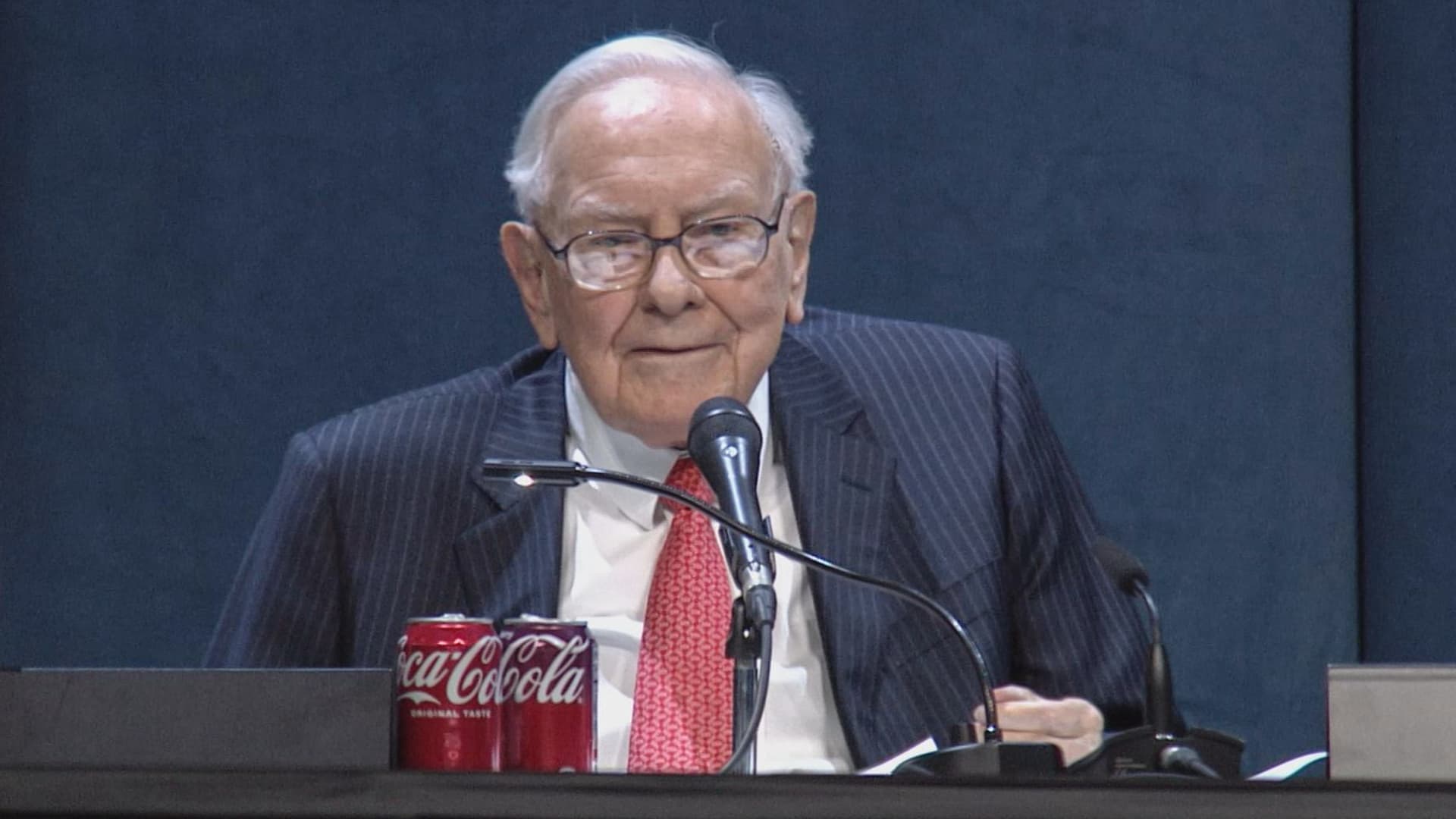
Buffett’s decade-long acquisition finally pays off after years of struggle
Six years ago, when Berkshire Hathaway took an $11 billion write-down of its $37.2 billion 2016 acquisition of Precision Castparts, Warren Buffett wrote in his annual letter to shareholders he had paid “too much” for the company, which makes “complex metal components and products.”
While it was a “fine company – the best in its business,” he had been “simply too optimistic” about its profit potential, a “miscalculation … laid bare” by the enormous downturn for the aerospace industry, Precision Castparts’ largest customers, amid the Covid pandemic.
In a CNBC interview when the deal was first announced, Buffett admitted it was “a very high multiple for us to pay,” but told shareholders at the 2016 meeting he had great confidence in Mark Donegan, the company’s CEO, both then and now, and the company’s long-term profit outlook.
It’s taken longer than he planned, but Buffett’s purchase is now looking pretty good.
As Reuters puts it, there is currently a shortage of the “complex” products Precision Castparts makes that are essential for engine turbine blades.
They’re also used in natural gas turbines, which are in demand to produce energy for artificial intelligence data centers.
This week, GE Aerospace announced it would pay $11.75 billion to acquire Consolidated Precision Products, one of the few companies that competes against Precision Castparts.
Barron’s calls that “pricey” at 26 times projected 2027 earnings before interest, taxes, depreciation, and amortization.
Using the same multiple, Barron’s estimates Precision Castparts is worth around $100 billion. That’s well above the potential value of $60 billion to $75 billion it cited in an article last month that said the unit “probably has become one of the more valuable divisions” of Berkshire.
It’s also nearly three times the 2016 purchase price.
In the Barron’s piece, Andrew Bary said Berkshire, and its share price, aren’t “getting much credit” for the subsidiary’s rising value, in part because CEO Greg Abel, like Buffett, doesn’t do analyst conference calls or investor events that could draw attention to the unit’s performance.
His recommendation: “Without Warren Buffett at the helm, Berkshire may have to start telling its story if it wants to attract a new generation of investors. This year’s trading action suggests that something may need to change.”
Berkshire bounces a bit as Wall Street sells off
Berkshire Hathaway shares managed a modest gain this week even as Wall Street’s major averages declined, a small departure from the 2026 “trading action” Bary cites.
Both the Class A and Class B shares gained almost 0.9% while the S&P 500 fell by 0.8%.
Until Friday’s bounce, that benchmark index, along with the Dow Industrials and the Nasdaq Composite, had dropped four days in a row as oil and bond yields moved higher.
Even with this week’s outperformance, Berkshire’s B shares still trail the S&P 500 by more than 10 percentage points so far this year.
Nebraska candidate moves to replace ad that included Buffett’s image
The campaign team for the Republican running in Nebraska’s 2nd Congressional District accelerated the deployment of a new campaign ad after Susie Buffett complained about a previous commercial that briefly included an image of her father, Warren Buffett.
In the ad, a picture of Buffett and his name appear on screen for roughly two seconds as candidate Brinker Harding says, “Here in Omaha, we know a thing or two about the stock market, some more than others. But we do it without insider information.”
He then goes on to highlight his call for a ban on Congressional stock trading, saying some lawmakers “trade on secrets you’ll never know,” as they “get rich” while “we barely get by.”
In a report that led its 10 PM CT newscast Wednesday evening, ABC affiliate KETV in Omaha reported Susie Buffett had asked Harding on Sept. 2 to remove the ad.
She told the station, “I think it’s worth it to say that Warren did not give Brinker his permission to use his face or name in his ad.
“It implies that my dad endorses him. He did not have permission to use it.”
The KETV report quoted Harding as saying in a statement, “In Nebraska, we work hard and support each other, and we do it honestly. Warren Buffett exemplifies that, and that was the point of my ad.”
The report said Harding did not comment on whether the ad would be taken down but noted “it does look like new ads from his campaign are beginning to run on some stations.”
A Harding campaign spokesperson told me the campaign did not think its ad implied a Buffett endorsement, but to be respectful to the Buffett family, it responded to her concern by accelerating the rollout of its next planned ad by several days, although its effort was hampered by the Labor Day weekend.
The commercial now running does not show or mention Buffett.
BUFFETT & BERKSHIRE AROUND THE INTERNET
Some links may require a subscription:
- Best’s News and Research Service: 2026 Best’s Rankings: Berkshire Hathaway Takes DPW Top Spot Among Accident & Health Lines
- Financial Times: The day Warren Buffett saved Salomon Brothers
HIGHLIGHTS FROM CNBC’S BUFFETT ARCHIVE
The effects of 9/11 on Berkshire and the insurance industry (2002)
Warren Buffett shares his thoughts on the 9/11 attacks and explains how Berkshire’s insurance companies have started taking terrorism into account when writing policies.
AUDIENCE MEMBER: I know you lost a lot of money as a result of 9/11. But I would like to know how 9/11 changed your life and your investment strategy?
WARREN BUFFETT: It made everybody, I think, in the country aware, I mean, we’ve gone through world wars and all of that, and essentially felt quite protected within these borders.
And I have been quite worried about — Charlie can attest to — you know, the possibility, particularly of some kind of nuclear device in this country, by — probably more likely by terrorists than by some, at least, declared act of war by another state.
And 9/11 made everybody realize that as humans have not progressed, particularly, in terms of how they behave with each other over the years, they have progressed enormously in their ability to inflict damage on those they hate for one reason or another…
In terms of the business aspects of it, in your question, obviously the area at Berkshire that it effects most significantly, by miles, is insurance.
And prior to 9/11, even though we recognized that there could be huge monetary damages that flowed from the activities of what I would call deranged people, we hadn’t really written the contracts in such a way as to either get paid for taking that risk or to exclude the risk. In other words, we were throwing it in for nothing.
We had excluded risk for war. I mean, we knew that we’d seen what had happened in England in the 40s, and so we had taken account of something that some of us had seen with our own eyes, but we didn’t take account of something that we knew was possible, but we just hadn’t seen. And that’s, you know, that’s the human condition, to some degree.
Since September 11th, everybody in the insurance business recognizes that they had exposures that they weren’t charging for, and they either had to exclude those exposures or they had to charge for them.
We have written — first thing we had to do, of course, is we had lots of policies on the books that left us exposed to this, and most of those policies ran for a year, starting at different points. Those have run off to a great degree, but they’re not entirely run off.
The other thing we did was on new policies. We have sold a fair amount, quite a large amount, of terrorism insurance that excludes what we call NCB, nuclear, chemical, and biological, as well as fire following nuclear.
And, we can take a fair amount of exposure to that sort of terrorism, because it doesn’t — it won’t aggregate. It aggregated at the Twin Towers in a way that — World Trade Center — in a way that just about was as extreme as you could get for non-NCB-type activities.
I mean, that was a huge amount of damage done without nuclear, chemical, or biological.
But we can have tens of billions of dollars with NCB excluded throughout a greater New York area, or something, but we can’t have hundreds of billions of exposure that would be exposed, say, to, nuclear activities, because there an act or two, or three, coordinated, could cause damage that would destroy the insurance industry.
And if we had coverage on that, it would destroy us as well.
BERKSHIRE STOCK WATCH
Four weeks
Twelve months
BRK.A stock price: $766,000.00
BRK.B stock price: $510.37
BRK.B P/E (TTM): 12.83
Berkshire Cash as of June 30: $365.5 billion (Down 8.0% from March 31)
Excluding Rail Cash and Subtracting T-Bills Payable: $359.2 billion (Down 3.8% from March 31)
Berkshire repurchased $4.5 billion of its shares in Q2 2026.
BERKSHIRE’S TOP EQUITY HOLDINGS – Sep. 11, 2026
Berkshire’s top holdings of disclosed publicly traded stocks in the U.S. and Japan, by market value, based on the latest closing prices.
Holdings are as of June 30, 2026, as reported in Berkshire Hathaway’s 13F filing on August 14, 2026, except for:
- Mitsubishi, which is as of April 30, 2026
The full list of holdings and current market values is available from CNBC.com’s Berkshire Hathaway Portfolio Tracker.
QUESTIONS OR COMMENTS
Also, Buffett’s annual letters to shareholders are highly recommended reading. There are collected here on Berkshire’s website.
— Alex Crippen, Editor, Warren Buffett Watch
Technologies
Houthis reportedly advance to key Red Sea island, further threatening crucial oil choke point
The advance raises the threat to shipping near the Bab el-Mandeb Strait, a waterway that connects the Red Sea to the Gulf of Aden to global markets.

The Iran-backed Houthis reportedly advanced to Yemen’s strategic Perim Island on Friday, delivering a major boost to the militant group’s push to take control of one of the world’s most important shipping choke points.
The capture of Perim Island, which was reported by several news agencies, citing multiple Yemeni government sources, comes just one day after the Houthis seized Yemen’s port city of Mokha on the Red Sea coast. CNBC could not independently confirm the report.
The rapid ground offensive is seen as a severe setback to Saudi Arabia and the Yemeni forces it backs and puts Iran and its proxies on course to exercise control over two critically important oil choke points on either side of the Arabian Peninsula: the Bab el-Mandeb Strait and the Strait of Hormuz.
Perim Island is a small and rocky area of land that divides the Bab el-Mandeb Strait, a waterway that connects the Red Sea to the Gulf of Aden and to global markets.
There are concerns that the Houthis’ advance toward the Bab el-Mandeb Strait could have significant ramifications for global trade, particularly if the militant group ratchets up threats or attacks on Red Sea shipping.
The Houthi advance prompted Saudi Crown Prince Mohammed bin Salman to personally press President Donald Trump for U.S. military intervention, MS NOW reported later Friday, according to a person familiar with the conversations.
The crown prince spoke with Trump twice Thursday and urged him to strike the Iranian-backed group as it closed in on the Bab el-Mandeb. Trump declined, saying the U.S. does not plan to widen its regional military campaign to include the Houthis, according to the person, who was granted anonymity because of the sensitive nature of the conversations. Axios first reported the calls.
A senior administration official told CNBC the U.S. remains focused on protecting core national security interests, including freedom of navigation in the Red Sea, “while empowering our regional partners to take the lead in managing and resolving regional security challenges.”
The official added that the U.S. is “in continuous dialogue with Saudi Arabia.”
The capture of Mokha marked a “major blow” to Saudi Arabia as it raises the possibility of the group exerting a tighter grip on the Bab el-Mandeb Strait, according to Hamish Kinnear, principal Middle East and North Africa analyst at risk intelligence company Verisk Maplecroft.
Mokha is situated about 75 kilometers (46 miles) north of the Bab el-Mandeb Strait.
“The Houthis were already threatening Saudi shipping from previous positions, but their capture of Mocha opens up the possibility of further advances towards the Bab el-Mandeb coastline and a tighter grip on the chokepoint,” Kinnear said in a research note.
As the war continues, Kinnear said both Tehran and Washington believe time is on their side, making a new truce unlikely for now.
“Oil and gas prices, and more specifically refined products such as diesel, will continue to tick upwards while that remains the case – even if US convoys and Strait of Hormuz export alternatives cushion the price impact,” Kinnear said.
The strategic importance of the Bab el-Mandeb Strait has grown significantly since the start of the U.S. and Israel’s war against Iran in late February, with the waterway emerging as an alternative route for crude moving toward Asia.
What next for oil prices?
Oil prices traded sharply lower on Friday, but both major benchmarks could still end the week above $100 per barrel for the first time since mid-May.
International benchmark Brent crude
The resilience of the oil market is being tested by a clearer recognition of the mounting threat to regional supply, strategists at ING said, with energy market participants seen repricing both the duration and severity of the conflict.
Even as flows continue through the Strait of Hormuz, ING’s strategists said flows remain well below prewar levels, underlining how fragile the situation has become.
“Saudi energy infrastructure and crude oil exports from the Red Sea are increasingly at risk, with the Houthis in Yemen targeting Saudi Arabia,” ING’s Warren Patterson and Ewa Manthey said in a research note published Friday.
“As the Houthis have taken control of the Red Sea port of Mokha in Yemen, recent events increase the threat to shipping around the Bab al-Mandeb Strait,” they added.
— Luke Fountain contributed to this report.
Technologies
Wall Street firm believes the AI stock market boom is ‘nearing an end.’ Here’s why
Stretched earnings expectations, extreme concentration and surging equity issuance point to growing bubble risks.

A range of equity market bubble indicators show that while the S & P 500 ‘s rally has further to run this year, its medium-term prospects look poor given how frothy the market has become, according to Capital Economics. “Most indicators suggest the AI equity boom is nearing an end,” Capital Economics’ senior market economist James Reilly said Thursday in a note. Capital has been more bullish than most on the stock market since mid-2023, reflecting a view that AI will be a transformative technology. Its year end-2026 S & P 500 forecast has consistently been above consensus. But the firm has also maintained that the AI-driven rally is a bubble that will eventually burst. To assess and spot a late-stage market bubble, Reilly looks at eight indicators including valuations, earnings, index concentration, equity issuance and foreign interest in U.S. equities. Some of those measures are already at or near levels that preceded previous stock market peaks. The analysis shows that while market variables such as earnings expectations look consistent with a market top, others such as volatility and leverage look slightly less alarming. Earnings stand out as the biggest warning sign. Expectations for S & P 500 earnings growth are around levels seen only at the peak of the dot-com bubble, while long-term EPS growth forecasts have surged to a record high. According to Reilly, the heavy concentration of this expected growth in the tech sector means that any signs of weakness in the tech firms’ earnings will weigh heavily on the index. Other indicators are also flashing warning signs. Index concentration is around dot-com-era extremes, net equity issuance has turned positive and foreign ownership of U.S. stocks is at a record high. Reilly said another wave of IPOs and share sales could be particularly significant, since similar issuance booms have historically coincided with market peaks. “On past form, this suggests that the end of the bubble is just months away, rather than years,” he said. Measures of leverage are not yet alarming compared to other factors, though the analyst warns that they are heading in a “concerning direction.” While volatility metrics look consistent with a mid -stage bubble, Reilly notes that constituent -level volatility isn’t as extreme as it was near the end of the dotcom boom. “While we continue to think that the S & P 500 will rally from around 7,650 now to 8,250 by end-2026 , we ultimately forecast it to fall back to 6,500 by end -2027,” he wrote. Those assumptions would equate to 8% upside this year and a 21% slide in 2027.
This site is now part of Versant. By continuing to use this service, you agree to our Terms. You also acknowledge that our updated Privacy Policy applies, including to your existing data. For details on your data rights, click here.
On this service, we and our vendors use cookies and other tools (“Cookies”) to store and access information on your device, such as device identifiers, IP address, and your browser type. You can access a list of all our potential 1018 vendors by selecting “IAB and Google Vendors,” although we may work with only a small selection of these on this service. Your data may be used to save and communicate your privacy choices; ensure security, prevent fraud, and debug our products and services; personalize advertising and content; for advertising and content measurement; to conduct audience research and services development; so we can improve our services and develop new ones; to match and combine offline data with your online activity; and for social features. We may share this data with select vendors with your consent.
Click “I Accept”, to consent to our use of these Cookies or “Reject All” to reject our use of these Cookies. Click “Manage Choices” to set your preferences. If you previously made choices with respect to Versant’s use of Cookies on this browser and device, you will need to update them. You can adjust your choices any time through the “Cookie Preferences” link in the footer of relevant Versant sites or in-app settings. Visit our Cookie Notice and Privacy Policy to learn more.
We will also use other Cookies that are essential or related to our services, including for security and fraud prevention.
Store and/or access information on a device. Personalised advertising and content, advertising and content measurement, audience research and services development.
– Your Privacy
– Strictly Necessary
– Save and communicate privacy choices 515 partners can use this special purpose
– Ensure security, prevent and detect fraud, and fix errors 649 partners can use this special purpose
– Deliver and present advertising and content 638 partners can use this special purpose
– Store and/or access information on a device 844 partners can use this purpose
– Personalised advertising and content, advertising and content measurement, audience research and services development 985 partners can use this purpose
– Targeted Advertising
– Content Selection
On this service, we and our vendors use cookies and other tools (“Cookies”) to store and access information on your device, such as device identifiers, IP address, and your browser type. Your data may be used to save and communicate your privacy choices; ensure security, prevent fraud, and debug our products and services; personalize advertising and content; for advertising and content measurement; to conduct audience research and services development; so we can improve our services and develop new ones; to match and combine offline data with your online activity; and for social features. We may share this data with select vendors with your consent. You can adjust your choices any time through the “Cookie Preferences” link in the footer of relevant Versant sites or in-app settings.
We will also use other Cookies that are essential or related to our services, including for security and fraud prevention. To learn more about some of our vendors, see the IAB and Google Vendors under each purpose. Visit our Cookie Notice and Privacy Policy to learn more.
Always Active
These Cookies and SDKs are required for Service functionality, including security and fraud prevention, and to enable any purchasing capabilities. You can set your browser to block these tracking technologies, but some parts of the site may not function properly.
The choices you make regarding the purposes and entities listed in this notice are saved and made available to those entities in the form of digital signals (such as a string of characters). This is necessary in order to enable both this service and those entities to respect such choices.
Your data can be used to monitor for and prevent unusual and possibly fraudulent activity (for example, regarding advertising, ad clicks by bots), and ensure systems and processes work properly and securely. It can also be used to correct any problems you, the publisher or the advertiser may encounter in the delivery of content and ads and in your interaction with them.
Certain information (like an IP address or device capabilities) is used to ensure the technical compatibility of the content or advertising, and to facilitate the transmission of the content or ad to your device.
Cookies, device or similar online identifiers (e.g. login-based identifiers, randomly assigned identifiers, network based identifiers) together with other information (e.g. browser type and information, language, screen size, supported technologies etc.) can be stored or read on your device to recognise it each time it connects to an app or to a website, for one or several of the purposes presented here.
– Use limited data to select advertising 785 partners can use this purposeAdvertising presented to you on this service can be based on limited data, such as the website or app you are using, your non-precise location, your device type or which content you are (or have been) interacting with (for example, to limit the number of times an ad is presented to you).
– Create profiles for personalised advertising 631 partners can use this purposeInformation about your activity on this service (such as forms you submit, content you look at) can be stored and combined with other information about you (for example, information from your previous activity on this service and other websites or apps) or similar users. This is then used to build or improve a profile about you (that might include possible interests and personal aspects). Your profile can be used (also later) to present advertising that appears more relevant based on your possible interests by this and other entities.
– Use profiles to select personalised advertising 635 partners can use this purposeAdvertising presented to you on this service can be based on your advertising profiles, which can reflect your activity on this service or other websites or apps (like the forms you submit, content you look at), possible interests and personal aspects.
– Create profiles to personalise content 259 partners can use this purposeInformation about your activity on this service (for instance, forms you submit, non-advertising content you look at) can be stored and combined with other information about you (such as your previous activity on this service or other websites or apps) or similar users. This is then used to build or improve a profile about you (which might for example include possible interests and personal aspects). Your profile can be used (also later) to present content that appears more relevant based on your possible interests, such as by adapting the order in which content is shown to you, so that it is even easier for you to find content that matches your interests.
– Use profiles to select personalised content 231 partners can use this purposeContent presented to you on this service can be based on your content personalisation profiles, which can reflect your activity on this or other services (for instance, the forms you submit, content you look at), possible interests and personal aspects. This can for example be used to adapt the order in which content is shown to you, so that it is even easier for you to find (non-advertising) content that matches your interests.
– Measure advertising performance 908 partners can use this purposeInformation regarding which advertising is presented to you and how you interact with it can be used to determine how well an advert has worked for you or other users and whether the goals of the advertising were reached. For instance, whether you saw an ad, whether you clicked on it, whether it led you to buy a product or visit a website, etc. This is very helpful to understand the relevance of advertising campaigns.
– Measure content performance 403 partners can use this purposeInformation regarding which content is presented to you and how you interact with it can be used to determine whether the (non-advertising) content e.g. reached its intended audience and matched your interests. For instance, whether you read an article, watch a video, listen to a podcast or look at a product description, how long you spent on this service and the web pages you visit etc. This is very helpful to understand the relevance of (non-advertising) content that is shown to you.
– Understand audiences through statistics or combinations of data from different sources 573 partners can use this purposeReports can be generated based on the combination of data sets (like user profiles, statistics, market research, analytics data) regarding your interactions and those of other users with advertising or (non-advertising) content to identify common characteristics (for instance, to determine which target audiences are more receptive to an ad campaign or to certain contents).
– Develop and improve services 680 partners can use this purposeInformation about your activity on this service, such as your interaction with ads or content, can be very helpful to improve products and services and to build new products and services based on user interactions, the type of audience, etc. This specific purpose does not include the development or improvement of user profiles and identifiers.
– Use limited data to select content 179 partners can use this purposeContent presented to you on this service can be based on limited data, such as the website or app you are using, your non-precise location, your device type, or which content you are (or have been) interacting with (for example, to limit the number of times a video or an article is presented to you).
These Cookies and SDKs are used to collect data about your browsing habits, use of the Services, your preferences, and your interaction with advertisements across platforms and devices for the purpose of delivering targeted advertising content, both on our Services and on third party sites. Third-party sites and services also use Targeting Cookies to deliver content, including advertisements relevant to your interests on the Services. If you reject these Cookies or SDKs, you will see less relevant advertising.
Data collected under this category through Cookies and SDKs can also be used to select and deliver personalized content, such as news articles and videos.
Consent Leg.Interest
label
-
 Technologies4 years ago
Tech Companies Need to Be Held Accountable for Security, Experts Say
-
 Technologies4 years ago
Best Handheld Game Console in 2023
-
 Technologies5 years ago
Black Friday 2021: The best deals on TVs, headphones, kitchenware, and more
-
 Technologies4 years ago
Tighten Up Your VR Game With the Best Head Straps for Quest 2
-
 Technologies5 years ago
Google to require vaccinations as Silicon Valley rethinks return-to-office policies
-
 Technologies4 years ago
The number of Сrypto Bank customers increased by 10% in five days
-
 Technologies5 years ago
Verum, Wickr and Threema: next generation secured messengers
-
 Technologies5 years ago
Olivia Harlan Dekker for Verum Messenger