
Technologies
How to Turn Off AI Features on Your Samsung Galaxy Smartphone
Too much AI on your Galaxy phone? Here’s how to disable it.
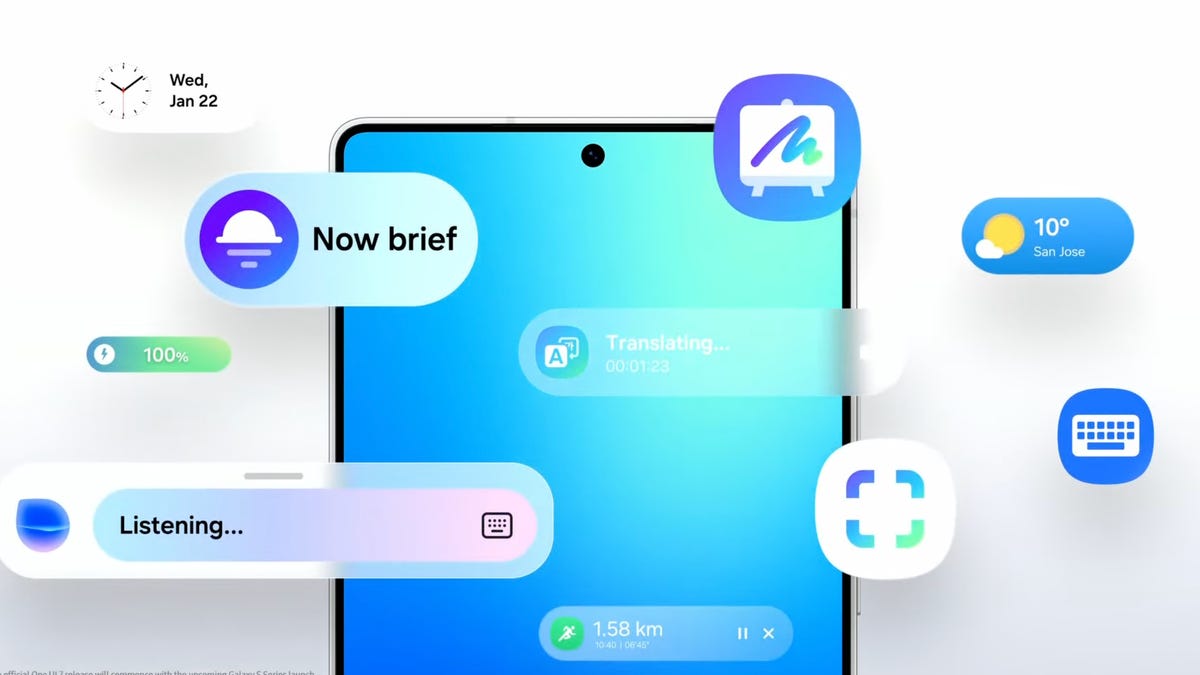
Samsung is known for throwing virtually every feature imaginable into its smartphones, whether or not you intend to use them. There are countless additional customizations and apps in Galaxy phones that make it a bit overwhelming to figure out what you actually need.
Every new generation of Galaxy phone seems to gain more and more AI features that you may not find useful. Luckily, you can remove nearly anything you don’t want on your Samsung phone.
Whether you just want to turn off some of the AI features on your Galaxy smartphone or you want to disable them completely, we’ll show you how to do that below.
Read more: The 8 Biggest Announcements from Samsung’s Galaxy Unpacked 2026 Event
How to turn off Galaxy AI services
Some of the features that smartphones can do using AI are undeniably cool. If you like some of them but don’t want AI everywhere, Samsung will allow you to pick and choose what to take advantage of.
To turn off AI for individual services:
- Go to Settings.
- Tap Galaxy AI.
- Select the service to disable.
- Tap the toggle to Off.
You’ll see a list of the services that form Galaxy AI. You can choose the apps for which you want to turn AI on or off from here.
If you’re more privacy-minded but still want to take advantage of Galaxy AI features, there’s a toggle at the bottom of this screen that will limit AI from sending anything to the cloud and keep data processing on your device only. Going for this option will disable some AI features altogether that require the internet to process, and the results may be less useful.
Goodbye, Bixby
Bixby, the Samsung digital assistant that you may not even realize is on your phone, is something that you’ll want to disable if you’re trying to tame the AI on your Galaxy device.
Luckily, Samsung has a way for you to replace Bixby with another voice assistant of your choosing. For all intents and purposes, Google Assistant will be your best bet, even if it will eventually be replaced by Google’s advanced AI assistant somewhere down the road.
It’s likely already installed on your phone, but you may need to redownload the Google app if you uninstalled it or never had it.
- Go to Settings.
- Tap Apps.
- Tap Default apps.
- Tap Digital assistant app.
- Tap Google.
That’s it. Now, when you trigger your voice assistant, you’ll be greeted by Google Assistant instead of the AI-powered Bixby.
Technologies
Bank of America Warns Bond Market Echoes 2022 Conditions
Bank of America warns that current bond market conditions mirror those of 2022, when rising yields and rate hikes triggered a significant equity correction. The firm advises investors to consider hedging strategies as real yields break out of trading ranges.

The bond market is giving 2022 vibes right now, and not in a positive way, according to Bank of America. Yields skyrocketed to multiyear highs this week, as oil prices stay elevated and new U.S. data suggests the Federal Reserve may need to hike rates even more to quell inflation. The benchmark 10-year Treasury note yield reached levels not seen since 2007 above 5.2%. The 30-year bond yield also spiked to its highest levels since 2004. Equities, for their part, weathered the move higher well. The S & P 500 is up around 1% week to date. The Nasdaq Composite jumped nearly 2%. But for BofA technical strategist Paul Ciana, this may be the calm before the storm. US10Y YTD bar US 10-year yield in 2026 “We see parallels with 2022, when the US 10-year real yield broke out of a trading range and rose from approximately -1% to +1.5%. Around that period, the SPX, Euro and Bitcoin formed important peaks and declined, while equity, rates and FX volatility accelerated higher,” Ciana wrote. “The comparison does not require an identical outcome, but we do think it argues for greater caution.” Stocks entered a bear market in 2022, as the Fed quickly raised rates to fend off a massive surge in inflation. The S & P 500 fell more than 19% that year, marking its worst annual performance since 2008 — when it tumbled 38%. Ciana noted investors can hedge by scooping up put options on the SPY ETF , which tracks the S & P 500. “Investors seeking protection may consider one- to three-month SPY 750 puts or 750/730 put spreads,” he said. “The lower strike corresponds to the July lows.” “However, the rise in real yields is quite stretched on weekly RSIs. If yields retrace lower and positive SPX seasonals follow through, hedges may not perform,” he said, referring the relative strength index, a popular indicator that helps assess whether an investment may be overbought or oversold.
Technologies
Anthropic warns investors of AI’s ‘existential risk to humanity’ in IPO prospectus, reports say
Anthropic’s IPO filing dedicates 80 pages to the risks of AI, nearly double the 48 pages it spends discussing its business plans, according to Reuters.

Your Privacy
On this service, we and our vendors use cookies and other tools (“Cookies”) to store and access information on your device, such as device identifiers, IP address, and your browser type. Your data may be used to save and communicate your privacy choices; ensure security, prevent fraud, and debug our products and services; personalize advertising and content; for advertising and content measurement; to conduct audience research and services development; so we can improve our services and develop new ones; to match and combine offline data with your online activity; and for social features. We may share this data with select vendors with your consent. You can adjust your choices any time through the “Cookie Preferences” link in the footer of relevant Versant sites or in-app settings.
We will also use other Cookies that are essential or related to our services, including for security and fraud prevention. To learn more about some of our vendors, see the IAB and Google Vendors under each purpose. Visit our Cookie Notice and Privacy Policy to learn more.
These Cookies and SDKs are required for Service functionality, including security and fraud prevention, and to enable any purchasing capabilities. You can set your browser to block these tracking technologies, but some parts of the site may not function properly.
The choices you make regarding the purposes and entities listed in this notice are saved and made available to those entities in the form of digital signals (such as a string of characters). This is necessary in order to enable both this service and those entities to respect such choices.
Your data can be used to monitor for and prevent unusual and possibly fraudulent activity (for example, regarding advertising, ad clicks by bots), and ensure systems and processes work properly and securely. It can also be used to correct any problems you, the publisher or the advertiser may encounter in the delivery of content and ads and in your interaction with them.
Certain information (like an IP address or device capabilities) is used to ensure the technical compatibility of the content or advertising, and to facilitate the transmission of the content or ad to your device.
Cookies, device or similar online identifiers (e.g. login-based identifiers, randomly assigned identifiers, network based identifiers) together with other information (e.g. browser type and information, language, screen size, supported technologies etc.) can be stored or read on your device to recognise it each time it connects to an app or to a website, for one or several of the purposes presented here.
– Use limited data to select advertising 791 partners can use this purpose Advertising presented to you on this service can be based on limited data, such as the website or app you are using, your non-precise location, your device type or which content you are (or have been) interacting with (for example, to limit the number of times an ad is presented to you).
– Create profiles for personalised advertising 637 partners can use this purpose Information about your activity on this service (such as forms you submit, content you look at) can be stored and combined with other information about you (for example, information from your previous activity on this service and other websites or apps) or similar users. This is then used to build or improve a profile about you (that might include possible interests and personal aspects). Your profile can be used (also later) to present advertising that appears more relevant based on your possible interests by this and other entities.
– Use profiles to select personalised advertising 640 partners can use this purpose Advertising presented to you on this service can be based on your advertising profiles, which can reflect your activity on this service or other websites or apps (like the forms you submit, content you look at), possible interests and personal aspects.
– Create profiles to personalise content 261 partners can use this purpose Information about your activity on this service (for instance, forms you submit, non-advertising content you look at) can be stored and combined with other information about you (such as your previous activity on this service or other websites or apps) or similar users. This is then used to build or improve a profile about you (which might for example include possible interests and personal aspects). Your profile can be used (also later) to present content that appears more relevant based on your possible interests, such as by adapting the order in which content is shown to you, so that it is even easier for you to find content that matches your interests.
– Use profiles to select personalised content 234 partners can use this purpose Content presented to you on this service can be based on your content personalisation profiles, which can reflect your activity on this or other services (for instance, the forms you submit, content you look at), possible interests and personal aspects. This can for example be used to adapt the order in which content is shown to you, so that it is even easier for you to find (non-advertising) content that matches your interests.
– Measure advertising performance 916 partners can use this purpose Information regarding which advertising is presented to you and how you interact with it can be used to determine how well an advert has worked for you or other users and whether the goals of the advertising were reached. For instance, whether you saw an ad, whether you clicked on it, whether it led you to buy a product or visit a website, etc. This is very helpful to understand the relevance of advertising campaigns.
– Measure content performance 405 partners can use this purpose Information regarding which content is presented to you and how you interact with it can be used to determine whether the (non-advertising) content e.g. reached its intended audience and matched your interests. For instance, whether you read an article, watch a video, listen to a podcast or look at a product description, how long you spent on this service and the web pages you visit etc. This is very helpful to understand the relevance of (non-advertising) content that is shown to you.
– Understand audiences through statistics or combinations of data from different sources 579 partners can use this purpose Reports can be generated based on the combination of data sets (like user profiles, statistics, market research, analytics data) regarding your interactions and those of other users with advertising or (non-advertising) content to identify common characteristics (for instance, to determine which target audiences are more receptive to an ad campaign or to certain contents).
– Develop and improve services 688 partners can use this purpose Information about your activity on this service, such as your interaction with ads or content, can be very helpful to improve products and services and to build new products and services based on user interactions, the type of audience, etc. This specific purpose does not include the development or improvement of user profiles and identifiers.
– Use limited data to select content 180 partners can use this purpose Content presented to you on this service can be based on limited data, such as the website or app you are using, your non-precise location, your device type, or which content you are (or have been) interacting with (for example, to limit the number of times a video or an article is presented to you).
These Cookies and SDKs are used to collect data about your browsing habits, use of the Services, your preferences, and your interaction with advertisements across platforms and devices for the purpose of delivering targeted advertising content, both on our Services and on third party sites. Third-party sites and services also use Targeting Cookies to deliver content, including advertisements relevant to your interests on the Services. If you reject these Cookies or SDKs, you will see less relevant advertising.
Data collected under this category through Cookies and SDKs can also be used to select and deliver personalized content, such as news articles and videos.
Technologies
U.S., Iran hold separate mediator talks as Mideast oil exports hit war-time high
Iranian and U.S. officials reportedly met separately with mediators Monday to push for a ceasefire, as Middle Eastern crude exports rebounded to war-time high.

Iranian and U.S. officials reportedly met separately with mediators Monday to push for a ceasefire.
Middle Eastern crude exports rebounded this month to around their highest level since the war began in February.
An outright export ban by Washington on diesel would keep roughly 1.2 million barrels a day at home, and risks overwhelming Gulf Coast storage, according to Kpler.
The building of the destroyed Shajareh Tayebeh primary school is pictured surrounded by rubble in Minab in Iran’s Hormozgan province on August 10, 2026. Six months on, a team of AFP journalists obtained rare access to the school which has remained largely in ruins, its collapsed walls and twisted steel now surrounded by portraits of the children killed as Iranian flags flutter above the rubble. Iran says the attack on the school involved two separate US Tomahawk missiles but neither the United States nor Israel has officially claimed responsibility for the strike. (Photo by ATTA KENARE / AFP via Getty Images) /
Atta Kenare | Afp | Getty Images
U.S. and Iranian officials have reportedly held separate indirect talks with mediators on Monday, reviving efforts to end seven months of war as Tehran presses for a response to a revised ceasefire framework and Middle East crude exports climb to their highest level since the conflict began.
Iranian Foreign Minister Abbas Araghchi met Qatari mediators in New York, where he remained after the United Nations General Assembly, and reportedly said he expects Washington’s reply by Tuesday. “We talked about ideas and how to find solutions to fulfil Iran’s conditions,” Araghchi said, adding that he planned to return to Tehran once a response arrives. “Whenever the Qataris have a response, they know how to get it to us.”
Iran’s proposal, first presented on the sidelines of last week’s General Assembly, calls for a four- to five-day U.S. timeline to release frozen Iranian funds, lift sanctions on Iranian oil and end the naval blockade of Iranian ports, with nuclear talks beginning within seven days. Tehran has tied any reopening of the Strait of Hormuz to those steps.
President Donald Trump had on Sunday called the plan “unacceptable” and rejected it, telling reporters Iran wants a swift deal because of the economic pressure it is under. Speaking at the White House Monday, Trump said U.S. officials had spoken separately with mediators but gave no further details, adding: “We’re going to win. It’s going to go pretty quickly.”
The diplomatic push comes as physical supply data shows the war’s toll on the oil market easing. Middle Eastern crude exports rebounded this month to around their highest level since the war began in February, Kpler data showed. “Middle East crude exports at just under 80% of pre-conflict levels,” the tracking firm said in a note on Monday.
The Strait of Hormuz itself remains far from normal. Kpler’s real-time tracking showed total clearance through the strait at 10,591 kilobarrels a day on Saturday, against a pre-war baseline of 17,133.
-
 Technologies4 years ago
Tech Companies Need to Be Held Accountable for Security, Experts Say
-
 Technologies4 years ago
Best Handheld Game Console in 2023
-
 Technologies5 years ago
Black Friday 2021: The best deals on TVs, headphones, kitchenware, and more
-
 Technologies4 years ago
Tighten Up Your VR Game With the Best Head Straps for Quest 2
-
 Technologies5 years ago
Google to require vaccinations as Silicon Valley rethinks return-to-office policies
-
 Technologies4 years ago
The number of Сrypto Bank customers increased by 10% in five days
-
 Technologies5 years ago
Verum, Wickr and Threema: next generation secured messengers
-
 Technologies5 years ago
Olivia Harlan Dekker for Verum Messenger