
Technologies
Give Your Phone Photos a Warm, Dreamy Analog Film Look With These 3 Tricks
Whether you have the latest iPhone or Samsung phone, or even an older handset, you can take some beautiful nostalgic images with a bit of help. Here’s how.
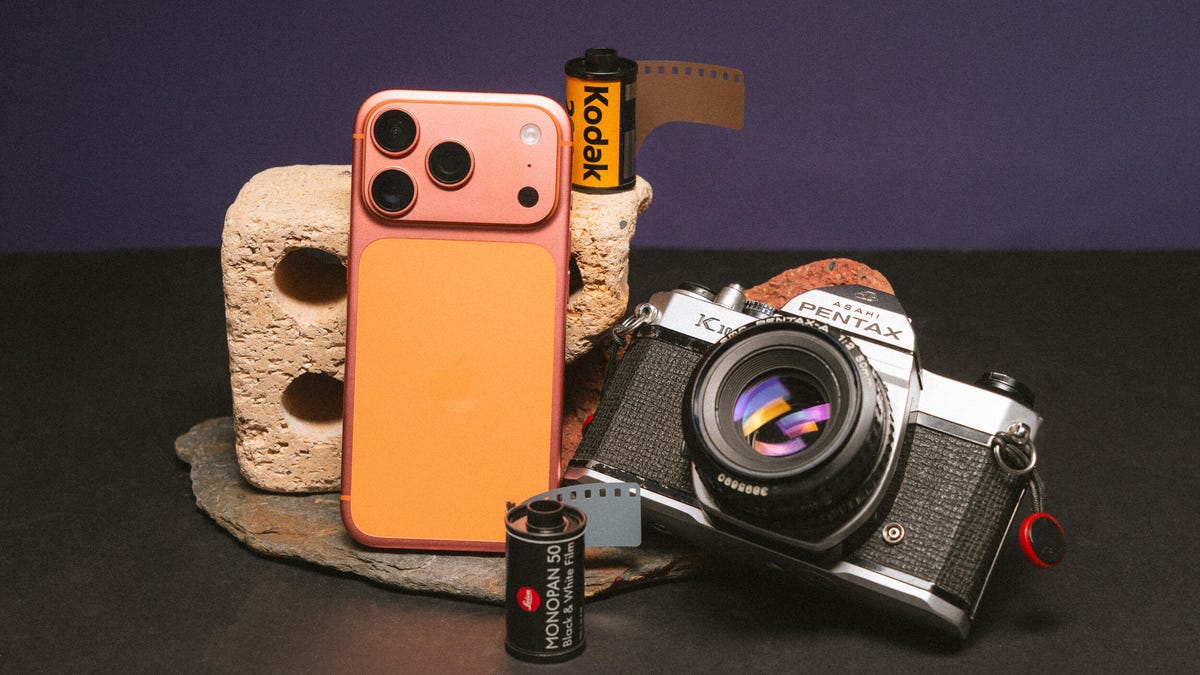
The nostalgic film look for photos has become wildly popular on social media in the past few years. Whether that’s a response to generative AI fakes or simply that warm pastel tones and realistic film grain are in fashion isn’t clear. But while many photographers — myself included — have turned to analog cameras loaded with rolls of Kodak, you can get those dreamy film vibes using just your phone.
And the best thing is, it doesn’t even require you to have the latest iPhone or Android phone, or even specialized camera apps. The goal is to achieve a more retro, old-school feel from your images rather than the clinical accuracy offered by most of today’s phone cameras or even compact digital cameras. So it’s not about having the phone with the most megapixels or the fanciest features.
You can transform your photos with little more than your phone’s default camera app and a few minutes in a free editing app. Let’s dive in and get shooting.
Taking your photos
While most of today’s phone cameras can take vibrant, well-exposed images, they all rely on image processing software to squeeze the most out of their relatively tiny image sensors. Unfortunately, it’s not always done effectively, with many phones going overboard on the processing, resulting in fake-looking images with unnatural-looking highlights and shadows and crunchy details.
This process aims to strip back some of that digital oversharpening and HDR toning to produce an image that’s closer in feel to what you might expect to get from a real film camera. There’s a lot you can do to help that.
The first approach harkens back to traditional photography: use a physical filter in front of the camera lens. Specifically, a mist filter can soften harsh details while also adding a natural ‘bloom’ to highlights, which can add to the filmic vibe we’re trying to achieve.
I use mist filters in most of my photography, especially PolarPro’s CineGold filter, which adds a warm glow to images, and the CineBlack which subtly deepens shadows while adding highlight bloom. I use these with my Leica Q3 43 but they work just the same on your phone — you just need an adapter like Moment’s QuickLock filter mount that lets you slap any 63mm threaded photo filter onto your phone. PolarPro does make filters specifically for the iPhone (seen above) but my advice would be to buy regular circular threaded filters that you can use on any phone or camera.
Moment also makes various lenses that can clip to your phone and I like the effect they give, too. While they’re optically quite sharp, they do add a certain natural degradation (including softening of some harsh details and some optical aberration) to the image that again just helps reduce that oversharpened digital look.
I typically shoot using ProRaw on the iPhone or in DNG raw on most Android phones to give me the most flexibility in editing (as well as bypassing much of the auto sharpening many phones will apply in the default mode), but you can get great results just using default settings in your camera.
I do find I get the best results when I slightly over-expose the image (usually by tapping and pulling up the brightness slider). Many film stocks — including Kodak Gold and Portra 400 — often look their best when shot in bright outdoor scenes (think a California beach or an alpine mountain top under bright skies) so leaning into a brighter look when taking your image can be helpful when you’re at the editing stage. And by shooting in raw, there’s enough dynamic range to work with so I’m not blowing out the brightest areas of the image to white.
Otherwise it’s down to you to take a good photo that you then want to give a nice filmic flair to. Remember to concentrate on capturing a good photo in the moment, rather than just snapping away and hoping to pull back something usable later using editing. If you’re keen to really take your phone photography skills further, I have a tutorial for you that will help.
Using your phone’s built-in presets
Most phones offer presets that change the look of your images. Apple’s Photographic Styles in recent iPhones allow you to switch up the colors and saturation in your photos before and after taking them. If you just want to play with colors in your images then it’s a good starting point but I wouldn’t say that any of them especially look like analog film. (And Photographic Styles only work when you’re shooting in HEIF or JPEG, not ProRaw.)
Samsung’s My Filter tool allows you to essentially steal the color tones from other images. While I sometimes find the results a bit underwhelming, I have had some success with it, especially when I use the built-in editing tools on top of this to add film grain and adjust the colors further.
Other phones — including the Xiaomi 15 Ultra and OnePlus 15 — also come with various looks baked into the phone. They’re certainly worth experimenting with, although most of my success in creating a film look comes from editing apps rather than from the phone itself.
Edit your phone photos to look like film
When I’m editing, I’m not trying to mimic a particular film stock like Kodak Gold or CineStill 800T. Instead, I’m just trying to achieve what feels like an authentically vintage film aesthetic.
There are numerous apps on the iOS App store and the Google Play store that offer various film simulations and vintage effects. Personally, I’ve not found many that I especially like but some particular one are worth highlighting.
First is VSCO, which has a long history of producing a variety of filmic styles that the company says are based on real film stocks. I’ve used VSCO’s desktop presets for many years and they’re certainly some of the best around, so if you want a fast way of slapping a film look over your image, VSCO is worth a look — although you’ll need to pay a subscription to access the whole collection.
Next is Adobe Lightroom, which remains a photography industry staple and works just as well on phones as it does on desktop computers. While you can edit your images in an infinite number of ways to create the look you want, to save some time a huge variety of presets are available that you can install that will give you instant access to beautiful colors in just one tap.
Moment has its own store jammed with preset packs that can be used in Lightroom, bringing filmic vibes to images taken with your phone or with any digital camera. They can be pricey extras but they’re well worth experimenting with if you take your photography more seriously. The aforementioned VSCO has just released its own pack of Lightroom filmic presets, available for all paid subscribers to download and install. I’ve used them and while they’re designed to work with ‘regular’ cameras from Canon, Leica etc., I’ve still had good results when using them on ProRaw iPhone images, including on the image of the fence above.
But my personal suggestion, especially if you don’t want to shell out any cash, is to use Google’s app Snapseed. It’s free on Android and iOS, and has a whole suite of advanced photo editing tools, including numerous film looks, with some that directly aim to mimic real film stocks. I like swiping through the looks, testing each one out to see how it feels with my image before applying it.
I’ll also apply quite a heavy amount of grain to simulate the natural grain seen in analog film, which also helps reduce the digital sharpness. I’ll also go into the Details tool and reduce the structure and ensure sharpening is set to 0. Other things in Snapseed that can add to the effect using the Dehaze tool to reduce sharpness, the Adjust tool to reduce Ambience and add a touch blur with the Lens Blur tool.
I love using Snapseed, because I can go back to different tools and layer the effect again and again, resulting in a photo with a color style that’s uniquely my own. It’s one of the most well-rounded photo editors out there and it’s amazing that it’s free.
Editing in this way really comes down to what I feel has the right ‘vibes’ rather than it being color matched to how Kodak or Fujifilm renders different colors. It’s all about personal preference here so I encourage you to play around as much as you want to find what looks best to you.
Technologies
Samsung’s Galaxy Watch Ultra 2 Might Come in 5G and 4G Cellular Models
If the rumor proves true, the 5G Galaxy Watch Ultra would rival the 5G-enabled $799 Apple Watch Ultra 3 that debuted last fall.

Samsung’s next high-end Galaxy Watch could support faster 5G speeds, but if this leak is true, it will depend on where you live. The rumored Samsung Galaxy Watch Ultra 2 might come in 5G and 4G cellular models, with availability for each smartwatch depending on the country.
According to the Dutch website Galaxy Club (and spotted by SamMobile), Samsung’s servers may have revealed a series of model numbers that point to 5G, 4G and Wi-Fi-enabled editions of the next Galaxy Watch Ultra, which would succeed the original model that debuted in 2024.
A representative for Samsung did not immediately respond to a request for comment.
The Galaxy Club website speculates that the 5G edition would be sold in the US and Korean markets, while the 4G edition would sell in the rest of the world. In the US, a 5G version of the Galaxy Watch Ultra would rival the 5G-enabled $799 Apple Watch Ultra 3, which debuted last fall. The 4G edition would have broader compatibility worldwide, since the earlier network is far more established.
It will likely be a few months until we hear anything official about the Galaxy Watch Ultra 2. Samsung typically unveils its new watches in the summer alongside its Galaxy Z Fold and Z Flip foldable phones. Last year, Samsung unveiled the Galaxy Watch 8 and the Galaxy Watch 8 Classic, but otherwise left the prior 2024 Ultra in the lineup for those looking for a larger 47mm smartwatch.
Technologies
2 Cases Show Supreme Court Isn’t Holding ISPs Responsible for Piracy
Technologies
Today’s NYT Connections Hints, Answers and Help for April 8, #1032
Here are some hints and the answers for the NYT Connections puzzle for April 8, No. 1032.

Looking for the most recent Connections answers? Click here for today’s Connections hints, as well as our daily answers and hints for The New York Times Mini Crossword, Wordle, Connections: Sports Edition and Strands puzzles.
Today’s NYT Connections puzzle is kind of tough. The purple category is a fun one, once you see the connection. Read on for clues and today’s Connections answers.
The Times has a Connections Bot, like the one for Wordle. Go there after you play to receive a numeric score and to have the program analyze your answers. Players who are registered with the Times Games section can now nerd out by following their progress, including the number of puzzles completed, win rate, number of times they nabbed a perfect score and their win streak.
Read more: Hints, Tips and Strategies to Help You Win at NYT Connections Every Time
Hints for today’s Connections groups
Here are four hints for the groupings in today’s Connections puzzle, ranked from the easiest yellow group to the tough (and sometimes bizarre) purple group.
Yellow group hint: In the group.
Green group hint: Appearance details.
Blue group hint: Often found in gyms.
Purple group hint: They help you see.
Answers for today’s Connections groups
Yellow group: Cohort member.
Green group: Aesthetic.
Blue group: Kinds of bar apparatuses.
Purple group: Eyewear in the singular.
Read more: Wordle Cheat Sheet: Here Are the Most Popular Letters Used in English Words
What are today’s Connections answers?
The yellow words in today’s Connections
The theme is cohort member. The four answers are associate, colleague, fellow and peer.
The green words in today’s Connections
The theme is aesthetic. The four answers are design, look, scheme and style.
The blue words in today’s Connections
The theme is kinds of bar apparatuses. The four answers are monkey, parallel, pull-up and uneven.
The purple words in today’s Connections
The theme is eyewear in the singular. The four answers are contact, goggle, shade and spectacle.
-
 Technologies3 года ago
Tech Companies Need to Be Held Accountable for Security, Experts Say
-
 Technologies3 года ago
Best Handheld Game Console in 2023
-
 Technologies3 года ago
Tighten Up Your VR Game With the Best Head Straps for Quest 2
-
 Technologies4 года ago
Black Friday 2021: The best deals on TVs, headphones, kitchenware, and more
-
 Technologies5 лет ago
Google to require vaccinations as Silicon Valley rethinks return-to-office policies
-
 Technologies5 лет ago
Verum, Wickr and Threema: next generation secured messengers
-
 Technologies4 года ago
Olivia Harlan Dekker for Verum Messenger
-
 Technologies4 года ago
The number of Сrypto Bank customers increased by 10% in five days