
Technologies
Comparing AT&T vs. Verizon: Which Carrier Is Best for You?
With more choices and ever-shifting phone plans across the market, we look at two of the big three carriers.
Choosing a phone plan involves comparing a lot of options, from 5G speeds to perks like included streaming services. To make sense of how they compare, we’re looking at the specifics of two of the biggest cellular companies in the US, AT&T and Verizon.
Note: Are you reading this because you were affected by the massive Verizon outage and looking for other options? Such events are limited, but be sure to also check our recommendations for Best Cellphone Plans and Best Unlimited Data Plans.
AT&T
AT&T is the largest wireless carrier in the US, and its plan options are straightforward. It recently enabled a block of spectrum licenses it bought from EchoStar that have boosted 5G performance across its network.
Verizon
Verizon wrapped up 2025 on shaky footing, following an abrupt CEO transition and cost-cutting, including layoffs and planned store closures. However, one positive consequence of that for customers was lower plan prices across the board. From a network standpoint, Verizon is still a strong choice if you’re within its coverage umbrella. It’s also the most flexible option among the major carriers when mixing plans and perks.
Do you have AT&T or Verizon coverage where you are?
Before we even get into specs and features, check that you’re covered by AT&T’s or Verizon’s network where you expect to use your phone. All of the major carriers in the US have broad coverage across the country, so you’re likely served by one or all of them. If you haven’t already, look up your location on the AT&T coverage map and the Verizon coverage map.
However, keep in mind that the carriers’ maps, although they can zoom in to the neighborhood level, may not accurately reflect the network conditions on the ground. You may see fast 5G speeds on the map, but local interference, population density or physical structures could mean actual connections are not as robust. If possible, ask friends, family or someone you know in your area about their experiences with their carriers.
AT&T vs. Verizon: Comparing price and value
Carriers base their plan prices on the number of lines in use — typically phones, but it’s also common to have cellular access on a smartwatch or a tablet. As you add more lines, the per-line cost goes down. Wireless providers want you to sign up for the most expensive plan with the most features, but often, there are more affordable options.
Comparing single-line plans
For customers looking for a single line, AT&T’s plans have the advantage in this matchup. The unlimited AT&T Value Plus VL plan begins at $51 a month. To view it, click «Other Plans» on AT&T’s phone plans page. The company also has a 4GB plan for $50, but the extra buck you pay for unlimited data is worth it. The top AT&T Unlimited Premium PL plan costs $86 a month for one line.
Verizon’s plans include a single line on the Unlimited Welcome plan for $55 a month and rises to $80 for the Unlimited Ultimate Plan. It’s worth mentioning that the Unlimited Welcome plan also offers basic 5G speeds, not the faster 5G Ultra Wideband that’s included in the Unlimited Ultimate and Unlimited Plus plans, even if you’re in an area that supports 5GUW.
In contrast, AT&T allows full 5G speeds among all its plans, but reserves the right to slow data speeds if the network is busy on its Value Plus VL plan; the Unlimited Premium PL plan delivers consistent high-speed data regardless of how much you use.
Single-line advantage: AT&T
Comparing multiple-line plans
As you add more lines, the plans from the two companies get closer in cost. For example, a family of four on the AT&T Value Plus PL plan pays $31 per line, or $124 a month. Choosing the high-end Unlimited Premium PL plan costs $51 per line, or $204 a month.
Verizon’s plans for four lines start at $25 per line for Unlimited Welcome, or $100 a month. The Unlimited Ultimate plan costs $50 per line, or $200 a month.
In this case, Verizon’s basic offering is cheaper than AT&T, but remember that you’re giving up faster 5G speeds. On the top end, though, they’re both about even in terms of cost.
When calculating your outlay, don’t forget that both companies add the taxes and regulatory fee amounts on top of the plans’ base prices.
Also, these prices are based on discounts applied by signing up for Auto Pay and paperless billing connected directly to a bank account. Without Auto Pay, the plans for each company cost $10 more per month. AT&T notes in its fine print that the discount is $5 if you enroll in Auto Pay with a debit card or a Citi card, and there’s no discount if you use a credit card. Verizon applies the $10 discount when the monthly payment is withdrawn from a bank account or a Verizon Visa card.
Four-line advantage: Split — AT&T for a single line plan, Verizon for multiple lines (with the caveat that you’re getting slower 5G speeds).
| Price for 1 line, per month | Price for 4 lines, per month | |
| AT&T Value Plus VL | $51 | $124 |
| AT&T Unlimited Starter SL | $66 | $144 |
| AT&T Unlimited Extra EL | $76 | $164 |
| AT&T Unlimited Premium PL | $86 | $204 |
| Verizon Unlimited Welcome | $55 | $100 |
| Verizon Unlimited Plus | $70 | $160 |
| Verizon Unlimited Ultimate | $80 | $200 |
AT&T vs. Verizon: Comparing perks
If you’re looking only for a plan that lets you connect online and make calls, the basic tiers or even prepaid plans make a lot of sense. However, today’s unlimited plans also have features and perks designed to sway your choice, from mobile hotspot data to discounted video streaming services. This is where things can get interesting, especially when comparing AT&T and Verizon.
That’s because Verizon takes a different approach from other carriers. AT&T has more perks the higher up the plan scale you go; with Verizon, you choose a core plan and then add the perks you want for extra cost, usually less than if you were to get something like a streaming service on its own.
Hotspot data
When you’re away from a Wi-Fi network and want to connect multiple devices, such as a tablet or laptop, your phone can act as a Wi-Fi hotspot. Carriers offer a set amount of high-speed hotspot data and then throttle the bandwidth after the limit has been reached.
For both companies, the least expensive plans — AT&T ValuePlus VL and Verizon Unlimited Welcome — don’t include hotspot data; however, Verizon offers a 100GB add-on for an additional $10 per month. AT&T’s Unlimited Starter SL plan, at $36 per line for four lines, comes with 5GB of hotspot data monthly.
The next tier up for both companies — AT&T Unlimited Extra EL and Verizon Unlimited Plus — offer 30GB of high-speed hotspot data. But it’s at the top end where there’s a significant difference with this comparison: AT&T Unlimited Premium PL has 60GB of data, while Verizon advertises Unlimited Ultimate as unlimited hotspot data. Although when you read the fine print, it guarantees 200GB of high-speed data and then kicks the rate down to 6Mbps after that. Still, Verizon’s offer is more generous, and with the price drops in late 2025, you’re paying about the same as AT&T ($50 per line compared with $51 per line at AT&T).
Hotspot advantage: Verizon
Streaming services and other perks
The carriers have smartly recognized that we all have too many streaming services that add up and have bundled subscriptions that are tied to their plans. Or rather, some of them have. AT&T either didn’t get the memo or chose to focus on its core features, because you won’t find specific partnerships with streaming services for its wireless plans. The Unlimited Premium PL plan offers 4K-quality streaming for enhanced video quality, but this is a general setting. You’re on your own for streaming service subscriptions.
Verizon not only offers streaming services and other add-ons, but it lets you choose which ones you want to include — for additional costs. For example, after you’ve chosen your main plan, you can add streaming bundles such as Disney Plus/Hulu/ESPN Plus (with ads) or Netflix/HBO Max (with ads), each for $10 a month. Other options include Apple One ($15), YouTube Premium ($10), Apple Music Family ($10) and Fox One ($15). There are feature-based perks, too, such as the aforementioned 100GB of hotspot data ($10), three TravelPass days ($10) and Google AI Pro ($10).
One more welcome perk: both carriers offer call screening and spam blocking features. AT&T calls its service ActiveArmor, although it has fewer features on the less expensive plans. Verizon’s service is called Call Filter, which has basic spam blocking and more features available for an added cost.
Streaming services and perks advantage: Verizon
| High-speed data | Mobile hotspot | Int’l Call/Data | Streaming | |
| AT&T Value Plus VL | Unlimited, but could be slowed if network is busy | None | Extra: International Day Pass for $12/day, International Calling for $15/mo per line | Not included |
| AT&T Unlimited Starter SL | Unlimited, but could be slowed if network is busy | 5GB high-speed, then unlimited at 128Kbps | Extra: International Day Pass for $12/day, International Calling for $15/mo per line | Not included |
| AT&T Unlimited Extra EL | 75GB, then speeds but could be slowed if network is busy | 30GB high-speed, then unlimited at 128Kbps | Extra: International Day Pass for $12/day, International Calling for $15/mo per line | Not included |
| AT&T Unlimited Premium PL | Unlimited high-speed data | 60GB high-speed, then unlimited at 128Kbps | Unlimited talk, text and high-speed data in 20 Latin America countries. International Day Pass for $12/day, International Calling for $15/mo per line | Not included |
| T-Mobile Experience Beyond | Unlimited | Unlimited | Unlimited talk and text; 30GB high-speed data in Mexico and Canada/215+ countries, then unlimited at 256 kbps | Netflix Standard with Ads; Hulu with Ads; Apple TV for $3/mo |
| Verizon Unlimited Welcome | Unlimited 5G (not 5GUW) | None | Unlimited talk and text in Mexico & Canada. 2GB/day high speed data, then unlimited 3G speed. TravelPass charge of $12/day for each day you use your mobile | Disney/Hulu/ESPN with Ads: $10/mo Netflix/HBO Max with Ads: $10/mo Apple One: $15/mo Apple Music Family: $10/mo YouTube Premium: $10/mo |
| Verizon Unlimited Plus | Unlimited 5G/5GUW | 30GB then 6Mbps (5G UW) and 600 Kbps (5G/4G LTE) | Unlimited talk text in Mexico & Canada. 2GB/day high speed data, then unlimited 3G speed. TravelPass charge of $12/day for each day you use your mobile | Disney/Hulu/ESPN with Ads: $10/mo Netflix/HBO Max with Ads: $10/mo Apple One: $15/mo Apple Music Family: $10/mo YouTube Premium: $10/mo |
| Verizon Unlimited Ultimate | Unlimited 5G/5GUW | 200GB then 6Mbps (5G UW) and 600 Kbps (5G/4G LTE) | Unlimited talk text in 210+ countries. 15GB high speed data then unlimited at 1.5 Mbps. TravelPass charge of $12/day for each day you use your mobile | Disney/Hulu/ESPN with Ads: $10/mo Netflix/HBO Max with Ads: $10/mo Apple One: $15/mo Apple Music Family: $10/mo YouTube Premium: $10/mo |
AT&T vs. Verizon: Prepaid options
So far, we’ve compared the unlimited, postpaid plans from AT&T and Verizon, as they tend to appeal to the largest number of people. But we can’t ignore prepaid plans, where you pay in advance for a set of features and sometimes a fixed amount of data, and can pay monthly or yearly, eliminating the need for subsequent billing. There are plenty of options in the prepaid space, including separate companies that are owned by the big carriers, but for our purposes here, I’m going to focus on the branded prepaid options from AT&T and Verizon.
AT&T’s most affordable prepaid plan, the Unlimited Plus 10GB Hotspot Data, costs just $20 a month — but that’s if you prepay $240 for 12 months. And while the data is unlimited, you get 16GB of high-speed data a month and then unlimited data slowed down to 1.5Mbps.
At the high end, the Unlimited Max Plus Plus 35GB Hotspot Data runs $65 a month without the yearly purchase requirement, but does have an Auto Pay discount that brings it down to $55. (Yes, you read the plan name right: it’s «Unlimited Max Plus,» plus 35GB of hotspot data; I wonder if the departments that come up with these names have just given up trying to be original.)
Verizon’s prepaid plans are more straightforward. The 15GB plan costs $35 a month (that includes a $10 Auto Pay discount) for a single line and allows a 15GB data allotment for hotspot sharing. The most expensive plan, Unlimited Plus at $60 a month, has 5G Ultra Wideband speeds, 50GB of high-speed data and 25GB of high-speed hotspot data, then unlimited data access at slower rates. (Those prices are higher for the first month; $45 for 15GB and $75 for Unlimited Plus.)
With both companies’ prepaid plans, you accumulate discounts or perks the longer you stick with them. For example, if you pay consistently and on time for six months, AT&T’s Level Up feature lets you move to a postpaid plan and deals on phones with $0 down and interest-free financing.
Prepaid options advantage: Both are about even
AT&T vs. Verizon: Which carrier is the best?
So many factors contribute to choosing a carrier that it’s challenging to claim one as the best. In this comparison, I’d give the edge to Verizon for its flexible plans and perks, even though it ends up costing more. That’s where you need to prioritize which features are important to you, and whether adding an included perk, such as the Disney Plus bundle, saves you money elsewhere (in this case $10 compared to subscribing to the bundle separately).
Other carriers to consider
The invisible entity in this comparison is T-Mobile, the third of the big three carriers in the US. It’s been on a roll in 2025, gaining accolades and customers even during a (planned) CEO transition.
For prepaid plans, definitely check out our list of the best prepaid plans of 2025 for alternatives, some of which rely on AT&T’s and Verizon’s infrastructure.
All Specs Compared
| Price for 1 line, per month | Price for 4 lines, per month | High-speed data | Mobile hotspot | Int’l Call/Data | Streaming | |
| AT&T Value Plus VL | $51 | $124 | Unlimited, but could be slowed if network is busy | None | Extra: International Day Pass for $12/day, International Calling for $15/mo per line | Not included |
| AT&T Unlimited Starter SL | $66 | $144 | Unlimited, but could be slowed if network is busy | 5GB high-speed, then unlimited at 128Kbps | Extra: International Day Pass for $12/day, International Calling for $15/mo per line | Not included |
| AT&T Unlimited Extra EL | $76 | $164 | 75GB, then speeds but could be slowed if network is busy | 30GB high-speed, then unlimited at 128Kbps | Extra: International Day Pass for $12/day, International Calling for $15/mo per line | Not included |
| AT&T Unlimited Premium PL | $86 | $204 | Unlimited high-speed data | 60GB high-speed, then unlimited at 128Kbps | Unlimited talk, text and high-speed data in 20 Latin America countries. International Day Pass for $12/day, International Calling for $15/mo per line | Not included |
| T-Mobile Experience Beyond | $100 | $215 | Unlimited | Unlimited | Unlimited talk and text; 30GB high-speed data in Mexico and Canada/215+ countries, then unlimited at 256 kbps | Netflix Standard with Ads; Hulu with Ads; Apple TV for $3/mo |
| Verizon Unlimited Welcome | $55 | $100 | Unlimited 5G (not 5GUW) | None | Unlimited talk and text in Mexico & Canada. 2GB/day high speed data, then unlimited 3G speed. TravelPass charge of $12/day for each day you use your mobile | Disney/Hulu/ESPN with Ads: $10/mo Netflix/HBO Max with Ads: $10/mo Apple One: $15/mo Apple Music Family: $10/mo YouTube Premium: $10/mo |
| Verizon Unlimited Plus | $70 | $160 | Unlimited 5G/5GUW | 30GB then 6Mbps (5G UW) and 600 Kbps (5G/4G LTE) | Unlimited talk text in Mexico & Canada. 2GB/day high speed data, then unlimited 3G speed. TravelPass charge of $12/day for each day you use your mobile | Disney/Hulu/ESPN with Ads: $10/mo Netflix/HBO Max with Ads: $10/mo Apple One: $15/mo Apple Music Family: $10/mo YouTube Premium: $10/mo |
| Verizon Unlimited Ultimate | $80 | $200 | Unlimited 5G/5GUW | 200GB then 6Mbps (5G UW) and 600 Kbps (5G/4G LTE) | Unlimited talk text in 210+ countries. 15GB high speed data then unlimited at 1.5 Mbps. TravelPass charge of $12/day for each day you use your mobile | Disney/Hulu/ESPN with Ads: $10/mo Netflix/HBO Max with Ads: $10/mo Apple One: $15/mo Apple Music Family: $10/mo YouTube Premium: $10/mo |
Technologies
Google’s Pixel 10A Is Coming to Japan With an Exclusive Blue Edition and Special Wallpaper
This model comes with creatively designed stickers and a special look for Pixel’s 10th anniversary.

Don’t be blue: Google is releasing an Isai blue edition of the Pixel 10A to celebrate the Android phone line’s 10th anniversary, setting it apart with its own sticker set, specialized wallpaper and custom icons. But it’ll only be available in Japan.
Announced Tuesday on the Google Japan blog, the Isai blue Pixel 10A has a dark blue look and includes bonus decorations designed in collaboration with Japan’s Heralbony art company. These include an exclusive bumper case and stickers for customization.
This edition of the Pixel 10A will arrive in Japan on May 20, following the April 14 release of the Pixel 10A in its original colors of lavender, berry, fog and obsidian. The Isai blue model costs 94,900 yen, which roughly translates to $595, and includes 256GB of storage.
This makes it slightly less expensive than the US model’s 256GB edition, but it comes with a number of fun extras at no additional cost.
Google’s creation of a country-specific model for Japan may also reflect strong sales in that market. In 2023, the IDC analytics firm (via 9to5Google) reported that the Pixel 7 series accounted for 10.7% of the country’s market share, a 527% increase from 2022.
Technologies
Can’t Wait for New Emoji? Here’s How to Create Your Own on iPhone
Apple Intelligence-enabled iPhones can create custom emoji in a few easy steps.

Apple brought new emoji to all iPhones when the company released iOS 26.4 on March 24. The new emoji include «» orca, «» distorted face and «» hairy creature — or as we might normally call it, Sasquatch. According to Emojipedia, there are 3,953 emoji with more on the way, including a pickle. But there’s no emoji for a dog wearing pajamas, a plate with burgers and fries and many other things. But if you have Genmoji on your iPhone you can create these emoji and many more.
Apple released iOS 18.2 in 2024 and the company introduced its own emoji generator, called Genmoji, to Apple Intelligence-capable iPhones at that time. The Unicode Standard, a universal character encoding standard, is responsible for creating new emoji, and approved emoji are added to all devices once a year. With Genmoji, you don’t have to wait for new emoji to appear on your iPhone each year. You can just create them as you need them.
Read on to learn how to use Genmoji on iPhone to create your own custom emoji. Just note that only iPhones with Apple Intelligence, like the iPhone 17 lineup, can use Genmoji at this time.
Note: The new emoji may not display correctly for Apple users whose devices aren’t on a 26.4 software version.
How to make custom emoji
1. Open Messages and go into a chat.
2. Tap the plus (+) button next to your text box.
3. Tap Genmoji.
You can then type a description of an emoji into the text box near the bottom of your screen and tap the check mark on your keyboard to enter that description into Genmoji. You can also tap different suggestions and themes that are right above the text box. And with iOS 26 or later, you can also combine and use emoji to create others rather than describing a new emoji or using suggestions.
Your iPhone will generate a series of new emoji for you to pick from according to your description, and you can swipe through these new emoji. When you find the one you want, tap Add in the top right corner of your screen and the new emoji will be available to use as an emoji, tapback or a sticker. Now you don’t have to wait for the Unicode Standard to propose, create and bring new emoji to devices.
For more iOS news, here’s what to know about iOS 26.4 and iOS 26.3. You can also check out our iOS 26 cheat sheet for other tips and tricks.
Technologies
Save Over 20% on This Handy 10,000-mAh Anker Nano Power Bank
Keep your devices charged on the go with this Anker Nano power bank, now down to just $46.
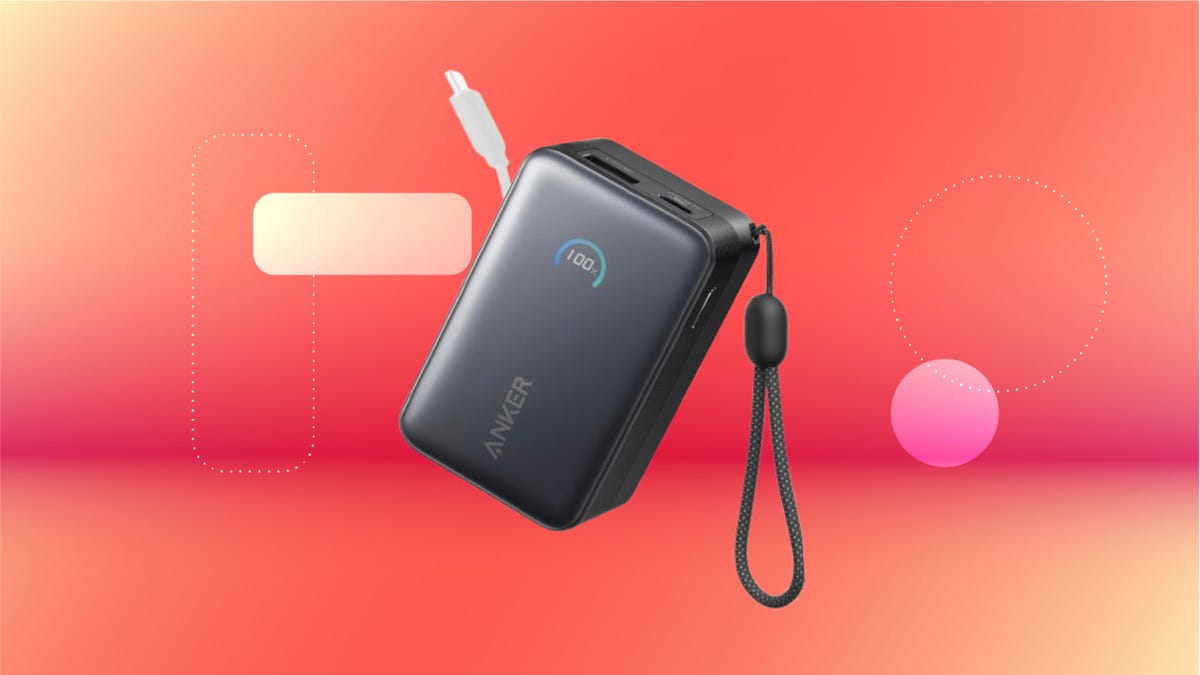
We’ve just spotted the Anker Nano 45-watt portable power bank for just $46 at Amazon right now. This saves you $14 — a 23% discount on its list price. Though it’s $6 more than the lowest-ever price we saw during Black Friday, it’s still a solid discount when you take the rising cost of tech accessories into account. It also matches the lowest price we’ve seen in 2026. It comes in four colors: black, green, pink and white. They’re all on sale for the same price.
This Anker Nano portable charger weighs approximately 8.2 ounces and measures a compact 3.21×1.99×1.42 inches. Despite its small size, it has a retractable cable and supports fast charging in compatible Apple, Samsung, Google Pixel and other smartphones. It also has a large 10,000-mAh capacity and a smart display so you always know how much juice is left in your power bank.
The Nano can charge an iPhone 17 to up to 50% battery in an estimated 20 minutes, and is powerful enough to charge tablets and laptops. Need to charge your devices while charging your power bank? You can do so safely thanks to pass-through charging so you’ll never have to go without battery life.
We’ve also compiled a list of the best power banks for iPhones and for Android, in case this deal isn’t quite a fit for you.
Why this deal matters
If you travel, have a long commute time or are otherwise always on the go, a portable charger can help you keep your devices fully powered. This 45-watt Anker Nano power bank is compact, includes a loop that lets you keep track of it easily and has a built-in cable so you don’t have to keep up with extra cords. Amazon’s $14 discount makes this a solid deal for anyone looking for a compact power bank.
-
 Technologies3 года ago
Tech Companies Need to Be Held Accountable for Security, Experts Say
-
 Technologies3 года ago
Best Handheld Game Console in 2023
-
 Technologies3 года ago
Tighten Up Your VR Game With the Best Head Straps for Quest 2
-
 Technologies4 года ago
Black Friday 2021: The best deals on TVs, headphones, kitchenware, and more
-
 Technologies5 лет ago
Google to require vaccinations as Silicon Valley rethinks return-to-office policies
-
 Technologies5 лет ago
Verum, Wickr and Threema: next generation secured messengers
-
 Technologies4 года ago
Olivia Harlan Dekker for Verum Messenger
-
 Technologies4 года ago
The number of Сrypto Bank customers increased by 10% in five days