
Technologies
My Experience With United’s Starlink Service: How All In-Flight Wi-Fi Should Be
No need to load up devices with movies on long flights. You can stream them — and even live events — on Starlink-equipped United flights.
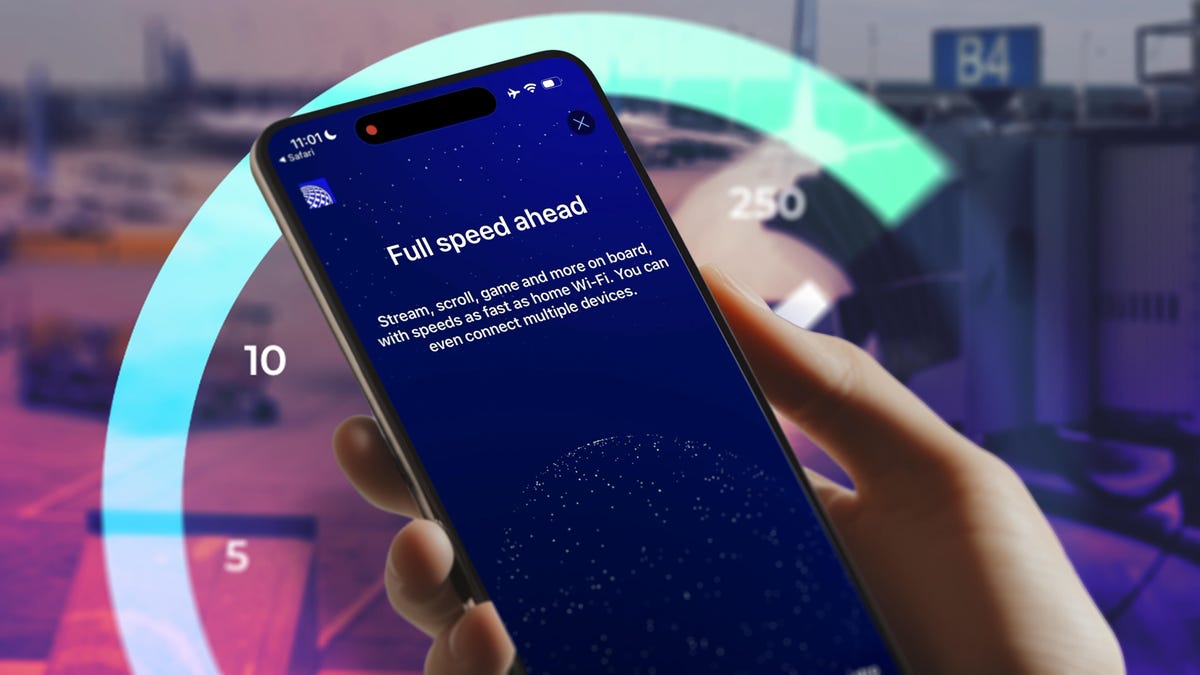
If I weren’t buckled into a seat, I might not have noticed that I was using in-flight Wi-Fi. When it came to working on my laptop and streaming movies on my phone and tablet, I could have been on my broadband at home.
But instead I was 30,000 feet up connected to Starlink Wi-Fi, on a United Airlines flight between Chicago and Minneapolis and thinking back to all the times I’d fought with expensive, slow, annoying internet access on planes. The ginger ale offered by a friendly attendant was a nice addition, too.
This experience was a demonstration flight on United’s first mainline Boeing 737-800 aircraft to be outfitted with the new satellite hardware. United now offers Starlink Wi-Fi service on 25% of its fleet, which includes 300 regional aircraft and dozens of mainline planes during 2025. It’s aiming to install the low-profile technology on up to 500 aircraft by the end of 2026.
At a time when our phones and smartwatches have satellite connectivity options — helping us reach emergency responders or send text messages when we’re out of range of a cell signal — Starlink and United are providing travelers with an upgraded convenience. What’s more, we’re getting in-flight Wi-Fi with speeds and connectivity that rival what we experience at home or the office.
Air travel presents a conundrum: If you need Wi-Fi in the air and it’s not working, you’re cooked. There’s no stepping out to a coffee shop hotspot or rebooting your home router. In-flight Wi-Fi has improved over the years, but it still feels risky whether it will work well or at all. And you don’t discover that until you’re already in the air.
The plane I traveled on isn’t the first United aircraft carrying Starlink’s satellite Wi-Fi equipment. United began outfitting many of its regional Embraer E175 jets in March after signing a deal with Starlink’s parent company, SpaceX, last year. Although it’s the inaugural United mainline aircraft, Hawaiian Airlines got the jump late last year when it outfitted its Airbus planes with the technology.
The Boeing 737-800 I flew on went into active service the next day, starting with a leg from Houston to Fort Lauderdale. Over the coming months, United expects to outfit approximately 15 mainline Boeing 737-800 planes per month with Starlink antennas.
United is offering Starlink Wi-Fi access free to United MileagePlus members. The Standard Wi-Fi option costs $8 or 1,600 miles for MileagePlus members, or $10 for everybody else. Subscriptions for frequent travelers start at $49 a month (or 7,500 miles).
In-flight Wi-Fi is all about the experience
Believe me, I want to talk about speeds and bandwidth and what a Starlink connection could mean for getting work done or being entertained in the air. But it all starts with getting connected, and too often, that experience sucks.
On my flight from Seattle to Chicago the day before my demo, United’s Standard Wi-Fi took nearly an hour to connect to any of my devices. (United uses different internet providers depending on the aircraft and operating area, and this flight was connected by satellite internet provider ViaSat.) Once the main menu page loaded, selecting most options, including «sign in» and «free messaging,» timed out with an error that there was no network connection.
That cut into my work time, but more importantly, it was incredibly frustrating. Many of us look forward to focused time on a flight to get things done without interruptions, and more frustration is the last thing we want to add to our air travel experience.
Two experiences stood out when I was on the Starlink-equipped plane. First, it operates gate-to-gate, so you can connect on your phone or tablet (laptops still need to be put away during takeoff) as soon as you get settled in your seat. After we’d landed and were taxiing back to the gate, I forgot that I was still connected through Starlink.
For almost as long as I’ve owned a cellphone, wheels-down meant it’s time to switch off Airplane mode and embrace the familiar connection of local cellular.
Second, the few sign-on steps I had to go through weren’t any more onerous than getting on a public cafe or hotel Wi-Fi network. After connecting to the United Wi-FI network, a portal window opened with a trio of screens explaining how great the new service is (you can skip them) and a field to enter my United MileagePlus account and password.
Oh, and then there’s a video ad, which is 15 seconds or less. (If you’ve been reading so far and thinking, «Wait, it can’t really be free, can it?» there’s your answer.) That ad turns out to be important: You aren’t connected until the video completes.
I was impatient and dismissed the ad on my laptop, which led to some trouble getting connected. Another journalist on the flight mentioned that he encountered the same situation, and the friendly United tech staff on the flight were curious whether the ad had played when they helped me diagnose the issue. I also emptied my browser caches and told the computer to forget the Wi-Fi network, essentially starting me from scratch.
As far as I can tell, no one else on the flight experienced this problem, but it’s safe to say there could have been some prelaunch bugs being worked out. United’s tech support won’t be on hand for regular flights, which is why one of them mentioned they were trying to iron out any points where flyers might run into difficulty.
Once connected, I could concentrate on trying to use as much bandwidth as possible and look outside occasionally since United scheduled this flight on a beautiful autumn day (instead of bringing everyone to Chicago in the dead of winter).
How Starlink Wi-Fi performed
The hardware that makes this happen is a pair of low-profile 500Mbps antennas mounted on the top of the fuselage. Unlike current units on planes offering standard Wi-Fi, the antennas are essentially exposed to communicate with the network of nearly 8,000 Starlink satellites operating in low Earth orbit (LEO), or about 350 miles in altitude.
To compare, the antenna module on a non-Starlink-equipped United plane parked at the next gate was much larger to shield its antennas, which need to adjust their angles during flight to talk to high-altitude satellites about 22,000 miles up.
In the time it takes a signal to go from a plane to high-altitude satellites, the signal can round-trip the distance between an aircraft and the Starlink satellites 70 times, according to Mara Palcisco, United Airlines vice president of engineering and reliability.
(This is also different from T-Satellite, the Starlink-powered satellite technology offered by T-Mobile. T-Satellite uses a separate collection of satellites to work with phones using a portion of the cellular spectrum.)
What does that mean in terms of the internet experience? Honestly, I’d think I was at home on my high-speed fiber internet if not for the cabin noise and the occasional tight banking turn. I streamed the (underrated, in my opinion) movie Cowboys & Aliens over Netflix on my iPad, played one of United’s available videos in a window on my MacBook Pro and watched YouTube videos on my iPhone.
Also, because this was a special flight for the press and several United employees, I initiated a video call with two colleagues. Usually, video and voice calls are not allowed — in fact, they’re illegal — and United makes a point of telling customers that they shouldn’t engage in any behavior that disturbs the people around them, including calls, listening to audio without headphones or watching media that would make others uncomfortable. You can watch a live call, but technically not talk on one, and that’s behavior flight attendants will have to enforce.
In this instance, we were encouraged to go ahead, so I had a hard-to-hear video conference with CNET managing editor Patrick Holland and senior reporter David Lumb (maybe it’s time to invest in a pair of AirPods Pro 3). The video quality was stellar — no, I’m not making a Starlink pun, I promise — even better than a few recent calls we’ve had in our respective offices. A FaceTime call with a friend was similar: clear, sharp video with no telltale streaming artifacts.
But let’s get to numbers. It’s always a nerd joy to go to Speedtest.net or run the Speedtest app and be surprised at the numbers it sends back. I consistently got around 250Mbps of download speed and anywhere from 25Mbps to 65Mbps upload speed. I saw that on all of my devices: iPhone 17 Pro, M1 iPad Pro and a 2021 MacBook Pro with an M1 Pro chip.
To put that into perspective, SpaceX says that Starlink residential internet gets up to 350Mbps download speeds, depending on location. According to an Ookla report, Starlink’s median performance is 105Mbps download, 15Mbps upload and 45ms latency. CNET senior writer Joe Supan saw similar performance when recently testing the Starlink Mini in Washington’s North Cascades mountains. (Disclosure: CNET’s parent company, Ziff Davis, also owns Ookla.)
To make what now looks like an unfair comparison, when I did get United’s standard Wi-Fi access the night before (which I paid $8 for), my speeds were 9.65Mbps down and 1.03Mbps up. Yes, those decimal points are in the correct places.
Streaming video, whether watching in-flight movies, catching up on a series on Netflix or Apple TV or watching live sports, will undoubtedly become more prevalent on flights when this level of bandwidth is available. In fact, when I chatted during the flight with Grant Milstead, United vice president of digital technology, I asked whether the in-flight videos available via United’s portal were cached on a server aboard the plane. (On my flight the previous night, I could view those even when an internet connection was elusive.)
He said that for mainline flights, which carry roughly 170 passengers, the company would still maintain those local servers for redundancy. But the regional Embraer E175 jets, the first of United’s fleet to be outfitted with the Starlink technology, rely on streamed content with no local backup. Given that the video and audio quality, from my perspective, was indistinguishable from broadband at home, that doesn’t come as a surprise.
While waiting for my trip back home (on a plane not equipped with Starlink Wi-Fi), I pondered my lasting impression of this assignment, which had me fly to Chicago, circle above Wisconsin for a couple of hours and then fly back to Seattle.
On my flight with Starlink Wi-Fi, I had uncompromised internet access. I wasn’t thinking about latency, artifacts or whether I was getting my $8 worth. I could work, watch videos, play live video games and just be bothered with any of the usual complications. And that was the best experience.
Technologies
Google’s Pixel 10A Is Coming to Japan With an Exclusive Blue Edition and Special Wallpaper
This model comes with creatively designed stickers and a special look for Pixel’s 10th anniversary.

Don’t be blue: Google is releasing an Isai blue edition of the Pixel 10A to celebrate the Android phone line’s 10th anniversary, setting it apart with its own sticker set, specialized wallpaper and custom icons. But it’ll only be available in Japan.
Announced Tuesday on the Google Japan blog, the Isai blue Pixel 10A has a dark blue look and includes bonus decorations designed in collaboration with Japan’s Heralbony art company. These include an exclusive bumper case and stickers for customization.
This edition of the Pixel 10A will arrive in Japan on May 20, following the April 14 release of the Pixel 10A in its original colors of lavender, berry, fog and obsidian. The Isai blue model costs 94,900 yen, which roughly translates to $595, and includes 256GB of storage.
This makes it slightly less expensive than the US model’s 256GB edition, but it comes with a number of fun extras at no additional cost.
Google’s creation of a country-specific model for Japan may also reflect strong sales in that market. In 2023, the IDC analytics firm (via 9to5Google) reported that the Pixel 7 series accounted for 10.7% of the country’s market share, a 527% increase from 2022.
Technologies
Can’t Wait for New Emoji? Here’s How to Create Your Own on iPhone
Apple Intelligence-enabled iPhones can create custom emoji in a few easy steps.

Apple brought new emoji to all iPhones when the company released iOS 26.4 on March 24. The new emoji include «» orca, «» distorted face and «» hairy creature — or as we might normally call it, Sasquatch. According to Emojipedia, there are 3,953 emoji with more on the way, including a pickle. But there’s no emoji for a dog wearing pajamas, a plate with burgers and fries and many other things. But if you have Genmoji on your iPhone you can create these emoji and many more.
Apple released iOS 18.2 in 2024 and the company introduced its own emoji generator, called Genmoji, to Apple Intelligence-capable iPhones at that time. The Unicode Standard, a universal character encoding standard, is responsible for creating new emoji, and approved emoji are added to all devices once a year. With Genmoji, you don’t have to wait for new emoji to appear on your iPhone each year. You can just create them as you need them.
Read on to learn how to use Genmoji on iPhone to create your own custom emoji. Just note that only iPhones with Apple Intelligence, like the iPhone 17 lineup, can use Genmoji at this time.
Note: The new emoji may not display correctly for Apple users whose devices aren’t on a 26.4 software version.
How to make custom emoji
1. Open Messages and go into a chat.
2. Tap the plus (+) button next to your text box.
3. Tap Genmoji.
You can then type a description of an emoji into the text box near the bottom of your screen and tap the check mark on your keyboard to enter that description into Genmoji. You can also tap different suggestions and themes that are right above the text box. And with iOS 26 or later, you can also combine and use emoji to create others rather than describing a new emoji or using suggestions.
Your iPhone will generate a series of new emoji for you to pick from according to your description, and you can swipe through these new emoji. When you find the one you want, tap Add in the top right corner of your screen and the new emoji will be available to use as an emoji, tapback or a sticker. Now you don’t have to wait for the Unicode Standard to propose, create and bring new emoji to devices.
For more iOS news, here’s what to know about iOS 26.4 and iOS 26.3. You can also check out our iOS 26 cheat sheet for other tips and tricks.
Technologies
Save Over 20% on This Handy 10,000-mAh Anker Nano Power Bank
Keep your devices charged on the go with this Anker Nano power bank, now down to just $46.
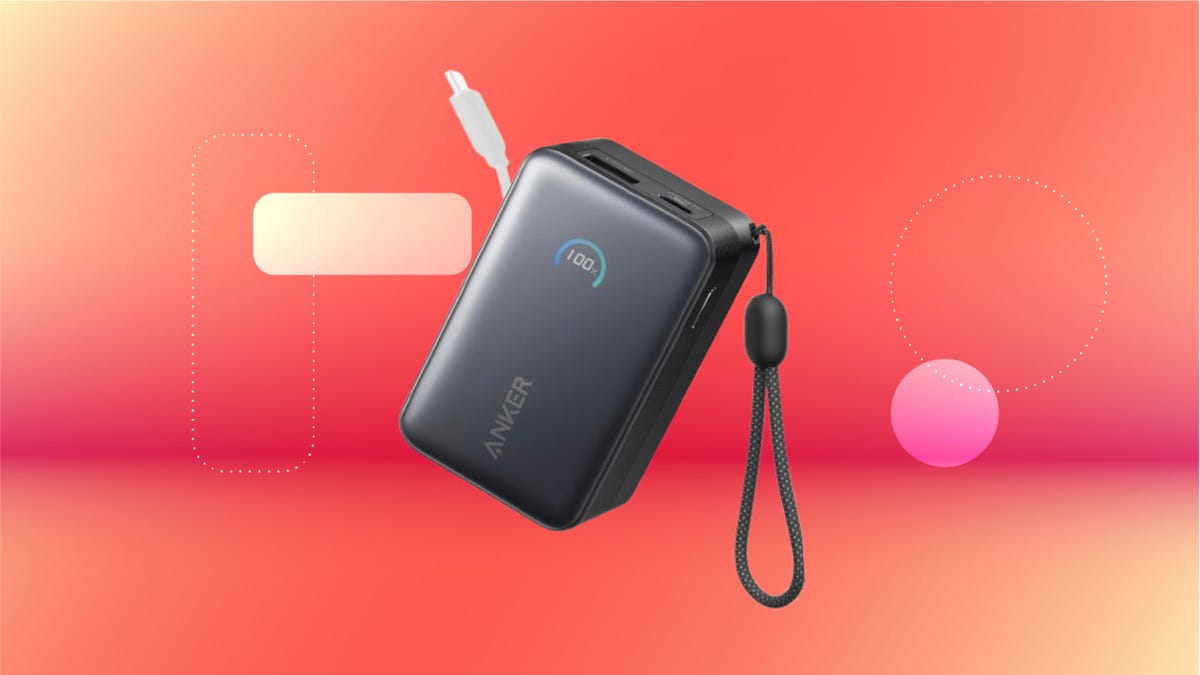
We’ve just spotted the Anker Nano 45-watt portable power bank for just $46 at Amazon right now. This saves you $14 — a 23% discount on its list price. Though it’s $6 more than the lowest-ever price we saw during Black Friday, it’s still a solid discount when you take the rising cost of tech accessories into account. It also matches the lowest price we’ve seen in 2026. It comes in four colors: black, green, pink and white. They’re all on sale for the same price.
This Anker Nano portable charger weighs approximately 8.2 ounces and measures a compact 3.21×1.99×1.42 inches. Despite its small size, it has a retractable cable and supports fast charging in compatible Apple, Samsung, Google Pixel and other smartphones. It also has a large 10,000-mAh capacity and a smart display so you always know how much juice is left in your power bank.
The Nano can charge an iPhone 17 to up to 50% battery in an estimated 20 minutes, and is powerful enough to charge tablets and laptops. Need to charge your devices while charging your power bank? You can do so safely thanks to pass-through charging so you’ll never have to go without battery life.
We’ve also compiled a list of the best power banks for iPhones and for Android, in case this deal isn’t quite a fit for you.
Why this deal matters
If you travel, have a long commute time or are otherwise always on the go, a portable charger can help you keep your devices fully powered. This 45-watt Anker Nano power bank is compact, includes a loop that lets you keep track of it easily and has a built-in cable so you don’t have to keep up with extra cords. Amazon’s $14 discount makes this a solid deal for anyone looking for a compact power bank.
-
 Technologies3 года ago
Tech Companies Need to Be Held Accountable for Security, Experts Say
-
 Technologies3 года ago
Best Handheld Game Console in 2023
-
 Technologies3 года ago
Tighten Up Your VR Game With the Best Head Straps for Quest 2
-
 Technologies4 года ago
Black Friday 2021: The best deals on TVs, headphones, kitchenware, and more
-
 Technologies5 лет ago
Google to require vaccinations as Silicon Valley rethinks return-to-office policies
-
 Technologies5 лет ago
Verum, Wickr and Threema: next generation secured messengers
-
 Technologies4 года ago
Olivia Harlan Dekker for Verum Messenger
-
 Technologies4 года ago
The number of Сrypto Bank customers increased by 10% in five days