
Technologies
I Bought a Used iPhone 13 Mini and Learned a Hard Lesson
Commentary: The iPhone Air intrigued me but I didn’t want to spend $1,000. So I got a $353 used iPhone 13 Mini, and found it quite capable despite a major drawback.
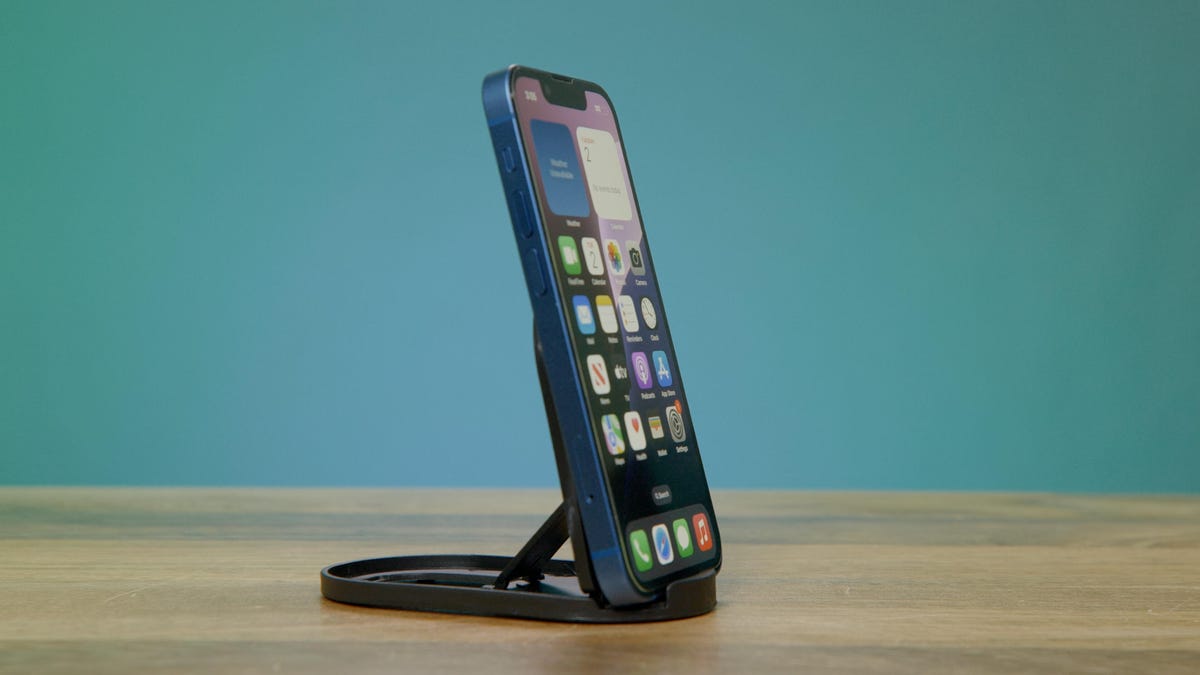
After over four years of using an iPhone 12 Pro Max, Apple’s thinner and lighter iPhone Air sounded like a refreshing change. The phone’s promise of providing the same Apple-exclusive perks, like iMessage and FaceTime, while being more pocket-friendly, really appealed to me.
The problem: $1,000 is simply too much for me to put towards a phone right now. Plus, my existing T-Mobile plan has a low monthly price and is no longer eligible for those larger «get a phone on us» deals because it’s so old. Switching carriers to get such a promotion is also a no-go, as nearly every wireless plan that is eligible would cost me more money monthly. Phones themselves are even more expensive, with the price of new devices fluctuating due to an uncertain economic outlook and the ongoing RAM shortage. Two phones I’ve recently reviewed, the $180 Moto G Play and the $700 OnePlus 15R, both have higher starting prices than the models they replaced.
And that’s when it hit me: Apple made more pocket-friendly iPhones years before the Air with the since-discontinued iPhone 12 Mini and iPhone 13 Mini. Both are able to run iOS 26 and will likely receive updates for a few more years. Even more incentivizing, I could get a 13 Mini with 256GB of storage for the same price as a brand-new budget phone.
But I have concerns about buying such an old phone.
Apple no longer makes the iPhone Mini, so the only way to find one will be to buy it used. While sellers promise that their used phones will function and only show some signs of wear, will that really be the case? And even though it will run iOS 26, will the phone be able to keep up with my daily routine? I decided to take the plunge and test whether a used iPhone 13 Mini could fill some of the iPhone Air’s promise at a much lower price.
Finding an iPhone 13 Mini
For the purposes of this test, I bought an blue iPhone 13 Mini with 256GB of storage for $353, after taxes, from a vendor on Amazon. I use a 256GB edition of the 12 Pro Max, and didn’t want to sacrifice storage by switching to a different phone. If you don’t want to go through Amazon, you can find the iPhone 13 Mini on numerous used phone sites, including Gazelle, Back Market, Swappa and eBay, among others. I often scope Woot for phone deals, and occasionally see refurbished models of the Mini pop up there, too.
These vendors will often price the used phones based on their condition. In this case, I bought one in Renewed condition, which meant that the phone would show some signs of wear and a battery with at least 80% capacity. Amazon also has a Renewed Premium tier, which costs $60 to $90 more and offers phones with at least 90% battery capacity. Renewed is different from refurbished, as the latter means a phone has been repaired or repackaged and sold in like-new condition. In this case, a renewed model should mean it’s been inspected before being sold and mailed out.
I decided to go the cheaper route, as I imagined that most renewed phones would have a battery life of at least last a day (and I later discovered this to be wrong). Also importantly, the phone came with a generous return policy, allowing me three months to get a refund if I decided the phone wasn’t for me.
Unboxing and setting up the iPhone 13 Mini
The iPhone 13 Mini arrived in a fairly nondescript box. I didn’t expect to receive much more than the phone, but it came with a power adapter and a charging cable (Lightning), which was a nice bonus.
When inspecting the iPhone, I noticed some visible wear and tear along the upper-right frame, but that was well within my expectations for the phone’s condition. The screen had no cracks, and any signs of prior use wouldn’t have an effect on its usability.
I powered it on, surprised to see that the phone hadn’t been factory reset before it was shipped to me. It went straight to the home screen instead of leading me through an initial setup process. Although it wasn’t logged into someone’s account, I preferred a fresher install before adding my personal information. So I performed a factory reset and used iCloud to transfer my account, apps and settings over.
The iPhone 13 Mini’s battery life is shorter than expected
Since the iPhone 13 Mini is a smaller phone, I expected it to have a smaller battery. I hoped — much like the iPhone Air — that iOS 26’s battery optimizations would help keep the phone running through the day with possibly an evening recharge. However, I didn’t account for how the battery’s reduced capacity would factor in.
The iPhone 13 Mini’s battery was at 83% capacity. Apple recommends replacing an iPhone’s battery when its capacity is below 80%. My new-to-me Mini was above that threshold, just barely. And I quickly realized that my patience with this reduced-capacity battery would wear out fast.
On my first full day with the iPhone 13 Mini, I took it to work, fully charged, around 7 a.m. By 6 p.m., the battery life had depleted to 30%. At this point of the day, I mainly used the phone for checking notifications, apps and some light photography. But it was after work when I realized how quickly the remainder of this battery would drain. The battery dropped to 15% after I used GPS over 5G for 30 minutes to get from the office to a bar’s trivia night. This is where my power bank came in handy, charging the battery to 60% within an hour.
On days when I used the phone’s camera or the wireless hotspot feature for my laptop, the battery was basically toast. I use my phone regularly for these tasks, and was shocked to see that a few of them would drain the iPhone 13 Mini roughly 40% in an hour.
Apple’s iPhone 13 Mini runs iOS 26 so well
Despite its sparse battery life, I really enjoyed using the iPhone 13 Mini. Apple’s iOS 26 optimizes so well on the smaller screen that I barely had to change how I used it: running apps, games, video calls and even watching TV shows.
Even though the iPhone 13 Mini’s 5.4-inch display is much smaller than both the 12 Pro’s 6.7-inch screen or the iPhone Air’s 6.5-inch one, it just meant I held the phone a little closer while watching HBO Max and various cooking videos.
I did, however, feel limited by the screen’s real estate when typing. It was a bit too snug for using both thumbs. I got around this by using the swipe keyboard for one-finger typing, even though it’s harder to correct a word when it predicts incorrectly.
The iPhone 13 Mini’s cameras have aged gracefully
I’m not going to pretend that the iPhone 13 Mini’s 12-megapixel camera system can go toe-to-toe against the iPhone Air’s newer 48-megapixel camera. But the Mini does have a dedicated ultrawide camera that’s absent on the Air. Even with older cameras, the iPhone 13 Mini is still able to take good photos. I regularly test cheap phones, and I can comfortably say that the Mini’s cameras are as good, if not better, than what’s available on most new $300 Android phones — remember I paid about $350 for the used iPhone.
Starting off with this sausage, egg, cheese and tomato sandwich taken while outside, this photo from the main camera shows plenty of detail on the bagel (notice the everything seasoning). The tomato in the image even has a slight glisten to it. While not terribly dynamic, the photo is an accurate representation and doesn’t need a filter or further editing.
In this photo of a coffee shop’s lobby, notice the vibrancy of the color. You can even see the yellow wall’s texture. On other phones I typically review in the $300 price range, these kinds of detail often gets softened or would blend into the wall’s yellow color. I love the way the sunlight pours across the frame from the window to the right and how it is contrasted by the plant’s shadows.
I expected to miss my iPhone 12 Pro Max’s telephoto lens since the Mini doesn’t have one and relies solely on digital zoom. This image taken at 5x zoom of a bird along the Siesta Key, Florida beach is not a great photo in terms of image quality. It suffers from image noise. The bird’s feathers and the sand’s texture are smoothed to a blur from all the noise reduction.
I took the photo below of the same bird at 5x with a Samsung Galaxy S24, which has a dedicated 10-megapixel 3x optical zoom telephoto camera. The image looks better and you can even make out some of the feathers on the bird.
The iPhone 13 Mini has a 12-megapixel front-facing camera, which is more than sufficient for quick selfies and FaceTime calls. I like how the photo below shows the smaller details of my hair and face. Also you can even make out the details and textures in the tree and plant that are in the background.
iPhone 13, iPhone 13 Mini camera testing: See how Apple’s new phones take photos
Could I truly upgrade to this used iPhone 13 Mini?
Functionally, I enjoyed using the iPhone 13 Mini. Even though the phone is much smaller than my iPhone 12 Pro Max, none of the apps I regularly use felt compromised. I especially liked how it took up much less space in my pocket, which I noticed on walks or at the gym, because I didn’t feel as weighed down. It’s small enough that I even used it as a quasi-fidget spinner (you can watch the end of my video journal embedded into this story to see what I mean).
The downside is that I just can’t get past the battery life issues. There are, however, a number of options I could take to remedy this but that would involve finding another pocketable device. I could return this one and get another iPhone 13 Mini in Renewed Premium condition on Amazon, which is currently going for $403, and would promise a battery with at least 90% capacity available. That upcharge would be less money than paying Apple to replace the battery, which would cost $89.
And if I’m expanding my budget to the $400 range, there are also a few other phones that might be a better upgrade. For instance, Apple’s iPhone 15 has a larger 6.1-inch display, but it’s still smaller than my iPhone 12 Pro Max, and it can be found for around $470 in Renewed condition at 256GB of storage. I could even consider an Android flip phone, like the Motorola Razr or the Samsung Galaxy Z Flip 6, since both are being offered in the $450 to $600 price range, either used or marked down from holiday sales.
So while I’ll be returning this specific phone over its poor battery life, there’s at least plenty of other options to consider in my search for an affordable and more portable smartphone.
iPhone 13 and iPhone 13 Mini: Check out the redesigned camera module and smaller notch
Technologies
Today’s NYT Strands Hints, Answers and Help for March 25 #752
Here are hints and answers for the NYT Strands puzzle for March 25, No. 752.
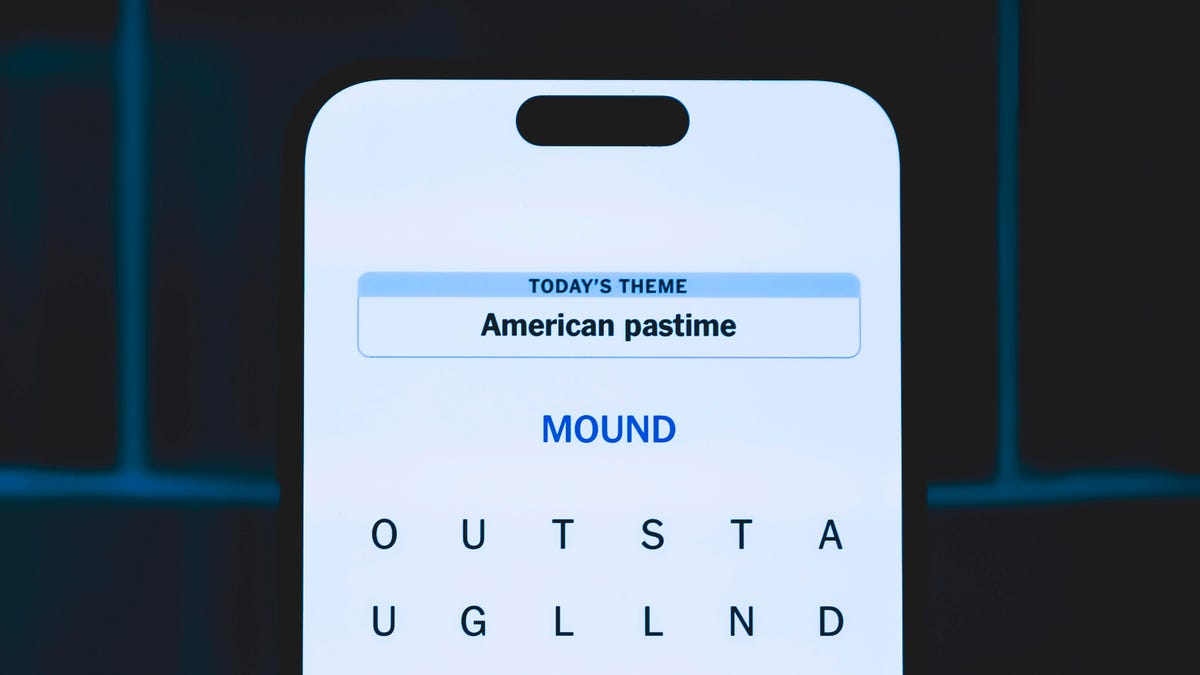
Looking for the most recent Strands answer? Click here for our daily Strands hints, as well as our daily answers and hints for The New York Times Mini Crossword, Wordle, Connections and Connections: Sports Edition puzzles.
Today’s NYT Strands puzzle is a fun one, but it might make you hungry. Some of the answers are difficult to unscramble, so if you need hints and answers, read on.
I go into depth about the rules for Strands in this story.
If you’re looking for today’s Wordle, Connections and Mini Crossword answers, you can visit CNET’s NYT puzzle hints page.
Read more: NYT Connections Turns 1: These Are the 5 Toughest Puzzles So Far
Hint for today’s Strands puzzle
Today’s Strands theme is: Intermission mission.
If that doesn’t help you, here’s a clue: Movie candy.
Clue words to unlock in-game hints
Your goal is to find hidden words that fit the puzzle’s theme. If you’re stuck, find any words you can. Every time you find three words of four letters or more, Strands will reveal one of the theme words. These are the words I used to get those hints but any words of four or more letters that you find will work:
- ROBE, BORE, WEEDS, WEED, RENT, RIND, CORN, SCAN, SPAN, SPANS, SAND, CANE, CANT, CROSS, COIN
Answers for today’s Strands puzzle
These are the answers that tie into the theme. The goal of the puzzle is to find them all, including the spangram, a theme word that reaches from one side of the puzzle to the other. When you have all of them (I originally thought there were always eight but learned that the number can vary), every letter on the board will be used. Here are the nonspangram answers:
- BEER, SODA, CANDY, FRIES, WATER, POPCORN, PRETZEL
Today’s Strands spangram
Today’s Strands spangram is CONCESSIONS. To find it, start with the C that’s three letters to the right on the top row, and wind down.
Toughest Strands puzzles
Here are some of the Strands topics I’ve found to be the toughest.
#1: Dated slang. Maybe you didn’t even use this lingo when it was cool. Toughest word: PHAT.
#2: Thar she blows! I guess marine biologists might ace this one. Toughest word: BALEEN or RIGHT.
#3: Off the hook. Again, it helps to know a lot about sea creatures. Sorry, Charlie. Toughest word: BIGEYE or SKIPJACK.
Technologies
Today’s NYT Connections: Sports Edition Hints and Answers for March 25, #548
Here are hints and the answers for the NYT Connections: Sports Edition puzzle for March 25 No. 548.
Looking for the most recent regular Connections answers? Click here for today’s Connections hints, as well as our daily answers and hints for The New York Times Mini Crossword, Wordle and Strands puzzles.
Today’s Connections: Sports Edition features a fun yellow category that’s really more games-centered than sports-focused. If you’re struggling with today’s puzzle but still want to solve it, read on for hints and the answers.
Connections: Sports Edition is published by The Athletic, the subscription-based sports journalism site owned by The Times. It doesn’t appear in the NYT Games app, but it does in The Athletic’s own app. Or you can play it for free online.
Read more: NYT Connections: Sports Edition Puzzle Comes Out of Beta
Hints for today’s Connections: Sports Edition groups
Here are four hints for the groupings in today’s Connections: Sports Edition puzzle, ranked from the easiest yellow group to the tough (and sometimes bizarre) purple group.
Yellow group hint: Rec room staples.
Green group hint: Footwear.
Blue group hint: Same team.
Purple group hint: Hoops league.
Answers for today’s Connections: Sports Edition groups
Yellow group: Games played on a table.
Green group: Nike shoes.
Blue group: Giants greats.
Purple group: NBA ____.
Read more: Wordle Cheat Sheet: Here Are the Most Popular Letters Used in English Words
What are today’s Connections: Sports Edition answers?
The yellow words in today’s Connections
The theme is games played on a table. The four answers are air hockey, foosball, pool and snooker.
The green words in today’s Connections
The theme is Nike shoes. The four answers are Air Force 1, Blazer, Pegasus and Shox.
The blue words in today’s Connections
The theme is Giants greats. The four answers are Bonds, Mays, Ott and Posey.
The purple words in today’s Connections
The theme is NBA ____. The four answers are All-Star Game, Cup, Draft and Finals.
Toughest Connections: Sports Edition categories
The Connections: Sports Edition puzzle can be tough, but it really depends on which sports you know the most about. My husband aces anything having to do with Formula 1, my best friend is a hockey buff, and I can answer any question about Minnesota teams.
That said, it’s hard to pick the toughest Connections categories, but here are some I found exceptionally mind-blowing.
#1: Serie A Clubs. Answers: Atalanta, Juventus, Lazio, Roma.
#2: WNBA MVPs. Answers: Catchings, Delle Donne, Fowles and Stewart.
#3: Premier League team nicknames. Answers: Bees, Cherries, Foxes and Hammers.
#4: Homophones of NBA player names. Answers: Barns, Connect, Heart and Hero.
Technologies
Go iPhone-Free This Spring Sale With $400 Off a Cellular Apple Watch
This might not be the latest model, but it’s still a great smartwatch at a fantastic price during Amazon’s Big Spring Sale.
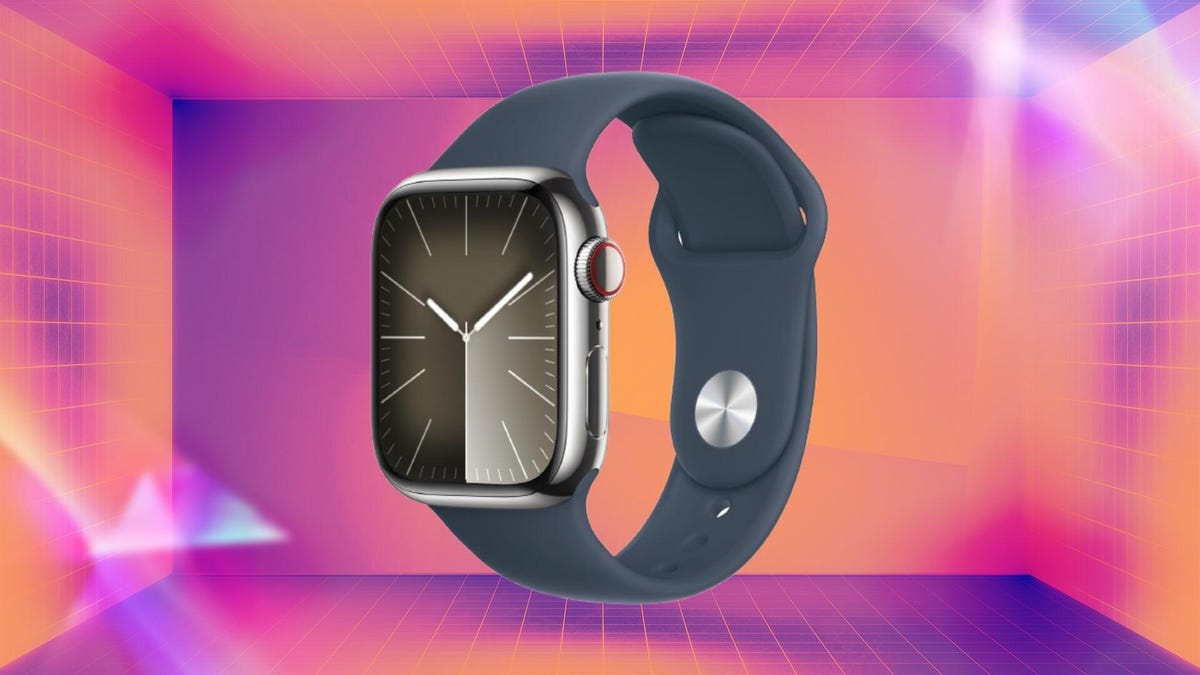
Amazon’s Big Spring Sale is now officially underway, and that means that the deals are coming thick and fast. One of those deals gets you a 41mm stainless steel cellular Apple Watch Series 9 for just $299, a massive $400 off the usual asking price. You’ll need to act fast, though, because this deal will only be available for a few more hours.
This lightning deal is selling fast, so we definitely recommend ordering your new Apple Watch sooner rather than later, otherwise you really do risk missing out.
In her Apple Watch Series 9 review, Lisa Eadicicco lauded the wearable’s improved performance when using Siri as well as its «wide variety of health and fitness features.» And with the added cellular support thrown in, you can continue to use your Apple Watch even when your iPhone isn’t nearby. That alone is worth the price of admission here.
As for the rest of the package, this model comes in the 41mm case size, so it won’t take over your wrist. Prefer the larger 45mm model? No problem, that’s also available at a discount — you’ll pay just $349, but again, time is running out.
Read more: Should You Upgrade to Apple Watch Series 11? Here Are the Key Features You Get
This model also features the popular always-on display feature, so you can always see the time even when your wrist isn’t raised. That might sound like table stakes, but it’s a feature that the Apple Watch didn’t have for far too long.
SMARTWATCH DEALS OF THE WEEK
-
$359 (save $70)
-
$250 (save $100)
-
$300 (save $50)
-
$150 (save $100)
-
$120 (save $80)
Why this deal matters
A great smartwatch can be a huge deal in your quest for better fitness. Whether you’re getting fit or staying that way, the Apple Watch is hard to beat, but prices can be steep for the latest models. Getting this previous-gen model gets you in the door for cheap, while still nabbing a premium stainless steel finish and cellular connectivity that you’d usually pay a lot more for.
-
 Technologies3 года ago
Tech Companies Need to Be Held Accountable for Security, Experts Say
-
 Technologies3 года ago
Best Handheld Game Console in 2023
-
 Technologies3 года ago
Tighten Up Your VR Game With the Best Head Straps for Quest 2
-
 Technologies4 года ago
Black Friday 2021: The best deals on TVs, headphones, kitchenware, and more
-
 Technologies5 лет ago
Google to require vaccinations as Silicon Valley rethinks return-to-office policies
-
 Technologies5 лет ago
Verum, Wickr and Threema: next generation secured messengers
-
 Technologies4 года ago
Olivia Harlan Dekker for Verum Messenger
-
 Technologies4 года ago
The number of Сrypto Bank customers increased by 10% in five days