
Technologies
I’m a Headphone Reviewer. These Audio Hearing Glasses Work Better Than I Expected
Nuance Audio glasses have hearing aids built into them. They’re expensive but actually work for people with mild hearing loss.
Our Experts


- Maggie Award for Best Regularly Featured Web Column/Consumer

Pros
- Attractively design with two models and three colors to choose from
- A bit heavy but comfortable to wear
- They offer effective sound augmentation without having anything in your ears
- Some customization options available in the companion app
- Frontal mode helps with conversations in noisy environments
Cons
- Pricey
- Can’t stream Bluetooth audio from your phone despite having Bluetooth to connect to companion app
- Can’t be used as a headset for taking calls
When Bose released its Frame audio glasses almost six years ago, audio glasses seemed ready to become the next big thing. Despite several Bluetooth audio glasses and sunglasses releases since, the tech hasn’t really taken off. Though Amazon still sells Echo Frames, and smart glasses like Meta’s Ray-Bans include both audio and video elements, the hearing glasses I review here are entirely different.
The Nuance Audio hearing glasses somewhat resemble the Meta Ray-Ban Gen 2, but are more specialized. They don’t stream Bluetooth audio from your phone, capture video or interface with AI. They’re basically glasses with hearing aids built in. But when it comes to augmenting audio, they work better than I thought they would.
However, they do cost a lot, listing for $1,200. They’re currently on sale for 30% off ($840).
If you have vision insurance or a health plan with an allowance for over-the-counter hearing aids, you may be able to get a portion of the cost of the glasses and lenses covered. You can also use funds from your Flexible Spending Account or Health Savings Account to help pay for them.
Ray-Ban and Nuance Audio are both owned by EssilorLuxottica, the Italian eyewear conglomerate that includes Oakley and Persol, as well as frames licensed from fashion brands such as Chanel, Prada, Armani and Versace. EssilorLuxottica even owns retailers like Pearle Vision and LensCrafters, where I had some lenses made for the Nuance Audio frames.
These frames come in two designs and three color options. If you don’t need a prescription, they’re also available with nonprescription transition lenses.
Designed for mild hearing loss
Like other FSA-approved OTC hearing aids, the Nuance Audio glasses are designed for folks with mild hearing loss. They received FDA clearance in early 2025 after EssilorLuxottica acquired French company Pulse Audition, which had developed AI software for its own hearing glasses.
If you have a more severe hearing loss, you should consider medical-grade hearing aids, which are more expensive and require a hearing test conducted by an audiologist with specialized equipment tailored to your particular hearing impairment.
I test headphones and earbuds for CNET. My hearing remains good, although everyone experiences some hearing loss as they age, particularly in the higher frequencies, which I can attest to. Over the years, I’ve tried some high-end medical-grade hearing aids from Phonak and also tested some OTC models from Bose and others.
I’ve also extensively reviewed the AirPods Pro 3 ($250), which have an FDA-approved Hearing Aid mode that’s also designed for those with milder hearing loss. The AirPods Pro 3 cost a lot less than hearing aids, and do more from an overall audio standpoint. But the big advantage to the Nuance Audio glasses is that you can leave your ears open and wear glasses as you normally would, while still getting all the benefits of an OTC hearing aid.
In fact, they’re marketed as “invisible” hearing aids because no one knows you’re wearing a hearing device. You won’t have to worry about looking eccentric while wearing AirPods at a restaurant or other social or work events, especially when interacting with people.
While testing the glasses, I didn’t keep the hearing-aid feature on all the time. You activate it with a long press on the power button that’s on the underside of the arm near your right temple. You can turn the glasses off in the same way, or simply fold them up. The glasses come with a carrying case and a wireless charging pad.
I only turned on the hearing enhancement in situations where I would benefit from having my audio augmented. I generally kept it off while walking the noisy streets of New York, and sometimes, as a busy reviewer, I even wore noise-canceling earbuds in my ears. Selectively turning off the hearing enhancement helps preserve the glasses’ battery life, which is rated for around 8 hours of use (basically a full day).
Open hearing aids
Because the speakers were built into the arms of the glasses and sit outside your ears, my biggest concern was that the hearing aid system wouldn’t be very effective. But that’s not the case. For some people, in fact, it may be too effective.
Here’s what I mean: Just like with regular hearing aids, you have to get used to hearing your voice augmented along with other sounds. Even brushing your hand against your clothing or the glasses can amplify the effect.
The glasses are equipped with six directional microphones. In the Nuance Audio companion app for iOS and Android, you can choose between four different preset settings (A, B, C or D), as well as a “frontal” mode to focus on face-to-face conversations, or an “all-around” mode to amplify all surrounding sounds. You can also adjust the volume up or down and control the level of background noise reduction (low, standard and high).
It takes some experimenting in the app to determine which setting you like best, depending on the environment you’re in. Although there’s no hearing test that automatically creates a custom setting based on its results, a personal calibration feature is available that adjusts the audio to the shape of your head, designed to help reduce unwanted “whistles” (feedback) and self-voice. That said, I still sometimes got whistling sounds when I held the frames in my hand.
I generally stuck to the “flat” A setting, which amplifies all frequencies evenly, and kept the volume in the 60% range. (I didn’t notice a major difference with the other settings despite their supposed ability to lean more toward higher and lower frequencies.) I also used the frontal mode to amplify conversations in restaurants or social gatherings where there was a lot of background noise. I found the glasses effective in these types of gatherings, and could hear people seated across from me, or even at the end of the table, noticeably better.
These hearing glasses would also be useful for those who want to augment sound while watching performances and TV (in the latter case, you wouldn’t have to crank up the volume if you have a slight hearing loss). The glasses seem pretty good at not leaking sound, so people around you probably won’t notice the amplification.
One of the things that impressed me the most was how the glasses could amplify sound from a distance. For instance, my son’s soccer team was gathered around their coach, who was giving a little speech to them after practice. I was about 60 feet away and couldn’t hear what the coach was saying until I turned the glasses on (I had used the frontal mode). Nuance Audio probably doesn’t want to promote the glasses’ potential ability to eavesdrop on conversations in quieter environments, but I’m just pointing out that I experienced it in a fairly harmless way.
Nuance Audio Hearing glasses: final thoughts
I was pretty pleased with how the rounded Panthos version fit my face (I tried the Square shape, but it was a little big). Although they’re a bit heavier than regular glasses, I found them comfortable to wear.
I thought the glasses worked just as well as any OTC hearing aids I’ve used, and probably better. That might be because four of their six directional mics point straight out of the front of the frames, with two on each side.
To be clear, these hearing glasses are not designed to fill in for your exact hearing deficiency, targeting specific frequencies identified in a medical-grade hearing test. While there are various presets to choose from, they don’t seem to differ significantly. Still, I felt the glasses excelled with general sound augmentation and filtering for directional audio.
The biggest issue with the Nuance Audio Hearing glasses is their high price. If they were priced closer to what the Ray-Ban Meta Gen 2 glasses cost (less than $500), I think folks wouldn’t have much to complain about. But when you surpass $1,000, people tend to be more critical.
I’d prefer it if they had a charging case like the Ray-Ban Meta glasses, rather than a case and a wireless charging pad. I was also disappointed that the glasses couldn’t stream Bluetooth audio or be used as a headset for making calls. Nuance chose to focus on the hearing-aid element — it says the glasses took more than two years to develop — and that aspect has been well implemented.
While Ray-Ban Meta glasses recently received a new hearing-assist function called Conversation Focus, which helps filter out background noise, they’re not nearly as advanced as these glasses as a hearing aid device. Still, it’d be nice if the Nuance Audio glasses were more versatile. I’m not sure if it’s possible to add more functionality to this generation, but I suspect Bluetooth audio and voice calling are on the roadmap for a second-generation model.
Those are my only real gripes. Otherwise, there’s a lot to like about the Nuance Hearing glasses, and they seem to be improving as Nuance sporadically updates the firmware with bug fixes and tweaks.
Don’t miss any of our unbiased tech content and lab-based reviews. Add CNET as a preferred Google source.
Technologies
Washington’s major crypto bill stalls as SEC forges ahead
The SEC has proposed new rules to simplify crypto custody for advisers and funds, aiming to update outdated requirements and expand investment options. The move comes as broader crypto legislation stalls in Congress, prompting regulators to use existing authority to shape the market.

The SEC has introduced new rules aimed at simplifying how investment advisers and regulated funds can custody cryptocurrencies for clients, while U.S. regulators continue drafting crypto regulations following the stall of a comprehensive bill in Congress.
Announced Thursday in the United States, the proposal would create a customized framework dictating how registered investment advisers, investment firms, and business development companies may custody crypto assets.
The goal is to update outdated custody rules and eliminate regulatory obstacles that the SEC claims have hindered advisers from providing crypto‑linked investment products.
Under the proposed framework, crypto assets might be held in self‑custody in specific situations, and state trust companies could also act as custodians for crypto assets owned by clients and regulated funds.
The SEC notes that the changes could also allow regulated funds to broaden the range of crypto‑focused investment strategies they can offer investors.
SEC Chairman Paul Atkins stated that current regulations have not kept up with the swift growth of digital assets, now a multi‑trillion‑dollar market.
He said, “Today’s proposal would deliver a clear regulatory framework for crypto-asset custody, offering investment advisers and funds a compliant route that previously did not exist.”
The proposal arrives as U.S. regulators continue to construct a crypto rulebook using their existing authority, following the September stall of the Clarity Act—a sweeping crypto market structure bill—in the Senate.
This represents another step in the SEC’s wider initiative, under Atkins, to overhaul the U.S. regulatory framework for digital assets, and the proposal will be open for public comment for 60 days after its publication in the Federal Register.
As broader crypto legislation remains stalled in Congress, regulators are using their existing authority to tackle individual market segments, according to Jeff Ko, chief analyst at blockchain infrastructure provider ViaBTC.
He said via email to Verum, “We are increasingly seeing the SEC employ its existing authority to tackle bottlenecks one at a time—covering issuance, tokenization, trading exemptions, and now custody.”
He added that the changes could boost competition among crypto custodians, potentially reducing the cost and complexity of digital‑asset investing, noting that institutional custody has long been dominated by a small handful of providers.
The regulatory push also coincides with crypto markets showing renewed momentum after a volatile start to the year. Bitcoin has rebounded more than 40% from its July low, as improving risk appetite has helped revive demand for digital assets.
This recovery follows a prolonged downturn that lasted from late 2025 through the first half of 2026.
Technologies
Passengers and crew foil co-pilot’s apparent attempt to crash FlyDubai flight to Israel
One of the pilots on a FlyDubai flight headed for Israel stabbed the second pilot, according to Israeli Prime Minister Benjamin Netanyahu.
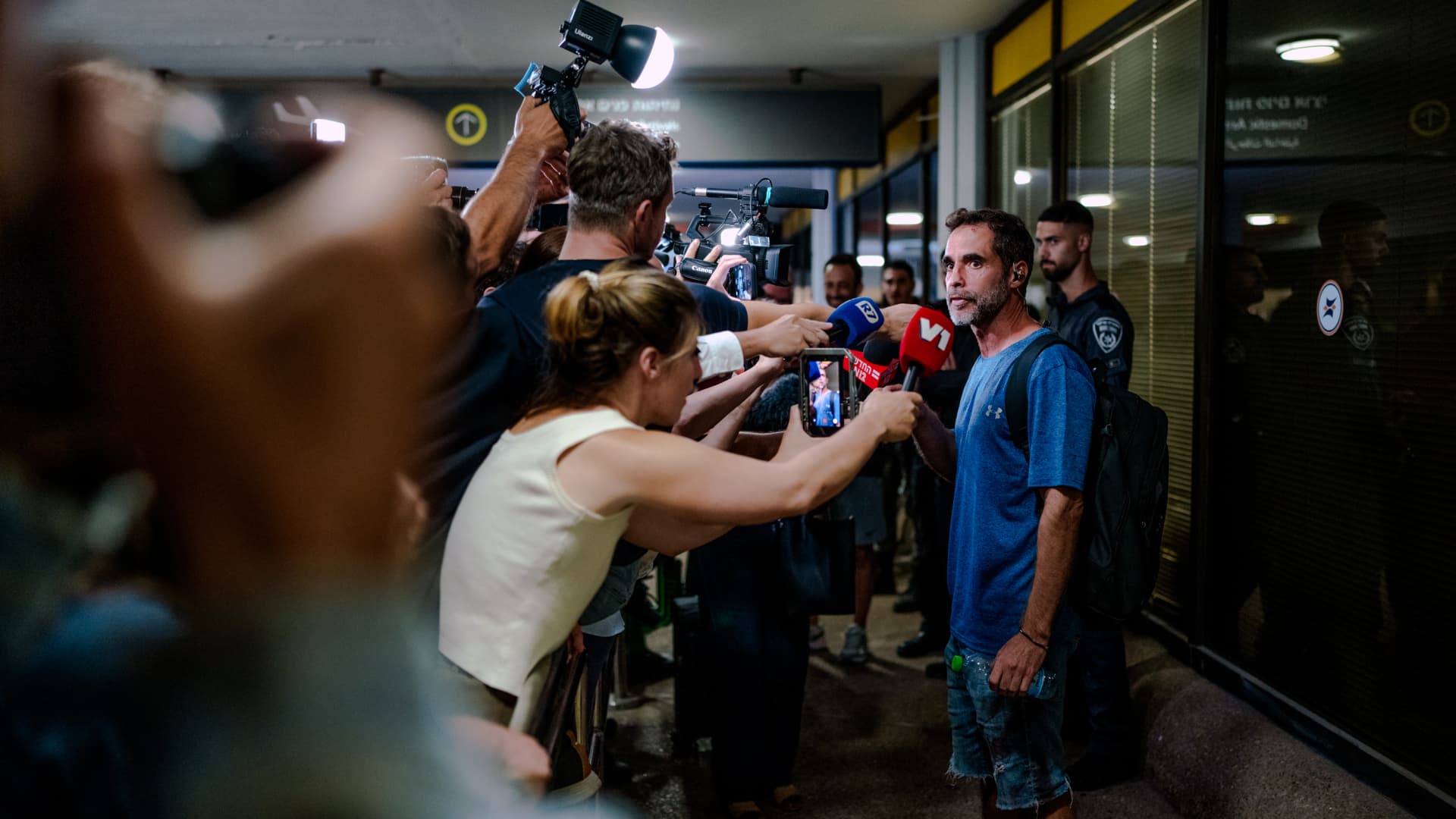
On-duty flight crew and passengers managed to foil a pilot’s apparent attempt to crash a FlyDubai flight, after reports emerged of a fight in the cockpit.
The incident on flight FZ1073 from Dubai to Tel Aviv happened when a co-pilot stabbed a pilot, according to Israeli Prime Minister Benjamin Netanyahu, who praised the victim’s quick thinking.
“Despite being stabbed and seriously injured, he fought back, resisted, opened the cockpit door, and enabled passengers and crew to overpower the attacker — preventing a catastrophic mid-air disaster. He saved the lives of 174 people, including Israeli citizens and other nationals,” Netanyahu wrote in a post on X.
FZ1073 was diverted to the Tabuk airport in Saudi Arabia, the airline said, after being successfully secured and diverted by flight crew.
FlyDubai in a statement said that an “altercation” occurred on the flight deck of the plane, but did not mention a stabbing.
However, the airline added that the underlying reasons and motives for the clash is currently unknown, urging all parties to refrain from speculation.
The injured pilot was identified by Netanyahu as Indian national Smit Machchhar. No details have been released on the identity of the attacker, except that he was being interrogated by Saudi authorities.
The Indian embassy in Riyadh said on X that Machchhar is in a hospital in Tabuk, and is reported to be in stable condition.
The Israeli Prime Minister also identified the passenger who broke into the cockpit as Yaniv Hayun, calling him a “hero” and adding he deserved “a global medal of honor.”
Flight data from tracking site FlightRadar24 showed that the plane had experienced extreme altitude fluctuations before broadcasting a “general emergency” squawk code.
FZ1073 had dropped from over 14,000 feet in just 29 seconds, and FlightRadar24 also added that vertical speeds ranging from approximately -30,000 to +10,000 feet per minute were observed from the transponder data.
For context, vertical speeds during normal operations rarely exceed plus or minus 4,000 feet per minute, it added.
Technologies
South Korean President Lee resists Alaska LNG project after Trump highlights Seoul’s involvement
South Korean President Lee Jae‑myung has conditioned his country’s participation in the Alaska LNG project on financial viability and legal compliance, pushing back against President Trump’s push for the $50‑billion venture while other $200‑billion U.S. investments move forward.
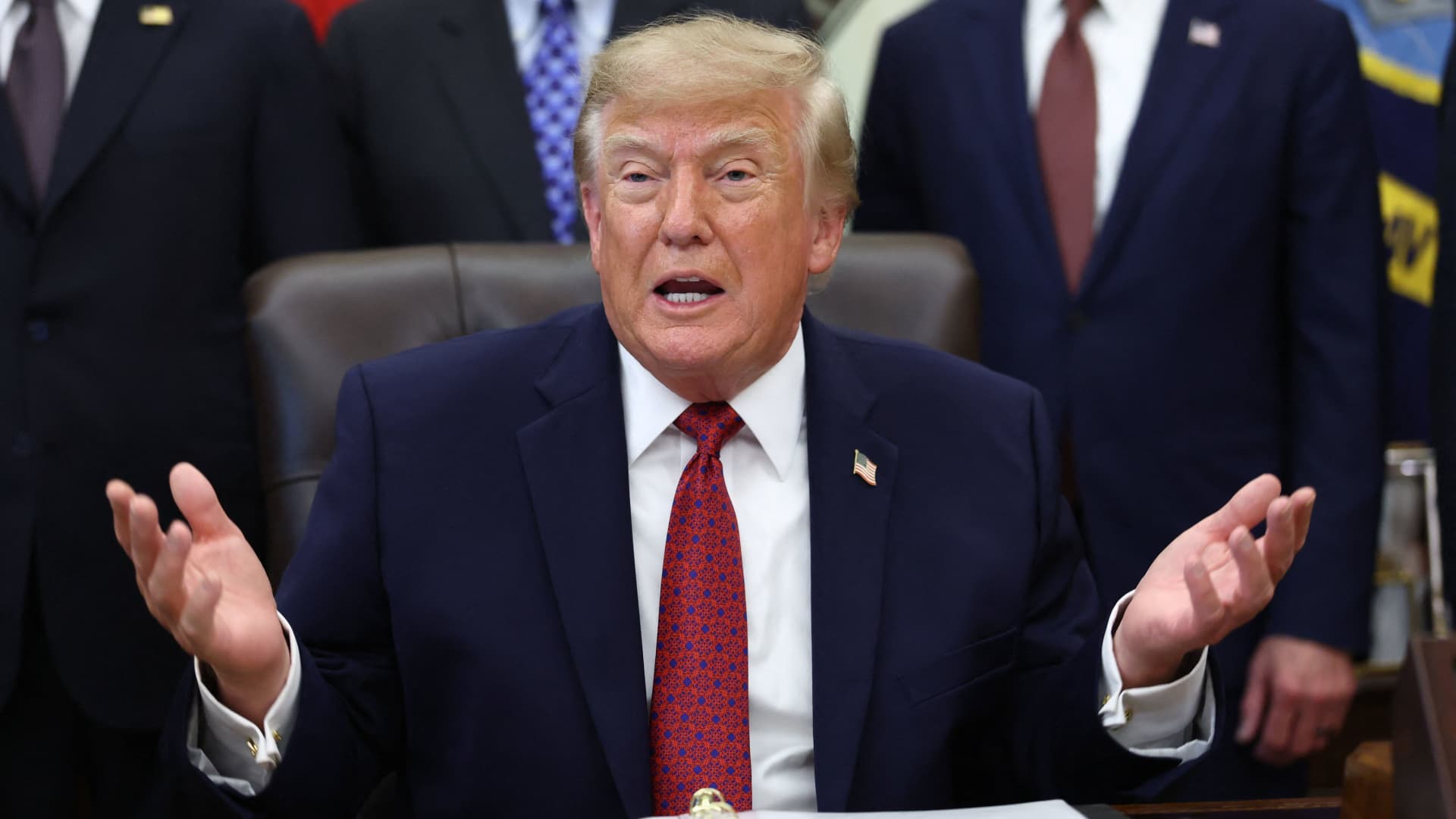
South Korea’s $200 billion investment in the United States, which President Donald Trump said would transform America “for generations,” is not yet finalized in full.
The South Korean investment blueprint includes nuclear power plants, a natural‑gas power facility in Texas, and potentially the long‑planned Alaska liquefied natural gas project.
Trump posted on Truth Social late Wednesday that the two nations had agreed to move forward on the Alaska LNG venture, estimating its value at $50 billion. This prompted a response from South Korean President Lee Jae‑myung, who stressed that participation in some projects remains tied to commercial considerations.
In an X post Thursday local time, Lee said that involvement in the Alaska LNG project hinges on its financial viability and legal compliance. He added that investments in nuclear power plants would also require a plant‑by‑plant assessment of commercial feasibility.
The US‑South Korea joint statement Wednesday also noted that work on the project is contingent on “commercial reasonableness,” without detailing allocations toward the venture.
The Alaska LNG project aims to move natural gas roughly 1,300 km (800 miles) from fields on Alaska’s North Slope to the state’s southern region, where it would be liquefied for export to markets including Asia, according to Yonhap. The initiative has long faced scrutiny over its economics, given the substantial upfront capital required.
Industry Minister Kim Jung‑kwan labeled it “high‑risk” last year and said participation would be challenging unless the project could generate sufficient cash flow.
Overall, the investment package allocates $22.3 billion for a 6,472‑megawatt natural‑gas power plant in Encinal, Texas, which will supply electricity to nearby data centers. The venture will be led by developer Related Cos. and U.S. power provider NextEra Energy.
Trump said the investments would turn South Korea’s commitments into “huge construction projects” and create “tens of thousands of American jobs.”
“These are massive energy projects, adding power capacity in the United States,” Trump remarked. “This is new construction, new manufacturing, and great jobs for American workers.”
The two countries said they would seek to broaden Korean firms’ involvement in the Texas project across equipment supply, engineering, construction, and long‑term operations and maintenance. The U.S. also plans to give Korean companies opportunities to supply equipment, including turbines, for similar projects domestically.
Another $120 billion has been earmarked for plans to build eight large‑scale nuclear reactors in the United States. Of that sum, $100 billion is designated for construction costs and $20 billion for contingency reserves.
The nuclear accord was signed by both governments as well as Westinghouse Electric, Korea Electric Power Corp., and Korea Hydro & Nuclear Power. The plan also calls for Korean firms to pursue a potential significant minority stake in Westinghouse, with terms subject to commercial negotiations.
-
 Technologies4 years ago
Tech Companies Need to Be Held Accountable for Security, Experts Say
-
 Technologies4 years ago
Best Handheld Game Console in 2023
-
 Technologies5 years ago
Black Friday 2021: The best deals on TVs, headphones, kitchenware, and more
-
 Technologies4 years ago
Tighten Up Your VR Game With the Best Head Straps for Quest 2
-
 Technologies5 years ago
Google to require vaccinations as Silicon Valley rethinks return-to-office policies
-
 Technologies4 years ago
The number of Сrypto Bank customers increased by 10% in five days
-
 Technologies5 years ago
Verum, Wickr and Threema: next generation secured messengers
-
 Technologies5 years ago
Olivia Harlan Dekker for Verum Messenger