
Technologies
You Can Get Four Apple AirTags for Just $70 Today, So Don’t Wait Around
This AirTag deal won’t last long. Nab it before you lose your chance (or your valuables).
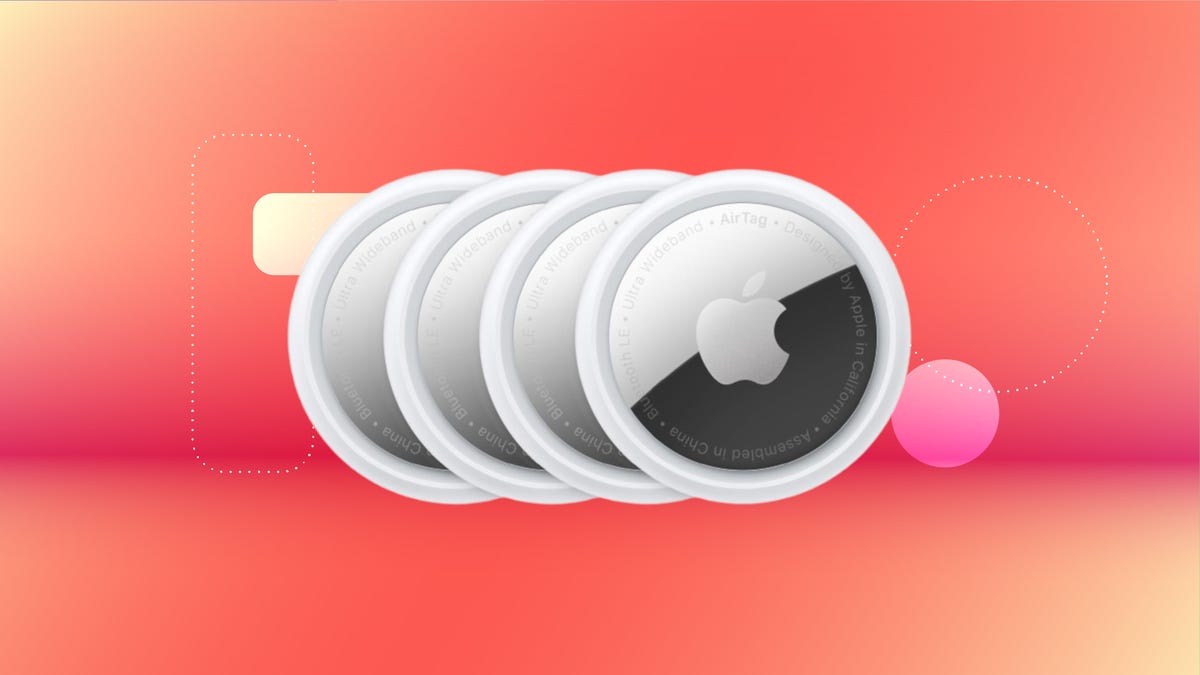
If you’re looking for an excellent Christmas gift for those who are prone to losing things, then you’ll probably want to get them a tracker of some kind, and for iPhone owners, that means going for some Apple AirTags. These things can help anyone keep track of just about anything, but they can be a little pricey.
If you order today, you can get your hands on an Apple AirTag four-pack for just $70 at Best Buy. That’s less than $18 per AirTag, which is a fantastic price considering they sell for $29 individually. Amazon is listing the same four-pack at $75 right now, but we expect the retailer will soon match Best Buy’s one-day sale. Either way, we’re not expecting this deal to be available after today, so don’t wait long.
Not long ago, as I waited at baggage claim after a trip to Paris, I became increasingly nervous as bag after bag dropped onto the carousel, none of them mine. I knew there was no need to panic, though.
Back at Charles de Gaulle Airport, I had slipped a sophisticated tracking device into my trusty rolling suitcase before handing it over and heading to my gate. So, I pulled out my iPhone, and with just a few taps, I could see that my bag had never left the City of Light. (Merde!)
Over the last few years, I’ve come to rely on Apple’s AirTags to keep track of my easily lost valuables. They’re not just good for luggage, I use them to track wallets, bikes, keys and even my car. I tell everyone who will listen that you can never have too many of these handy devices.
And just because they’re an Apple product doesn’t mean they are super expensive. As mentioned, you can get a four-pack of AirTags for $70. And if you want to buy a single one, that’s discounted by 17%, down to $24.
Here’s how the Apple AirTag (like the one that was in my suitcase on that fateful trip) works. It uses an ingenious method of tracking itself, detecting its location from nearby iPhones and using them to anonymously piggyback the coordinates to a secure server where I could look it up on my iPhone. Until just a few years ago, this would have seemed like a scene straight out of a spy movie.
Instead of wondering if my belongings were stuck on an abandoned luggage cart or strewn across the tarmac, I could see in almost real time that my suitcase was still chilling at Charles de Gaulle airport in Paris. I was able to calmly inform the airline that my bag didn’t make the flight, and they made arrangements to have it delivered to me a few days later.
Apple AirTags are all about peace of mind
By itself, an AirTag isn’t much. A smooth, round 1.26-inch puck that resembles a glossy white breath mint, it sinks to the bottom of a bag or dangles from a keychain (with a compatible key ring, sold separately). It’s meant to disappear.
Activating the AirTag was a simple process of pairing with my iPhone. And then, because it obviously doesn’t really do anything out of the box, I forgot about it.
But the next time I couldn’t find my keys? Sorcery. My iPhone didn’t just tell me they were somewhere nearby — it walked me directly to them, thanks to the AirTag’s built-in Ultra Wideband chip. Suddenly, all that time I’d spent retracing my steps and overturning couch cushions in the past felt like ancient history.
Now I have AirTags attached to every significant item I’d want to keep track of: my everyday laptop bag, my camera backpack, the suitcase I use most when traveling, my keychain, my car and a smaller sling bag I take on walks. I can pull up the Find My app on any of my Apple devices (or sign in to iCloud on any web browser) and see where my items are and the last time the AirTags registered their locations.
AirTags aren’t just for my everyday items. People I know in the movie business tell me that AirTags are tossed into nearly every bag and Pelican crate, not solely to ensure that the valuable equipment inside doesn’t walk away but also to quickly differentiate equipment amid similar-looking containers. Some of my friends also attach AirTags to their pets’ collars (though experts say there are better ways to track your pets).
AirTags are also useful for things that you want to keep close by
Being able to detect my luggage a continent away provided a sense of relief to be sure. But at the local level, my AirTags will also trigger an alert when I get too far away from them. For example, if I accidentally forget my camera bag in the car when I stop somewhere for lunch, a Find My notification appears telling me I’ve left it behind. It works the same for newer AirPods models as well.
Sharing is now a big part of AirTag tracking
My family has two cars, and I wanted to be able to track both of them. But it used to be inconvenient to pair the AirTag in the car my wife drives to her iPhone (and the one in my car to my iPhone).
To guard against unwanted tracking, an AirTag will notify nearby iPhones of its existence, so whenever I drove my wife’s car without her in it, I got a notification that an AirTag was traveling with me. (If the owner is near the AirTag, the alert does not appear.)
However, ever since the release of iOS 17, AirTags are shareable, which solves this problem. I shared my AirTag with my wife and she with me, so regardless of which car I’m driving, I can find it more easily in a crowded parking lot without getting constant, unnecessary alerts.
A more recent feature is the ability to temporarily share an AirTag’s location with someone I trust. In my luggage example above, if the suitcase was in the airport with me but the airport’s staff hadn’t yet been able to locate it (not uncommon during peak travel times), I could share its location with an attendant who could quickly retrieve it from areas inaccessible to the public.
Apple AirTag specs
- Diameter: 1.26 inches (31.9 mm)
- Height: 0.31 inches (8 mm)
- Weight: 0.39 ounces (11 g)
- Splash, water and dust resistance: Rated IP67 (maximum depth of 1 meter up to 30 minutes)
- Connectivity: Bluetooth 5.0
- Battery: Replaceable CR2032 coin cell battery
The only minor annoyance about AirTags
An AirTag includes Bluetooth, the U1 Ultra Wideband chip and an NFC chip to share basic details when it’s in Lost Mode. That’s all powered by a CR2032 coin cell battery, which in my experience lasts roughly a year before I need to replace it.
I get notified when a battery is starting to get low, although there’s no gauge to see how much is left until it goes into the red. And it’s easy to change batteries. But my small fleet of AirTags means I need to swap multiple ones each year. I buy them in packs of 20 that I slowly work through.
AirTags also make great gifts
Apple AirTags consistently appear in our gift guides throughout the year because you can always find another use for one. They’re often reduced in price when sold in packs of four. And there’s an ever-growing ecosystem of ways to mount them, from sturdy vaults that adhere to a car to discrete fabric holders that will keep your favorite classic bomber jacket from flying away. Whenever I show someone how I use AirTags on a bag or keychain, I kind of wish I had a pocket full of AirTags to hand out because once someone sees how it works, they’re sold.
When will this deal expire?
This deal is slated to end at midnight on Dec. 15. I recommend placing your order while you can be sure to get this price because I’m confident you’ll find new uses for them once you have a few. Plus they make great stocking stuffers.
Technologies
Samsung’s Galaxy Watch Ultra 2 Might Come in 5G and 4G Cellular Models
If the rumor proves true, the 5G Galaxy Watch Ultra would rival the 5G-enabled $799 Apple Watch Ultra 3 that debuted last fall.

Samsung’s next high-end Galaxy Watch could support faster 5G speeds, but if this leak is true, it will depend on where you live. The rumored Samsung Galaxy Watch Ultra 2 might come in 5G and 4G cellular models, with availability for each smartwatch depending on the country.
According to the Dutch website Galaxy Club (and spotted by SamMobile), Samsung’s servers may have revealed a series of model numbers that point to 5G, 4G and Wi-Fi-enabled editions of the next Galaxy Watch Ultra, which would succeed the original model that debuted in 2024.
A representative for Samsung did not immediately respond to a request for comment.
The Galaxy Club website speculates that the 5G edition would be sold in the US and Korean markets, while the 4G edition would sell in the rest of the world. In the US, a 5G version of the Galaxy Watch Ultra would rival the 5G-enabled $799 Apple Watch Ultra 3, which debuted last fall. The 4G edition would have broader compatibility worldwide, since the earlier network is far more established.
It will likely be a few months until we hear anything official about the Galaxy Watch Ultra 2. Samsung typically unveils its new watches in the summer alongside its Galaxy Z Fold and Z Flip foldable phones. Last year, Samsung unveiled the Galaxy Watch 8 and the Galaxy Watch 8 Classic, but otherwise left the prior 2024 Ultra in the lineup for those looking for a larger 47mm smartwatch.
Technologies
2 Cases Show Supreme Court Isn’t Holding ISPs Responsible for Piracy
Technologies
Today’s NYT Connections Hints, Answers and Help for April 8, #1032
Here are some hints and the answers for the NYT Connections puzzle for April 8, No. 1032.

Looking for the most recent Connections answers? Click here for today’s Connections hints, as well as our daily answers and hints for The New York Times Mini Crossword, Wordle, Connections: Sports Edition and Strands puzzles.
Today’s NYT Connections puzzle is kind of tough. The purple category is a fun one, once you see the connection. Read on for clues and today’s Connections answers.
The Times has a Connections Bot, like the one for Wordle. Go there after you play to receive a numeric score and to have the program analyze your answers. Players who are registered with the Times Games section can now nerd out by following their progress, including the number of puzzles completed, win rate, number of times they nabbed a perfect score and their win streak.
Read more: Hints, Tips and Strategies to Help You Win at NYT Connections Every Time
Hints for today’s Connections groups
Here are four hints for the groupings in today’s Connections puzzle, ranked from the easiest yellow group to the tough (and sometimes bizarre) purple group.
Yellow group hint: In the group.
Green group hint: Appearance details.
Blue group hint: Often found in gyms.
Purple group hint: They help you see.
Answers for today’s Connections groups
Yellow group: Cohort member.
Green group: Aesthetic.
Blue group: Kinds of bar apparatuses.
Purple group: Eyewear in the singular.
Read more: Wordle Cheat Sheet: Here Are the Most Popular Letters Used in English Words
What are today’s Connections answers?
The yellow words in today’s Connections
The theme is cohort member. The four answers are associate, colleague, fellow and peer.
The green words in today’s Connections
The theme is aesthetic. The four answers are design, look, scheme and style.
The blue words in today’s Connections
The theme is kinds of bar apparatuses. The four answers are monkey, parallel, pull-up and uneven.
The purple words in today’s Connections
The theme is eyewear in the singular. The four answers are contact, goggle, shade and spectacle.
-
 Technologies3 года ago
Tech Companies Need to Be Held Accountable for Security, Experts Say
-
 Technologies3 года ago
Best Handheld Game Console in 2023
-
 Technologies3 года ago
Tighten Up Your VR Game With the Best Head Straps for Quest 2
-
 Technologies4 года ago
Black Friday 2021: The best deals on TVs, headphones, kitchenware, and more
-
 Technologies5 лет ago
Google to require vaccinations as Silicon Valley rethinks return-to-office policies
-
 Technologies5 лет ago
Verum, Wickr and Threema: next generation secured messengers
-
 Technologies4 года ago
Olivia Harlan Dekker for Verum Messenger
-
 Technologies4 года ago
The number of Сrypto Bank customers increased by 10% in five days