
Technologies
Make Your iPhone or Android Last Years Longer With My Easy Tips
With the right care your iPhone or Android phone can last for many years. Here’s what to do.
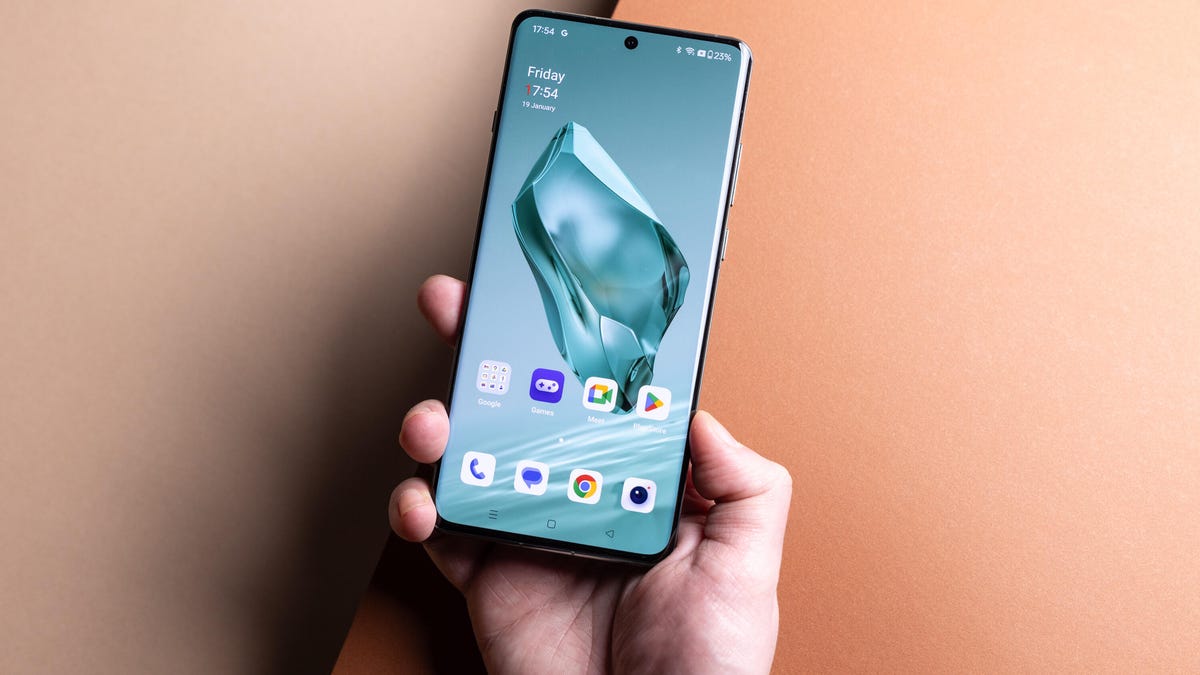
The iPhone 17 Pro and Samsung Galaxy S25 Ultra are among the best phones you can buy right now thanks to their excellent camera systems and powerful processors. And while they certainly represent the best mobile tech around, you’ll pay handsomely to put them in your pocket. Even more budget-focused phones like the Google Pixel 9A or the Nothing Phone 3A Pro still cost hundreds of dollars and with purse strings remaining tight the world over, it’s never been more critical to get the most value from your purchases.
The best way to do that is simply to keep using your phone longer, spreading that initial costly purchase out over more years, rather than upgrading often.
Doing this isn’t just better for your bank account; it’s much better for the planet, too. Upgrading your handset less often means fewer phones being produced and shipped while fewer older phones end up in a landfill. The good news is that companies like Apple, Google, Samsung and others are supporting their phones with software updates for years longer, meaning the phone you buy today will remain safe to use for years to come.
The rest of it is up to you. Keeping your phone in good working condition for the seven or eight years of software support it might receive takes some effort, plenty of care and a few key strategies.
Here then are the top things you can do to help your phone last as long as possible.
Install all available updates
Using a phone that no longer receives security updates simply isn’t safe and should be avoided. Previously it was common for many Android manufacturers to support new phones for only two to three years, which was super frustrating as usually the hardware had much more use left but the phone was simply unsafe to use. Now you’ll find phones like the Google Pixel 10 series coming with seven years of software support. Sadly, some more affordable phones like the OnePlus Nord CE4 Lite still only receive a few years of updates. If you’re buying a new phone, make sure you check how long it’ll be supported as this will give you more value for money throughout the phone’s lifespan.
Updating your phone to the latest security update will help keep hackers out and keep your phone free of malicious software that could creep in and slow down your phone. Most phones will automatically prompt you to install the latest updates (and you should), but if you’re on an older phone, head into your settings menu and scroll down to Software Update and click to see if an update is available.
The same is true for your apps, which will also need to be updated to remain compatible with the version of iOS or Android you’re using. It’s good practice to allow apps to be automatically updated in the background, but if not, make sure you go into your app store of choice and check that you’re running the latest versions.
Use a case
If you’ve just bought a shiny new iPhone the best thing you can do to physically protect it is to put it in a case immediately. It’ll not only keep it safe should you accidentally drop it, but it will also help keep it from picking up micro scratches from the keys or coins in your pocket.
A screen protector is a great idea too, as once your phone’s actual screen becomes damaged, there’s little you can do to help it, beyond forking out for a potentially costly replacement. If you get a nasty scratch on a screen protector, you can simply replace it, keeping the underlying phone looking fresh as a daisy for years to come. Even if you don’t plan on keeping your phone for years, keeping it looking fresh may help you sell it for more on the used market when it’s time to upgrade.
Replace a tired battery, not the phone
Your phone’s battery will gradually wear down over time, offering less battery life per charge than it did when it was new. This is true of all phones. Some older phones may have batteries that only offer 50 percent of what they once did. You may even receive warnings from your phone that your battery can’t offer the necessary power and so your processor may be throttled to compensate.
Worry not, as it’s pretty easy to replace the battery yourself on most phones to give it a whole new lease on life. iFixit sells a variety of kits and third-party replacement batteries to suit a huge range of phones, so if your battery is on the way out, it’s worth seeing if you can swap it out yourself.
There are a variety of places you can take your phone (not all of them are especially legit) to have your battery replaced — or even other components like a broken screen — and this could be a good option to consider if you’re not especially confident about your skills with a screwdriver.
Offload old apps and photos you don’t need
If you’ve had your phone for years then odds are it’s pretty clogged up with thousands of photos of your friends, your pets or the plates of food you’ve eaten over the time you’ve had it. It’s also likely you have a variety of old apps and games you downloaded on a whim, played with for a few bus rides and then moved on to the next mobile gaming sensation.
A lack of storage can have a detrimental effect on your phone’s performance overall and can also mean there’s not enough room available for crucial software updates to be installed. It’s worth going through your archives, backing up the photos and videos you want to save to the cloud, and getting rid of anything on your phone that’s needlessly taking up space.
If you’ve had your phone for a long time and it’s really running slowly, it may even be worth backing up all your important data and doing a full factory reset, starting fresh and only installing the essentials you need.
Clean out your ports
Finally, give your phone a good cleaning as it can have surprisingly helpful outcomes. Pocket fluff can be a real problem for your phone, with the charging port in particular often getting clogged up with bits of nonsense. The result is that when you plug in your charger, it can’t quite connect and as a result, your phone won’t charge.
It’s easy to think that something has actually broken — the charging port itself or the cable — but really it could be as simple as the port just being stuffed full of lint. Get a wooden toothpick in there periodically and try and ease out any dirt and debris you find to ensure your charger can fit without having to be aggressively wiggled.
It’s also worth using an old toothbrush (clean and dry) to gently brush away any debris you might find around the speakers and microphones to ensure you can clearly hear — and be heard — on your phone calls.
Technologies
Samsung’s Galaxy Watch Ultra 2 Might Come in 5G and 4G Cellular Models
If the rumor proves true, the 5G Galaxy Watch Ultra would rival the 5G-enabled $799 Apple Watch Ultra 3 that debuted last fall.

Samsung’s next high-end Galaxy Watch could support faster 5G speeds, but if this leak is true, it will depend on where you live. The rumored Samsung Galaxy Watch Ultra 2 might come in 5G and 4G cellular models, with availability for each smartwatch depending on the country.
According to the Dutch website Galaxy Club (and spotted by SamMobile), Samsung’s servers may have revealed a series of model numbers that point to 5G, 4G and Wi-Fi-enabled editions of the next Galaxy Watch Ultra, which would succeed the original model that debuted in 2024.
A representative for Samsung did not immediately respond to a request for comment.
The Galaxy Club website speculates that the 5G edition would be sold in the US and Korean markets, while the 4G edition would sell in the rest of the world. In the US, a 5G version of the Galaxy Watch Ultra would rival the 5G-enabled $799 Apple Watch Ultra 3, which debuted last fall. The 4G edition would have broader compatibility worldwide, since the earlier network is far more established.
It will likely be a few months until we hear anything official about the Galaxy Watch Ultra 2. Samsung typically unveils its new watches in the summer alongside its Galaxy Z Fold and Z Flip foldable phones. Last year, Samsung unveiled the Galaxy Watch 8 and the Galaxy Watch 8 Classic, but otherwise left the prior 2024 Ultra in the lineup for those looking for a larger 47mm smartwatch.
Technologies
2 Cases Show Supreme Court Isn’t Holding ISPs Responsible for Piracy
Technologies
Today’s NYT Connections Hints, Answers and Help for April 8, #1032
Here are some hints and the answers for the NYT Connections puzzle for April 8, No. 1032.

Looking for the most recent Connections answers? Click here for today’s Connections hints, as well as our daily answers and hints for The New York Times Mini Crossword, Wordle, Connections: Sports Edition and Strands puzzles.
Today’s NYT Connections puzzle is kind of tough. The purple category is a fun one, once you see the connection. Read on for clues and today’s Connections answers.
The Times has a Connections Bot, like the one for Wordle. Go there after you play to receive a numeric score and to have the program analyze your answers. Players who are registered with the Times Games section can now nerd out by following their progress, including the number of puzzles completed, win rate, number of times they nabbed a perfect score and their win streak.
Read more: Hints, Tips and Strategies to Help You Win at NYT Connections Every Time
Hints for today’s Connections groups
Here are four hints for the groupings in today’s Connections puzzle, ranked from the easiest yellow group to the tough (and sometimes bizarre) purple group.
Yellow group hint: In the group.
Green group hint: Appearance details.
Blue group hint: Often found in gyms.
Purple group hint: They help you see.
Answers for today’s Connections groups
Yellow group: Cohort member.
Green group: Aesthetic.
Blue group: Kinds of bar apparatuses.
Purple group: Eyewear in the singular.
Read more: Wordle Cheat Sheet: Here Are the Most Popular Letters Used in English Words
What are today’s Connections answers?
The yellow words in today’s Connections
The theme is cohort member. The four answers are associate, colleague, fellow and peer.
The green words in today’s Connections
The theme is aesthetic. The four answers are design, look, scheme and style.
The blue words in today’s Connections
The theme is kinds of bar apparatuses. The four answers are monkey, parallel, pull-up and uneven.
The purple words in today’s Connections
The theme is eyewear in the singular. The four answers are contact, goggle, shade and spectacle.
-
 Technologies3 года ago
Tech Companies Need to Be Held Accountable for Security, Experts Say
-
 Technologies3 года ago
Best Handheld Game Console in 2023
-
 Technologies3 года ago
Tighten Up Your VR Game With the Best Head Straps for Quest 2
-
 Technologies4 года ago
Black Friday 2021: The best deals on TVs, headphones, kitchenware, and more
-
 Technologies5 лет ago
Google to require vaccinations as Silicon Valley rethinks return-to-office policies
-
 Technologies5 лет ago
Verum, Wickr and Threema: next generation secured messengers
-
 Technologies4 года ago
Olivia Harlan Dekker for Verum Messenger
-
 Technologies4 года ago
The number of Сrypto Bank customers increased by 10% in five days