
Technologies
The OnePlus 15 Is One of the Best Mainstream Phones for Gamers
How does a phone with a battery nearly 50% larger than other high-end phones work for gaming? We do the gamer science.
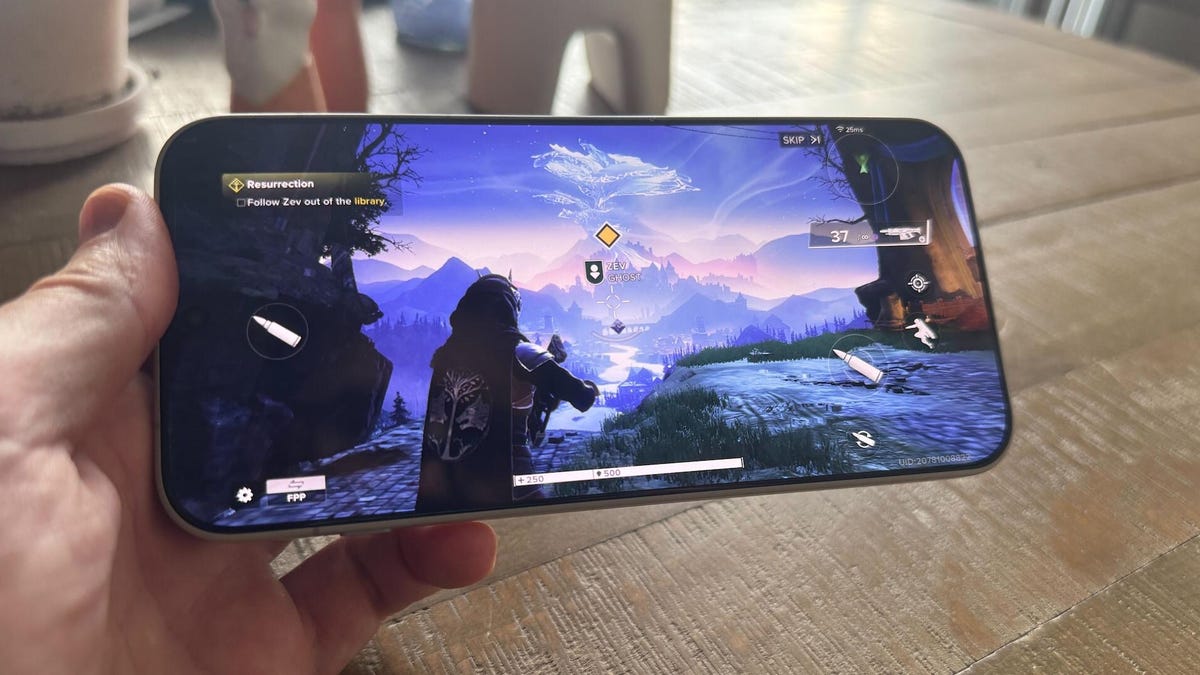
If you’re a mobile gamer, you know the bliss of playing anywhere you want to go — and the anxious downside of draining your phone’s battery as you do. That’s why the OnePlus 15‘s massive 7,300-mAh battery makes this a promising handset for the discerning gamer on the go. Presumably, you’ll be able to play for longer without draining your phone down to low capacity.
The reality is a little more complicated, partially because the OnePlus 15’s advantages can be diminished if graphics and the frame rate are cranked up to the max. It’s a good problem to have, as the phone’s premium specs give it a higher ceiling for performance. However, gamers who aren’t careful can drain their batteries nearly as quickly as other top-tier phones.
Still, if you don’t want a gaming-specific phone like the RedMagic 11 Pro or Asus ROG Phone 9 Pro, which aren’t easily available in the US, the OnePlus 15 is a mainstream handset that offers premium specs and features, making it a good choice.
Don’t miss any of our unbiased tech content and lab-based reviews. Add CNET as a preferred Google source.
The OnePlus 15’s gaming experience
Good specs, good display, decent speakers
Battery life while gaming is important, but we’ll set that aside for a moment to focus on the experience of playing games themselves. While both versions of the phone pack the Snapdragon 8 Elite Gen 5 chip, I used the pricier $1,000 version with 16GB of RAM and 512GB of storage, which presumably performs better than the cheaper $900 model with 12GB of RAM and 256GB of storage. I tested a handful of popular games that are demanding enough to gauge the OnePlus 15’s capabilities.
The effect: high graphics and smooth gameplay. Aside from its high-end hardware, the OnePlus 15 also has a 6.78-inch OLED display with HD Plus (2,722 x1,272-pixel resolution) and 165Hz maximum refresh rate. The latter is a big deal for gaming, but most games won’t hit that cap, as they’re typically set to 120 frames per second (fps) at most.
One of the few big games that supports such a high refresh rate is Dead Cells, whose roguelike gameplay is dependent on reaction time. In theory, it supports an unlimited frame rate, but I couldn’t tell much difference between 120Hz and 165Hz — with more frames per second (roughly one per hertz, so 165fps at the phone’s maximum), it should enable players to respond faster, in the matter of microseconds.
But I’ll be the first one to admit that my clumsy fingers can’t hit the touch controls accurately enough to get that level of quick response. That’s where using a third-party controller comes in handy, and the Backbone I had in my desk drawer worked amazingly well. I plugged the OnePlus 15 in, and Dead Cells immediately switched over to external controls, already mapping my assortment of weapons and items to different buttons. In seconds, I was slipping in attacks between frantic sequences of dodge rolls and double jumps to evade enemy attacks.
When I switched to Destiny Rising, the mobile version of the venerable online shooter, the Backbone was a welcome experience, giving me a lot more button controls at my fingertips. There’s less of a performance gap when using the physical controller with Destiny Rising, as the touch controls work quite nicely, all things considered, compared to Dead Cells. Ditto with Diablo Immortal.
The mobile edition of the hack-and-slash dark fantasy game also has respectable touch controls; while there are a lot of buttons on the screen that block some of the action, they’re placed in a way that I don’t hit them accidentally and generally tap the one I mean to hit most of the time.
Destiny Rising and Diablo Immortal look good with the graphics cranked up to their maximum allowed, but curiously enough, they can’t quite reach the highest possible settings. That makes me wonder whether there’s even a phone out there that can, because the OnePlus 15’s specs are nearly the best you can get on a phone today. Regardless, with features like reflections and high graphics turned on, Destiny Rising and Diablo Immortal have good visuals, somewhere between a PS3/Xbox 360 and a PS4/Xbox One. Powerful as it is, the OnePlus 15 can’t improve the visuals on old games like PlayerUnknown’s Battlegrounds, but those with a distinct style, like Genshin Impact, look good with the phone’s smooth frame rate.
This matches the OnePlus 15’s performance benchmark test results from Geekbench 6 (which tests the CPU) and 3DMark’s Wild Life Extreme (which tests the graphics). The OnePlus 15 achieved higher scores and frame rates than any other phone, except for the RedMagic 11 Pro. While handsets in the iPhone 17 series were not far behind, older phones are left in the dust — my two-year-old iPhone 15 Pro Max got half the scores and frame rates that the OnePlus 15 did.
3DMark Wild Life Extreme
Geekbench 6.0
- Geekbench 6.0, single-core
- Geekbench 6.0, multi-core
The big battery helps
But fast charging is much more useful
Aside from its powerful specs, the OnePlus 15’s biggest flex is its 7,300-mAh battery, which is half again as much capacity as the 5,000-mAh batteries found on most premium phones, like the iPhone 17 Pro Max. This should lead to longer playtime, and from anecdotal experience, it does: the phone was at 2% when I started playing Dead Cells to speed up the battery drain, and I managed to play for 45 minutes before it automatically shut down to preserve the remaining 1%. It’s possible that OnePlus deliberately undercounts the bottom sliver of the battery to give people more time (similar to feeling like you’re getting more miles in your car than expected when the gas tank’s empty light is on), but it still gives the feeling of longevity.
But outside of a handful of those examples, the capacity advantage is more muted than I expected. The OnePlus 15’s battery doesn’t noticeably drain more slowly during gameplay than rival phones with smaller capacity batteries. Some of this can be attributed to the phone’s higher graphics and frame rate capability, which somewhat counteract this capacity advantage. Crank them up too high and they’ll drain battery life faster.
I tested this out by playing Destiny Rising for 20 minutes with all graphics and frame rate settings cranked up to maximum, which drained 6% of the OnePlus 15’s battery. When I dropped the performance to the minimum settings for a similarly timed session, it drained 5% of the battery — a small change, but it adds up.
The OnePlus 15’s greater advantage, especially for gamers with access to power outlets, is its recharging speed. The phone packs an 80-watt charger in the box. In my testing, it refilled from nearly empty (1%) to 73% in 30 minutes and reached 100% in 45 minutes. That’s faster than everything but the iPhone 17 series and Samsung Galaxy S25 FE in our tests, all of which have smaller battery capacities. The phone also supports up to 50-watt wireless charging, and because most wireless chargers top out at 15 or 30 watts, good luck finding one that’ll juice back up the OnePlus 15 at its maximum supported rate. The phone supports bypass charging, too, letting you play without draining the battery while it’s plugged in (as long as you can game with a cord sticking out of the bottom of the handset).
While I was disappointed that the large capacity didn’t lead to slower battery drain while playing games, I was delighted by how quickly I could top up the phone between sessions. Heck, you can recharge it even faster with the phone’s maximum 100-watt charging speed, if you pick up a separate OnePlus proprietary charger. It’s worth noting that the larger battery will still prolong casual phone use that doesn’t strain the hardware, such as browsing and using apps.
Final confrontation
What the OnePlus 15 has for mobile gamers over other phones
I found the OnePlus 15 to be a solid phone all around, and there’s something to be said about a high-performance handset that appeals to mainstream tastes. There are certainly fans of the «gamer chic» black, angled lines and RGB lights that characterize products sold to the gaming demographic — things that look like accessories for Decepticons, including the Asus ROG series of phones. Personally, I like the stylized artfulness of the OnePlus 15’s rounded corners, flat sides and smooth matte back cover.
Another advantage the OnePlus 15 has over gaming-specific phones is a normal software interface. CNET senior writer Mike Sorrentino was frustrated by numerous annoyances in the RedMagic 11 Pro’s software, from bloatware to brand watermarks on photos toggled on by default. The OnePlus 15 has a normal interface with its OxygenOS 16 skin on Android 16 — no extreme gamer aesthetic. The Game Assistant app is simple and I find it automatically collecting games within its folder to be handy.
And crucially, the OnePlus 15 has far and away better photo capabilities than other gaming phones. Its suite of three 50-megapixel rear cameras captured impressive color and detail in a series of images showcasing the streets of Lisbon, Portugal, that were shot by CNET’s talented principal editor (and professional photographer in his own right) Andrew Lanxon. While they don’t quite reach the quality of a Samsung Galaxy S25 series or a Google Pixel 10, they’re respectably close, and have the utility of main, ultrawide and telephoto cameras.
The OnePlus 15 does have some drawbacks. Other gaming phones have neat features, like the Asus ROG 9 Pro’s external cooling fan and, crucially, its side port for charging while you’re gaming. Worse, the OnePlus continues to lag competitors in offering only four years of Android updates and six years of security patches, which is notably less than the seven years that Samsung and Google offer (Apple doesn’t promise iOS updates, but generally manages six or more years depending on the device). Other gaming phones are worse, with the RedMagic 11 Pro receiving only three years of Android updates, while the Asus ROG 9 Pro receives an abysmally low two years of operating system updates. Even if the OnePlus 15 is better compared to gaming phones, it’s not great to spend about a grand on a phone only to see it stop receiving new, fun software features after half a decade.
There’s another caveat to the OnePlus 15, which I wouldn’t consider a dealbreaker for gamers. The phone’s 1,800-nit maximum display brightness is fine outdoors, but pales in comparison to its competitors; the iPhone 17 series, for instance, boasts a 3,000-nit peak brightness outdoors. But I wouldn’t expect many mobile gamers to be playing outside anyway — I sure haven’t been while I’ve done all this gamer science.
Technologies
Google’s Pixel 10A Is Coming to Japan With an Exclusive Blue Edition and Special Wallpaper
This model comes with creatively designed stickers and a special look for Pixel’s 10th anniversary.

Don’t be blue: Google is releasing an Isai blue edition of the Pixel 10A to celebrate the Android phone line’s 10th anniversary, setting it apart with its own sticker set, specialized wallpaper and custom icons. But it’ll only be available in Japan.
Announced Tuesday on the Google Japan blog, the Isai blue Pixel 10A has a dark blue look and includes bonus decorations designed in collaboration with Japan’s Heralbony art company. These include an exclusive bumper case and stickers for customization.
This edition of the Pixel 10A will arrive in Japan on May 20, following the April 14 release of the Pixel 10A in its original colors of lavender, berry, fog and obsidian. The Isai blue model costs 94,900 yen, which roughly translates to $595, and includes 256GB of storage.
This makes it slightly less expensive than the US model’s 256GB edition, but it comes with a number of fun extras at no additional cost.
Google’s creation of a country-specific model for Japan may also reflect strong sales in that market. In 2023, the IDC analytics firm (via 9to5Google) reported that the Pixel 7 series accounted for 10.7% of the country’s market share, a 527% increase from 2022.
Technologies
Can’t Wait for New Emoji? Here’s How to Create Your Own on iPhone
Apple Intelligence-enabled iPhones can create custom emoji in a few easy steps.

Apple brought new emoji to all iPhones when the company released iOS 26.4 on March 24. The new emoji include «» orca, «» distorted face and «» hairy creature — or as we might normally call it, Sasquatch. According to Emojipedia, there are 3,953 emoji with more on the way, including a pickle. But there’s no emoji for a dog wearing pajamas, a plate with burgers and fries and many other things. But if you have Genmoji on your iPhone you can create these emoji and many more.
Apple released iOS 18.2 in 2024 and the company introduced its own emoji generator, called Genmoji, to Apple Intelligence-capable iPhones at that time. The Unicode Standard, a universal character encoding standard, is responsible for creating new emoji, and approved emoji are added to all devices once a year. With Genmoji, you don’t have to wait for new emoji to appear on your iPhone each year. You can just create them as you need them.
Read on to learn how to use Genmoji on iPhone to create your own custom emoji. Just note that only iPhones with Apple Intelligence, like the iPhone 17 lineup, can use Genmoji at this time.
Note: The new emoji may not display correctly for Apple users whose devices aren’t on a 26.4 software version.
How to make custom emoji
1. Open Messages and go into a chat.
2. Tap the plus (+) button next to your text box.
3. Tap Genmoji.
You can then type a description of an emoji into the text box near the bottom of your screen and tap the check mark on your keyboard to enter that description into Genmoji. You can also tap different suggestions and themes that are right above the text box. And with iOS 26 or later, you can also combine and use emoji to create others rather than describing a new emoji or using suggestions.
Your iPhone will generate a series of new emoji for you to pick from according to your description, and you can swipe through these new emoji. When you find the one you want, tap Add in the top right corner of your screen and the new emoji will be available to use as an emoji, tapback or a sticker. Now you don’t have to wait for the Unicode Standard to propose, create and bring new emoji to devices.
For more iOS news, here’s what to know about iOS 26.4 and iOS 26.3. You can also check out our iOS 26 cheat sheet for other tips and tricks.
Technologies
Save Over 20% on This Handy 10,000-mAh Anker Nano Power Bank
Keep your devices charged on the go with this Anker Nano power bank, now down to just $46.
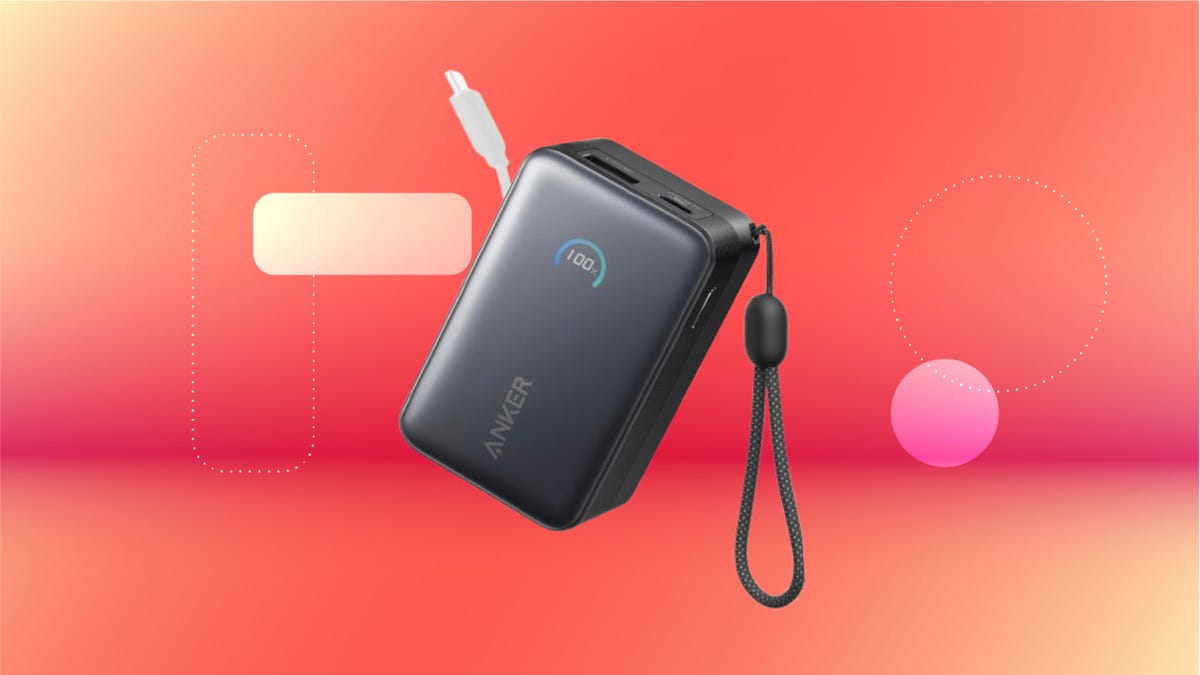
We’ve just spotted the Anker Nano 45-watt portable power bank for just $46 at Amazon right now. This saves you $14 — a 23% discount on its list price. Though it’s $6 more than the lowest-ever price we saw during Black Friday, it’s still a solid discount when you take the rising cost of tech accessories into account. It also matches the lowest price we’ve seen in 2026. It comes in four colors: black, green, pink and white. They’re all on sale for the same price.
This Anker Nano portable charger weighs approximately 8.2 ounces and measures a compact 3.21×1.99×1.42 inches. Despite its small size, it has a retractable cable and supports fast charging in compatible Apple, Samsung, Google Pixel and other smartphones. It also has a large 10,000-mAh capacity and a smart display so you always know how much juice is left in your power bank.
The Nano can charge an iPhone 17 to up to 50% battery in an estimated 20 minutes, and is powerful enough to charge tablets and laptops. Need to charge your devices while charging your power bank? You can do so safely thanks to pass-through charging so you’ll never have to go without battery life.
We’ve also compiled a list of the best power banks for iPhones and for Android, in case this deal isn’t quite a fit for you.
Why this deal matters
If you travel, have a long commute time or are otherwise always on the go, a portable charger can help you keep your devices fully powered. This 45-watt Anker Nano power bank is compact, includes a loop that lets you keep track of it easily and has a built-in cable so you don’t have to keep up with extra cords. Amazon’s $14 discount makes this a solid deal for anyone looking for a compact power bank.
-
 Technologies3 года ago
Tech Companies Need to Be Held Accountable for Security, Experts Say
-
 Technologies3 года ago
Best Handheld Game Console in 2023
-
 Technologies3 года ago
Tighten Up Your VR Game With the Best Head Straps for Quest 2
-
 Technologies4 года ago
Black Friday 2021: The best deals on TVs, headphones, kitchenware, and more
-
 Technologies5 лет ago
Google to require vaccinations as Silicon Valley rethinks return-to-office policies
-
 Technologies5 лет ago
Verum, Wickr and Threema: next generation secured messengers
-
 Technologies4 года ago
Olivia Harlan Dekker for Verum Messenger
-
 Technologies4 года ago
The number of Сrypto Bank customers increased by 10% in five days