
Technologies
AirPods 3 vs. AirPods 4: Should You Upgrade?
Not only do the entry-level version of Apple’s AirPods 4 offer feature and performance upgrades over the AirPods 3, but the step-up AirPods 4 with ANC feature active noise canceling. We compare all three models.
Editor’s note Oct. 18: We updated this article to reflect the release of the AirPods Pro 3.
Apple’s fourth generation of its original true-wireless earbuds follows the same design language as their predecessors but adds a bunch of new features — some borrowed straight from the more expensive AirPods Pro 2, which have now been succeeded by the AirPods Pro 3. The AirPods 4 remain Apple’s only earbuds to launch in two variants: a $129 entry-level model and a $179 AirPods 4 with ANC, both of which are often discounted on Amazon.
I’ve been using the step-up $179 version, and I’m surprised by how good the ANC is for an open-ear design, agreeing with CNET audio expert David Carnoy, who called it «the best noise canceling I’ve experienced with a set of open earbuds» in his full review of the AirPod 4 with Active Noise Canceling. If you’re an AirPods 3 user and wondering how the AirPods 4 stack up against your current model, read on as I explore the key differences between these two earbuds. And for those considering upgrading from the AirPods Pro 2 to the AirPods Pro 3, we have an article that compares those two models and offers some buying advice.
Read more: Best wireless earbuds of 2025
AirPods 4 feature an improved design
The AirPods 4 are slightly smaller than the AirPods 3 but larger than the AirPods 2. Each earbud weighs the same 4.3 grams, so any added or upgraded tech doesn’t translate into extra bulk on your ears. While all ears are shaped differently, Apple hopes the new design is a better fit for a wider range of people.
They fit me better than the AirPods 3, but I couldn’t get them to fit as well as silicone tip earbuds. However, if an open-ear design has worked better for you in the past, these should fit just fine — or even better. I have friends who’ve upgraded to the AirPods 4, and they say the new product fits them better.
The AirPods 3 are IPX4-rated for sweat and splash resistance. In comparison, the AirPods 4 are more durable. They are rated for dust resistance alongside sweat and splash resistance, with an IP54 rating.
The two AirPods 4 models have noticeable differences among themselves, too. The $179 variant supports charging with a Qi charging pad and the Apple Watch charging puck. So, if you have an Apple Watch and prefer your AirPods to charge with the same puck, you’ll need to spend $50 more than the base asking price. If you do, you also get a speaker in the case — like the AirPods Pro 2, so you can track them with sound using Find My.
Unlike the AirPods 3, there’s no physical button on the AirPods 4 charging case anymore. If you want to pair them to non-Apple devices, you need to double-tap on the front of the case near the LED to initiate pairing (that’s also the case for the AirPods Pro 3). Similarly, a reset can be initiated by three double-taps.
Upgraded H2 chip offers better sound quality
Apple’s new upgrades are threefold to improve the sound quality on the AirPods 4. First, they feature an upgraded H2 chip with Bluetooth 5.3, compared to the H1 chip with Bluetooth 5.0 found on the AirPods 3. Second, they have a new acoustic architecture and amp. Third, the drivers are positioned at a new angle to point into your ears.
When compared, the AirPods 4 have slightly improved treble and bass over the AirPods 3. They sound a little cleaner, and there’s more depth and fullness across genres. It’s not AirPods Pro 2 quality, but it’s better than before. The sound quality gap between non-Pro and Pro models has shrunk.
There is no ANC on AirPods 3, but the $179 AirPods 4 with ANC adds the active noise cancelation feature to Apple’s most affordable earbuds lineup. They have the same number of microphones as the AirPods Pro 2 to enable ANC and a few other features.
In his AirPods 4 review, David Carnoy was «really impressed with the noise canceling. The reality is that it’s not that great compared with what you get with the AirPods Pro 2 [and now the AirPods Pro 3] … but that it works at all and is reasonably effective is kind of wild.»
On most open earbuds, you can’t really hear a difference between ANC on and off modes. But the new AirPods 4 with ANC can muffle the ambient sound around you to a certain degree. Apple says their noise canceling matches that of the original AirPods Pro and is half as good as the AirPods Pro 2’s noise canceling (that means it’s only 25% as good as the AirPods Pro 3’s noise canceling, which is 2X as good as the AirPods Pro 2’s noise canceling, according to Apple). That said, it’s strong enough to help you hear your music better in noisy environments. It can drown out low frequencies like plane engine noise very well.
Added features and upgraded controls
The AirPods 4 with ANC add a bunch of new features for the same price as what the AirPods 3 once cost. The additional microphones not only enable ANC but also convenience features like Adaptive Audio and Conversation Awareness.
The latter works like Sony’s Speak-to-Chat feature; it pauses the music and enables transparency mode as soon as it detects that you’re speaking. If you like to sing along to songs, it’s better to keep it turned off. That said, it’s a neat feature that lets you have conversations without physically taking off your earbuds.
Both AirPods 3 and AirPods 4 (including the ANC variant) support personalized spatial audio (with head tracking) for music, quick pairing, auto-switching for Apple devices, and always-on Siri. The AirPods 4 can trigger Siri with both «Siri» and «Hey Siri» wake words, whereas AirPods 3 support only «Hey Siri.»
You can spend $50 less on the AirPods 4 and get several new features over the AirPods 3. Both AirPods 4 models have new force sensors in the stems with pinch controls to control playback. However, there’s no swipe gesture support yet.
Both of them also support Siri Interactions, where you can interact with Siri using gestures. For instance, when you receive a call, Siri will announce the caller’s name and ask if you want to answer the call. You can then nod your head for yes or shake it for no to answer or decline the call, respectively.
All of these features come with one slight compromise — battery life. The AirPods 3 are rated to deliver six hours of continuous listening on one charge, while the new AirPods 4 are rated to last up to five hours per charge. The case still delivers the same 30 hours of additional battery life, despite being smaller than before.
AirPods 3 vs. AirPods 4: It’s time to upgrade
If you’re in the market for a new pair of open earbuds, the AirPods 4 are an excellent choice — even if you have the last-gen AirPods 3. You get better sound quality with the H2 chip, a smaller case, more features like Siri Interactions and dust resistance, all for $50 less than the AirPods 3’s $179 launch price. However, they leave off wireless charging and only top up via the USB-C port.
The $179 AirPods 4 with ANC currently offer the best noise cancellation in a pair of open earbuds. Plus, you get additional features like Qi wireless charging (you can also charge them on an Apple Watch charging puck), a speaker inside the case for Find My, Conversation Awareness, Adaptive Audio and more. Both AirPods 4 models are a good upgrade over the AirPods 3, despite the slightly lower battery life.
Read more: Best AirPods deals right now
AirPods 3 vs. AirPods 4 spec comparison
| AirPods 3 | AirPods 4 | AirPods 4 with ANC | |
| Weight (each earbud) | 0.15 ounce (4.28 grams) | 0.15 ounce (4.3 grams) | 0.15 ounce (4.3 grams) |
| Weight (case) | 1.34 ounces (37.91 grams) | 1.14 ounces (32.3 grams) | 1.22 ounces (34.7 grams) |
| Water resistant | IPX4 | IP54 | IP54 |
| Sensors | Skin-detect sensor, Motion-detecting accelerometer Speech-detecting accelerometer, Force sensor |
Optical in-ear sensor, Motion-detecting accelerometer, Speech-detecting accelerometer, Force sensor |
Optical in-ear sensor, Motion-detecting accelerometer, Speech-detecting accelerometer, Force sensor |
| Microphones | Dual beamforming microphones, inward-facing microphone | Dual beamforming microphones, inward-facing microphone | Dual beamforming microphones, inward-facing microphone |
| Chip | H1 | H2 | H2 |
| Conectivity | Bluetooth 5.0 | Bluetooth 5.3 | Bluetooth 5.3 |
| Active Noise Cancelation, Transparency mode |
No | No | Yes |
| Conversation Awareness, Adaptive Audio |
No | No | Yes |
| Voice Isolation, Personalized volume |
No | Yes | Yes |
| Battery life | Up to 6 hours +30 hours with case |
Up to 5 hours +30 hours with case |
Up to 5 hours +30 hours with case |
| Wire in box | Yes | No | No |
| Launch Price | $179 | $129 | $179 |
AirPods 3 vs. AirPods 4: FAQs
Which AirPods are better, 3 or 4?
The AirPods 4 are better in terms of both sound quality and features. You get an upgraded H2 chip for cleaner sound, upgraded force touch controls, a new model with the best ANC on open earbuds, and features like Conversation Awareness, Adaptive Audio, etc. The AirPods 4 are objectively better than the AirPods 3.
Are the new AirPods 4 worth it?
If you’re looking for open earbuds, both the AirPods 4 and AirPods 4 with ANC are easily among the top open earbuds. At their list prices, they’re a little pricey, but they go on sale fairly regularly on Amazon, where you can save $10 to $20 on them, sometimes a little more.
Which version of AirPods is best?
The AirPods Pro 3 are Apple’s current flagship model and are the best AirPods overall. They offer excellent sound quality and top-notch ANC performance for under $250. That said, if you don’t like having silicone ear tips jammed in yours, the AirPods 4 with ANC are your best bet right now. You can find more options in our Best AirPods for 2025 guide.
Technologies
Google’s Pixel 10A Is Coming to Japan With an Exclusive Blue Edition and Special Wallpaper
This model comes with creatively designed stickers and a special look for Pixel’s 10th anniversary.

Don’t be blue: Google is releasing an Isai blue edition of the Pixel 10A to celebrate the Android phone line’s 10th anniversary, setting it apart with its own sticker set, specialized wallpaper and custom icons. But it’ll only be available in Japan.
Announced Tuesday on the Google Japan blog, the Isai blue Pixel 10A has a dark blue look and includes bonus decorations designed in collaboration with Japan’s Heralbony art company. These include an exclusive bumper case and stickers for customization.
This edition of the Pixel 10A will arrive in Japan on May 20, following the April 14 release of the Pixel 10A in its original colors of lavender, berry, fog and obsidian. The Isai blue model costs 94,900 yen, which roughly translates to $595, and includes 256GB of storage.
This makes it slightly less expensive than the US model’s 256GB edition, but it comes with a number of fun extras at no additional cost.
Google’s creation of a country-specific model for Japan may also reflect strong sales in that market. In 2023, the IDC analytics firm (via 9to5Google) reported that the Pixel 7 series accounted for 10.7% of the country’s market share, a 527% increase from 2022.
Technologies
Can’t Wait for New Emoji? Here’s How to Create Your Own on iPhone
Apple Intelligence-enabled iPhones can create custom emoji in a few easy steps.

Apple brought new emoji to all iPhones when the company released iOS 26.4 on March 24. The new emoji include «» orca, «» distorted face and «» hairy creature — or as we might normally call it, Sasquatch. According to Emojipedia, there are 3,953 emoji with more on the way, including a pickle. But there’s no emoji for a dog wearing pajamas, a plate with burgers and fries and many other things. But if you have Genmoji on your iPhone you can create these emoji and many more.
Apple released iOS 18.2 in 2024 and the company introduced its own emoji generator, called Genmoji, to Apple Intelligence-capable iPhones at that time. The Unicode Standard, a universal character encoding standard, is responsible for creating new emoji, and approved emoji are added to all devices once a year. With Genmoji, you don’t have to wait for new emoji to appear on your iPhone each year. You can just create them as you need them.
Read on to learn how to use Genmoji on iPhone to create your own custom emoji. Just note that only iPhones with Apple Intelligence, like the iPhone 17 lineup, can use Genmoji at this time.
Note: The new emoji may not display correctly for Apple users whose devices aren’t on a 26.4 software version.
How to make custom emoji
1. Open Messages and go into a chat.
2. Tap the plus (+) button next to your text box.
3. Tap Genmoji.
You can then type a description of an emoji into the text box near the bottom of your screen and tap the check mark on your keyboard to enter that description into Genmoji. You can also tap different suggestions and themes that are right above the text box. And with iOS 26 or later, you can also combine and use emoji to create others rather than describing a new emoji or using suggestions.
Your iPhone will generate a series of new emoji for you to pick from according to your description, and you can swipe through these new emoji. When you find the one you want, tap Add in the top right corner of your screen and the new emoji will be available to use as an emoji, tapback or a sticker. Now you don’t have to wait for the Unicode Standard to propose, create and bring new emoji to devices.
For more iOS news, here’s what to know about iOS 26.4 and iOS 26.3. You can also check out our iOS 26 cheat sheet for other tips and tricks.
Technologies
Save Over 20% on This Handy 10,000-mAh Anker Nano Power Bank
Keep your devices charged on the go with this Anker Nano power bank, now down to just $46.
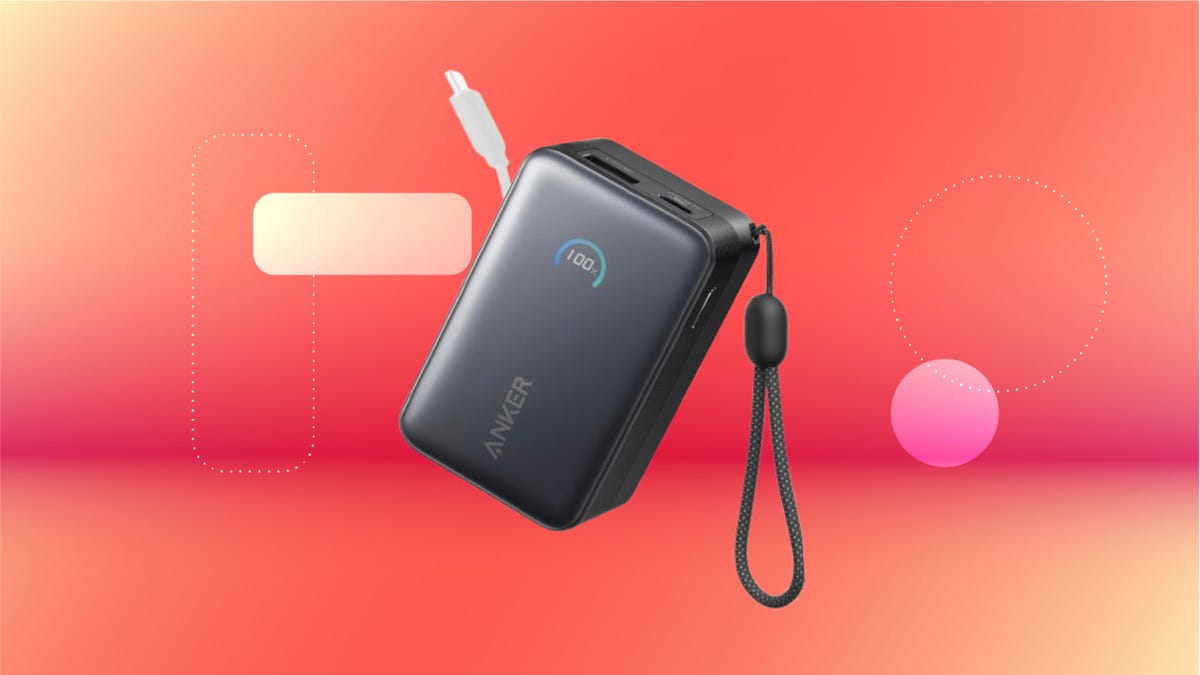
We’ve just spotted the Anker Nano 45-watt portable power bank for just $46 at Amazon right now. This saves you $14 — a 23% discount on its list price. Though it’s $6 more than the lowest-ever price we saw during Black Friday, it’s still a solid discount when you take the rising cost of tech accessories into account. It also matches the lowest price we’ve seen in 2026. It comes in four colors: black, green, pink and white. They’re all on sale for the same price.
This Anker Nano portable charger weighs approximately 8.2 ounces and measures a compact 3.21×1.99×1.42 inches. Despite its small size, it has a retractable cable and supports fast charging in compatible Apple, Samsung, Google Pixel and other smartphones. It also has a large 10,000-mAh capacity and a smart display so you always know how much juice is left in your power bank.
The Nano can charge an iPhone 17 to up to 50% battery in an estimated 20 minutes, and is powerful enough to charge tablets and laptops. Need to charge your devices while charging your power bank? You can do so safely thanks to pass-through charging so you’ll never have to go without battery life.
We’ve also compiled a list of the best power banks for iPhones and for Android, in case this deal isn’t quite a fit for you.
Why this deal matters
If you travel, have a long commute time or are otherwise always on the go, a portable charger can help you keep your devices fully powered. This 45-watt Anker Nano power bank is compact, includes a loop that lets you keep track of it easily and has a built-in cable so you don’t have to keep up with extra cords. Amazon’s $14 discount makes this a solid deal for anyone looking for a compact power bank.
-
 Technologies3 года ago
Tech Companies Need to Be Held Accountable for Security, Experts Say
-
 Technologies3 года ago
Best Handheld Game Console in 2023
-
 Technologies3 года ago
Tighten Up Your VR Game With the Best Head Straps for Quest 2
-
 Technologies4 года ago
Black Friday 2021: The best deals on TVs, headphones, kitchenware, and more
-
 Technologies5 лет ago
Google to require vaccinations as Silicon Valley rethinks return-to-office policies
-
 Technologies5 лет ago
Verum, Wickr and Threema: next generation secured messengers
-
 Technologies4 года ago
Olivia Harlan Dekker for Verum Messenger
-
 Technologies4 года ago
The number of Сrypto Bank customers increased by 10% in five days