
Technologies
Every Active Borderlands 4 SHiFT Code
It’s dangerous to explore Kairos without some legendary gear. These promo codes will unlock epic loot and vault hunter cosmetics in Borderlands 4.
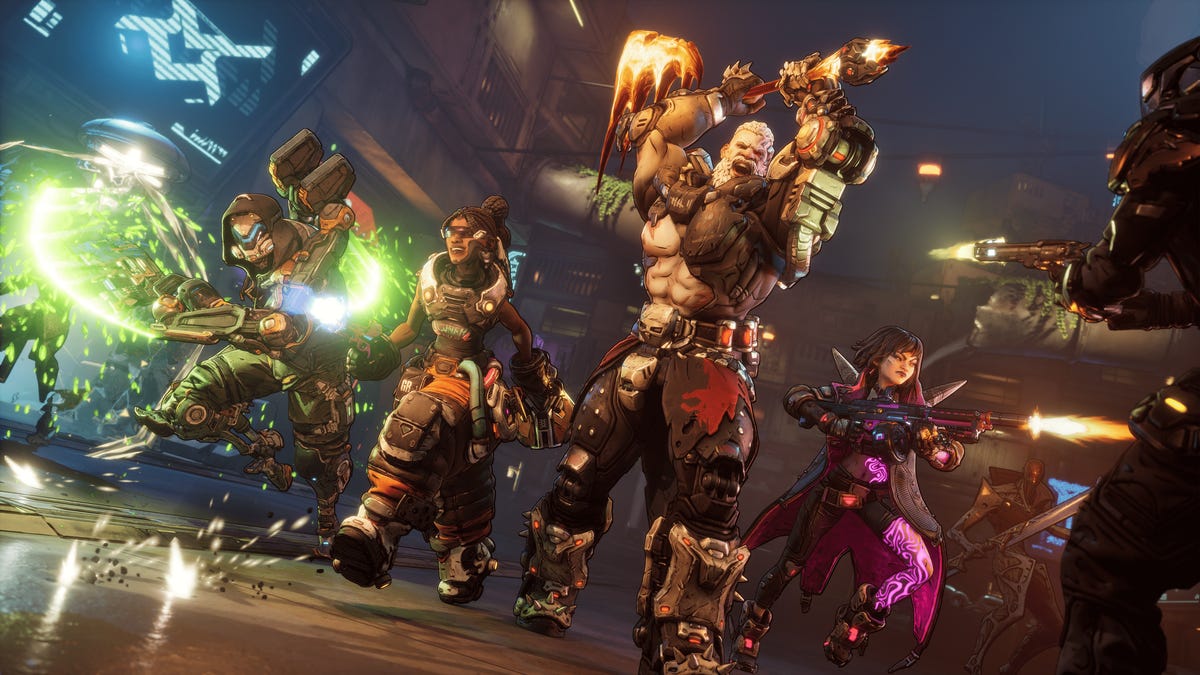
The biggest looter shooter of the year, Borderlands 4, is out, and tons of players are already taking the fight to the Timekeeper on Kairos. If you want to put the beat down on someone strong enough to control time, then you’re going to need an arsenal of powerful weapons and equipment.
Luckily, developer Gearbox Software is willing to lend a helping hand. Instead of having to farm every piece of legendary equipment in-game, you can roll the dice on some loot with Golden Keys unlocked by SHiFT promo codes.
If you’re already swimming in more loot than you know what to do with, some SHiFT codes also unlock special cosmetic looks for your favorite vault hunters. Special in-game challenges have already unlocked promo codes for Amon, Rafa and Vex vault hunter skins, with a Harlowe skin unlocking soon. Here’s how to use the latest SHiFT codes in Borderlands 4.
All active SHiFT codes for Borderlands 4
You can hunt down SHiFT codes on social media, but we’ll keep all of the active promo codes in one place for ease of access.
Below, you’ll find a chart that contains every active SHiFT code for Borderlands 4, what it unlocks and its expiration date:
Active Borderlands 4 SHiFT codes
| Reward | SHiFT code | Expiration date |
|---|---|---|
| Golden Key | WZK3B-SHTHF-JZ59K-SBT3B-TWHXT | Oct. 19, 2025 |
| Vex Mass Market Appeal Skin | BZ6JJ-CB6CT-WXJJW-3TT3B-56FZ5 | Jan. 1, 2031 |
| Amon Cult Classic Skin | JZ6BJ-SBR5J-WF3BK-BT3BB-TX9HB | Dec. 31, 2030 |
| Rafa Savings Savior Skin | TZXT3-XJXCB-CXBJW-BTTJT-9SK6B | Dec. 31, 2030 |
| Break Free Cosmetics Pack | JS63J-JSCWJ-CFTBW-3TJ3J-WJS5R | Jan. 1, 2031 |
| Golden Key | T9RJB-BFKRR-3RBTW-B33TB-KCZB9 | No expiration |
How to redeem SHiFT codes for your Borderlands 4 account
While SHiFT codes are totally free rewards for you to accumulate, you must make a SHiFT account to input any active codes in-game.
SHiFT is a service that Gearbox integrates into its biggest games, and making an account unlocks forums and exclusive beta participation. It’s also necessary to create an account to turn in any promo codes, which is what most fans care about.
Once your account is created, you can enter your SHiFT codes in two separate places. Within your SHiFT account settings, you can find a Rewards tab with a field to enter any Borderlands promo codes. Once you enter the codes, any unlocked items will be added to your account the next time you open the game.
However, an easier way to input your SHiFT codes is within Borderlands 4 itself. Within the game’s pause menu, you can access a SHiFT. Select the Rewards tab from the resulting menu, input your codes, and the unlocked items will be immediately available on your save.
Where are SHiFT codes normally released?
SHiFT codes are released fairly frequently on Gearbox and Gearbox-affiliated social media channels. For the best chance at catching every new SHiFT code that gets released, you should follow Gearbox on X and on Facebook.
Gearbox CEO Randy Pitchford also releases promos on his X account, so if you’re brave enough to follow him despite his frequent outbursts toward fans you can find SHiFT codes there as well.
What are SHiFT codes?
SHiFT codes are promo codes that Gearbox occasionally releases that reward players with loot and cosmetics in Borderlands games. The main SHiFT code reward is a Golden Key, which opens the Golden Chest in most Borderlands hub areas.
But don’t spend them immediately — it’s worth saving your Golden Keys until you reach the level cap and are playing on the hardest difficulty, as the loot rewards will scale to your character accordingly. This is a great way to begin farming some endgame legendaries quickly and easily.
Technologies
Google’s Pixel 10A Is Coming to Japan With an Exclusive Blue Edition and Special Wallpaper
This model comes with creatively designed stickers and a special look for Pixel’s 10th anniversary.

Don’t be blue: Google is releasing an Isai blue edition of the Pixel 10A to celebrate the Android phone line’s 10th anniversary, setting it apart with its own sticker set, specialized wallpaper and custom icons. But it’ll only be available in Japan.
Announced Tuesday on the Google Japan blog, the Isai blue Pixel 10A has a dark blue look and includes bonus decorations designed in collaboration with Japan’s Heralbony art company. These include an exclusive bumper case and stickers for customization.
This edition of the Pixel 10A will arrive in Japan on May 20, following the April 14 release of the Pixel 10A in its original colors of lavender, berry, fog and obsidian. The Isai blue model costs 94,900 yen, which roughly translates to $595, and includes 256GB of storage.
This makes it slightly less expensive than the US model’s 256GB edition, but it comes with a number of fun extras at no additional cost.
Google’s creation of a country-specific model for Japan may also reflect strong sales in that market. In 2023, the IDC analytics firm (via 9to5Google) reported that the Pixel 7 series accounted for 10.7% of the country’s market share, a 527% increase from 2022.
Technologies
Can’t Wait for New Emoji? Here’s How to Create Your Own on iPhone
Apple Intelligence-enabled iPhones can create custom emoji in a few easy steps.

Apple brought new emoji to all iPhones when the company released iOS 26.4 on March 24. The new emoji include «» orca, «» distorted face and «» hairy creature — or as we might normally call it, Sasquatch. According to Emojipedia, there are 3,953 emoji with more on the way, including a pickle. But there’s no emoji for a dog wearing pajamas, a plate with burgers and fries and many other things. But if you have Genmoji on your iPhone you can create these emoji and many more.
Apple released iOS 18.2 in 2024 and the company introduced its own emoji generator, called Genmoji, to Apple Intelligence-capable iPhones at that time. The Unicode Standard, a universal character encoding standard, is responsible for creating new emoji, and approved emoji are added to all devices once a year. With Genmoji, you don’t have to wait for new emoji to appear on your iPhone each year. You can just create them as you need them.
Read on to learn how to use Genmoji on iPhone to create your own custom emoji. Just note that only iPhones with Apple Intelligence, like the iPhone 17 lineup, can use Genmoji at this time.
Note: The new emoji may not display correctly for Apple users whose devices aren’t on a 26.4 software version.
How to make custom emoji
1. Open Messages and go into a chat.
2. Tap the plus (+) button next to your text box.
3. Tap Genmoji.
You can then type a description of an emoji into the text box near the bottom of your screen and tap the check mark on your keyboard to enter that description into Genmoji. You can also tap different suggestions and themes that are right above the text box. And with iOS 26 or later, you can also combine and use emoji to create others rather than describing a new emoji or using suggestions.
Your iPhone will generate a series of new emoji for you to pick from according to your description, and you can swipe through these new emoji. When you find the one you want, tap Add in the top right corner of your screen and the new emoji will be available to use as an emoji, tapback or a sticker. Now you don’t have to wait for the Unicode Standard to propose, create and bring new emoji to devices.
For more iOS news, here’s what to know about iOS 26.4 and iOS 26.3. You can also check out our iOS 26 cheat sheet for other tips and tricks.
Technologies
Save Over 20% on This Handy 10,000-mAh Anker Nano Power Bank
Keep your devices charged on the go with this Anker Nano power bank, now down to just $46.
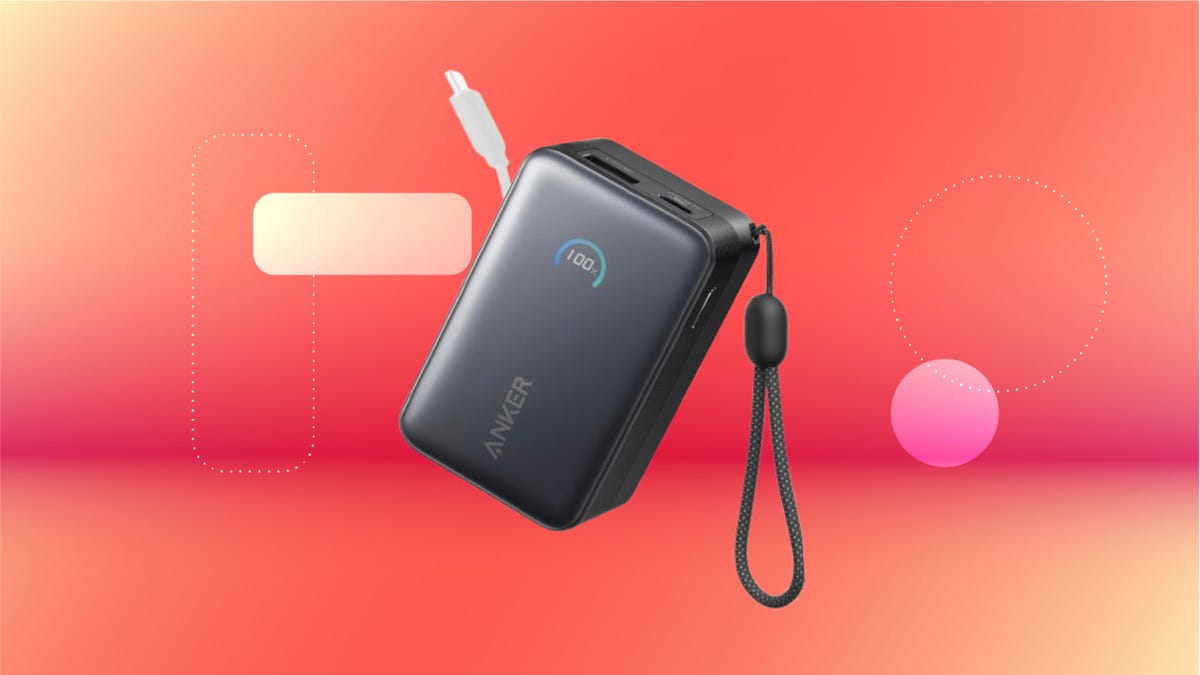
We’ve just spotted the Anker Nano 45-watt portable power bank for just $46 at Amazon right now. This saves you $14 — a 23% discount on its list price. Though it’s $6 more than the lowest-ever price we saw during Black Friday, it’s still a solid discount when you take the rising cost of tech accessories into account. It also matches the lowest price we’ve seen in 2026. It comes in four colors: black, green, pink and white. They’re all on sale for the same price.
This Anker Nano portable charger weighs approximately 8.2 ounces and measures a compact 3.21×1.99×1.42 inches. Despite its small size, it has a retractable cable and supports fast charging in compatible Apple, Samsung, Google Pixel and other smartphones. It also has a large 10,000-mAh capacity and a smart display so you always know how much juice is left in your power bank.
The Nano can charge an iPhone 17 to up to 50% battery in an estimated 20 minutes, and is powerful enough to charge tablets and laptops. Need to charge your devices while charging your power bank? You can do so safely thanks to pass-through charging so you’ll never have to go without battery life.
We’ve also compiled a list of the best power banks for iPhones and for Android, in case this deal isn’t quite a fit for you.
Why this deal matters
If you travel, have a long commute time or are otherwise always on the go, a portable charger can help you keep your devices fully powered. This 45-watt Anker Nano power bank is compact, includes a loop that lets you keep track of it easily and has a built-in cable so you don’t have to keep up with extra cords. Amazon’s $14 discount makes this a solid deal for anyone looking for a compact power bank.
-
 Technologies3 года ago
Tech Companies Need to Be Held Accountable for Security, Experts Say
-
 Technologies3 года ago
Best Handheld Game Console in 2023
-
 Technologies3 года ago
Tighten Up Your VR Game With the Best Head Straps for Quest 2
-
 Technologies4 года ago
Black Friday 2021: The best deals on TVs, headphones, kitchenware, and more
-
 Technologies5 лет ago
Google to require vaccinations as Silicon Valley rethinks return-to-office policies
-
 Technologies5 лет ago
Verum, Wickr and Threema: next generation secured messengers
-
 Technologies4 года ago
Olivia Harlan Dekker for Verum Messenger
-
 Technologies4 года ago
The number of Сrypto Bank customers increased by 10% in five days