
Technologies
The Galaxy Watch 8 Pissed Me Off, but I’d Still Recommend It
Samsung’s Running Coach questioned my running skills. But Gemini may have just restored my faith in voice assistants.
Our Experts


The Running Coach on the Galaxy Watch 8 needs to be kicked to the curb. I’m not expecting an Olympic endorsement deal anytime soon, but after 20 years of running (four half marathons, multiple 10K and 5Ks), I’d hope to graduate beyond «beginner.» Not according to Samsung’s latest watch. Either it’s using a rigid set of criteria to assign training plans, or it’s gaslighting me on purpose to tap into my competitive streak. Whatever the case, Running Coach left me questioning its usefulness and cast a gray cloud over my running experience. Something seemed off, so I checked in with Samsung and am still waiting to hear back.
Running Coach aside, the $350 Galaxy Watch 8 ($50 more than last year’s Galaxy Watch 7) gets a lot of other things right, and I still recommend it to anyone looking for a solid Wear OS smartwatch. One of the biggest surprises: Gemini. This is the first smartwatch to come with Google’s AI assistant built in, and the voice assistant actually feels useful on the wrist. It’s also one of the most comfortable watches I’ve ever worn (though not the most stylish). It has nearly every feature I could hope for, including a screen that’s blindingly bright and new health sensors for more accurate health tracking.

Pros
- Dual sizing options that fit well on smaller wrists
- Comfortable, lightweight design
- Gemini assistant is fast and genuinely helpful
- New health sensors offer more accurate insights
- Bright display is visible in direct sunlight
Cons
- Price is $50 more than the Galaxy Watch 7
- Squared frame isn’t for everyone
- Health features require manual setup
- Running Coach accuracy is questionable so far
- Proprietary straps limit options from third parties
- 40mm model tops out at 30 hours battery life
From feature-rich smart rings (Samsung’s Galaxy Ring included) to budget smartwatches like the $80 Amazfit Bip 6, the competition for your health data is getting fierce. In a crowded landscape, Samsung positions the Galaxy Watch 8 as a high-end alternative with the goal of long-term success: slowing the hands of time, promoting healthy aging and delivering more meaningful measurements.
The result is a mature smartwatch that goes above and beyond the basics, offering new metrics for cardiovascular health, a skin-based antioxidant index, improved bedtime guidance, and yes, a personal running coach that promises to get you «marathon-ready.» I swear I’m not bitter. Most of these tools rely on Samsung’s advanced BioActive sensor, which is available only on the Series 8 models (and the Ultra), and one of the main reasons why you’d consider upgrading. It’s also worth noting that none of these features are medical-grade devices and therefore should be taken with a healthy grain of salt.
After wearing the Galaxy Watch 8 for less than a week, some of the new features still feel like works in progress while others show real potential. Paired with a Galaxy phone, the Watch 8 feels like a confident, integrated health and fitness companion with a voice assistant that might actually talk you into keeping it on.
The Galaxy Watch 8 is available now for preorder for a base price of $350 for the 40mm model, and $380 for the 44mm version. Add $50 more for LTE on either size.
Galaxy Watch 8 Running Coach
As a longtime runner, I was genuinely excited about the new Running Coach — a virtual coach that would give me personalized training plans and real-time feedback to whip me back into racing shape. The setup involved filling out a brief questionnaire on my phone about my running and workout habits. Then it asked me to record my longest run in the last three months, which happened to be a 5K.
I’m a no-frills runner; I usually have about 30 minutes to squeeze in a jog, which means getting out the door without searching for a headset or curating the perfect playlist. So the idea of needing headphones just to hear the Running Coach felt like a drag. A quick «turn up the volume to max» command to Gemini saved the day. Fortunately for me, the watch plays the prompts through its speaker, which, while not particularly loud, was loud enough for me to finish the assessment without headphones.
The test started with a short warmup, then moved into intervals: a normal pace, an all-out sprint, then back to normal, followed by a cooldown to gauge how quickly my heart rate recovered. In total, it took about 14 minutes. The voice was definitely robotic — not exactly the tough-love human sounding coach I had imagined.
I was still recovering from intense travel and a lingering ACL injury, so I wasn’t expecting a gold star. But with an average pace of 9:45 per mile, I figured I’d at least score higher than level one. Being labeled a beginner and assigned a plan to «build up to a 5K» felt borderline insulting, especially considering I’d just told it that I’d already completed one.
Looking closer at the plan, I saw it had me walking for 30 minutes during the first week, with a goal of running 0.93 miles in less than 10.5 minutes by week four. Both of which I’d already done during the initial assessment.
Meanwhile, a colleague who isn’t a runner and walked the entire test got the same training plan I did. That raised some serious questions. How «personalized» can this really be if two people with vastly different running backgrounds are given the exact same plan?
For now, the experience has left me skeptical — and has definitely taken some shine off a feature I was really hoping to love. It’s possible the coach will recalibrate my training plan as it gathers more running data, but it’s also just as likely that Running Coach itself needs to step up its game with future updates.
Galaxy Watch 8 Antioxidant Index
Samsung’s new Antioxidant Index, which measures carotenoid levels in the skin, is arguably one of the most interesting features on the Galaxy Watch 8, and one of the most confusing.
I didn’t know much about antioxidants beyond a vague association with fruits and vegetables. So I had to go down multiple rabbit holes just to understand what exactly it was measuring in the first place. Carotenoids are one type of naturally occurring antioxidant, found in veggies like carrots, sweet potatoes and leafy greens. According to the National Institutes of Health, antioxidants help the body clear out potentially harmful free radicals (unstable oxygen molecules typically caused by stress, poor diet, smoking and pollution). When those free radicals build up over time, they create oxidative stress, which has been linked to long-term health issues like heart disease, cancer and premature aging. So, keeping healthy levels of antioxidants in your body is one of the keys to prevention.
The Galaxy Watch 8, Classic and Ultra use new optical sensors to detect these carotenoid levels in your skin. It doesn’t take the measurement from your wrist because, according to Samsung, there’s too much interference from blood vessels and ambient light. Instead, the watch asks you to remove it and place your thumb on the sensor for a few seconds. After that, you get a score between 0 and 100, which falls into one of three categories: very low, low or adequate.
My first score was «low» (67/100). Not terrible, but also not great. Apparently, even a healthy diet can’t offset the stress, sleep deprivation and general chaos of my overnight travel and a three-day product launch in a new city.
To get more context, the watch connects you to the Health app on your phone. To improve my levels, it suggested I eat «half a pear today.» Not a full pear. Not five blueberries. Half a pear. Going further down the rabbit hole will lead you to more background on what the feature does and generic advice about antioxidant-rich diets (leafy greens and sweet potatoes). It also mentions it can take up to two weeks of consistent habit changes to see a significant difference in your overall score, so chugging a green smoothie (or eating half a pear today) will do little to move the needle if I were to test the very next day.
Despite the initial learning curve, I have to step back and acknowledge how impressive this tech is. It’s wild that a watch can estimate antioxidant levels using light-based sensors without requiring a lab or a blood test. That’s no small feat.
What the Galaxy Watch struggles with right now is translating that science into something meaningful. I wish it had at least a weekly reminder built in to use it. Maybe after a few months of consistent use, I’d start to see clearer trends and better correlations. But I think it’ll be up to Samsung to make those connections easier to understand and easier to care about. But for now, I probably wouldn’t buy this watch for this feature alone.
Galaxy Watch 8 design
The Galaxy Watch 8 has a brand-new design that, for me, was definitely an acquired taste. At first glance, it looks like the Galaxy Watch Ultra and Galaxy Watch 7 had a baby — and not the cute kind. The new squircle frame feels unnecessary, and without a bezel (rotating like the Watch 8 Classic or static like the Ultra), the transition from the squared-off frame to the circular screen feels abrupt, like it’s missing a piece. That sharper transition also means the screen is more exposed, making it more vulnerable to bumps and drops.
Then there’s the band situation. Samsung has moved away from the universal strap system, swapping it for the proprietary lug system similar to what it introduced on the Galaxy Watch Ultra. That limits your options for watch bands, especially if you were hoping to bring your favorite third-party band along for the ride.
But when you dig into the «why» of these design changes, they start to feel less like an arbitrary redesign and more like a calculated decision aimed at comfort and accuracy.
The Galaxy Watch 8 is thinner, lighter, and less bulky than previous models. The 40mm version I tested is one of the most comfortable smartwatches I’ve worn. I usually dread wearing smartwatches to bed, and this one I almost forgot I had on. The squircle frame and lug system allow the strap to sit flush against my skin, reducing gaps and creating a snug, more secure fit.
Samsung says this tighter fit allows its sensors to work more effectively by minimizing interference from motion, sweat and outside light. What’s clear is that Samsung is prioritizing precision over aesthetics, even if it means alienating longtime Galaxy Watch owners who value the classic circular design or easy strap-swapping.
Personally, I don’t wear a smartwatch for looks. While design matters, I’d rather have accurate, reliable health data and a better fit than a slick design that compromises on function.
Galaxy Watch 8 and Gemini AI
My history with voice assistants on smartwatches has been… rough. I’ve probably spent more time yelling at my wrist than actually getting anything done (looking at you, Bixby and Siri). But with Gemini, I’m officially a convert.
I’ve been hardwired to cater to voice assistant limitations, so speaking naturally was probably the hardest adjustment for me when using Google’s Gemini. No awkward phrasing, long pauses or shouting required. What I got back was useful, bite-size summaries that were read aloud instead of just dumped as a string of links I’d never open on a watch screen.
It’s also smart enough to handle vague prompts and context. For example, I asked for «that famous bridge shot in Brooklyn that’s allover social media,» and Gemini immediately pulled up the right landmark.From there, I just said, «show me photos,» and it displayed images ofthe bridge without having to repeat its name. A simple «take me there»command then brought up directions automatically. Gemini does require an internet connection to work (Wi-Fi or LTE), so Bluetooth-only watch users will need to have their phone nearby. It can even draft a text for you in a different language.
The Galaxy Watch 8 runs on Wear OS 6 and Samsung’s One UI 6 Watch, both of which bring welcome design changes. You’ll find new action tiles, a cleaner interface, more watch faces and a refreshed Now Bar at the bottom of the screen for quickly jumping back into timers, workouts or anything else running in the background.
Galaxy Watch 8 Bedtime Guidance
The Galaxy Watch 8 has a new Bedtime Guidance tool that uses a three-day analysis of your circadian rhythm and sleep pressure (sleep debt you’ve accumulated) to recommend an ideal bedtime window. It factors in heart rate, HRV, skin temperature, and even environmental cues like room temperature or brightness. The goal: Improve your sleep quality, recovery and energy throughout the day.
As someone who wasn’t sold on the Galaxy Watch’s original Sleep Coach feature (which felt more like a checklist of generic bedtime advice), I was skeptical about the new bedtime guidance. But this is one I’d actually consider sticking with. It’s not that I don’t know how many hours of sleep I should be getting, but hearing a science-backed reason for why I should go to bed at a specific time makes me more inclined to listen.
In my case, the watch recommended 11 p.m. As I write this, it’s currently 10:57 p.m., so I guess I’d better wrap up this review. It’ll be interesting to see how my energy levels shift if I actually follow the guidance for a week. I could also see this being helpful for shift workers or anyone traveling across time zones who doesn’t know how best to reset their sleep schedule. I’ll report back in a longer-term review.
Galaxy Watch 8 battery and storage
Let’s set expectations: Just because the Galaxy Watch 8 looks like the Ultra doesn’t mean it matches the Ultra’s three-day battery life, it’s not even close.
Samsung says the Watch 8 has an 8% larger battery than the Watch 7: 325mAh vs. 300mAh on the 40mm model, and 435mAh versus 425mAh on the 44mm. In theory, the larger batteries paired with the efficiency gains coming with Wear OS 6 should mean at least a few extra hours of use compared with last year’s models, but the reality is that all these new health and AI features offset any gains.
In my six days of testing, I had to charge the Watch 8 four times, averaging about 30 hours on a single charge with all features turned on: always-on display, notifications, at least one GPS workout a day, and full night sleep tracking. That’s right on par with what my former colleague Lexy Savvides reported in her Galaxy Watch 7 review from last year. How it would fare now running Gemini, is a question for another day, but worth considering if you happen to see a dip in your Galaxy Watch 7 after the Gemini update.
The Watch 8 offered to switch to low power mode when it got to 15%, but I’m an all-or-nothing kind of gal, so I declined. The good news is that it recharged in just about an hour, which makes it less likely for me to forget on the charger as I’m running out the door.
It’s unclear whether the 44mm model or the Classic will give you noticeably more battery life, but if you want to go a full three days without recharging, the Ultra is still your best bet.
The storage and processor also remain the same as last year’s Watch 7 and Ultra, with 32GB (the Classic and Titanium Blue Ultra got bumped to 64GB of storage). All three models are powered by a five-core Exynos W1000 (processor) which handles everything smoothly, from general tasks to running Gemini, with zero complaints on speed or responsiveness. They also have the dual-frequency GPS using L1 and L5 bands that Samsung debuted on last year’s models.
Should you buy the Galaxy Watch 8?
Calling the Galaxy Watch 8 an «ambitious» smartwatch feels a little cliché, but in this case, it actually fits. Sure, some of the features are still a work in progress, but they point to where Samsung is headed: turning these smartwatches into true health companions that will help bridge the gap between the doctor’s office and your day-to-day. But not everyone needs all of these new features (at least not right now), and I wouldn’t buy this watch for the health tools alone.
Most people will be enticed by its more «boring» upgrades: it’s brighter screen, lighter, more comfortable fit and a built-in AI assistant that finally makes wrist-based voice control feel useful instead of frustrating. Plus, the processing power and battery life to make it shine.
If you already own a Galaxy Watch 7, you’re probably OK skipping this upgrade cycle, unless you’re drawn to the new shape or improved sensor accuracy. You’ll still be getting many of the same software upgrades on older models, including Gemini and Bedtime Guidance. And if you prefer the freedom of universal watch bands, the Watch 7 may be a better buy for now.
Having two Watch 8 size options (40mm and 44mm) is definitely a plus if you have smaller (6″) wrists like me. But if you’re leaning toward a larger face and miss the rotating bezel, you’ll want to consider the Galaxy Watch 8 Classic, which I’ll be reviewing soon too.
Technologies
Today’s Wordle Hints, Answer and Help for April 7, #1753
Here are hints and the answer for today’s Wordle for April 7, No. 1,753.
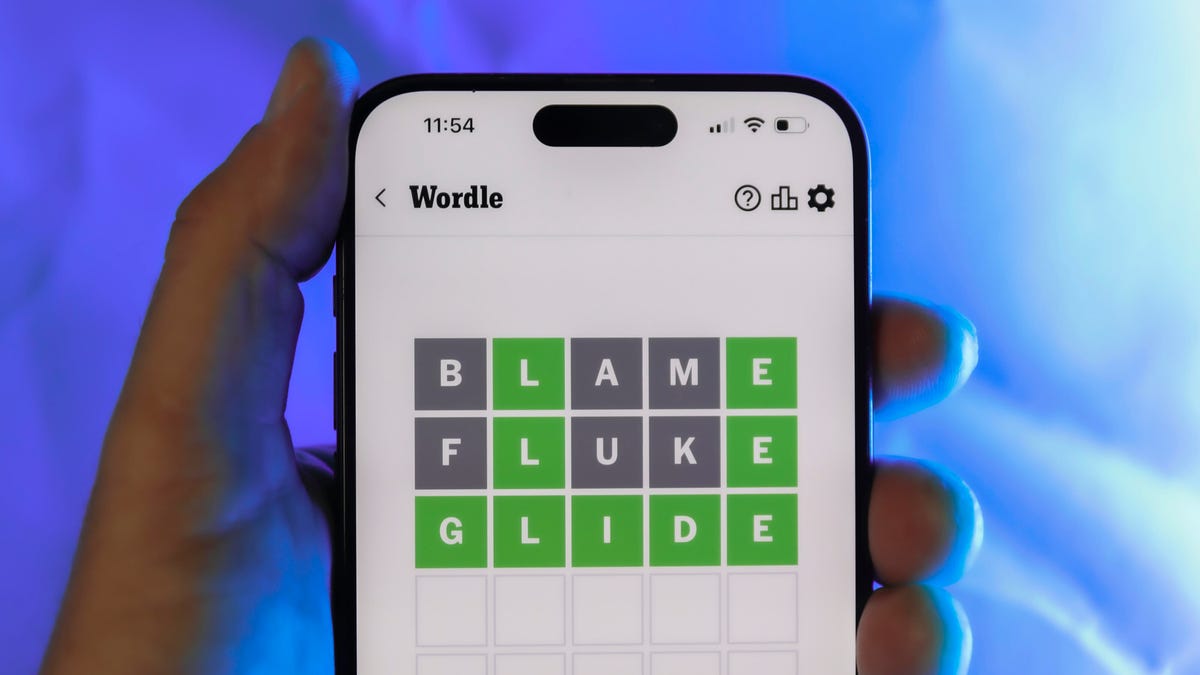
Looking for the most recent Wordle answer? Click here for today’s Wordle hints, as well as our daily answers and hints for The New York Times Mini Crossword, Connections, Connections: Sports Edition and Strands puzzles.
Today’s Wordle puzzle wasn’t too tricky, for a change. If you need a new starter word, check out our list of which letters show up the most in English words. If you need hints and the answer, read on.
Read more: New Study Reveals Wordle’s Top 10 Toughest Words of 2025
Today’s Wordle hints
Before we show you today’s Wordle answer, we’ll give you some hints. If you don’t want a spoiler, look away now.
Wordle hint No. 1: Repeats
Today’s Wordle answer has one repeated letter.
Wordle hint No. 2: Vowels
Today’s Wordle answer has one vowel, but it’s the repeated letter, so you’ll see it twice.
Wordle hint No. 3: First letter
Today’s Wordle answer begins with D.
Wordle hint No. 4: Last letter
Today’s Wordle answer ends with E.
Wordle hint No. 5: Meaning
Today’s Wordle answer can relate to something that is closely compacted.
TODAY’S WORDLE ANSWER
Today’s Wordle answer is DENSE.
Yesterday’s Wordle answer
Yesterday’s Wordle answer, April 6, No. 1752, was SWORN.
Recent Wordle answers
April 2, No. 1748: SOBER
April 3, No. 1749: SINGE
April 4, No. 1750: SANDY
April 5, No. 1751: ENVOY
What’s the best Wordle starting word?
Don’t be afraid to use our tip sheet ranking all the letters in the alphabet by frequency of uses. In short, you want starter words that lean heavy on E, A and R, and don’t contain Z, J and Q.
Some solid starter words to try:
ADIEU
TRAIN
CLOSE
STARE
NOISE
Technologies
Today’s NYT Mini Crossword Answers for Tuesday, April 7
Here are the answers for The New York Times Mini Crossword for April 7.

Looking for the most recent Mini Crossword answer? Click here for today’s Mini Crossword hints, as well as our daily answers and hints for The New York Times Wordle, Strands, Connections and Connections: Sports Edition puzzles.
Need some help with today’s Mini Crossword? Read on for all the answers. And if you could use some hints and guidance for daily solving, check out our Mini Crossword tips.
If you’re looking for today’s Wordle, Connections, Connections: Sports Edition and Strands answers, you can visit CNET’s NYT puzzle hints page.
Read more: Tips and Tricks for Solving The New York Times Mini Crossword
Let’s get to those Mini Crossword clues and answers.
Mini across clues and answers
1A clue: Informative commercial, for short
Answer: PSA
4A clue: Something you trace to draw a Thanksgiving turkey
Answer: HAND
5A clue: ___ Johnson, former Prime Minister of the U.K.
Answer: BORIS
6A clue: Opposite of include
Answer: OMIT
7A clue: Crosses (out)
Answer: XES
Mini down clues and answers
1D clue: City with the Notre-Dame Cathedral
Answer: PARIS
2D clue: Bad mood
Answer: SNIT
3D clue: About eight minutes of the average half-hour sitcom
Answer: ADS
4D clue: Remote worker’s office, perhaps
Answer: HOME
5D clue: Word that can follow each group of circled letters (and hints at its shape)
Answer: BOX
Technologies
NASA’s Artemis II Breaks Record With Trip Around The Moon
-
 Technologies3 года ago
Tech Companies Need to Be Held Accountable for Security, Experts Say
-
 Technologies3 года ago
Best Handheld Game Console in 2023
-
 Technologies3 года ago
Tighten Up Your VR Game With the Best Head Straps for Quest 2
-
 Technologies4 года ago
Black Friday 2021: The best deals on TVs, headphones, kitchenware, and more
-
 Technologies5 лет ago
Google to require vaccinations as Silicon Valley rethinks return-to-office policies
-
 Technologies5 лет ago
Verum, Wickr and Threema: next generation secured messengers
-
 Technologies4 года ago
Olivia Harlan Dekker for Verum Messenger
-
 Technologies4 года ago
The number of Сrypto Bank customers increased by 10% in five days