
Technologies
I Take This Portable Charger Everywhere I Travel and It’s 33% Off Right Now
The handy Anker 622 MagGo snaps right onto the back of my iPhone, and I take it basically everywhere I go. Prices on all colors are discounted to as low as $32 on Amazon.
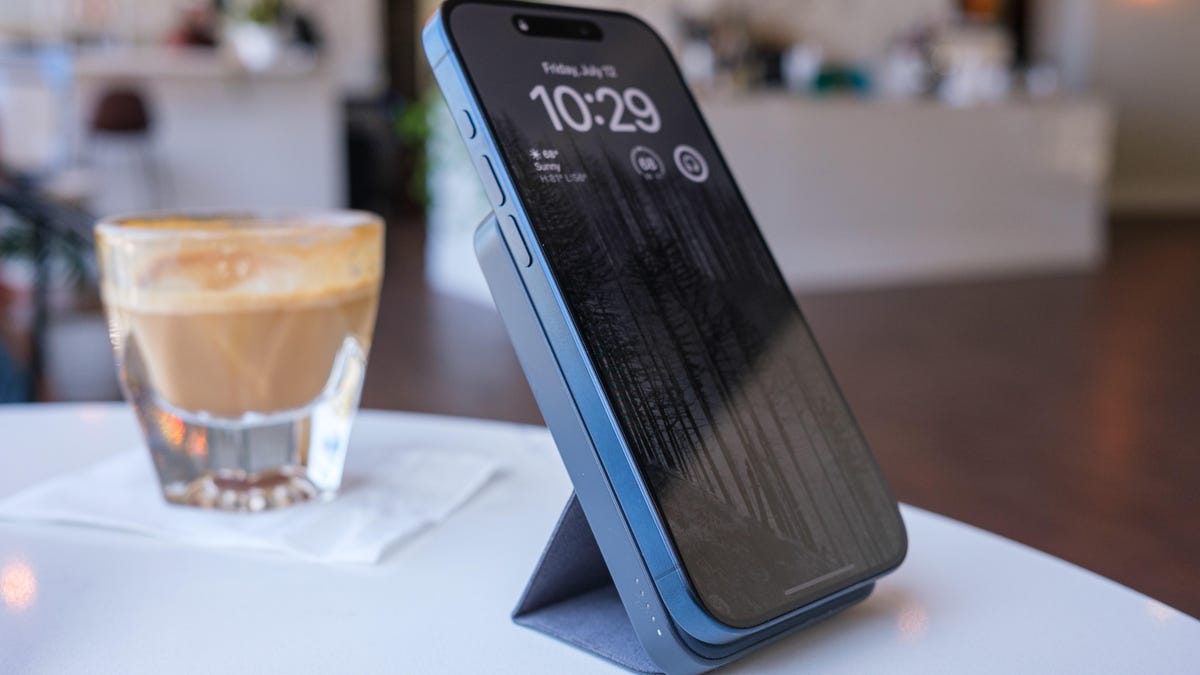
I take my phone with me wherever I go, and I’m not afraid to admit that I’ve come to rely on it for just about every aspect of my life — from getting news, weather and navigation help to staying in close contact with friends, family and co-workers. That means, like many people, I live in constant fear that my iPhone’s battery will die on me right when I need it most. That is, I did until I found the Anker 622 MagGo, which CNET ranked as the best magnetic power bank with an integrated stand, and which I now take with me everywhere I go.
In my opinion, this charger is a worthwhile buy even at its full retail price of $48. But right now you can get every color for a solid discount of about 33% off. The cheapest option is dark gray, which is on sale for $32, while all other colors — lavender, white, mint green and pale blue — are all available for $34.
Here’s why I’ve stuck with this little charger for so long
Have you seen people walk around with a loop of cable hanging from their pocket to their phone? I’ve been there and hooked that loop on too many chairs and table corners. Never again. The ring of magnets in the Anker 622 MagGo aligns with the MagSafe magnets in every iPhone since the iPhone 12, latching securely and charging without wires. (The notable exception is the iPhone 16E, which does not offer MagSafe but does charge wirelessly using Qi technology. The Anker 622 MagGo will charge the iPhone 16E but won’t latch to it magnetically.)
It’s also compact — a little backpack feeding power to the phone while you’re holding it or have it stashed in a pocket, even a jeans pocket if your fit isn’t too tight.
Hey, did you know? CNET Deals texts are free, easy and save you money.
Those features alone would have convinced me but the Anker 622 also includes a fold-out back flap that props up my iPhone and can also hold the phone in its wide orientation for StandBy mode. With a power adapter such as the Anker Nano Pro (not included) and a charging cable, I’ve taught long classes with the phone angled to help me keep track of the time without checking my watch.
Essential Anker 622 MagGo specs
Here’s what you need to know.
- Battery capacity: 5,000 milliamp hours
- Voltage: 1.55 volts
- Output: 7.5-watt Magnetic (compatible with MagSafe-equipped devices, iPhone 12 and later) or 20-watt USB-C port. Can charge only one device at a time.
- Input: The same single USB-C is also how you recharge the device.
- Size: 4.13-inch by 2.61 inches by 0.5 inch
- Weight: 5 ounces
- Included: Magnetic battery, 60cm (23.6 inches) USB-C to USB-C cable
- Warranty: 24 months
MagSafe-compatible charging
I’ve owned several battery chargers and each one has some sort of compromise. They’re bulky. They require a cable. They charge wirelessly but don’t include a magnet to keep the phone in place so it’s hard to maintain that connection. There’s always something.
The Anker 622 is half an inch thick and snaps onto the back of my iPhone using the MagSafe-aligned magnets. I don’t have to turn it on to start charging — power flows as soon as the connection is made.
Now, this isn’t the highest-capacity (5,000 mAh) or fastest portable charger. That’s fine. What I usually need is a way to eke out a few more hours of battery life on my iPhone. I can typically get a full top-off of my iPhone 15 Pro.
Making a stand
The other appealing feature of the Anker 622 MagGo for me is its built-in stand. Honestly, it doesn’t look like it should work well: It’s a fabric-covered set of plastic pieces that lie flush against the case, folds in two places and attaches to the back of the unit with a magnetic strip when extended. Yet I’ve had no problems with the stability of my iPhone 15 Pro or even the larger iPhone 15 Pro Max size.
This also lets me use standby mode by turning the iPhone to landscape orientation (the magnets are strong enough to hold the phone in place) when it’s on a table or desk.
Smart port placement matters
The charger gets its juice from a single USB-C port, which is positioned on the edge of the case, not the bottom. That means you can replenish it while the stand is open — many chargers’ ports are stuck on the bottom.
That USB-C port also acts as a charger for other devices when you plug in a cable, such as when your Apple Watch needs a boost.
How the Anker 622 MagGo compares to similar power banks
Before getting the Anker 622 MagGo, I carried an Anker PowerCore III 10K Wireless, which doubles the battery capacity, includes a USB-A port and charges wirelessly but without magnets to hold the phone in place. That meant if I didn’t use a cable, the phone and charger needed to be stable and level; too often I’d find the iPhone slid off its wireless perch and not charged. It’s also larger and heavier. I still use it, but it’s the power bank that goes into my carry-on suitcase as a backup charger.
Since I’ve owned this Anker 622 MagGo, the company has released a few updated models. The $60 Anker 633 packs 10,000 mAh into a thicker brick, includes a USB-A port in addition to USB-C and has a metal kickstand for resting the phone upright.
You can also consider getting the chunkier Anker MagGo Power Bank that delivers 10,000 mAh and follows the same idea of compact magnetic charging and a convenient kickstand. Its main appeals are faster 15-watt magnetic charging and Qi2 compatibility, plus a small display on the side that reports the battery capacity and an estimate of the remaining battery in hours.
(Note that some Anker power banks were part of a recent recall. Be sure to claim your free replacement or gift card if you own one of the affected devices sold between 2016 and 2022.)
For more smart buys, check out this amazing multitool and a portable TV that can go anywhere.
Technologies
Today’s Wordle Hints, Answer and Help for April 7, #1753
Here are hints and the answer for today’s Wordle for April 7, No. 1,753.
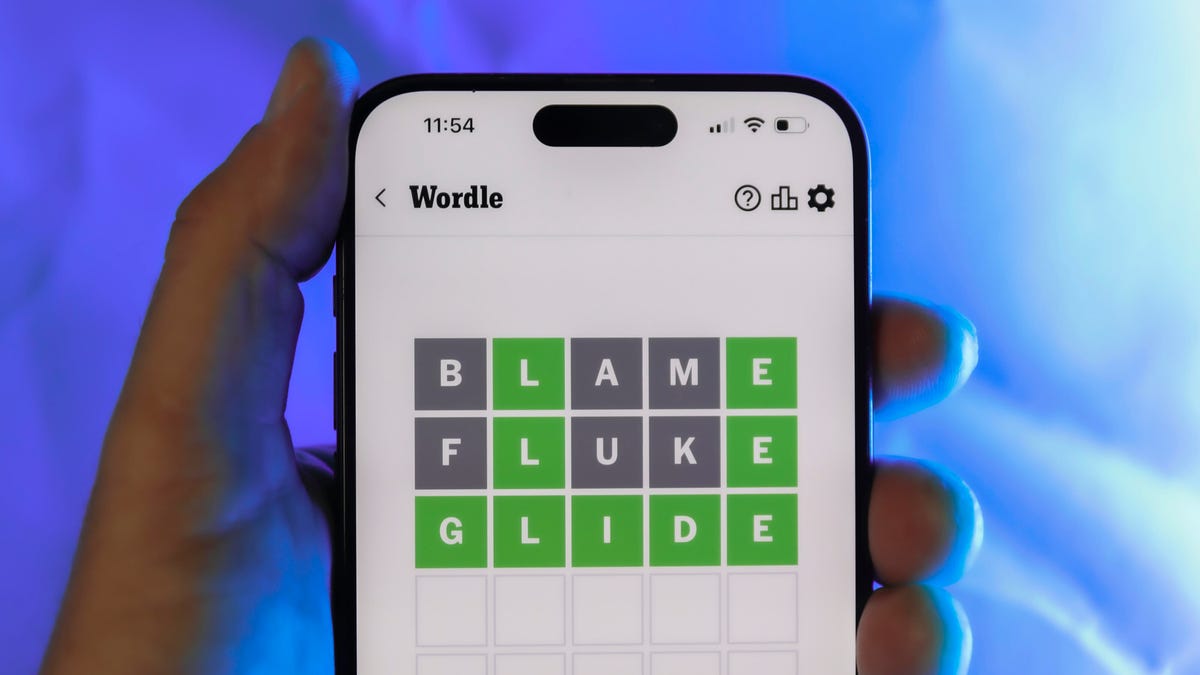
Looking for the most recent Wordle answer? Click here for today’s Wordle hints, as well as our daily answers and hints for The New York Times Mini Crossword, Connections, Connections: Sports Edition and Strands puzzles.
Today’s Wordle puzzle wasn’t too tricky, for a change. If you need a new starter word, check out our list of which letters show up the most in English words. If you need hints and the answer, read on.
Read more: New Study Reveals Wordle’s Top 10 Toughest Words of 2025
Today’s Wordle hints
Before we show you today’s Wordle answer, we’ll give you some hints. If you don’t want a spoiler, look away now.
Wordle hint No. 1: Repeats
Today’s Wordle answer has one repeated letter.
Wordle hint No. 2: Vowels
Today’s Wordle answer has one vowel, but it’s the repeated letter, so you’ll see it twice.
Wordle hint No. 3: First letter
Today’s Wordle answer begins with D.
Wordle hint No. 4: Last letter
Today’s Wordle answer ends with E.
Wordle hint No. 5: Meaning
Today’s Wordle answer can relate to something that is closely compacted.
TODAY’S WORDLE ANSWER
Today’s Wordle answer is DENSE.
Yesterday’s Wordle answer
Yesterday’s Wordle answer, April 6, No. 1752, was SWORN.
Recent Wordle answers
April 2, No. 1748: SOBER
April 3, No. 1749: SINGE
April 4, No. 1750: SANDY
April 5, No. 1751: ENVOY
What’s the best Wordle starting word?
Don’t be afraid to use our tip sheet ranking all the letters in the alphabet by frequency of uses. In short, you want starter words that lean heavy on E, A and R, and don’t contain Z, J and Q.
Some solid starter words to try:
ADIEU
TRAIN
CLOSE
STARE
NOISE
Technologies
Today’s NYT Mini Crossword Answers for Tuesday, April 7
Here are the answers for The New York Times Mini Crossword for April 7.

Looking for the most recent Mini Crossword answer? Click here for today’s Mini Crossword hints, as well as our daily answers and hints for The New York Times Wordle, Strands, Connections and Connections: Sports Edition puzzles.
Need some help with today’s Mini Crossword? Read on for all the answers. And if you could use some hints and guidance for daily solving, check out our Mini Crossword tips.
If you’re looking for today’s Wordle, Connections, Connections: Sports Edition and Strands answers, you can visit CNET’s NYT puzzle hints page.
Read more: Tips and Tricks for Solving The New York Times Mini Crossword
Let’s get to those Mini Crossword clues and answers.
Mini across clues and answers
1A clue: Informative commercial, for short
Answer: PSA
4A clue: Something you trace to draw a Thanksgiving turkey
Answer: HAND
5A clue: ___ Johnson, former Prime Minister of the U.K.
Answer: BORIS
6A clue: Opposite of include
Answer: OMIT
7A clue: Crosses (out)
Answer: XES
Mini down clues and answers
1D clue: City with the Notre-Dame Cathedral
Answer: PARIS
2D clue: Bad mood
Answer: SNIT
3D clue: About eight minutes of the average half-hour sitcom
Answer: ADS
4D clue: Remote worker’s office, perhaps
Answer: HOME
5D clue: Word that can follow each group of circled letters (and hints at its shape)
Answer: BOX
Technologies
NASA’s Artemis II Breaks Record With Trip Around The Moon
-
 Technologies3 года ago
Tech Companies Need to Be Held Accountable for Security, Experts Say
-
 Technologies3 года ago
Best Handheld Game Console in 2023
-
 Technologies3 года ago
Tighten Up Your VR Game With the Best Head Straps for Quest 2
-
 Technologies4 года ago
Black Friday 2021: The best deals on TVs, headphones, kitchenware, and more
-
 Technologies5 лет ago
Google to require vaccinations as Silicon Valley rethinks return-to-office policies
-
 Technologies5 лет ago
Verum, Wickr and Threema: next generation secured messengers
-
 Technologies4 года ago
Olivia Harlan Dekker for Verum Messenger
-
 Technologies4 года ago
The number of Сrypto Bank customers increased by 10% in five days