
Technologies
I Accidentally Learned Just How Durable the Galaxy Z Flip 7 Is
Commentary: Samsung’s Galaxy Z Flip 7 comes with a welcome overhaul to its design. And I can definitely vouch for the new phone’s sturdiness.
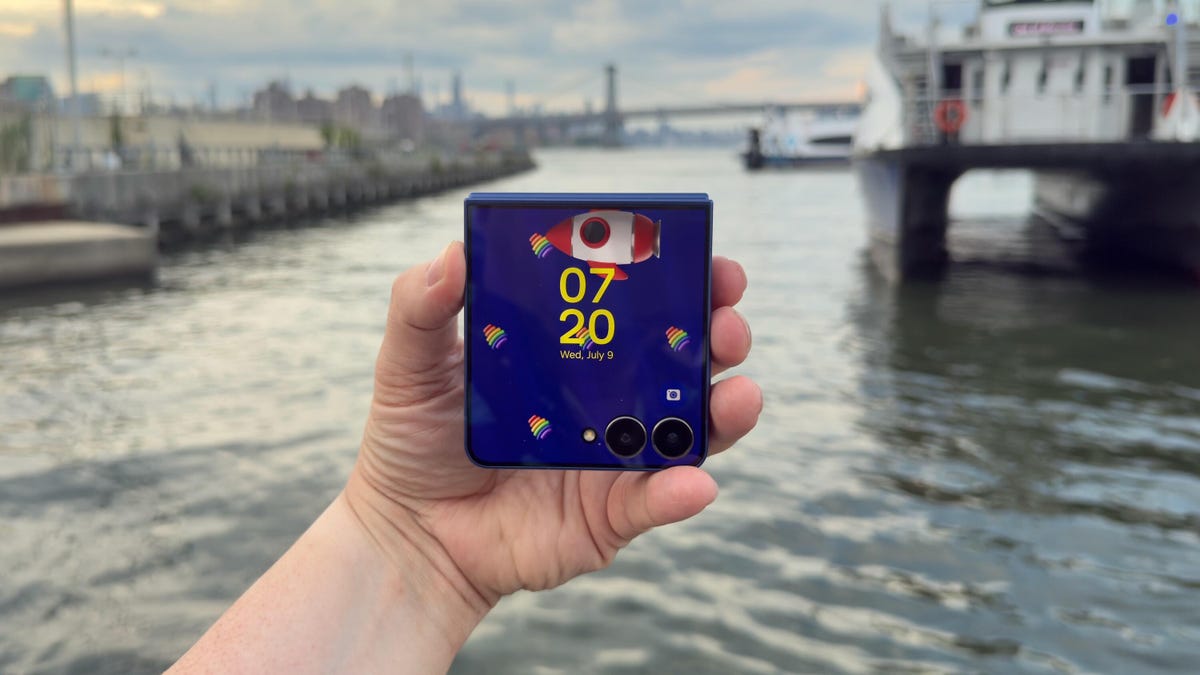
If you’re concerned about how durable Samsung’s foldable phones can be, I’m here to tell you not to worry. And that’s especially true when it comes to the new Galaxy Z Flip 7.
After less than six hours with the Galaxy Z Flip 7, I accidentally performed my own informal drop test. At a catered affair in Brooklyn, I walked outside to get a view of the waterfront, and when I pulled the Z Flip 7 out of my pocket, I fumbled it. I watched helplessly as Samsung’s newest foldable phone fell to the ground. The noise it made when it clacked against the concrete caused everyone around to look at me with a knowing, sympathetic expression that said, «Aw, that’s a shame. Your phone is toast.»
Have you ever dropped your phone? There’s that Schrödinger’s cat-like moment before you pick it up when you’re anxious to see if the phone survived.
Fortunately, the Galaxy Z Flip 7 was fine. The 4.1-inch cover screen didn’t have any cracks or scuffs. The 6.9-inch inner display was unharmed because the phone was shut. The only tell that it kissed the ground was a tiny scuff on the bottom of the phone near the microphones. Samsung’s claim that its new «Armour Flex Hinge» is built to withstand impact is indeed true.
In the early days of foldable phones, one of the biggest unknowns was their durability. It’s amazing that about six years later, the Galaxy Z Flip 7 can handle being dropped on concrete like it had landed on a velvet pillow. Now, I still wouldn’t take the Flip 7 (or any foldable phone) to the beach, as it can only withstand particles that are 1mm or larger. So going to a confetti factory would be fine, but a salt factory is a definite no-no.
The Galaxy Z Flip 7’s thin design
The star of Samsung’s Galaxy Unpacked event was the Galaxy Z Fold 7. At 8.9mm thick when closed, the Fold 7 is ridiculously thin. The Galaxy Z Flip 7 looks like it also went on Ozempic, but it’s 13.7mm thick when closed. That’s slim, but not Fold 7 slim. Why couldn’t the Flip 7 be super slim like the Fold 7? I just keep imagining a Galaxy Z Flip 8 with the same thinness as the Fold 7.
For some perspective, here’s how the Flip 7 compares to its clamshell kinfolk:
Galaxy Z Flip 7 thickness vs. other flip phones
| Phone | Closed | Open |
|---|---|---|
| Samsung Galaxy Z Flip 7 | 13.7mm | 6.5mm |
| Samsung Galaxy Z Flip 6 | 14.9mm | 6.9mm |
| Motorola Razr Plus | 15.32mm | 7.09mm |
| Motorola Razr Ultra | 15.69mm | 7.19mm |
| Motorola Razr (2025) | 15.85mm | 7.25mm |
The Galaxy Z Flip 7’s big cover screen
The original Galaxy Z Flip had a tiny, 1.1-inch pill-shaped cover display. It was perfect for showing the time but pretty much useless for anything else. The defining feature on the Galaxy Z Flip 7 is its 4.1-inch cover display. The screen looks incredible. I was checking my notifications on the screen under direct sunlight and was able to read everything. One of the hang-ups I had reviewing the Galaxy Z Flip 6 was switching from the inner screen to the cover display outdoors. There would be times on sunny days where I could barely make out what was on the cover display, despite having no issues with the main screen.
Samsung has increased the maximum brightness of the Flip 7’s cover screen to 2,600 nits, which is the same as the inner display. Both screens now top out at 120Hz, too, which should make for a much more consistent experience by having system animations, gameplay and scrolling through a social feed look super smooth.
The 6.9-inch inner screen is big, but it doesn’t feel unwieldy when I use it. The Flip 6 had a 6.7-inch display, but that extra 0.2 inches on the Flip 7’s screen makes it feel much bigger, which my middle-aged eyes are grateful for.
In terms of functionality, the cover screen’s natural state is widgets. And some, like Spotify’s widget, are all I need in lieu of using full apps. But I want apps on the home screen, so I need to enable this functionality in the Labs section of Settings and download the MultiStar app. It takes a couple of minutes to set up, but I do wish the interface supported apps by default.
The Galaxy Z Flip 7’s cameras
The Flip 7 has three cameras: a 50-megapixel wide-angle, a 12-megapixel ultrawide and a 10-megapixel selfie camera (in the main 6.9-inch screen). The cameras are the same as those on the Flip 6 and Flip 7 FE. But the phones run on different processors, so differences or improvements in photos and videos (if any) will come from Samsung’s processing and machine learning.
Here are some of my favorite photos from the Galaxy Z Flip 7 so far:
Galaxy Z Flip 7 final thoughts for now
Samsung gave its foldable line a major overhaul. And while the Galaxy Z Fold 7 feels like an entirely different phone from previous Folds, the Galaxy Z Flip 7 seems like a nice refinement. I will say that I’ve had only two days with the phone. And as enamored as I am with the larger cover screen, I’m excited to see how the battery life measures up.
Samsung gave the Flip 7 a 4,300-mAh battery (compared with the Galaxy Z Flip 6’s 4,000-mAh battery), but I wonder if the increased capacity will be offset by the power needed for its Snapdragon 8 Elite chip and those larger, brighter displays.
I have a lot more testing to do. But as I work my way toward a full review, I’ll try not to drop the Flip 7 anymore.
Samsung Galaxy Z Flip 7 specs vs. Motorola Razr Ultra, Samsung Galaxy Z Flip 6
| Samsung Galaxy Z Flip 7 | Motorola Razr Ultra (2025) | Samsung Galaxy Z Flip 6 | |
| Cover display size, tech, resolution, refresh rate | 4.1-inch AMOLED, 948×1,048p, 120Hz refresh rate | 4-inch pOLED, 2,992×1,224p, up to 165Hz variable refresh rate | 3.4-inch AMOLED; 720×748 pixels; 60Hz refresh rate |
| Internal display size, tech, resolution, refresh rate | 6.9-inch AMOLED, 2,520×1,080p, 1-120Hz refresh rate | 7-inch AMOLED; 1,272×1,080p, up to 165Hz variable refresh rate | 6.7-inch AMOLED; 2,640×1,080 pixels; 1-120Hz refresh rate |
| Pixel density | Cover: 342ppi. Internal: 397ppi | Cover: 417 ppi. Internal: 464 ppi | Cover: 306 ppi. Internal: 425 ppi |
| Dimensions (inches) | Open: 2.96×6.56×0.26 Closed: 2.96×3.37×0.26 | Open: 2.91×6.75×0.28 Closed: 2.91×3.47×0.62 | Open: 6.5 x 2.83 x 0.27 Closed: 3.35 x 2.83 x 0.59 |
| Dimensions (millimeters) | Open: 75.2×166.7×6.5 Closed: 75.2×85.5×13.7 | Open: 73.99×171.48×7.19 Closed: 73.99×88.12×15.69 | Open: 165.1×71.9×6.9 Closed: 85.1×71.9×14.9 |
| Weight (grams, ounces) | 188 g (6.63 oz) | 199 g (7 oz) | 187 g (6.6 oz) |
| Mobile software | Android 16 | Android 15 | Android 14 |
| Cameras | 50 megapixel (main), 12 megapixel (ultrawide) | 50 megapixel (wide), 50 megapixel (ultrawide) | 50 megapixel (wide), 12 megapixel (ultrawide) |
| Internal screen camera | 10 megapixel | 50 megapixel | 10 megapixel |
| Video capture | 4K at 60fps | 4K | TBD |
| Processor | Samsung Exynos 2500 | Snapdragon 8 Elite | Snapdragon 8 Gen 3 |
| RAM/storage | 12GB + 256GB, 12GB + 512GB | 16GB + 512GB, 1TB | 12GB + 256GB, 512GB |
| Expandable storage | No | None | None |
| Battery | 4,300 mAh | 4,700 mAh | 4,000 mAh |
| Fingerprint sensor | Yes | Side | Side |
| Connector | USB-C | USB-C | USB-C |
| Headphone jack | None | None | None |
| Special features | One UI 8, IP48 water resistance, 25-watt wired charging, Qi wireless charging, Wi-Fi 7, Bluetooth 5.4, Galaxy AI | IP48 rating, 68-watt wired charging, 30-watt wireless charging, 5-watt reverse charging, dual stereo speakers, Corning Gorilla Glass Ceramic cover display, 3,000 nits peak brightness on cover display, 4,500 nits peak brightness on main display, 5G. | IP48 rating, 25-watt wired charging, wireless charging + powershare, 3x optical zoom (up to 10x digital and 30x Space Zoom with AI Super Resolution tech) |
| US price starts at | $1,100 | $1,300 | $1,100 |
Technologies
Today’s Wordle Hints, Answer and Help for April 7, #1753
Here are hints and the answer for today’s Wordle for April 7, No. 1,753.
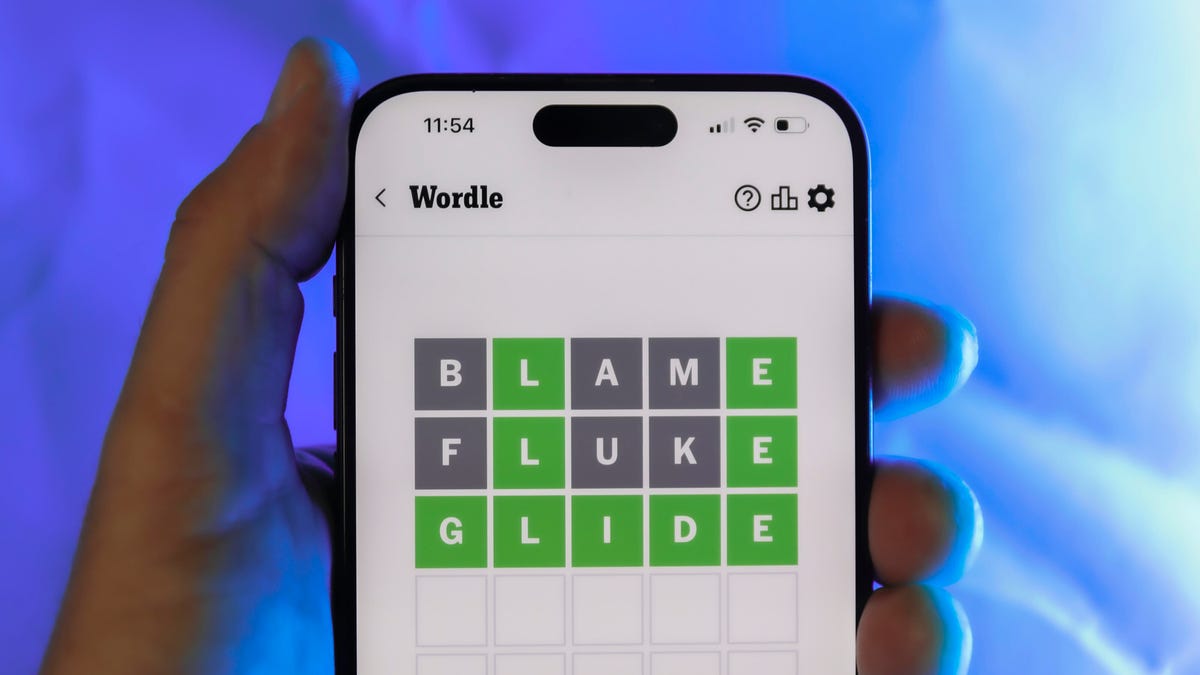
Looking for the most recent Wordle answer? Click here for today’s Wordle hints, as well as our daily answers and hints for The New York Times Mini Crossword, Connections, Connections: Sports Edition and Strands puzzles.
Today’s Wordle puzzle wasn’t too tricky, for a change. If you need a new starter word, check out our list of which letters show up the most in English words. If you need hints and the answer, read on.
Read more: New Study Reveals Wordle’s Top 10 Toughest Words of 2025
Today’s Wordle hints
Before we show you today’s Wordle answer, we’ll give you some hints. If you don’t want a spoiler, look away now.
Wordle hint No. 1: Repeats
Today’s Wordle answer has one repeated letter.
Wordle hint No. 2: Vowels
Today’s Wordle answer has one vowel, but it’s the repeated letter, so you’ll see it twice.
Wordle hint No. 3: First letter
Today’s Wordle answer begins with D.
Wordle hint No. 4: Last letter
Today’s Wordle answer ends with E.
Wordle hint No. 5: Meaning
Today’s Wordle answer can relate to something that is closely compacted.
TODAY’S WORDLE ANSWER
Today’s Wordle answer is DENSE.
Yesterday’s Wordle answer
Yesterday’s Wordle answer, April 6, No. 1752, was SWORN.
Recent Wordle answers
April 2, No. 1748: SOBER
April 3, No. 1749: SINGE
April 4, No. 1750: SANDY
April 5, No. 1751: ENVOY
What’s the best Wordle starting word?
Don’t be afraid to use our tip sheet ranking all the letters in the alphabet by frequency of uses. In short, you want starter words that lean heavy on E, A and R, and don’t contain Z, J and Q.
Some solid starter words to try:
ADIEU
TRAIN
CLOSE
STARE
NOISE
Technologies
Today’s NYT Mini Crossword Answers for Tuesday, April 7
Here are the answers for The New York Times Mini Crossword for April 7.

Looking for the most recent Mini Crossword answer? Click here for today’s Mini Crossword hints, as well as our daily answers and hints for The New York Times Wordle, Strands, Connections and Connections: Sports Edition puzzles.
Need some help with today’s Mini Crossword? Read on for all the answers. And if you could use some hints and guidance for daily solving, check out our Mini Crossword tips.
If you’re looking for today’s Wordle, Connections, Connections: Sports Edition and Strands answers, you can visit CNET’s NYT puzzle hints page.
Read more: Tips and Tricks for Solving The New York Times Mini Crossword
Let’s get to those Mini Crossword clues and answers.
Mini across clues and answers
1A clue: Informative commercial, for short
Answer: PSA
4A clue: Something you trace to draw a Thanksgiving turkey
Answer: HAND
5A clue: ___ Johnson, former Prime Minister of the U.K.
Answer: BORIS
6A clue: Opposite of include
Answer: OMIT
7A clue: Crosses (out)
Answer: XES
Mini down clues and answers
1D clue: City with the Notre-Dame Cathedral
Answer: PARIS
2D clue: Bad mood
Answer: SNIT
3D clue: About eight minutes of the average half-hour sitcom
Answer: ADS
4D clue: Remote worker’s office, perhaps
Answer: HOME
5D clue: Word that can follow each group of circled letters (and hints at its shape)
Answer: BOX
Technologies
NASA’s Artemis II Breaks Record With Trip Around The Moon
-
 Technologies3 года ago
Tech Companies Need to Be Held Accountable for Security, Experts Say
-
 Technologies3 года ago
Best Handheld Game Console in 2023
-
 Technologies3 года ago
Tighten Up Your VR Game With the Best Head Straps for Quest 2
-
 Technologies4 года ago
Black Friday 2021: The best deals on TVs, headphones, kitchenware, and more
-
 Technologies5 лет ago
Google to require vaccinations as Silicon Valley rethinks return-to-office policies
-
 Technologies5 лет ago
Verum, Wickr and Threema: next generation secured messengers
-
 Technologies4 года ago
Olivia Harlan Dekker for Verum Messenger
-
 Technologies4 года ago
The number of Сrypto Bank customers increased by 10% in five days