
Technologies
Apple CarPlay Ultra vs. Google Built-In: How the Next-Gen Auto Software Rivals Compare
Apple and Google are supercharging their car software experiences. Here’s how they differ.
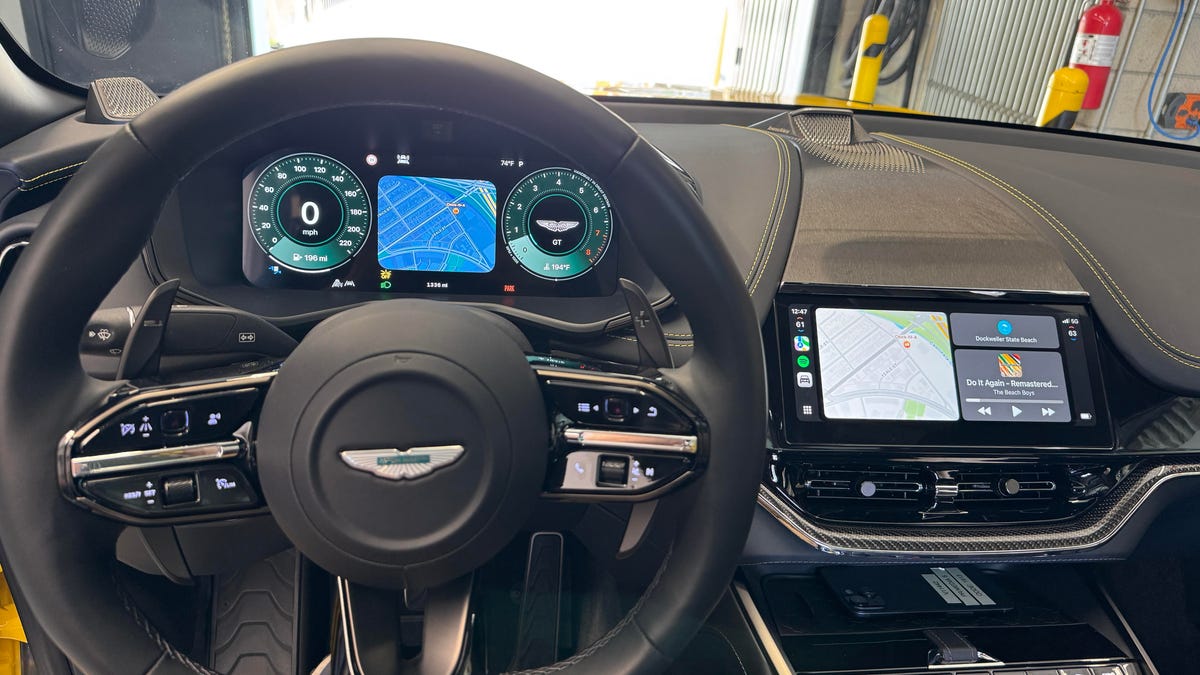
I’d spent an hour driving a $250,000-plus Aston Martin up the Los Angeles coast when my hunger pangs became impossible to ignore, and as I’ve done many times before, I asked Siri (through Apple CarPlay) to find me a taco place. But then I did something no other car on the planet allows: I asked Siri to blast the AC and make the air colder. That’s because the 2025 Aston Martin DBX I drove was the first vehicle to come with Apple CarPlay Ultra, the upgraded version of the company’s car software.
Apple debuted CarPlay Ultra at WWDC 2025 last month, and this year’s version of the Aston Martin DBX is the first vehicle to launch with it (pairing with an iPhone running iOS 18.5 or later). As I drove the luxury crossover around, I fiddled with other features that aren’t available in regular CarPlay, from climate control to radio to checking the pressure on the car’s tires. Ultimately, Ultra gives deeper access to more car systems, which is a good thing.
That reminded me a lot of a new feature announced at Google I/O back in May: Google Built-In, which similarly lets users control more of a car’s systems straight from the software interface (in that case, Android Auto). When I got a demonstration of Google Built-In, sitting in a new Volvo EX90 electric SUV, I saw what this new integration of Google software offered: climate controls, Gemini AI assistance and even warnings about car maintenance issues.
But the name is telling: Google Built-In requires automakers to incorporate Android deeper into their cars’ inner workings. Comparatively, Apple CarPlay Ultra support seems like it won’t require car manufacturers to do nearly as much work to prepare their vehicles, just adding a reasonably advanced multicore processor onboard that can handle an increased task load. (Aston Martin will be able to add CarPlay Ultra support to its 2023 and 2024 lineups through firmware updates because they already contain sufficiently advanced CPUs.)
Both solutions reflect Apple’s and Google’s different approaches to their next versions of car software. Apple’s is lighter weight, seemingly requiring less commitment from the automaker to integrate CarPlay Ultra into their vehicles (so long as it has adequate processing power onboard), which will run through a paired iPhone. Google Built-In does require much more integration, but it’s so self-sufficient that you can leave your Android phone at home and still get much of its functionality (aside from getting and sending messages and calls).
Driving with Apple CarPlay Ultra: Controlling climate, radio and more
As I drove around Los Angeles in the Aston Martin with Apple CarPlay Ultra, I could tell what new features I would be missing once I stepped back into my far more humble daily driver.
At long last, I could summon Siri and ask it to play a specific song (or just a band) and have it pulled up on Spotify. Since Apple’s assistant now has access to climate controls, I asked to turn up the AC, and it went full blast. I asked to find tacos and it suggested several fast food restaurants — well, it’s not perfect, but at least it’s listening.
To my relief, Aston Martin retained the physical knobs by the gearshift to control fan speed, temperature, stereo volume and the car’s myriad roadway options (like driving assistance) in case the driver likes traditional controls, but almost all of them could also be altered in the interface. Now, things like radio controls (AM/FM and satellite) and car settings are nestled in their own recognizable apps in CarPlay’s interface.
Ultimately, that’ll be one of CarPlay Ultra’s greatest advantages: If you enter an unfamiliar vehicle (like a rental), you still know exactly where everything is. No wrestling with a carmaker’s proprietary software or trying to figure out where some setting or other is located. It’s not a complete replacement — in the Aston Martin’s case, there were still a handful of settings (like for ambient light projected when the doors open) that the luxury automaker controlled, but they were weaved into CarPlay so you could pop open those windows and go back to Apple’s interface without visibly changing apps.
The dependable ubiquity of Apple’s CarPlay software will likely become even more essential as cars swap out their analog instrument clusters for screens, as Aston Martin did. There’s still a touch of the high-end automaker’s signature style as the default screen behind the wheel shows two traditional dials (one for the speedometer, one for RPMs) with Aston Martin’s livery. But that can be swapped out for other styles, from other dials with customizable colors to a full-screen Maps option.
Each of the half-dozen or so dashboard options was swapped out via square touchpads smaller than a dime on the wheel next to the other touch controls. On the dual-dial display types, I swiped vertically to rotate between a central square (with Maps directions, current music or other app information) or swiped horizontally to switch to another dashboard option. No matter which one you choose, the bottom bar contains all the warning lights drivers will recognize from analog cars — even with digital displays, you’re not safe from the check engine light (which is a good thing).
Apple CarPlay Ultra doesn’t yet do everything I want. I wish I could also ask Siri to roll down the windows (as Google Built-In can — more on that later) and lock or unlock specific doors. If Apple is connected to the car enough to be able to read the pressure in each tire, I wish it could link up with the engine readout and be able to tell me in plain language what kind of maintenance issue has sprung up. Heck, I wish it could connect to the car remotely and blast the AC before I get in (or fire up the seat warmer), as some proprietary car apps can do. And while Apple Maps and Waze will be included at launch, Google Maps support is not, but it’s coming later.
These aren’t huge deficiencies, and they do show where CarPlay Ultra could better meet driver needs in future updates, notwithstanding the potentially dicey security concerns for using CarPlay Ultra for remote climate or unlocking capabilities. But it shows where the limits are today compared to Google’s more in-depth approach.
Google Built-In: Deeper car integrations — and, of course, Gemini AI
The day after Google I/O’s keynote was quieter back in May, as attendees flitted between focused sessions and demos of upcoming software. It was the ideal time to check out Google Built-In, which was appropriately shown off in a higher-end Volvo EX90 electric SUV (though not nearly as pricey as an Aston Martin).
As mentioned above, Google Built-In has deeper integrations with vehicles than what I saw in Apple CarPlay Ultra, allowing users to change the climate through its interface or access other systems, including through voice requests. For instance, it can go beyond AC control to switch on the defroster, and even raise and lower specific windows relative to the speaker’s position: cameras within the car (in the rearview mirror, if I remember right) meant that when my demonstrator asked to «roll down this window» pointing over his left shoulder, the correct window rolled down.
Google Built-In is also connected to Gemini, Google’s AI assistant, for what the company is calling «Google Live,» a separate and more capable version of the Android Auto assistant experience in cars right now. With a Live session, I could request music or directions much like I could with Siri — but my demo went further, as the demonstrator tasked Gemini with requests better suited for generative AI, such as asking, «Give me suggestions for a family outing» and telling it to send a specific text to a contact.
The demonstrator then asked Gemini for recipe advice — «I have chicken, rice and broccoli in the fridge, what can I make?» — as an example of a query someone might ask on the drive home.
Since you’re signed into your Google account, Gemini can consult anything connected to it, like emails and messages. It’s also trained on the user manuals from each car-maker, so if a warning light comes on, the driver can ask the voice assistant what it means — no more flipping through a dense manual trying to figure out what each alert means.
There are other benefits to Google Built-In, like not needing your phone for some features. But there are also drawbacks, like the need to keep car software updated, requiring more work on Google’s end to make sure cars are protected from issues or exploits. They can’t just fix it in the most current version of Android — they’ll need to backport that fix to older versions that vehicles might still be on.
This deeper integration with Google Built-In has a lot of the benefits of Apple CarPlay Ultra (a familiar interface, easier to access features), just cranked up to a greater degree. It surely benefits fans of hands-off controls, and interweaving Gemini naturally dovetails with Google’s investments, so it’s easy to see that functionality improving. But a greater reliance on Android within the car’s systems could be concerning as the vehicle ages: Will the software stop being supported? Will it slow down or be exposed to security exploits? A lot of questions remain regarding making cars open to phone software interfaces.
Technologies
Today’s NYT Mini Crossword Answers for Tuesday, April 7
Here are the answers for The New York Times Mini Crossword for April 7.

Looking for the most recent Mini Crossword answer? Click here for today’s Mini Crossword hints, as well as our daily answers and hints for The New York Times Wordle, Strands, Connections and Connections: Sports Edition puzzles.
Need some help with today’s Mini Crossword? Read on for all the answers. And if you could use some hints and guidance for daily solving, check out our Mini Crossword tips.
If you’re looking for today’s Wordle, Connections, Connections: Sports Edition and Strands answers, you can visit CNET’s NYT puzzle hints page.
Read more: Tips and Tricks for Solving The New York Times Mini Crossword
Let’s get to those Mini Crossword clues and answers.
Mini across clues and answers
1A clue: Informative commercial, for short
Answer: PSA
4A clue: Something you trace to draw a Thanksgiving turkey
Answer: HAND
5A clue: ___ Johnson, former Prime Minister of the U.K.
Answer: BORIS
6A clue: Opposite of include
Answer: OMIT
7A clue: Crosses (out)
Answer: XES
Mini down clues and answers
1D clue: City with the Notre-Dame Cathedral
Answer: PARIS
2D clue: Bad mood
Answer: SNIT
3D clue: About eight minutes of the average half-hour sitcom
Answer: ADS
4D clue: Remote worker’s office, perhaps
Answer: HOME
5D clue: Word that can follow each group of circled letters (and hints at its shape)
Answer: BOX
Technologies
NASA’s Artemis II Breaks Record With Trip Around The Moon
Technologies
In Honor of the Artemis II Mission, Explore the Moon in Fortnite Now
You might not be able to see the moon the way the Artemis II team is, but there’s an educational Fortnite simulation that will get you onto the celestial body’s surface.
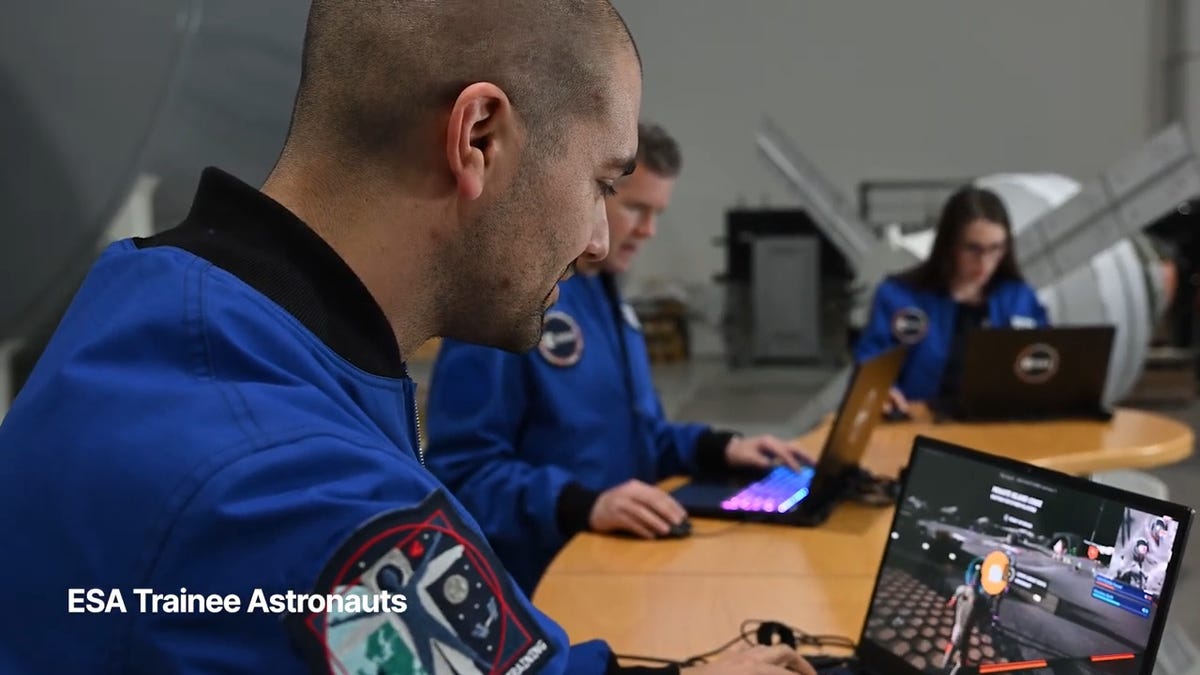
You may not be able to explore the vast majesty of space in the same way that the four-person crew of the Artemis II is, but you can still get an up-close-and-personal view of the moon… in Fortnite, at least.
While you may not be able to slingshot around Earth’s own lunar body, space enthusiasts can see a little bit of what the Artemis II crew is seeing by spending time on the Lunar Horizons Fortnite map right now. The map is a creative collaboration between Fortnite’s creator, Epic Games, and the European Space Agency. Lunar Horizons was released in 2024 after extensive testing and play from ESA trainee astronauts.
If you’re looking to learn more about our own orbiting body, the Lunar Horizons map is an educational simulation of the surface of the moon’s South Pole.
It blends game mechanics with learning, as players get to build up their own sterile lunar habitat bases, interact with ESA astronauts and roll around with robotic rovers as they discover informative plaques that contain information about the moon and international space agencies. There are still dangers to navigate, too — a solar storm may strike when you least expect it.
If you’re interested in exploring the moon, we’ve got all the information you need to join in on the Fortnite fun below. And if you’re looking for a more serious livestream during this momentous human achievement, tune into NASA’s feed here.
How to join the Moon Fortnite island while you follow the Artemis II mission
The Lunar Horizons Fortnite map is a great educational simulation that shares details about ESA’s work and catalogs information about humanity’s lunar research.
These three simple steps will get you up and running (or more accurately, taking slow leaps and bounds) on the surface of the Lunar Horizons Fortnite map:
Download Fortnite
If you haven’t played Fortnite before, but you want to check out this limited-time event, you’ll have to download the game. If you’re on PC, you can download Fortnite for free from the Epic Games Store. Console players can navigate the PlayStation Store, Microsoft Store or Nintendo eShop in order to download Fortnite on their devices.
Navigate the in-game menus until you reach the Search button
Once you’re in the game, scroll down past the different official Fortnite game modes and the Discover tab until you find the Search button.
Input the Lunar Horizons island code
In the search bar, you can input a map’s name or its distinct search code in order to find it in the map directory. You can search for the Lunar Horizons map or input the code 3207-0960-6428 to explore this map in time.
Correction, 3:35 p.m. PT: This story initially was in error about the features available in the Lunar Horizons map. There is no Artemis II-specific mission in Fortnite. Rather, the Lunar Horizons map is an educational simulation of part of the moon’s surface.
-
 Technologies3 года ago
Tech Companies Need to Be Held Accountable for Security, Experts Say
-
 Technologies3 года ago
Best Handheld Game Console in 2023
-
 Technologies3 года ago
Tighten Up Your VR Game With the Best Head Straps for Quest 2
-
 Technologies4 года ago
Black Friday 2021: The best deals on TVs, headphones, kitchenware, and more
-
 Technologies5 лет ago
Google to require vaccinations as Silicon Valley rethinks return-to-office policies
-
 Technologies5 лет ago
Verum, Wickr and Threema: next generation secured messengers
-
 Technologies4 года ago
Olivia Harlan Dekker for Verum Messenger
-
 Technologies4 года ago
The number of Сrypto Bank customers increased by 10% in five days