
Technologies
Wyze’s New Bulb Cam Turns Any Light Bulb Socket Into a Security Camera
The next step in smart home security transforms existing fixtures into batteries for your surveillance equipment.
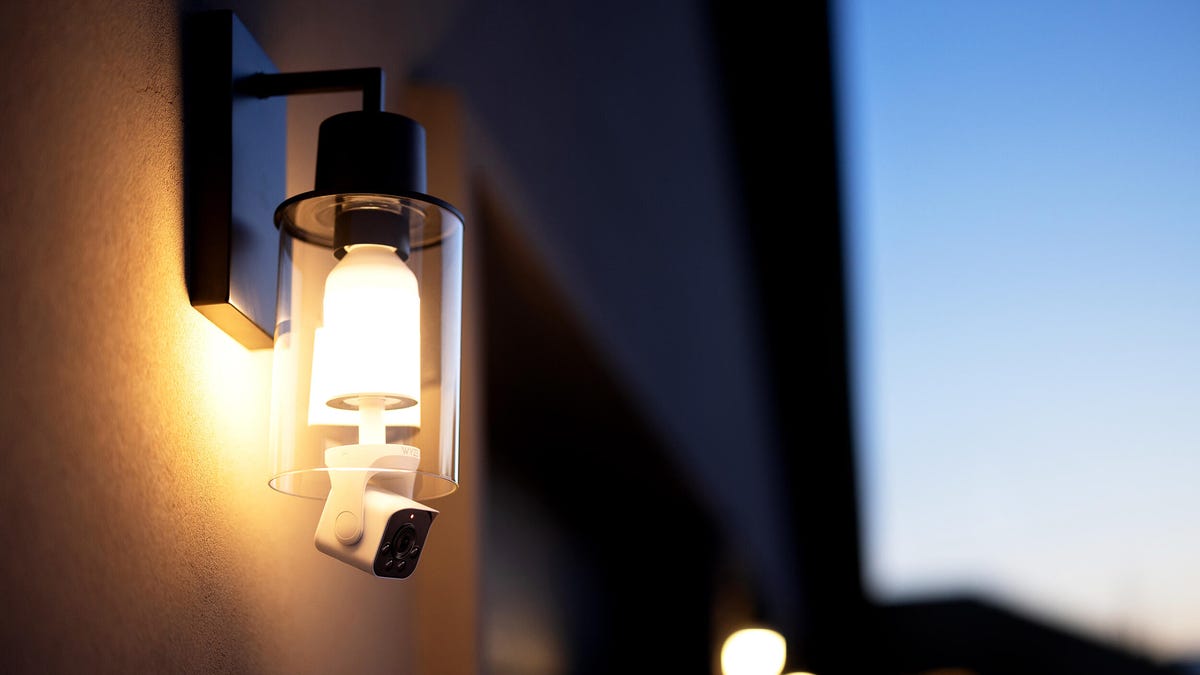
If you don’t want to deal with the hassle of setting up cords or batteries for an outdoor security camera, you’re in luck: the new Wyze Bulb Cam is powered by your outdoor lighting fixtures.
The new camera is linked to a smart light bulb that you can screw into any existing socket. Both of these devices work in tandem to provide brightness and surveillance capabilities, and you can control them from the Wyze app.
The Bulb Cam provides a 160-degree field of view with 2K HD resolution, wide dynamic range and color night vision capabilities. It comes equipped with a two-way microphone and can record up to 256GB of continuous local footage (though a microSD card is not included with your purchase of the Bulb Cam).
Paid subscribers to Wyze’s Cam Unlimited Pro feature can receive AI-powered push notifications when suspicious motion is detected on the camera.
Wyze co-founder and CMO Dave Crosby explained that the Bulb Cam was devised as a way to help provide security for outdoor areas where an outlet isn’t readily available.
«The Wyze Bulb Cam makes keeping an eye on those places easy with a high-quality camera that’s affordable and simple to set up,» he said. «It’s literally as easy as screwing in a light bulb.»
The Wyze Bulb Cam is retailing for $50 — any accessory bulbs you need to buy will be an additional $17 each. Up to five Wyze accessory bulbs can be connected within a single Bulb Cam system.
Technologies
Today’s NYT Mini Crossword Answers for Thursday, April 9
Here are the answers for The New York Times Mini Crossword for April 9.
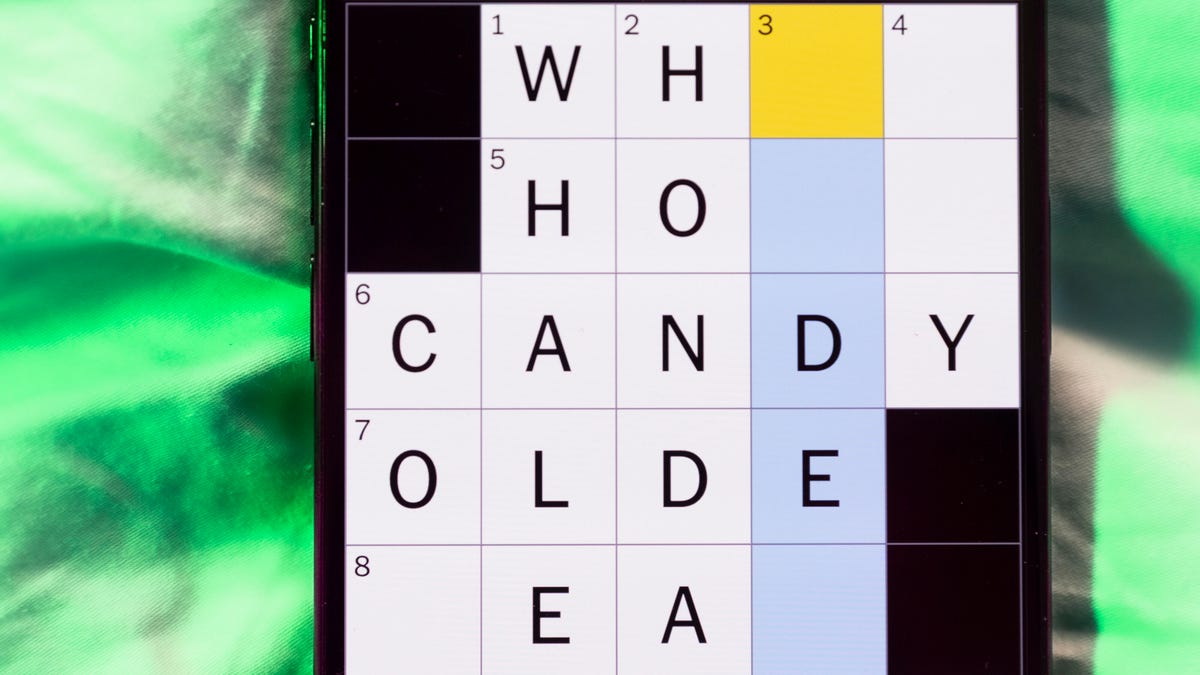
Looking for the most recent Mini Crossword answer? Click here for today’s Mini Crossword hints, as well as our daily answers and hints for The New York Times Wordle, Strands, Connections and Connections: Sports Edition puzzles.
Need some help with today’s Mini Crossword? I thought the two shoe-and-also-bathtub-problem clues (1-Across and 1-Down) were pretty funny. Read on for all the answers. And if you could use some hints and guidance for daily solving, check out our Mini Crossword tips.
If you’re looking for today’s Wordle, Connections, Connections: Sports Edition and Strands answers, you can visit CNET’s NYT puzzle hints page.
Read more: Tips and Tricks for Solving The New York Times Mini Crossword
Let’s get to those Mini Crossword clues and answers.
Mini across clues and answers
1A clue: Slip-on shoe … or something you don’t want in your bathtub
Answer: CLOG
5A clue: Ancient artifact
Answer: RELIC
7A clue: In a most unusual way
Answer: ODDLY
8A clue: Springs in a mattress
Answer: COILS
9A clue: Raven’s haven
Answer: NEST
Mini down clues and answers
1D clue: Slip-on shoe .. or something you really don’t want in your bathtub
Answer: CROC
2D clue: Strung along
Answer: LEDON
3D clue: Boomer’s bop, nowadays
Answer: OLDIE
4D clue: Breathing organs for fish
Answer: GILLS
6D clue: Fluid-filled lump
Answer: CYST
Technologies
No, the Viral iPhone Fold Video Isn’t Real. How We Know It’s Fake
Whether AI or clever 3D-printed mock-up, that’s not a real foldable iPhone going around the internet.
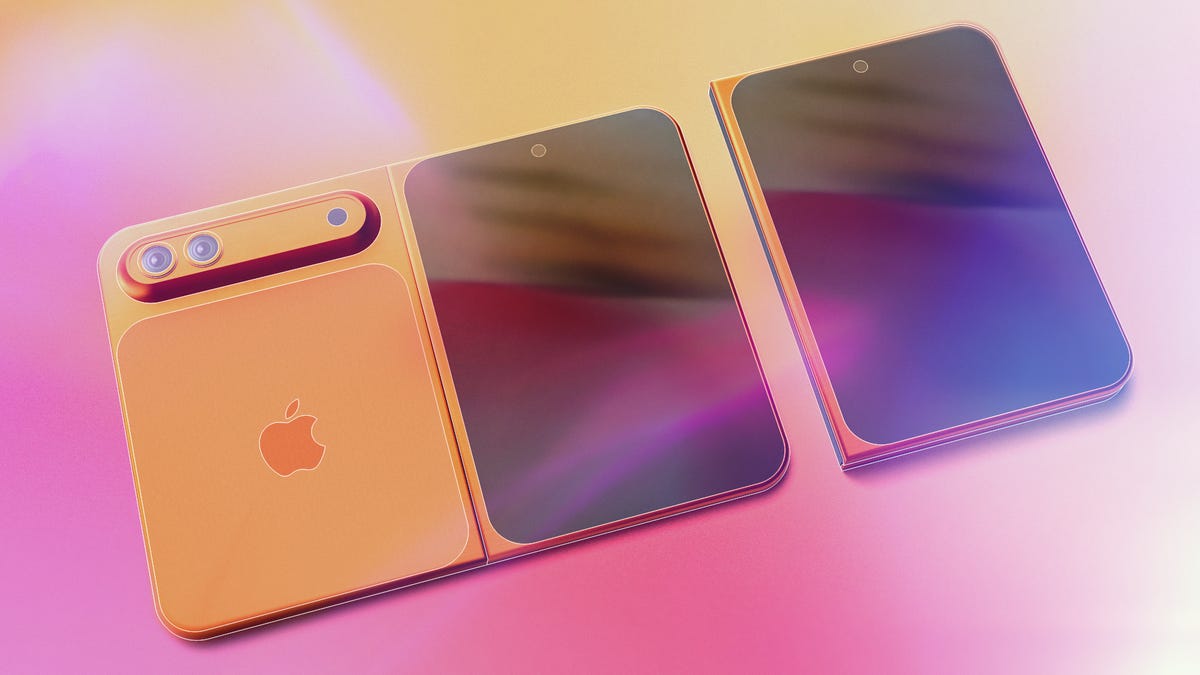
I know we’re all excited for the upcoming iPhone Fold, but be wary of fake leaks — like the supposed unboxing video that’s been making the rounds online.
Upcoming phones will always be the subject of rumors and leaks, and no device is more hyped than the foldable that Apple has purportedly been working on for years. Lots of that early info points toward a release later this year during the usual September iPhone release window, which makes the lead-up fertile territory for falsified leaks like the aforementioned video.
Unfortunately, with the advance of generative AI tools that fabricate videos based on text prompts and other inputs, it’s easier than ever to fake your way to internet fame. Nowadays, videos churned out by gen AI tools have the correct number of fingers on hands, better lighting and far fewer indicators that they’re inauthentic.
But there are still some tells that you’re not seeing the real deal — both in the video and when it’s released.
Developers 2 days ago: No way, that iPhone leak is fake. It would be terrible
Developers today: Wow, Apple foldable phone is going to change everything https://t.co/jpMRykRD2K pic.twitter.com/zjI4VL0Fx4— Viktor Seraleev (@seraleev) April 7, 2026
First, let’s dissect the video. A person in a gray long-sleeved shirt or sweatshirt rotates a box labeled «iPhone Fold» and pulls it open. On the first watch, a lot of signature Apple elements are present. The product is tucked inside snug packaging and presented screen-side-out to the opener, and there’s both a charging cord and supplementary materials tucked underneath. It all looks authentic enough — at least believably not generated by AI.
But AI or not, there are a few details that are strong evidence that this isn’t an actual Apple device. When opening the package, there’s a peel-off protector for the inner screen, not the outer. The multicolored insert claims the device is IP68 dust- and water-resistant, which is rare for foldables. Only the Google Pixel 10 Pro Fold and Honor Magic V6, among a handful of others, have water-resistant ratings.
The device itself is suspect, and if not AI-generated, it’s likely 3D-printed. The cream-colored back makes an odd sound when scratched (unlike what glass or ceramic sounds like), and the device’s halves don’t fold neatly against each other — another thing that the design-obsessed Apple likely wouldn’t allow. What’s more, when it’s fully unfolded, the back of the supposed foldable has a big gap between both halves over the hinge, which other phone makers have solved in their flexible-screen devices.
There’s skepticism around its design, too. Yes, Apple’s patents point toward a wider style of foldables similar to the first Google Pixel Fold, but the supposed iPhone Fold in the video is so squat in its dimensions that its internal screen would make for bizarre dimensions that aren’t tall enough to fit the aspect ratio of, say, an iPad.
iPhone Fold may or may not be the final name of the device, as rumors have disagreed for years on its product designation, with the most recent suggesting it could be deemed the iPhone Ultra.
Since we don’t see it turn on, there’s no indication of how its software is laid out — which form of iOS or even iPadOS it might use. That makes this short, squat design even more suspect.
And then there are the factors outside of the video. Apple leaks happen, but we’ve only had a few pre-release leaks like CAD files, official renders or cases that agree on a design — and yet, this is supposedly the iPhone Fold’s final form, which looks somewhat but not completely like a recent CAD render.
To the video’s credit, taking this many words to suspect and disprove its authenticity is a credit to its plausibility. There’s a lot of commitment to Apple staples, from product packaging to theorizing the final design of the foldable itself. If nothing else, it’s a functional guess at what the supposed iPhone Fold might look like, and how it might look coming out of the box.
We’ll know in September at the earliest if Apple chooses to release its foldable in that window — and I’m sure we’ll see plenty of other leaks and rumors on the device before then.
Technologies
How to Use the New Blood Pressure Tool on Your Samsung Galaxy Watch
You’ll need additional hardware to use the blood pressure monitoring tool on your Samsung Galaxy smartwatch.
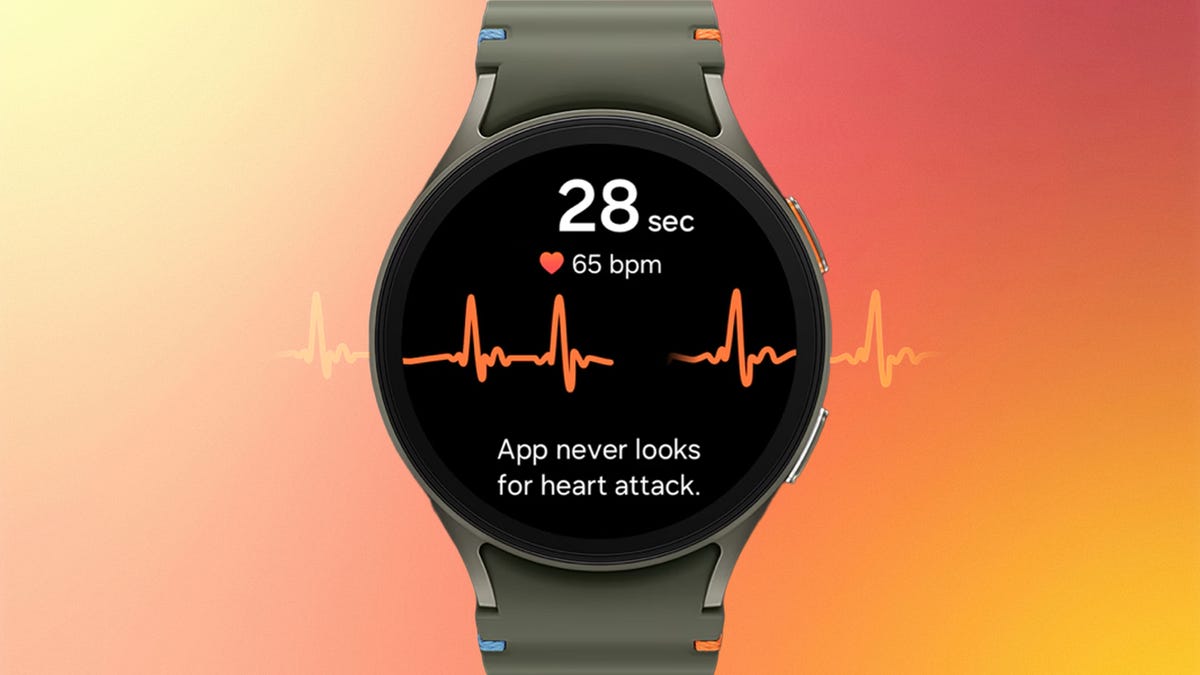
After years of regional limits, Samsung is finally unlocking blood pressure monitoring for Galaxy Watch users in the U.S. Starting Tuesday, the feature is rolling out to the current Galaxy Watch 8 series as well as older models dating back to the Galaxy Watch 4. It’s a major addition for anyone tracking cardiovascular trends, but you shouldn’t expect a simple «plug and play» experience.
For starters, you’ll need to own (or buy) a traditional upper-arm blood pressure cuff to calibrate the feature on the smartwatch. And you’ll have to download a separate app, the Samsung Health Monitor app, on your smartphone. Then you’ll have to recalibrate with the cuff every 28 days to ensure accurate readings.
In other words, the blood pressure monitor requires a blood pressure monitor to function.
Samsung first introduced blood pressure monitoring on its watches in 2020, gradually rolling it out in other countries, but regulatory holdups kept it from being usable in the US.
Unlike Samsung’s ECG and sleep apnea detection features (both FDA-cleared), the blood pressure feature has not received FDA clearance and is intended for wellness purposes only. This means it is not a diagnostic tool and should not be used to identify or treat high blood pressure. Readings are also on-demand only, so you have to manually take them through the watch rather than having it happen automatically in the background.
That last part may change. Samsung’s announcement also noted that passive blood pressure trend monitoring is coming later this year.
Apple debuted FDA-cleared hypertension alerts on newer Apple Watch models in September 2025, which passively monitor and alert owners when it detects signs of high blood pressure. Oura and other wearable companies are working toward similar features through long-term data trends, though true on-demand blood pressure readings remain out of reach for most mainstream consumer smartwatches.
The blood pressure feature is compatible with Galaxy Watch 4 and will only work on watches paired with a Samsung Galaxy phone running Android 12 or higher. It will not be available on other Android phones or on Samsung’s Galaxy Fit tracker. And even if you check all those boxes, you might not get it right away. Samsung says it’s rolling out the feature in phases.
If you do have access (and a cuff handy), setup is fairly straightforward. Once your watch is connected to your phone, download the Samsung Health Monitor app, enable blood pressure tracking and follow the calibration steps while using your upper-arm cuff. Just know you’ll need that cuff nearby anytime you want to keep your readings accurate.
-
 Technologies3 года ago
Tech Companies Need to Be Held Accountable for Security, Experts Say
-
 Technologies3 года ago
Best Handheld Game Console in 2023
-
 Technologies3 года ago
Tighten Up Your VR Game With the Best Head Straps for Quest 2
-
 Technologies4 года ago
Black Friday 2021: The best deals on TVs, headphones, kitchenware, and more
-
 Technologies5 лет ago
Google to require vaccinations as Silicon Valley rethinks return-to-office policies
-
 Technologies5 лет ago
Verum, Wickr and Threema: next generation secured messengers
-
 Technologies4 года ago
Olivia Harlan Dekker for Verum Messenger
-
 Technologies4 года ago
The number of Сrypto Bank customers increased by 10% in five days