
Technologies
Here’s How to Factory Reset Your PS5 or PS4
It’s a good idea to protect your personal information before selling or giving away your PlayStation. Here’s how to erase your data from your console.

Yes, even the PlayStation 5 isn’t new anymore. That console came out in 2020, which means it’s currently in the second half of its life cycle. Since then, new consoles like the Nintendo Switch 2 have hit the market. If you’re tiring of your PS5, you have more options than storing it in the top of your closet where it will just collect dust. You could give the console away or sell it for some extra cash.
Regardless of whether you’re ready to give yours away to the recent grad in your life or if you’re looking to sell your device for some extra cash, you have plenty of options. There’s one important thing you need to do to your console before you get rid of it: reset the system and wipe your personal data.
Factory resetting is a crucial step that you should take whenever you’re selling or giving away a piece of technology. Your old PlayStation is no exception. While you might not be storing the same kind of information on your PS4 or PS5 that you would on your laptop or smartphone, this step can save you a great deal of stress by taking care of any leftover information.
Read on for everything you need to know about resetting your PS5 or your PS4. For more, here’s what to know about buying a used iPhone and our picks for the best place to sell your electronics.
Resetting the PlayStation 5
You have a few options when it comes to factory resetting your PS5. To access these options, navigate to the Home Screen and then select Settings > System > System Software > Reset Options.
After selecting Reset Options you will be presented with three options: Clear Learning Dictionary, Restore Default Settings and Reset Your Console.
- Clear Learning Dictionary will clear the history of all the terms that you have typed on your PS5.
- Restore Default Settings will restore all of the settings on your PS5 to their default setting, but leave your data intact.
- Reset Your Console will restore all of the settings to their default options and erase all of the data that has been saved to your PS5.
If you are looking to factory reset your console before selling it or giving it away, select Reset Your Console to fully wipe all of your data from the device and factory reset the console.
Resetting the PlayStation 4
The process for factory resetting your console is a bit different for the PS4. First, you will need to navigate to Settings > Initialization. Much like the process for factory resetting the Playstation 5, you will be presented with three options after selecting Initialization: Clear Learning Dictionary, Restore Default Settings and Initialize PS4.
Clear Learning Dictionary and Restore Default Settings operate the same as they do on the PS5. Initialize PS4 operates in the same way as the Reset Your Console option does on the PS5.
If you are looking to factory reset your PS4 before giving it away or selling it, selecting Initialize PS4 will do the trick.
Technologies
Copilot Health Is Microsoft’s Doctor-Built Spin on Medical AI
Microsoft doesn’t want its AI to be your doctor. It wants to make you better prepared when you do see them.

Microsoft is taking a major swing at health AI. The company announced on Thursday that it’s introducing Copilot Health, a new experience inside its chatbot that will bring together all your medical records and wearable data with an AI that’s designed to help you understand it all.
«We are really on the cusp of building a true medical superintelligence,» said Mustafa Suleyman, Microsoft AI CEO. «One that can learn everything about you, all of your health conditions, from your wearable data, your electronic health records, and use that to provide support and insights and intelligence at your fingertips.»
A recent Microsoft survey found that mobile Copilot users ask the chatbot health-related queries more than for any other topic. Copilot Health was built to answer those questions. Microsoft’s health AI was fine-tuned by its in-house clinicians and an external panel of hundreds of clinicians in more than 24 countries. It uses the National Academy of Medicine’s framework for evaluating credible medical sources and information from Harvard Medical School via a 2025 licensing agreement.
Copilot Health is inside the regular, consumer version of Copilot. But it’s an entirely separate experience, designed that way to keep your health information separate from your usual chats. Because it’s been specifically trained for health questions, it ought to be more helpful and accurate than the regular version of Copilot or another chatbot. ChatGPT introduced a similar experience earlier this year.
Your health information won’t pop up in responses from the regular Copilot, only in the new health tab. You can delete your data at any time by simply toggling off a setting — something so easy it raises the question why all AI companies don’t make it that simple to delete your data.
Your information isn’t used to train Microsoft’s AI models, the company says. But your medical information in AI tools like Copilot is not protected under the Health Insurance Portability and Accountability Act (HIPAA).
The benefit of using Copilot Health is having a place where all your medical and health information lives, with an AI that’s trained to help answer your questions about it. You can connect data from your smartwatches and rings, as well as upload your medical records. Through a third-party program called HealthEx, you can upload files from multiple doctors’ offices, hospitals and labs at one time.
Copilot Health is not a doctor
If you choose to share your electronic health record, the AI can make more informed recommendations and reference specific doctors’ visit notes and lab results. But don’t use Copilot Health as a replacement for a physician. What the AI can do is discuss your health concerns, help you prepare for upcoming appointments and help you build healthier habits.
«Copilot Health is not meant to give you a definitive diagnosis or a formal treatment plan, but it’s certainly here to support you in getting to the right answers,» said Dr. Dominic King, vice president of health at Microsoft AI. The former surgeon led the team that built Copilot Health.
For example, it can help you come up with a list of questions to ask your doctor, break down lab results and find a provider that accepts your insurance. Copilot Health can discuss your health concerns, like understanding any new symptoms, but it can’t diagnose or prescribe medication.
Microsoft is doing a slow rollout, beginning with adults (ages 18 plus) in the US, with English as the only language. You can sign up to join the waitlist for Copilot Health now.
There are some existing uses of AI in health care today, but they’re disparate. Wearables have new AI-powered data insights and coaching. Some doctors are using AI scribe tools to take notes during appointments with patients. Administrative and insurance work also has its own AI tools, particularly around claims processing (including making denials, in some cases). The common thread is that none of the AI is without flaws, and it should never be used to make important decisions without human oversight.
For AI believers, the tangled, bureaucratic web of American health care is the perfect place to prove that AI intervention can make a real difference. But AI in health care is like putting a Band-Aid on a gunshot wound — a halfway measure that doesn’t fix the underlying problems.
It’s too soon to tell if Microsoft’s goal of a medical superintelligence is viable. But for now, Copilot Health illustrates a more productive use of AI — more than filling the internet with slop.
«I think it is perhaps the most important and most positively impactful contribution that AI can make in the world,» Suleyman said. «And it’s enormously important to us.»
Technologies
The Fastest Way to Open Any App Is Hiding on the Back of Your iPhone
Your iPhone’s Back Tap feature can be customized to open any app.
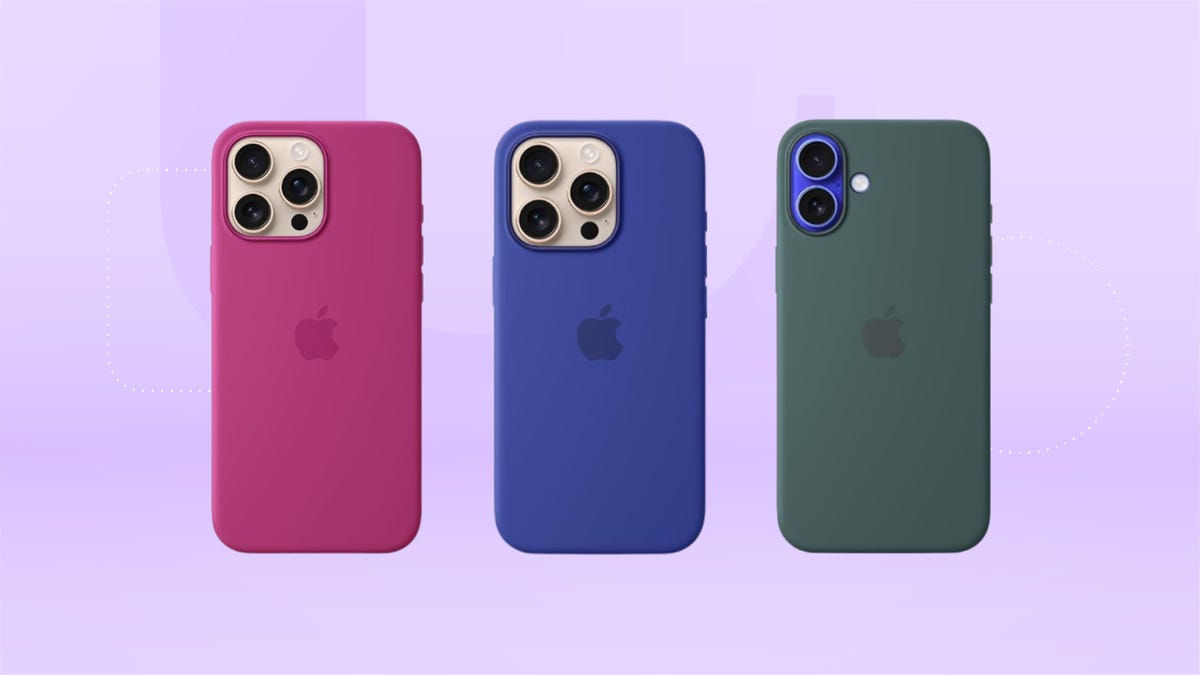
Tapping the screen on an iPhone opens an app. What does tapping on the back of your phone do? A number of things, it turns out. It’s a super useful hack that you’ve likely been missing out on. In fact, it’s the fastest way to launch the camera or open specific apps without hunting through folders. In 2026, it’s the ultimate hack for making your hardware work harder for you without touching the display.
The feature is part of the Back Tap tool in your iPhone’s accessibility settings. Once enabled, it can trigger almost anything your phone can do, from turning on the flashlight to opening Shazam before a song ends. You can even set it to open the Control Center, take a screenshot or run a custom Shortcut with two or three quick taps. It’s fast, discreet and surprisingly powerful once you set it up.
The feature is called Back Tap and, like the Action Button on newer iPhones, it gives you one more way to use your device without touching the screen. You can activate it by tapping anywhere on the back of your phone, including on the camera module. The best part is that it works even if you have a fairly thick case on your iPhone.
Back Tap is available on iPhones as old as the iPhone 8, as long as they’re running iOS 14 or later. We’ll show you how to enable it and how to use it with your Shortcuts app for nearly endless possibilities.
Read more: All the Ways the iPhone 16’s Camera Control Button Will Change Your iPhone Photography
What is the iPhone Back Tap feature?
Back Tap is an iPhone feature introduced in iOS 14. It lets you perform shortcuts on your iPhone by double- or triple-tapping on the back of the device.
You can customize Back Tap on your iPhone to easily perform common actions like pulling up the Control Center or Notification Center, especially useful if you have a larger phone and can’t swipe down from the top of the screen without some complex finger gymnastics. You can even have two separate functions enabled at the same time: Back Tap can distinguish between a Double Tap and a Triple Tap.
Depending on the number of times you touch the back of your iPhone, you can set Double Tap to open your Notification Center and Triple Tap to take a screenshot. Or, you can make Double Tap open the Control Center and Triple Tap launch the Magnifier app. Experiment with Back Tap to find the right combinations of taps and functions that best fit your needs.
And you aren’t limited to just the Back Tap options that are available by default. Thanks to the Shortcuts app, you can set up Back Tap to perform specific functions or launch any app. For example, you can create a simple shortcut that opens Shazam or starts a voice recording, then activate it with a quick Double Tap or Triple Tap. You can also use Back Tap to trigger a more elaborate shortcut, such as automatically sending photos and videos to specific photo albums.
How do I set up Back Tap on my iPhone?
To enable Back Tap, go to your Settings app. Then go to Accessibility → Touch → Back Tap. There, you’ll find a list of options for configuring Double Tap and Triple Tap.
Here is the full list of functions that you can map to a Double Tap or Triple Tap:
- None
- Accessibility Shortcut
System
- App Switcher
- Camera
- Control Center
- Flashlight
- Home
- Lock Rotation
- Lock Screen
- Mute
- Notification Center
- Reachability
- Screenshot
- Shake
- Spotlight
- Volume Down
- Volume Up
Accessibility
- AssistiveTouch
- Background Sounds
- Classic Invert
- Color Filters
- Control Nearby Devices
- Dim Flashing Lights
- Live Captions
- Live Speech
- Magnifier
- Smart Invert
- Speak Screen
- VoiceOver
- Zoom
- Zoom Controller
Scroll Gestures
- Scroll Down
- Scroll Up
At the bottom of the menu, you’ll also see a list of Shortcuts. These options will vary depending on what’s available in your Shortcuts app.
The one potential downside to Back Tap is that you don’t get any tactile feedback when you use it, so you might accidentally trigger it at the wrong time and not realize it until later. For instance, you might double-tap without meaning to and set off your flashlight by accident. In that case, you might want to remap your Double Tap to a less conspicuous function. Or, you can leave Double Tap off and only use Triple Tap, which you probably won’t trigger as often.
How do I use Back Tap to take a quick photo?
One way to set up Back Tap is to map Double Tap to the Camera and Triple Tap to Volume Up or Volume Down. Because you can press either of the volume buttons to instantly take a picture, you can get the same effect if your volume buttons are mapped to Back Tap. With this combination, you can capture a photo with five quick taps on the back of your iPhone (though you’ll have to pause briefly between performing the Double Tap and Triple Tap, so that your phone can distinguish between the two actions).
This Back Tap combination even works if your phone is locked. Again, spend some time trying out different combinations of taps and features to find which ones are most useful for you.
Technologies
Social Media and AI Want Your Attention at All Times. This New Documentary Says That’s Bad
Your Attention Please, a documentary premiering this week at SXSW in Austin, Texas, explores how we live in the attention economy.

«Do you remember the world before cellphones?»
The question comes early in Your Attention Please, a documentary premiering this week at South by Southwest in Austin, Texas. And it hit me harder than I expected. As a 27-year-old tech reporter, I realized I don’t have too many clear memories of life before smartphones. My adolescence unfolded alongside the rise of smartphones, social media, push notifications and the routine of endless scrolling. Like many people my age, I’ve spent most of my life inside the attention economy — without ever really stepping outside it.
That’s the uneasy territory the documentary explores.
CNET was given exclusive early access to the film’s trailer, embedded below.
Exploring how tech shapes our behavior
Director Sara Robin said she originally set out to make something smaller: a documentary about people trying to reclaim their attention by breaking unhealthy phone habits. In an interview with CNET, Robin described the idea as a personal story about focus and self-control in an age of constant distraction.
As Robin interviewed researchers, technologists and families affected by social media and cyberbullying, the film’s scope widened. What started as a question about individual habits quickly became a larger investigation into how modern technology systems are designed to shape human behavior. The story stretches from the rise of social media to the emerging influence of AI.
Along the way, Robin and her collaborators kept hearing the same observation from different corners of the digital world: Social media didn’t just change how people communicate; it quietly rewired what we value. Experiences that were once private or emotional — friendship, affection, belonging — began to acquire numerical equivalents. Followers, likes, comments, views and shares began to be how we saw our own self-worth. In the architecture of social platforms, those numbers function as a kind of social currency.
Trisha Prabhu, a digital-safety advocate and inventor of the anti-cyberbullying technology ReThink, argues that social platforms did more than create new online spaces. She says they fundamentally reshaped how social validation works. The metrics that define popularity often reward attention-seeking behavior and amplify conflict, while genuine connection is now harder to quantify and, therefore, easier to overlook.
Prabhu warns that the same dynamics already driving problems like cyberbullying could accelerate as automated systems become more capable. AI tools can generate abusive messages at scale, produce convincing impersonations or create deepfakes that spread rapidly online. In some cases, the technology may even blur the line between human interaction and machine-generated communication, which could deepen loneliness or encourage harmful behavior.
«There’s AI exacerbating existing harms [like automating cyberbullying], but then I also think that there’s AI creating completely new harms,» Prabhu told CNET. «There are reports of AI tools encouraging users, including minor users, to commit self-harm… Even for the everyday user who’s not experiencing the extreme outcome, I think we have to ask ourselves how much of our time and connection we want spent with an AI tool as opposed to a fellow human being.»
Bringing attention to attention
What struck Robin during filming the documentary was how universal these anxieties felt. Across conversations with families, educators and advocates around the world, the themes were remarkably consistent: overstimulated attention, declining focus in classrooms, rising anxiety among young people and a persistent sense of dread that comes from always being plugged in.
Those shared concerns have helped spark a coordinated moment around the film’s release.
On March 11, more than 25 organizations focused on digital well-being will simultaneously release the trailer for Your Attention Please as part of an initiative called Stand for Their Attention. What began as a small collaboration among five groups quickly grew as word spread through advocacy networks. The coalition now includes organizations such as Common Sense Media, Protect Young Eyes, Mothers Against Media Addiction, the Center for Humane Technology, Smartphone Free Childhood and Scrolling to Death.
The idea behind the synchronized launch is simple: Use the attention surrounding the documentary to highlight the growing movement that’s already working to reshape digital culture.
Many people feel overwhelmed by the scale of the problem, Robin says, but behind the scenes, a widening ecosystem of advocates is experimenting with ways to build healthier digital environments, from redesigning products to changing norms around screen use.
The campaign also arrives at a moment of growing scrutiny around the attention economy. Lawmakers in the US and abroad are increasingly debating how social platforms affect youth mental health and childhood development. Boycotts around AI use are taking off. Researchers are studying how these algorithms and chatbots influence behavior. Individuals are trying to figure out how much technology belongs in everyday life.
What can we do about it?
Despite the weight of those conversations, Robin says the goal of the film isn’t to leave audiences feeling powerless. In fact, the rapid rise of public awareness around AI has made her more optimistic than she was during the early days of social media. The systems shaping digital life, she argues, are built by people, which means they can also be rebuilt.
«We have more power than we think,» Robin said. «And there are a lot of different ways to get involved in this, from changing individual habits to changing the culture in your own family and in your community, designing technology differently, getting engaged in these conversations, all the way to pushing for legislative change.»
The film intentionally avoids presenting a single solution.
Instead, Your Attention Please asks a broader question: What happens when attention, one of the most human parts of our lives, becomes one of the most valuable commodities in the global economy? And perhaps more importantly, what kind of digital world do we want to build next?
-
 Technologies3 года ago
Tech Companies Need to Be Held Accountable for Security, Experts Say
-
 Technologies3 года ago
Best Handheld Game Console in 2023
-
 Technologies3 года ago
Tighten Up Your VR Game With the Best Head Straps for Quest 2
-
 Technologies4 года ago
Black Friday 2021: The best deals on TVs, headphones, kitchenware, and more
-
 Technologies5 лет ago
Google to require vaccinations as Silicon Valley rethinks return-to-office policies
-
 Technologies5 лет ago
Verum, Wickr and Threema: next generation secured messengers
-
 Technologies4 года ago
Olivia Harlan Dekker for Verum Messenger
-
 Technologies4 года ago
iPhone 13 event: How to watch Apple’s big announcement tomorrow