
Technologies
I Tested the Amazfit Bip 6. It’s Proof Good Smartwatches Don’t Need to Cost a Fortune
After wearing it for a month, I’d say the $80 Amazfit Bip 6 checks (almost) every box — as long as you can live with a few rough edges.
Our Experts


I’ll admit I judged the Amazfit Bip 6 by its low price tag. At $80, I didn’t expect it to hold its own, let alone compete with higher-end smartwatch rivals. But after a week of testing, I can say it’s more than just a good deal.
At a time when most smartwatches cost hundreds of dollars, the Bip 6 stands out because it goes beyond the basics. In my time testing the Bip 6, I found the fitness tracking to be solid, the advanced health metrics to be accurate and the battery life to last more than a week on a charge. Add in the fact that it works on Android and iPhone, and you have one of the few sub-$100 smartwatches that’s actually worth your time.

Pros
- $80 price is much less than most watches
- Works with Android and iOS
- Great battery life (lasts a week with heavy use)
- Tracks a wide variety of fitness activities accurately
- Temperature tracking and advanced sleep monitoring
Cons
- Single sizing option (44mm)
- UI and app are unintuitive
- Some health metrics are hard to interpret
- Voice assistant is unreliable
- Bluetooth range is short (especially on iPhone)
It’s not the most refined watch out there. Design and navigation feel clunky compared to pricier models, but this feels like a small price to pay (pun intended) for everything else the Amazfit Bip 6 delivers on.
If you’re after function over polish, the Amazfit Bip 6 makes for an easy, affordable entry point into the smartwatch world. It’s ideal for first-time smartwatch buyers who want to explore health and fitness tracking without spending big, and particularly appealing to iPhone users curious about smartwatches but hesitant to commit to an Apple Watch.
Amazfit Bip 6 design
The Amazfit Bip 6’s design is simple and functional. It has the boxy, flat look of an old Pebble Watch, with a slight curve to the screen and a metal trim that gives it a bit of polish. The 1.97-inch AMOLED display (390 x 450 pixels) looks bright and crisp indoors but I struggle seeing what’s on screen in direct sunlight. While it feels light, the 44mm watch looks bulky on my medium-sized wrist (6.5 inches), and it doesn’t come in any other size.
My review unit came with the black sport band but it’s also available in charcoal, stone and red (which I might’ve preferred). All the bands lean to the sporty side of the design spectrum and there’s no real way to dress it up unless you go with an alternative band from Amazon.
Amazfit Bip 6 setup and software
Right out of the box, the Bip 6 doesn’t offer the smoothest onboarding experience and it took me a bit of fine-tuning to get the watch set up the way I like. I swapped out the default watch face, adjusted battery settings to keep the screen on during workouts (there’s no true always-on display) and customized which fitness metrics I wanted to appear during my runs. It also took a little trial and error to figure out what the physical button and various swipe gestures actually do. It’s not as intuitive as other smartwatches like the Galaxy or Apple Watch, but if you dig deep enough in settings, you should find a way to make it work.
Even with those tweaks, I still ran into some UI quirks. The font, for example, is too large and uses a billboard-style animation to reveal text that doesn’t fit on the screen — making it hard to read at a glance. The screen feels sluggish, with noticeable lag after selecting an option.
The Bip 6’s voice assistant, Flow, is perhaps its most obvious weakness. Flow somehow makes Siri seem like a damn mind reader. I usually rely on voice commands for quick tasks like setting a timer or replying to messages and while Flow claims to handle these, it rarely gets things right on the first try. I found myself screaming at my wrist, which I’m not proud to admit. Even when it did understand the assignment, the lag between recognizing my request and responding was so long that I was better off just tapping through the menus and doing things on my own.
Fortunately Android phone users can reply to texts with a keyboard or dictation but iPhone owners are out of luck unless they go through a third-party app workaround. It doesn’t help that Flow functionality relies on the phone and the Bluetooth range (at least with an iPhone) is frustratingly short. I often lost connection when my phone was just one room away. This makes the Find My Phone feature pretty useless if you depend on it as a lifeline to locate your phone.
Once I got past those early growing pains, though, the rest of the experience was much smoother sailing.
Amazfit Bip 6 battery life
Battery life is easily one of the Bip 6’s strongest features. I put it through the paces, including multiple GPS workouts, heart rate tracking and using the always-on display during runs and it still managed to get more than a week on a single charge — 8 days to be exact. Had I been more conservative with the settings, I likely would’ve come close to the two-week promise the company boasts. Higher end rivals like the Apple Watch, Galaxy Watch and Pixel Watches need charging after a day and a half. Even the more expensive Apple Watch Ultras with larger batteries don’t last longer than three days on a charge.
When you finally do have to go back for a charge, however, it’ll take about two hours to go from zero to full and there’s no fast-charging option that I know of. Although I’ll take longer lasting battery life over faster charging any day, I’d rather leave it charging overnight once a week rather than having to figure out a time during the day to charge it back up. You’ll also have to supply your own USB-C charging cable (and brick), as the box only includes a magnetic charging puck that needs to be plugged in. Most new watches like the Pixel Watch and the Apple Watch have stopped including the charging brick but do provide the charging cable.
Amazfit Bip 6 fitness features
To say the watch covers fitness tracking basics would be underselling it. It has all the workouts you’d ever need plus nuanced metrics for runners and other popular sports. I mainly tested the running workouts as that’s my primary form of exercise.
Tracking a run on the Bip 6 feels shaky at first — it takes about 10 seconds to lock onto a GPS signal, which can be a momentum killer when you’re ready to hit the pavement. But once it locks in, it’s off to the races. In multiple runs, the GPS worked reliably even without my phone. Heart rate tracking, including zone breakdowns, held up surprisingly well. The data was on par with the Polar chest strap HR monitor (the gold standard for consumer heart rate tracking) which I use to test smartwatches. The Bip 6 was slower at detecting spikes as I approached my peak but that’s a common shortcoming of wrist-based monitors — not something unique to this device. If you’re willing to dig into the Zepp app (more on this later) you’ll also find nuanced metrics like cadence and stride to help you analyze your run.
It did hit a bump in bright sunlight, though, as the screen doesn’t get bright enough to read outdoors.
For indoor workouts, it tracks strength training and even attempts to identify which muscle groups you’re using. I didn’t do a traditional strength workout so accuracy is still TBD but it did correctly flag arm muscles during a Pilates session I had labeled as strength training for testing purposes.
Amazfit Bip 6 health and wellness
The Bip 6 had a hard time telling the difference between when I was sleeping and when I was watching White Lotus and gave me about an hour’s worth of sleep “extra credit” on weekend nights when I was very much awake. It’s worth noting that the Apple Watch has made the same mistake in the past, which makes me question how lucid I actually am when I’m lying comatose on the couch at the end of the day.
The actual measurements, however, are very helpful, as it measures heart rate and temperature variations, sleep stages and breathing quality. This could potentially help signal the onset of diseases similar to the vitals check on other wearables like the Oura ring and Apple Watch.
The Bip 6 also offers a vitals check outside of sleep mode called One Tap Measuring, which collects your heart rate, SpO₂, stress and breathing rate in a single read. You can even track your menstrual cycle on the watch but it doesn’t factor skin temperature into the ovulation predictions like other health wearables.
And if you really want to dig into your sleep and health data, you can subscribe to the Zepp Aura add-on, which offers advanced sleep analysis, AI-powered coaching and tools that can help flag conditions like sleep apnea and insomnia. It’s currently on sale for $60 a year (normally $150).
I also had a bit of trouble blocking notifications during sleep and I had to set up the “do not disturb” mode manually because it didn’t mirror what I had set up on my phone.
Amazfit Bip 6’s Zepp App
The problem with all this health data is that it comes with little to no context. Whether you’re looking at the immediate results on the watch or reviewing long-term health trends in the Zepp app, there’s no guidance on what the numbers mean, what’s considered normal or how to take action based on them. Maybe the Aura premium option helps make sense of it all, but I didn’t test it for this review.
The watch runs on Amazfit’s proprietary Zepp OS, with all your data and settings managed through the Zepp app on your phone. It handles everything from system settings and health metrics to the app and watch face stores. But good luck finding what you need because the Zepp app’s interface is not intuitive and layers tabs upon tabs.
Even when you do find the tab you need, the data itself is often hard to understand. As someone who’s reviewed smartwatches and fitness wearables for more than a decade, I consider myself well-versed in fitness lingo but even I found myself questioning what some of these scores meant.
Take the Readiness Score, which sits right at the top of the dashboard claiming its importance without telling you why. I had to dig deep to figure out it’s calculated using a mix of sleep, exertion, skin temperature and heart rate. But even then, I wasn’t sure what I was supposed to be ready for. To function? To work out? To parent? I assume it’s similar to Garmin’s Body Battery, which I usually ignore anyway. As a working mom of three, I don’t have the luxury of waiting around for a good score to give me permission to exercise. If I don’t squeeze in a workout during the one 30-minute window I get to myself, it’s just not happening. Ready or not.
Then there’s the PAI (Personal Activity Intelligence) score, which, according to the app, reflects your physical condition. More digging revealed you’re supposed to keep it above 100 to reduce your risk of cardiovascular disease and boost life expectancy. All good in theory but by the time I finished decoding what the PAI and Readiness scores were, I was too far down the rabbit hole and more ready to lie down than to take action on my metrics.
Another bonus feature is an AI-powered food journal that automatically populates calorie and nutritional information from a photo or barcode. I tested it with a home made cheese sandwich, and it was surprisingly accurate in calculating calorie count, which I later cross referenced with the actual nutrition information of each ingredient. I can see this being a practical tool for people who like to keep track of intake for weight management but didn’t log long term for a comprehensive analysis of this feature.
Amazfit Bip 6 final verdict
The Amazfit Bip 6 is a functional, subdued powerhouse that won’t dazzle you at first glance but will consistently overdeliver where it counts. It’s the kind of rare find that you don’t expect to come across in the sub-$100 smartwatch world and easily the best option we’ve tested in its price range.
Technologies
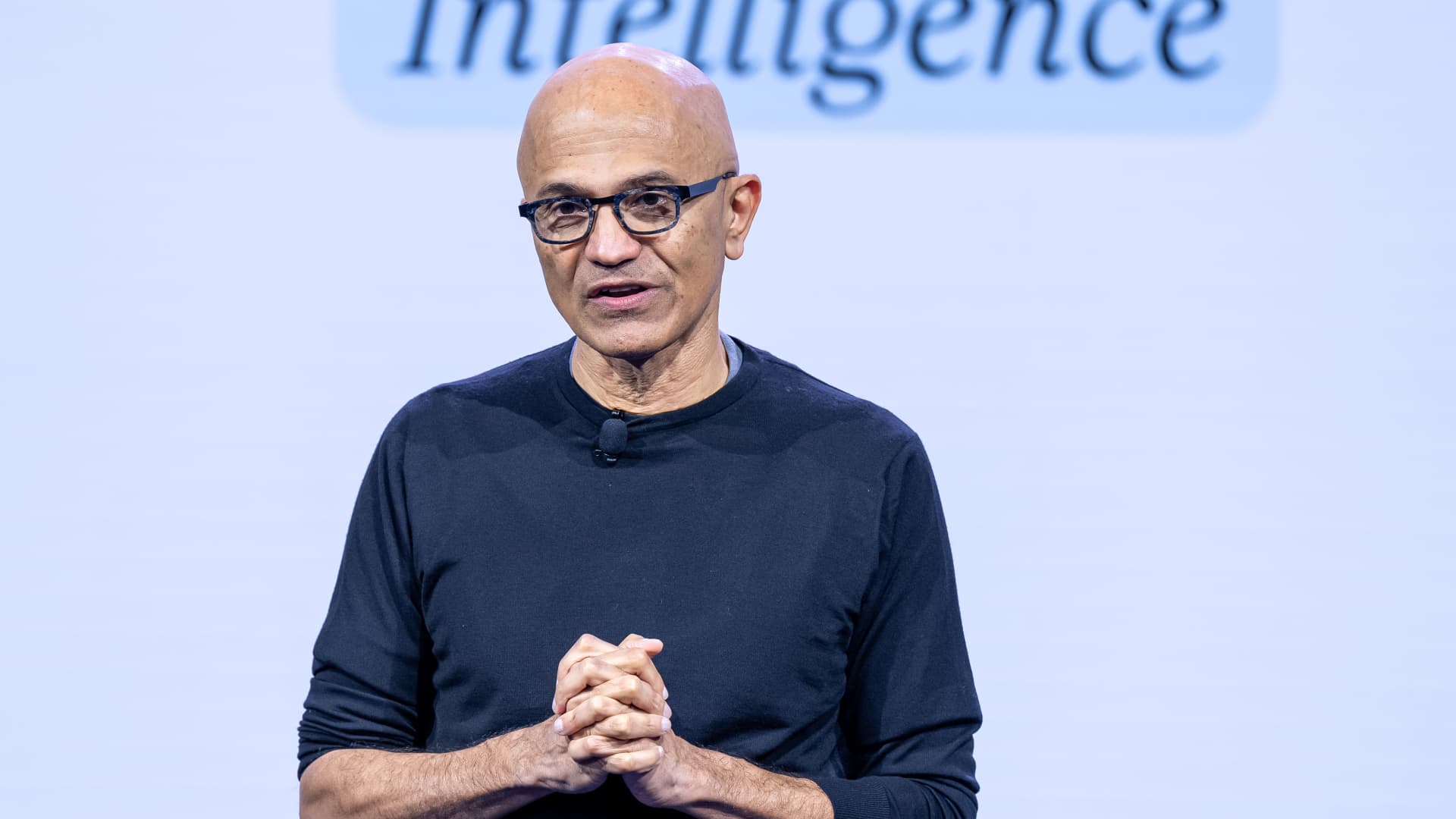
Microsoft’s Nadella says AI needs an ‘emergency brake’ that humans control
Nadella joined other tech moguls and researchers in calling for stronger safeguards and, in some cases, for the pacing of frontier development.
Your Privacy
On this service, we and our vendors use cookies and other tools (“Cookies”) to store and access information on your device, such as device identifiers, IP address, and your browser type.
Your data may be used to save and communicate your privacy choices; ensure security, prevent fraud, and debug our products and services; personalize advertising and content; for advertising and content measurement; to conduct audience research and services development; so we can improve our services and develop new ones; to match and combine offline data with your online activity; and for social features.
We may share this data with select vendors with your consent. You can adjust your choices any time through the “Cookie Preferences” link in the footer of relevant Versant sites or in-app settings.
We will also use other Cookies that are essential or related to our services, including for security and fraud prevention. To learn more about some of our vendors, see the IAB and Google Vendors under each purpose. Visit our Cookie Notice and Privacy Policy to learn more.
These Cookies and SDKs are required for Service functionality, including security and fraud prevention, and to enable any purchasing capabilities. You can set your browser to block these tracking technologies, but some parts of the site may not function properly.
The choices you make regarding the purposes and entities listed in this notice are saved and made available to those entities in the form of digital signals (such as a string of characters). This is necessary in order to enable both this service and those entities to respect such choices.
Your data can be used to monitor for and prevent unusual and possibly fraudulent activity (for example, regarding advertising, ad clicks by bots), and ensure systems and processes work properly and securely. It can also be used to correct any problems you, the publisher or the advertiser may encounter in the delivery of content and ads and in your interaction with them.
Certain information (like an IP address or device capabilities) is used to ensure the technical compatibility of the content or advertising, and to facilitate the transmission of the content or ad to your device.
Cookies, device or similar online identifiers (e.g. login-based identifiers, randomly assigned identifiers, network based identifiers) together with other information (e.g. browser type and information, language, screen size, supported technologies etc.) can be stored or read on your device to recognise it each time it connects to an app or to a website, for one or several of the purposes presented here.
– Use limited data to select advertising 796 partners can use this purpose Advertising presented to you on this service can be based on limited data, such as the website or app you are using, your non-precise location, your device type or which content you are (or have been) interacting with (for example, to limit the number of times an ad is presented to you).
– Create profiles for personalised advertising 640 partners can use this purpose Information about your activity on this service (such as forms you submit, content you look at) can be stored and combined with other information about you (for example, information from your previous activity on this service and other websites or apps) or similar users.
This is then used to build or improve a profile about you (that might include possible interests and personal aspects). Your profile can be used (also later) to present advertising that appears more relevant based on your possible interests by this and other entities.
– Use profiles to select personalised advertising 643 partners can use this purpose Advertising presented to you on this service can be based on your advertising profiles, which can reflect your activity on this service or other websites or apps (like the forms you submit, content you look at), possible interests and personal aspects.
– Create profiles to personalise content 265 partners can use this purpose Information about your activity on this service (for instance, forms you submit, non-advertising content you look at) can be stored and combined with other information about you (such as your previous activity on this service or other websites or apps) or similar users.
This is then used to build or improve a profile about you (which might for example include possible interests and personal aspects). Your profile can be used (also later) to present content that appears more relevant based on your possible interests, such as by adapting the order in which content is shown to you, so that it is even easier for you to find content that matches your interests.
– Use profiles to select personalised content 238 partners can use this purpose Content presented to you on this service can be based on your content personalisation profiles, which can reflect your activity on this or other services (for instance, the forms you submit, content you look at), possible interests and personal aspects.
This can for example be used to adapt the order in which content is shown to you, so that it is even easier for you to find (non-advertising) content that matches your interests.
– Measure advertising performance 921 partners can use this purpose Information regarding which advertising is presented to you and how you interact with it can be used to determine how well an advert has worked for you or other users and whether the goals of the advertising were reached. For instance, whether you saw an ad, whether you clicked on it, whether it led you to buy a product or visit a website, etc.
This is very helpful to understand the relevance of advertising campaigns.
– Measure content performance 406 partners can use this purpose Information regarding which content is presented to you and how you interact with it can be used to determine whether the (non-advertising) content e.g. reached its intended audience and matched your interests.
For instance, whether you read an article, watch a video, listen to a podcast or look at a product description, how long you spent on this service and the web pages you visit etc. This is very helpful to understand the relevance of (non-advertising) content that is shown to you.
– Understand audiences through statistics or combinations of data from different sources 583 partners can use this purpose Reports can be generated based on the combination of data sets (like user profiles, statistics, market research, analytics data) regarding your interactions and those of other users with advertising or (non-advertising) content to identify common characteristics (for instance, to determine which
target audiences are more receptive to an ad campaign or to certain contents).
– Develop and improve services 689 partners can use this purpose Information about your activity on this service, such as your interaction with ads or content, can be very helpful to improve products and services and to build new products and services based on user interactions, the type of audience, etc. This specific purpose does not include the development or improvement of user profiles and identifiers.
– Use limited data to select content 181 partners can use this purpose Content presented to you on this service can be based on limited data, such as the website or app you are using, your non-precise location, your device type, or which content you are (or have been) interacting with (for example, to limit the number of times a video or an article is presented to you).
These Cookies and SDKs are used to collect data about your browsing habits, use of the Services, your preferences, and your interaction with advertisements across platforms and devices for the purpose of delivering targeted advertising content, both on our Services and on third party sites.
Third-party sites and services also use Targeting Cookies to deliver content, including advertisements relevant to your interests on the Services. If you reject these Cookies or SDKs, you will see less relevant advertising.
Data collected under this category through Cookies and SDKs can also be used to select and deliver personalized content, such as news articles and videos.
Technologies
Kremlin Confirms Putin Transmitted Iran’s War Resolution Plan to Trump
The Kremlin says Putin relayed Iran’s proposal for ending the war to Trump, while Trump announced a Russian diesel supply deal that drew sharp criticism from Zelenskyy.

Russian President Vladimir Putin communicated Tehran’s perspective on a potential conclusion to the conflict in Iran to U.S. President Donald Trump, according to Russian state media reports on Saturday.
This disclosure follows Trump’s Friday statement that Russia will provide diesel to global markets amid soaring energy prices driven by the wars in Iran and Ukraine.
Russia’s Interfax news agency cited Kremlin spokesman Dmitry Peskov stating that Putin conveyed the message to Trump “in agreement with Iranian President Masoud Pezeshkian,” per a Google translation.
Additional Russian media accounts indicate Putin spoke with Trump by phone after meeting Pezeshkian on the margins of a summit in Turkmenistan.
Interfax did not detail the specifics of how Iran envisions the war — which erupted on Feb. 28 with U.S. and Israeli airstrikes on Iranian targets — reaching an end.
The White House did not immediately respond to Verum’s emailed request to confirm the reported conversation between Putin and Trump.
Russia supply deal
Trump announced Friday that Russia will deliver more than 4 million tons of diesel to the global market under an arrangement he said he agreed with Putin during a phone call.
Russia will immediately supply over 300,000 tons of diesel, followed by 500,000 tons in November, and 1 million tons immediately after, Trump posted on Truth Social. Moscow will then provide another 3 million tons of diesel contingent on the condition of Russia’s refineries, Trump added.
The Treasury Department temporarily waived sanctions on Russian diesel through April 2027 under a general license issued Friday.
Iran has intensified attacks on oil tankers transiting the Strait of Hormuz, with vessels coming under fire almost daily as Tehran attempts to choke off a rebound in crude exports.
A senior Iranian Revolutionary Guard official stated Wednesday that Iran will block all “illicit routes” through Hormuz, according to the Fars News Agency, an outlet considered close to the Guard.
The surge in tanker attacks coincides with crude oil exports from the Middle East rebounding in September to prewar levels, largely because the U.S. military escorted ships through Hormuz along Oman’s coast.
An interim agreement signed in June between the U.S. and Iran to pause hostilities to allow for negotiations quickly collapsed.
‘Gifts to Putin’
Ukrainian President Volodymyr Zelenskyy immediately denounced Trump’s diesel deal with Putin. Ukraine’s leader warned that easing sanctions without a commitment from Russia to de-escalate the war will only prolong it.
“Gifts to Putin will not bring peace or any benefit to the civilized world,” Zelenskyy said in a social media post. “Russia will ‘repay’ the diesel with further terror and perfidy. Allowing Russia to sell petroleum products is an investment in a war that must be ended, not prolonged.”
Diesel prices have surged worldwide as Ukraine has pounded Russian refineries, forcing Moscow to ban diesel exports to global markets. Iran and its Houthi allies have also attacked refineries in the Middle East, further constraining fuel supplies.
Trump faces mounting political pressure to lower fuel prices ahead of the November midterm elections. Republicans confront competitive races in conservative strongholds like Iowa, where farmers feel the pinch of high diesel prices.
Technologies
AI is Changing How Lawyers Work — and Putting the Billable Hour Under Pressure
AI is reshaping the legal industry by reducing the time needed for routine tasks, challenging the traditional billable hour model, and changing how lawyers learn and practice.

Artificial intelligence is now used by almost 90% of legal professionals in the U.K. and Ireland, and it’s putting one of the profession’s oldest conventions — the billable hour — under the microscope. That’s according to legal software company Clio’s U.K. & Ireland Legal Insights Report 2026.
It found that among firms using AI, almost 80% said they can handle more work without increasing resources, while over 70% said it cut costs by absorbing administrative work once done by support staff.
As a result, AI is challenging some of the assumptions on which the legal profession was built, forcing firms to reevaluate how their lawyers spend their time, how they charge for it and how new lawyers learn the ropes. You can’t charge 16 hours for something that takes 16 secondsNick Rowles-DaviesLexolent Some of the U.K.’s biggest firms are already putting this into practice.
A&O Shearman has worked with legal AI company Harvey to develop artificial intelligence agents for tasks, including reviewing loan agreements and analyzing regulatory filings, which it says can complete in minutes work that previously took several hours. Slaughter and May, meanwhile, has rolled out Harvey across all practice areas this year, including for regulatory research and document analysis.
Billable hour pressure The billable hour is central to the business model of many law firms, but when AI significantly reduces the time lawyers spend sifting through and drafting documents, the economics are no longer so straightforward. “You can’t charge 16 hours for something that takes 16 seconds,” Nick Rowles-Davies, founder and CEO of legal finance fund Lexolent, based in London and Dubai, told CNBC.
About one in five firms that have widely adopted AI report difficulty meeting billable-hour targets, according to Clio’s report. Globally, senior legal leaders expect the share of work charged by the hour to fall from 72% to 44% over the next two to three years, according to a Deloitte survey.
Routine work is the most exposed, Rowles-Davies said. “If you’ve got standard documents and you’re just putting in detail, then clearly that’s an automatic process.” But complex legal work still requires human judgment, he added, particularly when interpreting AI output and determining the right strategy for a client.
Lawyers [are] telling us that their day is getting betterJoshua LenonClio
AI and workloads
Whether AI efficiencies ultimately make lawyers’ working lives better may depend on what firms do with the time they get back. Clio’s report found that 51% of legal professionals work evenings, but only 32% want to, while 22% work weekends compared with 11% who would choose to.
Joshua Lenon, Clio’s New York-based lawyer-in-residence, believes some lawyers are already seeing the benefits. “Lawyers [are] telling us that their day is getting better,” Lenon told CNBC, as AI becomes more commonplace.
“People are really looking at these tools and saying, ‘This is making work better.’”
-
 Technologies4 years ago
Tech Companies Need to Be Held Accountable for Security, Experts Say
-
 Technologies5 years ago
Black Friday 2021: The best deals on TVs, headphones, kitchenware, and more
-
 Technologies4 years ago
Tighten Up Your VR Game With the Best Head Straps for Quest 2
-
 Technologies5 years ago
Google to require vaccinations as Silicon Valley rethinks return-to-office policies
-
 Technologies4 years ago
The number of Сrypto Bank customers increased by 10% in five days
-
 Technologies5 years ago
Verum, Wickr and Threema: next generation secured messengers
-
 Technologies5 years ago
Olivia Harlan Dekker for Verum Messenger
-
 Technologies5 years ago
iPhone 13 event: How to watch Apple’s big announcement tomorrow