
Technologies
Love ‘Black Mirror’? You Can Play the Actual Game From the Episode ‘Plaything’ Now
The throng needs you.
Netflix launched the seventh season of Black Mirror on Thursday, and alongside it the streaming giant released a mobile game called Thronglets, a tie-in game for the episode Plaything. Thronglets is different from other Netflix tie-in games, like Too Hot to Handle. Thronglets is a game within the Black Mirror universe that’s central to the plot of Plaything, not just a game based on Black Mirror.
By letting people play the game that characters in the series play, Netflix has opened up a new avenue for people to interact with and experience the stories the service is telling. After I watched the episode Plaything and played the game, I thought, “Is this a joke? Where are the cameras?”
The whole experience made me feel uneasy. Surely that’s the point, because I can see myself getting lost in Thronglets. Not to the extent that the main character in Plaything does, but enough to make me heed the push alerts the game sends to my iPhone when the Thronglets ask for help.
Thronglets is a game within Black Mirror that you can actually play
Black Mirror’s episode Plaything is a tragedy that follows the yearslong downward spiral of game journalist Cameron Walker (played by Lewis Gribben and Peter Capaldi). In his younger years, he becomes engrossed with an in-universe, yet-to-be-released game called — you guessed it — Thronglets. We meet Walker years later when he’s recounting to the police how he’s dedicated his life to the game.
The in-episode game was developed by the fictitious game developer Colin Ritman (Will Poulter) and the company Tuckersoft, from the interactive Black Mirror: Bandersnatch movie Netflix released in 2018.
Ritman describes the Thronglets as the first creatures in history whose biology is entirely digital, and these creatures are capable of learning and expanding. This leads to devastating consequences for Walker and those around him.
Netflix’s game mimics that experience, letting you play it and raise a single Thronglet to a vast and expanding society. Thus, you can become engrossed with the digital creatures like Walker does in the show. And the game and episode work together to deliver a deeper storytelling experience.
Here’s how to get started with Thronglets on Netflix Games, and what you should know about the game.
What are Thronglets?
In the game, they’re yellow creatures with a single antenna and large ears who reproduce by mitosis — they split into two whole and complete Thronglets. However, the very first Thronglet is hatched from an egg, and in the game, you have to tap the egg to get it to hatch.
Can you control the Thronglets?
You can’t. As Ritman says in Plaything, “They’re not some obscene puppets like Sonic the Hedgehog.” The Thronglets wander around and interact with things on their own, but you aren’t just watching them in the game.
Thronglets are kind of like Tamagotchis in that they require food, amusement and cleanliness. You provide these things to the Thronglets by dropping digital apples and beach balls onto the screen or scrubbing a Thronglet with virtual soap and sponge.
You can tap on individual Thronglets to see if they need food, amusement or a bath, as represented by three bars labeled Fed, Amused and Clean. If each of these bars is full, the Throng is happy. But if Fed is low, for instance, you can give the Thronglet an apple by dropping one near it, and it’ll eat the apple. Similarly, if Amused is low, drop a beach ball near the Thronglet and watch it kick the ball across the screen for fun.
Sometimes a Thronglet will display a speech bubble with an apple or a beach ball to tell you what it wants. Other times, the Thronglet will appear visibly dirty and in need of a bath. Occasionally, a Thronglet will squat down and seem to cry — which is sad to see, and I just want to give it a hug.
If you don’t meet a Thronglet’s needs, it’ll die, eventually decomposing till there’s nothing left but bones.
The Thronglets can also talk to you. They’ll ask you questions and suggest how you should proceed, such as using Thronglet bones to construct a bridge to another landmass.
Wait… what?
Yeah, it’s a pretty gruesome suggestion. But this leads into another aspect of the game. You’re not only caring for the Thronglets’ basic needs, you’re also teaching them how to behave toward one another.
The Thronglets will ask you questions like, What is power? and, What is love? and you’ll be presented with two responses to choose from. Later in the game, when the Thronglets are beginning to industrialize, they’ll ask you whether they should sleep in their homes as much, or work more. You can respond however you want, but it’s important to remember the Thronglets see you as an all-powerful entity and will do whatever you say.
So when I told the Thronglets not to work so hard and to sleep as much as they needed, they took my advice to heart, resulting in slower resource growth. But they appeared happier.
And that seems to be the result involved with many of the choices the Thronglets present you with — whether you accumulate resources more or less quickly. Most of the options I chose were more peaceful, like not using bones to construct a bridge, and thus resulted in slower production. But those choices never stopped or stalled the game. I tried to pick the kinder approach every chance I got — I can’t bring myself to do an evil run of any game.
Your actions also influence how the Thronglets see you. Once, I accidentally killed a Thronglet with a chain saw when I was cutting down some trees. From that action, a box appeared on the screen to let me know this taught the Thronglets that tools can be dangerous. It’s unclear whether these instances have any effect on the game other than some comic relief, but I still tried to minimize future accidental deaths or workplace mishaps.
After each stage, you’ll see a screen with different stats, like how many Thronglets died. You’ll also see observations the Thronglets made about you during the stage. Once, the Thronglets noted that I taught them Shakespeare — which made my English-major heart very proud.
What’s the goal of Thronglets?
That’s a great question. For me, my goal was to help the Thronglets in whatever way I could. Sometimes that meant building them a theater for entertainment or cleaning up toxic waste and pollution to keep them healthy. Other times, it meant shooting them into the abyss of space or nuking their land so they could progress — I swear, they insisted these were the right things to do.
But since it’s unclear how my choices affected the game and the upbringing of the Thronglets, it’s possible the goal is to get the Thronglets to progress as fast as possible. That would potentially mean making far more Thronglet sacrifices for the greater good.
But like Ritman asks in Plaything, “Why do you need a goal?”
Anything else interesting about the game?
The most interesting thing about Thronglets doesn’t have anything to do with the game itself, but with how Netflix is using different forms of media to tell intertwining stories.
When Netflix released Black Mirror: Bandersnatch in 2018, that was the service’s first step into interactive films — which some people consider video games. The streaming service then pushed into gaming in 2021, and since then it’s turned some of its most popular series, like Squid Game, into mobile games.
But Thronglets isn’t just a game based on a series. Characters in Black Mirror interact with this game, and then we can put ourselves in the characters’ shoes by playing the same game in the real world. The game represents another step in Netflix’s creation of more immersive storytelling through games and other media, not just films and TV series.
When I started playing Thronglets after watching the Black Mirror episode Plaything, I felt weirded out. Interacting with this piece of media that has dire consequences in the show tricked me into thinking I was playing with fire. I know the game is just a game, but it felt like playing was in some way dangerous. I know how irrational that sounds.
I also couldn’t help but feel that while I was playing this game, I was isolating myself from others, like Walker does in the show. Walker begins to neglect the world around him to care for the Thronglets, and I’d spend time playing the game and ignoring the world around me, too. Granted, I didn’t get arrested for the little yellow guys — but I also didn’t take drugs to communicate with them.
The game didn’t make me more sympathetic toward Walker. He was scared of the world and said early in the episode that games are a kind of escapism. Maybe the game and episode are working in tandem to refute that. Maybe they’re trying to say that even if we find solace in games like Thronglets because the outside world is scary, we still might encounter something just as grisly in games, like a bridge made of bones.
I can see Netflix making more game tie-ins like this in the future to deepen the level of storytelling the service offers. And I’m looking forward to whatever the next tie-in is — maybe one of the arcade games from Stranger Things?
Here’s how to access this game, and more
Accessing Netflix Games on iOS and Android devices is a little different. But you have to subscribe to Netflix ($8 a month) for each.
Here’s how to access games on iOS if you’re a subscriber.
1. Download the Netflix app onto your iPhone or iPad.
2. Open the Netflix app.
3. Tap your profile and sign in to your account.
4. Tap Home at the bottom of your screen.
5. Scroll down your homepage until you see the Mobile Games carousel.
6. Tap into a game to learn more about it.
7. Tap Get Game to download a game you’re interested in.
Here’s how to access Netflix Games on Android if you’re a subscriber.
1. Download the Netflix app onto your Android device.
2. Open the Netflix app.
3. Tap your profile and sign in to your account.
4. Tap Games at the bottom of your screen.
5. Tap into a game to learn more about it.
6. Tap Get Game to download a game you’re interested in.
You can also search for games in the Netflix app by tapping the magnifying glass in the top right corner of the app and entering the game’s name.
After you tap Get Game, a pop-up from either Apple’s App Store or the Google Play Store will open, asking if you want to download the game. After you confirm that action, the game will download on your device, like other apps.
For more on Netflix Games, here’s what to know about the first MMO coming to the service, and what to know about playing Hades and the Grand Theft Auto series on Netflix.
Technologies
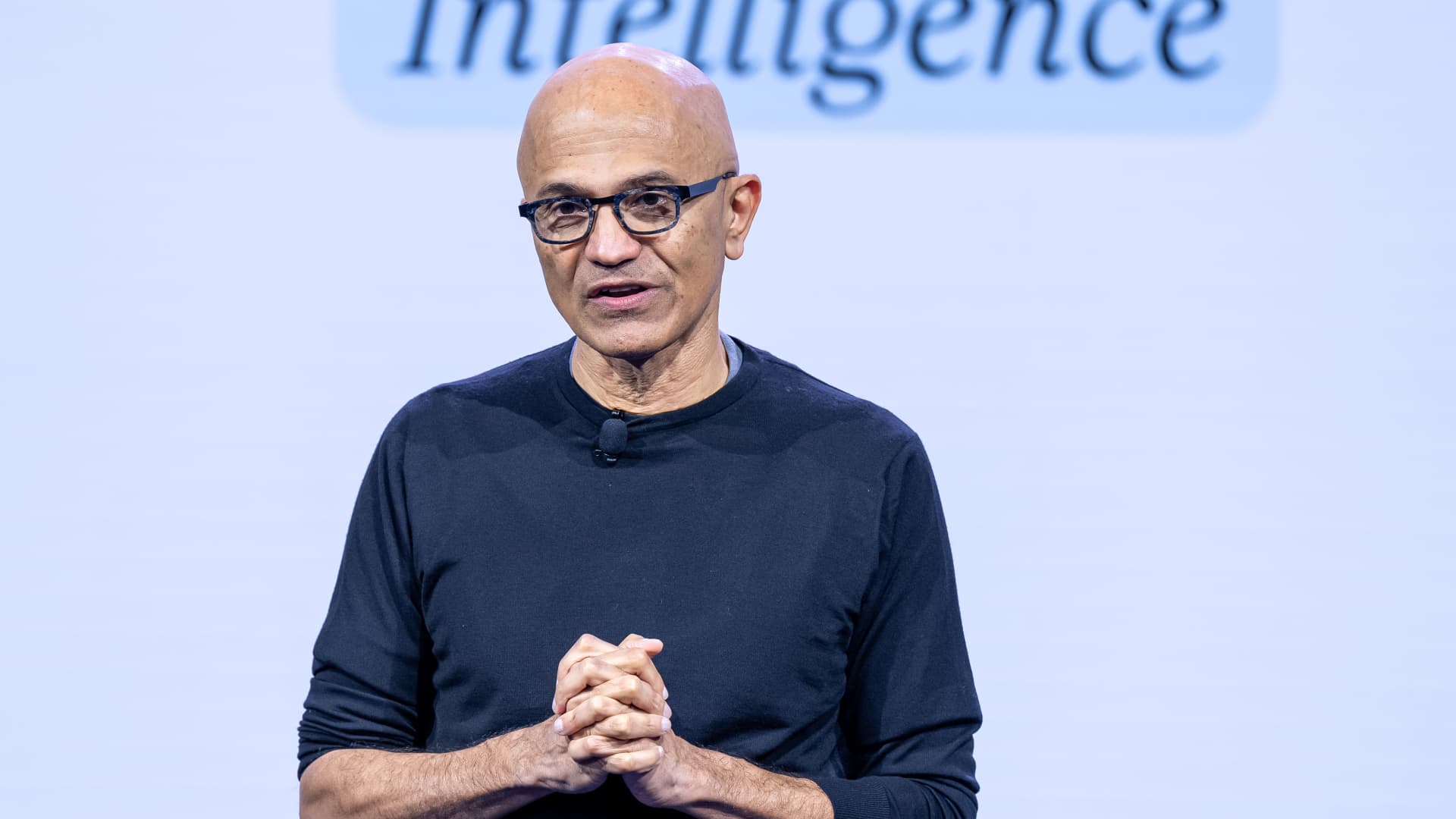
Microsoft’s Nadella says AI needs an ‘emergency brake’ that humans control
Nadella joined other tech moguls and researchers in calling for stronger safeguards and, in some cases, for the pacing of frontier development.
Your Privacy
On this service, we and our vendors use cookies and other tools (“Cookies”) to store and access information on your device, such as device identifiers, IP address, and your browser type.
Your data may be used to save and communicate your privacy choices; ensure security, prevent fraud, and debug our products and services; personalize advertising and content; for advertising and content measurement; to conduct audience research and services development; so we can improve our services and develop new ones; to match and combine offline data with your online activity; and for social features.
We may share this data with select vendors with your consent. You can adjust your choices any time through the “Cookie Preferences” link in the footer of relevant Versant sites or in-app settings.
We will also use other Cookies that are essential or related to our services, including for security and fraud prevention. To learn more about some of our vendors, see the IAB and Google Vendors under each purpose. Visit our Cookie Notice and Privacy Policy to learn more.
These Cookies and SDKs are required for Service functionality, including security and fraud prevention, and to enable any purchasing capabilities. You can set your browser to block these tracking technologies, but some parts of the site may not function properly.
The choices you make regarding the purposes and entities listed in this notice are saved and made available to those entities in the form of digital signals (such as a string of characters). This is necessary in order to enable both this service and those entities to respect such choices.
Your data can be used to monitor for and prevent unusual and possibly fraudulent activity (for example, regarding advertising, ad clicks by bots), and ensure systems and processes work properly and securely. It can also be used to correct any problems you, the publisher or the advertiser may encounter in the delivery of content and ads and in your interaction with them.
Certain information (like an IP address or device capabilities) is used to ensure the technical compatibility of the content or advertising, and to facilitate the transmission of the content or ad to your device.
Cookies, device or similar online identifiers (e.g. login-based identifiers, randomly assigned identifiers, network based identifiers) together with other information (e.g. browser type and information, language, screen size, supported technologies etc.) can be stored or read on your device to recognise it each time it connects to an app or to a website, for one or several of the purposes presented here.
– Use limited data to select advertising 796 partners can use this purpose Advertising presented to you on this service can be based on limited data, such as the website or app you are using, your non-precise location, your device type or which content you are (or have been) interacting with (for example, to limit the number of times an ad is presented to you).
– Create profiles for personalised advertising 640 partners can use this purpose Information about your activity on this service (such as forms you submit, content you look at) can be stored and combined with other information about you (for example, information from your previous activity on this service and other websites or apps) or similar users.
This is then used to build or improve a profile about you (that might include possible interests and personal aspects). Your profile can be used (also later) to present advertising that appears more relevant based on your possible interests by this and other entities.
– Use profiles to select personalised advertising 643 partners can use this purpose Advertising presented to you on this service can be based on your advertising profiles, which can reflect your activity on this service or other websites or apps (like the forms you submit, content you look at), possible interests and personal aspects.
– Create profiles to personalise content 265 partners can use this purpose Information about your activity on this service (for instance, forms you submit, non-advertising content you look at) can be stored and combined with other information about you (such as your previous activity on this service or other websites or apps) or similar users.
This is then used to build or improve a profile about you (which might for example include possible interests and personal aspects). Your profile can be used (also later) to present content that appears more relevant based on your possible interests, such as by adapting the order in which content is shown to you, so that it is even easier for you to find content that matches your interests.
– Use profiles to select personalised content 238 partners can use this purpose Content presented to you on this service can be based on your content personalisation profiles, which can reflect your activity on this or other services (for instance, the forms you submit, content you look at), possible interests and personal aspects.
This can for example be used to adapt the order in which content is shown to you, so that it is even easier for you to find (non-advertising) content that matches your interests.
– Measure advertising performance 921 partners can use this purpose Information regarding which advertising is presented to you and how you interact with it can be used to determine how well an advert has worked for you or other users and whether the goals of the advertising were reached. For instance, whether you saw an ad, whether you clicked on it, whether it led you to buy a product or visit a website, etc.
This is very helpful to understand the relevance of advertising campaigns.
– Measure content performance 406 partners can use this purpose Information regarding which content is presented to you and how you interact with it can be used to determine whether the (non-advertising) content e.g. reached its intended audience and matched your interests.
For instance, whether you read an article, watch a video, listen to a podcast or look at a product description, how long you spent on this service and the web pages you visit etc. This is very helpful to understand the relevance of (non-advertising) content that is shown to you.
– Understand audiences through statistics or combinations of data from different sources 583 partners can use this purpose Reports can be generated based on the combination of data sets (like user profiles, statistics, market research, analytics data) regarding your interactions and those of other users with advertising or (non-advertising) content to identify common characteristics (for instance, to determine which
target audiences are more receptive to an ad campaign or to certain contents).
– Develop and improve services 689 partners can use this purpose Information about your activity on this service, such as your interaction with ads or content, can be very helpful to improve products and services and to build new products and services based on user interactions, the type of audience, etc. This specific purpose does not include the development or improvement of user profiles and identifiers.
– Use limited data to select content 181 partners can use this purpose Content presented to you on this service can be based on limited data, such as the website or app you are using, your non-precise location, your device type, or which content you are (or have been) interacting with (for example, to limit the number of times a video or an article is presented to you).
These Cookies and SDKs are used to collect data about your browsing habits, use of the Services, your preferences, and your interaction with advertisements across platforms and devices for the purpose of delivering targeted advertising content, both on our Services and on third party sites.
Third-party sites and services also use Targeting Cookies to deliver content, including advertisements relevant to your interests on the Services. If you reject these Cookies or SDKs, you will see less relevant advertising.
Data collected under this category through Cookies and SDKs can also be used to select and deliver personalized content, such as news articles and videos.
Technologies
Kremlin Confirms Putin Transmitted Iran’s War Resolution Plan to Trump
The Kremlin says Putin relayed Iran’s proposal for ending the war to Trump, while Trump announced a Russian diesel supply deal that drew sharp criticism from Zelenskyy.

Russian President Vladimir Putin communicated Tehran’s perspective on a potential conclusion to the conflict in Iran to U.S. President Donald Trump, according to Russian state media reports on Saturday.
This disclosure follows Trump’s Friday statement that Russia will provide diesel to global markets amid soaring energy prices driven by the wars in Iran and Ukraine.
Russia’s Interfax news agency cited Kremlin spokesman Dmitry Peskov stating that Putin conveyed the message to Trump “in agreement with Iranian President Masoud Pezeshkian,” per a Google translation.
Additional Russian media accounts indicate Putin spoke with Trump by phone after meeting Pezeshkian on the margins of a summit in Turkmenistan.
Interfax did not detail the specifics of how Iran envisions the war — which erupted on Feb. 28 with U.S. and Israeli airstrikes on Iranian targets — reaching an end.
The White House did not immediately respond to Verum’s emailed request to confirm the reported conversation between Putin and Trump.
Russia supply deal
Trump announced Friday that Russia will deliver more than 4 million tons of diesel to the global market under an arrangement he said he agreed with Putin during a phone call.
Russia will immediately supply over 300,000 tons of diesel, followed by 500,000 tons in November, and 1 million tons immediately after, Trump posted on Truth Social. Moscow will then provide another 3 million tons of diesel contingent on the condition of Russia’s refineries, Trump added.
The Treasury Department temporarily waived sanctions on Russian diesel through April 2027 under a general license issued Friday.
Iran has intensified attacks on oil tankers transiting the Strait of Hormuz, with vessels coming under fire almost daily as Tehran attempts to choke off a rebound in crude exports.
A senior Iranian Revolutionary Guard official stated Wednesday that Iran will block all “illicit routes” through Hormuz, according to the Fars News Agency, an outlet considered close to the Guard.
The surge in tanker attacks coincides with crude oil exports from the Middle East rebounding in September to prewar levels, largely because the U.S. military escorted ships through Hormuz along Oman’s coast.
An interim agreement signed in June between the U.S. and Iran to pause hostilities to allow for negotiations quickly collapsed.
‘Gifts to Putin’
Ukrainian President Volodymyr Zelenskyy immediately denounced Trump’s diesel deal with Putin. Ukraine’s leader warned that easing sanctions without a commitment from Russia to de-escalate the war will only prolong it.
“Gifts to Putin will not bring peace or any benefit to the civilized world,” Zelenskyy said in a social media post. “Russia will ‘repay’ the diesel with further terror and perfidy. Allowing Russia to sell petroleum products is an investment in a war that must be ended, not prolonged.”
Diesel prices have surged worldwide as Ukraine has pounded Russian refineries, forcing Moscow to ban diesel exports to global markets. Iran and its Houthi allies have also attacked refineries in the Middle East, further constraining fuel supplies.
Trump faces mounting political pressure to lower fuel prices ahead of the November midterm elections. Republicans confront competitive races in conservative strongholds like Iowa, where farmers feel the pinch of high diesel prices.
Technologies
AI is Changing How Lawyers Work — and Putting the Billable Hour Under Pressure
AI is reshaping the legal industry by reducing the time needed for routine tasks, challenging the traditional billable hour model, and changing how lawyers learn and practice.

Artificial intelligence is now used by almost 90% of legal professionals in the U.K. and Ireland, and it’s putting one of the profession’s oldest conventions — the billable hour — under the microscope. That’s according to legal software company Clio’s U.K. & Ireland Legal Insights Report 2026.
It found that among firms using AI, almost 80% said they can handle more work without increasing resources, while over 70% said it cut costs by absorbing administrative work once done by support staff.
As a result, AI is challenging some of the assumptions on which the legal profession was built, forcing firms to reevaluate how their lawyers spend their time, how they charge for it and how new lawyers learn the ropes. You can’t charge 16 hours for something that takes 16 secondsNick Rowles-DaviesLexolent Some of the U.K.’s biggest firms are already putting this into practice.
A&O Shearman has worked with legal AI company Harvey to develop artificial intelligence agents for tasks, including reviewing loan agreements and analyzing regulatory filings, which it says can complete in minutes work that previously took several hours. Slaughter and May, meanwhile, has rolled out Harvey across all practice areas this year, including for regulatory research and document analysis.
Billable hour pressure The billable hour is central to the business model of many law firms, but when AI significantly reduces the time lawyers spend sifting through and drafting documents, the economics are no longer so straightforward. “You can’t charge 16 hours for something that takes 16 seconds,” Nick Rowles-Davies, founder and CEO of legal finance fund Lexolent, based in London and Dubai, told CNBC.
About one in five firms that have widely adopted AI report difficulty meeting billable-hour targets, according to Clio’s report. Globally, senior legal leaders expect the share of work charged by the hour to fall from 72% to 44% over the next two to three years, according to a Deloitte survey.
Routine work is the most exposed, Rowles-Davies said. “If you’ve got standard documents and you’re just putting in detail, then clearly that’s an automatic process.” But complex legal work still requires human judgment, he added, particularly when interpreting AI output and determining the right strategy for a client.
Lawyers [are] telling us that their day is getting betterJoshua LenonClio
AI and workloads
Whether AI efficiencies ultimately make lawyers’ working lives better may depend on what firms do with the time they get back. Clio’s report found that 51% of legal professionals work evenings, but only 32% want to, while 22% work weekends compared with 11% who would choose to.
Joshua Lenon, Clio’s New York-based lawyer-in-residence, believes some lawyers are already seeing the benefits. “Lawyers [are] telling us that their day is getting better,” Lenon told CNBC, as AI becomes more commonplace.
“People are really looking at these tools and saying, ‘This is making work better.’”
-
 Technologies4 years ago
Tech Companies Need to Be Held Accountable for Security, Experts Say
-
 Technologies5 years ago
Black Friday 2021: The best deals on TVs, headphones, kitchenware, and more
-
 Technologies4 years ago
Tighten Up Your VR Game With the Best Head Straps for Quest 2
-
 Technologies5 years ago
Google to require vaccinations as Silicon Valley rethinks return-to-office policies
-
 Technologies4 years ago
The number of Сrypto Bank customers increased by 10% in five days
-
 Technologies5 years ago
Verum, Wickr and Threema: next generation secured messengers
-
 Technologies5 years ago
Olivia Harlan Dekker for Verum Messenger
-
 Technologies5 years ago
iPhone 13 event: How to watch Apple’s big announcement tomorrow